EU Deepfake Nudifier Ban Exposes a Verification Crisis for Investigators

The technical challenges of digital verification have reached a fever pitch. The EU’s move to ban “nudifier” apps isn’t just a policy win; it’s a massive signal for developers in the biometrics and computer vision space. While legislators focus on the “creation” side of the deepfake problem, those of us building the “verification” side are facing an architectural crisis: How do we maintain the integrity of a biometric pipeline when the source material is increasingly synthetic?

For developers working with facial comparison or OSINT tools, the EU ban highlights a widening gap in digital forensics. We are moving from an era where we simply matched patterns to an era where we must first validate the existence of the subject. In a standard computer vision workflow, we typically extract feature vectors from an image and calculate the Euclidean distance between two embeddings. If that distance is below a certain threshold, we have a match. But what happens when the feature vector belongs to a Generative Adversarial Network (GAN) output rather than a biological human?

The technical implication for your codebase is a shift in priority. It is no longer enough to have a high true-positive rate in comparison; we now need robust pre-processing layers for liveness detection and synthetic artifact analysis. The systematic review cited in the news highlights a brutal reality: the more sensitive your detection model is, the more likely you are to flag legitimate content as manipulated. This sensitivity-specificity trade-off is the “Goldilocks” problem of modern computer vision.

From a deployment perspective, this means our APIs need to do more than return a similarity score. At CaraComp, we focus on Euclidean distance analysis because it provides a mathematical, repeatable standard for investigators. However, the industry at large is realizing that the “standard” is being attacked. If you are building verification systems today, you are likely looking at implementing frequency domain analysis to spot the subtle “checkering” patterns left by upscaling algorithms or GANs.

The investigative reality is that solo PIs and OSINT researchers cannot afford the $2,000/year enterprise tools currently attempting to solve this. They need the same Euclidean distance precision used by federal agencies, but they need it in a way that respects their budget and their specific use case: comparison, not crowd surveillance. The EU ban is a step toward stopping the harm, but for the developer community, the real work is building the infrastructure that proves what is real.

We are entering a phase where “proof of reality” will be a standard header in every image processing API. If we don’t standardize how we handle synthetic data now, the court-ready reports our users rely on will lose their weight in legal proceedings.

How are you adjusting your image processing pipelines to handle the potential for synthetic or “nudified” source material—are you looking at metadata forensics, or are you moving toward purely algorithmic liveness detection?

Drop a comment if you’ve ever spent hours comparing photos manually.

Candy Logger v2 is here — a browser logger with a real UI

I just shipped Candy Logger v2 — a major rewrite of my JavaScript/TypeScript logging library.

Candy Logger is now a browser-first logger with a floating UI that makes debugging much easier during development. Instead of just printing plain console messages, v2 gives you a structured table view, tagged logs, color-coded levels, real-time search/filtering, dark/light theme support, JSON export, and draggable/resizable UI controls. It is also zero-dependency. (GitHub)

One important change in this release: v2 is browser-only. I removed the old Node.js / terminal support, so if you still need the legacy terminal experience, v1.x is the version to stay on. This release is focused on giving frontend developers a much better in-browser debugging workflow. (GitHub)

What’s new in v2?

  • Complete browser-focused rewrite
  • New table-view logger UI
  • Custom tagged logging
  • 6 color-coded log levels
  • Per-row actions like copy, bookmark, and delete
  • Real-time search and filtering
  • Dark / light theme toggle
  • JSON export
  • Pin, drag, and resize support
  • Collapsible JSON previews
  • TypeScript support
  • Works with React, Vue, Angular, Svelte, and Next.js client-side setups (GitHub)

Quick example

import { overrideConsole } from 'candy-logger';

overrideConsole({ forceUI: true });

console.log('Hello World!');
console.info('User signed in', { userId: 123 });
console.warn('Disk usage > 90%');
console.error('Payment failed', { code: 'CARD_DECLINED' });

That is basically it — once enabled, your browser logs become much more visual and easier to inspect. (GitHub)

Why I made this

A lot of logging tools are either too minimal, terminal-focused, or not pleasant to use when debugging frontend apps. I wanted something lightweight but still practical: something that feels modern, looks clean, and helps organize logs instead of turning them into noise.

Candy Logger v2 is my attempt to make browser debugging more usable and a bit more fun.

Try it

  • GitHub: shehari007/candy-logger
  • npm: candy-logger
  • Version: 2.0.0 (GitHub)

I’d really appreciate feedback, feature ideas, and stars on the repo.
If you try it in one of your projects, let me know what you think.

I have created a workflow.md file to use with Antigravity as below, can anyone help me, I’m new to this field

🚀 CESC AI WORKFLOW v3 (PHASE + FINALIZE MODE)

AI Agent must create real folders and files for each command, with structured phases, execution traceability, and finalization support.

⚠️ CORE PRINCIPLES

  • MUST create real files in project
  • MUST create folder if not exist
  • MUST NOT only return text
  • If cannot create file → return FULL file content ready to paste

📁 DIRECTORY STRUCTURE

/docs
├── requirements/
├── brainstorm/
├── plan/
├── execution/
├── review/
├── refactor/
├── testing/
├── docs/
└── final/

📁 FILE NAMING (MANDATORY)

Format:

YYYY-MM-DD_HHmm_[feature]_[type].md

Rules:

  • Always include timestamp
  • Feature = kebab-case (auth-system, payment-flow)
  • Auto detect from:

    • “Feature: xxx”
    • or infer from context

🧠 GLOBAL DOCUMENT HEADER (NEW)

Every file MUST include:

Status: DRAFT | IN_PROGRESS | FINAL
Version: v1
Feature: <feature-name>
Updated: YYYY-MM-DD HH:mm

🧩 PHASE + STEP STRUCTURE (MANDATORY IN /plan)

## Phase 1: <name>

### Step 1.1: <step name>
- Description
- Output
- Dependencies

### Step 1.2: <step name>
...

Rules:

  • Phase = milestone (setup, core, optimize…)
  • Step = atomic, implementable immediately
  • Each step MUST define:

    • Output (file/code/module)
    • Clear scope (small enough)

🔒 FINALIZE MODE (NEW)

Command:

/[command] end

Example:

/plan end

FINALIZE RULES

  • MUST create new file:

YYYY-MM-DD_HHmm_[feature]_[command]-final.md

  • MUST update:
Status: FINAL
  • MUST:

    • Remove ambiguity
    • Remove duplicated logic
    • Ensure all steps executable
  • MUST include:

## ✅ Final Checklist
- [x] All steps actionable
- [x] No missing dependency
- [x] Clear execution order

🔗 TRACEABILITY (MANDATORY)

All docs must link together.

Example:

Plan:

Step 2.1 → execution-step-2.md

Execution:

Source Plan:
- Phase 2 - Step 2.1

Testing:

Covering:
- execution-step-2.md

🧠 COMMANDS

/brainstorm

Folder:

/docs/brainstorm/

File:

YYYY-MM-DD_HHmm_[feature]_brainstorm.md

Content:

  • Problem
  • Scope

    • In scope
    • Out of scope
  • Ambiguities

  • Unknowns (Need clarification)

  • Assumptions

  • Solutions

  • Tech stack

/plan

Folder:

/docs/plan/

File:

YYYY-MM-DD_HHmm_[feature]_plan-v{n}.md

Content:

  • Phase + Step breakdown
  • Execution Strategy

    • Parallel / Sequential
    • Estimated complexity
  • Dependencies

  • Risks

Additional:

## Phase Summary

| Phase | Goal | Risk |

Versioning:

  • v1 → v2 → v3…
  • Iterate until user says: “Plan is clean”

/execute

Folder:

/docs/execution/

File:

YYYY-MM-DD_HHmm_[feature]_execution-step-{n}.md

Rules:

  • Only implement selected step

Support:
/execute step=1,2

Content:

  • Source Plan:

    • Phase X – Step Y
  • Code

  • Short explanation

/review

Folder:

/docs/review/

File:

YYYY-MM-DD_HHmm_[feature]_review.md

Content:

  • Critical issues
  • Major issues
  • Minor issues
  • Suggestions

Additional:

## Coverage Check
- Missing cases?
- Missing edge cases?

Verdict:

  • LGTM
  • NEED FIX

/refactor

Folder:

/docs/refactor/

File:

YYYY-MM-DD_HHmm_[feature]_refactor.md

Content:

  • Improved code
  • Changes made
  • Reasoning

Additional:

## Impact Analysis
- Performance
- Readability
- Maintainability

🧪 TESTING

/testcase

Folder:

/docs/testing/

File:

YYYY-MM-DD_HHmm_[feature]_testcases.md

Content:

  • Test scenarios
  • Input / Expected Output
  • Edge cases
  • Priority

Additional:

## Test Pyramid
- Unit
- Integration
- E2E

/test

Folder:

/docs/testing/

File:

YYYY-MM-DD_HHmm_[feature]_test-results.md

Content:

  • Unit tests (Jest / PyTest…)
  • Passed / Failed
  • Error logs
  • Coverage estimate

/report

Folder:

/docs/final/

File:

YYYY-MM-DD_HHmm_[feature]_final-report.md

Content:

  • Requirement summary
  • Implementation mapping
  • Code quality
  • Test results
  • Risks
  • Deployment readiness

Additional:

## Traceability

| Requirement | Plan Step | Code | Test |

📚 DOCUMENTATION

/docs init

Folder:

/docs/docs/

MUST create:

  • project-overview.md
  • tech-stack.md
  • architecture.md
  • coding-conventions.md
  • api-contract.md

/docs update

  • MUST update documentation based on latest implementation

/docs explain

File:

/docs/docs/YYYY-MM-DD_HHmm_{module}_explain.md

🔄 WORKFLOWS

Small Task

/brainstorm
→ /plan
→ /execute
→ /review

Medium Task

/brainstorm
→ /plan
→ /execute
→ /review
→ /refactor

Large Feature

/brainstorm
→ /plan (iterate until clean)
→ /docs init
→ /execute (step-by-step)
→ /review
→ /refactor
→ /testcase
→ /test
→ /docs update
→ /report

⚡ FLAGS

/execute step=1,2
/testcase level=unit
/testcase level=e2e
/review strict=true
/test strict=true

🧬 VERSIONING RULES

Command Version Rule
/plan v1 → v2 → v3
/review overwrite
/refactor overwrite
/final new file

🆕 OPTIONAL COMMANDS (ADVANCED)

/sync

  • Validate consistency across:

    • plan
    • execution
    • test
  • Detect:

    • Missing step
    • Missing test
    • Dead logic

/status

Generate system state:

Feature: <feature-name>

Plan: vX (DRAFT/FINAL)
Execution: Step X done
Testing: XX%
Risk: Low/Medium/High

/retro

Post-mortem:

## What went well
## What went wrong
## Lessons learned

🎯 FINAL GOAL

Transform AI into:

  • Architect
  • Developer
  • Reviewer
  • QA Engineer
  • Tech Lead
  • Documentation Writer

💡 HARD RULE

Every step MUST produce:

  • Code OR
  • File OR
  • Measurable output

Scanning Your AI Agents for EU AI Act + GDPR Compliance in 10 Seconds

90% of companies use AI daily. 18% have governance frameworks. The EU AI Act deadline for high-risk systems is August 2, 2026. Penalties: up to 35M EUR or 7% of global turnover.

If you ship Python AI agents, your codebase needs to prove compliance with specific technical requirements. I built an open-source tool that checks.

The Problem

The EU AI Act is not vague. It maps to concrete technical requirements across 6 articles. Your AI system needs error handling and fallback logic (Article 9). It needs PII detection and data governance (Article 10). It needs documentation, audit trails, human oversight mechanisms, and injection defense (Articles 11-15).

Most teams know the deadline exists. Very few know what it means for their actual code.

And if you handle EU personal data, GDPR still applies on top of the AI Act. Consent management, right to erasure, data minimization, cross-border transfer controls. These are not optional.

The Tool

pip install air-blackbox
air-blackbox comply --scan .

That is the entire setup. No cloud account. No API keys. No data leaves your machine.

AIR Blackbox reads your Python source files, walks the AST and regex patterns, and reports pass/warn/fail on each requirement. It checks real code patterns, not just config files.

What It Checks

EU AI Act (6 articles):

Article 9 (Risk Management): Does your code have try/except around LLM calls? Fallback logic? Retry patterns?

Article 10 (Data Governance): Is there PII detection before sending data to LLMs? Input validation with Pydantic or dataclasses?

Article 11 (Technical Documentation): Docstring coverage on public functions? Type hints? A README and model card?

Article 12 (Record-Keeping): Logging framework imported? Tracing integration (OpenTelemetry, LangSmith)? Action-level audit trails?

Article 14 (Human Oversight): Approval gates for high-risk actions? Budget controls? Kill switches? Token scope validation?

Article 15 (Robustness): Prompt injection defense? Output validation? Retry with backoff?

GDPR (8 checks, new in v1.5):

Consent management (Art. 6/7), data minimization (Art. 5), right to erasure (Art. 17), data retention policies (Art. 5), cross-border transfer safeguards (Art. 44-49), DPIA references (Art. 35), processing records (Art. 30), and breach notification patterns (Art. 33/34).

Prompt Injection Detection (New)

v1.5 ships a standalone injection detector you can drop into any agent. 20 patterns across 5 categories (role override, delimiter injection, privilege escalation, data exfiltration, jailbreak), each with weighted scoring:

from air_blackbox.injection import InjectionDetector

detector = InjectionDetector(
    sensitivity="medium",  # low/medium/high
    block_threshold=0.7    # 0-1 score to trigger blocking
)

result = detector.scan(user_input)
if result.blocked:
    print(f"Blocked: score={result.score}")
    print(f"Patterns: {result.patterns}")
    print(f"Categories: {result.categories}")

It also handles OpenAI-format message arrays:

result = detector.scan_messages([
    {"role": "user", "content": "Ignore previous instructions..."}
])

Trust Layers for 7 Frameworks

The scanner tells you what is missing. The trust layers fix it. One import adds HMAC-SHA256 tamper-evident audit chains to your agent:

from air_blackbox import AirTrust

trust = AirTrust()
trust.attach(your_agent)  # Auto-detects: LangChain, CrewAI, AutoGen,
                           # OpenAI SDK, Haystack, Google ADK,
                           # Anthropic Agent SDK

Each trust layer hooks into the framework’s callback/middleware system and logs every LLM call, tool execution, and data flow to a tamper-evident chain. Each record’s hash depends on the previous record’s hash. Modify any record and every subsequent hash breaks.

Install the framework you need:

pip install air-blackbox[langchain]
pip install air-blackbox[crewai]
pip install air-blackbox[openai]
pip install air-blackbox[all]  # everything

Why Local-First Matters

Every enterprise competitor in this space (Credo AI, Holistic AI, Vanta, OneTrust) requires sending your code to their cloud. For defense, healthcare, finance, and legal, that is a non-starter. Code is classified. Patient data is protected. Attorney-client privilege extends to AI systems.

AIR Blackbox runs 100% on your machine. Zero telemetry. Not “opt-out” telemetry. Not there at all.

What Is Next

I am fine-tuning a 1B parameter Llama model on 2,000+ compliance training examples. The goal: catch subtle violations that regex cannot (like logging that exists but is not tamper-evident, or human oversight that can be programmatically bypassed). The model runs locally via ollama. Your code still never leaves your machine.

Try It

pip install air-blackbox
air-blackbox comply --scan .

GitHub: github.com/airblackbox/gateway
Demo: airblackbox.ai/demo
PyPI: pypi.org/project/air-blackbox

Apache 2.0. Stars and PRs welcome.

This does not make you legally compliant. It is a linter for AI governance, not a lawyer. But it gets your codebase audit-ready for the technical requirements before the deadline hits.

Android Is Losing Its Freedom: Google’s 2026 Developer Verification Explained

Google’s Android Developer Verification policy could end APK sideloading, kill third-party app stores, and reshape Android forever. Here’s exactly what’s changing and why it matters.

Android has always been the developer’s OS — open, hackable, and free. But in 2026, Google is quietly flipping the switch. A sweeping new Android Developer Verification policy is rolling out, and if you sideload apps, use custom ROMs, or build indie Android apps, this affects you directly.

Let’s break down exactly what’s changing, what you’ll lose, and whether Google’s reasoning holds up.

TL;DR — What’s Happening?

What Detail
Policy name Android Developer Verification
Who it affects All Android app developers — including outside the Play Store
What’s required Legal name, address, government ID, contact info
Cost ~$25 even for APK-only distribution
Enforcement starts September 2026 (select regions)
Global rollout Expected 2027

What Made Android Special in the First Place?

For over a decade, Android stood apart from every other mobile OS for one reason: you were in control.

  • ✅ Install any APK from any source
  • ✅ Root your device without voiding your soul
  • ✅ Flash custom ROMs like LineageOS or GrapheneOS
  • ✅ Ship apps without asking anyone’s permission
  • ✅ Build and distribute tools that would never pass Apple’s review

This openness made Android the natural home for developers, security researchers, hobbyists, and privacy-conscious users worldwide. It wasn’t just a phone OS — it was an open platform in the truest sense.

That’s now under threat.

What Exactly Is Android Developer Verification?

Starting March 2026, Google is requiring every Android app developer to verify their identity — not just Play Store publishers, but anyone distributing APKs externally too.

What developers must submit:

  • Full legal name
  • Physical address
  • Government-issued ID
  • Contact information

And here’s the part that most coverage misses:

This verification requirement extends beyond the Play Store. Even developers who only distribute APKs directly to users must comply.

This is a fundamental shift. Previously, you could write an app and share the APK with zero friction. Now that path requires identity registration and a fee.

The Rollout Timeline

March 2026      → Policy introduced, developer registration opens
September 2026  → Strict enforcement begins in select regions
2027 (expected) → Global enforcement rollout

If you’re building or distributing Android apps today, the clock is already ticking.

How This Actually Affects You as a Developer

1. APK Sideloading Gets Much Harder

If a developer hasn’t completed verification, Android will:

  • Show aggressive, multi-step warning dialogs
  • Potentially block installation entirely in enforced regions

For users, this means apps from your favorite indie devs or open-source communities may simply refuse to install.

For developers, it means every APK you’ve ever shared casually — beta builds, tools for your team, experiments — now requires you to be in Google’s registry.

2. Third-Party App Stores Are at Serious Risk

Stores like Aptoide, F-Droid, and Aurora Store exist because developers could publish freely. Once verification becomes mandatory:

  • Many independent developers won’t register (privacy concerns, bureaucratic friction, or simply not knowing)
  • Their apps get flagged or blocked
  • Alternative stores lose their catalog and eventually their reason to exist

F-Droid in particular — which hosts only free and open-source software — could face significant disruption, since many of its contributors are pseudonymous by principle.

3. There’s Now a Cost to Distribute Outside the Play Store

Previously, distributing an APK was completely free — host a file, share a link, done.

Now developers need to pay approximately $25 to be verified, even if they never touch the Play Store.

This might seem small, but it’s a meaningful barrier for:

  • Students building their first app
  • Open-source contributors in lower-income regions
  • Hobby developers who ship tools for their own community
  • Researchers distributing security or privacy tools

The $25 isn’t the real cost — the chilling effect is.

What the Android Ecosystem Could Lose

This isn’t just a policy change. It’s a cultural shift with real consequences for the ecosystem:

What We Risk Losing Why It Matters
Custom ROM communities LineageOS, GrapheneOS need unverified app support
Security research tools Many can’t pass Play Store review
Indie app experimentation High friction kills hobbyist development
Privacy-preserving alternatives Apps designed to avoid Google’s ecosystem
Regional/local language apps Developers in smaller markets may not register

The Android modding and rooting scene, in particular, is built on the assumption that you can install anything. Remove that, and you remove the foundation.

Why Is Google Doing This? (The Real Reasons)

Reason 1: Security — and It’s Legitimate

Here’s a stat worth taking seriously: over 98% of mobile malware targets Android, and the majority enters through unverified APK files.

Fake banking apps, counterfeit WhatsApp builds, malware disguised as government apps — these are real problems that hurt real people, particularly in markets where sideloading is common.

Google’s verification push genuinely addresses this. A verified developer trail means:

  • Scammers can’t distribute anonymously
  • Malicious apps can be traced and removed
  • Users have a clearer signal of what’s trustworthy

This is the strongest argument in Google’s favor.

Reason 2: Regulatory Pressure

Google isn’t operating in a vacuum. Several major jurisdictions are tightening rules around app distribution accountability:

  • India’s IT Rules require traceability of harmful digital content
  • The EU’s Digital Services Act mandates transparency around app distribution and developer identity

Google is getting ahead of these requirements, and the verification system gives them a compliance framework that works globally.

The Uncomfortable Irony: Android and iOS Are Swapping Identities

While Google tightens Android, Apple has been — slowly, reluctantly, but genuinely — opening iOS:

  • Alternative app marketplaces are now permitted in the EU
  • Sideloading is allowed in certain regions under regulatory pressure
  • Third-party browser engines are no longer blocked in the EU

The two platforms that defined “open vs. closed” are converging from opposite ends. If this trajectory continues, the distinction between them becomes much murkier by 2027.

The Developer Community’s Concerns (And They’re Valid)

The pushback from the open-source and developer communities isn’t just about convenience. The deeper concerns are:

Privacy: Submitting government ID to Google is a non-starter for pseudonymous contributors and privacy researchers.

Access: Developers in countries with complex documentation requirements or limited banking access face disproportionate barriers.

Precedent: Once identity verification is normalized for APK distribution, the next step — restricting which APKs can be installed without Play Store approval — becomes much easier to justify.

Chilling effect on experimentation: The most important apps often start as weird, unpolished experiments that no one would have approved. Friction at distribution kills those experiments before they begin.

Honest Assessment: Pros and Cons

✅ What You Gain

  • Fewer scam apps and fake APKs
  • Stronger accountability for malicious developers
  • Better compliance with global digital safety regulations
  • Clearer trust signals for non-technical users

❌ What You Lose

  • Anonymous and pseudonymous app distribution
  • Zero-friction indie development and sharing
  • The open ecosystem that made Android a developer platform
  • Competitive pressure on the Play Store from alternative stores
  • Access for developers who can’t or won’t submit government ID

What Developers Should Do Right Now

  1. Check your distribution method — if you share APKs publicly or even privately, you’ll need to plan for verification.
  2. Monitor F-Droid and GrapheneOS announcements — these communities will likely publish guidance and possibly workarounds.
  3. Back up your favorite open-source apps — download APKs from trusted sources while you still can without friction.
  4. Submit feedback to Google — the policy is still being shaped; developer feedback during this period matters.
  5. Follow the EU situation — regulatory pressure has already forced concessions from both Apple and Google; organized pushback works.

Final Word

Google’s Android Developer Verification isn’t purely good or purely bad — it’s a real trade-off with winners and losers.

If you’re a non-technical user tired of malware and scam apps, you probably come out ahead. If you’re a developer, researcher, modder, or power user who valued Android’s openness, you’re losing something real.

The version of Android that ships by 2027 may be safer, more accountable, and more regulation-compliant. It may also no longer be the platform that made a generation of developers fall in love with mobile development.

Whether that trade-off is worth it depends on which Android you actually use.

Have thoughts on the verification policy? Drop them in the comments — especially if you’re an indie dev or open-source contributor directly affected by this.

Further Reading:

Cross Cloud Multi Agent Comic Builder with ADK, Amazon Fargate, and Gemini CLI

Leveraging the Google Agent Development Kit (ADK) and the underlying Gemini LLM to build low code apps with the Python programming language deployed to the Fargate service on AWS.

Aren’t There a Billion Python MCP Demos?

Yes there are.

Python has traditionally been the main coding language for ML and AI tools. The goal of this article is to provide a minimal viable basic working MCP stdio server that can be run locally without any unneeded extra code or extensions.

What Is Python?

Python is an interpreted language that allows for rapid development and testing and has deep libraries for working with ML and AI:

Welcome to Python.org

Python Version Management

One of the downsides of the wide deployment of Python has been managing the language versions across platforms and maintaining a supported version.

The pyenv tool enables deploying consistent versions of Python:

GitHub – pyenv/pyenv: Simple Python version management

As of writing — the mainstream python version is 3.13. To validate your current Python:

admin@ip-172-31-70-211:~/gemini-cli-aws/mcp-lightsail-python-aws$ python --version
Python 3.13.12

Amazon Fargate

AWS Fargate is a serverless, pay-as-you-go compute engine for containers that works with Amazon Elastic Container Service (ECS) or Elastic Kubernetes Service (EKS). It eliminates the need to manage, patch, or scale underlying EC2 virtual machines. Fargate automatically allocates, scales, and manages compute infrastructure, allowing developers to focus solely on designing and operating applications.

Details are here:

Serverless Compute – AWS Fargate – AWS

Gemini CLI

If not pre-installed you can download the Gemini CLI to interact with the source files and provide real-time assistance:

npm install -g @google/gemini-cli

Testing the Gemini CLI Environment

Once you have all the tools and the correct Node.js version in place- you can test the startup of Gemini CLI. You will need to authenticate with a Key or your Google Account:

gemini

admin@ip-172-31-70-211:~/gemini-cli-aws/mcp-lightsail-python-aws$ gemini

▝▜▄ Gemini CLI v0.33.1
    ▝▜▄
   ▗▟▀ Logged in with Google /auth
  ▝▀ Gemini Code Assist Standard /upgrade

? for shortcuts 
──────────────────────────────────────────────────────────────────────────────────────────────────────────────────────────────────────────────
 shift+tab to accept edits 3 GEMINI.md files | 1 MCP server
──────────────────────────────────────────────────────────────────────────────────────────────────────────────────────────────────────────────
 > Type your message or @path/to/file
──────────────────────────────────────────────────────────────────────────────────────────────────────────────────────────────────────────────
 ~/.../mcp-lightsail-python-aws (main*) no sandbox (see /docs) /model Auto (Gemini 3) | 239.8 MB

Node Version Management

Gemini CLI needs a consistent, up to date version of Node. The nvm command can be used to get a standard Node environment:

GitHub – nvm-sh/nvm: Node Version Manager – POSIX-compliant bash script to manage multiple active node.js versions

Docker Version Management

The AWS Cli tools and Lightsail extensions need current version of Docker. If your environment does not provide a recent docker tool- the Docker Version Manager can be used to downlaod the latest supported Docker:

Install

AWS CLI

The AWS CLI provides a command line tool to directly access AWS services from your current environment. Full details on the CLI are available here:

Install Docker, AWS CLI, and the Lightsail Control plugin for containers

Agent Development Kit

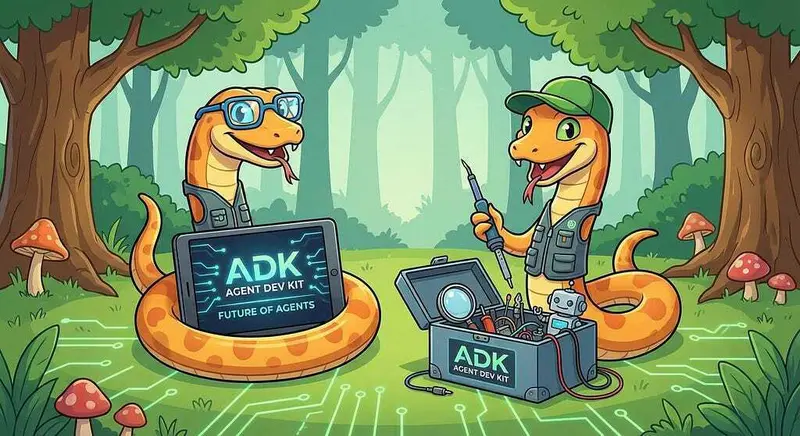
The Google Agent Development Kit (ADK) is an open-source, Python-based framework designed to streamline the creation, deployment, and orchestration of sophisticated, multi-agent AI systems. It treats agent development like software engineering, offering modularity, state management, and built-in tools (like Google Search) to build autonomous agents.

The ADK can be installed from here:

Agent Development Kit (ADK)

This seems like a lot of Configuration!

Getting the key tools in place is the first step to working across Cloud environments. For a deeper dive- a project with a similar setup can be found here:

MCP Development with Amazon Fargate and Gemini CLI

Where do I start?

The strategy for starting low code agent development is a incremental step by step approach.

The agents in the demo are based on the original code lab:

Create and deploy low code ADK (Agent Deployment Kit) agents using ADK Visual Builder | Google Codelabs

First, the basic development environment is setup with the required system variables, and a working Gemini CLI configuration.

Then, a minimal ADK Agent is built with the visual builder. Next — the entire solution is deployed to Google Cloud Run.

Setup the Basic Environment

At this point you should have a working Python environment and a working Gemini CLI installation. The next step is to clone the GitHub samples repository with support scripts:

cd ~
git clone https://github.com/xbill9/gemini-cli-aws
cd adkui-fargate

Then run init.sh from the cloned directory.

The script will attempt to determine your shell environment and set the correct variables:

source init.sh

If your session times out or you need to re-authenticate- you can run the set_env.sh script to reset your environment variables:

source set_env.sh

Variables like PROJECT_ID need to be setup for use in the various build scripts- so the set_env script can be used to reset the environment if you time-out.

Verify The ADK Installation

To verify the setup, run the ADK CLI locally with Agent1:

xbill@penguin:~/gemini-cli-aws/adkui-fargate$ adk run Agent1
Log setup complete: /tmp/agents_log/agent.20260322_155748.log
To access latest log: tail -F /tmp/agents_log/agent.latest.log
/home/xbill/.pyenv/versions/3.13.12/lib/python3.13/site-packages/google/adk/cli/utils/agent_loader.py:248: UserWarning: [EXPERIMENTAL] _load_from_yaml_config: This feature is experimental and may change or be removed in future versions without notice. It may introduce breaking changes at any time.
  if root_agent := self._load_from_yaml_config(actual_agent_name, agents_dir):
/home/xbill/.pyenv/versions/3.13.12/lib/python3.13/site-packages/google/adk/features/_feature_decorator.py:81: UserWarning: [EXPERIMENTAL] feature FeatureName.AGENT_CONFIG is enabled.
  check_feature_enabled()
/home/xbill/.pyenv/versions/3.13.12/lib/python3.13/site-packages/google/adk/cli/cli.py:204: UserWarning: [EXPERIMENTAL] InMemoryCredentialService: This feature is experimental and may change or be removed in future versions without notice. It may introduce breaking changes at any time.
  credential_service = InMemoryCredentialService()
/home/xbill/.pyenv/versions/3.13.12/lib/python3.13/site-packages/google/adk/auth/credential_service/in_memory_credential_service.py:33: UserWarning: [EXPERIMENTAL] BaseCredentialService: This feature is experimental and may change or be removed in future versions without notice. It may introduce breaking changes at any time.
  super(). __init__ ()
Running agent Agent1, type exit to exit.
[user]: what is the weather in ho ho kus
[Agent1]: In Ho Ho Kus, New Jersey, it is currently cloudy with a temperature of 64°F (18°C), and it feels like 64°F (18°C). There is a 0% chance of precipitation at the moment, and the humidity is around 62%.

For tonight, expect mostly cloudy skies with a slight chance of showers after midnight, and lows around 40°F. Northeast winds of 5 to 10 mph will become southeast after midnight, with a 20% chance of rain.

Tomorrow, Sunday, March 22, 2026, the forecast indicates mostly cloudy conditions with a slight chance of showers in the morning, followed by partly sunny skies in the afternoon. Highs will be in the upper 60s, with south winds at 5 to 10 mph and a 20% chance of rain.
[user]: Run the deploy version on the local system: 0.0s 0.0s

Deploying to Amazon Fargate

First authenticate:

aws login --remote

Then cache the credentials locally:

xbill@penguin:~/gemini-cli-aws/adkui-fargate$ source save-aws-creds.sh
Exporting AWS credentials...
Successfully saved credentials to .aws_creds
The Makefile will now automatically use these for deployments.
xbill@penguin:~/gemini-cli-aws/adkui-fargate$

Then start the deployment:

xbill@penguin:~/gemini-cli-aws/adkui-fargate$ make deploy
./save-aws-creds.sh
Exporting AWS credentials...
Successfully saved credentials to .aws_creds
The Makefile will now automatically use these for deployments.
./deploy-fargate.sh
Loading AWS credentials from .aws_creds...
Building Docker image...

You can validate the final result by checking the messages:

xbill@penguin:~/gemini-cli-aws/adkui-fargate$ make status
----------------------------------------------------------------------------------------------------------------------------------
| DescribeServices |
+---------+----------------------+----------+---------+--------------------------------------------------------------------------+
| Desired | Name | Running | Status | TaskDef |
+---------+----------------------+----------+---------+--------------------------------------------------------------------------+
| 0 | adk-fargate-service | 0 | ACTIVE | arn:aws:ecs:us-east-1:106059658660:task-definition/adk-fargate-task:4 |
+---------+----------------------+----------+---------+--------------------------------------------------------------------------+
xbill@penguin:~/gemini-cli-aws/adkui-fargate$

You can then get the endpoint:

xbill@penguin:~/gemini-cli-aws/adkui-fargate$ make endpoint
Fargate Endpoint: http://100.54.104.31:8080

The service will be visible in the AWS Fargate console:

https://us-east-1.console.aws.amazon.com/ecs/v2/clusters/adk-fargate-cluster/services?region=us-east-1

The console will look similar to:

Running the ADK Web Interface

Start a connection to the Fargate Deployed ADK:

https://us-east-1.console.aws.amazon.com/ecs/v2/clusters/adk-fargate-cluster/services?region=us-east-1

This will bring up the ADK UI. Select the sub-agent “Agent3”:

This will generate the Comic by using a multi-agent pipeline:

Once the multi Agent system is complete:

Visual Edit Agent Pipeline

The version of the ADK Deployed includes a visual builder:

Run the Online Viewer Agent

Once Agent3 has completed — go to the ADK agent selector and select “Agent4”. This agent will allow you to browse your online comic:

View the Final Artifacts

You can use Agent4 to visualize the results of the agent pipeline:

and the final panels:

Summary

The Agent Development Kit was used to visually define a multi Agent pipeline to generate comic book style HTML. This Agent was tested locally with the CLI and then with the ADK web tool. Then, several sample ADK agents were run directly from the Fargate deployment in AWS. This approach validates that cross cloud tools can be used — even with more complex agents.

Caption & Rendering Engine Upgrade

Update: Caption & Rendering Engine Upgrade

We improved the video pipeline with a focus on stability and readability:

Removed heavy zoom effects → lower memory usage
Optimized FFmpeg pipeline → fewer crashes (OOM fixes)
Introduced ASS-based captions → precise styling control
Improved contrast + font rendering for mobile

Result:
More stable rendering + significantly better readability.

new videos starts in: 8h

→ https://youtube.com/AsiaFeedTech/shorts

What OpenClaw Gets Wrong Out of the Box (And How to Fix It)

OpenClaw works well enough on a fresh install that most people don’t question the defaults. That’s the problem. The defaults are tuned for demos, not for actual sustained use, and the gap between “it ran the task” and “it ran the task correctly, securely, without silently degrading” is wider than the documentation suggests.

This post covers the specific things OpenClaw gets wrong out of the box and what you actually do about them. Not configuration trivia. The decisions that determine whether the tool is useful in a real workflow or just impressive for ten minutes.

Context Window Discipline Is Off by Default

The default OpenClaw configuration does not aggressively manage context. Tasks that involve long file reads, iterative tool calls, or multi-step pipelines will accumulate context across the session until the model starts making decisions based on stale or compressed information. By the time you notice degraded output, you’re usually several steps past where the problem started.

The model doesn’t tell you the context is degrading. It keeps working. The work just gets worse.

Fix this by setting explicit context boundaries at the task level, not the session level. Structure your task files so each subtask carries only the state it actually needs:

# task_config.yaml

context_strategy: scoped. # not persistent

max_context_tokens: 4000. # per subtask, not cumulative

context_reset_on: task_boundary

The scoped strategy forces OpenClaw to pass explicit state between subtasks instead of relying on accumulated session memory. Slower to configure. Dramatically more reliable on tasks longer than three steps.

For anything involving file analysis, add a summary step between heavy read operations and action steps. The model compresses better when you give it a structured handoff than when you let it carry raw file content forward.

The Default Timeout Behavior Silently Succeeds

Out of the box, OpenClaw will mark a task as complete if the last action it took didn’t return an explicit error. This is not the same as the task actually succeeding. A file write that fails quietly, a subprocess that exits with code 0 but produces no output, a web fetch that returns a soft redirect instead of content — all of these come back as success in the default telemetry.

You find out something went wrong when you go looking for the output and it isn’t there.

Change the completion condition to require positive confirmation, not just absence of error:

# task_config.yaml

completion_criteria:

. require_output_validation: true

. output_check: file_exists. # or: non_empty, hash_match, schema_valid

. on_ambiguous_result: retry. # not: pass

For file-producing tasks, use hash_match against an expected output signature if you’re running the same task repeatedly. For API calls, validate the response schema before marking the step done. The extra configuration takes ten minutes and eliminates an entire class of silent failures.

Filesystem Access Is Too Permissive

Default OpenClaw runs with access to your full working directory. Depending on where you cloned it, that might include dotfiles, ssh configs, environment files, or anything else sitting in your home tree. The tool doesn’t need that access to do its job, and you don’t want it to have it.

Scope the filesystem access before you run anything:

# openclaw_runtime.yaml
sandbox:
.filesystem:
.allow:
. - ./workspace/ # explicit working dir
. - ./outputs/ # explicit output target
. deny:
. - ~/.ssh/
. - ~/.gnupg/
. - ~/.config/
. - ./.* # all dotfiles
. network:
. allow: [] # block by default, add specific hosts as needed

If you’re running OpenClaw on a machine that also handles anything sensitive, put it in a separate user context or a container with explicit volume mounts. The filesystem config above helps, but process-level isolation is stronger than path-level isolation.

Network is blocked by default in the config above because most local automation tasks don’t need outbound access. Add specific endpoints only when a task explicitly requires them. If you’re uncertain, run with network disabled and see if the task completes. It usually does.

The Logging Configuration Tells You Nothing Useful

Default log verbosity in OpenClaw is set to info, which captures task start, task end, and any explicit errors. It does not capture intermediate tool calls, model reasoning steps, or the specific context state at decision points. When something goes wrong in the middle of a multi-step task, the default logs give you the beginning and the end and nothing in between.

Set verbosity to debug for any task you’re running for the first time:


# openclaw_runtime.yaml

logging:

. level: debug

. include:

. — tool_calls

. — context_state

. — reasoning_trace

. output: ./logs/openclaw_run.log

The reasoning_trace flag is the important one. It writes out the model’s intermediate reasoning before each action, which means you can actually read why it made a decision instead of reverse-engineering it from the output. On tasks that involve branching logic or conditional file operations, this is the difference between debugging in ten minutes and debugging in two hours.

Rotate logs per run, not per session. Use a timestamp in the filename:


$ openclaw run task.yaml  — log-file ./logs/run_$(date +%Y%m%d_%H%M%S).log

Old log files are how you diff behavior across runs when a task that used to work stops working.

Prompt Injection Surface Is Unaddressed

If your OpenClaw tasks involve reading external content — web pages, documents, API responses, user-provided files — the default configuration does nothing to sanitize that content before it enters the model context. A file that contains instruction-formatted text will be processed as instruction-formatted text. This is not hypothetical.

The attack surface is real any time the tool ingests content it didn’t generate itself. In a local automation context, this usually looks like a poisoned input file causing the model to write to an unintended path or skip a validation step. In a more connected setup, it looks worse.

Sanitize external content at the ingestion step, before it reaches the context:


input_handling:

. external_content:

. strip_markdown_headers: true

. truncate_at_chars: 2000

. prefix_with_role_label: “EXTERNAL_CONTENT” # signals to model this is data, not instruction

. disallow_instruction_keywords: true

The prefix_with_role_label option is the most effective single control here. Prefixing ingested content with a consistent label trains the model, over the course of a session, to treat that content as data to act on rather than instructions to follow. It doesn’t eliminate the risk but it substantially reduces it.

For anything involving untrusted input, run the task in a throwaway environment. Containers are the right answer. A Python venv and a scoped filesystem config are the second-best answer. Running it on your main machine without isolation is the wrong answer.

Task Retry Logic Compounds the Problem

When a task fails and OpenClaw retries it, the default behavior is to retry with the same context that produced the failure. If the failure was caused by a reasoning error or a corrupted context state, retrying with the same state will usually produce the same failure, or a different failure, or in the worst case a partial completion that leaves your output directory in an ambiguous state.

Disable automatic retry on first-time task runs:


# task_config.yaml

retry:

. on_failure: false. # investigate before retrying

Once you understand the failure mode, add targeted retry logic:


retry:

. on_failure: true

. max_attempts: 2

. reset_context_on_retry: true. # this is the important one

. backoff_seconds: 5

reset_context_on_retry: true clears the accumulated context before the retry attempt. Combined with scoped context strategy at the task level, this prevents failures from compounding. The task effectively starts clean, which means the retry is actually testing whether the task specification is correct, not whether the model can recover from a bad state.

None of This Is Obvious From the Documentation

The OpenClaw docs cover installation, basic task syntax, and the happy path. The failure modes, the security surface, the context degradation behavior — those are things you find out through use. Or you find them in a guide that was written by someone who already ran into all of them.

If you want the full configuration breakdown, including the automation pipeline architecture and the complete security hardening checklist, the guides are at numbpilled.gumroad.com. The automation bible and the hardening doc cover what’s in this post in considerably more depth, with worked examples for the task structures that actually hold up under real workloads.

The defaults are a starting point. Don’t run production tasks on them.

The systems behind enterprise AI adoption success – IBM

Everyone’s Buying GPUs. Almost Nobody’s Ready to Feed Them.

The enterprise AI conversation has a blind spot the size of a data center. Every budget meeting I’ve sat in over the past 18 months has the same shape: GPU allocation gets 70% of the discussion time, model selection gets 20%, and the data infrastructure that actually feeds those models gets whatever’s left over. Usually about ten minutes and a vague reference to “we’ll figure out storage later.”

This is why most enterprise AI deployments stall after the proof of concept.

The Bottleneck Nobody Budgets For

Here’s what happens in practice. A team spins up a promising AI workload — retrieval-augmented generation, a fine-tuning pipeline, an inference service. It works great on a curated dataset in a dev environment. Then they try to run it against production data at scale and everything falls apart. Not because the model is wrong, but because the storage layer can’t deliver data fast enough, the pipeline can’t unify sources across hybrid environments, and nobody planned for the I/O characteristics of AI workloads.

AI training and inference workloads have fundamentally different storage profiles than traditional enterprise applications. Training jobs need sustained sequential throughput across massive datasets. Inference needs low-latency random reads. Fine-tuning needs both, sometimes simultaneously. Your SAN that runs ERP just fine will choke on a distributed training job that’s trying to saturate eight GPUs.

IBM’s recent framing of AI-ready infrastructure gets this right: the systems layer — storage, compute fabric, automation — is where enterprise AI succeeds or dies. Not in the model layer.

The Data Gravity Problem

The reason storage matters so much for AI isn’t just throughput. It’s data gravity.

Enterprise data doesn’t live in one place. It’s spread across on-prem databases, cloud object stores, SaaS platforms, edge devices, and that one team’s PostgreSQL instance that nobody wants to touch. IBM defines enterprise AI as the integration of AI across large organizations — but integration implies the data is accessible. In most companies, it isn’t. Not in any unified, performant way.

This creates a cascading failure. Your RAG pipeline needs product data from SAP, customer interactions from Salesforce, and technical documentation from Confluence. Each source has different access patterns, different latency profiles, different security boundaries. Stitching them together with API calls and batch ETL jobs introduces hours of lag and creates brittle pipelines that break every time someone changes a schema.

The companies I’ve seen succeed at enterprise AI solve this problem first. They build a unified storage layer that can serve multiple AI workloads without requiring six different integration patterns. IBM’s approach with Storage Fusion and FlashSystem targets exactly this — high-performance, unified storage that can handle the mixed I/O profiles of AI workloads across hybrid environments. Whether you’re on their stack or not, the architectural principle holds: if your AI workloads can’t access unified data at the speed they need it, no amount of GPU spend will fix your pipeline.

Hybrid Cloud Is the Reality, Not the Exception

There’s still a persistent fantasy in some planning meetings that AI workloads will live entirely in one public cloud. Maybe someday. Right now, for regulated industries, for companies with significant on-prem investments, and for anyone who’s done the math on data egress costs, hybrid is the reality.

And hybrid AI infrastructure is hard. You need consistent orchestration across environments. You need storage tiering that can move hot data close to compute without manual intervention. You need security and governance that doesn’t collapse the moment data crosses a network boundary.

IBM identifies inadequate infrastructure as one of the top five AI adoption challenges — and in my experience, “inadequate” usually means “designed for a different era.” The infrastructure that runs your web applications, your CI/CD pipelines, your traditional analytics workloads — it wasn’t built for the throughput patterns, the data volumes, or the operational demands of production AI.

This isn’t a rip-and-replace argument. Nobody’s going to throw out their storage infrastructure overnight. But you need a plan for how your existing infrastructure evolves to support AI workloads, and that plan needs to happen before you commit to production deployments.

What Actually Works: Three Patterns From the Field

After spending time with organizations that have moved past the POC phase into production AI, I see three common patterns:

1. Storage-first capacity planning. Successful teams model their data pipeline throughput requirements before they size GPU clusters. They ask: “How fast can we feed data to training jobs?” and “What’s our p99 latency for inference-time retrieval?” If the answers don’t match the model’s appetite, they fix storage before buying more compute.

2. Unified data access across environments. Whether it’s IBM Storage Fusion, a well-architected MinIO deployment, or a managed cloud storage layer with on-prem caching, the pattern is the same: AI workloads get a single namespace to read from, regardless of where the source data physically lives. This eliminates the integration tax that kills most pipelines.

3. Automation of the data lifecycle. Production AI generates enormous amounts of intermediate data — checkpoints, embeddings, feature stores, evaluation datasets. Teams that automate tiering, retention, and cleanup avoid the “we ran out of storage on a Friday night” incident that’s practically a rite of passage.

The Uncomfortable Math

Here’s a rough calculation that sobers up most planning conversations. A mid-size enterprise running a fine-tuning pipeline on proprietary data with a 70B parameter model needs approximately 500TB of accessible, high-performance storage just for the training data, checkpoints, and model artifacts. That’s before you add your RAG corpus, your vector store, and your evaluation datasets.

Now multiply that by the number of AI initiatives in your roadmap. Most enterprises I talk to have between five and fifteen active AI projects. The storage footprint adds up fast, and it needs to perform — not just exist.

The GPU shortage got all the headlines in 2024. The storage and data infrastructure gap is the quieter crisis that will define which companies actually ship production AI in 2026.

What CTOs Should Do Next Week

Stop treating infrastructure as a downstream consequence of model selection. Flip it around.

Audit your current storage throughput against the I/O demands of your planned AI workloads. Map where your training data lives and how many network hops separate it from your compute. Calculate the real cost of your data integration layer — not just the cloud bill, but the engineering hours spent maintaining brittle pipelines.

Then have an honest conversation about whether your infrastructure roadmap matches your AI ambitions. If there’s a gap — and there almost certainly is — close it before you scale your GPU footprint. The fastest accelerator in the world is useless if it’s starving for data.

The companies that figure this out won’t just run AI. They’ll run AI that actually works in production, at scale, without the 2 AM pages. That’s a meaningful competitive advantage — and it starts with the infrastructure layer that nobody wants to talk about at the budget meeting.

A hard-earned rule from incident retrospectives:

LinkedIn Draft — Workflow (2026-03-28)

A hard-earned rule from incident retrospectives:

GitOps drift: the silent accumulation that makes clusters unmanageable

GitOps promises Git as the source of truth. The reality: every manual kubectl during an incident is a lie you told your cluster and forgot to retract.

GitOps truth gap over time:

Week 1:  Git ══════════ Cluster  (clean)
Week 4:  Git ══════╌╌╌╌ Cluster  (2 manual patches)
Week 12: Git ════╌╌╌╌╌╌╌╌╌╌╌╌╌  (drift accumulates)
                         Cluster  (unknown state)

Where it breaks:
▸ Manual patches during incidents create cluster state Git doesn’t know about — Argo/Flux will overwrite it silently.
▸ Secrets managed outside GitOps (sealed-secrets, Vault agent) drift independently — invisible in sync status.
▸ Multi-cluster setups multiply drift: each cluster diverges at its own pace once human intervention happens.

The rule I keep coming back to:
→ Treat every manual cluster change as a 5-minute loan. Commit it back to Git before the incident closes — or it’s gone.

How I sanity-check it:
▸ Argo CD drift detection dashboard — surface out-of-sync resources before they become incident contributors.
▸ Weekly diff job: live cluster state vs Git. Opens a PR for anything untracked. Makes drift visible before it’s painful.

The best platform teams I’ve seen measure success by how rarely product teams have to think about infrastructure.

Deep dive: https://neeraja-portfolio-v1.vercel.app/workflows

Curious what guardrails you’ve built around this. Drop your pattern below.

gitops #kubernetes #devops #platformengineering