Meta, yeni Ray-Ban akıllı gözlüklerini tanıttı

Meta, yeni Ray-Ban akıllı gözlüklerini tanıttı

Meta, yeni Ray-Ban akıllı gözlüklerini tanıttı“Numaralı gözlük kullananlar için özel olarak tasarladığımız ilk yapay zeka temelli akıllı gözlüklerimizi tanıtıyoruz.” diyen Meta, bugün spesifik olarak Ray-Ban Meta Blazer Optics (Gen 2) ve Ray-Ban Meta Scriber Optics (Gen 2) modellerini görücüye çıkardı. EssilorLuxottica iş birliğiyle hazırlanan yeni akıllı gözlükler, 499 dolardan başlıyor ve bünyelerindeki kameralar aracılığıyla hem video çekebiliyor hem de Meta AI’ın görsel soru-cevap sistemine destek veriyor. Neredeyse tüm numaralara uyumlu olduğu aktarılan gözlükler, farklı türde lenslerle tercih edilebiliyor ve mikrofon ile sapa entegre hoparlörlerle geliyor. Akıllı telefonlarla bağlantılı olarak görev yapan gözlüklerin fiyatları, numaralı camlara bağlı olarak değişiklik gösteriyor.

Meta, yeni Ray-Ban akıllı gözlüklerini tanıttı yazısı ilk olarak Teknoloji haberleri – LOG üzerinde yayınlandı.

BMW iX3 için alt seviye “iX3 40” versiyonu duyuruldu

BMW iX3 için alt seviye “iX3 40” versiyonu duyuruldu

BMW iX3 için alt seviye “iX3 40” versiyonu duyurulduİlk aşamada 108,7 kWh batarya paketiyle 805 km menzil ve çift motor üzerinden 469 beygir gücü sunan dört çeker iX3 50 xDrive’ı pazara sunan BMW, bugün tamamen elektrikli aracın “iX3 40” versiyonunu duyurdu. Arkadan itişli yeni versiyon 320 beygir güç sunuyor ve 82,6 kWh batarya paketiyle 635 km (WLTP) menzil vadediyor. 300 kW DC şarj destekli model, yaz döneminde 63 bin euro fiyatla satışa sunulacak.

BMW iX3 için alt seviye “iX3 40” versiyonu duyuruldu yazısı ilk olarak Teknoloji haberleri – LOG üzerinde yayınlandı.

Nvidia, beklenen yeni DLSS 4.5 teknolojilerini kullanıma sundu

Nvidia DLSS

Nvidia DLSSNvidia’nın “şimdiye kadarki en gelişmiş modelimiz” dediği 2. nesil Transformer modeline geçiş yaparak görüntü kalitesini artırırken hayaletlenmeyi azaltan DLSS 4.5 teknolojisi, “Dinamik Çoklu Kare Oluşturma (Dynamic Multi Frame Generation)” isimli bir altyapıyla geliyor. Kare oluşturma modunu istenilen kare hızına göre dinamik olarak ayarlayan sistemi bugün itibarıyla resmi olarak kullanıma sunan Nvidia, aynı zamanda RTX 50 serisi ekran kartlarına DLSS 4.5’in destek verdiği RTX 20, 30 ve 40 serilerinden farklı olarak “6x” seviyesinde “Çoklu Kare Oluşturma” imkanı sunmaya da başladı. Çoklu kare oluşturma teknolojisi, yapay zekadan yardım alarak birden fazla kare oluşturuyor ve gecikmeyi biraz artırıyor olmasına rağmen kare hızlarını (fps) önemli ölçüde yükseltebiliyor. 4K’da 240 Hz oyunculuğu hedefleyen yeni 6x modu, işlenen her bir kare için beş ek “sahte” kare oluşturuyor. DLSS 4.5, Nvidia’nın resmi PC uygulaması aracılığıyla 400’den fazla yapımda kullanılabiliyor ve oyunlar uygulama üzerinden 4.5 ile çalışması için zorlanabiliyor.

Nvidia, beklenen yeni DLSS 4.5 teknolojilerini kullanıma sundu yazısı ilk olarak Teknoloji haberleri – LOG üzerinde yayınlandı.

Why Your Concordance DAT File Won’t Parse: The þ Delimiter Encoding Trap

If you work with eDiscovery load files, you’ve probably hit this: you receive a Concordance DAT file, try to import it into your review platform, and it fails silently or produces garbled data. No useful error message. Just broken records.

There’s a good chance the problem is the þ character.

What makes Concordance DAT files special

Concordance DAT is the most common load file format in eDiscovery. It uses two unusual delimiter characters:

  • Field separator: þ (thorn, Unicode U+00FE)
  • Quote character: ® (registered sign, Unicode U+00AE)

These were chosen decades ago specifically because they almost never appear in actual document metadata. Smart choice — until encoding enters the picture.

The trap: þ has two different byte representations

Here’s where things break. The þ character is encoded differently depending on whether the file is CP1252 (Windows-1252) or UTF-8:

Encoding þ bytes ® bytes
CP1252 FE AE
UTF-8 C3 BE C2 AE

CP1252 uses a single byte. UTF-8 uses two bytes. If your parser assumes the wrong encoding, it will look for the wrong byte sequence and either miss the delimiters entirely or split fields in the wrong place.

What this looks like in practice

Say you have a simple DAT file with three fields:

þDOCIDþþBEGBATESþþCUSTODIANþ
þDOC-001þþABC-000001þþSmith, Johnþ

If this file was saved in CP1252, the hex for the first delimiter looks like:

FE 44 4F 43 49 44 FE

But if you read it as UTF-8, your parser sees FE and thinks: “That’s not a valid UTF-8 start byte.” Depending on the tool, it will either throw a UnicodeDecodeError, replace the character with �, or silently skip it. In any case, your field boundaries are gone.

The reverse is equally broken. A UTF-8 file has:

C3 BE 44 4F 43 49 44 C3 BE

If you read this as CP1252, C3 becomes à and BE becomes ¾. Your parser sees þ instead of þ and fails to find any delimiters at all. The entire file becomes one giant unparseable line.

Why this happens so often

The root cause is that DAT files have no encoding declaration. There’s no BOM requirement, no header, no metadata. You receive a .dat file and you have to guess.

Older tools (Concordance itself, many vendor export pipelines) default to CP1252 because they were built on Windows. Newer cloud platforms (Relativity, Everlaw) increasingly expect UTF-8. When files pass through multiple systems — produced on one platform, QC’d on another, loaded into a third — the encoding can get silently changed or corrupted at any step.

The most dangerous scenario: someone opens a CP1252 DAT file in a text editor that assumes UTF-8, makes a small edit, and saves. Now you have a file where most lines are CP1252 but a few lines got re-encoded to UTF-8. Mixed encoding in a single file. Good luck parsing that.

How to detect the encoding

A reliable detection strategy uses multiple signals:

Step 1: Check for BOM. If the file starts with EF BB BF, it’s UTF-8 with BOM. If it starts with FF FE, it’s UTF-16 LE. If there’s no BOM, keep going.

Step 2: Try strict UTF-8 decode. Read the first 64KB and attempt to decode as UTF-8 with errors='strict'. If it succeeds with no errors, it’s very likely UTF-8.

Step 3: Look for the þ character specifically. Search for byte FE (CP1252 thorn) vs byte sequence C3 BE (UTF-8 thorn). If you find FE appearing at regular intervals (field boundaries), it’s almost certainly a CP1252 file using þ as delimiter.

Step 4: Fall back to chardet. Statistical detection as a last resort.

In Python:

def detect_dat_encoding(filepath):
    with open(filepath, 'rb') as f:
        raw = f.read(65536)

    # Step 1: BOM
    if raw.startswith(b'xefxbbxbf'):
        return 'utf-8-sig'
    if raw.startswith(b'xffxfe'):
        return 'utf-16-le'

    # Step 2: Try UTF-8
    try:
        raw.decode('utf-8', errors='strict')
        return 'utf-8'
    except UnicodeDecodeError:
        pass

    # Step 3: Look for CP1252 thorn as delimiter
    # In CP1252, þ is 0xFE. If it appears frequently
    # and at consistent intervals, it's likely a delimiter.
    fe_count = raw.count(b'xfe')
    if fe_count > 5:
        return 'cp1252'

    # Step 4: chardet fallback
    import chardet
    result = chardet.detect(raw)
    return result['encoding']

How to convert safely

Once you know the encoding, converting to UTF-8 is straightforward — but you need to verify the delimiters survived:

def convert_dat_to_utf8(input_path, output_path, source_encoding='cp1252'):
    with open(input_path, 'r', encoding=source_encoding) as f:
        content = f.read()

    # Verify the thorn delimiter is present after decoding
    if 'þ' not in content:
        raise ValueError(
            f"No þ delimiter found after decoding as {source_encoding}. "
            f"Wrong encoding?"
        )

    with open(output_path, 'w', encoding='utf-8') as f:
        f.write(content)

    # Sanity check: count delimiters before and after
    with open(input_path, 'rb') as f:
        original_raw = f.read()
    with open(output_path, 'rb') as f:
        converted_raw = f.read()

    original_count = original_raw.count(b'xfe')  # CP1252 thorn
    converted_count = converted_raw.count(b'xc3xbe')  # UTF-8 thorn

    if original_count != converted_count:
        raise ValueError(
            f"Delimiter count mismatch: {original_count} in original, "
            f"{converted_count} in converted. Possible data corruption."
        )

The key insight: always verify delimiter count before and after conversion. If the counts don’t match, something went wrong.

The mixed encoding nightmare

The worst case is a file with mixed encodings — some lines in CP1252, others in UTF-8. This happens when:

  • A DAT file is assembled from multiple vendor productions
  • Someone edited specific lines in a different tool
  • A processing pipeline partially re-encoded the file

To detect this, you need to check each line independently:

def find_mixed_encoding_lines(filepath):
    """Try UTF-8 first for each line. If it fails, that line is
    likely CP1252 (or another single-byte encoding).  Note: we
    don't try cp1252 decode as a positive signal because CP1252
    accepts almost every byte sequence — a successful CP1252
    decode proves nothing."""
    fallback_lines = []
    with open(filepath, 'rb') as f:
        for line_num, line in enumerate(f, 1):
            try:
                line.decode('utf-8', errors='strict')
            except UnicodeDecodeError:
                fallback_lines.append(line_num)

    if fallback_lines:
        print(f"Mixed encoding: {len(fallback_lines)} non-UTF-8 line(s)")
        for line_num in fallback_lines[:10]:
            print(f"  Line {line_num}: likely CP1252")
    else:
        print("All lines decode as valid UTF-8")

The tool I built to handle this

After dealing with these issues repeatedly, I built an open-source CLI tool called loadfile that automates all of the above:

pip install loadfile

# Detect encoding
loadfile detect production.dat

# Find mixed encoding lines
loadfile scan-encoding production.dat

# Convert encoding
loadfile convert production.dat --to utf-8

# Validate the file after conversion
loadfile validate production.dat

It handles 9 DAT dialect variants, auto-detects delimiters, and does line-level mixed encoding detection. It’s free and MIT-licensed.

If you work with eDiscovery load files and want to try it, I’m looking for feedback — especially edge cases from real production data that I haven’t seen yet. Open an issue on GitHub if you find something that breaks.

Summary

  • The þ delimiter in Concordance DAT files is encoded as 1 byte (FE) in CP1252 and 2 bytes (C3 BE) in UTF-8
  • If your parser assumes the wrong encoding, field boundaries break silently
  • DAT files have no encoding declaration, so you must detect it
  • Always verify delimiter counts before and after encoding conversion
  • Mixed encoding files (some lines CP1252, some UTF-8) exist in the wild and require line-by-line detection

I built an uptime monitor after Freshping shut down — here’s what I learned

I built an uptime monitor after Freshping shut down — here’s what I learned

On March 6, 2026, Freshping shut down with about two weeks notice.

I’d been using it for years. 1-minute checks, multi-location alerts, public status pages — all free, no credit card, no friction. When the shutdown email hit my inbox, I went looking for a replacement and couldn’t find one I was happy with.

So I built StatusPulse.

This is the story of what I built, how it went, and what surprised me along the way.

The gap Freshping left behind

Most of the “Freshping alternatives” people recommended fell into one of two buckets:

Bucket 1: Worse free tiers. UptimeRobot drops you to 5-minute check intervals on the free plan. For a production API, that means you can be down for up to 5 minutes before you know about it. Freshping was 1-minute. That matters.

Bucket 2: Enterprise pricing. Datadog, New Relic, Pingdom — all excellent products, all priced for DevOps teams with budgets. I’m a solo founder. I don’t have a budget, I have a side project and a credit card I’m trying not to use.

The gap I kept hitting: 1-minute uptime checks + public status pages + no enterprise pricing. That’s a surprisingly specific combination that barely existed in the market once Freshping was gone.

What I built

StatusPulse does two things:

  1. Monitors your URLs every 60 seconds and alerts you (email, Slack, SMS) the moment something breaks
  2. Generates a public status page at a shareable URL — so your users know what’s happening without emailing you

The tech stack is deliberately boring: Next.js 15, SQLite via Turso for the database, Resend for email, deployed on Vercel. I didn’t want infrastructure surprises.

The one non-obvious decision was multi-location false-positive protection. Single-node uptime monitors are noisy — if one AWS region has a bad minute, you get paged at 3am for an “outage” that wasn’t real. StatusPulse runs checks from multiple locations and only fires an alert when a majority of check locations confirm the problem. This alone reduced false-positive alerts to near zero in testing.

What surprised me

1. The MVP was done at week 2. I kept building anyway.

The core feature — “check a URL, alert me when it’s down” — was working by week 2. I spent another month adding things before I launched.

In retrospect: the thing Freshping refugees actually needed was “1-minute checks + status page.” That was done at week 2. Everything else I added (webhook support, team plans, SMS alerts) was future-proofing for users I didn’t have yet.

Launch sooner. Seriously.

2. “Just use Uptime Kuma” is a valid answer — for a different audience

Uptime Kuma came up in every thread where I mentioned StatusPulse. It’s a great open-source self-hosted option and I have no beef with it.

But “spin up a server, install Docker, maintain your own infrastructure” is a real cost for a solo founder who just wants to know when their app is down. The audience for StatusPulse is people who want monitoring without managing another thing. Different tradeoff.

3. The Freshping angle is a real acquisition channel

Freshping’s shutdown left a lot of people actively looking for replacements. Reddit threads, Twitter posts, dev forums — there’s a steady stream of people asking “what should I use instead?” every week. That’s an acquisition channel most uptime monitoring tools don’t have access to.

If you’re building a competitor product to something that just shut down, go find every “what’s the alternative to X?” thread you can and answer helpfully. Don’t spam. Just be there when people are already looking.

4. Flat pricing converts better than per-seat pricing for this market

I originally planned tiered pricing based on monitor count and check frequency. After talking to early users, I simplified it: Free (3 monitors), Pro ($9/mo flat, 20 monitors), Team ($29/mo flat, unlimited).

The indie dev market is extremely price-sensitive and extremely allergic to “pricing that scales with usage.” They’ve been burned by per-seat SaaS before. Flat pricing, clearly communicated, is a meaningful differentiator.

Where it is now

StatusPulse is live at statuspulse.app. Early users are monitoring in production. I’m building in public and actively shipping based on feedback.

If you lost your Freshping setup and haven’t found a replacement yet — it’s free to try, no credit card required, takes 2 minutes to set up. If you sign up today you’ll get Pro features free for 30 days as a launch special.

And if you’re building something yourself: the “fill the gap left by a shutdown” niche is real. I’d recommend it.

Questions? AMA in the comments. I’m happy to dig into the technical decisions, the launch strategy, or the business model.

Try StatusPulse free →`

CSS in City

Detail of the fountain

The illustration of the city above is all CSS. There are no images, no SVG, no JavaScript… there isn’t even any HTML!*

Here’s the source code on CodePen:

(Click on the 1x, 0.5x, and 0.25x buttons to zoom in or out and see more of the illustration. Alternatively, you can also visit the CodePen details page, where you can zoom in/out and resize the window for better results)

You may ask “how did you do it?” And the answer will be “with a lot of patience.” I started this CSS Art two years ago, and worked adding small things little by little: a building here, some tree there, a bus stop close by… But, due to personal and professional reasons, I stopped adding things around a year ago, and haven’t touched the code since. I’d love to expand it into a full city someday.

Basically, it is all a big collection of CSS gradients: radial, linear, conic… I event used the repeating ones. All of them sized and positioned so they fit within a particular spot in the illustration.

This drawing is different from other CSS Art I usually do. I tend to do small things that are responsive, but this is an infinite drawing and it uses absolute units.

Detail of the fountain

It is infinite because it doesn’t matter how much you resize, the illustration just goes on and on. This was achieved by playing with background sizes and positioning, so the same elements repeat ad infinitum. Examples of these elements are:

  • The bricks on the wall
  • The tree tops behind the wall
  • The grayed buildings in the very background
  • The park houses

The absolute units are pixels, and I used that instead of vmin or em, to make sure that all the things will fall exactly in the place I wanted them to be. When using relative units, sometimes something will fall in a half a pixel position and the result looks off.

When drawing and adding elements, I started from the bottom center of the image, and position everything based on that point, growing from there upwards and sideways.

detail of the city

I added some basic animations (but commented them for performance while coding, you can uncomment the code, but it’s not much), so the traffic light actually works, the water in the fountain flows (poorly) or some of the lights flicker. I considered adding a car that stops at the traffic light and an UFO that flies above the city –that won’t be seen unless you zoom out considerably or have a large/tall screen.

And all this using just the :root element. I could still use the ::before or ::after pseudo-elements to do add more things. In particular, animated things. But I dropped the idea because adding them caused the performance to drop considerably. Still, I would like to continue adding more things when I have time.

What do you think? Have you ever done a single div CSS Art?

Illustration of a city

*The CodePen demo may not show any HTML, but it automatically adds a structure that is hidden from view but can be seen reviewing the source code. There is a way to run CSS on the browser without the need to import it from HTML. Unfortunately, it requires updating some settings in the web server, and only one browser supported it last time I checked (Firefox). If we did this, the illustration would be completely CSS only.

When AI writes the code, who remembers WHY?

I’ve been a CTO long enough to have onboarded dozens of developers across teams of varying maturity. The pattern that works has never changed: a new developer reads existing documentation, explores the repository, implements small tasks – often ones designed by a senior to expose how the system’s key features work.

How is the API structured?
Where does state live?
How do data flows connect?

The developer learns by doing, making mistakes, and reflecting on what went wrong.

AI hasn’t killed that process. But poorly thought-through adoption of AI has made it much harder for developers to learn a project and the logic behind it. When a developer delegates everything to an AI assistant without reflection and when AI implements the onboarding task, the developer just submits the PR – the task got done, but the onboarding didn’t happen. The developer no longer learns from mistakes or learns by discovery, because there were no mistakes to learn from and nothing to discover.

That’s not an AI problem. It’s a process problem.

The productivity question

AI tools make developers faster. But the gains aren’t as straightforward as the headlines suggest.

Less experienced developers often see the largest raw productivity gains. They can produce working code faster than ever before. But the quality and sustainability of that output depends almost entirely on the process around them.

With good onboarding, clear guardrails, and access to company context, a developer using AI performs significantly better than one without it. In a less structured environment, the results can go sideways quickly. Developers who haven’t yet built strong engineering instincts may accept any AI suggestion without reflection because they don’t have the experience to question what looks correct but isn’t.

Senior engineers, by contrast, tend to capture a reliable productivity uplift regardless of process maturity. They already have the judgment to validate, reject, or reshape AI output. The difference isn’t the tool. It’s whether the organization has invested in the process to support it.

Three patterns worth watching

These aren’t new failure modes created by AI. They’re existing risks that AI makes faster and less visible.

The reload loop

When AI-generated code breaks, there’s a natural instinct to copy the error back into the chat. A patch arrives. Another error. Repeat. This is a human psychology problem when presented with solutions time after time, people tend to switch off and keep reloading. If something doesn’t work after implementation, it usually signals a gap in project comprehension, not a missing patch. The right response is to step back: trace the data flow, read the related tests, understand the code surrounding the problem. Without that comprehension, both the AI and the developer produce shallow fixes that mask the real issue.

Architecture drift

AI can assist with architectural work, but only when it has proper project context. Without it, developers treat a codebase as a collection of independent prompts rather than a coherent whole. Libraries get introduced for problems that already have internal solutions. Patterns multiply. Data flows become harder to trace. The real challenge is preserving architectural knowledge across AI sessions. Decisions and conventions need to persist between conversations, and that requires deliberate documentation, not just good intentions.

Uncritical acceptance

Developers sometimes accept AI-generated code because it looks right. The output has a confident, professional structure. Developers who haven’t yet built strong debugging instincts may trust polish over correctness, including code with security vulnerabilities. The mitigation is the same as it’s always been – senior review at the PR stage. But it can also be addressed earlier, during refinement, by identifying security-sensitive areas and including specific checks in the task definition.

Across all three patterns, one thing is conspicuously absent from most discussions – automated guardrails. Linters, type checking, CI/CD pipelines, unit tests – these catch entire categories of problems before any human reviews anything. A conversation about AI-assisted development that ignores automated safety nets is incomplete.

What’s actually at risk

Every codebase is an artifact of decisions made under pressure. It contains frameworks chosen after failed experiments, workarounds born from production incidents, edge cases that took months to surface, and security patches whose context lives in decision logs.

What healthy organizations do is build infrastructure that makes context accessible, clean consistent architecture with documentation that explains not just what was built but why; and indexed, discoverable component libraries shared across teams.

Even with all of this, there’s knowledge that lives in places humans struggle to navigate, scattered across repositories, buried in years of commit history, distributed across documentation platforms. This is where AI code intelligence platforms add genuine value: collecting unstructured knowledge from across the organization, auto-documenting code, and serving it as context to AI assistants on demand.

Understanding code before generating

Before writing new code, a developer should be able to answer:

Does a solution to this problem already exist in our codebase?
How have other teams handled the same pattern?
What decisions shaped the module I’m about to modify?

AI assistants can answer some of these questions well, especially within a single, small-to-medium-sized repository. Where it breaks down is across organizational boundaries: multiple repositories, years of accumulated history, cross-team conventions, decisions that were never documented in code. That’s where additional context layers change the equation.

Consider a developer implementing retry logic for a billing service. A general-purpose AI assistant working within the current repo will produce a functional, contextually grounded implementation. But if the best reference implementation lives in a different repository, a RetryStrategy class written by a staff engineer for another service eight months ago, a single-repo tool won’t surface it. A code intelligence platform that indexes across repositories can. The developer gets the class, it’s calling context, the middleware it connects to, and the logging conventions the team adopted.

That’s valuable. But it’s not the end of the story. The solution was created in a different system, and not everything will translate directly. It’s the developer’s job to understand the pattern and work with their AI assistant to adapt it. The platform provides compressed discovery, not compressed implementation. Human understanding remains the critical step.

What actually helps? Building an organizational system

Individual habits like “check if this exists elsewhere” are fine advice, but they rely on personal discipline and don’t scale. What works is building organizational infrastructure that makes good practices the default.

Layer 1: Automated guardrails.

Linters, formatters, type checking, testing strategies. These catch problems before any human reviews anything and encode team standards into automation. This is the foundation, and it costs zero effort per task once configured.

Layer 2: AI configuration infrastructure.

This is where most organizations have untapped potential. AI assistants can be configured with system instructions that encode your team’s conventions, architectural principles, and preferred patterns. Sub-agent definitions and skills libraries can capture tribal knowledge in a form that AI can use during code generation. Written decision logs and architectural guidelines become prompts, not just documents.

Critically, developers need to understand how AI assistant memory works so that decisions and context persist between sessions. Without this, every AI conversation starts from zero and accumulated understanding is lost. Organizations should treat AI session configuration: memory, context documents, progressive context building, as part of their development infrastructure, not as something each developer figures out on their own.

Layer 3: Knowledge aggregation.

Code intelligence platforms indexing across repositories. Documentation platforms connected and searchable. The goal is that when a developer asks “how do we handle this pattern?” the answer draws from the entire organization’s experience, not just the current repo.

Layer 4: Feedback loops.

This is what makes the whole system improve over time rather than decay. Guardrails and linting rules are updated on a regular cadence. Instruction libraries, prompt templates, and skills definitions are refined based on outcomes. Code intelligence platform searches and recommendations improve through feedback. Documentation, tests, and architecture decision records are generated with AI assistance and kept current.

Here’s the key insight: AI both creates the context problem and provides the solution. Writing good documentation, thorough tests, and clear ADRs used to be expensive and time-consuming, so teams skipped it. Now AI makes it fast. We just need to build the infrastructure to capture that context and establish the feedback loops so it improves itself over time.

The real gap

The productivity difference between a new developer and an experienced one exists because experienced engineers have contextual maps built over years. AI can generate output that looks senior-level without building any of that understanding.

When evaluating AI tooling for your team, the right question isn’t “how much code does it generate?” It’s “how much does it help developers understand the system before changing it?”

AI doesn’t replace the journey from new team member to trusted contributor. With the right process: structured onboarding, automated guardrails, well-configured AI tools, organizational knowledge made accessible, and continuous feedback loops; it compresses that journey. Developers onboard in weeks instead of months because they’ve understood the system’s history and patterns, not because they’ve generated their way past them.

Not faster output. Better understanding, at speed.

Thoughts, pushback, and real-world examples welcome in the comments.

I Built a Free Online Image Converter Tool (PNG, JPG, WEBP) – Here’s Why

Developers, designers, and content creators constantly work with images. But converting image formats quickly without installing heavy software can sometimes be frustrating.

So I decided to build a free online image converter tool that allows users to convert images instantly in the browser.

Try it here: convert Tools

Why I Built This Tool

While working on web projects, I frequently needed to:

  • Convert PNG to JPG
  • Convert WEBP to PNG
  • Convert JPG to WEBP
  • Optimize images for faster websites

Most online tools either:

  • Limit file size
  • Require signup
  • Show too many ads
  • Or are slow

So I built a simple, fast, and free converter.

Features

Here are some things I focused on while developing the tool:

Multiple Image Conversions

  • PNG to JPG
  • JPG to PNG
  • WEBP to JPG
  • WEBP to PNG

Fast Processing

Images are processed quickly without complex steps.

No Registration Required

You can convert images instantly without creating an account.

Clean UI

Simple interface so users can convert images in seconds.

Example Use Cases

This tool can be useful for:

Developers

Need to convert assets quickly while building websites.

Bloggers

Convert images before uploading to WordPress or other CMS.

Designers

Change image formats for compatibility.

Students

Quickly convert images for projects or presentations.

Technologies Used

The platform is built with modern web technologies:

  • Next.js
  • React
  • Tailwind CSS
  • Node.js tools

The goal is to create a growing collection of developer utilities and conversion tools.

Future Plans

I’m planning to add more tools soon:

  • Image Resizer
  • PDF to Image
  • Image Compressor
  • Base64 Encoder / Decoder
  • PDF utilities

My goal is to build 100+ free developer and utility tools in one platform.

Feedback Welcome

This project is still evolving. If you have suggestions for improvements or new tools, feel free to share your thoughts.

Also let me know:

What tool do you wish existed but can’t find online?

You can try the tool here:
https://converttool.io

Thanks for reading

webdev

javascript

nextjs

tools

productivity

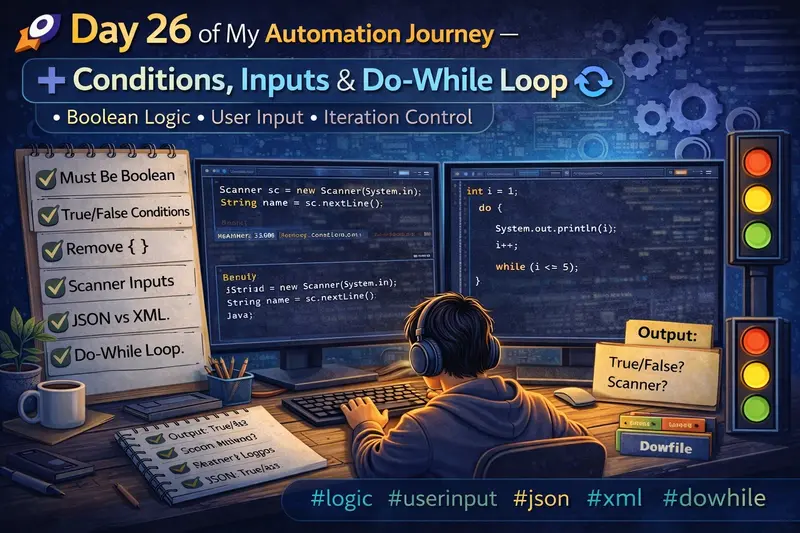
🚀 Day 26 of My Automation Journey – Conditions, Inputs & Do-While Loop

Today’s session was a mix of core Java fundamentals + tricky logic + real-world usage 💡
We explored how conditions work, how loops behave without braces, user input handling, and even touched JSON/XML basics.

Let’s break it down step by step 👇

🔹 1. Condition Must Be Boolean (True/False)

In Java, every condition must return either true or false.

❌ Invalid Example

int i = 1;
while(i) {   // ❌ Compilation Error
    System.out.println(i);
}

👉 Why error?

  • Java does NOT allow non-boolean conditions
  • Unlike C/C++, numbers are not treated as true/false

✅ Correct Example

int i = 1;
while(i <= 5) {
    System.out.println(i);
    i++;
}

✔ Condition → i <= 5 → returns boolean
✔ Hence valid

🔹 2. True / False Direct Conditions

You can directly use true or false in conditions.

✅ Example

if(true) {
    System.out.println("Always runs");
}

✔ Output:

Always runs

❌ Example

if(false) {
    System.out.println("Never runs");
}

✔ Output:

(no output)

👉 This is useful for testing or debugging

🔹 3. Removing Curly Braces { }

Java allows skipping { } if only one statement is present.

✅ Example

for(int i = 1; i <= 5; i++)
    System.out.println(i);

✔ Output:

1 2 3 4 5

⚠️ Tricky Case

for(int i = 1; i <= 5; i++)
    System.out.println(i);
    System.out.println("Done");

✔ Output:

1 2 3 4 5
Done

👉 Only the first statement is inside loop
👉 Second statement runs once after loop

🔹 4. Infinite Loop (By Default True)

If condition is always true → loop never stops 😱

Example

for(;;) {
    System.out.println("Infinite Loop");
}

👉 This is equivalent to:

while(true) {
    System.out.println("Infinite Loop");
}

✔ Used in:

  • Servers
  • Continuous monitoring systems

🔹 5. break and continue

🔸 break → stops loop completely

for(int i = 1; i <= 5; i++) {
    if(i == 3)
        break;
    System.out.println(i);
}

✔ Output:

1
2

🔸 continue → skips current iteration

for(int i = 1; i <= 5; i++) {
    if(i == 3)
        continue;
    System.out.println(i);
}

✔ Output:

1
2
4
5

🔹 6. Taking Input from User (Scanner)

To read input in Java, we use Scanner.

Example

import java.util.*;

public class Test {
    public static void main(String[] args) {
        Scanner sc = new Scanner(System.in);

        System.out.print("Enter your name: ");
        String name = sc.nextLine();

        System.out.println("Hello " + name);
    }
}

⚠️ Important Notes

❌ Java does NOT directly support char input
✔ Workaround:

char ch = sc.next().charAt(0);

✔ For String:

String name = sc.nextLine();

🔹 7. Multiple Inputs Example

Scanner sc = new Scanner(System.in);

System.out.print("Enter Tamil mark: ");
int tamil = sc.nextInt();

System.out.print("Enter English mark: ");
int english = sc.nextInt();

int total = tamil + english;

System.out.println("Total mark: " + total);

✔ Output Example:

Enter Tamil mark: 80
Enter English mark: 90
Total mark: 170

🔹 8. JSON vs XML (Basic Understanding)

🔸 JSON (JavaScript Object Notation)

{
  "username": "Manikandan",
  "password": "1234"
}

✔ Lightweight
✔ Easy to read
✔ Mostly used in APIs

🔸 XML (Extensible Markup Language)

<user>
    <username>Manikandan</username>
    <password>1234</password>
</user>

✔ Structured format
✔ Used in older systems / configs

🔹 9. Do-While Loop

👉 Runs at least once, even if condition is false

Example

int i = 1;

do {
    System.out.println(i);
    i++;
} while(i <= 5);

✔ Output:

1 2 3 4 5

🔥 Key Difference

Loop Type Condition Check
while Before execution
do-while After execution

🧠 Key Takeaways

✔ Condition must always be boolean
✔ Java does NOT allow non-boolean conditions
✔ Without {}, only one statement is considered
✔ Infinite loops happen when condition is always true
✔ break → exits loop
✔ continue → skips iteration
✔ Scanner is used for user input
✔ JSON is lightweight, XML is structured
✔ do-while runs at least once

🏁 Conclusion

Today was all about understanding how Java actually behaves under the hood 🧠

These small concepts are very important when:

  • Writing automation scripts
  • Handling test data
  • Building logic-driven frameworks

🔥 Step by step, building strong fundamentals in automation!

🤖 A Small Note
I used ChatGPT to help structure and refine this blog while keeping the concepts aligned with my learning.

Google Apps Script: Powerful for Learning, Limited for Production

Google Apps Script is one of the easiest ways to start building something real with code.

You write a bit of JavaScript, hit deploy, and suddenly you have a working app connected to Google services. No servers, no setup — just pure convenience.

It’s no surprise a lot of beginners (and even experienced devs) get hooked on it.

But at some point, you might start wondering:
“Can I just build everything with this?”

That’s where things start to get interesting.

In this article, we’ll take a closer look at what Google Apps Script is great at — and where it might not be the best choice.

⚡ Why Google Apps Script Feels So Powerful

To be fair, Google Apps Script is incredibly powerful — when used in the right context.

It integrates seamlessly with Google services like Sheets, Drive, and Gmail. You don’t have to think about infrastructure, deployment, or scaling (at least not at the beginning).

⚠️ Where Things Start to Break

The problem isn’t what Google Apps Script can do — it’s how far people try to push it.

As your app grows, you’ll start running into limitations: execution time limits, slower performance, and a lack of flexibility compared to traditional backends.

What works perfectly for a small script or internal tool can quickly become frustrating when more users, more data, or more complexity are involved.

At that point, things don’t scale as smoothly as you might expect.

🚫 It’s Not a Full Backend (And That’s Okay)

Google Apps Script was never meant to replace a full backend framework.

It doesn’t give you the same level of control, performance, or scalability you’d get from something like Node.js or other backend solutions.

And that’s completely fine.

The issue only starts when we expect it to do everything.

✅ When It Actually Makes Sense to Use It

Despite its limitations, Google Apps Script is still a great choice for many use cases:

Automating repetitive tasks
Working with Google Sheets as a lightweight database
Building internal tools
Creating quick prototypes or MVPs
Personal projects

In these scenarios, it’s fast, simple, and incredibly effective.

🚀 A Smarter Way to Use It

Instead of forcing Google Apps Script to handle everything, a better approach is to use it where it shines.

For example, you can use it as a lightweight API or automation layer, while keeping your main application on a more robust stack.

This way, you get the best of both worlds — simplicity where you need it, and scalability where it matters.

🔥 Final Thoughts

Google Apps Script is powerful — but only when used wisely.

It’s an amazing tool for learning, building small projects, and getting things done quickly.

But for larger, production-level applications, choosing the right tools early on can save you a lot of time and frustration.

At the end of the day, it’s not about what a tool can do — it’s about what it’s meant to do.

You can go from idea to working prototype in minutes.

For automation, internal tools, or quick experiments, it honestly feels like a superpower.