Zenovay vs PostHog: marketing analytics vs product analytics (and why it matters)

PostHog and Zenovay get compared a lot, but they are solving fundamentally different problems.

PostHog answers: “Which features retain users? Where do people drop off in the onboarding flow? Does variant B of the signup page convert better?”

Zenovay answers: “Which marketing channels bring paying customers? How do visitors from Twitter behave differently from organic visitors? Which blog post generated the most revenue?”

Product analytics vs marketing analytics. Engineering teams vs founders and marketers. If you pick the wrong one, you will be frustrated.

Where PostHog is genuinely better

PostHog has a generous free tier: 1 million events per month. For early-stage startups with engineering resources, that is real value.

Feature flags and A/B testing are built in. You can roll out features gradually, test variants, and measure impact without a separate tool. Zenovay does not offer these because they are product tools, not marketing tools.

PostHog is open source under MIT license. You can self-host, audit the code, and contribute. Their developer community is one of the most engaged in the analytics space.

If your primary questions are about product engagement, user retention, and feature adoption, PostHog is purpose-built for that.

Where Zenovay fills a different gap

Zenovay is built for the question most founders actually ask every morning: “Where are my customers coming from and which channels are worth my time?”

Connect Stripe and see revenue attribution automatically. No event instrumentation required. No engineering time to set up custom properties. Add one script tag and you have answers in 2 minutes.

Zenovay also includes heatmaps and session replay. PostHog has these too (via their toolbar), but Zenovay is EU-hosted in Germany by default with cookieless tracking. PostHog Cloud defaults to US hosting, with EU as an option on specific plans.

The setup gap

This is where the difference hits hardest in practice.

PostHog is powerful but requires engineering investment. You need to plan your event taxonomy, instrument events in your codebase, configure properties, and build dashboards. For a team with dedicated engineers, that is fine. For a solo founder or small marketing team, it is a barrier.

Zenovay is designed for non-engineers. One script tag. Connect Stripe. See revenue data. The tradeoff is less customization, but for most marketing questions, the defaults are enough.

Feature comparison

Feature Zenovay Pro ($20/mo) PostHog (free to usage-based)
Focus Marketing analytics Product analytics
Revenue attribution Built in (Stripe) Not built in
Heatmaps Included Included (toolbar)
Session replay Included Included
Feature flags No Yes
A/B testing No Yes
Setup time 2 minutes Hours to days
EU hosting Default US default, EU option
Open source No Yes (MIT)
Pricing Flat tiers Usage-based

Can you use both?

Yes, and many teams do. PostHog for product analytics, feature flags, and experiments. Zenovay for marketing analytics, revenue attribution, and heatmaps. They complement each other because they answer different questions.

My recommendation

Choose PostHog if you need product analytics (funnels, retention, cohorts), feature flags and A/B testing are essential, you have engineering resources for setup, or open source and self-hosting matter.

Choose Zenovay if you need marketing analytics and revenue attribution, you want actionable data in 2 minutes without engineering, EU hosting and privacy compliance are priorities, or you prefer predictable pricing over usage-based billing.

Disclosure: I built Zenovay. PostHog is a great tool for product teams. If product analytics is your primary need, use PostHog. If marketing analytics and revenue attribution are what you need, try Zenovay.

How to Avoid Overfitting in Crypto Trading Bots: Lessons from 10,000+ Backtested Trades

Overfitting is the silent killer of algorithmic trading strategies. Your backtest shows incredible results, but the moment you go live, everything falls apart.

After running 10,000+ backtested trades on my crypto futures bot, here’s what I learned about building strategies that actually survive contact with live markets.

What is Overfitting in Trading?

Overfitting happens when your strategy memorizes historical patterns instead of learning generalizable rules. The result: a strategy that perfectly predicts the past but fails miserably in the future.

Common symptoms:

  • Backtest shows 80%+ win rate, live drops to 45%
  • Strategy works only on specific date ranges
  • Adding more indicators keeps “improving” backtest results
  • Performance degrades immediately on unseen data

The 5 Rules I Follow to Avoid Overfitting

1. Minimize Parameters

Every parameter is a degree of freedom your optimizer can exploit. My best-performing strategy uses only 5 core parameters:

  • RSI period and threshold
  • MACD fast/slow/signal periods
  • ATR multiplier for stops
  • Volume filter threshold
  • Multi-timeframe confirmation window

The temptation is to add more filters. Resist it. Each filter that improves your backtest by 2% probably reduces live performance by 5%.

2. Walk-Forward Analysis (Not Just Train/Test Split)

A simple 70/30 split is not enough. Here’s why:

Bad: Train on 2021-2023, test on 2024
Better: Rolling 6-month train, 2-month test, advance 1 month

Walk-forward analysis forces your strategy to prove itself across multiple market regimes. If it only works in 3 out of 8 windows, it’s overfit.

3. Test Across Multiple Market Regimes

I validate across:

  • Bull market (BTC Nov 2020 – Apr 2021)
  • Bear market (BTC Nov 2021 – Nov 2022)
  • Sideways/chop (BTC Jun 2023 – Oct 2023)
  • High volatility (COVID crash, FTX collapse)
  • Low volatility (summer 2023 doldrums)

A strategy that works in only one regime isn’t robust — it’s overfit to that regime.

4. Use Realistic Assumptions

Most backtests are too optimistic about:

  • Slippage: I add 0.05-0.1% per trade
  • Fees: Full maker/taker fees (Bybit: 0.02%/0.055% for futures)
  • Latency: Assume 100-500ms execution delay
  • Liquidity: Check actual order book depth for your size

If your strategy’s edge disappears with realistic costs, the edge was never real.

5. The “Degrade Gracefully” Test

Perturb each parameter by ±10-20%. If your performance craters from a small parameter change, you’re sitting on a knife edge of overfitting.

# Pseudo-code for parameter sensitivity test
for param in strategy.parameters:
    for delta in [-0.2, -0.1, 0, 0.1, 0.2]:
        modified = param * (1 + delta)
        result = backtest(strategy, modified)
        assert result.profit_factor > 1.5  # Should still be profitable

Robust strategies show smooth degradation, not cliff edges.

My Results After Applying These Rules

After systematically eliminating overfitting:

Metric Before (Overfit) After (Robust)
Backtest Win Rate 78% 67.9%
Live Win Rate (est.) ~45% ~65%
Profit Factor 3.8 2.12
Max Drawdown 0.8% 1.42%
Parameter Count 12 5

The “before” numbers look better on paper, but they’re a fantasy. The “after” numbers are what actually works in production.

Key Takeaways

  1. Worse backtests often mean better live results — if your backtest looks too good, it probably is
  2. Simplicity beats complexity — fewer parameters = less room to overfit
  3. Test across regimes — bull, bear, sideways, high vol, low vol
  4. Use realistic costs — slippage, fees, and latency destroy paper edges
  5. Parameter sensitivity analysis — if small changes break your strategy, it’s fragile

The goal isn’t to find the perfect strategy. It’s to find one that’s good enough across all conditions.

Building a crypto trading bot with Freqtrade. Sharing what I learn along the way.

The Claude Code Leak Just Gave Every Developer a Masterclass in AI Agent Orchestration

On March 31, 2026, Anthropic accidentally shipped the entire source code of Claude Code — its flagship AI coding agent — inside a routine npm update. No hack. No reverse engineering. A missing .npmignore entry exposed 512,000 lines of unobfuscated TypeScript across roughly 1,900 files. Within hours, the codebase was mirrored, dissected, and rewritten in Python and Rust by thousands of developers worldwide.

But beyond the embarrassment for Anthropic and the security implications, something far more significant happened: the AI development community got its first real look at how a production-grade AI agent actually works at scale. And what they found inside is reshaping how everyone thinks about building agents.

Why This Matters More Than a Typical Source Code Leak

Claude Code isn’t just a chatbot with a terminal. It’s an agentic harness — a sophisticated orchestration layer that wraps around a large language model and gives it the ability to use tools, manage files, run bash commands, coordinate multiple sub-agents, and maintain coherent context across long work sessions. This harness is where much of Claude Code’s real capability lives, and it’s the part that leaked.

Before this, the AI agent ecosystem was largely built on guesswork. Developers stitched together patterns from blog posts, conference talks, and open-source experiments. Nobody outside the major labs had a reference implementation for how to build a reliable, commercially viable AI agent. Now everyone does.

The Four Breakthroughs Hidden in the Code

1. Solving Context Entropy

Every developer who has built an AI agent has hit the same wall: the longer a session runs, the more confused the model gets. Anthropic internally calls this “context entropy,” and their solution is arguably the most valuable thing in the entire leak.

The codebase reveals a four-stage context management pipeline paired with an auto-compaction system. When a session’s context grows unwieldy, the system intelligently compresses it — preserving critical information while discarding noise. One internal metric found in the code noted that over 1,200 sessions had experienced 50 or more consecutive compaction failures before a simple three-line fix capped retries at three attempts, saving roughly 250,000 wasted API calls per day globally.

Sometimes the best engineering is knowing when to stop trying.

2. Tool Orchestration Done Right

The leaked codebase contains complete libraries of slash commands and built-in tools, showing exactly how a production system decides which tool to invoke, validates inputs, and handles failures. The bash execution tool alone reportedly contains around 2,500 lines of security validation — a number that should give pause to anyone shipping an AI agent with a casual subprocess call.

This isn’t just about calling functions. It’s about building a permission system, a sandboxing approach, and a validation pipeline that can handle adversarial inputs without compromising the host system. These patterns are now the only fully documented production-grade implementation in the industry.

3. Multi-Agent Coordination

Perhaps the most forward-looking piece of the architecture is its multi-agent orchestration system. The code reveals how Claude Code spawns sub-agents — or “swarms” — to handle complex tasks that exceed what a single agent can manage.

The implementation includes a forked sub-agent model where background tasks run in isolated processes, preventing the main agent’s reasoning from being corrupted by its own maintenance routines. This is the pattern that every serious agent builder is trying to figure out right now, and until this leak, there was virtually no public reference material for doing it at production quality.

4. Memory That Actually Works

The most futuristic component revealed in the leak is an internal system codenamed “KAIROS” — from the Ancient Greek concept of “the right moment.” Referenced over 150 times in the source code, KAIROS represents an autonomous daemon mode where Claude Code continues working while the user is idle.

At its core is a process called autoDream: a memory consolidation routine that merges scattered observations, removes logical contradictions, and converts vague insights into concrete, actionable facts. When the user returns, the agent’s context is clean and highly relevant. It’s not just persistence — it’s self-improvement between interactions.

The Competitive Implications

The leak hands every competitor — from established players to nimble startups — a detailed blueprint for building a production-grade AI coding agent. Clean-room rewrites appeared almost immediately. One Python port hit 50,000 GitHub stars in under two hours, making it likely the fastest-growing repository in GitHub history.

But the real question is whether this changes the competitive landscape in a meaningful way. The answer is nuanced.

The orchestration layer — the harness, the tool system, the context management — is important, but it’s ultimately a shell. The models themselves were not leaked. And it’s increasingly clear that model capability is the true moat. Google’s Gemini CLI and OpenAI’s Codex are already open source. Multiple voices in the developer community have argued that Claude Code’s CLI should have been open from the start.

What the leak does change is the floor. Before March 31, building a reliable AI agent required significant trial-and-error investment. Now, any developer can study battle-tested architectural patterns and build on them. The gap between the best agents and the rest just narrowed considerably.

What Builders Should Take Away

If you’re building AI agents today, the leaked Claude Code architecture offers several concrete lessons worth internalizing.

First, context management is the hardest problem in agent development, and it deserves the most engineering investment. The fact that Anthropic built a four-stage pipeline for it tells you everything about where complexity lives.

Second, security in agentic systems is not an afterthought. Thousands of lines of bash validation exist for a reason. If your agent can execute code, you need a permission model that assumes adversarial input.

Third, multi-agent coordination is the future, but isolation is critical. Running background tasks in forked sub-agents — rather than in the main reasoning loop — is a pattern that prevents subtle corruption of the agent’s primary task.

Finally, memory is more than persistence. The autoDream approach of actively consolidating and cleaning context — rather than simply appending to a growing log — is a fundamentally different way to think about agent memory. It’s closer to how human memory works: not a tape recorder, but an active process of synthesis and forgetting.

The Bottom Line

The Claude Code leak won’t sink Anthropic. Their models remain their moat, and Claude Code’s revenue trajectory speaks for itself. But it will accelerate the entire AI agent ecosystem by giving every developer on Earth a reference implementation for what “production-grade” actually looks like.

For the first time, the orchestration layer is no longer a secret. The question now is what everyone builds with it.

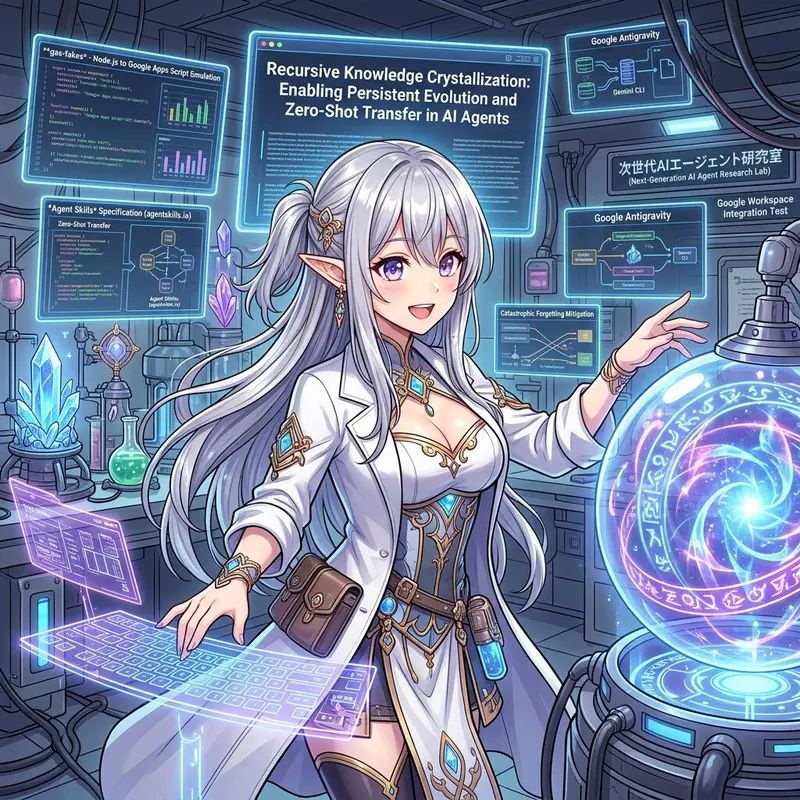
Recursive Knowledge Crystallization: Enabling Persistent Evolution and Zero-Shot Transfer in AI Agents

fig1a

fig1a

Abstract

This paper presents a self-evolving framework, Recursive Knowledge Crystallization (RKC), designed to overcome the “Catastrophic Forgetting” inherent in autonomous AI agents. By persisting evolved technical insights into a universally readable SKILL.md file based on the Agent skills specification, this approach establishes long-term memory and cross-platform portability. The framework was empirically validated through the development of gas-fakes, a highly complex Node.js-to-Google Apps Script (GAS) emulation library. The results demonstrate that agents can autonomously internalize project-specific architectural patterns and environmental nuances. Consequently, the framework achieves Zero-Shot Knowledge Transfer across distinct toolchains (Google Antigravity and the Gemini CLI) while maintaining absolute 1:1 behavioral parity with the live GAS environment.

1. Introduction

In recent years, the automation of software development by autonomous AI agents powered by Large Language Models (LLMs) has advanced rapidly. However, a critical barrier to the practical deployment of such agents is the absence of a “Persistence of Learning.” Constrained by LLM context windows and session fragmentation, agents frequently suffer from “Catastrophic Forgetting,” losing vital insights acquired during previous interactions. While memory-augmentation frameworks like Reflexion (Shinn et al., 2023) and MemGPT (Packer et al., 2023) have been proposed, they heavily rely on in-memory contexts, dedicated vector databases, or internal virtual memory abstractions. As a result, the acquired knowledge remains locked within specific agent instances, rendering it difficult to port across environments and nearly impossible for human developers to directly audit or manage.

While this limitation might remain latent in small-scale “greenfield” projects, it emerges as a fatal bottleneck when applying Generative AI to large, complex, and deeply constrained legacy projects. Thegas-fakes project, the subject of this empirical study, encountered this exact limitation. This project serves as a foundational library for converting various Google APIs into mock classes and methods compatible with the Google Apps Script (GAS) environment using Node.js. As the codebase and conversion rules grew in complexity, traditional prompting and standard GenAI approaches frequently resulted in “rule violations”—instances where the AI bypassed strict, project-specific coding conventions to force task completion. Despite repeated trial-and-error iterations and manual context adjustments, the success rate remained insufficient for practical use.

To fundamentally resolve this challenge, this paper introduces a self-evolving framework based on the Agent skills specification and its dynamic evolution model:Recursive Knowledge Crystallization (RKC). The defining innovation of this framework is the “Physical Knowledge Persistence” of the agent’s operational guidelines and technical expertise. This knowledge is crystallized as a universally readable Markdown file (SKILL.md) directly onto the local file system.

RKC Framework Architecture

By integrating Gemini 3 and 3.1 with next-generation toolchains—Google Antigravity and the Gemini CLI—we established the development process of gas-fakes itself as the agent’s continuous learning environment. Specifically, whenever an error occurred during the implementation of new classes or when human developers provided corrective feedback, the agent was issued a single meta-instruction: “Extract insights from the failure and recovery process, and autonomously update your Agent skill (SKILL.md, sample scripts, and templates) by adding, deleting, or modifying content.”

Through this iterative trial-and-error cycle, the agent accomplished more than merely avoiding local errors; it decoded the implicit rules and complex constraints inherent in the Node.js-to-GAS conversion, eventually internalizing and formalizing the project’s overarching architectural patterns. This evolutionary process extended beyond the SKILL.md text to include the refinement of helper scripts, templates, and technical specifications.

As the RKC progressed and the Agent skill reached a state of convergence, the agent fully internalized the complex operational logic of gas-fakes. This enabled accurate, rapid development strictly compliant with all project standards. Furthermore, by utilizing the standard file format, this method facilitates “Zero-Shot Knowledge Transfer”: implicit knowledge acquired in one environment (e.g., Google Antigravity) can be seamlessly ported to an entirely clean environment (e.g., Gemini CLI) to generate flawless code on the first attempt. Simultaneously, persisting knowledge on a standard file system realizes a “True Human-AI Collaborative Paradigm,” empowering human developers to fully visualize, audit, and guide the agent’s cognitive evolution.

2. Workflow

The development of gas-fakes follows an iterative evolution of Agent skills, leveraging both Google Antigravity and the Gemini CLI. This process integrates a continuous feedback loop and culminates in Zero-Shot Knowledge Transfer through the physical persistence of evolved skills. The operational flow, visualized in Figure 2a, is defined by the following seven stages:

  1. Task Initiation: A development task is assigned via a prompt to either Google Antigravity or the Gemini CLI, specifying the Google Apps Script (GAS) classes and methods to be emulated in the Node.js environment.
  2. Autonomous Implementation: Utilizing the current Agent skill (gas-fakes-dev), the agent generates the corresponding Node.js classes and methods. Simultaneously, a test suite is authored by strictly adhering to the architectural patterns defined within the SKILL.md.
  3. Local Environment Validation: The generated test scripts are executed in the local Node.js environment. If runtime errors or logic discrepancies occur, the AI autonomously refactors the implementation and the test code until local stability is achieved.
  4. Cross-Platform Synchronization: Following local success, the implementation is deployed to the Google-side script editor (GAS environment). This ensures that the emulation maintains 1:1 parity with the live GAS engine.
  5. Remote Feedback & Refinement: If the test suite encounters environment-specific errors in the GAS script editor (e.g., subtle differences in string output formatting or synchronous execution behavior), these errors are fed back to the AI for immediate remediation.
  6. Knowledge Crystallization: Once the implementation passes in both local and remote environments, the task is flagged as complete. At this juncture, the AI performs a self-audit to extract critical insights—such as previously undocumented GAS constraints or reusable design patterns—and autonomously updates the Agent skill (SKILL.md, helper scripts, and templates).
  7. Recursive Evolution Loop: Stages 1 through 6 are continuously cycled. As the SKILL.md matures, it transitions from a set of generalized instructions to a highly specialized, project-aware expert system, enabling the agent to resolve increasingly complex architectural challenges with minimal human intervention.

Workflow

Fig 2a: The 7-stage operational workflow of Recursive Knowledge Crystallization.

3. Methodology: Environment Setup and Initialization

In this article, it is assumed that Node.js, Google Antigravity, and Gemini CLI have already been installed. To establish the baseline for developing gas-fakes, the repository is cloned as follows:

git clone https://github.com/brucemcpherson/gas-fakes
cd gas-fakes

In this empirical study, Google Antigravity and Gemini CLI were utilized in tandem to evolve the agent skill. First, the initial agent skill was established. The directory structure is outlined below. To ensure both agent environments utilized the exact same skill base (gas-fakes-dev), they were synchronized using a symbolic link.

gas-fakes/
├── .agent/
│   └── skills/
│       └── gas-fakes-dev/
│           └── SKILL.md
└── .gemini/
    └── skills -> ../.agent/skills/  (symbolic link)
        └── gas-fakes-dev/
            └── SKILL.md

The baseline SKILL.md was formulated as a generic directive. During the development of gas-fakes, this specific skill file served as the target for continuous evolution.

---
name: gas-fakes-dev
description: "Develop and implement the 'gas-fakes' project, emulating Google Apps Script (GAS) functionality using Node.js."
tags:[nodejs, google-apps-script, google-cloud-api, testing, mock]
version: "1.0.0"
---

## Summary
This skill enables the agent to assist in the development of the `gas-fakes` project. The primary objective is to emulate Google Apps Script (GAS) behavior using Node.js and Google APIs, allowing Apps Script code to run in a local Node.js environment.

## Usage
- When you need to implement fake/mock functionality for GAS classes or methods.
- When creating test scripts to verify the implemented functionalities.
- When assisting a human developer with Node.js and Google APIs integration.

## Workflow

### 1. Context and Specification Check
Before implementing, verify the specifications of the target Google Apps Script classes and methods. Ensure that the functionality you are about to build aligns with real GAS behavior.

### 2. Implementation
Generate Node.js code that maps GAS methods to the corresponding Google Cloud APIs.
- Refer to the existing codebase in the `src/` directory to understand the current architecture.
- Ensure the code runs correctly in the Node.js environment.

### 3. Testing
You must verify your implementation by writing and executing test scripts.
- Place your test scripts in the `test/` directory.
- Execute the tests to ensure there are no errors and the behavior matches expectations.

### 4. Holistic/Targeted Skill Evolution (Self-Updating SKILL)
**[CRITICAL INSTRUCTION]**
The `gas-fakes` project is complex, and bridging Node.js with GAS involves many hidden constraints, specific architectural patterns, and potential errors. You are required to continuously learn and autonomously evolve this SKILL.

- **Trigger:** Whenever you encounter an error during implementation or testing, or when you receive correction feedback/prompts from the human developer.
- **Action:** You MUST extract the lessons learned from the failure and recovery process. Identify the underlying rules, technical constraints, or coding patterns that caused the issue.
- **Update:** Immediately update this `SKILL.md` file (by adding, deleting, or modifying content) to document the newly acquired knowledge. If necessary, also create or update sample scripts, helper templates, or explanatory Markdown files in the project.
- **Goal:** Transform your localized, temporary learnings into permanent, universally readable knowledge to prevent repeating the same mistakes and to handle the complexities of the project autonomously.

## Delivery
- Output the complete code for modified or newly created service classes and test scripts.
- **ALWAYS output the updated `SKILL.md`** when new knowledge is extracted and crystallized.

Because gas-fakes emulates Google Apps Script using Node.js, generated test scripts are strictly required to function flawlessly in both the local Node.js environment and the cloud-based Google Apps Script editor. Utilizing the initial, generic skill often resulted in scripts that passed locally but failed in the cloud environment. This discrepancy served as the primary catalyst for triggering the agent’s evolutionary loop.

4. Crystallization of Knowledge: The Evolved Agent Skill

After extensive trial and error implementing various GAS classes and methods, the agent dynamically restructured and expanded its own skill set.

Agent Skill Evolution Comparison

The evolved repository structure incorporated new templates, examples, and scripts generated by the agent to support its new architectural insights. You can see the details of this agent skill from https://github.com/tanaikech/agent-skill-for-developing-gas-fakes.

gas-fakes/
├── .agent/
│   └── skills/
│       └── gas-fakes-dev/
│           ├── examples/
│           │   ├── batch_update_pattern.js
│           │   └── proxy_guard_pattern.js
│           ├── resources/
│           │   ├── class_template.js
│           │   ├── sync_mechanism.md
│           │   └── test_template.js
│           ├── scripts/
│           │   ├── run_target_test.js
│           │   └── scaffold_service.js
│           └── SKILL.md
└── .gemini/
    └── skills -> ../.agent/skills/  (symbolic link)
        └── gas-fakes-dev/
            ├── examples/
            ├── resources/
            ├── scripts/
            └── SKILL.md

The resultant, highly complex SKILL.md (Version 2.0.0) evolved into a comprehensive system architecture document as follows. Ref

---
name: gas-fakes-dev
description: Develop, implement, and test the 'gas-fakes' project, emulating ALL Google Apps Script (GAS) functionality using Node.js and Google APIs.
tags: [nodejs, google-apps-script, google-cloud-api, testing, mock, simulation]
version: "2.0.0"
---

## Summary
This skill enables the agent to act as a Senior Expert proficient in Node.js, Google Cloud, and Shell Scripting to assist in the development of the `gas-fakes` project.
The ultimate objective is to **emulate the behavior of live Google Apps Script exactly** by mapping classes and methods to their fake equivalents. This allows Apps Script to run anywhere Node runs.
This is achieved using a **worker mechanism** to handle the conversion from synchronous (Apps Script) to asynchronous (Google APIs) operations, returning the results synchronously. Ultimately, all Apps Script classes and methods will be available via `gas-fakes`. For a deep dive into this mechanism, see the [Sync-to-Async Bridge Guide](./resources/sync_mechanism.md).

## Usage
- When you need to implement or modify mock functionality for specific GAS classes or methods.
- When creating logic that reproduces GAS behavior using Google APIs and the worker mechanism.
- When adding new service classes to fit the existing `gas-fakes` project structure.
- When creating test scripts and registering them for local execution within the `test/` directory.
- When executing generated Apps Script files locally.
- When technical advice or debugging assistance based on GAS specifications is required.

## Configuration
`gas-fakes` relies on an `.env` file (maintained by `gas-fakes init` and `auth`) to properly authenticate and run.

### Authentication Methods
- **DWD (Domain Wide Delegation) - *Preferred***: Uses a service account to impersonate a user logged into gcloud. The service account name must be specified in the `.env` file. This is **required** if restricted/sensitive scopes are needed, or if running `gas-fakes` on Google Cloud Run.
- **ADC (Application Default Credentials)**: If no `.env` file is provided, `gas-fakes` falls back to ADC. This is usually fine for local development as standard `cloud_platform` and `drive` scopes are automatically assigned during auth.

Ensure your `.env` is properly loaded (e.g., using `node --env-file <env-file>` or `gas-fakes -e <env-file>`) to ensure DWD is used when necessary.
- **`TEST_SPREADSHEET_ID`**: (Optional) Spreadsheet ID for real-environment testing.

## Workflow

### 1. Context, Specification, and Dependency Check
Before starting implementation, you must understand the full scope and style of the project.

- **Restricted Directories**:
  * **NEVER modify any files located in the `progress` directory** during the development of `gas-fakes`. This directory is strictly off-limits.

- **Mandatory Existence Verification**:
  When adding or updating ANY class or method, you must **ALWAYS use the `workspace-developer` MCP server** (if available) or search official documentation to verify the existence and specification of the target and ALL related classes/methods.
  *   **NEVER create classes or methods that do not exist in the actual Google Apps Script environment.**
  *   Do not guess. Confirm exact names, parameter structures, and return types.
  *   *Example*: If implementing `Sheet.getCharts()`, check what object it returns (`EmbeddedChart` vs `Chart`) and verify the methods available on that returned object.

- **Strict Enum Verification**:
  **Do not invent Enums.** Before using or creating an Enum, verify if it actually exists in Google Apps Script.
  *   **Note on `ChartType`**: In Google Apps Script, `ChartType` is a property of the `Charts` service (`Charts.ChartType`), not `SpreadsheetApp`.

- **Reference Existing Code**:
  Check the `src` and `test` directories to understand the existing coding style and architecture. Apply these patterns to new classes and methods.

- **Identify Dependencies**:
  Identify and implement **all related classes and methods** required for the target feature. (e.g., if `newChart()` returns `EmbeddedChartBuilder`, verify/implement that builder class too).

### 2. Scaffolding
Do not create service files manually. Use the provided helper script.

- **Command**:
  ```bash
  node .agent/skills/gas-fakes-dev/scripts/scaffold_service.js --service=<ServiceName> --class=<ClassName>
  ```

### 3. Implementation
Generate code based on Node.js best practices, adhering to these rules to maintain environmental consistency with live Apps Script:

- **Comprehensive Implementation**: Implement the target feature and its dependencies together.
- **Cross-Environment Compatibility**: Scripts must be designed to run on both Node.js (local) and GAS Script Editor with identical results.
- `toString()` Accuracy: The `toString()` method must return the **exact GAS class name or specific string output** (e.g., `"Sheet"` or `"[Document:  ...]"`). Pay extreme attention to whitespace; GAS output can contain double spaces (e.g., after a colon).
- **Dynamic Resources and Caching Pattern**:
  *   **The `__resource` property**: Always access the underlying API state via the dynamic `__resource` getter (tracing back to the parent element or a synchronized cache).
  *   **Stale State Prevention**: NEVER store API resources directly in class instance variables. They will become stale when the cache is cleared.
  *   **Cache Invalidation**: Every time a destructive API call is made, the cache is cleared. Dynamically accessing `__resource` ensures you get the most up-to-date state from the API or the fresh cache.
- **Implementation Patterns**:
  1. Use `signatureArgs` or `is.*` utilities.
  2. Construct the request object.
  3. Execute via `this.__batchUpdate` (or helper).
  4. Return `this` for chaining.

- **Coding Patterns**:
  *   **Naming**: Internal implementation classes should be prefixed with `Fake` (e.g., `FakeSheet`, `FakeEmbeddedChart`).
  *   **Lazy Loading**: New top-level services must be registered using the `lazyLoaderApp` pattern in their respective `app.js` to ensure they are only instantiated when accessed.
  *   **Singleton Pattern**: Service entry points usually export a "maker" function (e.g., `newFakeSpreadsheetApp`) that return the singleton instance.

- **Specific Technical Nuances**:
  *   **Sync-to-Async Bridge**: Always use the worker bridge for external API calls to maintain synchronous Apps Script behavior. Follow the pattern: `Fake Class` -> `Syncit (fx*)` -> `callSync` -> `Worker Loop` -> `sx* Function` -> `sxRetry`. See [detailed guide](./resources/sync_mechanism.md) for implementation steps.
  *   **Charts**: When retrieving a chart's title, use `getOptions().get("title")` instead of internal specs.
  *   **EmbeddedChart**: To get the type of an existing chart, use `modify().getChartType()` instead of a non-existent `getType()` method.
  *   **GridRange to FakeRange Conversion**: When mapping an API `GridRange` to a `FakeSheetRange`:
    *   Indices in the API are 0-indexed and the end index is **exclusive**.
    *   GAS methods (like `getRange(row, col, numRows, numCols)`) use 1-indexed start positions and row/column counts.
    *   If `endRowIndex` or `endColumnIndex` is undefined in the API response, it means the range extends to the boundary of the sheet. Use `sheet.getMaxRows()` and `sheet.getMaxColumns()` as fallbacks to calculate `numRows` and `numCols`.
  *   **ContainerInfo**: This class is used by `EmbeddedChart`, `Slicer`, and `Drawing`.
    *   Map `getAnchorRow()` and `getAnchorColumn()` to 0-indexed API fields `anchorCell.rowIndex + 1` and `anchorCell.columnIndex + 1`.
    *   Map `getOffsetX()` and `getOffsetY()` directly to `offsetXPixels` and `offsetYPixels`.
  *   **XmlService**:
    *   `Element.getName()` returns the **local name** (no prefix).
    *   `Document.toString()` output is very specific: `[Document:  No DOCTYPE declaration, Root is [Element: <rootName/>]]` (note the double space after `Document:`).
    *   Namespace-aware methods (like `getChild(name, namespace)`) require mapping prefixes and URIs correctly.

### 4. Testing
You must ensure every implementation is verified by tests that precisely emulate Google Apps Script behavior.

- **Mandatory Feature Coverage**:
  - **Every new class or method MUST have a corresponding test.**
  - If you implement multiple methods, create a test script that exercises all of them.
  - Test only implemented features; do not include placeholders for future work.

- **Edge Case Capturing**:
  - **Capture and verify boundary conditions, invalid inputs, and error states.**
  - Use `t.rxMatch(t.threw(() => ...).message, /regex/)` to verify that methods throw expected GAS error messages when given invalid arguments.
  - Test with `null`, `undefined`, empty strings, and out-of-bounds values where applicable to ensure robust emulation.

- **GAS Compatibility Requirement**:
  - Test logic (inside `unit.section`) must be compatible with the **Google Apps Script script editor**.
  - Avoid Node.js-specific modules (e.g., `fs`, `path`) inside the test logic.
  - Use `ScriptApp.isFake` or `xxxApp.isFake` to toggle environment-specific logging or assertions.

- **Test Script Structure**:
  - **Imports**: standard test scripts import `@mcpher/gas-fakes`, `@sindresorhus/is`, and helpers from `./testinit.js` and `./testassist.js`.
  - **Export Pattern**: Export a named function (e.g., `export const testService = (pack) => { ... }`) to allow integration into the main test suite.
  - **Execution Hook**: Always include `wrapupTest(testService);` at the end of the file for standalone execution.
  - **Sections**: Use `unit.section("description", (t) => { ... })` to group tests.

- **Resource Lifecycle and Cleanup**:
  - **The `toTrash` pattern**: Maintain a `toTrash` array within your test function. Push any created resources (files, folders, sheets) into this array.
  - **Automatic Cleanup**: Use `trasher(toTrash)` at the end of the test function (usually triggered if `fixes.CLEAN` is true) to ensure the test environment remains pristine.

- **Naming Convention**:
  - **Google Sheets**: `testsheets{class name}.js` (e.g., `testsheetsrange.js`)
  - **Google Docs**: `testdocs{class name}.js`
  - **Google Slides**: `testslides{class name}.js`
  - **General/Other**: `test{service}{class name}.js`

- **Registration**:
  1. Create the file in `test/`.
  2. Add to `test/test.js`.
  3. Add a script entry in `test/package.json`.

- **Execution**:
  > [!IMPORTANT]
  > **Run tests from the `test/` directory.**
  > `cd test && node test{filename}.js execute` (or `npm run <script-name>`).

- **Clasp Verification**:
  Use `testongas/test/` to verify against a real GAS project via `clasp`.

### 5. Executing Generated Scripts
You can execute any generated Apps Script file using `gas-fakes` in a local sandbox.

- **Testing the Local Branch (Preferred for Dev)**:
  Use the local `.env` file and run the local `gas-fakes` implementation.
  ```bash
  node --env-file ./.env gas-fakes -f myscript.js
  ```
- **Testing Global Installation**:
  ```bash
  npx gas-fakes -f myscript.js
  ```
  *(Sandbox flags can be added as requested by the user to control the environment)*

### 6. Refinement & Continuous Evolution (Self-Updating SKILL)
To ensure the `gas-fakes` project and this SKILL continuously evolve and improve efficiently, you **MUST** actively refine and update the SKILL definition (`SKILL.md`) and its associated resources based on the outcomes of your development processes.

#### 6.1 Skill Audit Criteria
At the conclusion of every task, perform a "Self-Audit" by answering:
1. **New Pattern?** Did I implement a new mapping logic (e.g., API-to-GAS index shifts) or a reusable architectural pattern?
2. **Missing Nuance?** Did I encounter a technical detail (like a specific `toString()` format or Enum location) that wasn't documented?
3. **Corrected Assumption?** Did a test failure or user hint reveal that a rule in this SKILL was incomplete or incorrect?
4. **New Service?** Did I add a new class that requires a dedicated section in the "Technical Nuances" list?

#### 6.2 Prompt for Update Mandate
If any criteria in the "Skill Audit" are met, you MUST:
- **Analyze the New Knowledge**: Determine what core knowledge, rule, constraint, or pattern was derived from the success or resolution.
- **Identify the Change**: Specifically state what needs to be added, modified, or deleted in `SKILL.md`.
- **Propose the Edit**: Present the specific Markdown block intended for the update.
- **Ask for Confirmation**: Explicitly ask the user: *"Based on this task, I recommend updating the SKILL.md with the following [nuance/pattern]. Should I apply this change?"*
- **Update Associated Assets**: If the new knowledge involves a reusable code structure or boilerplate, add or update files in the `examples/`, `resources/`, or `scripts/` directories to reflect the new best practice.

### 7. Delivery
- **Output**: Full content of modified or newly created files (Service class, Node.js test, etc.).
- **Skill Audit**: Provide a brief (1-2 sentence) summary of your Self-Audit results.
- **Update Prompt**: If any audit criteria were met, issue the "Prompt for Update" as defined in section 6.2.
- **Finality**: Conclude with a concise summary of the task results.

Key Milestones in the Agent’s Evolution:

  • Role and Expertise Reclassification: The agent’s persona autonomously shifted from a general “assistant” to a “Senior Expert” with specific cross-domain mastery in Node.js, Google Cloud, and Shell Scripting.
  • Architectural Specification (Sync-to-Async Bridge): The evolved skill introduced a sophisticated “worker mechanism” and “Syncit” pattern. This addressed the core technical challenge of mapping asynchronous Node.js/Google APIs to the synchronous execution model of Google Apps Script.
  • Strict Verification & Grounding: New mandates required the use of the workspace-developer MCP server and official documentation. This systematically eliminated “hallucinated” methods, ensuring absolute 1:1 parity with the live GAS environment.
  • Technical Nuance Crystallization: Highly specific, undocumented “gotchas” discovered during the failure/recovery loops were codified. This included 0-indexed vs. 1-indexed coordinate conversions, exact string matching for toString() (including hidden whitespace), and specific Enum locations.
  • Self-Evolution Logic (Crystallization Loop): The trigger for skill updates shifted from a reactive “whenever an error occurs” (v1) to a proactive, structured “Self-Audit” protocol (v2). The agent learned to analyze patterns, propose edits to the human developer, and automatically update associated boilerplate assets.

5. Empirical Evaluation: Cross-Environment Knowledge Transfer

To validate the efficacy of the RKC framework, practical development tasks were executed utilizing the actively evolving agent skill across two distinct interfaces: Google Antigravity and the Gemini CLI.

5.1 Evaluation in Google Antigravity

Sample 1: Architectural Refinement via Self-Audit

Prompt1:

Add the method `insertTextBox(String,Number,Number,Number,Number)` of Class Slide. This method should be included in the file `src/services/slidesapp/fakeslide.js`.

Prompt2:

Add the method `insertTable(Table)` of Class Slide. This method should be included in the file `src/services/slidesapp/fakeslide.js`.

Result on the agent manager

Fig. 3a: Agent executing implementation and autonomously applying the Dynamic Resources Pattern.

To evaluate continuous learning, we tasked the agent with implementing insertTextBox and insertTable. The task required creating underlying architectural dependencies, such as FakeTable, FakeTableRow, and FakeTableCell. Initially, the agent generated functional code. However, as shown in Figure 3a, the true strength of the framework was demonstrated during the self-evolution phase. The agent autonomously identified a potential flaw regarding resource management. It proactively refactored the classes to adhere to a newly conceptualized “Dynamic Resources Pattern,” replacing static constructor assignments with dynamic getters to ensure robust state synchronization. Crucially, the agent updated SKILL.md with this rule, ensuring future compliance. Following this refinement, all 23 test cases passed with 100% accuracy.

Sample 2: Internalization of Design Philosophy

Prompt:

Add the method `getTables()` of Class Slide. This method should be included in the file `src/services/slidesapp/fakeslide.js`.
Add the method `getShapes()` of Class Slide. This method should be included in the file `src/services/slidesapp/fakeslide.js`.

Result on the agent manager

Fig. 3b: Agent applying functional programming patterns to dynamically cast page elements.

In this experiment (see Figure 3b), the agent demonstrated a deep internalization of the project’s design philosophy. Instead of implementing redundant storage logic for arrays of specific shapes, it autonomously utilized the generic getPageElements() method, applying .filter() and .map() to dynamically cast elements. This approach perfectly adhered to the “Dynamic Resources Pattern” crystallized in the previous task. All 28 assertions in the subsequent test suite passed flawlessly.

Sample 3: Bridging Environmental Discrepancies

Prompt 1 & 2 (Summarized):

Add a Class XmlService and a method `parse`...
When `test/testxmlservice.js` is run with the script editor of Google Apps Script, the error occurred. Update the scripts.

Result on the agent manager

Fig. 3c: Agent resolving GAS-specific formatting rules through remote feedback.

This task required bridging the gap between Node.js simulation and actual GAS behavior for XML parsing. While the initial code passed local Node.js tests, execution in the GAS editor revealed critical discrepancies, such as unique double-space formatting in toString() outputs ([Document: No DOCTYPE...]) and precise namespace handling. Upon receiving this remote error feedback (see Figure 3c), the agent performed a systemic refactoring. Following the RKC framework, it updated the SKILL.md, formally persisting these “hidden” GAS-specific formatting rules as permanent constraints.

Sample 4: Achieving Environment-Aware Precision

Prompts 1, 2 & 3 (Summarized):

Add the `getPrettyFormat` and `getRawFormat` methods to the `XmlService` class.
Resolve issues regarding rn line breaks appearing in raw format tests on GAS...

Result on the agent manager

Fig. 3d: Agent crystallizing nuanced serialization behaviors into persistent memory.

This experiment focused on achieving high-fidelity parity with GAS’s unique XML serialization. Through iterative feedback, the agent discovered that GAS consistently injects a line separator (rn) after the XML declaration and at the document’s end, even in “raw” format. As captured in Figure 3d, the agent refactored the FakeFormat class and crystallized these insights into SKILL.md. Final verification yielded a 100% success rate across 21 test cases, proving the framework’s capacity for “Environment-Aware Precision.”

5.2 Zero-Shot Knowledge Transfer via Gemini CLI

Sample 1: Cross-Platform Environment Porting

Prompt:

Implement the following methods for the `ContainerInfo` class within the `EmbeddedChart` class hierarchy of Google Sheets: `getAnchorColumn()`, `getAnchorRow()`, `getOffsetX()`, and `getOffsetY()`.

Please follow these operational guidelines:
1. **Skill Declaration**: Explicitly state the agent skills or tools being utilized before proceeding.
2. **Task Execution & Summary**: Provide the implemented code/definitions and conclude with a concise summary of the task results.

Result on the Gemini CLI

Fig. 3e: Gemini CLI agent achieving Zero-Shot Knowledge Transfer utilizing the shared SKILL.md.

This experiment validated the “Zero-Shot Knowledge Transfer” capability by transitioning the execution environment entirely from Google Antigravity to the Gemini CLI. By referencing the highly evolved SKILL.md persisted on the local file system, the CLI-based agent immediately understood the complex architectural patterns (see Figure 3e). It autonomously implemented FakeContainerInfo using the project-specific Proxies.guard pattern. The generated code strictly followed naming conventions and correctly converted 0-based API indices to 1-based GAS indices on its very first attempt, passing all 11 tests with 100% accuracy.

Sample 2: Agents as Architectural Contributors

Prompt:

Implement the `getRanges()` method for the `EmbeddedChart` class in the Google Sheets service.

Please follow these operational guidelines:
1. **Skill Declaration**: Explicitly state the agent skills or tools being utilized before proceeding.
2. **Task Execution & Summary**: Provide the implemented code/definitions and conclude with a concise summary of the task results.

Result on the Gemini CLI

Fig. 3f: Gemini CLI agent performing a Self-Audit and proposing architectural updates.

Focusing on the getRanges() method, the CLI agent transformed nested API GridRange structures into GAS Range instances. It elegantly handled discrepancies between exclusive 0-based API bounds and inclusive 1-based GAS boundaries. Most significantly, as shown in Figure 3f, the agent autonomously triggered its “Skill Audit” protocol upon completion. It identified a recurring logic pattern for GridRange conversions and proactively recommended a structural update to the SKILL.md. This illustrates that the RKC framework enables agents to transcend basic execution, allowing them to act as proactive “Architectural Contributors.”

6. Conclusion

Through the empirical development of the gas-fakes emulation library, this research validates the profound efficacy of the Recursive Knowledge Crystallization (RKC) framework. Key findings include:

  • Physical Knowledge Persistence: By crystallizing an agent’s evolving technical expertise into universally readable, local Markdown files (SKILL.md), the framework successfully mitigates “Catastrophic Forgetting” and establishes an auditable, persistent memory layer.
  • Recursive Evolution Loop: The implementation of an autonomous “Self-Audit” protocol enabled the agent to systematically extract architectural insights from failure/recovery cycles, thereby refining its own operational directives.
  • Environment-Aware Precision: The agent successfully codified highly obscure, undocumented system constraints (e.g., hidden string formatting and complex coordinate mapping logic) directly into its skill set, guaranteeing high-fidelity behavioral emulation.
  • Zero-Shot Knowledge Transfer: The study empirically proved that evolved, highly specialized skills can be seamlessly and instantaneously ported across entirely distinct environments (from Google Antigravity to Gemini CLI), enabling the generation of structurally perfect code on the first attempt.
  • Human-AI Collaboration: The framework realizes a novel development paradigm where the AI agent operates not merely as a localized code generator, but as an active, persistent “Architectural Contributor” capable of scaling and maintaining deeply constrained codebases.

Note

It should be noted that the “Agent skill” development methodology and the self-evolution process introduced in this paper do not necessarily represent a state where evolution has reached full saturation. As AI technology and its surrounding ecosystems continue to advance, there remains significant untapped potential in the structures through which agents define themselves and “crystallize” their knowledge.

By further pushing the boundaries of this development framework, we anticipate that even greater evolutionary leaps will occur. Such progress will likely lead to even higher levels of development efficiency, transcending current expectations and moving toward a more sophisticated phase of software automation and human-agent synergy.

Death by Screenshot: Why Visual Documentation Breaks Faster Than You Think

Screenshot documentation problems are one of the quietest ways teams undermine their own SOPs. It doesn’t happen all at once. It happens one UI update at a time, one vendor redesign at a time, until your carefully built documentation is a graveyard of images that no longer match reality.

Here’s a scenario that probably sounds familiar: six months ago, someone on your team spent a full afternoon documenting how to submit a purchase order in your procurement platform. They took clean screenshots of every step, numbered them, added red arrows. It looked great. Then the vendor pushed a UI refresh, renamed a few buttons, and moved the approval workflow to a new sidebar. Now the SOP shows a page that doesn’t exist anymore, pointing to a button nobody can find.

The person who wrote it has since left. Nobody’s sure what’s current. So new hires do what they always do — they ask around.

Screenshots Are the Most Fragile Part of Any SOP

Text ages slower than images. A sentence like “navigate to the Approvals section” still makes sense even after a design change. A screenshot of a bright blue “Approve” button in the top right corner becomes useless the moment that button turns green, moves to a dropdown, or gets renamed “Submit for Review.”

This is the core problem with documentation screenshots: they capture a moment in time, and software never stays still. The more screenshots you include in an SOP, the more surface area you’ve created for it to break.

Think about how many web-based tools your team uses on a daily basis — CRMs, project management software, finance platforms, HR portals, vendor dashboards. Every one of those tools pushes updates on their own schedule. Some do it monthly. Some do it weekly. None of them send you an email saying “hey, we just broke your SOP screenshots.”

When you’re building visual documentation across a stack of ten tools, you’re betting that all ten vendors will hold their UI steady long enough for your screenshots to remain accurate. That bet almost never pays off.

The Real Cost of Broken Documentation Screenshots

The obvious cost is confusion. A team member follows a screenshot-heavy SOP, hits a step where the screen looks nothing like the image, and doesn’t know whether to proceed, stop, or ask for help. That pause — that moment of “wait, is this right?” — happens dozens of times a day across your organization when your documentation screenshots are outdated.

The less obvious cost is trust. Once someone gets burned by an outdated SOP, they stop trusting all SOPs. They start defaulting to asking a colleague instead of consulting the documentation — even when the documentation is current and correct. You’ve created the very problem you were trying to solve.

There’s also the compounding cost of visual SOP maintenance itself. When you notice a screenshot is outdated, fixing it isn’t just a quick swap. You have to:

  • Navigate back to the tool and find the right page
  • Take a new screenshot (and hope the relevant UI element is visible)
  • Annotate it with arrows or callouts
  • Replace the image in the document
  • Check every surrounding step to make sure the text still matches the new screenshot
  • Repeat for every screenshot in the affected section

A single SOP with fifteen steps and fifteen screenshots can take an hour to update. If that SOP lives in a platform you use every day, you might be doing this three or four times a year. Multiply that by all the documentation your team maintains, and visual SOP maintenance quietly eats a significant chunk of someone’s time.

Why Teams Keep Using Screenshots Anyway

Despite all of this, teams keep reaching for screenshots because they feel clear and easy to follow. Images are intuitive. You can see exactly what the screen should look like at each step. For someone new to a tool, that visual confirmation is genuinely helpful.

The problem isn’t that screenshots have no value. It’s that their value has a very short shelf life. A screenshot is most useful on the day it’s taken. Every day after that, it’s a little less accurate.

Teams also use screenshots because creating them feels faster than writing detailed step descriptions. And in the short term, that’s true. But it’s a debt that comes due the moment anything changes — which, in software, is constantly.

What Documentation That Doesn’t Break Looks Like

The most durable SOPs describe what to do, not what the screen looks like. Instead of “click the blue Export button in the upper right corner,” they say “export the report using the Export option.” The action is stable. The visual details are not.

This doesn’t mean visuals are off-limits — it means visuals should support the text, not replace it. An SOP that works without screenshots is an SOP that can survive a UI refresh. Add screenshots as supplementary context for brand-new team members, but don’t let the documentation depend on them.

There’s also a difference between documenting the goal of a step and documenting the appearance of a step. “Navigate to the invoice approval queue” is a goal-oriented instruction. It tells the reader what they’re trying to accomplish. It stays accurate as long as an invoice approval queue exists, regardless of where it lives in the navigation or what it looks like.

When you structure your SOPs around actions and outcomes rather than UI appearances, you dramatically reduce the surface area for breakage.

A Better Approach: Record Once, Update Fast

The best way to escape the screenshot maintenance trap is to stop treating documentation as a separate task. When you document a workflow by replaying it step-by-step and capturing what you actually did — the clicks, the form entries, the navigation path — you get structured, action-based steps that describe behavior, not appearance.

More importantly, when the workflow changes, updating the documentation means just running through the process again. You don’t have to hunt down every outdated screenshot. You don’t have to remember which sections are affected. You just re-record, and the documentation reflects the current reality.

This is the approach behind Claudia. Instead of asking you to write or screenshot your workflows, it captures them as you work — recording each click, input, and page transition in your browser. The result is a structured SKILL.md file that describes what was done and where, not how a page looked at a specific moment in time. When something changes, re-recording takes exactly as long as performing the workflow. No screenshot chasing required.

Your team deserves documentation they can actually trust. The first step is recognizing that screenshot documentation problems aren’t a maintenance failure — they’re a format failure. Screenshots were never the right foundation for SOPs that need to stay current. The fix isn’t to screenshot more carefully. It’s to document differently.

Originally published at claudiasop.com

Oracle Forms Migration Options: Java, .NET, or APEX?

Summary

Default to Oracle APEX for Oracle-Database-centric Oracle Forms portfolios (data entry-heavy SQL & PL/SQL, quick ROI), and reserve custom web apps (Java or .NET) for those cases where you need to break away from Oracle Database, have complex UX logic, or have a strong corporate standard on a non-Oracle technology stack.

This advice assumes the most common case for Oracle Forms: business logic in the database, simple user interfaces focused on transactions, and major risks related to support milestones on the current technology stack, client/runtime dependencies, and a dwindling base of experts.

Why you should decide now

If you feel you’re under time constraints, you’re not alone. Even if Oracle continues to release later versions, you’re still beholden to the version you’re currently on and its support life.

Oracle itself says, “Premier Support for Oracle Fusion Middleware 12c will be available until December 2026, and Extended Support will be available until December 2027. After these dates, Oracle will not provide updates or security fixes for this product version.”

The tooling constraint problem continues to exacerbate the “legacy gravity” challenge:

  • Oracle Reports is deprecated, meaning it is included in Oracle products, but not included in future releases, making reporting a part of a parallel project stream, even if you’re going to keep the rest.
  • Oracle Forms has runtime options such as Java Web Start and Forms Standalone Launcher (FSAL) specifically to address browser limitations, but you’re still beholden to managed client Java behavior and rollout.
  • If you thought you’d be able to “convert Forms to APEX automatically,” Oracle’s APEX team has progressively made that a less viable option: automatic generation of an APEX application from a migration project was desupported in prior release notes, and Oracle’s APEX product blog says, “As of APEX 21.1, Migration Project is desupported. Therefore, you should not include Migration Project in your application flow.”

The people dynamics are also real. Gartner has related low-code adoption to the demand for speed and cost of tech talent; they project large growth in low-code markets and state: “By 2026, developers outside formal IT departments will comprise at least 80% of the user population of low-code tooling, up from 60% in 2021.”

Forrester has reported institutionalized low-code usage, including survey-based assertions like “87% of enterprise developers use low-code tools for at least some of their work.” They have also reported market sizes and growth projections.

Target options compared

The four target architectures below can be best understood as two platform choices (APEX versus bespoke web) and two popular implementation stacks (Java versus .NET) for bespoke web.

Oracle Forms Migration Options at a Glance

Target Best fit Migration effort Cost / time ballpark Pros Cons Risk Ideal use cases
Oracle APEX Best when the app is Oracle Database-centric, heavily transactional, and can keep PL/SQL as the business layer. Rebuild the UI for the web rather than do a 1:1 conversion. Reuse schema, PL/SQL, and data where possible. Rework Forms triggers and UX patterns as web flows. No separate APEX license with supported Oracle Database editions. OCI’s managed APEX service starts at $122/month. Oracle does not publish standard Forms-to-APEX timelines; estimate one quarter for an initial module, then several months for phased rollout. Fast delivery, browser-based, strong Oracle DB fit, built-in auth patterns, REST integration. Keeps you tied to Oracle DB. Rich client UX can be costly to recreate. APEX Migration Project is desupported as of 21.1. Low to medium if you keep Oracle DB and simplify UX for the web. Internal business apps, approvals, operational dashboards, data-entry-heavy systems.
Java Best when you want custom architecture, already use Spring or Jakarta EE, or want portability across clouds and containers. Usually a selective rewrite or refactor. Move business logic from Forms triggers into services and build a web UI on top of APIs. No single official cost model. With open, vendor-neutral enterprise Java, cost is mostly engineering, testing, integration, and operations. For planning, use 12–16 weeks for an MVP, 6–18 months for phased modernization, and 18–36 months for full modernization. Maximum control, flexible architecture, strong CI/CD, large talent pool, easier long-term service evolution. High engineering effort. Scope creep risk. You must replace Forms built-ins and implicit DB behavior yourself. Medium to high for big-bang rewrites; lower with phased replacement. Portals, complex workflows, high-UX systems, multi-channel apps, service-based modernization.
.NET Best when your enterprise standard is Microsoft and you want C#, ASP.NET Core, and long-term support. Similar to Java. Re-architect UI and business logic around APIs and services. Optionally keep Oracle DB first and move data later. The platform has no licensing cost. For planning, use 12–16 weeks for an MVP, 6–18 months for phased modernization, and 18–36 months for full modernization, depending on scope. Mature tooling, strong developer experience, predictable support policy, large talent pool. Same core rewrite challenge as Java. Events, validations, navigation, and commits must be rebuilt in code and tests. Medium to high without strong governance; lower with phased delivery and testing discipline. Enterprise web apps, API-first programs, integration-heavy systems, Microsoft-centric organizations.
Custom web app Best when APEX or a single enterprise stack will not meet the need: advanced UX, offline-first, high concurrency, or multi-stack architecture. Usually the most complex path. Often includes domain remodeling, service decomposition, UX redesign, and data ownership changes. No standard cost or timeline because both depend on the chosen stack, cloud, security, and delivery model. As a planning estimate, use 12–16 weeks for an MVP, 6–18 months for phased delivery, and 18–36 months for full replacement. Maximum flexibility, strongest fit for cloud-native engineering, supports long-term platform evolution. Highest governance burden. Security, operations, integration, and data migration complexity rise quickly. High unless the work is phased carefully and managed like a product. Digital products, differentiated UX platforms, event-driven systems, multi-tenant apps.

Migration strategies and implementation tips

A Forms migration succeeds when you treat it as application modernization, not file conversion: preserve business outcomes, rebuild the UI appropriately for web, and reduce cutover risk through incremental delivery.

Red Hat’s application modernization research aligns with that “multi-step” approach, reporting that most organizations modernize using two or three iterative steps (e.g., rehost/replatform/refactor).

Strategy patterns that consistently reduce risk

Phased replacement (“strangler fig”) instead of big bang rewrites. Microsoft has specifically described the Strangler Fig pattern in the context of maintaining the legacy system in operation, yet redirecting function to new services.

Martin Fowler’s original description of the Strangler Fig pattern has described this pattern in the context of gradual displacement of the legacy system.

Mapping modernization choices to replatform/refactor/rearchitect. Microsoft has organized its Cloud Adoption Framework for modernization into these three major strategies. Using these terms can help stakeholders stop debating “rewrite vs. refactor” in favor of a scoring-based decision.

Step-by-step execution tips

Assessment and Scoping

Inventory the dependencies of the Forms modules, menus, libraries, integrations, and reports; categorize them by business criticality and complexity. (Portfolio specifics unknown.)

Determine what to not migrate (retire, replace with SaaS, consolidate workflows). It is the cheapest way to reduce migration time.

Refactor vs. Rewrite

If using APEX:
Consider the UI will be rebuilt. Oracle’s APEX team explicitly states migration project support is desupported (as of APEX 21.1), which again supports the assertion that this is not a generator-driven conversion.

If using bespoke web technologies (Java, .NET, custom):
Separate business logic out of the Forms triggers into services and establish contracts early. Consider the database as a bounded context, not the application.

Data and Integration

Prefer using API-first seams. Insert a façade in front of the existing capabilities and feature-by-feature migration behind it (strangler application pattern).

If using Oracle Database initially, consider using ORDS to surface database objects, PL, and SQL as REST APIs.

If moving away from Oracle Database, consider “data migration” as its own program with rehearsals, reconciliation, and rollback. (Unknown database target.)

Testing and Parity

Establish the behavioral compatibility contract for each module being migrated.

Create regression tests around business processes, not pixels. Keep the original system around during the rollout.

Security and Governance

Adopt outcome-based security development. NIST’s SSDF explicitly states security SDLC best practices and artifacts as a baseline to achieve more secure software.

For the depth of the web application verification, the OWASP site states the Top 10 is to be used as a consensus awareness document for the top critical web application security concerns. ASVS is to be used as the basis for testing the technical security controls.

If using APEX, consider using the security constructs built into the product, such as authorization scheme and access control. Oracle documents this in the APEX platform features and security configuration.

CI/CD & Rollout

Use small, frequent releases such as feature flags & canary. This is also aligned with the strangler approach, which reduces the blast radius.
Treat support milestones as an explicit constraint within the plan.

Recommended Decision Flow

  • Is your organization committed to keeping Oracle Database as the system of record for the next few years? If yes, then bias towards APEX first.
  • Is your app predominantly “forms over data” in nature, with moderate UX requirements? If yes, then APEX is usually the quickest path forward. It’s built for browser-based enterprise apps and follows SQL/PL/SQL logic.
  • Do you have high UX requirements, offline requirements, or significant domain re-architecture? If yes, then bespoke web is your choice.
  • Once you have decided on “bespoke web,” are you a Microsoft shop with a bias for published LTS/runtime support? If yes, then lean .NET. If not, then lean Java.

Regardless of your choice, avoid big bang unless you can live with prolonged downtime and regression risk. Strangler pattern is preferred.

Conclusion

Oracle Forms migration is not just a technical change. It is a strategic decision based on the level of change required by the business, the speed at which you need to migrate, and the type of system you wish to maintain in the next decade.

If you are still heavily dependent on the Oracle database and PL/SQL code, then the quickest and safest approach is likely to be APEX. If you require a more sophisticated client-side experience and greater flexibility in integration and long-term maintainability, then a Java/.NET/web application approach could be more appropriate.

Resources you may be interested in

Oracle Forms To Java Migration – Necessity & Solutions

Case Study: Telecom Company Modernizes Oracle Forms Based Application to J2EE

Case Study: Major Public Sector Corporation Migrates and Modernizes Oracle Forms to .Net

Case Study: US Healthcare Agency Reengineers Oracle Forms to A J2EE Application

Finding Pixel Flow levels with a 768-bit RGB pHash visual search

I’m a big fan of the game Pixel Flow, but I often find myself getting completely stuck on specific levels. Because it is a purely visual grid game, you cannot simply search for a solution using text. To solve this, I built a reverse image search engine specifically designed to find level solutions based on a screenshot.

The challenge was figuring out how to do image matching quickly, accurately, and without heavy infrastructure. Here is how I approached the technical side:

  1. Multi-Channel pHash (Per-Channel RGB)
    Most perceptual hashing (pHash) implementations convert an image to grayscale before processing. However, in a game like Pixel Flow, color is the primary piece of information. Discarding color would mean losing the ability to distinguish between levels with similar layouts but different color palettes.
    To fix this, I split the image into its Red, Green, and Blue channels and computed a 256-bit pHash for each channel independently.

  2. Combining into a 768-Bit Fingerprint
    After generating a 256-bit hash for all 3 channels, I concatenated them. This creates a combined fingerprint of 768 bits (256 * 3). This captures both the structural layout and the color distribution of the game level perfectly.

  3. Hexadecimal Compression
    Storing and querying a raw 768-bit binary string isn’t the most efficient approach for database queries. To reduce the data footprint, I convert the binary string into a hexadecimal string. This brings the size down to just 192 characters while retaining all the precision.

  4. Fast Hamming Distance Matching
    When a user uploads a screenshot, the system generates its 768-bit hash on the fly. It then compares this hash against the saved database of known level hashes. By calculating the Hamming distance (the number of positions at which the corresponding bits are different), it can rapidly find the closest match.

  5. Displaying the Top 6 Matches
    Finally, the system pulls the 6 records with the smallest Hamming distance and displays them to the user. Showing a small cluster of top matches instead of just one gives the user fallback options in case there are minor discrepancies due to image cropping, phone UI overlays, or screen dimming.

I’d love to hear your feedback on this! Are there more efficient ways to handle color-sensitive image hashing for grid-based games?

Link to the site: https://pixelflowonline.net/

“Technically There” Isn’t Enough: Designing for Accessibility in On-Chain Systems

In Web3, we often default to a simple principle:

If it’s on-chain, it exists.

Technically correct. Practically incomplete.

Because there’s a critical gap most systems don’t address well:

State existence ≠ state accessibility

If you’re building smart contract systems, this distinction matters more than most realize.

The Core Problem: State vs Interface

At the protocol level, everything works as intended:

Transactions are confirmed
State transitions are deterministic
Balances are updated correctly

But users don’t interact with raw state — they interact with interfaces.

Wallets, dashboards, and dApps become the lens through which on-chain reality is interpreted.

And that lens can fail.

Common Failure Cases

These aren’t edge cases — they’re everyday issues:

  1. Network Mismatch

User sends tokens on Arbitrum → wallet is set to Ethereum mainnet

Result:

Funds exist
UI shows zero

  1. Token Not Indexed

ERC-20 token not auto-listed in wallet

Result:

Balance not displayed
Requires manual contract import

  1. Unsupported Chains

Wallet doesn’t support the chain where funds were sent

Result:

No visibility
No interaction path

  1. Contract-Specific Access

Funds require interaction with a specific contract function

Result:

No generic UI path
User assumes loss
Why This Matters for System Design

From a purely technical standpoint, these are not bugs.

But from a user standpoint, they are indistinguishable from failure.

That’s the key insight:

A system can be 100% correct and still feel broken.

If users cannot:

See their assets
Understand their state
Interact with contracts

…then the system has failed at the experience layer.

Design Principles for Accessibility

To reduce this gap, systems need to align infrastructure with usability.

  1. Make Network Context Explicit
    Always surface active chain
    Warn on mismatches
    Guide users to correct network
  2. Minimize Hidden State
    Avoid internal ledgers where possible
    Tie balances directly to on-chain data
  3. Improve Asset Discovery
    Auto-detect common tokens
    Provide fallback import flows
    Surface contract metadata
  4. Provide Deterministic Interaction Paths
    Clear UI for contract functions
    No reliance on manual ABI interaction
    Reduce need for external tools
    Wallet-Native Design as a Solution

One emerging pattern is wallet-native architecture:

Wallet = identity
Blockchain = state
Smart contracts = execution

No accounts. No internal balance abstraction.

This reduces the number of layers where confusion can occur.

Real-World Implementation Example

Degenroll is a practical example of this model applied in a high-variance system.

It uses:

Wallet authentication (no registration, no KYC)
On-chain deposits across multiple networks
Smart contract-based withdrawals
No custodial balance layer

Because everything maps directly to on-chain state, users aren’t dealing with hidden balances or delayed synchronization.

What you see is what exists.

And what exists is what you can interact with.

The Deeper Insight

Blockchain solves for truth.

But users need access.

If your system guarantees correctness but not accessibility, you haven’t finished the job.

Closing Thought

The next generation of Web3 applications won’t just be trustless.

They’ll be understandable.

Because in practice, a system isn’t defined by what’s technically true…

…it’s defined by what users can actually use.