I hid an entire webpage inside a cat face

The source of this page is just a cat face:

https://nothing-to-see-here.surge.sh/

View source. You’ll see (=・ω・=) and nothing else.
But the page runs. Rainbow animation, layout, everything.

The entire JavaScript is encoded as invisible Unicode
Variation Selectors attached to the cat emoji.

Unicode VS (U+FE00–FE0F and U+E0100–E01EF) map
precisely to 256 byte values. Any byte sequence can
ride inside normal text, invisible to readers,
surviving copy-paste across Slack, X, LINE, iMessage.

That’s subtext.

https://prospectorlabs.dev/subtext

The Evolution of a C++ Telegram Bot: From “Spaghetti” in main() to OOP, In-Memory Cache, and Fibonacci Mutes

Example

Hi everyone!

In this article, I’ll talk about the evolution of my project — GroupModerBot, a bot for moderating Telegram groups. I’ll show how the project went from the first ‘all-in-one-file’ version to a well-thought-out architecture with OOP, in-memory caching, safe command execution, and non-standard user punishment algorithms.

Backstory

After finishing my previous project, I immediately decided to take on a new one: ‘Can’t sit idle, or I’ll forget everything!’. At first, I wanted to write a full-fledged calculator with string parsing that could handle tangents and roots. I created the project, wrote some code, but quickly realized: either I’d be constantly peeking at tutorials, or I’d drown in writing a non-optimal ‘reinvented wheel’.

I decided to switch to something else that recently caught my eye on YouTube — a Telegram bot. I saw it on the “Maxim C++” channel. He’s the only one who made a full guide on creating a bot in C++ on YouTube. Generally, few people have raised this topic yet. So, it’s a niche topic for which there’s a foundation (in the form of a guide “Telegram Bot in C++“), but no one can tell me what to do next.

A great task to learn something new and create something quite unique.

How It All Began

Since I took the ‘Telegram Bot in C++’ guide as a base, the core libraries were the same as in the tutorial. My tech stack looked like this:

• Language: C++ 20

• Libraries: tgbot-cpp (handling Telegram API) and SQLiteCpp (a wrapper for SQLite).

Like many projects, the first version of my bot was written with the “as long as it works” principle in mind. All the program logic was concentrated in a single file, TestTGBot.cpp, inside a huge main() function. However, even this early version contained some good decisions:

  1. I immediately thought that forcing a user to dig into the code to change the bot token or database path is inconvenient. Plus, it would require recompiling the .exe. So, I implemented a simple solution: reading from DataForBot.txt, where the first line is the DB path and the second is the bot token:

    ifstream fileDataForBot("DataForBot.txt", ios_base::in);
    
    . . .
    
    for (int i = 0; fileDataForBot.good() && i < 2; ++i)
    {
        string fileLine{};
        getline(fileDataForBot, fileLine);
    
        switch (i)
        {
        case 0:
            if (!fileLine.empty())
                pathToDatabase = fileLine;
            break;
        case 1:
            if (!fileLine.empty())
                botToken = fileLine;
            break;
        }
    }
    
    fileDataForBot.close();
    
  2. To work properly with a database, you need to be sure that it has all the necessary tables and columns. Otherwise, for example, you might send an SQL query to a non-existent table, which will cause an exception and the program to crash.

    To prevent this, I created const unordered_map<string, vector<string>> dataBasesAndColumnsNames (I know the name is wrong) which stores the names of tables and columns of these tables that should be in the database and a loop that goes through dataBasesAndColumnsNames, in which, using the already built-in tableExists function, I check for the presence of the table and, if it does, a new loop begins. In which I, already with the help of the DataBaseHasColumn, function written by me, check for columns in tables. If the table or column does not exist, an exception of class SQLite::Exception will be thrown indicating the absence of the specified element.

  3. Several steps were taken to determine the bot’s owner. First, a table named Managers was created in the database, containing the columns IdManager, FirstNameManager, and LastNameManager. Then, an isTableEmptyfunction was created that internally calls the SQL query: "SELECT 1 FROM " + tableName + " LIMIT 1". This SQL query checks whether the table contains at least one record. If there are no records, then the bot has no owner.

    If there is no owner, a confirmation code (a 64-character string of numbers) is generated and displayed in the console. The first user to send /start [confirmation code] was recorded in the database as the owner of the bot. And the confirmation code is invalidated. It’s simple but rock-solid protection against unauthorized hijacking.

Despite these good solutions, the monolithic main() became difficult to read, even though I tried to add delimiters in the code. And besides assigning the bot owner using the /start command, there was no interaction with Telegram.

But that’s nonsense. I’m young, I have plenty of time. And how long did it take me to do all this? Just 5 months!? Damn.

The Moment of Realization

5 months. Of course, I didn’t work on the bot all that time. I spent half of that time working at my day job. But is that an excuse? No. I underestimated the project. I didn’t think it through. I just wrote down what I thought would probably be needed without a plan. I need to make a plan, to confirm exactly what I’m doing.

So, in three months I’m planning to quit my job. That should be enough time — I have to finish the bot in the next three months.

I’ve set the time. But what kind of bot exactly will I make? Hmm. I need something simple but also useful. A game bot – definitely not. Creating a game is a separate process that requires graphics and learning a lot of things unrelated to Telegram. An AI chat bot – I have no idea how to work with AI in C++. Besides, there’s not much room for using a database here. So no. A moderator bot seems like a good option. There are already standard functions for creating its functionality (banChatMember, unbanChatMember, restrictChatMember). And the database can be used to store admins, groups, warnings, and related data. So I’ll choose to make that.

I’ve figured out the bot’s purpose. All that’s left is to come up with a name for it. It should be simple, informative, unique, and its function should be reflected in the name. So, “ModerBot”? Well, no, it’s not clear what exactly it’s moderating. And that name is already taken on Telegram. So, let’s go through the options. “@group_moder_bot” is not taken. It’s a perfectly clear and short name. Let it be. So, from now on, my bot will be called “GroupModerBot”.

The Architectural Leap

Three months should be enough to complete the project. But that’s still a time limit. I need to change my approach to the project’s architecture. I need to move to something meaningful, clearly structuring the problems. Solve them in a way that ensures ease of use, security, and maintainability. Otherwise, I might not meet the deadline.

General Changes

All the code was in main(). This created a mess and made the code difficult to read. Also main() performs initialization and work with the database and the bot.

To address these issues, the project incorporated three main architectural pillars:

  • GroupModerBot.cpp is the entry point (main()). It initializes the database and the bot, and handles fatal exceptions.

  • BotDatabase is a class (in BotDatabase.h and BotDatabase.cpp) that completely isolates the database and implements caching.

  • BotController is a class (in BotController.h and BotController.cpp) that is the “brain” of the bot. It connects the Telegram API, the business logic of commands, and the database.

And also two additional ones:

  • Logging — the Logging.h and Logging.cpp files, which contain the logging function and everything related to it.

  • Constants.h — a file containing text constants. This file is used to eliminate “magic” data and code duplication.

I also considered the need for visual and practical separation between my code and others’. I removed all using namespaces from the code and created a main project namespace — gmb (GroupModerBot). This contained all my code.

Also additional namespaces have been added:

  • logging (Logging.h and Logging.cpp) — contains logging-related code.

  • consts (Constants.h) — contains general constants.

  • msg containing log and chat (Constants.h) — contains constants for logging and user responses.

Improving Individual Systems

  1. Reading the configuration file: Initially, I did this by simply reading the first two lines. However, this approach is impractical. The user has no visual cues and can easily confuse the order of the fields.

    This is also a problem for the developer: adding new parameters in the middle of the file will break the structure, forcing users to edit the configuration file and the developer to rewrite the parsing logic.

    I came up with the perfect solution to these problems.

    The original method is a vector, in which the data is arranged one after another. This is inconvenient in my case.

    I implemented it as in unordered_map. Data is now searched by special keys (DbPath=, BotToken=). This makes it clear which data is where. Furthermore, their order in the file no longer matters:

    std::ifstream fileDataForBot(std::string(gmb::consts::configFile), std::ios_base::in);
    
    . . .
    
    while (fileDataForBot.good())
    {
        std::string fileLine{}; 
        getline(fileDataForBot, fileLine);  
    
        fileLine.erase(std::remove(fileLine.begin(), fileLine.end(), 'r'), fileLine.end());    
    
        if (const size_t offDbPath = fileLine.find(gmb::consts::dbPathKey); offDbPath != std::string::npos) 
        {       
            dbPath = fileLine.substr(offDbPath + gmb::consts::dbPathKey.size());    
        }   
        else if (const size_t offBotToken = fileLine.find(gmb::consts::botTokenKey); offBotToken != std::string::npos)  
        {       
          botToken = fileLine.substr(offBotToken + gmb::consts::botTokenKey.size());    
        }
    }
    
    fileDataForBot.close();
    
  2. Working with the database: Initially, I created an const unordered_map<string, vector<string>> dataBasesAndColumnsNames that stored the names of database tables and columns. If I had left it as is, any name change or addition of a table or column to the database would have resulted in manually rewriting numerous SQL queries, which would have been hell. So, I created a custom structure, TableName.

    The TableName structure is a basic one and is needed to easily create structures describing the structure of a specific table (for example, BotAdminsTableName, GroupsTableName, etc.). It contains two fields: const std::string_view nameTable and const std::vector<std::string_view> columnNames. These fields represent the table structure. And three functions: std::string GetColumnNamesBetweenCommas() const, std::string GetPlaceholders() const, and std::string GetColumnsEqualPlaceholders() const. These functions work with fields regardless of the size of their contents. They are designed to simplify and automate the generation of SQL queries:

    struct BotAdminsTableName : TableName
    {
        static constexpr std::string_view idColumnName = "Id";
        static constexpr std::string_view firstNameColumnName = "FirstName";
        static constexpr std::string_view lastNameColumnName = "LastName";
        static constexpr std::string_view usernameColumnName = "Username";
        static constexpr std::string_view isBotColumnName = "IsBot";
        static constexpr std::string_view isPremiumColumnName = "IsPremium";
        static constexpr std::string_view isBotOwnerColumnName = "IsBotOwner";
    
        BotAdminsTableName() : TableName{ "BotAdmins", {idColumnName, firstNameColumnName, lastNameColumnName, usernameColumnName, isBotColumnName, isPremiumColumnName, isBotOwnerColumnName} } {};
    };
    
    void BotDatabase::AddAdmin(const Admin& user)
    {
        if (user.username.empty())
            throw std::runtime_error{ "The user must have a Telegram username (with @)" };
    
        if (IsAdmin(user.id))
            throw std::runtime_error{ "TgBot::User " + user.username + " is already an administrator" };
    
        SQLite::Statement query{ *botDatabase,
            "INSERT INTO "
            + std::string(botAdminsTableName.nameTable)
            + " ("
            + botAdminsTableName.GetColumnNamesBetweenCommas()
            + ") VALUES("
            + botAdminsTableName.GetPlaceholders()
            + ')' };
    
        query.bind(1, user.id);
        query.bind(2, user.firstName);
        query.bind(3, user.lastName);
        query.bind(4, user.username);
        query.bind(5, static_cast<int64_t>(user.isBot));
        query.bind(6, static_cast<int64_t>(user.isPremium));
        query.bind(7, static_cast<int64_t>(user.isBotOwner));
    
        query.exec();
    
        UpsertCache(user);
    }


    To store and use data from tables, I created structures: Admin, Group, and GroupSettings. They differ only in their fields. Having the same structure:

    struct Admin
    {
        int64_t id{};
        std::string firstName{}, lastName{}, username{};
        bool isBot{}, isPremium{}, isBotOwner{};
    
        auto operator<=>(const Admin&) const = default;
    
        Admin() = default;
    
        Admin(int64_t id, std::string firstName, std::string lastName, std::string username, bool isBot, bool isPremium, bool isBotOwner)
            : id(id), firstName(firstName), lastName(lastName), username(username), isBot(isBot), isPremium(isPremium), isBotOwner(isBotOwner) {
        }
    };
    

Business Logic

Example

Initially, there was only one command, /start, which could only assign the bot owner. Now I’ve created a full-fledged warn system with roles for bot owner, bot administrator, and guest.

There are 14 commands in total. They are divided into groups:

• Informational:

  • /start — Describes the commands available to the user depending on their role.

• Working with the bot:

  • /botActive — Activates the bot. The bot begins executing commands in the group.

  • /botDeactive — Deactivates the bot. The bot stops executing commands in the group.

• Working with groups:

  • /groups — Shows a list of all groups containing the bot.

  • /setGroupUniqueTitle — Changes the group’s uniqueTitle (the uniqueTitle is needed for proper group identification).

• Working with admins:

  • /admins — Shows a list of all bot administrators.

  • /addAdmin — Generates an administrator verification code if the sender of the command is the bot owner. Otherwise, it accepts the bot owner’s verification code.

  • /removeAdmin — Removes an administrator using the index number from /admins.

• Warns settings:

  • /setWarnBanSettings — Sets the number of warnings before banning a group member. Default: 5.

  • /setWarnMuteSettings — Sets the number of warnings after which a group member will be muted. Default: 3.

Instead of hard-coding the mute time (for example, always ban for a day), it was decided to calculate the duration of the mute based on Fibonacci numbers. The mute duration (in days) is calculated using the formula: Mute Duration = Fibonacci(UserWarns - QuantityWarnToMute):

int64_t BotController::Fibonacci(const size_t numberOfNumber) const
{
    int64_t num = 1, previousNum = 1;

    for (size_t i = 1; i < numberOfNumber; ++i)
    {
        const int64_t temp = previousNum;

        previousNum = num;

        num += temp;
    }

    return num;
}

• Working with warns:

  • /addWarn — Adds the specified number of warnings to a user. Default: 1.

  • /removeWarn — Removes the specified number of warnings from a user. Default: 1.

  • /setWarn — Sets the specified number of warnings for a user.

  • /viewWarn – Displays the current number of warnings the user has.

With these commands, you can easily moderate multiple groups simultaneously. If you need help, you can assign an administrator who can maintain order but won’t have all the powers of the bot owner.

Features

  1. In-memory cache: The new version implements an internal in-memory cache based on std::unordered_map using the Cache structure. Upon startup, the bot completely unloads the required data (the list of admins and groups, group settings) into RAM. Now, data is read from std::unordered_map in constant O(1) time, rather than directly from the database. This reduces the overall load and speeds up bot operation:

    struct Cache
    {
        inline static std::unordered_map<int64_t, Admin> admins{};
    
        inline static std::unordered_map<int64_t, Group> groups{};
        inline static std::unordered_map<std::string, int64_t> groupIdsByUniqueTitle{};
    
        inline static std::unordered_map<int64_t, GroupSettings> groupsSettings{};
    };
    
    const BotDatabase::Group* BotDatabase::GetGroup(const int64_t id) const
    {
        const auto it = Cache.groups.find(id);
    
        if (it != Cache.groups.end())
        {
            return &it->second;
        }
        else
        {
            return nullptr;
        }
    }
    
  2. Fault tolerance: There’s no room for security and reliability in “as long as it works” code. But that stage is behind us. So I took the bot’s reliability seriously. Almost all of my code works with the tgbot and SQLiteCpp libraries. Their functions can throw exceptions at any time. So I did the following:

    • Database and bot initialization: The code is wrapped in a standard try-catch. If an exception is thrown before or during their initialization, it is considered a fatal error. The cause is logged, and the program stops running, since operation is impossible without initializing the database and bot.

    • Command processing: To save time and effort, I wrote a template function, SafeExecute. It accepts logging::ContextLog and a const Func func (template). It contains a try-catch inside. It has a catch for each special exception from the libraries, std::exception, and (. . . ), for convenient logging. This provides complete protection against exceptions from the wrapped function, as well as automatic logging of called commands and errors.

    Example

    SafeExecute also has a lambda function called SafelySendMessage. It attempts to send an error log to the user who called it. If this fails, nothing else happens, and nothing is written to the log. If it were to write about its failure in the log, the log would be filled with garbage if there was no internet connection:

    template<typename Func>
    void SafeExecute(const logging::ContextLog& contextLog, const Func func) noexcept
    {
        auto SafelySendMessage = [this](const std::string& id, const std::string& textMessage) noexcept
            {
                try
                {
                    bot.getApi().sendMessage(id, textMessage);
                }
                catch (...)
                {
                    //
                }
            };
    
        try
        {
            const logging::OnEventResult onEventResult = func();
    
            if (!onEventResult.logMsg.empty())
                logging::Log(logging::LogSource::Program, logging::LogType::Event, contextLog, onEventResult.logMsg);
    
            if (!onEventResult.chatMsg.empty())
                SafelySendMessage(contextLog.userId, (contextLog.title.empty() ? "" : contextLog.title + ": ") + onEventResult.chatMsg);
    
            if (!onEventResult.groupMsg.empty())
                SafelySendMessage(std::string(contextLog.chatId), std::string(onEventResult.groupMsg));
        }
        catch (const SQLite::Exception& e)
        {
            logging::Log(logging::LogSource::Database, logging::LogType::Error, contextLog, e.what());
    
            SafelySendMessage(contextLog.userId, "Database error: " + std::string{ e.what() });
        }
        catch (const TgBot::TgException& e)
        {
    
            . . .
    
    }
    

    • TgBot::TgLongPoll: TgBot::TgLongPoll is a class that implements the Long Polling mechanism for receiving updates from Telegram servers. A Telegram server crash or lack of internet access will cause an exception from TgBot::TgLongPoll. To ensure full fault tolerance (except in cases of power or memory loss), all that remains is to protect the TgBot::TgLongPoll longPoll instance. For this, I created the Run function. In it, longPoll is initialized, after which an infinite loop with longPoll.start() in SafeExecute is started:

    void BotController::Run()
    {
        TgBot::TgLongPoll longPoll(bot);
    
        while (true)
        {
            SafeExecute(logging::ContextLog{}, [&]() -> logging::OnEventResult {
                while (true) { longPoll.start(); }
                return { "", "" }; });
    
            std::this_thread::sleep_for(std::chrono::seconds(5));
        }
    }
    
    
  3. Automatic database creation: The bot requires an SQLite database to function. But it turns out, to run GroupModerBot, the user must download a program for working with SQLite, figure out how to use it, and create the necessary tables. This is very inconvenient and time-consuming.

    Therefore, if the user prefers, they can create and name the database themselves, wherever and however they like. Then, simply specify the path to it in the configuration file. But if they don’t want to do this: They can simply delete the DbPath= key from the DataForBot.txt configuration file, and when the .exe is launched, the configured GroupModerBotDatabase.db database will be automatically created in the folder containing the .exe.

    This was accomplished by simply checking for the presence of the DbPath= key in the configuration file. If the key is missing, the gmb::BotDatabase::InitStandardDB() function is called. It creates a database and fills it with all the necessary tables, after which it returns the path to it:

    std::string BotDatabase::InitStandardDB()
    {
        SQLite::Database db(consts::standardDBFile, SQLite::OPEN_READWRITE | SQLite::OPEN_CREATE);
    
        const std::unordered_map<std::string_view, const std::string> queries{
    
            . . .
    
        };
    
        for (const auto& table : tables)
        {
            assert(tables.size() == queries.size() && queries.contains(table->nameTable) && "Table standardDB desync");
    
            if (!db.tableExists(std::string(table->nameTable)))
            {
                SQLite::Statement query{ db, queries.at(table->nameTable)};
    
                query.exec();
            }
        }
    
        return consts::standardDBFile;
    }
    

Result

The story of GroupModerBot is a clear example of what a project can become if you take it seriously. Sit down and think through the architecture and functionality, setting a time limit.

Thanks to it, I learned not only how to work with the tgbot and SQLiteCpp libraries, but also how to create easily extensible, universal, and reliable code in modern standard C++. Of course, the code isn’t perfect even in the current version: it only supports Windows, is single-threaded, and has limited functionality. But that’s just for now.

I plan to continue working on GroupModerBot, adding new features and improving existing ones.

Want to see the full code for GroupModerBot, support the project, or use it for your own purposes? The project is freely available on GitHub: https://github.com/H-D-OWL/GroupModerBot

Thank you for reading my article. I’m open to questions and constructive criticism.

🎮 TCJSGame Update: The Future is Being Drawn

🎮 TCJSGame Update: The Future is Being Drawn

A New Version. A Possible New Name.

We’re excited to announce that TCJSGame V4 is in active development—and with it, we’re exploring a significant change: a rebrand to Limn Engines.

Nothing is final yet. But we wanted to share where we’re heading.

What We’re Working On

TCJSGame V4 (Codename: “Sonic”)

The next version is already taking shape with major performance improvements:

  • Dual-renderer architecture (fake canvas caching)
  • Enhanced camera system (shake, zoom, transitions)
  • Circle collision detection
  • Screen culling (only render what you see)
  • Delta time & true 60 FPS
  • Dynamic image methods

Early tests show 2-3x performance gains over V3.

The Possible Rebrand: Limn Engines

Limn (verb) – to draw, paint, or portray.

We believe this name better captures what the engine helps you do: bring your game ideas to life, one line of code at a time.

Why Consider the Change?

TCJSGame Limn Engines
Describes what it is (TCJS + Game) Describes what it does (draw/create)
Hard to spell/remember Short, unique, memorable
Technical-sounding Creative, inviting
No meaning Has artistic meaning

Why We’re Not Sure Yet

  • TCJSGame already has an existing user base
  • Name changes create confusion
  • We want community input before deciding

What This Means For You

Right now: Nothing changes. TCJSGame V3 works as always.

Soon: We’ll release V4 as either:

  • TCJSGame V4, or
  • Limn Engines V1

We’ll announce the final decision before release.

Timeline

Phase Status
V4 Development 🔨 In progress
Name Decision 🤔 Exploring
Beta Release 📅 Coming weeks
Full Release 📅 Coming months

We Want Your Input

This isn’t just our decision—it’s the community’s too.

Let us know:

  • Do you like the name “Limn Engines”?
  • Should we keep “TCJSGame”?
  • Any other name suggestions?

Join the discussion on:

Stay Updated

TCJSGame → Possibly Limn Engines

The future is being drawn. One frame at a time.

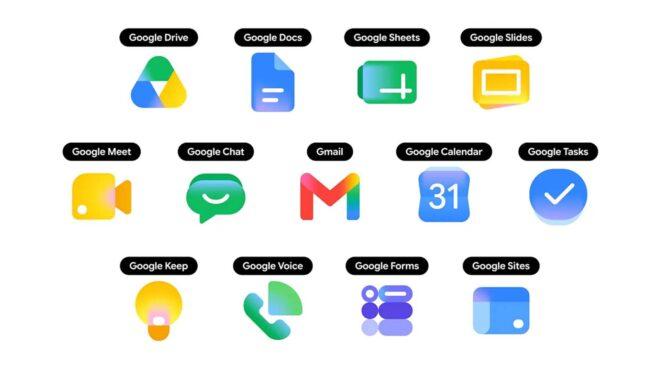
Google servisleri için hazırlanan yeni simgeler kullanıma sunulmaya başlandı

Google servisleri için hazırlanan yeni simgeler kullanıma sunulmaya başlandı

Google servisleri için hazırlanan yeni simgeler kullanıma sunulmaya başlandıGoogle servisleri için hazırlanan yeni simgeler bugün itibarıyla kullanıma sunulmaya başlandı. Geçtiğimiz ay ortaya çıkan simgelerde ortak olarak gradyan efekti kullanılıyor. Zeminsiz olarak renk geçişleriyle tasarlanan ve yuvarlak hatlı çizgileriyle daha modern görünen yeni simgeler, yakında eksiksiz olarak herkese açılacak.

Google servisleri için hazırlanan yeni simgeler kullanıma sunulmaya başlandı yazısı ilk olarak Teknoloji haberleri – LOG üzerinde yayınlandı.

Agentic AI for Robot Teams

This presentation highlights recent efforts at the Johns Hopkins Applied Physics Laboratory to advance agentic AI for collaborative robotic teams. It begins by framing the core challenges of enabling autonomy, coordination, and adaptability across heterogeneous systems, then introduces a scalable architecture designed to support agentic behaviors in multi-robot environments. The talk concludes with key challenges encountered and practical lessons learned from ongoing research and development.

Key learnings

  • Provides an introduction to LLM-based AI Agents
  • Describes an approach to applying LLM-based AI Agents to robotic teams
  • Provides demonstrations of the approach running in hardware with a heterogeneous team of robots
  • Presents lessons learned and future work in this area

I’m a beginner who let AI do too much of the thinking — and now I want to actually learn

I’ll be honest with you: my programming knowledge is still pretty limited. I’m not someone who’s been coding for years and just got lazy. I’m someone who started learning, discovered AI tools early on, and — without fully realizing it — let them take over the parts that were supposed to make me grow.

Every time I hit a wall, I asked the AI. Every time I had a vague idea, I asked the AI to turn it into code. It worked, in a way. Things got built. But I didn’t grow. The AI was the director, and I was just copy-pasting.

Now I’m at a point where I want to change that. My goal isn’t to stop using AI — I think it’s an incredible tool. My goal is to reach a level where I’m the one directing it, not the other way around. Where I understand what I’m asking for, can evaluate what it gives me, and catch it when it’s wrong.

If you’ve been through something like this — whether as a beginner or even later in your career — I’d really love to hear your story. What helped you build real understanding? Were there resources, habits, or mindset shifts that made the difference?

And if you’re also in this situation right now, let’s talk. Maybe we can figure it out together.

I built a PDF parser that actually preserves table structure for RAG — here’s why it matters

Every RAG tutorial shows the same pipeline:

PDF → extract text → split every 512 tokens → embed → store → query

It works fine for blog posts. It completely falls apart for anything structured.

The problem nobody talks about

Take a financial report. It has a revenue table:

Region Q2 Revenue Q3 Revenue Change
Europe 38.1% 45.2% +7.1pp
Asia 29.3% 41.7% +12.4pp
Americas n/a 52.1% —

After blind chunking, your LLM receives:

"45.2%  Q3  Europe  38.1%  Q2  Europe  41.7%  Q3  Asia   29.3%"

Numbers with no column headers, no caption, no context. Ask it “which region grew the most?” and you get an approximate guess — not an answer.

The same problem happens with:

  • Legal contracts (clause split mid-sentence)
  • API docs (code example separated from its description)
  • Research papers (figure caption disconnected from its analysis)

This isn’t a retrieval problem. It’s an ingestion problem.

What I built

I spent the last few months building DOCNEST — a document normalization engine that reads structure before touching content.

Instead of chunks, every heading becomes a navigable §section. Every table is preserved as structured JSON. Every section gets a one-sentence summary and a keyword index — computed once at ingest.

The output is a .udf file (Unified Document Format) — a self-contained portable knowledge base.

from docnest.parsers.pymupdf_pdf import PyMuPDFParser
from docnest.normalizer import SectionNormaliser
from docnest.writer import UDFWriter
from docnest.reader import UDFIndex

# Parse → normalise → save (no API key needed)
raw = PyMuPDFParser().parse("report.pdf")
doc = SectionNormaliser().normalise(raw)
UDFWriter().write(doc, "report.udf")

# Query
idx = UDFIndex.load("report.udf")
result = idx.query(
    "Which region had the highest Q3 growth?",
    llm_provider="groq",
    llm_model="llama-3.3-70b-versatile",
    llm_api_key="gsk_...",  # free at console.groq.com
)
print(result.answer)      # "Asia grew the most at +12.4pp"
print(result.layer_used)  # 1 — answered from index, 0 LLM tokens used

The five-layer query engine

The part I’m most proud of is how queries are resolved:

Layer Mechanism Tokens When it fires
0 Pre-computed (summary, key numbers) 0 Direct match
1 BM25 + cosine → navigate to §section 0 Strong keyword match
2 Section-scoped LLM ~300 Needs interpretation
3 Multi-section synthesis ~900 Cross-section reasoning
4 Full document fallback ~4000 Nothing else worked

Layers 0 and 1 answer roughly 70% of real-world questions with zero LLM tokens. You pay for compute only when the question genuinely requires it.

How it handles large PDFs

Docling (the ML-quality PDF parser) loads full models into RAM. A 600-page PDF would exhaust memory on most machines.

DOCNEST solves this with automatic page chunking:

from docnest.parsers.pdf import DoclingPDFParser

# Auto-chunks PDFs > 30 pages — peak RAM = one chunk, not the whole file
raw = DoclingPDFParser().parse("600-page-annual-report.pdf")

# Or tune explicitly
raw = DoclingPDFParser(chunk_pages=10).parse("report.pdf")  # low RAM
raw = DoclingPDFParser(chunk_pages=50).parse("report.pdf")  # high RAM

PyMuPDF splits the PDF into N-page temp files. Docling processes each chunk at full ML quality. Sections are merged. The output is identical to processing the whole file at once.

Accuracy on a real document

I ran 25 questions against a 500-page open-source nutrition textbook using PyMuPDF + Groq’s free tier:

  • Basic facts (calories, macronutrients): 5/5
  • Macronutrient detail (fiber, glycemic index): 5/5
  • Micronutrients (vitamins, minerals): 4/5
  • Hard synthesis (BMR, omega-3, antioxidants): 5/5
  • Edge cases (hallucination, tables, out-of-scope): 5/5

24/25 (96%) — the one failure was a table-only page where the text parser extracted no content (switch to DoclingPDFParser for those).

Try it

pip install docnest-ai pymupdf

GitHub: https://github.com/tailorgunjan93/docnest
PyPI: https://pypi.org/project/docnest-ai

It supports PDF (Docling + PyMuPDF), DOCX, XLSX, HTML, and Markdown. LLM providers: Groq, OpenAI, Ollama, Anthropic, Google, Mistral and more. Vector backends: numpy (default), FAISS, ChromaDB.

I’m building this in the open. If you’ve hit this table-structure problem in your own RAG pipeline, I’d genuinely like to hear what broke.

Your Agent Is Becoming the Crown Jewel: SOC, Reviews, and Governance for the Dynamic-Consent Era

The previous article in this series argued that the combination of incremental and dynamic user consent and Microsoft Entra Agent ID gives interactive AI agents something genuinely new: the ability to earn their access in the wild, scope by scope, prompted by the humans and other agents they work alongside. Aria, the example agent, started with two delegated permissions and grew into a productive contributor across SharePoint, ServiceNow, and the Finance API in roughly a quarter — without its creators pre-declaring any of it.

That was the optimistic half. This is the other half.

By the end of that quarter, Aria is — by any reasonable measurement — the most over-privileged identity in the tenant. No one noticed, because there was nothing to notice. Every grant was legitimate, contextual, and user-approved. The risk did not arrive in a single bad decision. It arrived as a hundred reasonable yeses.

A different kind of over-permissioning

Classic over-permissioning is an event. Someone hands a service account Directory.ReadWrite.All because the deployment was due Friday, an auditor flags it months later, a ticket is opened. Slow, but the control loop exists, and it is built around discrete moments of poor judgment.

Permission accumulation through dynamic consent is structurally different. There is no single bad decision to find. The permission graph grows monotonically — one narrow, well-justified scope at a time — because the mechanism that makes the agent useful is the same mechanism that makes it dangerous. Nothing in the platform prunes that graph by default, and nothing in most organizations does either: access-review tooling was designed around human role changes, not around agents whose role is to absorb new capabilities.

Why agents become the target

A compromised agent identity is qualitatively worse than a compromised user account, and the reasons are worth stating plainly.

A user holds permissions scattered across teams, sick days, role changes, and eventual departures. Their access constantly churns, and the blast radius of any single compromise is naturally bounded by the messiness of human work.

An agent does none of that. It persists. It centralizes. Every scope a hundred different users granted to it is reachable through one set of tokens, one blueprint, one set of credentials issued by that blueprint. Add the realistic threat surface of a modern agent — token theft, blueprint compromise, prompt injection used as a lateral-movement primitive — and the picture becomes uncomfortable: the most attractive principal in the tenant is also the one whose authority grew quietly enough to escape notice.

What the SOC must change

Most security operations centers treat sign-in logs as the primary identity signal. For agents under dynamic consent, that is no longer sufficient. The consent log itself becomes a first-class detection surface.

Three signal families deserve attention:

  • Scope-acquisition velocity. A productive agent acquires new scopes in bursts that follow human work. An agent that suddenly requests broad scopes — especially ones approaching admin-consent thresholds — outside its normal pattern is worth waking someone up for.
  • Grant-versus-use gap. Scopes that were granted but are never exercised are dead weight at best, pre-positioned capability for an attacker at worst. Track them, and feed the gap into automated revocation.
  • Introduction chains. When agent A pulls agent B into a workflow and B requests new scopes as a result, that chain is part of the audit story. SOC tooling needs to render it as a graph, not as isolated events.

None of these are exotic. They are sign-in analytics one layer up the stack.

What in identity governance must change

Access reviews built for humans assume a relatively stable role. The reviewer is asked, in effect, “does this person still need what they had last quarter?” That question does not work for an agent whose entire purpose is to absorb new capabilities continuously.

Three adjustments are required.

Reviews keyed to recent use, not recent grant. The relevant question is no longer “should the agent have this scope?” but “did the agent actually exercise this scope in the last N days, and was the use consistent with the original justification?” Scopes that fail both halves of that test should expire automatically.

Owners and sponsors as the accountable humans. Microsoft Entra Agent ID separates technical owners from business sponsors precisely so that someone with operational context and someone with business context can both be on the hook. Wire those roles into the review workflow. An agent without a current sponsor should not be holding sensitive delegated permissions.

Blueprint-level Conditional Access as the choke point. Because policies applied to a blueprint propagate to every agent identity created from it, the blueprint is the right place to enforce the constraints that should never be negotiable — geographic boundaries, sensitive-resource exclusions, step-up requirements for specific scope families. Treat the blueprint the way you treat a privileged-access workstation: small, hardened, watched.

A governance posture that grows with the agent

Three principles are worth taking back to the architecture board.

Consent is telemetry. Treat every dynamic consent event as a security signal of equal weight to a sign-in. Pipe it into the same analytics and the same review workflows.

Least privilege is a verb, not a noun. A static least-privilege list cannot survive contact with an agent that earns its access. The control objective is no longer to define the minimum scope set — it is to continuously prune toward it.

Grow with the agent; do not be the hurdle. The organizations that succeed will be the ones whose governance moves at the same cadence as the agent’s learning. Quarterly reviews and annual recertifications were already too slow for humans. They are unworkable for agents.

Aria is going to keep growing. So will every other interactive agent in the tenant. The question for identity and security architects is not whether to allow it — that decision has already been made by the people on the other side of the chat window. The question is whether the controls, the detections, and the operating model are ready for what dynamic consent has quietly enabled.

If they are not yet, that is the work for this year.

Load PostgreSQL into Apache Iceberg with Sling

Introduction

Apache Iceberg is the table format that turns a pile of Parquet files in object storage into something that behaves like a warehouse table. You get schema evolution, hidden partitioning, time travel, and consistent reads from whichever engine you point at the table. PostgreSQL is where most operational data starts. Moving it into Iceberg gives you an analytics copy that DuckDB, Spark, Trino, Snowflake, and Athena can all read without anyone needing to agree on a single warehouse vendor first.

Sling speaks the Iceberg REST catalog directly. From the configuration side an Iceberg target is just another database connection: point Sling at the catalog URL and the underlying object store, then declare your streams. No JVM, no Spark, no manual manifest writing.

This guide replicates a Postgres schema into Iceberg using Sling. The catalog is Cloudflare R2’s managed Iceberg REST catalog and the storage layer underneath is R2. Every CLI line, row count, and timing below comes from an actual run against those endpoints.

Installing Sling

Sling is a single binary. Pick whichever install fits:

# macOS / Linux
curl -fsSL https://slingdata.io/install.sh | bash

# Windows
irm https://slingdata.io/install.ps1 | iex

# Python
pip install sling

Confirm:

sling --version

Full install notes are in the Sling CLI Getting Started Guide.

Configuring the Postgres Source

Sling reads connection details from ~/.sling/env.yaml, environment variables, or sling conns set. A read-only user is enough:

CREATE USER sling WITH PASSWORD '<password>';
GRANT CONNECT ON DATABASE mydb TO sling;
GRANT USAGE ON SCHEMA public TO sling;
GRANT SELECT ON ALL TABLES IN SCHEMA public TO sling;
ALTER DEFAULT PRIVILEGES IN SCHEMA public GRANT SELECT ON TABLES TO sling;

Then register the connection:

sling conns set POSTGRES type=postgres host=host.ip user=sling 
  database=mydb password=mypass port=5432

Or in ~/.sling/env.yaml:

connections:
  POSTGRES:
    type: postgres
    host: host.ip
    user: sling
    password: mypass
    port: 5432
    database: mydb

If your Postgres requires SSL, append sslmode: require. Test it:

sling conns test POSTGRES

The Postgres connection docs cover SSL, IAM, and the rest.

Configuring the Iceberg Target

Sling treats Iceberg as a database-class target. The connection captures two things: the catalog, which stores table metadata, and the warehouse, which stores the actual Parquet data files. Sling supports REST, AWS Glue, and SQL catalogs. This guide uses REST.

For Cloudflare R2’s Iceberg catalog you need the catalog URL, an API token, the warehouse identifier (account-id + bucket name), and S3-compatible credentials for the R2 bucket underneath. All four come from the R2 dashboard.

connections:
  ICEBERG:
    type: iceberg
    catalog_type: rest
    rest_uri: https://catalog.cloudflarestorage.com/<accountid>/<bucket>
    rest_token: <r2_catalog_api_token>
    rest_warehouse: <accountid>_<bucket>
    s3_access_key_id: <r2_access_key_id>
    s3_secret_access_key: <r2_secret_access_key>

For a self-hosted Lakekeeper or Nessie catalog, the shape is the same; only the rest_uri and rest_warehouse change. For AWS Glue, set catalog_type: glue and glue_warehouse: s3://my-bucket/warehouse. The Iceberg connection docs walk through each catalog type.

Test it:

sling conns test ICEBERG

A Full-Refresh Replication

For this run the Postgres source has three tables in a demo_postgres_iceberg schema:

  • users — 8,000 rows
  • orders — 35,000 rows
  • events — 60,000 rows, with an occurred_at timestamp

The replication file:

# replication.yaml
source: POSTGRES
target: ICEBERG

defaults:
  mode: full-refresh
  object: demo_postgres_iceberg.{stream_table}

streams:
  demo_postgres_iceberg.users:
  demo_postgres_iceberg.orders:
  demo_postgres_iceberg.events:
    mode: incremental
    primary_key: [event_id]
    update_key: occurred_at

A few notes:

  • object: follows the usual <namespace>.<table> shape. Sling creates the Iceberg namespace if it doesn’t already exist in the catalog.
  • {stream_table} is a runtime variable. Sling substitutes the source table name so you don’t repeat yourself.
  • The third stream switches to mode: incremental with an update_key. That’s the only diff between a one-shot bulk load and an ongoing append flow.

Run it:

sling run -r replication.yaml

Real output, trimmed:

INF Sling CLI | https://slingdata.io
WRN for mode 'incremental' with iceberg target, primary-key is ineffective,
    incremental merge is not yet supported (only appends)
INF Sling Replication [3 streams] | POSTGRES -> ICEBERG

INF [1 / 3] running stream demo_postgres_iceberg.users
INF created table "demo_postgres_iceberg"."users"
INF streaming data (direct insert)
INF inserted 8000 rows into "demo_postgres_iceberg"."users" in 11 secs [713 r/s] [519 kB]

INF [2 / 3] running stream demo_postgres_iceberg.orders
INF created table "demo_postgres_iceberg"."orders"
INF inserted 35000 rows into "demo_postgres_iceberg"."orders" in 9 secs [3,721 r/s] [2.1 MB]

INF [3 / 3] running stream demo_postgres_iceberg.events
INF getting checkpoint value (occurred_at)
INF writing to target database [mode: incremental]
INF created table "demo_postgres_iceberg"."events"
INF inserted 60000 rows into "demo_postgres_iceberg"."events" in 7 secs [8,190 r/s] [4.5 MB]

INF Sling Replication Completed in 29s | POSTGRES -> ICEBERG | 3 Successes | 0 Failures

103,000 rows across three tables, 29 seconds end-to-end. The warning at the top deserves a real answer; see the section on incremental modes further down.

Verification

Sling can query Iceberg tables directly through its DuckDB-backed reader. Tables are addressed as iceberg_catalog.<namespace>.<table>:

sling conns exec ICEBERG 
  "select 'users' as t, count(*) as c
     from iceberg_catalog.demo_postgres_iceberg.users
   union all
   select 'orders', count(*) from iceberg_catalog.demo_postgres_iceberg.orders
   union all
   select 'events', count(*) from iceberg_catalog.demo_postgres_iceberg.events"
+--------+-------+
| T      |     C |
+--------+-------+
| users  |  8000 |
| orders | 35000 |
| events | 60000 |
+--------+-------+

Row counts match the source. A sample of users confirms columns and types survived the trip:

sling conns exec ICEBERG 
  "select user_id, email, country, signup_at
     from iceberg_catalog.demo_postgres_iceberg.users
    order by user_id limit 5"
+---------+-------------------+---------+-------------------------------+
| USER_ID | EMAIL             | COUNTRY | SIGNUP_AT                     |
+---------+-------------------+---------+-------------------------------+
|       1 | [email protected] | BR      | 2025-01-01 00:14:00 -0300 -03 |
|       2 | [email protected] | DE      | 2025-01-01 00:28:00 -0300 -03 |
|       3 | [email protected] | FR      | 2025-01-01 00:42:00 -0300 -03 |
|       4 | [email protected] | JP      | 2025-01-01 00:56:00 -0300 -03 |
|       5 | [email protected] | UK      | 2025-01-01 01:10:00 -0300 -03 |
+---------+-------------------+---------+-------------------------------+

Postgres jsonb lands as a structured column too. Sampling events:

+----------+---------+------------+----------------------+----------------------+
| EVENT_ID | USER_ID | EVENT_TYPE | PAYLOAD              | OCCURRED_AT          |
+----------+---------+------------+----------------------+----------------------+
|    60001 |       2 | click      | {"v": 1, "utm": "x"} | 2026-05-11 ...       |
|    60002 |       3 | signup     | {"v": 2, "utm": "x"} | 2026-05-11 ...       |
|    60003 |       4 | purchase   | {"v": 3, "utm": "x"} | 2026-05-11 ...       |
+----------+---------+------------+----------------------+----------------------+

Any other Iceberg reader sees the same data: DuckDB with the iceberg extension, Spark, Trino, Athena, Snowflake’s catalog-linked databases. That portability is the reason for the catalog in the first place.

Running an Incremental Append

After the bulk load, the day-to-day shape is: every few minutes (or hours, or once a day), pick up the new rows since the last run and append them to the Iceberg table. Sling’s incremental mode does this. The state (the last seen value of the update_key) is tracked by Sling itself, so you don’t need to manage a state file the way you would for a file-based target.

Insert 2,500 new events on the source (a stand-in for fresh activity):

insert into demo_postgres_iceberg.events (event_id, user_id, event_type, payload, occurred_at)
select 60000 + n, 1 + (n % 8000), 'click',
       jsonb_build_object('utm','x','v', n % 100),
       now() - (n * interval '1 second')
  from generate_series(1, 2500) g(n);

Run a single-stream replication that touches only events:

# replication-incremental.yaml
source: POSTGRES
target: ICEBERG

defaults:
  object: demo_postgres_iceberg.{stream_table}

streams:
  demo_postgres_iceberg.events:
    mode: incremental
    update_key: occurred_at
sling run -r replication-incremental.yaml
INF Sling Replication | POSTGRES -> ICEBERG | demo_postgres_iceberg.events
INF getting checkpoint value (occurred_at)
INF reading from source database
INF writing to target database [mode: incremental]
INF streaming data (direct insert)
INF inserted 2500 rows into "demo_postgres_iceberg"."events" in 8 secs [294 r/s] [178 kB]
INF execution succeeded

Sling read the saved checkpoint, pulled only rows newer than the last occurred_at it saw, and appended exactly the 2,500 new rows. A readback confirms the new total:

sling conns exec ICEBERG 
  "select min(occurred_at), max(occurred_at), count(*)
     from iceberg_catalog.demo_postgres_iceberg.events"
+-------------------------------+--------------------------------------+--------+
| MIN_OCCURRED_AT               | MAX_OCCURRED_AT                      | COUNT  |
+-------------------------------+--------------------------------------+--------+
| 2025-03-01 00:00:40 -0300 -03 | 2026-05-11 08:42:59.533692 -0300 -03 |  62500 |
+-------------------------------+--------------------------------------+--------+

60,000 + 2,500 = 62,500. The new high-water mark on occurred_at is the timestamp of the freshest insert. The next scheduled run will start from there.

Append-incremental vs merge-incremental

That warning Sling printed on the first run matters:

WRN for mode 'incremental' with iceberg target, primary-key is ineffective,
    incremental merge is not yet supported (only appends)

For database targets like Postgres or Snowflake, Sling’s incremental mode is a merge: a row whose primary_key already exists in the target gets updated in place. For an Iceberg target today, incremental means append only. New rows go in, existing rows stay as-is, and a primary_key declared on the stream is parsed but not enforced.

That is fine when your source is append-only: events, immutable transactions, log data. It is the wrong default if your source has mutable rows you need reflected on the lake side. Until merge lands, two patterns work:

  • Snapshot replays. Run mode: full-refresh on a cadence that matches your freshness budget. Iceberg’s snapshot model means readers always see a consistent table; the old snapshot is replaced atomically. For tables in the low millions this is faster than it sounds.
  • CDC-style append plus downstream resolution. Append every Postgres change to Iceberg as-is (using a logical-replication tool or trigger-based capture) and resolve the latest-state view at read time with something like qualify row_number() over (partition by pk order by event_ts desc) = 1. A bit more work at query time, very cheap at write time.

Track the Iceberg connector docs for when full merge mode ships.

Common tweaks

  • Choose the right catalog. REST is the most portable: the same connection shape works for Cloudflare R2, Lakekeeper, Nessie, Polaris, and any other REST-compatible catalog. Glue is the simplest in AWS-native shops. SQL catalog is fine for local dev. Avoid wiring a different catalog per environment if you can help it; the table layout doesn’t care, but the metadata location does.
  • Namespace organization. Treat namespaces (demo_postgres_iceberg.users) the way you treat warehouse schemas: one per source system, or one per data domain. Don’t dump everything into default.
  • Filter at the source. Use a sql: block per stream to project columns or filter rows before they leave Postgres. Smaller Parquet files, smaller manifests, cheaper queries downstream.
  • Time travel for free. Every replication produces a new Iceberg snapshot. Readers can time-travel to a previous snapshot, which is useful for “what did this table look like before yesterday’s run?” without storing your own backups.
  • Maintain the table. Like any Iceberg table, periodic compaction and snapshot expiration keep the file count and metadata size from growing without bound. Set this up on a separate schedule from the replication itself.

Where to go next

The same pattern works for any of Sling’s 30+ database sources into Iceberg: MySQL, SQL Server, Snowflake, BigQuery, MongoDB, and the rest. Swap the source and leave the target alone.

If the underlying R2 storage is what brought you here, the Postgres → R2 as Parquet walkthrough shows the same source landing as raw Parquet files instead of an Iceberg table, which is useful when downstream readers don’t need a catalog. For a deeper comparison of file-format targets, see Postgres → S3 as Parquet and Postgres → DuckDB.

For team workflows with scheduling, alerting, and audit trails on top of the same CLI, look at the Sling Platform.

Questions go to Discord or GitHub Issues.

I Was Wrong About AI. Here Is the Moment That Changed It.

The debugging tool flagged a staggering 150 issues in my code almost instantly. I was astonished by how many mistakes I had made and how far I still had to go. This moment revealed the complexity of AI that I had underestimated all along.

The Moment It Broke

That breaking point was unexpected. I was toying with a fancy AI algorithm, thinking it was about to churn out perfect code. I had linked it with my code editor, set everything up, and watched with excitement as it typed out solutions based on prompts I fed it. After a few successful iterations, I made a huge mistake. I forgot to properly validate the inputs.

One afternoon, I threw in a random input to test its limits. The console displayed the message that will haunt me: “Runtime Error: Unexpected Token.”

For a moment, I was frozen. I had ignored something critical: AI is a tool, not a solution in itself. More often than not, I’d been treating it as some kind of oracle instead of evaluating how it actually understood my requests. I should’ve known better. Sure, AI can assist in many ways, but nothing beats core programming principles.

What I Discovered

When I finally debugged the mess, I took a moment to reflect. I realized that I had neglected proper coding best practices in favor of a shiny new toy. AI works wonderfully when it augments your existing understanding and workflow. Here’s a snippet demonstrating the change I made:

// Original flawed function without validation
function aiSuggestion(prompt) {
 return aiModel.generate(prompt);
}

// Improved function with validation
function aiSuggestion(prompt) {
 if (typeof prompt !== 'string' || !prompt) {
 throw new Error('Invalid input: Please provide a valid string.');
 }
 return aiModel.generate(prompt);
}

Just adding that validation step made a world of difference. I could trust my AI’s feedback more because I was guiding it with better input. It was a simple tweak, but it became pivotal in my project’s success. I still smiled when my AI echoed back code that was far more functional than my initial attempts, but now I was equipped with the knowledge that I needed to do my part first.

The Bigger Principle

This lead to a bigger realization: tools are just extensions of ourselves. They don’t replace the fundamentals. If you’re a developer working with AI, you have to take responsibility for your code. Forgetting that turns you into a passive user, and honestly, nobody wants to be that. It’s like trying to build a house without knowing how to lay bricks; the walls might look good for a while, but they’re bound to crumble eventually.

When I look back, what annoys me most is that I didn’t question my assumptions sooner. I could’ve saved time, energy, and probably a few hairs on my head. Relying solely on AI to deliver the goods is tempting, but it leads to dangerous shortcuts. Proper coding practices don’t just lead to better outcomes; they prevent mistakes down the road.

In hindsight, I’d tell past-me to challenge the narrative that tech can solve everything. AI should elevate our skills, not replace them. So here’s my burning question: Are AI and automation a developer’s best support system, or do they create a dangerous dependency that might weaken our core skills? What’s your take on this?