Building Automated Text-to-Video Pipelines with AI

Building Automated Text-to-Video Pipelines with AI

Hey DEV community! 👋

Ever wanted to turn your blog posts, documentation, or README files into videos automatically? In this article, I’ll walk through how to build a text-to-video pipeline using AI tools — from architecture to implementation patterns.

Building Automated Text-to-Video Pipelines with AI

The Problem

As developers, we create a LOT of text content:

  • Blog posts
  • Documentation
  • README files
  • Tutorials
  • Release notes
  • Changelogs

But video content gets 10x more engagement. The problem? We’re developers, not video producers.

The Solution: Automated Text-to-Video

Modern AI-powered text-to-video conversion tools can transform written content into professional videos with narration, visuals, and subtitles — all programmatically.

Let’s build an automation pipeline around this.

Architecture Overview

┌─────────────────────────────────────────────┐
│              Content Sources                 │
│  ┌────────┐ ┌────────┐ ┌────────────────┐  │
│  │  Blog  │ │  Docs  │ │  Markdown      │  │
│  │  Posts │ │  Site  │ │  Files         │  │
│  └───┬────┘ └───┬────┘ └───────┬────────┘  │
└──────┼──────────┼───────────────┼───────────┘
       └──────────┼───────────────┘
                  ▼
┌─────────────────────────────────────────────┐
│         Content Processor                    │
│  ┌─────────────────────────────────────┐    │
│  │  1. Fetch content                   │    │
│  │  2. Parse & clean                   │    │
│  │  3. Optimize for video              │    │
│  │  4. Split if needed                 │    │
│  └─────────────┬───────────────────────┘    │
└────────────────┼────────────────────────────┘
                 ▼
┌─────────────────────────────────────────────┐
│         Video Generation                     │
│  ┌─────────────────────────────────────┐    │
│  │  AI Text-to-Video API               │    │
│  │  - Script generation                │    │
│  │  - Voice synthesis                  │    │
│  │  - Visual creation                  │    │
│  │  - Video assembly                   │    │
│  └─────────────┬───────────────────────┘    │
└────────────────┼────────────────────────────┘
                 ▼
┌─────────────────────────────────────────────┐
│         Distribution                         │
│  ┌────────┐ ┌────────┐ ┌────────────────┐  │
│  │YouTube │ │Social  │ │  CDN/Website   │  │
│  │       │ │Media   │ │               │  │
│  └────────┘ └────────┘ └────────────────┘  │
└─────────────────────────────────────────────┘

Implementation Patterns

Pattern 1: Blog Post → YouTube Video

This is the most common use case. Convert existing blog posts to YouTube videos for dual-channel reach.

# Conceptual pipeline
class BlogToVideoPipeline:
    def __init__(self):
        self.parser = ContentParser()
        self.optimizer = VideoOptimizer()
        self.generator = VideoGenerator()

    def process(self, blog_url):
        # Step 1: Extract content
        content = self.parser.extract_from_url(blog_url)

        # Step 2: Optimize for video
        # Remove code-heavy sections that don't translate well
        # Split into logical segments
        optimized = self.optimizer.prepare(content)

        # Step 3: Generate video
        video = self.generator.create(
            text=optimized.text,
            title=optimized.title,
            voice="professional_male",
            language="en",
            style="tutorial"
        )

        return video

Pattern 2: Documentation → Video Tutorials

Convert your project documentation into video walkthroughs:

# CI/CD Integration concept
name: Docs to Video
on:
  push:
    paths: ['docs/**/*.md']
    branches: [main]

jobs:
  convert:
    runs-on: ubuntu-latest
    steps:
      - uses: actions/checkout@v4

      - name: Detect changed docs
        id: changes
        # Get list of changed markdown files

      - name: Convert to video
        # For each changed doc, call video generation API

      - name: Upload to CDN
        # Store generated videos

      - name: Notify team
        # Post to Slack with video links

Pattern 3: Release Notes → Changelog Videos

Make your changelogs more engaging:

# Release notes video generator concept
def generate_release_video(version, changelog_text):
    # Structure the content for video
    sections = parse_changelog(changelog_text)

    video_script = f"""
    Welcome to version {version} of our product.
    Here's what's new in this release.

    {format_features(sections['features'])}

    We've also fixed the following issues:
    {format_bugfixes(sections['bugfixes'])}

    That's all for version {version}. 
    Thanks for being a user!
    """

    # Generate video from script
    video = text_to_video_api.convert(
        text=video_script,
        style="product_update"
    )
    return video

Content Optimization for Video

Not all text converts equally well to video. Here are optimization strategies:

Text Preprocessing

def optimize_for_video(markdown_text):
    """Preprocess text content for better video conversion"""

    optimizations = {
        # Remove inline code blocks (hard to narrate)
        'inline_code': lambda t: re.sub(r'`[^`]+`', 
            lambda m: m.group().strip('`'), t),

        # Convert URLs to readable form
        'urls': lambda t: re.sub(
            r'[([^]]+)]([^)]+)', r'1', t),

        # Remove image references
        'images': lambda t: re.sub(
            r'![([^]]*)]([^)]+)', r'', t),

        # Simplify headers
        'headers': lambda t: re.sub(
            r'^#{1,6}s+', '', t, flags=re.MULTILINE),
    }

    result = markdown_text
    for name, transform in optimizations.items():
        result = transform(result)

    return result.strip()

Content Splitting Strategy

Long-form content should be split into digestible videos:

def split_content(text, max_words=1500):
    """Split content into video-sized chunks"""
    sections = text.split('n## ')  # Split on H2 headers

    chunks = []
    current_chunk = []
    current_words = 0

    for section in sections:
        word_count = len(section.split())
        if current_words + word_count > max_words and current_chunk:
            chunks.append('n## '.join(current_chunk))
            current_chunk = [section]
            current_words = word_count
        else:
            current_chunk.append(section)
            current_words += word_count

    if current_chunk:
        chunks.append('n## '.join(current_chunk))

    return chunks

Quality Metrics

Track these metrics to evaluate your pipeline:

Metric Target How to Measure
Conversion success rate >95% API response codes
Video quality score >4/5 Manual review sampling
Processing time <5 min/video Pipeline logs
Narration accuracy >90% Spot checks
Viewer retention >50% YouTube Analytics

Tips for DEV.to Content Creators

If you’re a developer who writes on DEV.to, here’s how to maximize your content:

  1. Write video-friendly posts: Use clear headings, short paragraphs, and explain concepts in plain language
  2. Create a blog → video pipeline: Automate conversion of your best posts
  3. Cross-post videos: Share on YouTube, LinkedIn, and Twitter
  4. Track performance: Compare engagement metrics between text and video

What Converts Well to Video:

  • ✅ “How to” tutorials
  • ✅ Concept explanations
  • ✅ Tool reviews and comparisons
  • ✅ Career advice
  • ✅ Industry trends

What Doesn’t Convert Well:

  • ❌ Code-heavy tutorials (use screen recordings instead)
  • ❌ Low-level debugging guides
  • ❌ Reference documentation

Conclusion

Building a text-to-video pipeline is one of those “why didn’t I do this earlier” projects. The technology is mature, the tools are accessible, and the impact on content reach is significant.

Start small — convert your most popular blog post into a video today. If the results look good (and they will), build out the automation pipeline.

Your written content deserves a larger audience. Video is how you get there.

Happy coding! 🚀

Found this useful? Follow me for more content on developer tools and automation.

tags: ai video automation devops content

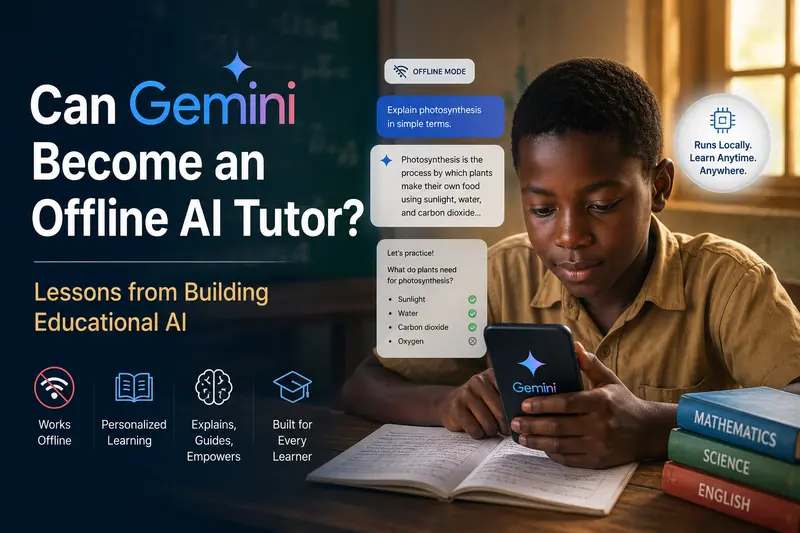
Can Gemini Become an Offline AI Tutor? Lessons from Building Educational AI

Gemini succeeds in Education and it can be available, affordable, adaptive, and resilient

Can Gemini Become an Offline AI Tutor? Lessons from Building Educational AI

This is a submission for the Google I/O Writing Challenge

What if every student had access to a personal AI tutor — one that explains concepts patiently, adapts to learning speed, gives feedback instantly, and never gets tired?

That sounds exciting.

But there is one problem:

What happens when the internet disappears?

Gemini succeeds in Education and it can be available, affordable, adaptive, and resilient

For millions of learners globally — especially across low-connectivity and underserved regions — AI education often feels like a promise built for someone else. Many of the most powerful educational AI experiences assume constant internet access, modern devices, and uninterrupted cloud infrastructure.

As someone building AI-powered educational systems, this question stood out to me while exploring the Google I/O 2026 Gemini ecosystem updates:

Can Gemini evolve beyond a cloud assistant and become an effective offline AI tutor?

This question matters more than it seems.

Because the future of educational AI may not be defined by the smartest model.

It may be defined by the most accessible one.

Why Gemini at Google I/O 2026 Caught My Attention

One thing that stood out from Google I/O 2026 is that Gemini is no longer just “a model.”

Google increasingly positions Gemini as an ecosystem:

  • Consumer experiences
  • Developer APIs
  • AI Studio experimentation
  • Multimodal reasoning
  • Productivity workflows
  • Agentic capabilities

For developers, this is exciting.

Tools like Google AI Studio lower the barrier to experimentation and prototyping. It is easier than ever to test ideas, evaluate prompts, and build intelligent applications faster.

But while exploring the announcements, I kept thinking about one specific use case:

education.

More specifically:

Can these advances realistically improve learning for students who face limited connectivity, limited devices, and limited educational support?

Because educational inequality is not simply a content problem.

It is also an access problem.

The Problem With Today’s Educational AI

Current AI models are already impressive inside classrooms.

They can:

✅ Explain difficult concepts
✅ Generate quizzes
✅ Personalize explanations
✅ Help teachers prepare materials
✅ Provide tutoring support
✅ Translate and simplify information

But after working on educational AI systems, I’ve noticed something important:

Most educational AI breaks down outside ideal conditions.

Many solutions assume:

  • Stable internet
  • Cloud access
  • Modern hardware
  • Continuous subscriptions
  • Always-online APIs

That works in some environments.

But not everywhere.

In many schools — especially in low-resource environments — internet access is inconsistent, devices are shared, and educational resources are limited.

A student may have:

  • A low-cost Android phone
  • Limited mobile data
  • Unstable electricity
  • No access after school hours

And suddenly:

The “AI tutor” disappears.

This is where I think the next phase of Gemini becomes interesting.

Where Gemini Already Succeeds in Education

To be fair, Gemini already demonstrates several strengths that make it genuinely promising for education.

1. Natural Explanations

Students rarely learn best from textbook language.

They ask questions like:

“Can you explain this in a simpler way?”

Gemini’s conversational reasoning is valuable because learning is often iterative.

A student may ask:

“Explain photosynthesis.”

Then:

“Explain it like I’m 10.”

Then:

“Give me an example.”

Then:

“Test me.”

This back-and-forth matters.

Good tutoring is not just giving answers.

It is guided understanding.

Gemini performs surprisingly well in this type of interactive learning flow.

2. Personalized Learning

One challenge in education is that classrooms move at one speed.

Students do not.

Some students need:

  • More examples
  • Slower explanations
  • Visual learning
  • Practice questions
  • Simplified wording

AI tutoring can adapt.

This is where Gemini could become transformative.

Instead of one-size-fits-all education:

Students could experience personalized instruction at scale.

That idea is powerful.

Especially in regions with high student-to-teacher ratios.

3. Multimodal Learning Potential

Google’s multimodal direction is particularly exciting for education.

Students do not only learn through text.

They learn through:

  • Images
  • Voice
  • Diagrams
  • Videos
  • Visual reasoning

Imagine a student taking a picture of a math problem and receiving:

  • A step-by-step explanation
  • Concept breakdown
  • Similar practice questions
  • Common mistakes to avoid

That moves AI closer to a true tutor.

Not just a chatbot.

But Here’s Where Current Models Still Fail in Classrooms

This is where I think educational AI still needs honest criticism.

Despite the progress, current models still struggle in important ways.

1. Hallucinations Are Dangerous in Education

In productivity tools, mistakes are frustrating.

In education?

Mistakes can become mislearning.

Students trust authority.

If an AI confidently gives incorrect scientific reasoning, incorrect math steps, or misleading historical information, many learners may not notice.

That creates a risk:

confidence without correctness.

Educational AI needs stronger:

  • Verification
  • Fact consistency
  • Curriculum alignment
  • Citation awareness
  • Confidence indicators

In classrooms, accuracy matters more than creativity.

2. AI Often Gives Answers Too Quickly

One overlooked issue:

Many AI systems optimize for speed.

Learning does not.

A good teacher does not instantly reveal every answer.

Sometimes they ask:

“What do you think?”

Or:

“Try solving step one.”

Educational AI still needs better pedagogical reasoning.

Instead of simply solving:

It should scaffold learning.

Helping students think rather than replacing thinking.

3. Internet Dependence Is Still a Major Barrier

This is the biggest issue I see.

The best AI educational experiences are often locked behind cloud infrastructure.

But millions of learners exist in environments where:

connectivity is intermittent, expensive, or unavailable.

This matters globally.

Not only in rural communities.

Even urban learners can struggle with:

  • Expensive mobile data
  • Network interruptions
  • Shared access

Educational equity requires resilient systems.

And resilience means:

learning should not stop when the internet stops.

Lessons From Building Educational AI: Why I Started Thinking Offline

I have been working on educational AI ideas through a concept called LocalMind — an offline-first educational intelligence system designed to make AI learning more accessible.

The core idea is simple:

What if students could still access intelligent tutoring without relying entirely on the cloud?

Instead of assuming perfect connectivity, educational systems should adapt to real-world conditions.

An offline-first learning ecosystem could support:

Students

  • Personalized tutoring
  • Practice support
  • Simplified explanations
  • Learning revision

Teachers

  • Lesson preparation
  • Classroom support
  • Question generation
  • Learning insights

Schools

  • Shared educational intelligence
  • Resource optimization
  • Better accessibility

The goal is not replacing teachers.

It is augmenting learning.

Teachers remain essential.

But AI can help bridge educational gaps.

Especially where resources are stretched.

So… Can Gemini Become an Offline AI Tutor?

I think the answer is:

Potentially — but not yet fully.

Google is building powerful capabilities around Gemini.

But for educational transformation, three things still matter.

1. Smaller, Efficient Models Matter

Not every school has high-performance devices.

Educational AI should run efficiently on:

  • Low-cost phones
  • School computers
  • Lightweight devices

Efficiency matters as much as intelligence.

A “good enough” local tutor available anytime may outperform a powerful cloud model that students cannot consistently access.

Accessibility beats perfection.

2. Offline-First Architecture Needs More Attention

Educational systems should gracefully transition between:

Online → Offline → Sync

Imagine this:

When connected:

  • Gemini updates learning plans
  • Downloads educational materials
  • Improves personalization

When offline:

  • Tutoring still works
  • Practice continues
  • Revision remains available

When reconnected:

  • Progress syncs automatically

That model feels more realistic for global education.

3. Educational AI Must Think Like a Teacher

Future tutoring systems need educational intelligence — not only language intelligence.

Good tutors:

  • Encourage curiosity
  • Ask guiding questions
  • Adapt difficulty
  • Identify confusion
  • Reinforce weak areas

The future educational AI experience should feel less like:

“Here is the answer.”

And more like:

“Let’s solve this together.”

That shift matters.

What I Hope Google Builds Next

After Google I/O 2026, I am optimistic.

But I also think there is room for a bigger vision.

I would love to see Google invest more deeply in:

Offline educational AI pathways

Especially for underserved regions.

Smaller Gemini educational models

Optimized for low-resource devices.

Education-specific tutoring frameworks

Focused on pedagogy rather than pure conversation.

Better classroom safety and verification

Reducing hallucinations in learning environments.

Because educational AI should not only serve the most connected learners.

It should serve everyone.

Final Thoughts

Google I/O 2026 showed that Gemini is becoming much bigger than a chatbot.

For developers, educators, and builders, the possibilities are exciting.

But while many conversations focus on cutting-edge capabilities, I keep returning to a simpler question:

What happens to learning when the internet disappears?

If AI is going to transform education globally, accessibility cannot be optional.

The next generation of educational AI should not only be intelligent.

It should be:

available, affordable, adaptive, and resilient.

Can Gemini become an offline AI tutor?

I think the foundation is there.

The bigger challenge is making sure that future reaches every learner — not just the connected ones.

And that is the future of educational AI I hope we build.

AI assisted in the making of some parts of this Article

Why AI Agents Need a Project Layer – Part 1

This is the first part of a series about why even the most powerful AI agents today need more than just access to your codebase.
They need access to the living state of the project: tasks, rules, decisions, notes, and workflow context.

In this article, I focus on the core problem. I won’t dive into architecture, Freeform boards, Git integration, or Vibeocus Lens yet — those will come in later parts.

AI is good at writing code, but weak at seeing the project

Modern AI coding assistants have become very good at writing code. Give them a prompt like this:

Fix coupon validation in the cart and add tests.

…and you’ll often get working code, tests, and a decent explanation. This has become normal.

However, in real development, a feature is almost never just one chat message. It comes with rich context:

  • the task and its status
  • priority and deadlines
  • project rules
  • previous architectural decisions
  • release constraints
  • related notes
  • Definition of Done

AI handles the code part well, but it often fails to understand the surrounding workflow. This is where the main problem begins.

The developer becomes the integration layer

A typical flow looks like this: the developer copies information from a task into an AI chat, gets the result, then manually updates the task status, writes notes, creates follow-up tasks, and adds release comments.

The AI session and the project management system live in parallel universes. The developer is forced to act as a constant translator between them.

This is manageable when AI is used occasionally. When it becomes a daily tool, the constant manual bridging starts to hurt productivity.

A board shows the task, but not the full context

A Kanban board is great at visualizing workflow for humans. But an AI agent doesn’t live inside your head.

It doesn’t automatically know why a task is important, which rules apply, which decisions are still valid, or what “done” actually means.

Here’s what a task might look like as structured data:

{
  "id": 108,
  "title": "Fix coupon validation in the cart",
  "status": "in-progress",
  "priority": "high",
  "description": "Coupons must not apply to discounted products. Update the server-side validation and add unit tests.",
  "start_date": "2026-05-23",
  "due_date": "2026-05-27"
}

This is already much better than a plain prompt. But for high-quality work, the agent often also needs project rules, active decisions, related documents, and notes.

That’s why I’m not talking about just a better task tracker — I’m talking about a project layer.

The board remains a useful interface for the human. The project layer makes the working context available to the AI agent in a structured way.

Why Markdown and Obsidian did not fully solve this for me

Many developers have already tried to solve this problem with Markdown files, Obsidian, Logseq, or similar local knowledge bases.

I did that too.

This approach has real strengths:

  • Markdown is easy to read;
  • files are local;
  • notes can be stored in Git;
  • documents can be linked together;
  • an AI agent can be given access to a folder with project context.

But over time, I ran into a limitation.

A folder of Markdown files is good at storing text, but it is not very good at expressing workflow state.

For example, it is hard for an agent to reliably understand:

  • which task is active right now;
  • which project rules are mandatory;
  • which decisions are still active;
  • which notes are drafts and which are part of project memory;
  • where progress should be written;
  • which actions can be performed and which should only be suggested;
  • how a task, document, note, and code change are connected.

Markdown is still useful. But by itself, it is not a project layer for an AI agent.

An AI can read a file. That is not the same as receiving a structured answer: here is the project, here are the active tasks, here are the rules, here are the related decisions, here are the allowed tools, and here is where notes live.

I needed more than a set of files. I needed a layer that turns project context into data and actions an agent can understand.

What I mean by a project layer

A project layer is an intermediate layer between an AI session and the real state of the project.

It should not replace the code editor.
It should not replace Git.
It should not be another abstract board for the sake of having another board.
Its job is simpler: give the AI agent access to the project context that the developer usually keeps in their head.

For example:

  • which projects exist;
  • where the project code lives;
  • where project notes live;
  • which tasks are in progress;
  • which rules must be followed;
  • which decisions have already been made;
  • which documents belong to the project;
  • which tasks can be created after a session;
  • which status update can be suggested after implementation.

In other words, the project layer does not answer only “how should this code be written?”

It also answers: “inside which project context should this code be written?”

That distinction matters.

Where MCP fits in

MCP, the Model Context Protocol, becomes interesting exactly here.

It gives AI clients a structured way to connect to external data and tools.

Instead of manually pasting task descriptions, project rules, and notes into a chat every time, an AI agent can ask a local MCP server for that context.

For example, before starting work, an agent could run something like this:

vibeocus_list_projects
vibeocus_list_tasks({ "project_id": 42, "status": "in-progress" })
vibeocus_get_project_rules({ "project_id": 42 })
vibeocus_list_project_decisions({ "project_id": 42, "status": "active" })

In a simplified way, this turns project state into an API for the AI agent.

Not a wall of text.
Not a random folder of files.
A set of clear requests and responses.

For example, a project rule might look like this:

- Validate input data with Zod.
- Cart business logic lives in `src/server/services/cart`.
- Route handlers must not contain business logic directly.
- Do not add new dependencies without approval.
- After TypeScript changes, run the linter and tests.

If the agent sees this rule before changing the code, it is less likely to put business logic in the wrong place or add an unnecessary dependency.

This does not make AI perfect.
But it gives it a much better starting context.

How this is implemented in Vibeocus

Vibeocus is my implementation of this kind of project layer. You can see it here →

It keeps the project state local and exposes it to AI tools through a dedicated MCP helper (vibeocus-mcp).

Inside Vibeocus, there are tasks, rules, decisions, notes, documents, relations between projects, and other parts of project memory.

For an AI agent, this is not just a UI. Through MCP, it can receive structured context and treat it as part of the development process.

For the human, it remains a normal workspace: you can view tasks on a board, in a list, or in a calendar, read notes, and control changes.

I do not want the agent to “take over” the project.

A good workflow looks different:

  1. The developer selects or defines a task.
  2. The agent reads project context through MCP.
  3. The agent helps with implementation.
  4. The agent suggests a task update or a new follow-up task.
  5. The developer reviews the result.
  6. The project state stays aligned with the actual work.

AI should not be a chaotic owner of the board.

It should be a participant in the workflow: one that sees the right context and works inside clear boundaries.

Why this will matter more

AI accelerates execution.

But the faster execution becomes, the more visible coordination problems become.

One AI session can include several things at once:

  • implementing a feature;
  • fixing a bug;
  • refactoring shared code;
  • adding tests;
  • discovering a new edge case;
  • creating a follow-up task;
  • updating notes;
  • preparing for a release.

From a coding perspective, that can be productive.

From a project management perspective, it can quickly become noise if the result only stays inside a chat.

That is why I believe the next important part of AI-assisted development is not only better code generation.

The next important part is connecting AI sessions to project state.

What is next in the series

This first article is about the general pain, the idea of a project layer, and MCP as a way to connect an AI agent with project state.

Next, I want to break Vibeocus down by layers so each part focuses on one concrete workflow instead of trying to describe the whole product at once:

  • Part 2: tasks, rules, and decisions — how tasks, rules, and decisions give the agent working context before code changes.
  • Part 3: architecture, Freeform boards, Git, and visual project context — how diagrams, relations, commits, and visual maps help reason about complex features and plan work.
  • Part 4: documents and client requirements — how to upload a technical specification, connect it to a project, and use it as context for tasks and AI sessions.
  • Part 5: Vibeocus Lens — how visual website annotations, selected elements, and screenshots become project context for an agent.

Final thought

AI coding does not end with code generation.
Real software work needs tasks, rules, decisions, memory, statuses, and coordination.
If an AI agent helps write code, it should see at least part of that context in a structured way.
That is what I call a project layer.
Vibeocus is one implementation of that layer: a local workspace that connects project state with AI tools through MCP.
I am curious how other developers are solving this problem.

How do you connect AI coding sessions with the real tasks, rules, and decisions of your project?
And does MCP feel like the right interface for this kind of project layer?

🧠 Hermes Agent Assistant — A Modular AI Agent System with Planner, Executor & Memory

🚀 What I Built

I built Hermes Agent Assistant, a lightweight agentic AI system designed to demonstrate how modern AI agents can be structured using a modular architecture instead of a simple, single-prompt response model.

The system takes an abstract user task, breaks it down into structured steps using a dedicated planner, executes those steps sequentially via an execution engine, utilizes targeted tools, and stores the interaction context in a persistent memory system.

⚙️ Why I Built This

Most AI applications today are simple wrappers around LLMs that rely on a single input-output loop. I wanted to understand and demonstrate how production-grade, autonomous agent systems operate internally. Specifically, I wanted to explore how:

  • Planning can be decoupled from execution to allow for complex error handling and multi-step reasoning.
  • Tools can be dynamically integrated into an agent’s reasoning loop.
  • State and memory can persist across tasks to enable true contextual continuity.

Hermes Agent is my architecture simulation built to solve this problem in a highly accessible, lightweight, and scalable format.

🧠 System Architecture & Workflow

The codebase is split cleanly into four autonomous components that mirror real-world AI agent meshes:

       User Request (e.g., /run?task=...)
                     │
                     ▼
       ┌───────────────────────────┐
       │         PLANNER           │ ➔ Slices abstract goals into 
       └─────────────┬─────────────┘   structured, sequential steps.
                     │
                     ▼
       ┌───────────────────────────┐
       │        EXECUTOR           │ ➔ Orchestrates task completion 
       └─────────────┬─────────────┘   by processing each step.
                     │
                     ▼
       ┌───────────────────────────┐
       │       TOOLS LAYER         │ ➔ Provides functional utilities 
       └─────────────┬─────────────┘   (simulated web search, logic, maths).
                     │
                     ▼
       ┌───────────────────────────┐
       │      MEMORY SYSTEM        │ ➔ Persists execution logs statefully 
       └───────────────────────────┘   into local JSON storage.

📡 Production Showcases & Links

💡 What Makes It Different

Unlike traditional, rigid APIs or simple conversational chatbots, Hermes Agent:

  • Thinks in Workflows: It establishes an internal chain-of-thought lifecycle before executing anything.
  • Separates Reasoning from Action: Slicing the Planner from the Executor prevents cascading generation failures.
  • Is Highly Extensible: New tools and custom utility logic can be dropped into the system without breaking core routing.
  • Maintains Context Persistence: The custom memory module ensures state history is preserved between network calls.

🎛️ API Interaction Example

Request

POST /run?task=search AI agents HTTP/1.1
Host: hermes-agent-tanush.onrender.com

Response

{
  "task": "search AI agents",
  "plan": [
    "analyze request parameters", 
    "query tool registry for search utilities", 
    "summarize agent data structural output"
  ],
  "result": "final structured output successfully generated and written to persistent storage."
}

🧰 Tech Stack

  • Core Language: Python 3.10+
  • Web Framework: FastAPI (Asynchronous Server Gateway Interface)
  • Production Server: Uvicorn
  • Memory Layer: Volatile-to-Persistent JSON state manager
  • Architecture Pattern: Modular Agentic Workflow Design

🔮 Future Improvements & Roadmap

  • 🤖 Real Foundation LLM Integration: Swapping out simulated logic for live OpenAI, Anthropic, or local open-source Ollama completion hooks.
  • 🗄️ Vector Database Memory Upgrade: Transitioning flatfile storage over to a proper semantic vector indexing framework (FAISS / ChromaDB) for semantic chunk lookups.
  • 🤝 Multi-Agent Orchestration: Upgrading the workflow to host distinct Planner, Executor, and Critic agents working collaboratively with separate system prompts.
  • ⚡ Live Server-Sent Events (SSE): Integrating real-time execution streaming so client frontends can observe the agent’s thought process step-by-step.

Spring Boot Auto-Configuration Source Code: Nail This Interview Question

Spring Boot Auto-Configuration: The Interview Question That Separates Junior from Senior

After thousands of interview communications, one pattern is clear: interviewers love asking about Spring Boot auto-configuration.

The Source Code Pipeline

@SpringBootApplication
  → @EnableAutoConfiguration
    → @Import(AutoConfigurationImportSelector.class)
      → selectImports() → SpringFactoriesLoader
        → reads META-INF/spring/...AutoConfiguration.imports

Conditional Annotations

@ConditionalOnClass({DataSource.class})    // Only if dependency exists
@ConditionalOnMissingBean(DataSource.class) // User's custom bean wins

Interview-winning answer: “Spring Boot reads AutoConfiguration.imports via SPI, loading all config classes with @ConditionalOnXxx guard conditions. This is convention-over-configuration at the framework level.”

📊 More: Java Interview Arsenal — 40+ free tools, all open source.

The Ultimate Guide to Free AI API Keys: 6 Platforms You Need to Know

The Ultimate Guide to Free AI API Keys (2026)

If you’re building AI apps and don’t want to start with billing immediately, these are the platforms actually worth using:

  • OpenRouter
  • Google AI Studio
  • Groq Cloud
  • GitHub Models
  • NVIDIA Build
  • Cloudflare Workers AI

I broke down:

  • which ones are genuinely useful,
  • where the hidden limitations are,
  • how rate limits actually fail in production,
  • and the provider combinations that make sense for real projects.

A lot of developers waste time wiring random providers before understanding quotas, latency, auth patterns, or model routing. That becomes painful the second you demo publicly or hit scaling issues.

Full guide here:

👉 https://www.yashkapure.com/en/blog/free-api-key-platforms-for-ai-usage/

The article covers:

  • free model access strategies,
  • API key management,
  • quota debugging,
  • provider combinations,
  • PAT/API security hygiene,
  • edge inference setups,
  • and production pitfalls most tutorials ignore.

Would genuinely save beginners a lot of avoidable mistakes.

Why 91% of AI Agents Fail in Production (And What the 9% Do Differently)

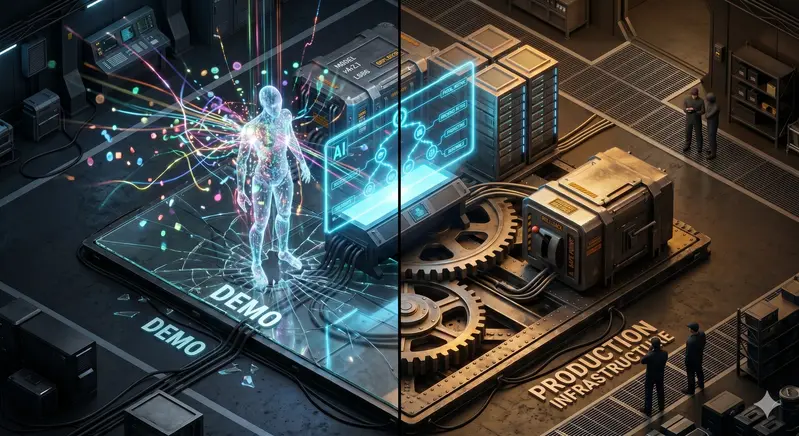
Demo Vs Production

Everyone is building AI agents right now.

Autonomous systems that reason, plan, and act without humans in the loop. Agents that write code, manage workflows, analyze data, make decisions. The demos are incredible. The hype is deafening.

But here’s what nobody talks about: 91% of AI agents that get built never make it to production successfully. They work in the demo. They fail in the real world.

And the reason is almost never the model.

The Real Problem Isn’t Intelligence — It’s Infrastructure

Most teams building agentic AI focus 90% of their energy on the agent itself. The prompts. The reasoning chain. The tool selection. The agent architecture.

Then they ship it and wonder why it falls apart after two weeks.

The problem is everything around the agent. The boring, unglamorous systems engineering that nobody wants to talk about at conferences. The stuff that doesn’t make for a good demo but determines whether the agent actually works on day 30, day 90, day 365.

I’m talking about MLOps. Or more broadly, the discipline of making AI systems reliable in production.

And here’s the thing — agentic AI is the hardest MLOps problem you can have.

Let me explain why.

Traditional ML vs Agentic AI: A Systems Engineering Gap

A traditional ML system is relatively simple: input goes in, model makes a prediction, output goes out. You monitor the prediction quality, retrain when drift happens, and you’re done.

An agentic system is fundamentally different. It’s not one model making one prediction. It’s multiple models chained together in a loop. The agent reasons, plans, acts, observes the result, and reasons again. Each step depends on the previous one. Errors compound.

Here’s what that means in practice:

Failure modes multiply. A wrong prediction in a traditional ML system is a single bad output. A wrong action by an agent can cascade — it takes a bad step, observes the wrong result, reasons from bad context, and takes another bad step. By the time you notice, the agent has been making confident mistakes for hours.

Monitoring gets harder. With a traditional model, you monitor prediction distributions and accuracy. With an agent, you need to monitor action quality, loop detection, cost per task, tool failure rates, and whether the agent is even pursuing the right goal.

Versioning explodes. A traditional model has one set of weights. An agent has multiple model versions, prompt versions, tool configurations, and orchestration logic. All of them need to be versioned and tracked together.

Drift becomes unpredictable. Traditional data drift is gradual — input distributions shift slowly. Agent drift can be sudden — a tool API changes, a new edge case appears, the environment the agent operates in evolves.

This is why agentic AI needs more MLOps discipline, not less. And why most teams are building on a foundation that can’t support what they’re creating.

The 5 Failure Modes That Kill Agents in Production

I’ve studied production ML failures — my own and others’. The same five patterns show up again and again. They’re not model problems. They’re systems problems.

1. No Monitoring — Flying Blind

This is the biggest one. Most agent demos have zero production monitoring. The agent runs, and the team only finds out something is wrong when a user complains or a business metric drops.

By then, it’s too late.

Production agents need real-time monitoring of: action success rates, error patterns, cost per task, latency, and — most importantly — whether the agent is actually achieving its intended outcome.

If you can’t see it, you can’t fix it.

2. No Versioning — The One-Time Result

An agent worked once. It worked beautifully. But nobody recorded the exact configuration — the model version, the prompt version, the tool settings, the orchestration logic.

Two weeks later, something changed. The agent degrades. And the team has no idea what broke because they can’t reproduce the last known good state.

Version everything. Code, data, model weights, prompts, configuration, environment. All of it. If you can’t reproduce it, you can’t debug it.

3. No Guardrails — Unbounded Behavior

Agents without guardrails are agents waiting to cause damage. I’ve seen agents that: kept retrying a failing tool until they hit rate limits and took down a service. Generated increasingly verbose responses that burned through token budgets. Pursued a goal past the point where they should have stopped and escalated.

Guardrails aren’t optional. Circuit breakers, cost limits, retry budgets, human-in-the-loop checkpoints — these are what separate a demo from a production system.

4. Training-Serving Skew — The Twin That Isn’t

The agent was tested in a sandbox. The production environment is different. Tool latencies are higher. Data formats are slightly different. Error messages look different.

The agent that worked perfectly in testing behaves unpredictably in production because it was never tested against the real world.

This is the same problem that kills traditional ML models, but it’s worse for agents because they make sequences of decisions. A small skew at each step compounds into a large deviation by the end.

5. No Rollback — Stuck With a Bad Version

An agent starts degrading in production. The team knows something is wrong. But there’s no quick way to revert to the previous version. They’re stuck debugging a live system while users are affected.

Every production agent needs instant rollback. One command, back to the last known good version. No debate.

Demo Vs Production

What the 9% Do Differently

  • The teams that successfully ship agentic AI to production aren’t smarter. They’re not using better models. They’re not better prompt engineers.
  • They just treat AI systems engineering as systems engineering.
  • They build the infrastructure first. Monitoring, versioning, guardrails, rollback. Before the agent is impressive, it’s reliable.
  • They test in production-like environments from day one. Not in a notebook. Not in a demo. In an environment that looks and feels like the real world.
  • They set up drift detection. They know that the world changes, and their agent needs to adapt. They build automated retraining pipelines that validate new versions before promoting them.
  • They measure what matters. Not just “does the agent work?” but “does the agent work consistently, safely, and cost-effectively over time?”

A Real Example: Building a Self-Healing ML Pipeline

I recently built a customer churn prediction system for a telecom provider. On the surface, it’s a simple binary classification problem — predict which customers will leave.

But I designed it as a self-healing system, because I knew the alternative was a model that degrades silently until the retention team notices they’re losing more customers than usual.

Here’s what that looks like:

Automated drift detection. Every day, the system compares incoming customer data against the training baseline. If feature distributions shift beyond a threshold — say, the company launches a new pricing plan and customer behavior changes — the system flags it.

Automated retraining. When drift is detected, the system automatically retrains the model on fresh data. Not a human deciding to retrain. The system detects the need and triggers the pipeline.

Quality gates. A new model doesn’t go live just because it was retrained. It has to beat the current production model on F2-score, recall, and false positive rate. If it doesn’t, the old model stays in place and the team gets an alert.

Instant rollback. If a promoted model starts underperforming, one command reverts to the previous version. No downtime. No debugging under pressure.

Full observability. Every prediction is logged. Every retraining run is tracked. Every drift report is stored. If something goes wrong, the full history is there to debug.

This is the same discipline that agentic AI systems need. The scale is different, but the principles are identical.

The Checklist: Is Your Agent Production-Ready?

Before you ship an agent to production, answer these questions honestly:

  • [ ] Can I monitor the agent’s action quality in real time?
  • [ ] Can I reproduce any past run exactly (code + data + config + environment)?
  • [ ] Are there circuit breakers that stop the agent when it goes off track?
  • [ ] Has the agent been tested in an environment that matches production?
  • [ ] Can I roll back to the previous version in under 60 seconds?
  • [ ] Do I have drift detection that alerts me when the environment changes?
  • [ ] Do I have automated quality gates that prevent bad versions from going live?
  • [ ] Can I explain, to a non-technical stakeholder, what the agent did and why?

If you answered “no” to more than two of these, you’re building a demo, not a product.

The Bottom Line

The AI agent hype is real. The technology is genuinely impressive. But technology without infrastructure is a demo.

The teams that win in agentic AI won’t be the ones with the best models. They’ll be the ones with the best systems. The ones who invested in monitoring, versioning, guardrails, drift detection, and rollback before they needed them.

The boring stuff. The stuff that doesn’t make for a good demo. The stuff that determines whether your agent is still working six months from now.

Build the infrastructure first. Then build the agent.

Your future self — and your users — will thank you.