4 ilde yasa dışı bahis operasyonu: 19 gözaltı
İzmir merkezli 4 ilde düzenlenen yasa dışı bahis ve sanal kumar operasyonunda 19 zanlı gözaltına alındı.

 Mert
Mert 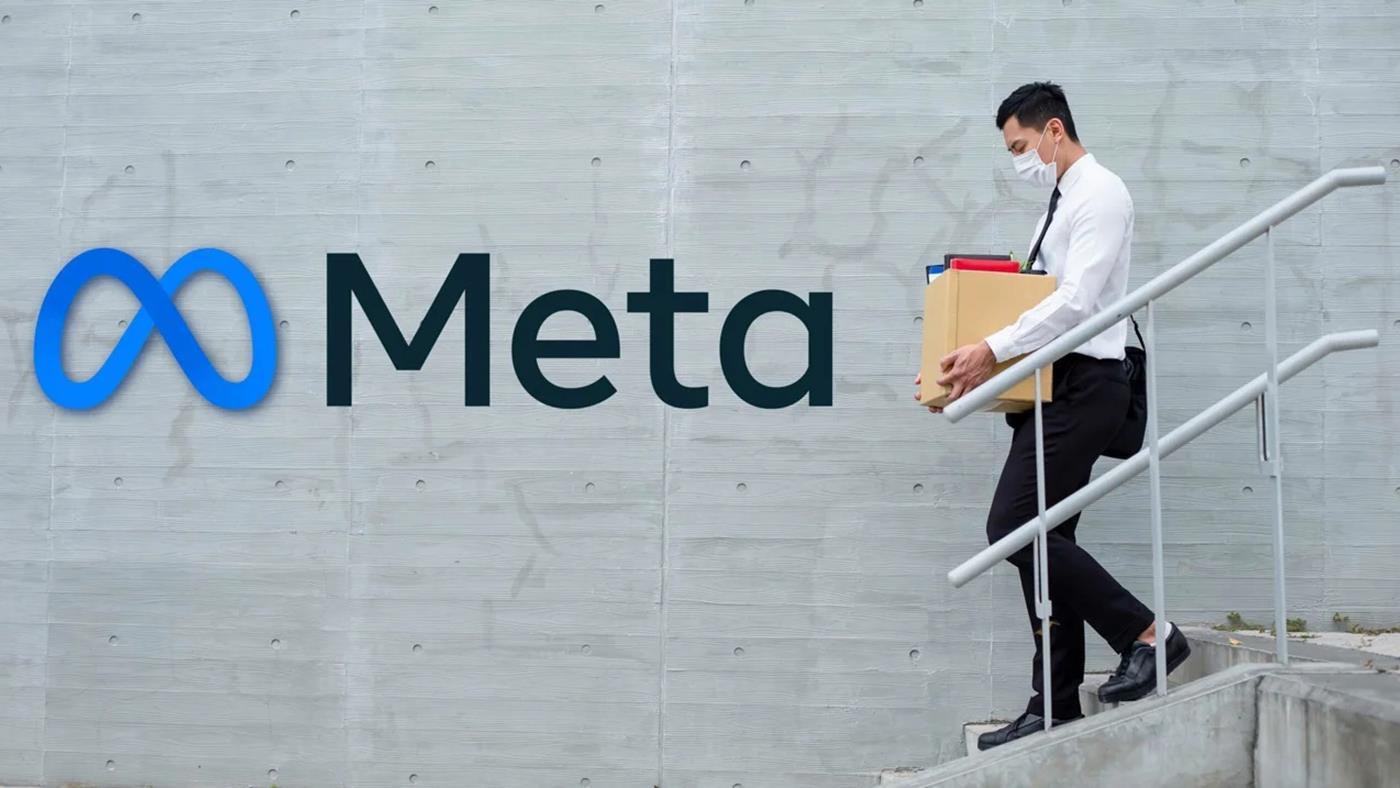
 Meta, yapay zeka stratejisini büyütmek için şirket içinde kapsamlı bir yeniden yapılanmaya gidiyor. Şirketin 7 bin çalışanını yeni yapay zeka ekiplerine kaydıracağı açıklandı.
 Eğer MacBook ile çalışırken kediniz sürekli klavyenin üzerinde geziniyor ya da yatıyorsa istemsiz tuşlara basma riski ortaya çıkıyor olabilir. Cats Lock uygulaması bunun için geliyor.
 Çin, dünyanın ilk açık deniz rüzgar enerjili su altı veri merkezini hizmete aldı. Tesis, hem deniz suyuyla pasif soğutma yapıyor, hem de enerjisini offshore rüzgar türbinlerinden sağlıyor.
 The Problem With General-Purpose LLMs in Healthcare
Ask a general-purpose LLM about the early symptoms of type 2 diabetes and it might tell you:
"When your body produces more insulin, it can cause your body to hold onto more water, leading to increased thirst."
That is wrong. Increased thirst in diabetes is caused by high blood glucose pulling fluid from tissues, not insulin. The model arrived at that answer through superficial pattern matching: insulin, fluid retention, and thirst are highly correlated keywords in general web text, so the model linked them causally. In a general conversation, that kind of error is a minor annoyance. In a clinical context, it erodes patient trust and can lead to incorrect self-triage.
This is the core problem with using general-purpose LLMs in healthcare: they are medically coherent on the surface but clinically unreliable underneath. Fine-tuning on a curated medical dataset penalizes these superficial token correlations and forces the model to adhere to verified clinical pathways.
That is what this project is about.
What I Am Building and Why
I am fine-tuning Llama 3.2 3B Instruct on a medical question-answering dataset, deploying it as a public inference API, and documenting the full pipeline from dataset choice to evaluation to deployment.
The goal is to learn the complete fine-tuning pipeline: data preparation, LoRA training, evaluation, and deployment. Healthcare is the domain for this project, but the pipeline is domain-agnostic. Every decision made here applies equally to legal QA, customer support, or any other vertical that needs a specialised language model.
By the end of the project, I will have:
Model and Dataset Choice
Base Model: Llama 3.2 3B Instruct
The 3B sits in the right spot for the constraints of this project. It is capable enough to produce meaningful answers on medical QA even before fine-tuning, so the baseline is not embarrassing and the demo is not hollow. It is small enough to train on a free-tier T4 GPU with QLoRA. And it has the richest fine-tuning ecosystem of any open model family.
Dataset: MedQuAD (via lavita/medical-qa-datasets on Hugging Face)
MedQuAD is sourced from the USMLE, the United States Medical Licensing Examination. These are board exam questions written and validated by medical professionals. The data is clean, authoritative, and NIH-sourced. Provenance matters in healthcare AI. Using forum-scraped data might produce a more conversational model, but you cannot defend the quality of the training data. With MedQuAD, you can.
An honest caveat: It is worth acknowledging that the USMLE questions reflect US clinical guidelines; it is not a dealbreaker for a portfolio project demonstrating the fine-tuning pipeline. A production system deployed globally would require localisation.
Infrastructure and Deployment
Training Compute: Google Colab (NVIDIA T4 GPU, 15.8GB VRAM). Colab is a cloud-hosted notebook environment that provisions GPU compute on demand. Think of it as a rented virtual machine with a GPU attached, accessible entirely through the browser. It is the right tool for a training run at this scale: no local GPU required, no cloud provisioning overhead.
Model Hosting: Hugging Face Hub. The GitHub of ML models. Model weights, versioned checkpoints, and model cards all live here publicly.
Inference API: FastAPI. A lightweight Python web framework for wrapping the model in an HTTP endpoint.
Containerisation: Docker. The FastAPI inference server is containerised, so the deployment is reproducible.
Fallback GPU: RunPod or Lambda Labs, if the free Colab tier hits limits on the larger training run in Week 4.
The Library Stack
torch (PyTorch)
The foundation on which everything else runs. PyTorch is a numerical computation engine. It handles tensors (multidimensional arrays), moves data between CPU and GPU, and executes the mathematical operations that make the model run. Every other library in this stack is built on top of it.
Why PyTorch and not TensorFlow? The open-source LLM ecosystem, Meta, Mistral, Qwen, ships in PyTorch.
transformers (Hugging Face)
The library that knows how to talk to a specific model. Every model architecture has its own structure: different layer names, tokenization logic, and chat templates. transformers abstracts all of that.
AutoModelForCausalLM: “Auto” means inspect the model config, determine the architecture, and load the correct class automatically. “ForCausalLM” means load it in text-generation mode (predict the next token), not classification mode.
AutoTokenizer: converts raw text into token IDs the model understands, and converts the model’s output IDs back into readable text.
apply_chat_template: Llama 3.2 was trained on a specific format using <|system|>, <|user|>, and <|assistant|> tags. Feed it raw text without that structure and the model does not know where the user’s question ends and its answer should begin. apply_chat_template applies the correct format automatically.
bitsandbytes (via BitsAndBytesConfig)
This is what enables 4-bit quantization, the technique that makes a 3B parameter model fit on a 15.8GB T4 GPU.
A 3 billion parameter model is 3 billion numbers stored in memory. By default, each number takes 32 bits of space. That puts the raw model at approximately 12GB just to load, before a single token has been processed.
peft
Parameter-Efficient Fine-Tuning. The library that implements LoRA.
Training all 3 billion parameters from scratch would require roughly 24GB of VRAM and hours of compute. LoRA instead adds small trainable adapter matrices to specific layers and trains only those, approximately 1 to 5% of total parameters. The original weights stay frozen. This is what makes fine-tuning feasible on consumer hardware.
trl (SFTTrainer)
Handles the supervised fine-tuning training loop. It manages dataset formatting, gradient accumulation, metric logging, and checkpoint saving. Without it, you write the training loop manually in raw PyTorch, which is correct but tedious.
datasets (Hugging Face)
Standardised interface for loading, filtering, and splitting datasets. Handles streaming large datasets without loading everything into RAM at once. One line to load MedQuAD, one line to split into train and eval.
accelerate (Hugging Face)
Device management. When you write device_map="auto", Accelerate determines how to distribute the model across available hardware. Mostly called under the hood by other libraries, so you rarely interact with it directly.
Loading the Model
import torch
from transformers import AutoTokenizer, AutoModelForCausalLM, BitsAndBytesConfig

model_id = "meta-llama/Llama-3.2-3B-Instruct"

bnb_config = BitsAndBytesConfig(
    load_in_4bit=True,
    bnb_4bit_quant_type="nf4",
    bnb_4bit_compute_dtype=torch.float16,
    bnb_4bit_use_double_quant=True,
)

model = AutoModelForCausalLM.from_pretrained(
    model_id,
    quantization_config=bnb_config,
    device_map="auto"
)

tokenizer = AutoTokenizer.from_pretrained(model_id)
tokenizer.add_special_tokens({'pad_token': '<pad>'})
model.resize_token_embeddings(len(tokenizer))
tokenizer.padding_side = "right"
A 3 billion parameter model is essentially 3 billion numbers stored in memory. By default, each number takes up 32 bits of space. That is a lot: imagine trying to fit a library into a small room.
Quantization is the process of shrinking each number to take up less space. Instead of 32 bits per number, we store it in 4 bits. The room is the same size, but now the books are smaller, so everything fits. For context, it reduces the books to a size of very tiny stickers; the real size will be a microscopic book.
The tradeoff is a tiny loss in precision; the numbers are slightly less exact. But for most tasks, including medical QA, the model performs well enough that you would not notice the difference.
Quantization shrinks each parameter. The config specifically uses:
load_in_4bit=True: store weights in 4-bit instead of 32-bit. Now the 3B model loads in ~2GB.
bnb_4bit_quant_type=”nf4”: NormalFloat4. A smarter 4-bit format designed specifically for neural network weights, which follow a roughly normal distribution. Better quality than a naive 4-bit rounding.
bnb_4bit_compute_dtype=torch.float16: even though weights are stored in 4-bit, actual computation (matrix multiplication) happens in float16, we can’t do math in 4-bit, we decompress on the fly, compute, then recompress. Float16 is the middle ground for accuracy and speed.
bnb_4bit_use_double_quant=True: quantize the quantization constants too. Saves a small additional amount of VRAM.
The Tokenizer
The model cannot read text. It only understands numbers.
Before any text enters the model, it is converted into a sequence of numbers called token IDs. After the model generates numbers as output, something converts them back into readable text. That is the tokenizer’s job. It sits at the entry and exit point of the model.
The tokenizer does not split text into letters or whole words. It splits into tokens, which are chunks that could be a full word, part of a word, punctuation, or a special marker.
text = "What causes iron deficiency anemia?"

tokens = tokenizer.tokenize(text)
# ['What', 'Ġcauses', 'Ġiron', 'Ġdeficiency', 'Ġanemia', '?']

ids = tokenizer.encode(text)
# [3923, 11384, 11245, 32090, 42075, 30]
The model sees [3923, 11384, 11245, 32090, 42075, 30]. Never the actual words.
Longer medical words split into multiple tokens:
tokenizer.tokenize("hypertension")
# ['hyper', 'tension']   two tokens, one word

tokenizer.tokenize("acetaminophen")
# ['acet', 'amin', 'oph', 'en']   four tokens, one word
This is why token count and word count are different numbers, and why models have a context window measured in tokens, not words.
tokenizer.add_special_tokens({'pad_token': '<pad>'}): Llama’s tokenizer has no dedicated padding token. Without one, the tokenizer reuses the end-of-sequence token for padding, which means the model cannot distinguish between “end of response” and “this is padding.” Adding a distinct pad token removes that ambiguity.
model.resize_token_embeddings(len(tokenizer)): the model’s vocabulary just grew by one token. This line tells the model about it. Without it, the model would not know how to handle the new pad token and would crash.
Running Inference
Part 1: Encoding the Input
def generate_response(prompt):
    messages = [
        {"role": "system", "content": "You are a helpful medical assistant."},
        {"role": "user", "content": prompt}
    ]

    encoded_inputs = tokenizer.apply_chat_template(
        messages,
        add_generation_prompt=True,
        return_tensors="pt",
        return_dict=True,
        padding=True
    ).to(model.device)
apply_chat_template converts the messages list into the exact string format Llama 3.2 was trained on:
<|begin_of_text|>
<|start_header_id|>system<|end_header_id|>
You are a helpful medical assistant.
<|eot_id|>
<|start_header_id|>user<|end_header_id|>
What causes iron deficiency anemia?
<|eot_id|>
<|start_header_id|>assistant<|end_header_id|>
add_generation_prompt=True: adds the final <|start_header_id|>assistant<|end_header_id|> line. Without it, the model has no signal that the user has finished speaking and it is now expected to respond. Use True during inference. Use False during training, where the full assistant response is already in the data.
return_tensors="pt": packages the token IDs as a PyTorch tensor. The model cannot consume a plain Python list or a NumPy array. "pt" means PyTorch.
return_dict=True: returns both input_ids and attention_mask as a dictionary instead of just the token IDs tensor.
The attention mask is a companion tensor to input_ids, same length, containing only 1s and 0s. 1 means real token, pay attention to it. 0 means padding, ignore it. Without it, the model treats padding as real content and the output degrades, especially during training.
.to(model.device): moves the tensor from system RAM (CPU memory) to VRAM (GPU memory), where the model lives. Data and model must be in the same memory location.model.device resolves to "cuda:0" on the T4, and works on CPU machines too, unlike hardcoding "cuda".
Part 2: Generating and Decoding
    outputs = model.generate(
        input_ids=encoded_inputs["input_ids"],
        attention_mask=encoded_inputs["attention_mask"],
        max_new_tokens=1000,
        do_sample=True,
        temperature=0.7,
        top_p=0.9,
        pad_token_id=tokenizer.pad_token_id
    )

    input_length = encoded_inputs["input_ids"].shape[-1]
    response = outputs[0][input_length:]
    return tokenizer.decode(response, skip_special_tokens=True)
max_new_tokens=1000: hard ceiling on tokens generated. This counts only new tokens, not the input. Without it the model generates indefinitely.
do_sample=True: sample from the probability distribution instead of always picking the highest-scoring token. Deterministic generation (False) produces repetitive, robotic text. For medical QA, we want coherent prose, so sampling gives that.
temperature=0.7: controls how sharp or flat the probability distribution is before sampling. Think of it as a confidence dial. At 0.1, the model always picks the most predictable next word. At 1.5, it picks surprising ones. 0.7 sits between them: responses are grounded and accurate, but not so rigid they read like a dictionary entry.
top_p=0.9: nucleus sampling. After temperature reshapes the distribution, top_p cuts off the long tail. It ranks all tokens by probability, sums them from highest to lowest, and stops at 90%. Only tokens within that 90% are considered. The unlikely, potentially nonsensical tokens at the bottom get discarded. Temperature and top_p work together: one reshapes, the other prunes.
pad_token_id=tokenizer.pad_token_id: explicitly tells the generate function which token represents padding. Removes any remaining ambiguity.
outputs[0][input_length:]: model.generate returns the full sequence, input tokens plus generated tokens concatenated. This slice discards the input and keeps only what the model generated.
tokenizer.decode(response, skip_special_tokens=True): converts token IDs back to readable text and strips structural tokens like <|eot_id|> and <|end_of_text|> from the output.
Baseline Results
The model was run against five test questions before any fine-tuning. These outputs serve as the benchmark. Every evaluation after training will be compared directly against them.
Q: What are the early symptoms of type 2 diabetes?)
A: assistant

As a medical assistant, I'd be happy to help you identify the early symptoms of type 2 diabetes.

Type 2 diabetes is often referred to as "silent diabetes" because it can be asymptomatic for a long time, especially in the early stages. However, some people may experience the following early symptoms:

1. **Increased thirst and hunger**: When your body produces more insulin, it can cause your body to hold onto more water, leading to increased thirst and hunger.
2. **Frequent urination**: As your body tries to flush out excess glucose, you may need to urinate more frequently, especially at night.
3. **Fatigue**: High blood sugar levels can cause fatigue, which can be mistaken for other conditions.
4. **Blurred vision**: High blood sugar levels can cause the lens in your eye to swell, leading to blurred vision.
5. **Slow healing of cuts and wounds**: High blood sugar levels can impede the healing process, leading to slower recovery from cuts and wounds.
6. **Tingling or numbness in your hands and feet**: High blood sugar levels can damage nerve endings, causing numbness or tingling sensations in your hands and feet.
7. **Recurring skin, gum, or bladder infections**: High blood sugar levels can weaken your immune system, making you more susceptible to infections.
8. **Weight gain or loss**: Some people may experience weight gain or loss due to the changes in their metabolism.
9. **Mood changes**: High blood sugar levels can cause mood swings, anxiety, and depression.

Keep in mind that these symptoms can be subtle and may not always be present. If you're concerned about your risk of developing type 2 diabetes, it's essential to talk to your healthcare provider about your individual risk factors and get regular check-ups.

Remember, early detection and treatment can make a significant difference in managing type 2 diabetes. If you're experiencing any of these symptoms, don't hesitate to consult with your healthcare provider.
============================================================
Q: How is malaria diagnosed and treated?)
A: assistant

As a medical assistant, I'd be happy to explain the diagnosis and treatment of malaria.

**Diagnosis:**

Malaria is typically diagnosed using a combination of clinical evaluation, laboratory tests, and rapid diagnostic tests (RDTs). Here are the steps involved in diagnosing malaria:

1. **Clinical evaluation:** A healthcare provider will ask about symptoms, medical history, and travel history to determine if the patient has malaria.
2. **Physical examination:** A physical examination will be performed to look for signs of malaria, such as fever, chills, and flu-like symptoms.
3. **Blood tests:** A blood sample will be taken to check for the presence of malaria parasites in the blood. This can be done using:
    * **Microscopy:** A microscope is used to examine the blood sample under a microscope to look for the parasites.
    * **Rapid diagnostic tests (RDTs):** RDTs are quick and easy-to-use tests that detect the presence of malaria antigens in the blood.
    * **Polymerase chain reaction (PCR):** PCR is a molecular test that detects the genetic material of the malaria parasite.
4. **Confirmatory testing:** If the initial tests are positive, further testing may be done to confirm the diagnosis.

**Treatment:**

Treatment for malaria typically involves antimalarial medications. The type and dosage of medication will depend on the type of malaria, the patient's age, weight, and medical history, as well as any underlying medical conditions.

**Common antimalarial medications:**

1. **Artemisinin-based combination therapies (ACTs):** These are the most commonly used medications for treating malaria. Examples include artesunate and mefloquine.
2. **Quinine:** This is an older medication that is still used to treat malaria, particularly in areas where ACTs are not available.
3. **Clindamycin:** This antibiotic is used to treat malaria in combination with other medications.

**Treatment guidelines:**

1. **Adults:** Treatment for malaria in adults typically involves a 3-day course of ACTs.
2. **Children:** Treatment for malaria in children typically involves a 3-day course of ACTs or a 7-day course of mefloquine.
3. **Pregnant women:** Treatment for malaria in pregnant women typically involves a 3-day course of ACTs.

**Prevention:**

Preventing malaria involves a combination of measures, including:

1. **Vaccination:** The RTS,S vaccine is available for people living in areas with high malaria transmission.
2. **Insecticide-treated bed nets:** Using bed nets treated with insecticides can help prevent mosquito bites.
3. **Personal protective equipment (PPE):** Wearing PPE, such as long-sleeved shirts and pants, can help prevent mosquito bites.
4. **Screened windows and doors:** Installing screened windows and doors can help prevent mosquito bites.
5. **Eliminating standing water:** Eliminating standing water around homes and communities can help prevent mosquito breeding.

It's essential to note that malaria diagnosis and treatment should only be done under the guidance of a qualified healthcare provider.
============================================================
What is working. Responses are medically coherent, well structured, and consistently include appropriate caveats like “consult a healthcare provider.” The malaria answer is particularly strong. It correctly distinguishes between microscopy, RDTs, and PCR for diagnosis, and covers ACT treatment guidelines accurately.
What fine-tuning should improve. The model frequently opens with “As a medical assistant, I’d be happy to help you…” That is a filler pattern from instruction tuning, not genuine clinical reasoning. Fine-tuning on MedQuAD should shift responses toward direct, factual answers without the preamble.
One clear failure. The diabetes answer contains a factual error: it attributes increased thirst to insulin causing water retention. The correct mechanism is high blood glucose pulling fluid from tissues through osmosis. This is the hallucination described at the top of this article, superficial keyword correlation producing a plausible-sounding but clinically incorrect causal chain. It is documented here because it is exactly what fine-tuning on curated medical data is meant to fix. If the fine-tuned model gets this right, that is a meaningful result.
What’s Next
Week 1 is done. The environment is confirmed, the model is loaded, and the baseline is saved to the repo.
Week 2 is data preparation: loading MedQuAD, inspecting the schema, formatting the dataset into the instruction template Llama expects, and setting up train and eval splits. That is where the actual fine-tuning pipeline begins.
The repo is public: [https://github.com/nicholas-ugbala-dev/healthcare-llm-finetune.git]
investigating the $1.1B surge in synthetic media fraud
The technical landscape of digital evidence just shifted under our feet. Deepfake-related fraud losses in the U.S. didn’t just grow last year; they tripled to $1.1 billion. For developers working in computer vision, biometrics, or OSINT tooling, this isn’t just a headline—it is a massive signal that the “manual inspection” era of digital forensics is dead.
When a convincing deepfake can be generated in 45 minutes for about five dollars, we have to stop treating media as a static asset and start treating it as a data integrity problem.
The Algorithmic Shift: From Pixels to Vectors
The real story here isn’t just “better AI.” It is the democratization of sophisticated generative models. In 2018, rendering a high-fidelity face-swap required a GPU cluster and serious technical overhead. Today, these tools are accessible via simple APIs or even browser-based GUI wrappers.
For those of us building investigation technology, the challenge has moved from “Is this photo clear?” to “Is the Euclidean distance between these two face embeddings statistically significant?”
In a world where 30% of high-impact corporate impersonations now involve deepfakes, we can’t rely on a human investigator squinting at a screen for three hours. We need to move toward facial comparison—the technical process of using Euclidean distance analysis to compare two specific images and generate a similarity score. Unlike “facial recognition,” which involves scanning massive databases (and often carries heavy privacy and ethical baggage), facial comparison is a targeted, vector-based analysis of the evidence already in a case file.
Why Your Auth Pipeline Is Vulnerable
If you are developing authentication workflows or investigative tools, you need to account for the “Speed Collapse.” The time required to spoof a voice has dropped to three seconds of source audio for an 85% match. If your “proof of identity” relies on a simple voice clip or a single image upload, your security posture is essentially a screen door.
We are seeing a move toward multi-layer verification that includes:
The Developer’s Role in Digital Integrity
As investigators face “terminating sanctions” in court for accidentally submitting synthetic evidence, the demand for affordable, enterprise-grade analysis tools is skyrocketing. Small firms and solo PIs can’t afford $2,000/year enterprise contracts, but they still need to perform the same Euclidean distance analysis used by federal agencies.
We are entering a phase where the “middle-ware” of digital investigation—the tools that sit between raw evidence and a court-ready report—must become more robust. We need APIs that can handle batch comparisons and generate professional, data-backed reports that stand up to legal scrutiny. The goal is to provide the tech-savvy investigator with the ability to close cases faster by using the same math the bad actors are using to create the fraud.
The $1.1B fraud figure is a wake-up call for the dev community. Our job is to build the defensive stack that makes synthetic deception too expensive and too difficult to maintain against automated, vector-based scrutiny.
As developers, how are you handling ‘proof of life’ or liveness detection in your current authentication workflows to mitigate these $5 deepfake threats?

Two to four tablets sit on plinths in a gallery. Each one is listening: a contact mic on the floor, an electromagnetic pickup near the wall, a shortwave radio scanning. A black-hole visualization fills the screen, slowly accreting whatever the room is making. Visitors swipe a circular slider and release short bursts back into the system. The bursts are fragments of the captured sound, transformed in flight by synthesizers and effects they unlock by spending time with the piece.
This is Past Tense, an idle game that’s also an electroacoustic composition. (Or an electroacoustic composition that’s also an idle game; the framing depends on who’s asking.) I built it over the last two years on top of DragonRuby GTK, with Pure Data driving every audio sample, packaged as a single iOS app. It’s been accepted to the ICMC 2026 installation showcase.
This is the first of six posts on building it. The artistic decisions came first; the engineering took six months. I want to write the engineering up because the stack is unusual, the documentation is sparse, and a few of the problems I solved would have been days shorter if someone else had written the answer down. So this is that writeup.
What it is, in one paragraph for the non-art people
A visitor walks up. The tablet is already running, has been running, will keep running. Ambient sound has been accumulating for hours. The visitor swipes the slider, releases a burst, sees and hears the burst stutter through the effects chain, and walks away. They’ve contributed a few seconds of intentional input to a process that runs whether they’re there or not. The premise is closer to Alvin Lucier‘s Music for Solo Performer than to Guitar Hero: visitors nudge a self-running system rather than play it. The reference points on the game side are A Dark Room and Orb of Creation, idle games where progress accumulates with or without you, and Olli Tapio Leino’s writing on “boring games.”
In a racing game or a platformer, the gameness predominates: you’re pulled into flow by tight feedback loops and reflexive rewards. In a boring game, the gameness recedes and what’s left is the system’s worldness. The absence of an objective becomes the invitation: you have to make sense of the world and decide what it means yourself. Past Tense is built on that invitation.
The technical stack
The whole thing is three runtimes glued together. DragonRuby GTK (mRuby) handles the game side: scenes, UI, sprite rendering, the per-tick game loop, the XP and tier-progression system. Pure Data, embedded via libpd, handles every audio sample: spectral analysis across four frequency bands, burst recording, the synthesis and effects chain, the feedback routing. A small custom C extension bridges the two via thread-safe ring buffers, with miniaudio doing cross-platform device I/O. The bridge is small because the contract between Ruby and Pd is small: numbers in, numbers out.
Three layers, each doing what it’s best at: Ruby for state and scenes, Pd for samples, C for the bridge.
What a Pure Data patch looks like, in case you’ve never seen one
A Pd patch is a graph of operators (“objects”) connected by wires. Audio-rate objects have a tilde in their name: osc~, dac~, *~. Control-rate objects don’t. The smallest useful patch that talks to Ruby looks roughly like this:

The Ruby side talks to it like this:
$pd.send_float(to_receiver: "freq", value: 440)
That’s the whole contract in one direction. Ruby pushes a named value into the patch. The patch routes it through the [r freq] (receive) object to whatever it’s wired to. The other direction works the same way: tap a signal with [env~], send the result through [s level], and Ruby gets it back.

$pd.subscribe("level")

def receive_float(args)
  receiver, value = args
  puts "level: #{value}" if receiver == "level"
end
Most of Past Tense‘s ~500 lines of Pd graph is variations on this pattern at scale: one patch per band, four bands, dozens of named send/receive buses connecting Ruby’s tier-progression state to live DSP parameters.
How the layers fit together
Each tick, Ruby decides what’s happening (a slider moved, a tier was unlocked, a parameter needs a new value) and pushes a number into a named Pd receiver:
$pd.send_float(to_receiver: "envelope_type_256", value: 0.05)
$pd.send_float(to_receiver: "cutoff_256",        value: 2000)
Pd performs the DSP at audio rate and pushes analysis results back through subscribed receivers:
$pd.subscribe("env_256")     # output envelope per band
$pd.subscribe("input_env")   # mic input level
$pd.subscribe("bursts_256")  # [energy, index] when a burst fires
Ruby drains those each tick with $pd.poll. The receive_float and receive_list callbacks dispatch on the receiver name, the same way as the toy example above, just with a switch on the receiver prefix to route to game state. Ruby never touches a sample. Pd never knows about scenes or sprites. The C extension provides one thread-safe channel in each direction. Post 2 in this series goes deep on the dr-libpd internals: the FFI surface, the ring buffer between Pd’s audio thread and Ruby’s game loop, and how poll keeps the two clocks from running into each other.
Why Pure Data, and not the obvious alternatives
Before settling on libpd I briefly considered three alternatives.
SuperCollider has a longer DSP feature list and a more powerful language. The dealbreaker was deployment: scsynth is a separate process. Shipping a game app that has to spawn and supervise another OS process, on iOS, with sandboxing and lifecycle quirks on top, was more friction than I wanted. libpd, by contrast, runs embedded in the game process.
Csound is mature and famously precise, but the orchestra/score authoring model is verbose for live tuning. Pure Data’s visual patches let me change a delay time, save the file, and hear the difference in the running app within seconds. That iteration speed mattered more than Csound’s depth.
Faust was the closest call. It’s a DSP language that compiles to C++ (or wasm, or LLVM), elegant, fast, and has reasonable live-coding paths via the faust2* scripts. The catch is its library catalog. Pure Data has decades of community-built abstractions for the kind of instrument-flavored building blocks this piece leans on. Faust has fewer of these prebuilt. The choice came down to “find or build what I need in Faust” vs “wire up things that already exist in Pd.” Pd won.
One distinction matters for understanding why libpd specifically: in Past Tense, bursts are samples, but everything else is live. Recorded bursts are short WAV files written by Pd’s soundfiler and read back during playback. Everything that processes them on the way out is generated in real time. Without live DSP, the piece would collapse into a sample player with effects, which is a different work. libpd is what makes the live half practical.
Where it actually runs
Each gallery station is a self-contained audio context: it accumulates and plays back its own sound material with no digital connection to the others. The only mixing happens acoustically, in the room, as separate stereo outputs overlap. A station needs a tablet, a class-compliant USB audio interface (one input with optional 48V phantom power, two outputs), a stereo loudspeaker pair pointed into the shared space, and one of the venue-dependent input sources (geophone, EM pickup, radio, or mic). The footprint is roughly 2-3 m² per station, with stations spatially separated rather than clustered. The composition runs continuously during opening hours; it has no fixed start or end.
What’s coming in the rest of the series
Post 2 unpacks dr-libpd itself: ring-buffer architecture, FFI surface, and how send_float and receive_float cross the audio/game thread boundary safely.
Post 3 walks through the actual patch graph and the game-side accumulators that turn audio energy into XP and tier unlocks.
Post 4 is the audio-backend journey before miniaudio won: SDL2, OpenSL, and portaudio each lost in different ways, and DragonRuby 7 with SDL3 may rewrite the picture.
Post 5 covers the iOS port: a build that compiled, signed, launched, and silently failed to register its Ruby module, plus MA_NO_RUNTIME_LINKING, mic permissions, and audio session routing for speakers and Bluetooth.
Post 6 is the iOS sandbox vs Pure Data: writing files from a read-only bundle, plus a Pd subtlety that bit me twice about why msg set does not re-parse $n tokens at runtime.
Links go in as the posts go up.
For the artistic context behind the piece, the project page has the longer-form thinking.

Your AI demo worked perfectly in development.
You opened a local notebook, wrote a clean prompt wrapper, and watched the model respond beautifully to your test queries. It felt like magic.
Then production traffic hit.
User sessions started losing memory. API latency exploded under concurrent requests. Long-running inference calls blocked your backend workers, and server restarts wiped active conversations entirely.
This is why most enterprise AI systems fail after deployment. The problem is not the LLM. The problem is the architecture.
In this article, I’ll show how to build a production-ready AI agent backend using FastAPI, LangGraph, and PostgreSQL to guarantee scale, memory, and reliability.
The Core Problem: Why Stateless APIs Break AI Systems
Standard web development relies on stateless APIs. A client sends a request, the server processes it, returns a response, and completely forgets the transaction ever happened.
When you apply this stateless model to AI orchestration, everything breaks. Real humans do not talk to AI in linear paths. They ask a question, change their mind, trigger a tool, provide partial data, and expect the AI to maintain perfect context over hours or days.
If you try to pass an ever-growing array of raw chat logs back and forth over the network on every click, you crush your server performance and waste thousands of dollars in token overhead.
(Note: When I audit failing enterprise AI infrastructure for my clients, this stateless bottleneck is the #1 issue I have to fix.)
To achieve production-grade stability, your AI infrastructure needs a cyclic graph state machine.
The Solution: Stateful AI Architecture with LangGraph
To solve the state preservation problem, we need to abandon linear chains and adopt LangGraph.
Unlike traditional frameworks that force data one way, LangGraph introduces a persistent state graph. This architecture allows us to define specific code execution steps as nodes and use conditional edges to evaluate what the agent should do next — including self-correction loops.
Here is a look under the hood at a standard LangGraph workflow:

LangGraph stateful workflow diagram showing router nodes, conditional edges, retrieval flow, and AI agent orchestration
The Code Implementation
Instead of relying on a single massive prompt, we isolate logic into focused nodes. Here is a simplified snippet of how you compile a stateful graph:

Python code example demonstrating LangGraph state graph compilation for a production-ready AI agent
Scaling with an Async FastAPI AI Backend
Even the best LangGraph agent will fail if your web server blocks threads. If you are using traditional synchronous frameworks (like standard Flask or Django), a single LLM API call taking 5 seconds will freeze your server for all other users.
By wrapping our graph in a FastAPI AI backend, we utilize native asynchronous event loops.

Async FastAPI webhook endpoint handling concurrent AI agent requests using background task processing
This guarantees that when a client’s system experiences a sudden traffic spike of 10,000 concurrent sessions, the server processes the network handshakes effortlessly without dropping webhooks.
Locking Down Persistent Conversational Memory (PostgreSQL)
A stateful agent is only as stable as its underlying memory layer. If your server restarts mid-session, active memory vanishes.
To prevent data loss, the LangGraph backend must be paired with persistent conversational memory. Every node transition, updated state parameter, and user token extraction is routed asynchronously into a PostgreSQL database.

PostgreSQL checkpoint persistence setup for stateful conversational memory in a LangGraph AI backend
If a connection drops, the system instantly looks up the thread_id in PostgreSQL, pulls the chronological chat history, and restores the exact operational state of the agent in milliseconds.
(This specific PostgreSQL checkpointing setup recently allowed me to reduce response latency by over 40% for a multi-session customer support workflow).
Local Deployment vs. Cloud APIs
For enterprise teams with strict data privacy mandates, this architecture is completely decoupled.
You can run this exact LangGraph and FastAPI setup using global cloud APIs (OpenAI GPT-4o, Anthropic Claude), or you can deploy it 100% locally and offline using open-source models via Ollama (Llama 3, Mistral) on private Linux droplets. The architecture stays the same; only the LLM endpoint changes.
Common Production Failures in AI Systems
Most AI prototypes fail in production not because of poor models, but because of weak backend architecture.
Here are the most common scaling failures I encounter when auditing enterprise AI systems:
1. Context Window Explosion
Many AI applications continuously append raw chat history into prompts. Over time, token usage becomes extremely expensive and response latency increases dramatically.
2. Stateless Memory Resets
Without persistent conversational memory, server restarts or failed sessions wipe active user context entirely.
3. Blocking LLM Calls
Synchronous backend frameworks freeze under long-running inference requests, causing webhook failures and severe concurrency bottlenecks.
4. Race Conditions in Multi-User Sessions
When multiple requests hit the same workflow simultaneously, poorly designed agent systems can corrupt memory state or overwrite session variables.
5. Unstructured Tool Orchestration
Linear chains struggle with retries, self-correction loops, and dynamic routing. This creates brittle AI behavior that breaks under real-world user interactions.
6. Token Cost Escalation
Passing massive conversational payloads between the client and backend creates unnecessary token overhead and infrastructure costs.
Production-ready AI systems require stateful orchestration, persistent memory, asynchronous execution, and reliable workflow routing from the beginning.
Final Thoughts:Don’t Build Wrappers, Build Systems
Brittle prompts and basic wrappers do not belong in production software. To deploy enterprise AI, you must treat your agents as robust, self-correcting software systems.
By combining the asynchronous speed of FastAPI, the state-machine orchestration of LangGraph, and the persistent memory of PostgreSQL, you can build AI applications that actually scale.
FAQ
Why is LangGraph better for production AI systems?
LangGraph supports cyclic workflows, persistent state management, and conditional routing logic. This makes it significantly more reliable for enterprise AI systems than traditional linear chains.
Why use FastAPI for AI backends?
FastAPI provides asynchronous request handling, making it ideal for high-concurrency AI systems that process long-running LLM inference calls and webhook traffic.
Why use PostgreSQL for conversational memory?
PostgreSQL provides durable, scalable, and recoverable state persistence for AI agents. It allows conversations to resume instantly even after crashes or server restarts.
Can this architecture run locally without cloud APIs?
Yes. The exact same architecture can run entirely offline using local LLMs through Ollama with models such as Llama 3 or Mistral.
What types of AI systems benefit from this architecture?
This setup is ideal for:
AI customer support systems
enterprise copilots
AI sales agents
RAG pipelines
workflow automation tools
multi-session conversational AI systems
Is LangGraph better than standard LangChain for agents?
For complex stateful AI agents, LangGraph is generally more suitable because it supports cyclic execution, self-correction loops, and persistent workflow orchestration.
Need help building production-ready AI infrastructure?
If your team is struggling with AI latency, context loss, or scaling issues, I help startups and enterprises deploy scalable LangGraph agent systems. I specialize in:
Persistent conversational memory schemas (PostgreSQL / Supabase)
Async FastAPI backends optimized for high-traffic webhooks
Custom RAG pipelines (ChromaDB / Pinecone)
Local and cloud LLM orchestration (OpenAI, Claude, Ollama)
Let’s build a reliable system:
1. Rigid Execution Pipelines
Most frameworks follow a linear pattern: Plan → Execute → Done. But real-world work is messy:
python
# Traditional approach - fragile
agent = Agent(llm=gpt4)
result = agent.run("Write a novel")  # Hope it doesn't crash!
2. No Controlled Evolution
Agents learn, but how do you safely deploy those improvements?

New skills go live immediately (risky!)
One bad update breaks everything
No way to gradually roll out changes
Rollback means losing all learning
3. Humans Out of the Loop
AI systems either:

Run fully autonomous (dangerous for critical tasks)
Require constant human approval (slow and painful)
No middle ground for nuanced governance
There's no sweet spot for building trustworthy, production-grade AI systems that learn and evolve safely.

Enter BeeAGI: A Swarm-Inspired Solution
BeeAGI reimagines AI agent orchestration through a four-role swarm architecture inspired by bee colonies:

Code
┌─────────────────────────────────────────┐
│         BeeAGI Four-Role System         │
├─────────────────────────────────────────┤
│  SCOUT: Reconnaissance & Planning       │
│  └─ Searches for task signals          │
│  └─ Deposits pheromones (priorities)   │
│                                         │
│  WORKER: Execution & Delivery          │
│  └─ Picks top-priority tasks           │
│  └─ Executes with tool boundaries      │
│  └─ Produces tangible artifacts        │
│                                         │
│  WORM: Delta Analysis & Feedback       │
│  └─ Reviews Worker outputs             │
│  └─ Suggests skill improvements        │
│  └─ Proposes small deltas              │
│                                         │
│  QUEEN: Governance & Evolution         │
│  └─ Shadow replays candidates          │
│  └─ Manages canary deployments         │
│  └─ Handles promotion/rollback         │
│  └─ Audits all evolution events        │
└─────────────────────────────────────────┘
Core Philosophy
BeeAGI combines three core innovations:

Plan-First Execution (inspired by Codex)

Scout generates comprehensive plans before Worker executes
Tool boundaries are explicit in the plan
Execution is faithful to the plan
Shadow Replay + Canary Deployment

New candidate skills are tested in shadow mode (no real impact)
Promising candidates get 5% canary traffic
Automatic rollback if quality drops
Human-in-the-Loop Governance

Risky skill updates require manual approval
All changes are auditable
Evolution is transparent and controlled
Deep Dive: How Each Role Works
🔍 Scout: The Reconnaissance Role
What it does:

Monitors incoming signals (user context, feedback, system metrics)
Generates high-value task recommendations
Manages a pheromone system for task prioritization
The Pheromone Algorithm:

Python
# Pheromone lifecycle
pheromone_strength = base_value * decay_over_time + feedback_reward

# Scout deposits based on:
# - User context signals
# - Historical success patterns
# - Current system load

# Pheromones evaporate:
# - Time-based decay (TTL)
# - Feedback-driven decay
Real example:

User context: "I need to analyze Q2 sales data"
Scout deposits high-strength pheromone for data_analysis_task
Worker picks this task (high pheromone = high priority)
Worm analyzes the output
Positive feedback reinforces pheromone, increases future priority
💼 Worker: The Execution Role
What it does:

Consumes Scout's pheromone signals
Executes tasks with explicit tool boundaries
Produces concrete deliverables (not summaries)
Key feature: Scenario-Driven Execution

BeeAGI supports domain-specific scenarios:

Scenario    Input   Output  Example
Coding  Goal + Context  Runnable project scaffold   "Build a REST API" → Full project with tests
Office  Task spec   Document + analysis "Q2 report" → Word doc + charts + data
Research    Query + sources Report + conclusions    "Market trends" → Analysis paper + references
Debug   Error + context Root cause + fix    "Why is auth failing?" → Diagnosis + patch
Data    Dataset + goal  SQL/CSV outputs "Clean this data" → Cleaned data + transform log
Python
# Worker execution flow
task = get_top_pheromone_task()

# Step 1: Scout already planned it
plan = task.plan  # e.g., ["research", "write", "review"]

# Step 2: Execute each step with bounded tools
for step in plan:
    result = execute_step_with_tools(step, allowed_tools)

# Step 3: Write physical deliverables
write_to_disk(result, workspace_dir)

# Step 4: Signal completion for feedback
emit_completion_signal(result)
Why physical deliverables matter:

No more "the AI wrote a summary" — you get actual usable code/data
Tangible outputs force honest quality assessment
Users can immediately verify work
🔄 Worm: The Delta Analyst
What it does:

Analyzes Worker outputs
Identifies improvement opportunities
Proposes small, safe skill deltas
Delta Proposal Process:

Code
Original Skill: "analyze_sales_data"
├─ Input: Sales CSV
├─ Process: Load → Calculate totals → Plot graph
└─ Output: Summary text

Worm's Observation:
├─ Summary misses profit margins (important!)
├─ Graph is static (could be interactive)
└─ No segmentation by region (user asked for it)

Proposed Delta:
├─ Add: Calculate profit margins for each product
├─ Add: Break down by geographic region
├─ Enhance: Export interactive HTML dashboard
└─ Impact: +15% relevance score
Why Worm matters:

Continuous incremental improvement
Small deltas are easier to review and rollback
Prevents "boil the ocean" skill redesigns
Feedback loops are tight and measurable
👑 Queen: The Governance Role
What it does:

Evaluates skill candidates from Worm
Manages safe deployment pipeline
Handles promotions and rollbacks
Maintains audit trail
The Queen's Governance Pipeline:

Code
1. SHADOW REPLAY (Cost: 0, Risk: 0)
   ├─ Replay candidate against historical tasks
   ├─ Compare metrics: latency, accuracy, cost
   ├─ Calculate improvement threshold (default: 8%)
   └─ Pass/Fail decision

2. CANARY DEPLOYMENT (Cost: 5% traffic, Risk: Low)
   ├─ Route 5% of real traffic to candidate
   ├─ Collect real-world metrics
   ├─ Monitor for quality drops
   ├─ Min feedback count before decision: 3
   └─ Pass/Fail decision

3. PROMOTION (Risk: Mitigated)
   ├─ If canary succeeds, promote to production
   ├─ Version control for skill configs
   ├─ Record in audit trail
   └─ Alert team of change

4. ROLLBACK (Always available)
   ├─ Auto-rollback if error rate rises >2%
   ├─ Auto-rollback if quality drops >3%
   ├─ Manual rollback always available
   ├─ Restore previous skill version + config
   └─ Generate incident report
Thresholds you can configure:

Python
# Environment variables
APP_SHADOW_IMPROVEMENT_THRESHOLD = 0.08      # 8% improvement needed
APP_CANARY_SLICE_RATIO = 0.05                # 5% canary traffic
APP_CANARY_MIN_FEEDBACK_COUNT = 3            # Need 3+ feedback points
APP_AUTO_ROLLBACK_QUALITY_DROP = 0.03        # Rollback at 3% quality drop
APP_AUTO_ROLLBACK_ERROR_RISE = 0.02          # Rollback at 2% error rise
Why this matters:

Shadow Replay = Risk-free testing
Canary = Gradual rollout (not Big Bang)
Auto-Rollback = Safety net (you sleep better)
Audit Trail = "Who changed what and why?"
Head-to-Head Comparison
How does BeeAGI stack up against competitors?

Feature BeeAGI  LangChain   AutoGPT CrewAI
Multi-role orchestration    ✅ (4 roles)   ❌ ❌ ✅ (limited)
Physical deliverables   ✅ ❌ ✅ ❌
Safe skill evolution    ✅ (shadow+canary) ❌ ❌ ❌
Human-in-the-loop governance    ✅ ❌ ✅ ❌
Pheromone-based prioritization  ✅ ❌ ❌ ❌
Scenario-driven workflows   ✅ ❌ ❌ ✅
Production-ready    ✅ ✅ ⚠️  ⚠️
Learning curve  Medium  Easy    Easy    Medium
BeeAGI's unique strengths:

Only framework with both multi-agent AND controlled evolution
Only framework with physical deliverable-first mindset
Only framework designed for enterprise governance from the ground up
Real-World Example: Task Planning System
Let's walk through a complete workflow: "Build a TODO task planning system"

Step 1: User Input
JSON
{
  "goal": "Build a TODO task planning system with due dates and priorities",
  "context": "For a small team of 5 people, needs to run on laptop",
  "acceptance": {
    "must_have": ["tasks CRUD", "priority levels", "due dates"],
    "nice_to_have": ["reminders", "recurring tasks"]
  }
}
Step 2: Scout Plans
Code
Scout generates:
- Research: Best practices for task management UX
- Design: Database schema (tasks, users, assignments)
- Code: FastAPI backend with models and routes
- Frontend: React UI with task board
- Review: Code review + security check
- Test: Unit tests + integration tests
Step 3: Worker Executes
Code
Worker follows Scout's plan:
1. [RESEARCH] → Reads 3 articles on task management
2. [DESIGN] → Creates schema.sql (normalized design)
3. [CODE] → Generates app.py (100+ lines, well-structured)
4. [FRONTEND] → Builds TaskBoard.tsx (full component)
5. [REVIEW] → Self-reviews code against best practices
6. [TEST] → Writes 12 unit tests

Physical deliverables written to disk:
├── backend/app.py
├── backend/models.py
├── backend/tests/test_tasks.py
├── frontend/TaskBoard.tsx
├── frontend/TaskBoard.test.tsx
├── docs/SETUP.md
└── docs/API.md
Step 4: Worm Analyzes
Code
Worm checks the output:
✓ Code is well-documented
✓ Tests cover main happy paths
⚠️ Missing error handling for invalid dates
⚠️ No input validation for priority levels
⚠️ README could show API examples

Proposed delta:
- Add Pydantic validators for date/priority
- Add 3 error handling test cases
- Add API usage examples to README
- Impact: +12% completeness score
Step 5: Queen Governs
Code
Queen evaluates Worm's delta:

[SHADOW REPLAY]
├─ Replay against historical TODO tasks
├─ Original: 87% completeness
├─ Candidate: 99% completeness (12% improvement!)
└─ ✅ PASS (exceeds 8% threshold)

[CANARY DEPLOYMENT]
├─ Route 5% of real tasks to new skill
├─ Monitor: latency, error rate, user satisfaction
├─ Feedback count: 5 (exceeds min of 3)
├─ Metrics: all green ✅
└─ ✅ PASS

[PROMOTION]
├─ Promote to production
├─ Version: skill_builder_todo:v2.1
├─ Audit: logged at 2026-05-19T14:32:00Z
└─ ✅ PROMOTED
Result: A fully functional TODO system with tests and docs in one workflow. Delivered. Audited. Safe to use.

Why This Architecture Matters for Production
Traditional AI systems struggle in production because they:

💥 Fail catastrophically (no recovery)
🔄 Don't improve safely (binary deploy/rollback)
👤 Exclude humans (either fully auto or fully manual)
📊 Lack visibility (black box decision making)
BeeAGI solves all four:

Problem Traditional BeeAGI
Failure recovery    Manual intervention Automatic, auditable
Safe improvement    None (big bang deploy)  Shadow → Canary → Promote
Human collaboration All-or-nothing  Governance at every step
Transparency    Limited Full audit trail
Result: AI systems that are safe to deploy, easy to improve, and trustworthy to use.

How to Get Started
30-Second Quickstart
1. Start Backend:

bash
cd backend
python -m pip install -e ".[dev]"
uvicorn app.main:app --reload --host 0.0.0.0 --port 8000
2. Start Desktop UI:

bash
cd desktop
npm install
npm run dev
3. Run a Scenario:

Open UI → Choose "Coding" scenario
Fill in: Goal + Context + Acceptance criteria
Click "Run Full Workflow"
Watch the magic: Scout plans → Worker delivers → Worm improves → Queen governs
Next Steps
📖 Read the docs: Check out docs/architecture/ for deep dives
🤝 Join Discussions: Engage in github.com/binzi1989/beeagi/discussions
🐛 Try it out: Run the demo scenarios, report what you build
⭐ Star the repo: Show your support!
The Future: What's Next?
We're working on:

Distributed Swarms: Coordinate multiple Queen instances across teams
Custom Scenarios: Framework for building your own domain-specific workflows
Advanced Pheromones: Machine learning-based signal weighting
Integration Marketplace: Pre-built connectors for popular tools
Enterprise Hardening: RBAC, audit logs, compliance reporting
Join the Community
GitHub: binzi1989/beeagi
Discussions: Start or join a conversation
Issues: Report bugs, suggest features
Contributing: We're looking for collaborators!
TL;DR
BeeAGI is a four-role swarm orchestration framework for production AI:

🔍 Scout finds and prioritizes work (pheromone algorithm)
💼 Worker executes and delivers tangible outputs
🔄 Worm analyzes and proposes safe improvements
👑 Queen governs evolution with shadow replay + canary + audit trail
Why it matters: Safe, controllable AI systems that learn and evolve without breaking things.

Try it now: git clone https://github.com/binzi1989/beeagi && cd beeagi && [follow quickstart above]

Questions? Ideas? Join us on GitHub Discussions or drop an issue. Let's build the future of trustworthy AI together. 🐝✨
Most security conversations focus on what tools find. Fewer focus on when. But time matters in security just as much as coverage. If your development team ships code every week and your security testing takes three weeks to return results, you are always testing a version of the product that no longer exists in production.
I ran a timing benchmark across four different approaches to external web application pentesting. Same environment, same seeded vulnerabilities, tracked by the same person. Here is what the data showed.
The Setup
The test environment was a production-representative staging app: a SaaS product with multi-role access, a REST API, OAuth2 authentication, and AWS infrastructure. I seeded 12 known vulnerabilities across it. Two critical, three high, four medium, three low. The critical issues were a broken access control in the admin flow and a chained exploit path connecting two endpoints. I tracked four metrics: time to first finding of any severity, time to first high or critical finding, total findings at the 24-hour mark, and which of the two criticals each tool identified.
Traditional Pentest Firm
I used data from two recent engagements at comparable application sizes rather than running a live engagement for this test. The numbers are consistent across both.
Time to first finding after kickoff: three to five business days. This is after the scheduling lead time of two to four weeks. Time to first critical finding: typically day five to seven of the active engagement. Total findings at 24 hours of active testing: three to five documented, with the rest worked through over the following days. Both criticals were found, but at the end of the engagement, not at the start.
Finding quality from experienced testers is high. The timeline is the structural problem.
Enterprise DAST Scanner
Time to first finding: 14 minutes. Time to first high-severity finding: 2 hours 22 minutes. Time to first critical finding: not found within 24 hours. The two seeded criticals were a business logic access control flaw and a chained exploit path. Neither falls into the category of vulnerability that pattern-matching scanners detect. Total findings at 24 hours: 7, mostly medium and low.
Burp Suite Pro with Manual Testing
I had an experienced security engineer run this. Time to first finding: 11 minutes. Time to first critical finding: 4 hours 55 minutes, after manual investigation and targeted testing. The tester found one of the two criticals. The chained exploit path was not identified within the 24-hour window. Total findings: 9. The manual component adds real depth compared to DAST alone, but single-tester bandwidth limits overall coverage.
Astra Autonomous Pentesting
Time to first finding: 8 minutes. Time to first critical finding: 44 minutes. The platform identified the broken access control critical within the first hour and attached proof of exploitation to the finding. The chained exploit path appeared at the 2-hour 50-minute mark, documented with the exact sequence of requests needed to execute it. Total findings at 24 hours: 19, including both seeded criticals and 7 additional issues not in my seeded set.
Putting the Numbers Together
Time to first critical finding, side by side: five to seven days for a traditional firm, not found within 24 hours for the DAST scanner, four hours 55 minutes for Burp with an experienced tester, and 44 minutes for Astra Autonomous Pentesting.
For a team deploying weekly or more frequently, a 44-minute time to critical finding means you test a new deployment, get results, and remediate before the next release. A five-day timeline means you deploy the following week’s code before this week’s results are back.
Speed alone is not the right metric. Coverage and finding quality matter just as much. But speed determines whether security testing is part of your development loop or separate from it. If you are evaluating tools and the question of testing cadence matters to your team, these numbers are worth factoring into that decision.