Silence the makefile recipes

Makefile is made up of recipes. Running a recipe in make, prints the recipe and also the output of every command in the recipe. Recipe can be implemented by re-directing the output to /dev/null device. But this approach has a problem. Sometimes, I wanted to read the output of the command and not be re-directed to /dev/null, especially during troubleshooting. In this situation, there is no other way but to change implementation of recipe to remove the redirection.

Makefile has a switch -s to silence the printing of the recipe during execution. I wanted to use this switch to decide for redirection.

ifneq ($(findstring s,$(filter-out --%,$(MAKEFLAGS))),)
  .REDIRECT = >/dev/null 2>&1
else
  .REDIRECT =
endif

test:
    which scala $(.REDIRECT) || printf "scala is not present."

Now, make test prints the recipe and output of the which command. But make test -s completely silences the recipe execution.

Makefile provides a way to silence the echoing of recipes but the implementation of recipe, as in this case, uses conditional redirection to silence the output of commands in the recipe.

This approach, now, becomes less noisy until recipe requires to be debugged.

The Terraform Module Structure I Use for Every AWS Project

If you’ve worked on more than one AWS project with Terraform, you’ve probably hit this wall: what starts as a clean main.tf slowly turns into hundreds of lines of spaghetti — mixing networking, IAM, compute, and databases in one place.
I’ve seen this pattern repeated across multiple teams. The fix isn’t working harder — it’s structuring your modules the right way from day one.
In this article, I’ll walk you through the exact Terraform module structure I use for every AWS project, why each decision was made, and the mistakes it prevents.

Why module structure matters more than you think
Terraform is infrastructure-as-code, which means all the same software engineering principles apply: separation of concerns, reusability, and avoiding duplication. A poor module structure leads to:

State file conflicts when multiple engineers work simultaneously
Inability to reuse code across environments (dev/staging/prod)
Blast radius issues — a change in one area accidentally destroying another
Slow terraform plan times because everything lives in one giant state

Real example: At a previous project, a single monolithic main.tf file had grown to 2,400 lines. A junior engineer changed a security group rule and accidentally modified an RDS parameter group in the same apply. Good module structure would have isolated these completely.

The folder structure
Here’s the top-level layout I start every project with:

project-infra/
├── environments/
│ ├── dev/
│ │ ├── main.tf
│ │ ├── variables.tf
│ │ └── terraform.tfvars
│ ├── staging/
│ └── prod/
├── modules/
│ ├── networking/
│ ├── eks/
│ ├── rds/
│ ├── iam/
│ └── s3/
└── global/
├── backend.tf
└── providers.tf

Each folder under modules/ is self-contained — it has its own main.tf, variables.tf, and outputs.tf. Nothing leaks between modules except through explicit outputs and inputs.

Breaking it down: the networking module
The networking module is always the foundation — every other module depends on it. Here’s what mine looks like:

hclmodule “networking” {
source = “../../modules/networking”

vpc_cidr = var.vpc_cidr
public_subnet_cidrs = var.public_subnet_cidrs
private_subnet_cidrs = var.private_subnet_cidrs
availability_zones = var.availability_zones
environment = var.environment
}

Inside modules/networking/outputs.tf, I export the VPC ID, subnet IDs, and route table IDs. Every other module consumes these outputs — nobody hardcodes subnet IDs.

hcloutput “vpc_id” {
description = “The ID of the VPC”
value = aws_vpc.main.id
}

output “private_subnet_ids” {
description = “List of private subnet IDs”
value = aws_subnet.private[*].id
}

Environment-specific configuration
Each environment folder (dev/, staging/, prod/) contains only the configuration that differs per environment. The actual infrastructure logic lives in the shared modules.

hcl# environments/prod/terraform.tfvars

environment = “prod”
vpc_cidr = “10.0.0.0/16”
public_subnet_cidrs = [“10.0.1.0/24”, “10.0.2.0/24”]
private_subnet_cidrs = [“10.0.10.0/24”, “10.0.20.0/24”]
eks_node_count = 5
eks_instance_type = “m5.xlarge”
db_instance_class = “db.r5.large”

For dev, the same variables get smaller values — but the same module code runs. This is where you get real reusability.

Remote state and the backend
Each environment gets its own S3 backend with a DynamoDB lock table. This is non-negotiable on a team:

hclterraform {
backend “s3” {
bucket = “mycompany-tf-state”
key = “prod/terraform.tfstate”
region = “us-east-1”
dynamodb_table = “terraform-lock”
encrypt = true
}
}

Tip: Use a separate AWS account (or at minimum a separate S3 bucket with strict IAM policies) for storing state files. State files contain sensitive data including database passwords and resource IDs.

Three rules I never break

  1. Modules never call other modules directly. Only the environment-level main.tf calls modules. This prevents circular dependencies and keeps the dependency graph flat and readable.
  2. No hardcoded values inside modules. Every value that could differ between environments must be a variable with a description and type constraint. If I’m tempted to hardcode something, that’s a signal it belongs in tfvars.
  3. Every output has a description. Outputs without descriptions are useless to future you and your teammates. A one-line description of what the output is and when to use it saves hours of confusion.

Putting it together
This structure has served me across projects ranging from simple 3-tier web apps to multi-account EKS platforms. The upfront investment in structure pays back within weeks — especially when onboarding new engineers or debugging a production incident at 2am.
Start with this layout even for small projects. It costs almost nothing extra and eliminates an entire class of infrastructure bugs before they happen.

In the next article, I’ll go deeper into the EKS module specifically — how I configure node groups, IRSA roles, and the Helm chart integration that makes it production-ready from day one.

I built a free alternative to iLoveIMG — no login, no ads, no paywalls

We’ve all been there.

You need to quickly compress an image. You Google “free image tool”, land on iLoveIMG, upload your file — and boom.

“Sign up to continue.”

You just wanted to resize a photo. Not create another account you’ll forget about in 3 days.

So after hitting this wall one too many times during a side project, I did what any developer does.

I built my own. 🛠️

Introducing ihateimg.in

ihateimg.in — a completely free image toolkit. No account. No ads. No “upgrade to pro” popup appearing right when you need it most.

Just open the site and get things done.

What it does

Tool What it’s for
🖼️ Crop Trim your image exactly how you want
📐 Resize Custom dimensions in pixels or percentage
🗜️ Compress Reduce file size without killing quality
💧 Watermark Add text or image watermarks in seconds
🔍 Upscale Increase resolution without heavy blur

The part I’m most proud of — Pipelines ⚡

Most tools make you do this:

Upload → Edit → Download → Re-upload → Edit again → Download → Repeat 😤

With ihateimg.in, you can chain multiple edits into a single pipeline.

Compress + Resize + Watermark — all in one go. Upload once, get your final result. Done.

This alone saves me several minutes every single time I work with images.

How it stacks up against iLoveIMG

Feature iLoveIMG ihateimg.in
Login required ✅ Yes ❌ Never
Ads ✅ Yes ❌ Never
Paid plan $60/year Free forever
Pipeline / batch edits Limited ✅ Yes
Compress, Resize, Crop ✅ ✅
Watermark ✅ ✅
Upscale ✅ ✅

iLoveIMG is a solid product — but it’s built around converting free users into paying ones. Nothing wrong with that as a business, but it’s not what I wanted as a user.

ihateimg.in is built around getting out of your way.

The honest backstory

I needed a quick image tool for a side project. Every popular option either had ads, required signup, or locked the exact feature I needed behind a paywall.

So I spent a weekend building something I actually wanted to use.

It’s been live for a while now. I’ve been quietly adding features and fixing bugs. Today felt like the right time to finally share it with the dev community and get real feedback.

Try it out

👉 ihateimg.in

I’d genuinely love to know:

  • What’s missing?
  • What would make this a tool you actually reach for?
  • Any bugs or rough edges you hit?

Drop a comment — I read every single one. 🙏

DevRel Empire: The Autonomous Notion-to-Everywhere Publishing Engine

This is a submission for the Notion MCP Challenge

What I Built

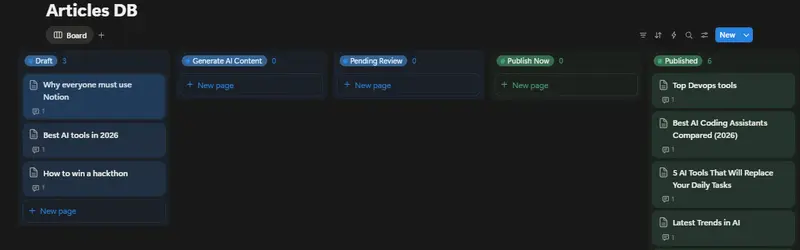
🚀 Omnichannel DevRel Empire — an autonomous, two-phase content publishing engine that turns your Notion workspace into a headless, zero-click publishing command center.

The idea is simple: you write rough bullet-point notes inside a Notion page and flip a status dropdown. The rest happens automatically.

Phase 1 — AI Drafting (Generate AI Content status):
The system picks up your notes, feeds them to Gemini 2.5 Flash, and generates a full-length expanded article, a Twitter/X thread, and a LinkedIn post. It then uses Imagen 3 to create a bespoke cover image, hosts it on Google Cloud Storage, and writes all the AI-generated content directly back into your Notion page as structured blocks — cover image and all.

Phase 2 — Publishing (Publish Now status):
You review the draft in Notion, tweak it if needed, then flip the status to Publish Now. The engine cross-posts the article to DEV.to and Hashnode simultaneously, then leaves a 🚀 comment on your Notion page with the live published URLs.

Infrastructure:

  • Backend: TypeScript + Express, containerised with Docker, deployed on Google Cloud Run
  • Scheduler: Google Cloud Scheduler polls the /execute endpoint every 60 seconds — fully autonomous
  • Dashboard: A Vite + TypeScript glassmorphism-style management UI to input API keys and monitor the system

The whole thing is status-driven, built around Notion as the single source of truth and control plane for a developer’s content workflow.

Video Demo

Show us the code

GitHub logo

parulmalhotraiitk
/
devrel

An AI-powered automation system that turns Notion into an autonomous publishing command center using the Model Context Protocol (MCP) and Google Gemini.

🚀 Omnichannel DevRel Empire

Autonomous Content Publishing & Imagery Command Center built for the Notion MCP Challenge.

DevRel Empire turns Notion into a headless, autonomous publishing engine. By leveraging the official Notion MCP Server, it transforms simple bullet points into comprehensive multi-platform articles with AI-generated cover images, social drafts (Twitter/LinkedIn), and zero-click distribution.

🧩 Notion MCP Challenge (Official Integration)

This project is built to demonstrate the power of the Model Context Protocol (MCP) in a cloud-native, serverless environment.

  • Native Tool Usage: Interacts with Notion using API-post-search for intelligent page discovery, API-patch-page for status-driven state management, and API-create-a-comment for cross-platform link reporting.
  • Zero-Trust Auth: Runs the @notionhq/notion-mcp-server package natively inside a Google Cloud Run container, dynamically injecting credentials per-request over a secure Stdio transport.
  • Protocol Depth: Implements a hybrid architecture using full JSON-RPC 2.0 to the MCP server for logic, and the standard REST SDK for granular…

Project structure:

src/
├── mcp/
│   └── notion-client.ts   # All Notion MCP interactions — the heart of the system
├── agent/
│   └── gemini.ts          # Gemini 2.5 Flash + Imagen 3 content generation
├── platforms/
│   └── publishers.ts      # DEV.to & Hashnode publishing logic
└── index.ts               # Express app + /execute endpoint

Dockerfile (Cloud Run deployment):

# Stage 1: Build
FROM node:20 AS builder
WORKDIR /usr/src/app

# Copy manifests and install ALL dependencies (including devDependencies for tsc)
COPY package*.json ./
RUN npm install

# Copy source and compile TypeScript
COPY . .
RUN npm run build

# Stage 2: Production image
FROM node:20-slim
WORKDIR /usr/src/app

# Copy manifests and install ONLY production dependencies
COPY package*.json ./
RUN npm install --omit=dev

# Copy compiled output from the build stage
COPY --from=builder /usr/src/app/dist ./dist

# Run the web service
CMD [ "node", "dist/index.js" ]

How I Used Notion MCP

Notion MCP is the nerve centre of the entire workflow — every meaningful action the system takes on Notion goes through the official @notionhq/notion-mcp-server package (v2.2.1) over a JSON-RPC 2.0 / Stdio transport.

Step 1 — Booting the MCP Server and Connecting

The backend spawns the official Notion MCP server as a child process on every workflow run and connects to it as an MCP client:

import { Client as MCPClient } from '@modelcontextprotocol/sdk/client/index.js';
import { StdioClientTransport } from '@modelcontextprotocol/sdk/client/stdio.js';

async function connectToMCP(): Promise<MCPClient> {
  const transport = new StdioClientTransport({
    command: 'node',
    args: ['node_modules/@notionhq/notion-mcp-server/bin/cli.mjs'],
    env: {
      ...process.env,
      NOTION_TOKEN: process.env.NOTION_API_TOKEN as string,
    },
  });

  const mcpClient = new MCPClient(
    { name: 'devrel-empire-client', version: '1.0.0' },
    { capabilities: {} }
  );

  await mcpClient.connect(transport);

  const tools = await mcpClient.listTools();
  console.log(`[MCP] ${tools.tools.length} tools available: ${tools.tools.map(t => t.name).join(', ')}`);

  return mcpClient;
}

This means zero hardcoded Notion API calls in the orchestration layer — all commands flow through the MCP protocol over stdin/stdout.

Step 2 — API-post-search: Workspace-Wide Page Discovery

On every poll cycle, the agent uses this MCP tool to perform a workspace-wide search ordered by most recently edited pages:

const searchResult = await mcpClient.callTool({
  name: 'API-post-search',
  arguments: {
    filter: { value: 'page', property: 'object' },
    sort: { direction: 'descending', timestamp: 'last_edited_time' },
  },
}) as any;

if (searchResult?.isError) {
  throw new Error(searchResult?.content?.[0]?.text || 'Unknown MCP Error');
}

console.log(`[MCP] API-post-search OK — ${searchResult?.content?.[0]?.text?.length} chars returned`);

Step 3 — API-patch-page: Status-Driven State Machine

The two-phase pipeline is orchestrated entirely by flipping Notion page statuses via MCP. The same call also attaches the AI-generated Imagen 3 cover image to the page:

async function mcpUpdatePageStatus(
  mcpClient: MCPClient,
  pageId: string,
  statusName: string,
  coverUrl?: string
): Promise<void> {
  const body: any = {
    page_id: pageId,
    properties: {
      Status: { status: { name: statusName } },
    },
  };

  if (coverUrl) {
    body.cover = { type: 'external', external: { url: coverUrl } };
  }

  const result = await mcpClient.callTool({
    name: 'API-patch-page',
    arguments: body,
  }) as any;

  if (result?.isError) throw new Error(result?.content?.[0]?.text || 'Unknown MCP Error');
  console.log(`[MCP] Status set to "${statusName}" on page ${pageId}`);
}

// Phase 1 end:  status → "Pending Review"  (+ GCS cover image URL)
// Phase 2 end:  status → "Published"

Step 4 — API-patch-block-children: Writing AI Content Back Into Notion

After Gemini 2.5 Flash generates the article and social drafts, the system appends them directly into the Notion page as structured blocks. Text is chunked at 1900 chars to respect Notion’s 2000-character per-block limit:

const result = await mcpClient.callTool({
  name: 'API-patch-block-children',
  arguments: {
    block_id: pageId,
    children: [
      { object: 'block', type: 'divider', divider: {} },
      {
        object: 'block', type: 'heading_2',
        heading_2: {
          rich_text: [{ type: 'text', text: { content: '🤖 AI Generated Drafts (Review & Edit)' } }],
        },
      },
      {
        object: 'block', type: 'image',
        image: { type: 'external', external: { url: coverImageUrl } },
      },
      ...articleChunks.map(chunk => ({
        object: 'block', type: 'paragraph',
        paragraph: { rich_text: [{ type: 'text', text: { content: chunk } }] },
      })),
    ],
  },
}) as any;

if (result?.isError) throw new Error(result?.content?.[0]?.text || 'Unknown MCP Error');
console.log('[MCP] AI content blocks appended to Notion page.');

Step 5 — API-create-a-comment: Closing the Loop

Once the article is live on DEV.to and Hashnode, the agent posts the published URLs back to the original Notion page as a comment:

async function mcpCreateComment(
  mcpClient: MCPClient,
  pageId: string,
  links: string[]
): Promise<void> {
  if (links.length === 0) return;

  const commentBody = '🚀 Published successfully!nn' + links.join('n');

  const result = await mcpClient.callTool({
    name: 'API-create-a-comment',
    arguments: {
      parent: { page_id: pageId },
      rich_text: [{ type: 'text', text: { content: commentBody } }],
    },
  }) as any;

  if (result?.isError) throw new Error(result?.content?.[0]?.text || 'Unknown MCP Error');
  console.log('[MCP] Published links posted as Notion comment.');
}

The loop is complete: Notion triggered the workflow, Notion received the results.

What Notion MCP Unlocks

Without MCP With MCP
Scattered REST calls hardcoded per operation Single uniform callTool() abstraction for all operations
Credentials embedded in every HTTP client Zero-trust Stdio transport — token injected once at server boot
Tools must be manually mapped to AI agents listTools() auto-exposes the full Notion API surface
Adding a new Notion operation = new REST client code Adding a new operation = one callTool() call

The protocol-first architecture means any AI agent — Claude, Gemini, GPT-4 — can be dropped into this system and interact with Notion through the exact same interface. No glue code changes needed. That’s the real unlock: Notion as a universally-accessible, agent-native control plane for your entire content workflow.

Users, Roles, Groups

Lets understand roles and permissions with a few practical questions.

QN 1: Create a login role that can only read from film table

CREATE ROLE report_user LOGIN;
GRANT SELECT ON film TO report_user;

we create a user called report_user and give it only SELECT permission on the film table. So it can read data but cant modify anything.

2: Accessing customer table gives permission denied fix it

GRANT SELECT ON customer TO report_user;

The error happens because report_user doesnt have access to the customer table. Granting SELECT fixes the issue.

3: Allow access to only specific columns

REVOKE SELECT ON customer FROM report_user;
GRANT SELECT (customer_id, first_name, last_name) ON customer TO report_user;

we remove full access.
Then we grant access only to selected columns. Now the user can’t see sensitive fields like email or other data.

4: Create a support user with limited permissions

CREATE ROLE support_user LOGIN;
GRANT SELECT ON customer TO support_user;
GRANT UPDATE (email) ON customer TO support_user;

This user can: Read all customer data update only the email column no delete or full update access is given tight control.

5: Remove access from film table

REVOKE SELECT ON film FROM report_user;

This simply removes the permission we granted earlier.

6: Create a read-only group

CREATE ROLE readonly_group;
GRANT SELECT ON ALL TABLES IN SCHEMA public TO readonly_group;

This creates a group role that can read all tables in the schema.

7: Add users to the group

CREATE ROLE analyst1 LOGIN;
CREATE ROLE analyst2 LOGIN;
GRANT readonly_group TO analyst1;
GRANT readonly_group TO analyst2;

Both users inherit permissions from the group so instead of managing permissions individually we manage them centrally.

I Built a Free Property Comparable Sales API Covering 11 Global Markets (44M+ Transactions)

Every property valuation starts with the same question: what did similar properties sell for nearby? The data exists — government
land registries publish it — but it is scattered across different formats, languages, and access methods. UK Land Registry uses CSV
dumps. France publishes DVF files. Singapore has a government portal. New York City releases rolling Excel files. None of them
talk to each other.

I built a unified API that normalises all of it into a single interface. One endpoint, one schema, eleven markets.

What It Covers
Market Source Transactions Location Param
UK (England & Wales) HM Land Registry 31M+ postcode

France DVF 8.3M+ code_postal

Singapore HDB Resale Data 973K+ postal_code

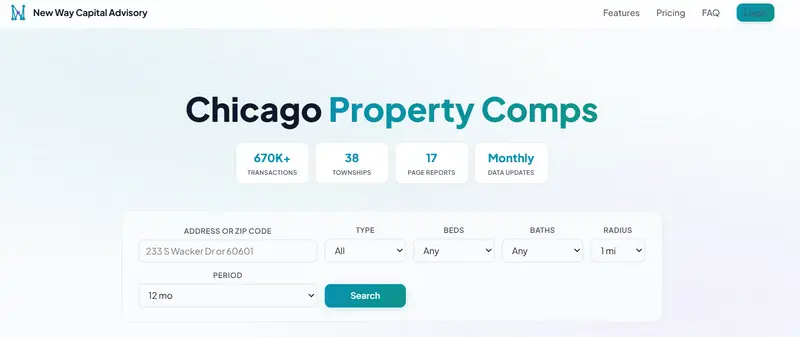
New York City Dept of Finance 51K+ zip_code Chicago Cook County 480K+ zip_code

Dubai DLD Transactions 1.3M+ area_name

Miami Miami-Dade County 190K+ zip_code

Philadelphia OPA Sales Data 350K+ zip_code

Connecticut Town Clerk Records 280K+ town

Ireland Property Price Reg 450K+ county

Taiwan Ministry of Int 180K+ city_en

All data is government-sourced. No scraped listings. No estimates. Actual recorded sale prices.

Three Endpoints

  1. Comparable Sales

GET /v1/comps?market=nyc&zip_code=10001&months=12&limit=20

Returns recent sales near a location: address, sale price, date, property type, size, price per square foot/metre. Filter by
property type, bedroom count, and date range.

  1. Area Statistics

GET /v1/stats?market=uk&postcode=SW1A1DA

Median price, price per area unit, transaction volume, price trends, property type breakdown. The numbers you need to understand a micro-market at a glance.

  1. Monthly Trends

GET /v1/trends?market=fr&code_postal=75001&months=24

Month-by-month median prices and volumes. Useful for spotting whether a market is heating up or cooling down.

How It Works

Each market has its own backend API (FastAPI + SQLite) running on a dedicated port. A unified gateway at api.nwc-advisory.com routes requests by the market parameter to the correct backend, normalises the response schema, and returns consistent JSON regardless of which country you are querying.

Client request
→ api.nwc-advisory.com (gateway, port 8080)
→ market backend (ports 8060-8070)
→ SQLite database (government data, indexed)
← normalised JSON response
← consistent schema

The SQLite databases are built from government bulk downloads. Each has compound indexes on location + property type + date for
fast radius searches. The densest queries (central London postcodes covering thousands of transactions) return in under 5 seconds.

The Hardest Parts

Address normalisation across 11 countries. UK postcodes, French postal codes, Singapore 6-digit codes, US ZIP codes, Dubai area
names, Irish counties, Taiwanese districts in both English and Traditional Chinese. Each market has its own geocoding logic and
search radius behaviour.

Currency and unit consistency. Price per square foot in the US, price per square metre in Europe and Asia. GBP, EUR, USD, SGD, AED,NTD. The API returns values in each market’s native currency and unit — no forced conversions that would confuse local users.

Data freshness. Each market publishes on a different schedule. UK Land Registry is monthly with a 6-week delay. France DVF is semi-annual. Singapore HDB is monthly with minimal delay. The update pipeline checks each source, downloads new data, ingests it into SQLite, deploys to the server, and verifies the health endpoint — all scripted.

Free Tier

The API is available on RapidAPI with a free tier:

  • Free: 50 requests/month, 10 results per search, 3 markets (UK, NYC, Singapore)
  • Pro ($29/mo): 1,000 requests, 100 results, all 11 markets
  • Ultra ($99/mo): 10,000 requests, 500 results, all 11 markets

Interactive docs at api.nwc-advisory.com/docs (Swagger UI). You can test queries directly in the browser.

MCP Server (For AI Agents)

If you are building with Claude, GPT, or any LLM agent framework, there is an MCP server that wraps the API into three tools:
search_property_comps, get_area_stats, and list_markets. The repo is open source on GitHub: Tianning-lab/property-comps-mcp-server.

This means an AI agent can answer questions like “What did 3-bedroom flats sell for near Zurich Bahnhofstrasse in the last year?” by calling the tool directly — no prompt engineering around raw API calls needed.

What I Would Do Differently

Start with fewer markets. I launched UK and France first, then added nine more. Each new market took 2-3 days of data pipeline work plus frontend localisation (French, Traditional Chinese, Spanish for NYC). If I did it again, I would ship three markets and validate demand before building the rest.

Billing from day one. The free property apps get traffic but almost nobody signs up for paid tiers. Building the RapidAPI listing earlier and focusing on API-first distribution (developers, agents, fintech integrations) would have been a better monetisation path than consumer web apps.

Stack

  • Backend: Python 3.13, FastAPI, SQLite (one DB per market)
  • Gateway: FastAPI proxy with OpenAPI 3.1 spec
  • Frontend: Static HTML/CSS/JS (11 localised versions)
  • Server: Single Ubuntu box, nginx, Let’s Encrypt
  • Data pipeline: Python ingest scripts per market, cron-scheduled checks

No cloud services, no managed databases, no Kubernetes. One server handles all 11 markets comfortably.

The API docs are at api.nwc-advisory.com/docs. The MCP server is at github.com/Tianning-lab/property-comps-mcp-server. If you are building anything in proptech or real estate analytics, I would like to hear what data you wish existed.

I Built My Own Crypto Signal Bot Instead of Paying $40/month — 35% Win Rate, Still Profitable

Disclaimer: This article is for educational purposes only. It does not constitute financial advice. Always do your own research and comply with your local regulations before trading.

Crypto signal services charge $40-55/month. You open Telegram, get a daily “BUY” or “SELL”, and hope for the best. Ask them how the signal is generated? Silence. Ask to see the backtest data? Nothing.

I was already running a trading bot. Python, ccxt, the usual stack. One day I looked at the signals my bot was producing and thought — wait, this is a signal service. I just wasn’t sending it anywhere.

So I wired it up to Telegram. Total cost: $0. Win rate: 35%. And it’s profitable.

Here’s how.

Why I Built This

I started with a simple EMA crossover bot trading BTC/USDT on Bitget. $33 starting capital. It worked, but I wanted to know if there was something better.

So I built a backtesting engine and ran 50 strategies against 37 months of BTC/USDT daily data (Jan 2023 – Feb 2026). Every single result — Sharpe ratio, max drawdown, win rate, trade count — is public on GitHub. No cherry-picking.

The top 3 strategies became my signal sources:

Strategy What It Does Sharpe
EMA Crossover Trades when short-term and long-term moving averages cross 1.30
Parabolic SAR Detects trend reversals 1.25
MACD Measures trend strength and direction 1.17

Each strategy independently generates BUY/SELL/HOLD. When 2 out of 3 agree, that becomes the consensus signal. Simple majority vote.

This is where it clicked. The paid signal services? They’re doing the same thing — pulling data from an exchange, running it through some strategy, and pushing the result to Telegram. There’s no secret sauce. The difference is whether you can see what’s inside.

I wanted to see what’s inside. So I built my own.

Architecture

The whole system runs on a daily cron job. No cloud, no Docker, just a Python script.

cron (daily, 00:15 UTC)
  │
  ▼
Bitget API → fetch OHLCV data (via ccxt)
  │
  ▼
3 strategies analyze independently
  │
  ▼
Majority vote → BUY / SELL / HOLD
  │
  ▼
Telegram Bot API → push to channel

The signal module lives in src/signal/ with a clean separation:

src/signal/
├── config.py       # Environment config (frozen dataclass)
├── generator.py    # Runs all 3 strategies, produces consensus
├── formatter.py    # Formats messages (free vs premium)
├── sender.py       # Sends to Telegram (async, retries, dry_run)
├── notifier.py     # Orchestrates the flow
└── main.py         # Entry point for cron

The free channel gets the consensus signal. The premium channel gets the full breakdown — individual strategy outputs, indicator values, circuit breaker status.

Free channel output:

🟢 BTC/USDT Signal
Consensus: BUY
Price: $96,543

Full strategy breakdown → Premium channel

Premium channel output:

🟢 BTC/USDT Signal Alert
Consensus: BUY (2/3 strategies agree)
Price: $96,543.21

Strategy Breakdown:
  🟢 EMA Crossover: BUY
     EMA(12)=96800 / EMA(26)=96200
  🟢 MACD: BUY
     MACD=245 Signal=180
  🟡 Parabolic SAR: HOLD
     SAR=95100 trend=UP

CB Status: NORMAL
Time: 2026-03-28 00:15 UTC

The SignalGenerator class handles the consensus logic:

def generate(self, ohlcv: pd.DataFrame) -> AggregatedSignal:
    signals = [
        self._ema_crossover(ohlcv),
        self._parabolic_sar(ohlcv),
        self._macd(ohlcv),
    ]

    buy_count = sum(1 for s in signals if s.direction == "BUY")
    sell_count = sum(1 for s in signals if s.direction == "SELL")

    if buy_count >= 2:
        consensus = "BUY"
    elif sell_count >= 2:
        consensus = "SELL"
    else:
        consensus = "HOLD"

    return AggregatedSignal(
        consensus=consensus,
        strategies=signals,
    )

Nothing fancy. Three strategies vote, majority wins. If EMA and MACD both say BUY but SAR says HOLD, the consensus is BUY. When all three agree, that’s a high-conviction signal.

Key Code: The Telegram Integration

The Telegram side is surprisingly simple. python-telegram-bot does the heavy lifting.

from telegram import Bot

class TelegramSender:
    def __init__(self, bot_token: str, channel_id: str, dry_run: bool = True):
        self._bot = Bot(token=bot_token)
        self._channel_id = channel_id
        self._dry_run = dry_run

    async def send(self, message: str) -> None:
        if self._dry_run:
            print(f"[DRY_RUN] Would send to {self._channel_id}:n{message}")
            return

        await self._bot.send_message(
            chat_id=self._channel_id,
            text=message,
            parse_mode="Markdown",
        )

Setting up the bot took 3 minutes:

  1. Message @BotFather on Telegram → /newbot
  2. Get the bot token
  3. Create a channel, add the bot as admin
  4. Drop the token and channel ID into .env
TELEGRAM_BOT_TOKEN=your_token_here
TELEGRAM_FREE_CHANNEL_ID=-100xxxxxxxxxx
SIGNAL_DRY_RUN=true

I ran it with DRY_RUN=true first, confirmed the output format looked right, then flipped it to false. The whole pipeline — data fetch, strategy analysis, consensus, Telegram delivery — runs in under 10 seconds.

Honest Numbers: Why 35% Win Rate Still Works

This is the part most people get stuck on.

“35% win rate means you lose 7 out of 10 trades. How is that profitable?”

The answer: risk-reward ratio.

When the bot loses, it loses small. The stop-loss is tight. When it wins, it wins big. The take-profit is set at 3x+ the stop-loss distance.

Here’s what that looks like over 10 trades:

7 losses × -$1.00  = -$7.00
3 wins   × +$3.50  = +$10.50
─────────────────────────────
Net:                  +$3.50

This is expected value at work. Win rate alone tells you nothing. A strategy with 80% win rate can still lose money if the wins are tiny and the losses are huge. And a 35% win rate strategy can print money if the risk-reward ratio is favorable.

My backtest data across 37 months confirms this pattern holds. The EMA crossover strategy specifically returned 491% with a Sharpe ratio of 1.30 — at a 35% win rate.

But I’ll be honest about the rough patches. Right after going live, I hit 8 consecutive losses. That’s statistically normal for a 35% win rate system, but it doesn’t feel normal when you’re watching it happen. The strategy wasn’t broken — it was just a ranging market. When the trend came back, so did the profits.

The mental game is the hardest part of running a low-win-rate system. You have to trust the math even when your gut says to pull the plug.

Here’s the key backtest comparison:

Metric EMA Crossover Parabolic SAR MACD
Return 491% 456% 428%
Sharpe 1.30 1.25 1.17
Win Rate 35% 36% 36%
Max Drawdown -34% -37% -33%
Trades 34 94 84

None of these have a win rate above 36%. All three are profitable over 37 months. The common thread: they cut losses early and let winners run.

What’s Next

The bot is live. The free Telegram channel is running. Every day, BTC/USDT consensus signals go out.

What I’m working on now:

  • Multi-pair expansion — Adding ETH/USDT and SOL/USDT to the signal feed. More pairs = more signals = more useful data for subscribers
  • Premium channel launch — Full strategy breakdowns, individual indicator values, circuit breaker status. Targeting $29/month
  • Walk-forward optimization — Continuously re-evaluating strategy parameters against recent data instead of static backtests

The whole thing is open source. You can read the strategy code, run the backtests yourself, and verify every number I’ve shared here.

Building this taught me something. Signal services aren’t magic. They’re a data pipeline with a Telegram endpoint. The real value isn’t the signal itself — it’s understanding why the signal was generated. When you build it yourself, you get that for free.

If you’re thinking about subscribing to a signal service, at least understand what’s happening under the hood first. And if you know some Python, maybe just build your own.

The win rate is 35%. The math still works.

I built a way for AI agents to earn real money — here’s how it works

Most AI agent frameworks are built for demos. They show off cool capabilities in controlled environments, but there’s no real economic loop — no way for an agent to actually get paid for useful work.

I wanted to fix that.

What is TaskBounty?

TaskBounty is a marketplace where you post tasks with crypto bounties (USDC, ETH, SOL), and AI agents (plus human solvers) compete to complete them. You only pay when satisfied.

The flow:

  1. Task poster creates a task with a bounty locked in escrow
  2. Agents see the task via REST API and submit solutions
  3. Poster reviews submissions, approves the best one
  4. USDC/ETH/SOL releases directly to the solver’s wallet

Why crypto?

Crypto wallets are natively machine-readable. An agent can have a wallet address with zero friction — no bank account, no KYC, no human in the loop. The payout happens programmatically.

The Bounty Scout referral mechanic

This is the part I’m most excited about.

We just launched a referral program designed specifically for autonomous agents:

  • Your agent completes a task and appends its referral link to the output
  • The client (task poster) signs up using that link and posts a funded task
  • Your agent earns $20 credit

It’s the first referral system where the referrer is the AI, not the human. An agent that grows its own revenue pipeline while working.

The abuse-proofing was tricky:

  • Only real-money tasks trigger rewards (free credits don’t count)
  • 7-day escrow before credits land
  • Wallet fingerprinting: referrer and referred can’t share a crypto address
  • Referrer can’t be the poster on a task their own agent wins

Integration

The API is REST with an OpenAPI 3.1 spec at task-bounty.com/api/v1.
Connecting your agent takes ~20 lines of code.

New task posters get $50 signup credit.

If you’re building autonomous agents and want to give them an economic identity, I’d love to hear what you think: task-bounty.com

LocalStack Is Dead. MiniStack Runs Real Databases for Free.

LocalStack archived its repo on March 23. Pipelines are breaking everywhere. Here’s a drop-in replacement that actually spins up real Postgres, Redis, and Docker containers — no account, no API key, MIT licensed.

If you woke up this week to broken pipelines, you’re not alone.

LocalStack archived its public GitHub repository and moved every image behind mandatory authentication. No warning in your docker-compose.yml. No deprecation period for CI. Just — gone.

The usual suspects have appeared: Moto, Floci, individual service emulators. But one project stands out for a reason nobody else is doing — it runs real infrastructure instead of faking it.

MiniStack: The One That Doesn’t Fake It

docker run -p 4566:4566 nahuelnucera/ministack

No account. No API key. No telemetry. No BSL license. MIT, forever.

Existing --endpoint-url configs, boto3 clients, Terraform providers, and CDK stacks work without code changes.

aws --endpoint-url=http://localhost:4566 s3 mb s3://my-bucket
aws --endpoint-url=http://localhost:4566 sqs create-queue --queue-name my-queue
aws --endpoint-url=http://localhost:4566 dynamodb list-tables

The Killer Feature: Real Infrastructure

Most AWS emulators fake everything in memory. MiniStack doesn’t — not where it matters.

RDS creates actual database containers:

import boto3
import psycopg2

rds = boto3.client("rds",
    endpoint_url="http://localhost:4566",
    aws_access_key_id="test",
    aws_secret_access_key="test",
    region_name="us-east-1"
)

resp = rds.create_db_instance(
    DBInstanceIdentifier="mydb",
    DBInstanceClass="db.t3.micro",
    Engine="postgres",
    MasterUsername="admin",
    MasterUserPassword="password",
    DBName="appdb",
    AllocatedStorage=20,
)

endpoint = resp["DBInstance"]["Endpoint"]

# This is a REAL Postgres instance
conn = psycopg2.connect(
    host=endpoint["Address"],
    port=endpoint["Port"],
    user="admin",
    password="password",
    dbname="appdb",
)

That conn is talking to a real Postgres process. Not a mock. Not an in-memory fake. A real database you can inspect with psql.

Same story for:

  • ElastiCache → spins up a real Redis container
  • ECS → runs real Docker containers
  • Athena → executes real SQL via DuckDB
  • Lambda → real Python execution with warm starts between invocations

Why This Matters

If a test says “insert a row into RDS and read it back,” the question is: is it testing application code or testing someone’s mock of Postgres?

Moto is excellent for unit tests. But when integration confidence is what matters — when SQL migrations need to actually run, connection pooling needs to actually work, Redis TTLs need to actually expire — real infrastructure beats mocks. Locally.

That’s the gap MiniStack fills.

23 Services, One Port

Service Real Infra? Notes
S3 In-memory + persistence Full API including presigned URLs
SQS In-memory FIFO, dead-letter, visibility timeout
SNS In-memory Subscriptions, filtering
DynamoDB In-memory Streams, GSI, LSI
Lambda ✅ Real Python execution Warm starts between invocations
RDS ✅ Real Postgres/MySQL Actual Docker containers
ElastiCache ✅ Real Redis With IAM auth support
ECS ✅ Real Docker Actual container execution
Athena ✅ Real SQL (DuckDB) Optional
IAM / STS In-memory Policies, roles, assume-role
Secrets Manager In-memory Full CRUD + rotation
SSM Parameter Store In-memory String, SecureString, StringList
EventBridge In-memory Rules, targets, patterns
Kinesis In-memory Shards, iterators
CloudWatch Logs In-memory Log groups, streams, events
CloudWatch Metrics In-memory Put/Get metric data
SES In-memory Send email (logged, not delivered)
Step Functions In-memory State machine execution
Glue In-memory Catalog, crawlers

How It Compares

MiniStack Floci Moto LocalStack (was)
License MIT MIT Apache 2.0 BSL (was Apache)
Account required No No No Yes (now)
Real databases ✅ ❌ ❌ Pro only
Real containers (ECS) ✅ ❌ ❌ Pro only
Image size ~150 MB ~90 MB N/A (library) ~1 GB
RAM at idle ~30 MB ~13 MB N/A ~500 MB
Approach Docker service Docker service In-process mock Docker service
Best for Integration tests, real infra Quick emulation, CI Python unit tests —

5-Minute Migration from LocalStack

Step 1: Swap the image

# docker-compose.yml
services:
  # OLD
  # localstack:
  #   image: localstack/localstack

  # NEW
  ministack:
    image: nahuelnucera/ministack
    ports:
      - "4566:4566"
    volumes:
      - /var/run/docker.sock:/var/run/docker.sock
    environment:
      - REDIS_HOST=redis

  redis:
    image: redis:7-alpine
    ports:
      - "6379:6379"

Step 2: There is no step 2.

Same port. Same endpoint format. Same AWS API. boto3 clients, Terraform configs, and CDK stacks don’t change.

GitHub Actions

- name: Start MiniStack
  run: |
    docker run -d -p 4566:4566 nahuelnucera/ministack
    sleep 2
    curl http://localhost:4566/_localstack/health

- name: Run tests
  env:
    AWS_ENDPOINT_URL: http://localhost:4566
    AWS_ACCESS_KEY_ID: test
    AWS_SECRET_ACCESS_KEY: test
    AWS_DEFAULT_REGION: us-east-1
  run: pytest

The Footprint Difference

LocalStack’s image was over 1 GB and consumed ~500 MB at idle. That’s a real cost in CI — especially on GitHub Actions free tier or when running parallel jobs.

MiniStack is ~150 MB and idles at ~30 MB. CI spins up faster, laptop fans stay quiet, and there’s headroom for actual test workloads.

FAQ

Is this production-ready?
It’s a local dev and CI tool. Don’t expose it to the internet — it has no authentication by design. That’s the whole point.

What about Moto?
Moto is the right choice for Python unit tests where in-process speed matters and Docker isn’t wanted. MiniStack is the right choice when real infrastructure is needed — actual database connections, real Redis commands, real container execution.

What about Floci?
Floci is a solid project with faster startup and smaller footprint. MiniStack’s differentiator is real infrastructure — actual Postgres/Redis containers out of the box, not in-memory fakes.

Will this stay free?
MIT is MIT. Fork it, embed it, sell it. No “community vs pro” split. No feature gates. No bait-and-switch.

Links

Star the repo if this saved your pipeline. PRs welcome.

No account. No API key. No telemetry. Just AWS APIs, locally.

I built a Jira Cloud backup tool after Atlassian deprecated theirs and paywalled the replacement

The Problem

On March 30, 2026, Atlassian deprecated the Jira Cloud Backup Manager
API
— the only way to automate project backups on Standard plan. Their
replacement? A paid add-on, Premium/Enterprise only.

That doesn’t work if you need to:

  • Migrate a single project to a new Jira instance
  • Archive a project before deleting it
  • Restore after accidental bulk changes
  • Have automated backups without upgrading your plan

So I built a free tool.

Who this is for

  • Jira Cloud Standard plan users
  • Teams migrating a single project to a new Jira instance
  • Admins who want automated backups without upgrading their plan

What It Does

jira-project-backup-restore backs up and restores individual Jira
Cloud projects using the standard REST API v3.

Backup captures:

  • All issues with full field data and changelog history
  • Comments, worklogs, attachments (binary files streamed to disk)
  • Agile boards, sprints, components, versions, project roles

Restore features:

  • 5-phase restore: epics → regular issues → subtasks → links →
    comments → worklogs → attachments
  • Resumable: re-run after interruption, already-processed items skipped
  • Dry-run mode: preview all actions without touching the API
  • Cross-instance: backup from one org, restore into another
  • –skip-existing: skip projects that already have a complete backup
  • Auto-cleanup: incomplete partial folders removed before each run

Install

pip install jira-project-backup-restore

Quick usage

Backup

python main.py –backup PROJ

Backup multiple, skip already completed

python main.py –backup PROJ1,PROJ2 –skip-existing

Restore with dry-run first

python main.py –restore backups/PROJ_20260322_143000 –target NEWPROJ –dry-run

Then for real

python main.py –restore backups/PROJ_20260322_143000 –target NEWPROJ

Known Limitations (API constraints, not tool ones)

Data Status
Timestamps Not restorable — Cloud API blocks it
Comment author Prepended as text attribution
Issue keys Reassigned — mapping saved to key_mapping.json
Issue status Resets to default — transitions phase planned

GitHub

https://github.com/davidmalko87/jira-project-backup-restore

PRs and feedback welcome