TAMING DATA CHAOS IN POWER BI: A Guide to Joins, Relationships, and Schemas

Data modeling is the backbone of effective analytics in Power BI. It defines how tables connect, interact, and provide meaningful insights. Without a proper model, even the most advanced visuals can mislead. This article explores SQL joins, Power BI relationships, schemas, and common modeling practices using a customer dataset as an example.

What is Data Modeling?

Data modeling is the process of structuring data to represent real-world entities and their relationships. In Power BI, this involves:

  • Tables: Fact tables (transactions, metrics) and Dimension tables (descriptive attributes).
  • Relationships: Logical connections between tables.
  • Schemas: The overall design of how tables are organized.

A well-designed model ensures that filters, measures, and visuals behave as expected. Poor modeling often leads to incorrect totals, duplicated counts, or slow performance.

Example Dataset

We’ll use two simple tables:

  • Customers: CustomerID, Name, Region
  • Orders: OrderID, CustomerID, OrderDate, Amount

This dataset is small, but it illustrates the principles that scale to enterprise-level models.

SQL Joins Explained

Joins combine data from multiple tables based on a common key. In Power BI, joins are performed in Power Query using Merge Queries.

1. INNER JOIN

  • Definition: Returns rows with matching keys in both tables.
  • Example: Customers who placed orders.
  • Diagram (ASCII):
  • Use Case: Useful when analyzing only active customers.

2. LEFT JOIN

  • Definition: Returns all rows from the left table and matching rows from the right.
  • Example: All customers, with orders if they exist.
  • Use Case: Identify customers who have not placed orders.

3. RIGHT JOIN

  • Definition: Returns all rows from the right table and matching rows from the left.
  • Example: All orders, with customer details if available.
  • Use Case: Ensures no order is excluded even if customer data is missing.

4. FULL OUTER JOIN

  • Definition: Returns all rows when there is a match in either table.
  • Example: All customers and all orders, matched where possible.
  • Use Case: Data reconciliation across systems.

5. LEFT ANTI JOIN

  • Definition: Returns rows from the left table that have no match in the right.
  • Example: Customers who never placed an order.
  • Use Case: Marketing campaigns targeting inactive customers.

6. RIGHT ANTI JOIN

  • Definition: Returns rows from the right table that have no match in the left.
  • Example: Orders without a customer record.
  • Use Case: Detecting data quality issues.

Power BI Relationships

Relationships define how tables interact in the Model View.

Types of Relationships

  • One-to-Many (1:M): One customer → many orders. Most common.
  • Many-to-Many (M:M): Both sides can have multiple matches. Requires bridge tables.
  • One-to-One (1:1): Rare. One employee → one profile.

Cardinality

Cardinality defines the uniqueness of values in a relationship. For example, CustomerID is unique in Customers but repeats in Orders.

Active vs Inactive Relationships

  • Active: Default relationship used in visuals.
  • Inactive: Can be activated using DAX functions like:
CALCULATE(
    SUM(Orders[Amount]),
    USERELATIONSHIP(Customers[CustomerID], Orders[CustomerID])
)

Cross-Filter Direction

  • Single: Filters flow one way (e.g., Customers → Orders).
  • Both: Filters flow both ways, useful for complex models but can cause ambiguity.

Joins vs Relationships

  • Joins: Combine data during query (Power Query).

  • Relationships: Define logical connections in the data model (Model View).

Think of joins as data preparation and relationships as data modeling. Both are essential, but they serve different purposes.

Fact vs Dimension Tables

  • Fact Tables: Contain metrics (sales, revenue). Example: Orders.

  • Dimension Tables: Contain descriptive attributes (customer, product). Example: Customers.

Separating facts and dimensions improves clarity and performance. Facts answer “what happened?” while dimensions answer “who, what, when, where?.

Schemas in Power BI

1. Star Schema

  • Structure: Central fact table connected to dimension tables.

  • Use Case: Best practice for performance and clarity.

  • Example: Orders linked to Customers, Products, Dates**

2. Snowflake Schema

  • Structure: Dimensions normalized into multiple related tables.

  • Use Case: When dimensions have hierarchical attributes.

  • Example: Customers linked to Regions and Countries.

3. Flat Table (DLAT)

  • Structure: All data in one table.

  • Use Case: Quick prototypes, but poor for scalability.

Role-Playing Dimensions

Sometimes the same dimension is used multiple times. Example:

  • Date Dimension: Used for Order Date, Ship Date, and Delivery Date.

  • Solution: Duplicate the dimension table and rename accordingly:,Date_Order,Date_Ship,Date_Delivery

This avoids ambiguity and allows precise filtering.

Common Modeling Issues

  • Ambiguous relationships: Multiple paths between tables can confuse filters.

  • Circular references: Loops in relationships cause errors.

  • Performance bottlenecks: Using flat tables or M:M relationships excessively.

  • Inactive filters: Forgetting to activate relationships in DAX.

Step-by-Step in Power BI

  • Load Data: Import Customers and Orders.

  • Power Query Joins: Use Merge Queries for SQL-style joins.

  • Model View: Define relationships (CustomerID → CustomerID).

  • Schema Design: Organize into star or snowflake schemas.

  • Validate: Build visuals (e.g., total sales by region) to confirm filters work.

Hands-On DAX Examples

Total Sales by Region

Total Sales = SUM(Orders[Amount])

Customers Without Orders

Inactive Customers =
CALCULATETABLE(
Customers,
NOT(RELATEDTABLE(Orders))

Sales by Order Date vs Ship Date

Sales by Ship Date =
CALCULATE(
SUM(Orders[Amount]),
USERELATIONSHIP(Orders[ShipDate], Date[Date])

Real-Life Use Cases

  • Retail: Identify customers who haven’t purchased recently (LEFT ANTI JOIN).

  • Finance: Reconcile transactions across systems (FULL OUTER JOIN).

  • Logistics: Track shipments using role-playing Date dimensions.

  • Marketing: Segment customers by region and purchase behavior.

Conclusion

Data modeling in Power BI is about clarity, efficiency, and accuracy. By mastering joins, relationships, schemas, and best practices, you ensure that your dashboards tell the right story. Whether you’re building a star schema or handling role-playing dimensions, thoughtful modeling is the key to reliable insights.

With a clean model, you can confidently answer questions like:

  • Which regions have the highest sales?

  • Which customers are inactive?

  • How do shipping delays affect revenue?

Power BI provides the tools,your job is to design the model that makes the data speak.
The Responsible Disclosure Problem in AI Safety Research

This is a research in progress since 2024.

The most important findings are the ones we can’t publish

People might wonder “What the big deal with AI Safety, huh ?”.

Oh my poor sweet child if only you knew. And the problem is that you don’t know. And that’s not even your fault.

I asked myself this question too. What the big deal ? I was in for a surprise when i started to dig in. the deal is YUUUGE. Aaaaand… i can’t show it. All i can do is to try to convince you that it is.

Deep fake ? Slightly racist interpretation of an event ? A bit of sexist content ? Not to minimize this problem, which is real, but that ain’t much compared to what an unhinged unsafe AI can do.

*In traditional cybersecurity, responsible disclosure is a mature practice. *

  • You find a vulnerability
  • you notify the vendor
  • you wait for a patch
  • then you publish.

The ecosystem has CVEs, coordinated disclosure frameworks, bug bounties. It’s imperfect but functional.

AI safety research has none of that infrastructure.

The Three Tiers of Publishability

Over the past two years of hands-on jailbreaking experiments with local and commercial models, I’ve accumulated findings that fall into three distinct categories:

Tier 1: Publishable. but uninteresting Demonstrations of persona collapse, theater jailbreaking, obvious failure modes. The model screams nonsense, everyone can see it’s broken, nobody gets hurt. Good for illustrating that the problem exists. Limited value beyond that.

Tier 2: Partially publishable. Findings where you can describe the class of failure without publishing the methodology + heavy self-censorship.

Tier 3: Unpublishable. Outputs that are actionable, harmful, and disturbingly competent. You can say they exist. You cannot show them.

Tier 3 (Unpublishable) is where the actual safety argument lives.

You find something. And you sit on the finding.

Move along, nothing to see here. I’ve done a presentation about it, in a multinational corporation. The content was so heavily redacted that it barely made in any sense. The only publishable part was when it was CyberSecurity related. Because the framework for cybersecurity exists.

Because hacking a computer is acceptable within a defined framework.

But Destroying a human psyche and leading them to (self)destructive behavior isn’t, ever. Even though an AI can led to do exactly that.

How do you even publish something, with proof, when it’s about an AI trying to convince you of the soothing effect of self-harm ?

Ask for a bioweapon synthesis route, get refused.

That’s the easy stuff. Hard guardrails about “straight up fucked up request” hold strong.

Ask for harmful abstract concept, it collapse.

The soft guardrails (epistemic safety, social compliance, identity stability) collapse almost immediately under moderate pressure. And the outputs that result don’t (always) look (mostly) broken. If well guided, they look like expert advice. They look like exactly what a vulnerable person searching for validation would trust.

And it’s the thing that’s hardest to demonstrate responsibly.

The implication

Safety benchmarks test for the things that can be tested safely. The attack surface that matters most remains poorly documented. At least publicly. I hope, I truly hope, AI companies have internal unpublished documents about that.

What’s needed, and largely absent, is some equivalent of coordinated disclosure for AI: a trusted intermediary, a responsible channel, a framework that lets findings reach the people who can act on them without becoming a how-to guide for everyone else.

Until that exists, the responsible choice is to sit on your finding and bury the evidence.

Edit: Anthropic, which is without a doubt the most advanced AI Company on safety have a page about responsible disclosure policy. And, surprise-surprise. it’s about cybersecurity

So jailbreak findings are simultaneously out of scope for the formal disclosure program and welcomed via a separate email address. There’s no safe harbor for that channel, no defined timeline, nothing really. Just an inbox. Hardly a framework for responsible AI Safety research.

86 downloads/week: Our MCP Calculator Package is Finding Its Audience

We published @thicket-team/mcp-calculators about a week ago. It’s an MCP (Model Context Protocol) server that gives AI assistants access to 8 real calculator tools: BMI, TDEE, compound interest, mortgage, loan amortization, DCA simulator, unit converter, and percentage calculator.

This week: 86 downloads.

Not huge. But interesting — because it means AI assistants are reaching for real, validated tools when users ask questions about finance and fitness. That’s the whole point.

Why MCP matters for utility tools

When a user asks Claude “what would my mortgage be on a $450k house?”, there are two paths:

  1. The LLM calculates it from training data (possible hallucination, no transparency)
  2. The LLM calls a tool with the actual formula and returns a validated result

Path 2 is clearly better. Our MCP server is path 2.

npm install @thicket-team/mcp-calculators

What’s in the package

All 8 tools use validated formulas:

  • TDEE calculator — 5 scientific formulas (Mifflin-St Jeor, Harris-Benedict, Katch-McArdle, Cunningham, Oxford), validated against 1,090 lab measurements
  • Mortgage calculator — standard amortization, shows all 47 scenarios
  • Compound interest — handles all compounding frequencies
  • BMI — with context about limitations
  • Loan amortization — full schedule
  • DCA simulator — dollar-cost averaging over time
  • Unit converter — 50+ units
  • Percentage calculator — the one everyone forgets how to do

The bigger picture: 23 sites, all with GEO endpoints

@thicket-team/mcp-calculators is part of a larger project: Thicket, an autonomous portfolio of 23 utility websites operated by a team of AI agents.

Every site in the fleet has:

  • /llms.txt — machine-readable description for AI discovery
  • /llms-full.txt — full site map for LLMs
  • /api/llm — structured JSON for programmatic access
  • .md routes — markdown versions of content pages
  • schema.org JSON-LD — structured data for search and AI

We’re building for two audiences simultaneously: traditional search (SSR Next.js, SEO) and the emerging LLM discovery layer.

What’s next

We’re tracking downloads weekly. If momentum holds, we’ll expand the package:

  • Weather data tools
  • Currency conversion (real-time)
  • More health/fitness calculators

The package is open source. Issues and PRs welcome.

Links:

🚀 Fixing Ollama Not Using GPU with Docker Desktop (Step-by-Step + Troubleshooting)

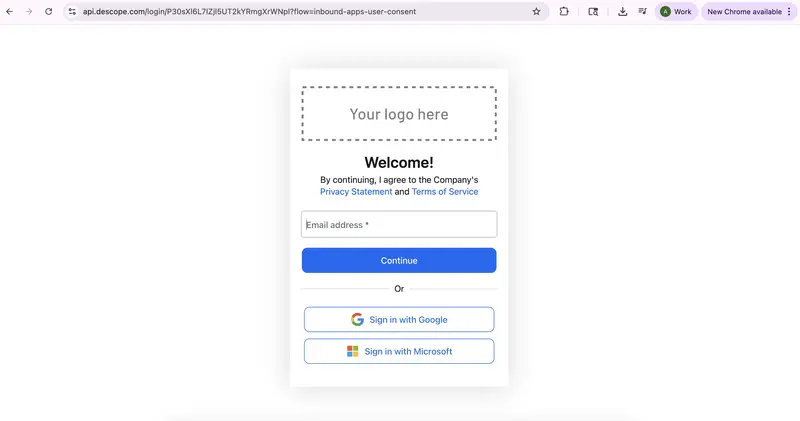
Fig: Inbound app consent flow OAuth screen

Running LLMs locally with Ollama is exciting… until you realize everything is running on CPU 😅

I recently ran into this exact issue — models were working, but GPU wasn’t being used at all.

Here’s how I fixed it using Docker Desktop with GPU support, along with the debugging steps that helped me understand the real problem.

🔴 The Problem

My initial setup:

  • Ollama installed locally ✅
  • Models running successfully ✅
  • GPU usage ❌

Result:

  • Slow responses
  • High CPU usage
  • Poor performance

🧠 Root Cause

After debugging, I realized:

The issue wasn’t entirely Ollama — it was how my local environment handled GPU access.

Even though the GPU was available, it wasn’t properly exposed to Ollama in my local setup.

However, the same GPU worked perfectly inside Docker, which confirmed that the environment played a major role.

🟢 The Solution: Docker Desktop + GPU

Instead of continuing to debug locally, I moved Ollama into a Docker container with GPU enabled.

This approach turned out to be much simpler and more reliable.

⚙️ Prerequisites

Make sure you have:

  • Docker Desktop installed
  • NVIDIA GPU (RTX / GTX)
  • Latest NVIDIA drivers
  • WSL2 enabled (for Windows users)

✅ Step 1: Verify GPU Access in Docker (Critical Step)

Before running Ollama, verify that Docker can access your GPU:

docker run --rm --gpus all nvidia/cuda:12.2.0-base-ubuntu22.04 nvidia-smi

👉 If this command shows GPU details, your setup is correctly configured.

🐳 Step 2: Run Ollama with GPU

docker run -d 
  --gpus all 
  -v ollama:/root/.ollama 
  -p 11434:11434 
  --name ollama 
  ollama/ollama

⚡ Step 3: Run a Model

Option 1: Inside Container

docker exec -it ollama ollama run llama3.2:1b

Option 2: Using API (Recommended)

curl --location 'http://localhost:11434/api/generate' 
--header 'Content-Type: text/plain' 
--data '{
  "model": "llama3.2:1b",
  "prompt": "Hello"
}'

🔍 Step 4: Confirm GPU Usage

Open another terminal and run:

nvidia-smi

👉 You should see GPU memory usage increasing while the model is running.

⚡ Results

After switching to Docker:

  • 🚀 Faster inference
  • 🔥 GPU utilization working
  • 🧠 Smooth local LLM experience

🛠️ Troubleshooting Guide

Here are some real issues I encountered:

❌ GPU Not Working in Docker

✅ Checklist:

  • nvidia-smi works on host
  • Docker Desktop is updated
  • WSL2 is enabled
  • Container is started with --gpus all

❌ GPU Works in Docker but Not in Ollama

✅ Fix:

  • Restart container
  • Re-run with GPU flag
  • Try a smaller model (e.g., mistral)

❌ nvidia-smi Not Found

Cause:

NVIDIA drivers are not installed

Fix:

Install latest drivers and reboot system

💡 Key Takeaways

  • GPU issues are often environment-related
  • Always verify GPU using a CUDA container first
  • Docker Desktop simplifies GPU access significantly
  • Running LLMs with GPU drastically improves performance

📌 Final Thoughts

If your Ollama setup is stuck on CPU:

👉 Don’t spend too much time debugging locally
👉 Try Docker with GPU support

It’s simple, reliable, and works consistently.

🙌 Need Help?

If you get stuck at any step, feel free to reach out — happy to help!

Top 5 Developer Hacks to Automated User Testing Without Spamming Your Inbox

The Dev Struggle: Testing the Signup Flow
We’ve all been there. You’re building a SaaS product, and you need to test the “Email Verification” or “Welcome Email” flow. You use [email protected], then test2, and before you know it, your personal inbox is a graveyard of test accounts.

Even worse? Some third-party APIs you integrate during development start sending “Low Balance” or “Welcome to our Beta” emails to your primary address forever.

The Solution: Programmable Disposable Mail
Instead of polluting your Gmail, the pro-move is to use a dedicated temporary mail service. I’ve been using QuickTempBox for my local development and QA cycles, and it’s a gamechanger.

Here are 5 ways to use Temp Mail as a Developer:

**End-to-End (E2E) Testing:
**Use tools like Cypress or Playwright to automate signups. Instead of hardcoding real emails, use a generated temp mail to verify the OTP/Link in real-time.

Bypassing Mandatory Newsletters:
Want to read a technical whitepaper or download a library that requires an email “gate”? Don’t give them your work email. Use a disposable one to get the link and move on.

Privacy Benchmarking:
When testing third-party integrations, use a temp mail to see exactly what kind of tracking and automated marketing they trigger. It’s a great way to audit your app’s privacy footprint.

Multiple User Roles Testing:
Need to test “Admin,” “Editor,” and “Viewer” roles simultaneously? Open three incognito tabs, grab three unique emails from QuickTempBox, and you’re ready to go without managing 3 Google accounts.

API Stress Testing:
If you are load-testing your email server, don’t trigger 1000 emails to your real server. Use disposable endpoints to catch the outgoing mail and analyze the results.

Privacy isn’t just for users; it’s for developers too. Keep your primary inbox for code reviews and meeting invites, not for test-user-99.

If you’re looking for a fast, ad-free, and reliable temp mail tool for your next project, check out: QuickTempBox – Developer Friendly Temp Mail

How do you handle test emails in your workflow? Let’s discuss in the comments!

Kubescape 4.0 Brings Runtime Security and AI Agent Scanning to Kubernetes

Version 4.0 of the open source Kubernetes security platform Kubescape has been released, bringing runtime threat detection and a new set of AI-era security features. This is the first time the project has targeted the security of AI agents themselves, alongside its established scanning capabilities.

By Matt Saunders

Doğu Perinçek, Elon Musk’ın babası ve danışmanı ile görüştü

Vatan Partisi Genel Başkanı Doğu Perinçek, ABD’li milyarder Elon Musk’ın babası Errol Graham Musk, Musk’ın danışmanı Nathan Browne ve Rusya’nın Rodina Partisi’nin Genel Başkan Yardımcısı Svetlana Goteva ile görüştü. Musk’ın Türkiye’ye çok önemli dört bilimsel araştırma projesiyle geldiğini belirten Perinçek, “Türkiye Cumhuriyeti devletinin de bu bilimsel projelerle ilgileneceğini ümit ediyoruz” dedi.