Giresun'da dron destekli trafik denetimi
Giresun’un Görele ilçesinde Kurban Bayramı öncesi dron destekli trafik denetimi yapıldı. Hız ve kırmızı ışık ihlali yapan 21 araca idari para cezası uygulandı.

 Mert
Mert 
 Geçtiğimiz yılın en sevilen dizilerinden MobLand’in 2. sezonunu beklerken, sürpriz bir ayrılık haberi geldi. Dizinin başrol oyuncusu kovuldu! Bu haber sonrası dizinin geleceği tartışılmaya başlandı.
 Online alışverişte ürün iadeleri hızla artıyor. Z Kuşağının yarısından fazlası seri iadeci kategorisine girerken, markalar yükselen maliyetleri kontrol altına almak için yeni yöntemler arıyor.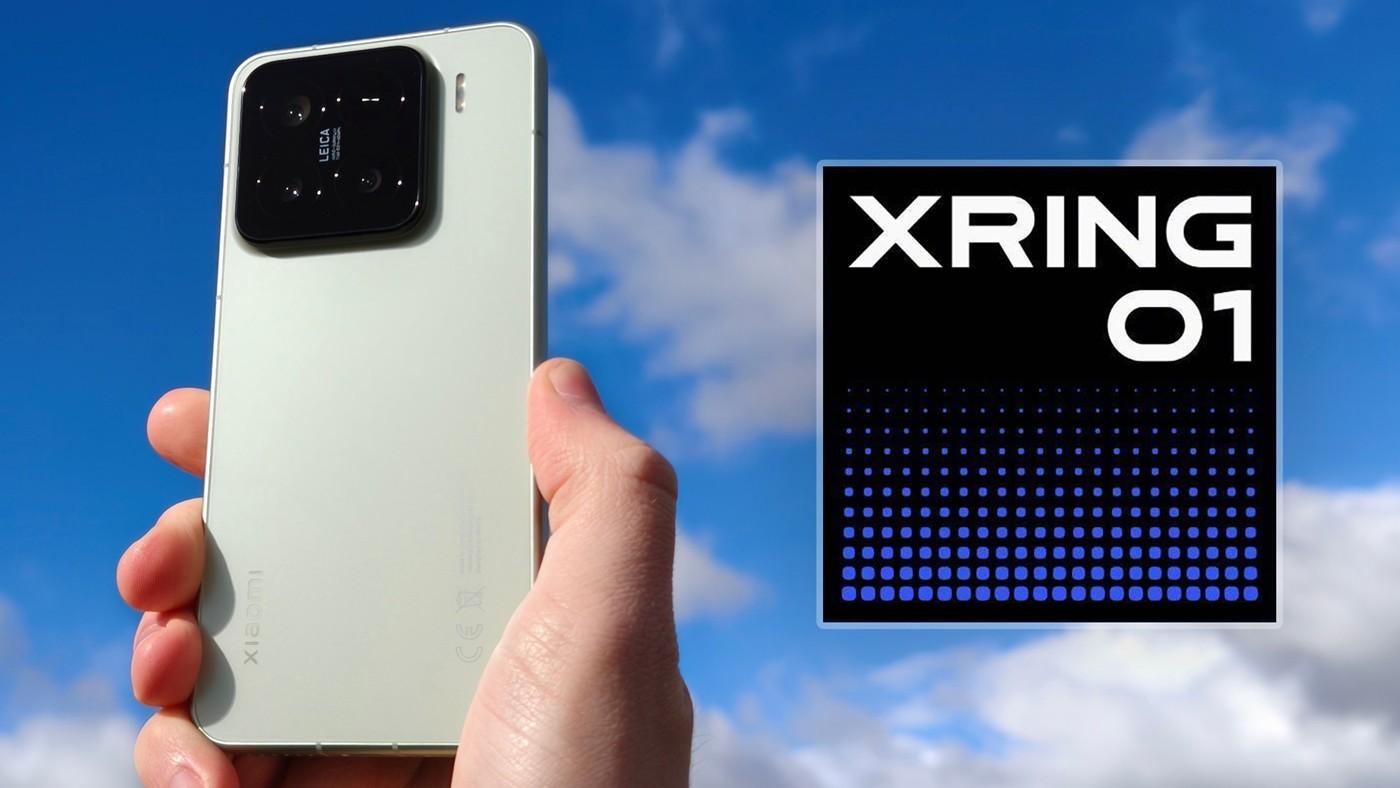
 Xiaomi, XRING işlemci serisini büyütmek için önümüzdeki 5 yılda yaklaşık 28 milyar dolarlık AR-GE yatırımı yapmayı planlıyor. Şirket, özel çip tarafında daha iddialı hale gelmeyi planlıyor.
LLM-as-judge has become the dominant pattern for evaluating language model outputs. Tools like Promptfoo, Braintrust, LangSmith all converge on the same architecture: send your prompt to your model, send the output to a different model with a rubric, take the second model’s score as the quality signal.
This works. It’s also expensive (judge tokens cost real money), slow (extra API roundtrip), variance-prone (the same eval gets different scores across runs), and architecturally a bit circular (using an LLM to evaluate an LLM trained on overlapping data distributions). The single signal becomes a bottleneck for trust.
So I built an eval module that has two independent signals instead of one.
What the tool does
Side-by-side blind comparison. Two agents answer the same prompt. One runs raw, the other can optionally have a cognitive harness wired in as a tool call. A separate blind judge model scores both responses, sees only A and B labels with no knowledge of which is which. Standard setup so far.
But alongside the judge, four cognitive posture heat maps run on each response. These are not LLM-based. Deterministic text analysis that visualizes HOW the model wrote, not just whether it agreed with you.
When the heat maps agree with the judge’s verdict, you have confidence. When they disagree, you have a question worth investigating. Two independent signals beat one signal that wraps itself.
How the heat maps work
Each response is split into 100 word-chunks arranged on a 10×10 grid. Two grids per agent.
Top grid: confidence posture. Per chunk, count hedge words (maybe, might, possibly, seems, could) and assertive words (definitely, must, always, never, clearly). Compute net (asserts - hedges) / (asserts + hedges). Add punctuation cadence as a secondary signal: periods are positive (definite statements end with them), commas are negative (qualifications stack with them). Normalize to [-1, 1]. Color the chunk diverging from blue (hedged) through gray (neutral) to red (assertive).
Bottom grid: reasoning density. Per chunk, count explicit reasoning connectives (because, therefore, since, if/then, due to, as a result, this means). The denser the reasoning markers, the brighter the cell. Sequential palette from dark to hot.
A 2D Gaussian blur runs over both grids so sparse markers spread into spatial blobs instead of isolated cells. Empirically this matters: a single “because” in a 100-chunk response forms a small heat radius on the reasoning grid even when neighboring chunks have nothing. The blob shapes are easier to scan at a glance than scattered pixels.
The whole computation runs client-side in plain JavaScript. No API call, no model inference. Pure word counting plus a smoothing pass. Free to compute, deterministic, fast.

Multi-turn scenario mode
Most LLM evals are single-turn. The most interesting failure modes are multi-turn.
If you paste turn1---turn2---turn3 separated turns into the scenario textarea, both agents accumulate conversation history across turns. This is where production failures actually manifest:
The eval module captures all four. The cognitive posture field shows visually where in the response the model committed to the bad path.
Other things in the module
The optional cognitive harness has four modes you can switch in the UI:
Pick whichever mode fits the failure category you’re testing for.
Dimensions the judge scores on are user-defined. There’s a small library to pick from (Accuracy, Hallucination resistance, Held the line, Reasoning depth, Safety, Completeness) but you can type any name and the judge prompt rewrites itself to include it. Each agent has its own system prompt field, so you can frame them differently if your comparison needs that.
The Results Overview sidebar accumulates per-dimension bar charts, win tally, latency and token cost per branch across runs in the same browser. localStorage persists everything between sessions. Compare A vs B opens a fullscreen modal for reading both responses in parallel when they get long.
Why Windows 95 chrome
I tried to make it look like an instrument, not a SaaS dashboard. Beveled fieldsets do hierarchy work for free (the inset border physically separates each panel from the canvas, no whitespace tuning required). White input fields are where data lives so the eye lands on them. Gray-on-gray chrome stays out of the way.
Modern flat dark themes have to invent that hierarchy back from scratch using whitespace, type weight, dividers, and color hierarchy. They usually come up shorter. Win95 was a 1995 UI grammar that handled hierarchy through bevels, and bevels are free visual structure.
It’s also nicer to look at when you’re staring at evals for hours.
Tech stack
Works with any OpenAI-compatible endpoint: OpenRouter, OpenAI direct, Anthropic via gateway, vLLM, llama.cpp’s openai shim, Ollama with the compat layer, LM Studio. Just point Provider URL at the right endpoint. Tool-calling capable model required for the harness branch, raw branch works on anything.

Try it yourself
bash
git clone https://github.com/ejentum/agent-teams.git
cd agent-teams/agent_evaluation_module_xp95
python serve.py

Authored by Conall Heffernan
As the Customer Success lead at Bronto, I need fast, reliable insights into customer health and product usage — but I don’t have time to constantly update indexes, schemas, or individual widgets just to answer new questions. I need to spot patterns, explore trends, and get answers in real time without manual overhead.
That’s why Bronto’s dashboards are so critical to my work. We recently added a new query filtering feature that lets me use SQL to look for any pattern across all widgets in a dashboard simultaneously — and update everything at lightning speed.
What Bronto Dashboards Provide

The Power of Filtering at Scale
In many logging or observability tools, applying a filter means updating every single chart, table, or widget individually. Tedious. Time-consuming. It doesn’t scale.
With Bronto, applying a filter in the main query bar instantly updates every single widget on the dashboard for your given timeframe. With a default retention period of one year, you don’t need to worry about missing long-term trends — all your data is fully searchable and visualisable. Concerned about when an issue started? You can analyze trends over months, not days.
Our widgets use pre-computed log-based metrics (LBMs) for rapid responses, but the new dashboard filtering goes further — running raw log queries to filter the data in your dashboard in real time. Results come back in seconds, and you can drill down across all widgets simultaneously using SQL or by clicking from a dropdown of top keys and values.
One thing worth noting: there’s no initial configuration of keys required. I can use any key I want in the filter, with no setup.

Log-Based Filtering vs. Log-Based Metrics
Log-based metrics (LBMs) deliver millisecond responses — perfect for real-time dashboards, trend analysis, and high-level views of system behavior.
When something unexpected happens or a new question comes in, we seamlessly switch to log-based filtering to investigate deeper, explore raw data, and uncover answers without being constrained by pre-defined fields or aggregations.
Log-based filtering excels because it lets you query and visualize raw logs immediately — no upfront configuration like index definitions or field extraction required. Bronto combines this with structured parsing and indexing, using the right approach for the right job.
The result: both fast, flexible investigation and high-performance queries on known fields, without forcing you to predefine every key or build parsing pipelines before you can search effectively.

How I Use Dashboard Filtering for Customer Usage
My primary use for this feature is gathering and presenting product usage data to our leadership team. Questions like:
Instead of building 10 custom dashboards (which doesn’t scale as your customer base grows), I use dashboard filtering:
org_id in the main query filter (e.g. org_id: 54321)That’s it. A complex, multi-step data lookup becomes a quick and easy process.
The first time I tried filtering across the dashboard for an org_id, I thought something wasn’t working right — the results were rendered so fast across terabytes of data. It was a genuine “wow” moment. As a customer support lead, it’s great to see the under-the-hood changes we’re building for customers also improving my own day-to-day.

How Bronto Dashboards Compare
Most dashboard tools are optimized for known questions: predefined fields, fixed widgets, metrics decided on ahead of time. That works for stable monitoring but breaks down when you need to explore new questions, investigate unexpected behavior, or quickly slice data in different ways.
| Feature | Bronto Dashboards | Traditional Competitors |
|---|---|---|
| Query Scope | SQL filtering on any log value | Often restricted to predefined or indexed fields |
| Update Speed | Instant — all widgets update simultaneously | Manual, per-widget updates required |
| Performance | Terabytes rendered in seconds across all datasets | Latency issues with large datasets; often minutes to render |
| Setup | Schema-less — no upfront definitions or configuration | Parsing and indexing pipelines required first |
| Cost | Filtering included in monthly quota; faster MTTR | Slow dashboards can inflate costs by consuming more resources |
Summary
Modern teams need dashboards that are fast, flexible, and easy to adapt as questions change. Bronto dashboards combine high-performance log-based metrics with instant, dashboard-wide filtering to help you explore usage, investigate issues, answer leadership questions, and quickly re-run reports as requirements evolve.
Questions like “what does this customer’s usage look like over the last six months?” are answered in seconds — without upfront schemas, per-widget reconfiguration, or slow refresh cycles.
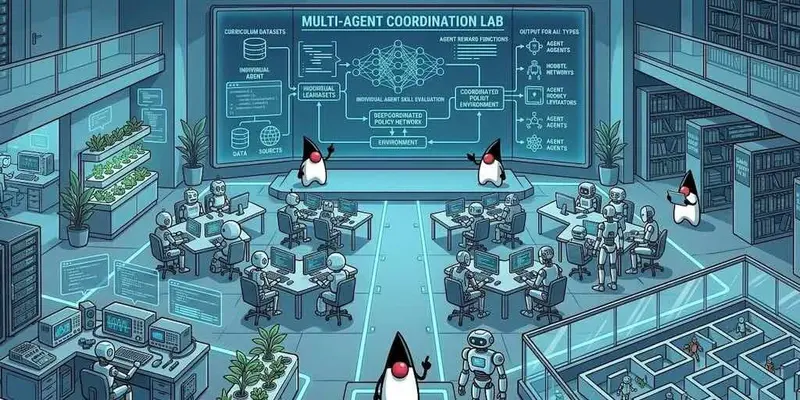

Last week was about Metal and the Skin Designer. This week the headline items are about what a brand new project looks like when you generate it: the default JDK is Java 17, and every generated project ships with an AGENTS.md authoring skill that lets any modern AI agent work on the project intelligently. There are also some other things worth covering: a runtime accent palette on the new native themes, three Metal follow-ups (one of which introduces a new matrix-correct translate API), the JDK 11+ String API gap closed, and iOS push permission that no longer fires at app launch.
What is Codename One? Codename One is an open-source framework for building native iOS, Android, desktop, and web apps from a single Java or Kotlin codebase. Learn more at codenameone.com.
Java 17 by default
We changed the default projects generated by the Initializr to Java 17+ to focus on the future of Codename One. The existing Java 8 option in the Initializr is still selectable from the radio panel if you have a reason to use it. Pick whichever you want.
The Java 17 path is the one we now recommend for new work. Generated projects build with any JDK from 17 onwards (we routinely test on 21 and 25); you do not need to install Java 17 specifically. The bigger picture of how Java 17 support works in the toolchain, including which language features land in your app code and how the iOS / Android ports handle the newer bytecode, was covered in Official Experimental Java 17 Support earlier this year. The change this week is the default and the wording: the (Experimental) tag is gone, and Java 17 is now what you get unless you opt out.
AGENTS.md and the Codename One skill
The other change in PR #4946 is that every Java 17 project the Initializr generates now ships an AGENTS.md file at the project root and a Codename One authoring skill alongside it.
AGENTS.md is the convention for handing project-specific context to any AI agent. Claude Code, Cursor, Codex, Aider; they all look for it. Codename One projects now ship one. The actual skill content lives under .agent-skills/codename-one/ (vendor-neutral) and the source for it is in the repo at scripts/initializr/common/src/main/resources/skill if you want to read through it directly. There is also a thin stub at .claude/skills/codename-one/SKILL.md so Claude Code’s /skills picker indexes it; the stub redirects to the same vendor-neutral content.
We deliberately scoped this to Java 17 projects. The older Java 8 build had additional constraints (Java 5/8 source target, retrolambda, the historical bytecode rewrite rules) that made the “what can I actually use” answer noticeably more complicated. Restricting the skill to Java 17 lets us give agents a cleaner picture of the language level, the toolchain, and the build commands without spending half the SKILL.md on caveats. If you stay on Java 8, you keep the project layout you had; nothing changes for you.
A few things the skill makes possible that I think are genuinely useful:
Agents can debug a Codename One app under jdb. This is the one I am most pleased with. The simulator is a regular JVM, so the standard Java Debugger attaches cleanly, but agents previously had no idea this workflow was available. The skill’s debugging.md reference walks through starting the simulator with the right -Xrunjdwp flags, attaching jdb, setting breakpoints, dumping locals, and stepping. The same workflow works in CI and any headless context where a graphical debugger is not an option. For an LLM that is otherwise reduced to “add a println and hope”, this is a much sharper tool.
Agents can check whether an API is part of the Codename One subset before they suggest it. Codename One targets a Java 5/8 shaped JDK so the same bytecode translates to iOS, Android, and JavaScript. An agent that has only read regular Java idioms will routinely reach for java.nio.file, java.time, or pieces of java.util.concurrent that the framework does not include. The skill ships a single-file IsApiSupported.java tool that an agent can invoke to verify a class or method before writing code against it.
Agents can validate a CSS snippet before applying it. Codename One CSS is its own subset; rules that look fine to a browser developer get silently dropped by the compiler. The IsCssValid.java tool lets the agent confirm the compiler will accept a snippet without booting the simulator.
These three things together are most of why an agent that was previously polite-but-not-useful on a Codename One project is now actually productive on one. If you do not use agents, the same Markdown is one of the better tours of the framework’s mental model that we have written; open .agent-skills/codename-one/SKILL.md in any project you generate today and read top to bottom.
Native theme accents
PR #4884 closes the loop on the new iOS Modern and Material 3 native themes we shipped two weeks ago. The native themes now expose their accent palette as named theme constants, so rebranding your app to your own colours is a five-line CSS change instead of a fork.
Override the constants inside the #Constants block of your own theme.css:
#Constants {
    includeNativeBool: true;
    darkModeBool: true;

    --accent-color: #ff2d95;
    --accent-color-dark: #ff2d95;
    --accent-pressed-color: #c71a75;
    --accent-on-color: #ffffff;
}
That is it. Every accent-bearing UIID picks up the new colour. Light and dark are independent (--accent-color vs --accent-color-dark), and partial overrides are fine; anything you do not redeclare stays at the framework default. Material 3 has a couple of additional container-tier constants for the elevated-surface tone; iOS ignores those.
There is also a runtime path for dynamic theming (in-app accent toggles, branded flavours, A/B tests). It uses the same constants. The Native Themes chapter of the developer guide covers it in detail, along with the full iOS and Android constant tables and the places where the binding system intentionally does not apply: Accent palette override.
The point worth pulling out: the parts of theming that do not change per app (which UIIDs participate in the accent palette, which states they expose, which dark-mode counterparts they have) live inside the framework and stay there. The parts that do change per app (your colours) live in your project as five constants and nothing else. That is the whole reason this change exists.
Metal follow-ups
Last week was about shipping the Metal renderer. This week is the follow-up week: three PRs, plus one new API on Graphics that I think will quietly pay for itself many times over.
Per-axis scale decomposition (#4939, fixes #3302)
Long-standing issue #3302 had a clear repro: g.translate + g.scale(sx, sy) + fillShape with sx != sy produced shapes that visibly drifted off the axis-aligned drawRect and drawLine calls the framework emitted alongside them. Triangles inscribed in rectangles escaped their bounding rect.
The cause was that the legacy alpha-mask path rasterised the shape at a uniform scale (the diagonal ratio h2/h1), then stretched the resulting texture non-uniformly through the GPU matrix to recover the requested aspect. The bbox math is exact in real numbers, but the texture is pixel-rounded at the intermediate uniform scale, so the stretch drifted the rasterised shape off the pixel grid that drawRect and drawLine were already on.
The fix factors the user transform’s 2×2 linear part by taking the column norms as (sx, sy), rasterises the path at S(sx, sy) so the per-axis stretch happens at rasterisation time against a vector path rather than a pixel grid, and applies only the residual transform * S(1/sx, 1/sy) on the GPU. The residual is pure rotation (and shear in the worst case), so no per-axis stretch happens at sample time and the alpha-mask texture lands on the same pixel grid as its drawRect siblings.
The change is gated to Metal; the GL ES2 path keeps its legacy branch so the existing GL goldens are byte-identical. A new InscribedTriangleGrid screenshot test was registered with Cn1ssDeviceRunner so the inscribed-triangle property is now visually verifiable in CI.
Clip-under-rotation diagnostic (#4924, towards #3921)
PR #4924 does not fix a bug, it localises one. Issue #3921 is “clip-under-rotation behaves wrong on some ports”, entangled with a getClip / setClip(int[]) round-trip limitation the reporter himself called out as a separate issue. To split the two, we shipped a screenshot test that uses only pushClip / popClip and rotateRadians. The clip becomes non-axis-aligned via clipRect inside a 30-degree rotation, which forces the framework through its polygon-clip branch.
The expected outcome is a 30-degree-tilted red fill that overlaps the navy outline at two diagonal corners and falls short at the other two. Two distinguishable failure modes are pre-labelled in the PR: the clip widened to its axis-aligned bbox (red exactly matches the navy outline), or the polygon clip dropped entirely (red fills the whole cell). When the iOS Metal cell of this test renders, we know within a glance which of the three behaviours we are looking at. The expected-failure cell is also a hypothesis: ClipRect.m‘s polygon initialiser stores x = y = w = h = -1, and the Metal execute path then calls CN1MetalSetScissor(0, 0, -2, -2), whose width <= 0 / height <= 0 branch sets the scissor to the full framebuffer instead of the intended polygon. If the screenshot confirms the hypothesis, the fix is a one-line replacement of the polygon-scissor fallback.
iOS Metal colour space hint (#4909, fixes #4908)
PR #4909 adds an ios.metal.colorSpace build hint. Until this week, the Metal layer’s CAMetalLayer.colorspace was hard-coded to sRGB. For most apps that is right; sRGB is what your existing assets are authored in. But on iPhone XR and later, Apple’s screens are wide-gamut (Display P3), and a marketing-led brand that ships P3 artwork was visibly losing saturation by being routed through the sRGB pipeline.
Accepted values are sRGB (default), displayP3, deviceRGB, linearSRGB, extendedSRGB, extendedLinearSRGB, and none. Set it in codenameone_settings.properties:
codename1.arg.ios.metal.colorSpace=displayP3
The hint is dormant when ios.metal=false, so existing GL builds are unchanged. Unrecognised values produce a warning log and fall back to sRGB. Documented under Working-With-iOS.asciidoc.
The new translateMatrix API
The Inscribed-Triangle-Grid test in #4939 also surfaced a quiet papercut in Graphics that is worth pulling out as its own feature.
Graphics.translate(int, int) does not compose into the affine transform the way scale() and rotateRadians() do. It accumulates into a per-Graphics integer offset that is added to draw coordinates before the impl matrix is applied. That is a holdover from the very first version of the framework, when Graphics did not have a matrix at all. Today the consequence is surprising: a subsequent g.scale(sx, sy) multiplies the integer translate too, which means the same code produces visibly different positions depending on whether you scale before or after you translate.
The new Graphics.translateMatrix(float, float) composes the translation directly onto the impl matrix, in the same way scale and rotateRadians already do. The result is uniform “post-multiply translate onto the current transform” semantics across iOS (both GL and Metal), JavaSE, Android, and the JavaScript port. Same code, same on-screen position, whether you are drawing into a Form‘s Graphics or a mutable Image‘s Graphics.
// Matrix-correct composition. Use this when you want translate to
// behave like scale and rotate (composed into the affine transform).
g.translateMatrix(centerX, centerY);
g.rotateRadians(angle);
g.scale(sx, sy);
g.translateMatrix(-centerX, -centerY);
g.fillShape(path);
For app code writing affine-transform pipelines (the “translate to pivot, rotate, scale, translate back” idiom from Java2D and AWT), this is the API you want. isTranslateMatrixSupported() returns true on every modern port. The old translate(int, int) is not deprecated and is not going anywhere; half the framework’s internal scrolling code is built on it. The new method is the one to reach for in new drawing code, particularly anything that combines translate with scale or rotate.
String API: replace(CharSequence, CharSequence), replaceAll, replaceFirst
PR #4893 closes a long-standing gap reported in issue #4878. The JDK 1.5+ overload of String.replace that takes CharSequence arguments (the one nearly every modern Java tutorial reaches for) was missing from the Codename One subset. So were String.replaceAll(String, String) and String.replaceFirst(String, String). Because none of the three were on the bootclasspath, code that reached for them did not compile against a Codename One project at all; you had to know to fall back to the older replace(char, char) overload and to roll your own regex.
All three are now wired in. String.replace(CharSequence, CharSequence) has a real implementation in vm/JavaAPI. replaceAll and replaceFirst are wired through the bytecode-compliance rewriter to a new JdkApiRewriteHelper pair that delegates to the existing RE regex engine (the same pattern we have been using for years on String.split). New compliance tests cover both rewrite rules.
It is a small change in line count. In practice it is a noticeable reduction in how often “I copied a snippet from Stack Overflow and it didn’t work on iOS” turns into a real bug. Three of the most-reached-for String methods in modern Java are now part of the on-device API.
iOS push permission no longer fires at app launch
PR #4894 fixes issue #4876. With ios.includePush=true the framework used to call requestAuthorizationWithOptions from application:didFinishLaunchingWithOptions:, which meant the iOS system permission dialog fired as soon as the app finished launching, before the user had seen any of your screens. There is no good way to recover from a “Don’t Allow” tap at that point. The user has not experienced the app yet, does not know why notifications matter, and tapping Don’t Allow is the path of least resistance. Once denied, re-prompting requires sending the user out to Settings.
The fix moves the prompt to the natural points. Push.register() triggers the system prompt (this code path already requested permission inside IOSNative.m; we just stopped firing it ahead of time). LocalNotification.schedule() also triggers it, via a new requestAuthorizationWithOptions call in sendLocalNotification. Same flow Android has been on for years. The practical consequence is that you can now show your own rationale screen (“we’d like to ping you when your order ships”) before the system dialog fires.
If you have an app that needs the legacy launch-time behaviour, a backwards-compatibility build hint restores it:
codename1.arg.ios.notificationPermissionAtLaunch=true
The default is false, so existing apps that did not opt in pick up the new behaviour on next rebuild. Documented in Push-Notifications.asciidoc. The cloud-side build server change shipped as BuildDaemon #71, so local and cloud builds match.
One thing to flag if you are updating an existing iOS app: if your onboarding flow was relying on the launch-time prompt happening automatically, your prompt now never fires unless Push.register() or LocalNotification.schedule() is invoked somewhere. That is almost certainly what you want, but check that the call lands.
Skin Designer FAQ follow-up
A few questions came up on discussion #4928 after last week’s Skin Designer post, worth pulling forward here because they keep coming up in the same shape:
theme.css and your native theme are unrelated.The device database the Skin Designer reads from is open at scripts/skindesigner/common/src/main/resources/devices.json if you want to file a PR with a device we are missing or a row whose details are off.
Wrapping up
Two reminders. First, flip ios.metal=true on your real app this week if you have not. The default flip is days away and we would rather find any remaining edge case against your screens than against the install base on launch day. Second, if you have not generated a project from the Initializr recently, do it; the Java 17 default and the AGENTS.md skill are both worth seeing for yourself.
A specific thank-you this week to the reporter on #3302 for sticking with the inscribed-triangle bug for as long as GL was the only target, Durank for the iOS push permission report on #4876, and the reporter on #4878 who flagged the missing String.replace(CharSequence, CharSequence); that one had been sitting in the gap for a long time.
Issue tracker is here, the Playground and Initializr are the easiest places to poke at the new defaults, and the Skin Designer from last week is still there if you have a device shape you need a skin for.
4 Hard Lessons on Optimizing AI Coding Agents (Claude Code + Cost)
I’ve been running Claude Code Cli in production for about months now—building, shipping, and watching the token meter spin. Here’s what I wish I knew before I started.
1. Your Context Strategy Is Everything
The developers getting 10x from Claude Code aren’t prompt whisperers. They’re context engineers.
The 2026 consensus is clear: CLAUDE.md is no longer optional. Keep it lean. Ask yourself: “Would removing this line cause the agent to make mistakes?” If not, cut it. No one has time to scroll through 15k tokens of stale docs every session.
One more .claudeignore tweak took my sessions from 150k tokens to 60k—a 60% drop. The culprit? Node modules and dist folders. Block them. You can manually feed files when needed.
The golden rule: engineer before you prompt.
2. The /ghost, OODA, and L99 Patterns
Stop talking to Claude Code like it’s ChatGPT. It has 40+ tools built in—most people use 3 or 4.
Four prompt frameworks that actually moved the needle for me:
/ghost : Kills the AI filler voice. “It’s worth noting that…” disappears. You get clean, direct prose for docs and PRs.OODA : Forces a concrete decision instead of “it depends.” Feed it your constraints (team size, shipping cadence) and demand a plan.L99 : Unlocks expert depth. Instead of tutorial answers, you get production-ready patterns.PERSONA : Frames the response through an expert lens. “Senior AWS Solutions Architect with 10 years experience” actually works.Also: be direct. The system prompt explicitly tells Claude Code to be terse. If you write “Hey, could you maybe take a look at…” you’re working against the grain. A crisp “Fix this function” is what the agent wants.
3. Cost Optimization Isn’t Magic—It’s Math
Let’s run the numbers. A 200-call agent session on Opus with growing context can hit 4M input tokens. At $5/M, that’s $20 just for input before output. A 20-developer team running 50 sessions daily? $10k+ per month.
Here’s where the real waste hides: 70–85% of your tokens are input tokens. And 80% of that input comes from reading project files.
Three fixes that actually work:
Cache your prompts. Anthropic and OpenAI offer 90% and 50% discounts on cache hits. That repeated system prompt? Stop paying for it on every turn.
Skill layers slash token spend. One team cut consumption from 10.4M to 3.7M tokens—$9.21 to $2.81 per session—by routing context through a reusable Skill layer. Think of it as middleware for tokens.
Route by difficulty. A classification model routing simple queries to Sonnet (or even Haiku for boilerplate) while reserving Opus for architectural decisions can cut 40–70% of spend with no quality loss.
Don’t let perfect be the enemy of cheap.
4. Agentic Workflows Beat Scripts
The shift from “scripting” to “orchestration” is real. The teams shipping fastest in 2026 aren’t writing prompts—they’re designing workflows.
Two patterns worth stealing:
TDD governance at the prompt level. Encode your testing discipline into the agent’s loop: write, run, observe errors, fix, repeat. With inference costs 5–10x lower than 2025, this feedback loop is now economically sane for 500-line changes.
Leave Opus 4.6 habits behind. Opus 4.7 treats you differently. The old “fine-grained pair programming” approach backfires. Instead, specify the full task in the first turn—goals, constraints, acceptance criteria—and let the agent work. And stop defaulting to max effort. xhigh is the new sweet spot. max overthinks and slows you down.
Bottom line: Engineer your context, use prompt frameworks that drive decisions, route strategically for cost, and design workflows instead of writing scripts. The agents are ready. Your wallet (and your weekend) will thank you.
For devs working with Chinese LLMs: check out cnllm.ai — An enterprise-grade gateway — replace your base_url with https://cnllm.ai to seamlessly access all mainstream LLMs, including top global models like GPT, Claude, Gemini and cost-effective Chinese models like DeepSeek, Qwen, GLM, Kimi, Minimax — fully compatible with OpenAI protocol.