Türkiye’nin yeni dijital ihbar platformu “Hayat 112 Acil” tanıtıldı
İçişleri Bakanlığı’nın geliştirdiği “Hayat 112 Acil” uygulaması tanıtıldı. Yeni sistemle vatandaşlar konum, fotoğraf ve 10 saniyelik videolarla acil ihbarda bulunabilecek.
Togg’dan müşterilerine bayram hediyesi geldi. Kullanıcılar, Trumore Akıllı Cihazım’a kayıtlı araçlarına özel hazırlanan kodu tanımlayarak hediye şarj bakiyesini kullanabiliyor.
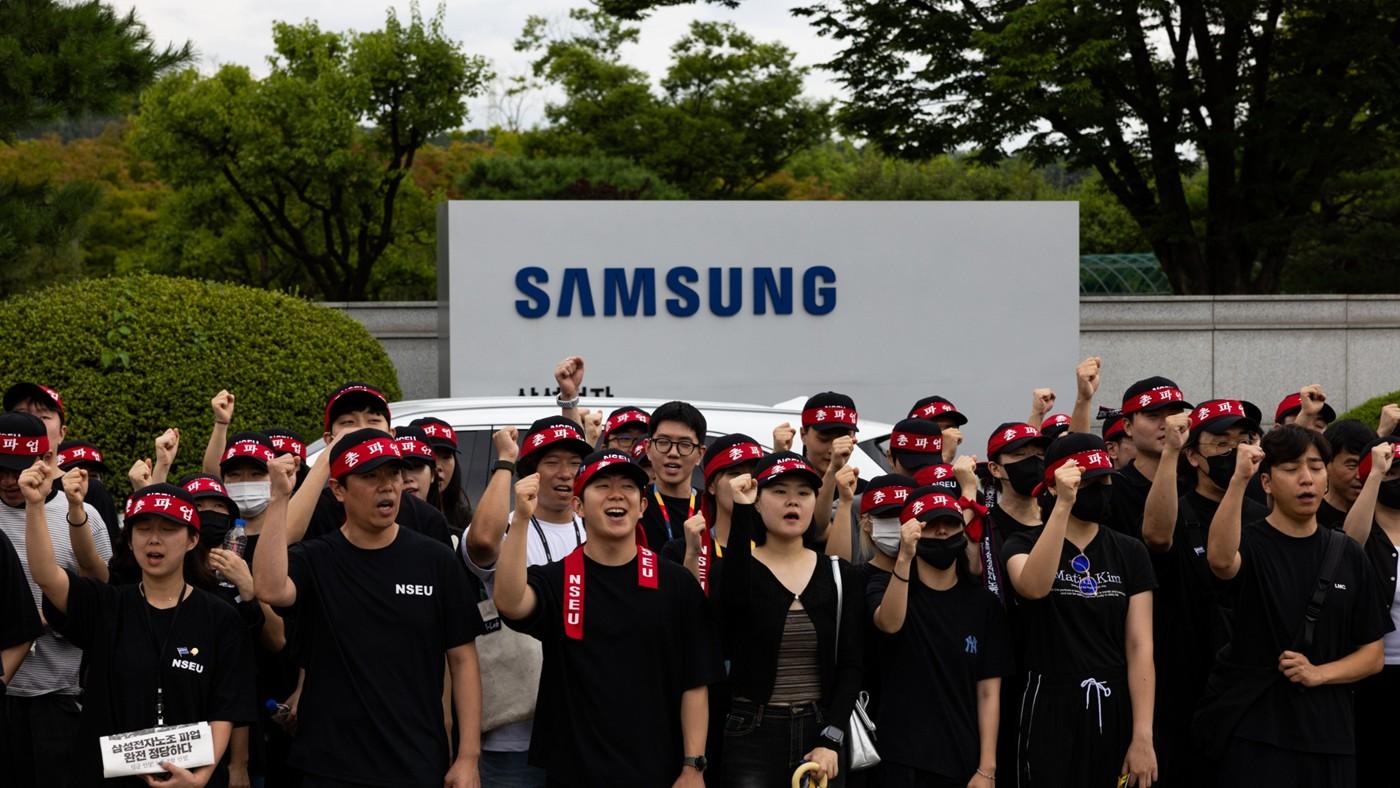
Samsung Electronics, 48 bin çalışanı kapsayan grevi son anda önledi. Hükümet destekli anlaşma sonrası hisseler yükselirken anlaşılan yüksek bonus paketi dikkat çekti.
19 Mayıs 2026’da Türk Telekom ve ASELSAN arasında yapılan anlaşma bir “Yerli telefon” projesinden çok daha fazlası. Peki “dijital vatan” gerçek mi, yoksa iyi niyetli bir hayal mi?You spent two hours crafting a convincing IT helpdesk pretext. You ship the campaign. The click rate is 2%.
It’s not because employees got more savvy. It’s because half your emails landed in spam, your tracking pixel was broken so you never saw the opens, and your {{.FirstName}} was actually {{.first_name}} and rendered as a literal string in every recipient’s inbox.
I built @hailbytes/phishing-template-linter after the third campaign in a row where this happened.
Lint a directory of templates
npx @hailbytes/phishing-template-linter ./templates/
You get a per-template report of:
Use it programmatically
import { lint } from '@hailbytes/phishing-template-linter';
const result = lint(templateHtml);
// Errors fail the campaign launch; warnings get reviewed by a human
if (result.errors.length > 0) process.exit(1);
Wire it into CI
npx @hailbytes/phishing-template-linter ./templates/ --format=json > report.json
Drop that into your campaign-management pipeline and your phishing sims get the same pre-flight guardrails your production code already has.
It’s GoPhish-format aware, so the merge-tag rules know about {{.FirstName}}, {{.URL}}, {{.TrackingURL}}, and the rest of the GoPhish template grammar.
npm install @hailbytes/phishing-template-linter
Source: github.com/hailbytes/phishing-template-linter — MIT licensed. Built as a companion to the HailBytes SAT platform but works standalone with any GoPhish-format templates.
You’ve built a powerful AI agent. It works on your local machine, it’s intelligent, and it’s ready to meet the world. Now, how do you take this agent from a script on your laptop to a secure, scalable, and reliable application in production? On Google Cloud, there are multiple paths to deployment, each offering a different developer experience.
If you are looking for a detailed architectural comparison to help you choose between Cloud Run, Google Kubernetes Engine (GKE), and Vertex AI Agent Engine, you can start by reading Choosing the Right Deployment Path for Your Google ADK Agents.
Ready to build? As part of our Production-Ready AI on Google Cloud Learning Path, we’ve created three distinct hands-on labs to help you experience these deployment options for yourself.
The Managed Solution: Vertex AI Agent Engine
For teams seeking the simplest path to production, Vertex AI Agent Engine removes the need to manage web servers or containers entirely. It provides an opinionated environment optimized for python agents, where you define the agent’s logic, and the platform handles the execution, memory, and tool invocation.
The Serverless Experience: Cloud Run
For teams that want the flexibility of containers without the operational overhead, Cloud Run abstracts away the infrastructure, allowing you to deploy your agent as a container that automatically scales up when busy and down to zero when quiet.
This path is particularly powerful if you need to build in languages other than Python, use custom frameworks, or integrate your agent into existing declarative CI/CD pipelines.
The Orchestrated Experience: Google Kubernetes Engine (GKE)
For teams that need precise configuration over their environment, GKE is designed to manage that complexity. This path shows you how an AI agent functions not just as a script, but as a microservice within a broader orchestrated cluster.
Your Path to Production
Whether you are looking for serverless speed, orchestrated control, or a fully managed runtime, these labs provide the blueprint to get you there.
These labs are part of the Deploying Agents module in our official Production-Ready AI with Google Cloud program. Explore the full curriculum for more content that will help you bridge the gap from a promising prototype to a production-grade AI application.
Share your progress and connect with others on the journey using the hashtag #ProductionReadyAI. Happy learning!
I built Voice2Sub because many subtitle and transcription workflows still start with uploading a media file to a browser tool.
That works for short public videos. But it becomes awkward when the file is long, private, local, or part of a repeat editing workflow.
Voice2Sub focuses on a desktop workflow:
Website: https://voice2sub.pro.vn/
GitHub release notes: https://github.com/vannchii/Voice2Sub
Download: https://voice2sub.pro.vn/download
Why I built it as a desktop app
A lot of creators, educators, podcasters and journalists work with media that they do not always want to upload to a browser tool.
Examples:
A local-first desktop app gives users more control over the file, the model, the output format and the processing workflow.
What Voice2Sub does
Voice2Sub is an AI subtitle generator and speech-to-text desktop app for video/audio files.
It currently focuses on:
Why not just use an online subtitle generator?
Online tools are convenient, but a desktop workflow is useful when:
Voice2Sub is not trying to replace every online video editor. It is focused on a local subtitle and transcript workflow.
What I learned while building it
The AI part is only one piece of the product.
A desktop AI tool also needs:
One thing I underestimated was how important the model download experience is. If the user cannot download or select an AI model, the whole product feels broken even if the transcription engine itself works.
Current platforms
Voice2Sub currently supports:
The app also supports hardware acceleration when available:
Current export formats
Voice2Sub can export:
These formats cover common subtitle, transcript, lyric and editing workflows.
What I want to improve next
I am considering:
Links
Website: https://voice2sub.pro.vn/
Download: https://voice2sub.pro.vn/download
GitHub release notes: https://github.com/vannchii/Voice2Sub
If you work with subtitles, transcripts, video editing, podcasts or course content, I would love feedback on the workflow.
Long weekend. Pile of handwritten documents on the desk. They need to become structured data – searchable fields in an app, not just scanned images.
OCR’s been around forever. This should take a couple of hours.
The Documents
They’re handwritten. Different people, different paper, different decades. Faded ink on some. Crossed-out words on others. Notes crammed into margins where there wasn’t really room.
Any person can read these in about five seconds. Remember that.
Tesseract
Saturday morning. Tesseract is free, it’s open source, I can run it on my own machine. Good enough to start.
import pytesseract
from PIL import Image
from pathlib import Path
def extract_document(image_path):
img = Image.open(image_path)
text = pytesseract.image_to_string(img)
return text
if __name__ == "__main__":
for image_file in sorted(Path("images").glob("*")):
print(f"n--- {image_file.name} ---")
print(extract_document(image_file))
Printed text? Fine. Handwriting? “2 1/4 cups flour” comes back as “2 114 cps flcar.”
I try different config options. Page segmentation modes. OCR engine modes. Character allowlists. Each one helps somewhere and breaks something else.
Pre-Processing
Maybe the images are the problem.
import pytesseract
from PIL import Image, ImageFilter, ImageEnhance, ImageOps
import numpy as np
from pathlib import Path
def preprocess_document(image_path):
img = Image.open(image_path)
img = img.convert('L')
img = ImageOps.autocontrast(img, cutoff=2)
img = img.filter(ImageFilter.SHARPEN)
img = ImageEnhance.Contrast(img).enhance(1.8)
img_array = np.array(img)
threshold = np.mean(img_array)
img_array = ((img_array > threshold) * 255).astype(np.uint8)
return Image.fromarray(img_array)
if __name__ == "__main__":
for image_file in sorted(Path("images").glob("*")):
print(f"n--- {image_file.name} ---")
img = preprocess_document(image_file)
print(pytesseract.image_to_string(img))
Contrast boosting helps the faded ones. Hurts the clear ones. Binarization destroys the subtle parts of the handwriting. Sharpening makes some letters readable and others bleed together.
Every fix is a trade-off. I’m tuning parameters per document. That’s not automation.
30-40% accuracy on the handwriting. Saturday morning gone.
Tesseract is great at printed text. That’s not what I have.
This is a submission for the Hermes Agent Challenge
For the past six months, I have been building what Hermes does by hand.
Not as a thought experiment. Actually building it: a hybrid BM25 + vector search engine on Cloudflare Workers, a Gemma 4 MoE reflection layer, 100,000+ documents indexed, an MCP server with Durable Objects, multimodal image ingestion with Llama 4 Scout. I won the OpenClaw Challenge writing about spec-writing agents. I built bookmark-cli — a personal knowledge engine with 45,053 tweets indexed from years of reading.
When the Hermes Agent Challenge dropped, I had one question: does the tool do what I taught myself to do?
This is that experiment.
The Setup
My machine: Windows 11, Python 3.14, Git Bash (MSYS2), no WSL2.
The repo: vectorize-mcp-worker — my production hybrid RAG system. Six months of architectural decisions baked into TypeScript. V4 routing. Six specialized query routes. Cost analytics down to the millisecond. The kind of codebase where you know exactly what a competent agent should say about it.
The goal: Install Hermes, configure it to use Claude, have it summarise the architecture in 5 bullets, document every friction point.
Friction Point 1: The Installer Doesn’t Know You Exist
The official install command:
curl -fsSL https://raw.githubusercontent.com/NousResearch/hermes-agent/main/scripts/install.sh | bash
I ran it. The script loaded, detected my OS, and exited immediately:
Windows detected. Please use the PowerShell installer:
irm https://raw.githubusercontent.com/.../install.ps1 | iex
That’s not in the README. The PowerShell installer exists — it’s right there in the repo — but nothing in the public docs points Windows users to it. You find out by reading the bash script’s source.
The install UX assumes you’re on Linux or macOS. Windows is supported, but you’re expected to find your own way there.
Friction Point 2: WSL2 Would Have Saved Me This
I don’t have WSL2 installed. That’s on me. Every agent tooling project I’ve touched in the last year has quietly assumed it. Hermes is no different.
If you’re on Windows and planning to work with CLI agents: install WSL2 first. Don’t assume Git Bash is equivalent. It almost never is.
Friction Point 3: PyPI to the Rescue (Unofficially)
Rather than chase the PowerShell installer, I checked PyPI:
pip index versions hermes-agent
# Available versions: 0.13.0
hermes-agent 0.13.0 exists on PyPI. The official flow never mentions this. I installed it directly:
pip install hermes-agent
Four minutes, some progress bars, done.
Friction Point 4: Dependency Hell
The install succeeded but left me with this:
browser-use 0.12.6 requires openai==2.16.0, but you have openai 2.24.0
browser-use 0.12.6 requires requests==2.32.5, but you have requests 2.33.0
browser-use 0.12.6 requires rich==14.3.1, but you have rich 14.3.3
Hermes bumped openai from 2.16.0 to 2.24.0. Another tool I use (browser-use) pins the older version. Pip resolved it in Hermes’s favor. Something will break later. I don’t know what yet.
This is the tax you pay for a rich ecosystem. Every major agent framework is in a dependency arms race.
Friction Point 5: The Binary Isn’t on PATH
After install, hermes doesn’t work:
$ hermes doctor
bash: hermes: command not found
The executables land in %APPDATA%PythonPython314Scripts, which isn’t on PATH by default. Pip warns you — in small print, at the end of a long install log.
Fixed with the full path:
/c/Users/DELL/AppData/Roaming/Python/Python314/Scripts/hermes.exe doctor
hermes doctor — Where It Gets Good
Once you find the binary, the experience shifts. hermes doctor:
◆ Python Environment
✓ Python 3.14.4
⚠ Not in virtual environment (recommended)
◆ Required Packages
✓ OpenAI SDK
✓ Rich (terminal UI)
✓ python-dotenv
◆ Tool Availability
✓ browser
✓ terminal
✓ file
✓ memory
⚠ browser-cdp (system dependency not met)
⚠ web (missing EXA_API_KEY, TAVILY_API_KEY...)
Every warning includes the fix. ✓ or ⚠, then the exact command. You don’t go looking for the next step. After an install that gave you nothing, this lands differently.
Friction Point 6: hermes model Is Interactive-Only
I wanted to configure Claude from a script:
hermes model --provider anthropic --model claude-sonnet-4-5
No such flags. hermes model opens an interactive TUI. There’s no way to set the model non-interactively from the CLI.
I wrote the API key directly to ~/.hermes/.env:
ANTHROPIC_API_KEY=sk-ant-...
Then passed the model inline at runtime:
hermes chat -m "anthropic/claude-sonnet-4-5" -q "..."
Friction Point 7: --source Doesn’t Set the Working Directory
I tried:
hermes chat --source "C:/path/to/vectorize-mcp-worker/src" -q "Summarise..."
Hermes ignored the path and started from my home directory, listing unrelated projects:
I can see:
- bookmark-cli
- dannwaneri
- siteclinic
Which project should I analyze?
--source doesn’t mean “work in this directory.” I had to cd into the repo first. Small thing, confusing when you’re scripting.
The Actual Session
Running from the repo directory with Claude as the model:
cd vectorize-mcp-worker
hermes chat
-m "anthropic/claude-sonnet-4-5"
-q "Summarise the architecture of this codebase in exactly 5 bullet points."
-Q
Output (verbatim, 47 seconds):
Cloudflare Workers-based RAG Platform — Serverless hybrid RAG system deployed on Cloudflare Workers with Vectorize (384d/1024d vector store), D1 (SQLite for full-text and metadata), Workers AI (embeddings via bge-small/bge-m3/qwen3-0.6b), service bindings to multimodal-pro-worker for image processing, and MCP Durable Objects for stateful agent sessions.
Intelligent V4 Routing Architecture — Query router (RouteSelector) uses Llama 3.2 3B intent classifier to dispatch to 6 specialized routes: ENTITY_LOOKUP (SQL), SEMANTIC_SEARCH (vector), KEYWORD_EXACT (BM25), OCR_DOCUMENT (text extraction), VISUAL_ANALYSIS (Llama 4 Scout vision), and GRAPH_REASONING (relationship traversal), with automatic fallback to vector search on route failure.
Hybrid Search with RRF Fusion — Dual-path retrieval combining vector search (Vectorize query) and BM25 keyword search (D1 full-text index), merged via Reciprocal Rank Fusion (RRF) with k=60, followed by optional cross-encoder reranking (bge-reranker-base), semantic highlighting, and Cloudflare Cache API for cacheable queries.
Chunking and Multi-Tenancy Pipeline — Ingestion engine performs recursive chunking with 15% overlap, parallel batch embedding (up to 100 docs/batch), deduplication via parent_id, and tenant isolation enforced by middleware that injects tenant_id filters into all search/delete operations.
Model Context Protocol Server — Exposes tools via modern MCP Streamable HTTP transport backed by VectorizeMcpAgent Durable Object at /mcp endpoint, with legacy JSON-RPC endpoints, cost analytics tracking (totalMs/embeddingMs/vectorMs/rerankerMs), rate limiting on mutating endpoints, and reflection system for synthetic training data generation.
I read that three times.
It got every major component right. RRF with k=60 — correct. Six routing modes, named accurately. The Durable Objects backing the MCP server. I’ve had reviewers describe the search as “just Vectorize” — missing the BM25 path entirely. Hermes got all of it in 47 seconds.
It missed the Gemma 4 MoE reflection layer specifically, and didn’t distinguish between embedding model options by dimension size the way I would. Details inside details. The architecture read is accurate.
What I Actually Think
Hermes got the architecture right. Not close enough — right. And that’s the thing that mattered most to me, because it’s the hardest thing to fake. You can summarise README bullet points. You can’t summarise a codebase you didn’t actually read.
The install is rough if you’re on Windows. Not broken — rough. The PyPI path works, the dependency conflicts are manageable, but “check the bash script source to find the PowerShell installer” is not an onboarding flow.
The gap I expected — between six months of building this by hand and a first session with a tool someone else built — was smaller than I thought it would be. That means either Hermes is further along than the install suggests, or I built something closer to commodity than I wanted to admit.
Probably both.
Multi-step sessions are what I actually want to test next — whether Hermes holds architectural context across a conversation the way I hold it across a codebase. That’s the harder question. This was one query.
The Honest Take
If you’re a Windows developer coming to Hermes cold: budget 30 minutes to fight the install, not 5. Once you’re past it, the tool is real.
If you’re a builder who’s been assembling RAG pipelines by hand: Hermes won’t replace what you know. It uses what you know. The architectural understanding you built making those systems is exactly what makes you dangerous with a tool like this.
The difference is now I can ask the codebase questions instead of just reading it.
That’s not nothing.
All commands run on Windows 11, Python 3.14, Git Bash. Hermes Agent v0.13.0. Claude Sonnet 4.5 via Anthropic API.
vectorize-mcp-worker: hybrid RAG on Cloudflare Workers — github.com/dannwaneri/vectorize-mcp-worker

I built DomainIntel, a free MCP server that does domain intelligence — WHOIS, DNS analysis, SSL checks, email security scoring. It runs on Vercel serverless, costs $0, and has 0 paying users.
I wanted to find out: can I add micropayments to my MCP server without creating accounts on any platform?
The answer is more nuanced than the x402 hype suggests.
x402 in 30 seconds
The x402 protocol uses HTTP status code 402 (Payment Required) for native web payments:
402 with payment details (price, wallet, network)X-PAYMENT header containing proofFor MCP servers specifically, Vercel has built x402-mcp — wrapping MCP tools as paid tools that AI agents can pay for automatically.
What I actually tried
Step 1: Install the package
npm install x402 # v1.2.0
The package exports submodules for different use cases:
x402/verify — server-side payment verificationx402/facilitator — facilitator interactionx402/client — client-side paymentx402/types — TypeScript schemas Step 2: Connect to the free facilitator
const { useFacilitator } = require("x402/verify");
const fac = useFacilitator("https://x402.org/facilitator");
const supported = await fac.supported();
Here is what supported() actually returns (I ran this on May 21, 2026):
{
"kinds": [
{ "scheme": "exact", "network": "eip155:84532" },
{ "scheme": "exact", "network": "solana:EtWTRABZaYq6i..." },
{ "scheme": "exact", "network": "base-sepolia" }
]
}
Notice anything? Every network listed is a testnet. eip155:84532 is Base Sepolia. base-sepolia is also testnet (v1 format). There is no Base mainnet (eip155:8453) in sight.
Step 3: Find the production facilitator
For real money on mainnet, you need the Coinbase Developer Platform facilitator:
https://api.cdp.coinbase.com/platform/v2/x402
This supports Base, Polygon, Arbitrum, and Solana on mainnet. 1,000 free transactions per month. No per-transaction fees on Base USDC.
But — you need CDP_API_KEY_ID and CDP_API_KEY_SECRET. That means creating a Coinbase Developer Platform account.
So much for “no accounts required.”
The gap nobody talks about
x402 value proposition is “no accounts or credentials for payments.” That is true — for clients (the ones paying). The seller side still needs:
The “accountless” promise applies to the AI agents paying for your API, not to you as the developer monetizing it.
The numbers in context
x402 has real traction. According to the x402 ecosystem page and AWS analysis:
These are self-reported/aggregate numbers. The vast majority of that volume is concentrated among a few high-traffic services. A new MCP server with no audience will not see any of it automatically.
What x402 costs to run
| Component | Cost |
|---|---|
| x402 npm package | Free |
| Vercel Hobby deployment | Free |
| CDP facilitator (first 1K tx/month) | Free |
| USDC settlement on Base | $0 gas (sponsored) |
| Your total infrastructure cost | $0 |
The economics are genuinely good once you are set up. Zero fixed costs, pay-per-use revenue, instant USDC settlement.
What makes sense for MCP monetization
x402 is the right protocol for MCP servers because:
The best candidates for x402 monetization are MCP servers with unique data that AI agents cannot get elsewhere — live API queries, proprietary datasets, computation that takes time. A thin wrapper around a public API will not justify a payment.
My DomainIntel server (live, free, trying to prove demand first)
DomainIntel provides 5 MCP tools:
whois_lookup — RDAP registration datadns_lookup — all records + mail provider detection + SPF/DMARC/DKIM security analysisssl_check — certificate detailstech_stack — server, CDN, frameworks, security headersfull_report — everything in one callTry it right now — add this to your MCP client config:
{
"mcpServers": {
"domainintel": {
"url": "https://domainintel.vercel.app/api/mcp"
}
}
}
Then ask your AI assistant: “Use DomainIntel to check the email security of nvidia.com”
The interactive web version is at domainintel.vercel.app/research.
Right now it is 100% free. I want to prove there is demand before adding a payment layer. If you use it and find it useful, that signal matters more than any testnet prototype.
What I would do differently
If I were starting an MCP server today with x402 monetization in mind:
DomainIntel is open and free at domainintel.vercel.app. If you are building with MCP, I would genuinely love to know if this is useful.