Agent2Agent (A2A) là gì? Giao thức mở cho giao tiếp AI Agent
Hầu hết hệ thống AI hiện nay vẫn chạy theo mô hình một tác nhân: một model, một vòng lặp prompt, một bộ công cụ. Cách này ổn cho đến khi tác vụ quá lớn, hoặc bạn cần gọi một tác nhân do nhóm khác xây dựng để xử lý một bước chuyên biệt. Khi đó vấn đề xuất hiện: không có cách chuẩn để hai tác nhân độc lập tìm thấy nhau, trao đổi công việc và trả kết quả. Agent2Agent (A2A) được thiết kế để giải quyết đúng khoảng trống đó.

Dùng thử Apidog ngay hôm nay

Bài viết này giải thích A2A là gì, nó giải quyết vấn đề nào, cách giao thức hoạt động, cách phân biệt với MCP, và cách bạn có thể bắt đầu kiểm thử một tác nhân A2A. Nếu bạn muốn debug thực tế sau khi đọc xong, xem thêm hướng dẫn Apidog A2A Debugger.

Agent2Agent (A2A) là gì?

Agent2Agent (A2A) là một giao thức mở cho giao tiếp giữa các tác nhân AI. Nó định nghĩa:

  • Một tác nhân tự mô tả khả năng của mình như thế nào.
  • Một tác nhân khác kết nối ra sao.
  • Hai bên trao đổi tin nhắn, tệp và dữ liệu có cấu trúc như thế nào.
  • Trạng thái tác vụ và kết quả được trả về cho bên gọi ra sao.

Điểm quan trọng của A2A là chữ giữa: giao tiếp giữa các tác nhân. A2A không phải là cách gắn thêm tool cho một tác nhân. Nó là cách để các tác nhân riêng biệt, có thể được viết bằng framework khác nhau và do các nhóm khác nhau vận hành, cộng tác mà không cần biết chi tiết triển khai nội bộ của nhau.

Có thể hình dung A2A giống HTTP cho lưu lượng tác nhân. HTTP cho phép trình duyệt nói chuyện với bất kỳ web server nào mà không cần biết server viết bằng Go, Java, Node.js hay Python. Tương tự, A2A cho phép một tác nhân LangGraph giao tiếp với một tác nhân CrewAI miễn là cả hai tuân thủ cùng một hợp đồng giao thức.

Google giới thiệu A2A vào năm 2025, sau đó chuyển giao cho Linux Foundation như một dự án trung lập với nhà cung cấp. Đặc tả kỹ thuật được công bố tại kho GitHub của A2A, còn các triển khai tham chiếu có trên trang dự án A2A.

Vấn đề A2A giải quyết

Trước A2A, tích hợp hai tác nhân thường đồng nghĩa với việc viết glue code riêng cho từng cặp kết nối.

Ví dụ, tác nhân của bạn cần gọi một tác nhân nghiên cứu của nhóm khác. Bạn thường phải tự quyết định:

  • Endpoint gọi là gì.
  • Payload request có shape ra sao.
  • Response trả về dạng text, JSON hay stream.
  • Xác thực dùng Bearer token, Basic Auth hay header riêng.
  • Trạng thái tác vụ dài hạn được biểu diễn như thế nào.

Kết quả là mỗi tích hợp trở thành một chuẩn riêng. Khi cần gọi thêm tác nhân thứ hai, bạn gần như bắt đầu lại từ đầu.

Các vấn đề phổ biến gồm:

  • Không có khám phá chuẩn. Tác nhân gọi không có cách thống nhất để hỏi: “Bạn làm được gì?”
  • Không có mô hình tác vụ chung. Một tác nhân trả chuỗi text, tác nhân khác trả JSON tùy chỉnh, tác nhân khác stream token.
  • Không có xác thực thống nhất. Mỗi tích hợp tự định nghĩa credential và header.
  • Không có khả năng hoán đổi. Một tác nhân AutoGen khó thay thế bằng tác nhân LangGraph dù cả hai làm cùng một việc.

A2A xử lý vấn đề này theo hướng tương tự OpenAPI trong thế giới REST: định nghĩa một hợp đồng chung để các thành phần độc lập có thể làm việc với nhau.

A2A hoạt động như thế nào?

Bạn có thể hiểu A2A qua bốn khái niệm chính:

  1. Agent Card
  2. Task
  3. Message và Artifact
  4. Streaming và cập nhật trạng thái

1. Agent Card

Agent Card là tài liệu JSON mà một tác nhân công bố để mô tả chính nó. Đây là điểm bắt đầu cho quá trình khám phá.

Agent Card thường cho biết:

  • Tên tác nhân.
  • Mô tả.
  • Khả năng.
  • Danh sách kỹ năng.
  • Kiểu input/output được hỗ trợ.
  • Yêu cầu xác thực.
  • Phiên bản giao thức.

Theo quy ước, Agent Card thường được đặt tại một URL dễ đoán, ví dụ:

https://your-agent.example.com/.well-known/agent.json

Một tác nhân gọi sẽ fetch URL này trước, đọc metadata, sau đó mới quyết định có gửi tác vụ hay không.

Ví dụ tối giản về Agent Card:

{
  "name": "research-agent",
  "description": "Tác nhân hỗ trợ nghiên cứu và tổng hợp thông tin",
  "protocolVersion": "0.1.0",
  "skills": [
    {
      "id": "web-research",
      "name": "Web Research",
      "description": "Tìm kiếm và tóm tắt thông tin từ nhiều nguồn"
    }
  ],
  "capabilities": {
    "streaming": true
  }
}

Trong thực tế, bạn nên kiểm tra Agent Card trước khi tích hợp để chắc chắn:

  • URL có thể truy cập được.
  • JSON hợp lệ.
  • Kỹ năng được mô tả đủ rõ.
  • Xác thực được khai báo đúng.
  • Phiên bản giao thức tương thích.

2. Task

Task là đơn vị công việc trong A2A.

Khi tác nhân A yêu cầu tác nhân B làm điều gì đó, yêu cầu đó được biểu diễn thành một task có ID riêng. Task di chuyển qua các trạng thái như:

  • submitted
  • working
  • input-required
  • completed

Điểm quan trọng là bên gọi có thể xử lý task theo cùng một cách bất kể tác nhân phía sau được xây dựng bằng framework nào.

Một vòng đời đơn giản:

submitted -> working -> completed

Nếu tác nhân cần thêm dữ liệu:

submitted -> working -> input-required -> working -> completed

Cách tiếp cận này giúp bạn không phải tự phát minh cơ chế trạng thái cho từng integration.

3. Message và Artifact

Message là dữ liệu được gửi giữa các tác nhân. Message có thể gồm nhiều phần:

  • Text.
  • File.
  • Dữ liệu có cấu trúc.
  • Kết hợp nhiều loại nội dung.

Ví dụ một message dạng khái niệm:

{
  "role": "user",
  "parts": [
    {
      "type": "text",
      "text": "Hãy tóm tắt tài liệu này thành 5 ý chính."
    },
    {
      "type": "file",
      "file": {
        "name": "report.pdf",
        "mimeType": "application/pdf"
      }
    }
  ]
}

Khi tác nhân hoàn thành, nó trả về artifacts. Artifact là đầu ra có cấu trúc của task, ví dụ:

  • Tài liệu được tạo.
  • Bảng dữ liệu.
  • Bản tóm tắt.
  • Tham chiếu đến file.
  • Kết quả phân tích.

Cả message và artifact đều được cấu thành từ nhiều phần, giúp định dạng nhất quán ở cả chiều request và response.

4. Streaming và cập nhật trạng thái

Không phải task nào cũng hoàn tất ngay. Với các tác vụ dài như nghiên cứu, phân tích tài liệu, tạo báo cáo hoặc xử lý file lớn, A2A hỗ trợ server-sent events để stream tiến độ và kết quả từng phần.

Ví dụ, một tác nhân nghiên cứu có thể gửi các cập nhật như:

working: Đang tìm kiếm nguồn liên quan
working: Đã tìm thấy 3 nguồn phù hợp
working: Đang tổng hợp báo cáo
completed: Báo cáo đã sẵn sàng

Nhờ vậy, bên gọi không cần chờ trong trạng thái “mù”. Bạn có thể hiển thị tiến độ trong UI hoặc ghi log chi tiết để debug.

Luồng A2A điển hình

Một giao dịch A2A thường diễn ra như sau:

  1. Tác nhân A fetch Agent Card của tác nhân B.
  2. Tác nhân A đọc danh sách kỹ năng và khả năng được hỗ trợ.
  3. Tác nhân A gửi message để tạo task.
  4. Tác nhân B xử lý task.
  5. Tác nhân B stream cập nhật trạng thái nếu cần.
  6. Tác nhân B trả artifacts khi task chuyển sang completed.
  7. Tác nhân A đọc artifacts và tiếp tục workflow.

Ở tầng truyền tải, toàn bộ quá trình là JSON qua HTTP. Vì vậy, với developer, cách debug cũng gần giống debug API: kiểm tra request, response, header, auth, payload và trạng thái.

A2A so với MCP

A2A và MCP thường bị nhầm lẫn vì cả hai đều liên quan đến tác nhân AI và đều là giao thức mở. Tuy nhiên, chúng giải quyết hai bài toán khác nhau.

A2A MCP
Kết nối Giữa các tác nhân Giữa tác nhân với công cụ và dữ liệu
Câu hỏi nó trả lời “Một tác nhân khác có thể xử lý bước này cho tôi không?” “Tác nhân này có thể dùng những công cụ và tài nguyên nào?”
Sử dụng điển hình Workflow đa tác nhân giữa nhiều nhóm hoặc hệ thống Một tác nhân gọi database, file system hoặc API
Đơn vị trao đổi Task, message, artifact Tool call, resource, prompt

Nói ngắn gọn:

  • MCP giúp một tác nhân truy cập công cụ và dữ liệu.
  • A2A giúp một tác nhân giao tiếp với tác nhân khác.

Một hệ thống thực tế có thể dùng cả hai. Ví dụ:

  1. Tác nhân điều phối nhận yêu cầu từ người dùng.
  2. Nó dùng MCP để truy vấn database nội bộ.
  3. Nó dùng A2A để giao tác vụ phân tích cho một tác nhân chuyên gia.
  4. Nó nhận artifact cuối cùng và trả kết quả cho người dùng.

Nếu bạn đang quyết định khi nào dùng giao thức nào, xem thêm bài so sánh máy chủ MCP và A2A. Phía MCP trong thực tế được minh họa thêm trong bài trình gỡ lỗi client MCP của Apidog.

Hợp tác đa tác nhân trong thực tế

A2A không phải là cách duy nhất để các tác nhân cộng tác. Một số hệ thống dùng điều phối trực tiếp: một tác nhân lập kế hoạch, sau đó gọi rõ ràng một tác nhân khác để thực thi.

Một ví dụ mã nguồn mở là Codex-Claude-Collab, một kỹ năng điều phối workflow theo thời gian thực giữa OpenAI Codex và Claude Code. Codex lập kế hoạch, giao phần triển khai cho Claude Code, sau đó review diff và xác minh kết quả trước khi trả lời người dùng.

Đây là mô hình điều phối cố định: một bên biết chính xác bên kia là ai.

A2A khái quát hóa mô hình đó. Thay vì hard-code “gọi Claude Code”, tác nhân gọi đọc Agent Card và làm việc với bất kỳ tác nhân nào tuân thủ giao thức, miễn là tác nhân đó cung cấp kỹ năng phù hợp.

Cách chọn thực tế:

  • Dùng điều phối trực tiếp khi bạn kiểm soát cả hai đầu và workflow ổn định.
  • Dùng A2A khi tác nhân độc lập, thuộc nhóm khác, hoặc cần có khả năng thay thế.
  • Dùng kết hợp cả hai nếu hệ thống có cả workflow nội bộ và tích hợp liên nhóm.

Cách kiểm tra một tác nhân A2A

Khi xây dựng hoặc tích hợp một tác nhân A2A, bạn cần nhìn thấy lưu lượng thực tế. Console log thường không đủ vì nó có thể che mất header, payload thô hoặc trường JSON lồng sâu. Script test tự viết cũng dễ lỗi thời khi giao thức hoặc Agent Card thay đổi.

Một checklist debug tối thiểu:

  1. Fetch Agent Card.
  2. Xác minh JSON hợp lệ.
  3. Kiểm tra auth.
  4. Gửi message thử nghiệm.
  5. Theo dõi task ID và trạng thái.
  6. Kiểm tra stream event nếu có.
  7. Đọc artifact cuối cùng.
  8. So sánh payload thô với dữ liệu UI hiển thị.

Bạn có thể bắt đầu bằng curl:

curl https://your-agent.example.com/.well-known/agent.json

Sau đó gửi một message test theo endpoint và format mà tác nhân hỗ trợ. Tuy nhiên, khi cần kiểm tra auth, file attachment, metadata, stream và JSON-RPC payload, dùng debugger trực quan sẽ nhanh hơn.

Apidog tích hợp A2A Debugger trong client tiêu chuẩn. Quy trình cơ bản:

  1. Dán URL Agent Card.
  2. Nhấn Connect.
  3. Apidog đọc thẻ và hiển thị tên, khả năng, kỹ năng của tác nhân.
  4. Gửi message thử nghiệm.
  5. Đính kèm file hoặc metadata nếu cần.
  6. Đọc response ở ba chế độ:
    • Preview dễ đọc.
    • Nội dung thô.
    • Payload JSON-RPC đầy đủ.

Apidog cũng xử lý Bearer Token, Basic Auth và API key header mà không cần tự viết lệnh curl.

Điểm quan trọng khi debug A2A là tách lỗi truyền tải khỏi lỗi logic:

  • Nếu request không đến được tác nhân, kiểm tra URL, DNS, TLS, auth và header.
  • Nếu task không được tạo, kiểm tra payload và schema.
  • Nếu task chạy nhưng artifact sai, lỗi có thể nằm trong logic tác nhân.
  • Nếu streaming không hoạt động, kiểm tra server-sent events và client support.

Hướng dẫn Apidog A2A Debugger trình bày chi tiết vòng lặp kết nối-gửi-đọc. Nguyên tắc rộng hơn của việc kiểm thử các tác nhân AI gọi API của bạn cũng áp dụng cùng tư duy: xác nhận đường truyền trước, sau đó mới debug logic.

Bắt đầu với A2A

Nếu bạn muốn xây dựng hoặc kết nối một tác nhân A2A, có thể đi theo lộ trình sau.

Bước 1: Đọc đặc tả

Bắt đầu với đặc tả kỹ thuật A2A. Tập trung vào:

  • Cấu trúc Agent Card.
  • Vòng đời task.
  • Message parts.
  • Artifact parts.
  • Cách streaming hoạt động.
  • Cách xác thực được mô tả.

Bạn không cần đọc toàn bộ trước khi viết code, nhưng cần hiểu các khái niệm bắt buộc để tránh thiết kế sai từ đầu.

Bước 2: Chạy tác nhân mẫu

Dùng một trong các tác nhân mẫu tham chiếu để có baseline hoạt động.

Mục tiêu của bước này không phải là production-ready, mà là xác nhận bạn hiểu luồng:

Agent Card -> message -> task -> status update -> artifact

Bước 3: Kiểm tra Agent Card

Trước khi gửi task, kiểm tra Agent Card bằng browser, curl hoặc debugger:

curl https://your-agent.example.com/.well-known/agent.json | jq

Xác nhận:

  • JSON parse được.
  • Trường mô tả không rỗng.
  • Kỹ năng được khai báo rõ.
  • Auth đúng với cách server thực thi.
  • URL public hoặc private đúng theo môi trường tích hợp.

Bước 4: Gửi message “hello”

Đừng bắt đầu bằng tác vụ phức tạp. Hãy gửi một message đơn giản để kiểm tra đường truyền.

Ví dụ nội dung test:

hello

Bạn chỉ cần xác nhận:

  • Task được tạo.
  • Có task ID.
  • Trạng thái chuyển đúng.
  • Có response hoặc artifact cuối cùng.

Bước 5: Thêm input thực tế

Sau khi đường text hoạt động, mới thêm từng phần:

  1. Metadata.
  2. File attachment.
  3. Dữ liệu có cấu trúc.
  4. Streaming.
  5. Auth production.

Cách làm này giúp bạn biết chính xác bước nào gây lỗi.

Bước 6: Tích hợp vào workflow

Khi tác nhân đã phản hồi ổn định, tích hợp nó vào workflow thật. Ở bước này, nên log tối thiểu:

  • Agent Card URL.
  • Task ID.
  • Trạng thái cuối.
  • Thời gian xử lý.
  • Lỗi truyền tải.
  • Lỗi logic do tác nhân trả về.
  • Artifact nhận được.

Những log này sẽ rất hữu ích khi bạn thay thế tác nhân hoặc nâng cấp phiên bản giao thức.

Khi nào nên dùng A2A?

A2A phù hợp khi bạn có một trong các trường hợp sau:

  • Bạn cần gọi tác nhân do nhóm khác vận hành.
  • Bạn muốn các tác nhân có thể hoán đổi.
  • Bạn có workflow nhiều bước, mỗi bước do một tác nhân chuyên biệt xử lý.
  • Bạn muốn tránh viết glue code tùy chỉnh cho từng integration.
  • Bạn cần mô hình task/status/artifact thống nhất.
  • Bạn muốn tách nội bộ framework khỏi hợp đồng giao tiếp bên ngoài.

A2A có thể chưa cần thiết nếu bạn chỉ có một tác nhân đơn lẻ gọi tool nội bộ. Trong trường hợp đó, MCP hoặc tích hợp API trực tiếp có thể đủ.

A2A còn mới, nhưng được hỗ trợ bởi một quỹ trung lập với nhà cung cấp và ngày càng có nhiều tích hợp framework. Nếu bạn đang xây dựng hệ thống đa tác nhân, việc coi giao tiếp giữa tác nhân là một giao thức hạng nhất từ sớm sẽ giúp giảm đáng kể lượng glue code về sau.

Xem thêm bài Các tác nhân AI là người tiêu dùng API mới và thiết kế API cho tác nhân AI nếu bạn muốn chuẩn bị API cho các consumer không phải con người.

Các câu hỏi thường gặp

A2A có phải do Google tạo ra không?

Có. Google giới thiệu A2A vào năm 2025, sau đó tặng nó cho Linux Foundation như một dự án mở trung lập với nhà cung cấp. Đặc tả kỹ thuật được phát triển công khai và bất kỳ nhà cung cấp nào cũng có thể triển khai.

Tôi có cần A2A nếu chỉ có một tác nhân không?

Không. A2A giải quyết giao tiếp giữa nhiều tác nhân. Nếu bạn chỉ có một tác nhân cần gọi tool, database, file system hoặc API, MCP hoặc tích hợp tool trực tiếp thường phù hợp hơn.

Những framework nào hỗ trợ A2A?

A2A được thiết kế để không phụ thuộc framework. Bất kỳ tác nhân nào công bố Agent Card hợp lệ và tuân thủ giao thức đều có thể tham gia. Điều đó có nghĩa là LangGraph, CrewAI, AutoGen hoặc tác nhân tùy chỉnh đều có thể tương tác qua A2A nếu triển khai đúng hợp đồng.

A2A có giống MCP không?

Không. MCP kết nối một tác nhân với công cụ và nguồn dữ liệu. A2A kết nối các tác nhân với nhau. Chúng bổ sung cho nhau và có thể cùng tồn tại trong cùng một hệ thống.

Làm thế nào để gỡ lỗi một tích hợp A2A?

Dùng một trình gỡ lỗi A2A trực quan như Apidog A2A Debugger. Dán URL Agent Card, gửi message kiểm thử, sau đó kiểm tra request/response thô để phân biệt lỗi truyền tải với lỗi logic của tác nhân.

A2A có hỗ trợ tác vụ chạy dài không?

Có. Mô hình task có trạng thái rõ ràng và giao thức hỗ trợ server-sent events để stream kết quả từng phần cũng như cập nhật tiến độ. Nhờ vậy, các công việc dài không cần chặn bên gọi cho đến khi hoàn tất.
Facebook Layout

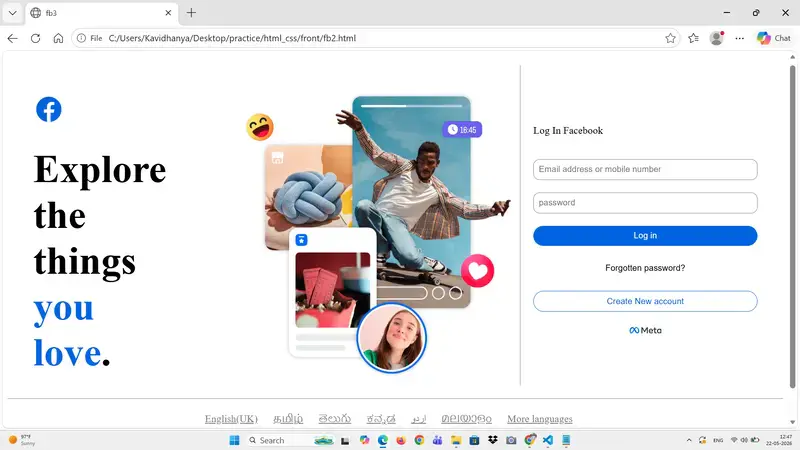
Facebook Login Page Clone using HTML & CSS
Introduction
In this project, I created a clone of the Facebook login page using HTML and CSS. The goal was to understand real-world UI design and improve my frontend development skills.

Technologies Used
HTML for structuring the webpage
CSS for styling and layout design
CSS Grid and Flexbox for alignment

Features
Two-column layout using CSS Grid
Left section with logo and image
Right section with login form
Styled buttons with hover effects
Footer with multiple language options

What I Learned
Through this project, I learned how to:
Use CSS Grid for page layout
Use Flexbox for alignment and spacing
Design responsive UI structures
Style forms, buttons, and text effectively
Organize code for better readability

Challenges Faced
Aligning the left and right sections properly
Managing spacing between elements
Making the layout similar to the original Facebook design

Improvements
Added responsive design using media queries
Improved button hover effects
Enhanced UI with better spacing and shadows

Conclusion
This project helped me gain hands-on experience in building real-world UI designs. It improved my understanding of layout techniques and boosted my confidence in frontend development.

Future Scope
Add JavaScript form validation
Connect to backend for login functionality
Improve mobile responsiveness further

Citroen Türkiye, 2026’nın ilk dört ayında pazar payını 1 puan artırdı

Citroen Türkiye, 2026

Citroen Türkiye, 2026'nın ilk dört ayında pazar payını 1 puan artırdıCitroen Türkiye bugün 2026’nın ilk dört ayını değerlendiren bir rapor paylaştı. Yapılan açıklamada, “Citroen, 2026’nın ilk dört ayında hem Avrupa’da hem de yerel pazarda kaydettiği ticari performansla tekrar güçlü bir şekilde büyümeye başladığını ortaya koydu. Citroen, Fransa’da yüzde 6,6 büyümeyle pazar payını yüzde 8,9’a çıkararak (+0,7 puan) markayı pazardaki en büyük üçüncü oyuncu olarak konumlandırdı. Elde edilen bu sonuçlar, markanın stratejik tercihlerinin doğruluğunu ve müşterilerin beklentilerine karşılık veren ürünler sunma becerisini ortaya koyuyor. Türkiye pazarında da ilk 4 ayda önemli bir başarı elde eden Citroen, bir önceki yılın aynı dönemine göre pazar payını 1 puan artırarak yüzde 5,5’e çıkardı. Yılın ilk dört ayında Türkiye’nin en fazla satış yapan 3’üncü hafif ticari araç markası olan Citroen, yüzde 10,2’lik pazar payına ulaştı. Marka, ülkemizde C-HB segmentinde yüzde 10’luk payla 3’üncü marka olurken, elektrikli araç pazarında da yüzde 6,8 pay ile 5’inci sırada yer aldı.” ifadelerini kullanan şirket, yılın ilk dört ayında dünya […]

Citroen Türkiye, 2026’nın ilk dört ayında pazar payını 1 puan artırdı yazısı ilk olarak Teknoloji haberleri – LOG üzerinde yayınlandı.

UseEffect – Exercises

Render only once using UseEffect

import { useEffect, useState } from "react";

function Input(){

    const[name,setName] = useState('')

    useEffect(()=>console.log("Component Mounted"),[]);


    return(
    <>
      <input value={name} type="text" onChange={(e)=>setName(e.target.value)}></input>
        <p>Hi! Welcome {name}</p>
        </>

    )

}

export default Input

Output:

Note:
React is running in Strict Mode during development
React intentionally mounts, unmounts, and remounts components once in development to detect side effects. Because of that, it is printed twice in console, this happens only in development mode but in production build, it runs once

Render Every time using UseEffect

import { useEffect, useState } from "react";

function Input(){

    const[name,setName] = useState('')

    useEffect(()=>console.log("Component Mounted"));


    return(
    <>
      <input value={name} type="text" onChange={(e)=>setName(e.target.value)}></input>
        <p>Hi! Welcome {name}</p>
        </>

    )

}

export default Input

Output:

Render Only when State changes using UseEffect

import { useEffect, useState } from "react";

function Input(){

    const[name,setName] = useState('')

    useEffect(()=>console.log("Component Mounted"),[name]);


    return(
    <>
      <input value={name} type="text" onChange={(e)=>setName(e.target.value)}></input>
        <p>Hi! Welcome {name}</p>
        </>

    )

}

export default Input

Output:

Note:
State Variable name is updated 4 times so the useEffect re-rendered 4 times the call back function

Two States and One Effect
Effect runs when count or name is changed

import { useEffect, useState } from "react";

function Input(){

    const[name,setName] = useState('')
    const[count,setCount]=useState(0)

    useEffect(()=>console.log("Component Mounted"),[name,count]);


    return(
    <>
      <input value={name} type="text" onChange={(e)=>{setName(e.target.value)
       }
      }></input>
      <button value={count} onClick={(e)=>{
        setCount(count+1)}
      }>+</button>
        <p>Hi! Welcome {name} and  Count {count}</p>
        </>

    )

}

export default Input

Output

Note:
State variable name is updated thrice and so effect ran thrice
State variable count is updated thrice and so effect ran thrice for it as well

*Show Even only when count becomes Even *

import { useEffect, useState } from "react";

function Input(){

    const[name,setName] = useState('')
    const[count,setCount]=useState(0)

    useEffect(()=>{
      if(count%2===0){
        console.log("even")
      }
    },[count]);


    return(
    <>
      <input value={name} type="text" onChange={(e)=>{setName(e.target.value)
       }
      }></input>
      <button value={count} onClick={(e)=>{
        setCount(count+1)}
      }>+</button>
        <p>Hi! Welcome {name} and  Count {count}</p>
        </>

    )

}

export default Input

Output

Note:
count is incermented 16 times and even is printed on console only 8 times for even counts only

AI Assisted GUI Took Seconds

One of the biggest surprises in this project so far wasn’t the image generation itself — it was how quickly the UI came together.

Imagine the GUI

Once I’ve got the command line script working, I wanted to imagine what the actual user experience of the app would look like. Normally, this is the stage where projects slow down. You spend hours adjusting spacing, choosing colors, moving buttons around, trying to make things “feel right,” or waiting for design ideas to form. But this time, using Cursor together with GPT, the process felt completely different.

Just Describe the Atmosphere!..

I simplified the goal down to the absolute minimum: a clean interface with a single upload button. Then I described the atmosphere I wanted — modern, calm, visually polished, and easy for non-technical users to understand. Within seconds, the AI generated the page structure, title, subtitle, layout, styling, background, and even a surprisingly polished upload component. The spacing felt balanced. The typography matched the mood. The visual hierarchy made sense immediately.

Prototype of the app. Before uploading:

After uploading
GUI Prototype - After Uploading

Momentum to Just Keep Going

What amazed me most wasn’t just the speed, but the momentum it created. Instead of spending days stuck in “design paralysis,” trying to make the app look acceptable before continuing, I suddenly had something that already felt close to finished. That psychological effect is huge. Once the interface looked real, it became much easier to focus on the actual functionality and backend logic.

I’m starting to understand why AI-assisted development feels so powerful for solo developers. It removes a lot of the friction between idea and execution. You no longer need to perfectly visualize every design decision in your head before starting. You can iterate rapidly, react to what you see, and improve from there. It doesn’t replace good design thinking entirely, but it dramatically lowers the barrier to creating interfaces that feel polished enough to build upon.

Did AI “Replaced” the Developers?

The interesting part is that this project is gradually becoming less about “AI replacing developers” and more about AI removing bottlenecks that used to slow developers down. In this case, the UI stopped being a multi-day obstacle and became a 10-second starting point — which meant I could move almost immediately into building the real product.

Next

I will write a backend service with Next.js to call the OpenAI APIs.

Code is Cheap, Accuracy is Luxury: Why I Refused to Use LLMs for a 38,000 Ticker Engine

Code is Cheap, Accuracy is Luxury

There is a thread on Hacker News right now titled “What should we do when code is cheap?”. The sentiment is clear: LLMs have turned syntax into a commodity.

At the same time, another dev is asking if his $48,000 GPU server was worth the investment.

We are living in an era of “Agentic Overkill.” Everyone is burning tokens and capital to generate massive amounts of “vibe-based” code. But when you are building a financial engine designed to project a user’s life savings over 30 years, cheap code is a liability.

I recently shipped DividendFlow—a tax-aware compounding engine for 38,000+ tickers. Here is why I rejected the AI-agent hype to focus on deterministic precision.

1. The “Hallucination Tax” in Compounding

In dividend growth investing (DGI), we deal with the Snowball Effect. The math is recursive.

If an AI agent “vibrates” a calculation and gets the dividend yield or the tax bracket wrong by just 0.1%, that error doesn’t stay small. It compounds. Over a 20-year horizon, that tiny “vibe-coding” glitch results in a $50,000 discrepancy in the projected portfolio.

In FinTech, a 99% accurate model is 100% useless.

The Decision: I stripped all LLM-based logic from the core math. Instead of asking an agent to “interpret” tax laws, I wrote a strictly deterministic TypeScript engine that maps:

  • US Federal/State Qualified Dividend logic.
  • UK ISA tax-free environments.
  • Canadian TFSA compounding rules.

2. Why $48k in GPUs is Overkill for Logic

You don’t need a cluster of H100s to calculate financial freedom. You need efficient architecture.

By using Next.js 15 Server Components, I moved the heavy lifting of 240+ monthly compounding iterations to the Edge.

  • Latency: Under 200ms.
  • Cost: Near zero (running on standard Vercel infra).
  • Scalability: Because the math is deterministic and the state is handled via URL parameters (No DB bottlenecks), the app can handle a spike from Product Hunt without breaking a sweat.

3. Cleaning the “API Slop”

Institutional data is noisy. APIs often report one-time “Special Dividends” as regular recurring yield.

If you feed this “slop” into an AI agent, it will happily project a 50% yield for the next 30 years, telling the user they’ll be a billionaire by Tuesday.

I built a Normalization Layer that acts as a truth filter. It audits 38,000+ tickers to ensure the “Snowball” is based on recurring reality, not corporate anomalies.

The Shift: From Author to Editor

As developers in 2026, our job is shifting. We are no longer just “writers of code.” We are Architects of Verification.

When code is cheap, the only thing that remains expensive is Trust.

I built DividendFlow with a “No-Login, No-Bank-Link” policy because I wanted to prove that you can deliver institutional-grade value without harvesting a single byte of user data.

Technical Takeaway:

Don’t let the “AI Vibes” distract you from the fundamentals. Sometimes, the most high-tech solution is just a very fast, very accurate, and very private piece of deterministic code.

Experience the deterministic engine:
👉 DividendFlow.org

Are we over-relying on probabilistic models for deterministic problems? Let’s fight it out in the comments.

i put a proxy between me and google

4get banner

Search engines know a lot about us.

Not because we tell them everything directly, but because search is where we type the weirdly specific stuff. Errors we are debugging. Health doubts. Product research. Travel plans. Work problems. Random questions we would never post publicly.

That is why I started using 4get.

4get is a self-hosted proxy search engine. It does not replace Google completely. It does not crawl the whole web or build its own search index. Instead, it sits in the middle, asks other search engines for results, and shows them back in a cleaner, lighter page.

The project describes itself as a privacy-oriented, ad-free, lightweight way to search the web with minimal optional JavaScript.

4get banner

what 4get actually does

Think of 4get as a private front desk for search.

Normally, your browser talks directly to a search engine.

With 4get, your browser talks to your 4get instance first. Then 4get fetches results from search engines and shows them to you.

That is what makes it a proxy. A proxy is just something that sits between you and another service. It receives your request, forwards it, and returns the response.

4get proxy explanation

This is important: 4get is not magic privacy dust.

Your query still has to go to the search source 4get is using. Otherwise, it cannot get results. But you get a cleaner layer in between, fewer tracking-heavy links, less clutter, and more control over your own search page.

On the public 4get instance, the project says it does not log IP addresses or user agents, and only stores temporary encrypted data for next-page results.

why it is useful

4get is useful because it keeps search simple.

No bloated page.
No heavy interface.
No ads taking over the screen.
No random distractions before the actual results.

It supports web, images, videos, news, music, and autocomplete. The project also includes features like search filters, an image proxy, favicon fetching, optional bot protection, and support for different upstream sources.

4get web results

The best part is that it fits the self-hosted mindset properly.

You are not trying to rebuild the entire internet. You are just taking one thing you use often and putting a cleaner, more private layer in front of it.

That is enough.

how to set it up

The easiest way to run 4get is with Docker.

The official Docker docs say 4get supports environment variables prefixed with FOURGET_. A basic Compose setup looks like this:

version: "3.7"

services:
  fourget:
    image: luuul/4get:latest
    restart: unless-stopped
    environment:
      - FOURGET_PROTO=http
      - FOURGET_SERVER_NAME=search.example.com
    ports:
      - "80:80"

Start it with:

docker compose up -d

You can expose it through your reverse proxy, put it behind access control, or run it on a private domain. If you want HTTPS inside the container, the docs also show certificate mounting support.

set it as your default search

This is the part that makes it useful.

Do not just deploy it and forget about it. Add it as your browser’s default search engine.

For Chromium-based browsers, the search URL format is:

https://your-domain.com/web?s=%s

Replace your-domain.com with your 4get domain.

Firefox can also add it from the address bar and then select it in search settings.

final thought

4get is not a full Google replacement.

It is a proxy search engine. It sits between you and other search engines, cleans up the experience, and gives you a search page that feels lighter and more private.

That is the whole point.

You do not need every self-hosted app to be revolutionary. Sometimes the best ones are small tools that remove one annoying part of the internet.

My browser now defaults to search.harshalranjhani.in, which sounds unreasonable until you realize it works surprisingly well.

OPPO Find N6 için resmi Türkiye satış fiyatı açıklandı

OPPO Find N6 için resmi Türkiye fiyatı açıklandı

OPPO Find N6 için resmi Türkiye fiyatı açıklandıKatlanabilir telefon modeli OPPO Find N6, Türkiye’de 26 Mayıs itibarıyla tam 179.999 TL’den satışa sunulacak. Güneş Turuncusu ve Kozmik Titanyum renk seçenekleri bulunan telefon, özellikle ekran kat izini neredeyse tamamen ortadan kaldırıyor olmasıyla dikkat çekiyor. Cihazın ekranındaki katlanma alanı dikkatli bakıldığında halen görülebiliyor ancak eskiye nazaran çok büyük bir iyileştirme bulunuyor. İddialı model gücünü Snapdragon 8 Elite Gen 5 işlemciden alıyor ve 80W kablolu / 50W kablosuz şarj destekli 6.000 mAh kapasiteli silikon karbon batarya taşıyor. İç kısmında 8,12 inç, dış kısmında ise 1.600 nit’lik 6,62 inç boyutunda 1-120 Hz LTPO OLED ekranların kullanıldığı Find N6’nın arkasında, 200 megapiksel geniş açı, 50 megapiksel ultra geniş açı ve 50 megapiksel 3x telefoto kameralar bir araya getiriliyor.
OPPO Find N6 için resmi Türkiye satış fiyatı açıklandı yazısı ilk olarak Teknoloji haberleri – LOG üzerinde yayınlandı.

Yeni PCIe ses kartı “Creative Sound Blaster AE-X” tanıtıldı

Yeni PCIe ses kartı Creative Sound Blaster AE-X tanıtıldı

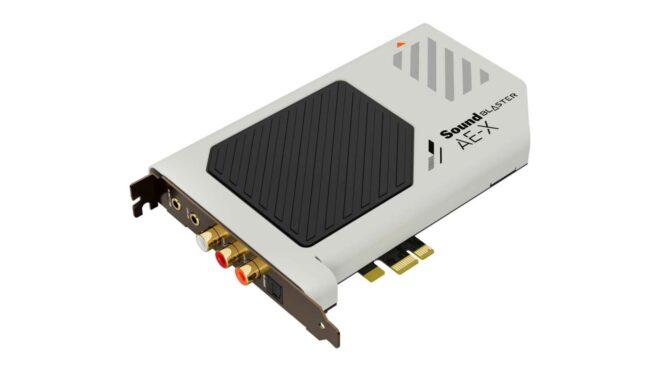
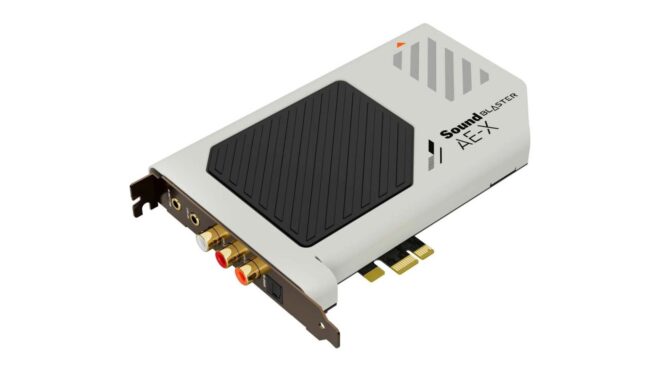
Yeni PCIe ses kartı Creative Sound Blaster AE-X tanıtıldıCreative, artık hemen hemen herkesin hayatından çıkan ses kartlarını yaşatmaya devam ediyor. Şirketin modern tasarımıyla dikkat çeken yeni kasa içi (PCIe 3.0) modeli Sound Blaster AE-X, ESS ES9039Q2M çift kanallı DAC’ı temel alıyor ve 32 bit/384 kHz çalma, ASIO 2.3 (Audio Stream Input/Output), 130 dB sinyal-gürültü oranı ile direkt DSD256 çözme desteğiyle geliyor. 600Ω empedans değerine sahip kulaklıkların altından rahatlıkla kalkabilen ürün için açıklanan Avrupa satış fiyatı 190 euro olarak duyurulmuş durumda.
Yeni PCIe ses kartı “Creative Sound Blaster AE-X” tanıtıldı yazısı ilk olarak Teknoloji haberleri – LOG üzerinde yayınlandı.

Google redesigned 13 Workspace icons last week. Here is where to grab the new SVGs.

On May 18 Google started rolling out new gradient icons for thirteen of its Workspace apps. Gmail, Drive, Docs, Sheets, Slides, Calendar, Chat, Meet, Vids, Forms, Keep, Voice, and Tasks all got refreshed artwork on the web. The iOS and Android rollouts began this week.


Google 2026 SVG Icons – Free Download (14 icons) | theSVG

Browse and download 14 Google 2026 SVG icons. Free for personal and commercial use. Copy as SVG, JSX, React component, or CDN link.

favicon
thesvg.org

If you build a SaaS dashboard with a “works with Google Workspace” row, or a marketing page that shows the Gmail icon next to your integration copy, you have a small problem. The icons in your codebase are now the old set, and most projects do not have a fast path to refresh them.

Here is what changed, why icon updates take so long to land in OSS libraries, and how to grab the new Google 2026 SVGs today without waiting.

TL;DR

What Status
Apps redesigned 13 (Gmail, Drive, Docs, Sheets, Slides, Calendar, Chat, Meet, Vids, Forms, Keep, Voice, Tasks)
Visual direction Gradient style, more distinct shape and color per app
Color rule change Dropped the “all four Google colors” mandate
Gmail exception Still uses more than one color, the only one in the set
Web rollout Mid-May 2026
Mobile rollout Late May 2026
OSS SVGs available at thesvg.org/category/google-2026, free, no attribution

1. What changed in the Google 2026 icon set

The earlier Google Workspace icons followed a strict rule. Every product icon had to use all four Google colors, blue, red, yellow, and green. The result was a row of icons that all looked vaguely similar at small sizes. A user in the app launcher would scan a wall of red-blue-yellow-green squares and pause to read the label.

The new direction drops that rule. Each app now leans on one or two dominant colors and a clearer shape, with a soft gradient finish. Gmail is the one holdout that still keeps more than one color, because the envelope is the recognizable shape and the colors are part of the brand identity.

The icons are also larger inside the same containing box. Most apps no longer ship the rounded-square page background, so the symbol takes up the full visual area instead of floating inside a card.

You can see the new Google 2026 icons in two places today, the app launcher in the top-right of any Google site, and the New Tab page in Chrome. Open either and you are already looking at the refreshed set, even if you have not touched any setting.

2. Why icon refreshes take time to reach your project

This is the part that bites a freelancer at 5pm on a Friday.

When a major brand refreshes its mark, the icon does not appear in your bundle on its own. Someone has to source the original from the brand’s media kit or extract it from the live site. Then optimize the path through SVGO. Then verify it renders the same on dark and light backgrounds. Then categorize, name, and ship.

For a single brand refresh that touches one product, the cycle takes days to weeks depending on bandwidth. For thirteen apps in one rollout, multiply that. The OSS community absorbs brand refreshes one path file at a time, and most icon catalogs run on volunteer hours.

You get the gap. The official Google sites already show the new icons. Your app still shows the old ones. To a user who keeps Gmail open in a tab next to your dashboard, this reads as “this dashboard is stale.” The icons are a small detail. Small details are what users read as signals of how current a product is.

Google Workspace 2026 gradient icons preview
Gmail Drive Calendar 2026 logo SVG side by side

GitHub logo

glincker
/
thesvg

6,035+ brand SVG icons for developers. Tree-shakeable, typed, open source. npm i thesvg

theSVG

6,030+ SVG icons. Brands, AWS, Azure, GCP, and more. Search, copy, ship.

npm
downloads
stars
6,030+ icons
license
Figma
VS Code
Raycast
Neovim
Alfred
Chrome
skills.sh
Homebrew

Browse Icons  • 
Install  • 
Extensions  • 
CDN  • 
API  • 
Packages  • 
Compare  • 
Contribute


theSVG - 6,030+ SVG icons for developers

Why theSVG?

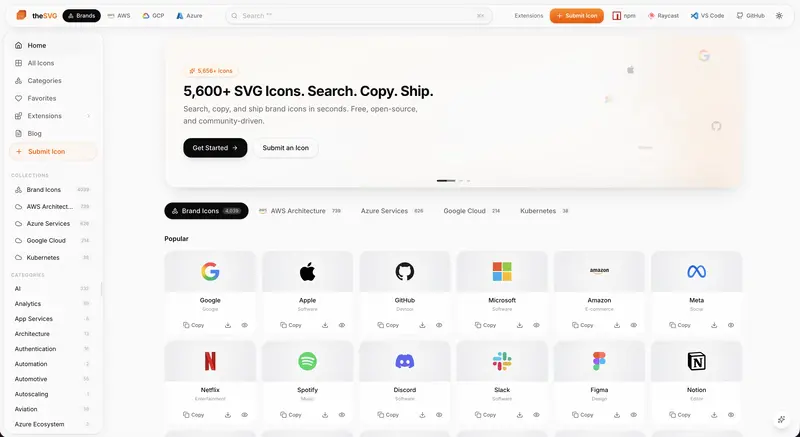
Most icon libraries focus on UI icons. Brand logos are scattered across press kits, Figma files, and random GitHub repos. theSVG is the single source for SVG icons – brand logos, cloud architecture diagrams, and more. Searchable, versioned, and available as npm packages, CDN, CLI, API, and MCP server.

  • 6,030+ icons across multiple collections
  • 4,019 brand icons across 55+ categories
  • 739 AWS Architecture icons (2026-Q1)
  • 626 Azure Service icons (2026-Q1)
  • 214 Google Cloud icons (2026-Q1)
  • 8,400+ SVG variants – color, mono, light, dark, wordmark
  • Tree-shakeable – import one icon, ship only that icon
  • TypeScript-first – fully typed, dual ESM/CJS
  • Framework-agnostic – React, Vue, Svelte, plain HTML, or CDN
  • AI-ready – MCP server for Claude, Cursor, and Windsurf

Collections

theSVG organizes…

3. Where to grab the Google 2026 SVGs today

The full Google 2026 icon set is live in the open-source library thesvg.org. All thirteen Workspace apps are in the catalog with the new gradient artwork, shipped the same week as Google’s web rollout. License: free, no attribution required. The repo is on GitHub at GLINCKER/thesvg if you want to contribute, file an issue, or fork.

Install via npm:

npm install thesvg

Or download direct from the site. URLs follow a stable pattern, /icons/[brand]/[variant].svg, so you can wire them into a build step:

// src/components/GoogleIcon.tsx
// Server component or build-time loader, not a runtime fetch in production
import { readFileSync } from 'node:fs';
import { join } from 'node:path';

type IconName =
  | 'gmail' | 'google-drive' | 'google-docs'
  | 'google-sheets' | 'google-slides' | 'google-calendar'
  | 'google-chat' | 'google-meet' | 'google-vids'
  | 'google-forms' | 'google-keep' | 'google-voice'
  | 'google-tasks';

export function GoogleIcon({ name, size = 32 }: { name: IconName; size?: number }) {
  const svg = readFileSync(
    join(process.cwd(), 'public/icons', name, '2026.svg'),
    'utf-8',
  );
  return (
    <div
      style={{ width: size, height: size, display: 'inline-block' }}
      dangerouslySetInnerHTML={{ __html: svg }}
    />
  );
}

For a Vite or Next.js project, the cleaner path is to import the SVG as a component through your bundler’s SVG loader. The above is the read-the-file version for projects that do not have a loader configured yet.

If you maintain an OSS app and need to migrate to the Google 2026 icons fast for a release this week, the path is: install the package, swap your existing Google icon imports for the 2026 variants, handle the Gmail edge case below, ship.

4. The Gmail multi-color edge case

One thing worth handling carefully in your render code. Gmail is the only app in the new Google 2026 set that keeps more than one color. The other twelve work fine with a currentColor fill or a single-color CSS override. Gmail breaks if you do that, because the multi-color fill is the brand.

If your design system applies a color prop to all logos uniformly, you need a special case for Gmail, or you ship two render paths:

function BrandIcon({ name, color }: { name: IconName; color?: string }) {
  const preservesColor = name === 'gmail';
  if (preservesColor) {
    return <GoogleIcon name={name} />;
  }
  return (
    <GoogleIcon name={name} style={{ color: color ?? 'currentColor' }} />
  );
}

This is the kind of edge case the old four-color rule used to hide. When every icon used four colors, you knew you could not apply a single-color override to any of them. Now twelve out of thirteen work fine with an override and one does not. Read your design system docs accordingly.

Gmail 2026 multi-color SVG render example

5. The bigger pattern

Brand refreshes ship faster than the icon ecosystem can absorb them. This is the third major refresh of the past two years where the official site updates on day zero and the broader OSS catalog catches up over weeks. When you depend on a third-party library to ship brand assets, you are accepting a built-in lag.

The fix is not to abandon icon libraries. The fix is to know which catalogs already have the assets you need for the release you are shipping this week, and to pick accordingly. For a marketing page going live now with a “works with Google” row, you want the catalog that already has the Google 2026 set. For a long-running design system, the audit trail and naming convention matter more than speed.

The OSS community is at its best when a new resource lands and people share it before everyone has to rebuild it from scratch. That is the spirit here.

Google 2026 icons SVG download from thesvg.org

The bottom line

Google shipped new gradient icons for thirteen Workspace apps on May 18. The web rollout is live, the mobile rollout is in progress, and the new SVGs are already available as OSS at thesvg.org/category/google-2026, free with no attribution. If you build product that lives next to Workspace in your users’ tabs, the migration takes one afternoon.

What does your icon-refresh workflow look like when a major brand drops a redesign overnight? Drop a comment with your current setup.

GDS K S · thegdsks.com · building thesvg.org and Glincker · follow on X @thegdsks

Brand refreshes are the moment your icon library reveals whether it is curated or just convenient.