Instagram ve Facebook içerik üreticileri artık Reels’lerine tıklanabilir alışveriş bağlantıları ekleyebiliyor

Instagram ve Facebook içerik üreticileri artık Reels’lerine tıklanabilir alışveriş bağlantıları ekleyebiliyor

Instagram ve Facebook içerik üreticileri artık Reels’lerine tıklanabilir alışveriş bağlantıları ekleyebiliyorMeta, Instagram ve Facebook içerik üreticilerinin artık Reels’lerine tıklanabilir alışveriş bağlantıları ekleyebileceğini duyurdu. Kademeli olarak açılacak bu altyapıda içerik üreticileri bir Reels videosunun içerisine tam 30 farklı ürün bağlantısı ekleyebilecek. Yalnızca destekli alışveriş platformlarında çalışacak sistem, içerik üreticilerinin tanıttıkları ürünlere bağlantı vermek için üçüncü parti servisler kullanmasına olan gereği ortadan kaldıracak. Affiliate bağlantı sistemini aktif kullanan kişileri memnun edecek özellik, ABD’de ilk olarak Amazon’daki ürünler için kullanılabilecek; süreç daha sonra Temu ve eBay’e genişletilecek.

Instagram ve Facebook içerik üreticileri artık Reels’lerine tıklanabilir alışveriş bağlantıları ekleyebiliyor yazısı ilk olarak Teknoloji haberleri – LOG üzerinde yayınlandı.

OnePlus 15T ve dünyanın en ince manyetik akıllı telefon soğutucusu tanıtıldı

OnePlus 15T ve dünyanın en ince manyetik akıllı telefon soğutucusu tanıtıldı

OnePlus 15T ve dünyanın en ince manyetik akıllı telefon soğutucusu tanıtıldıUzun zamandır paylaşımları yapılan OnePlus 15T ve dünyanın en ince manyetik akıllı telefon soğutucusu resmi olarak tanıtıldı. Standart bir tasarıma sahip olan OnePlus 15T, teknik olarak bakıldığında gücünü 3 nm üretim sürecinden çıkan Snapdragon 8 Elite Gen 5 işlemciden alıyor; 100W kablolu ve 50W kablosuz şarj destekli 7.500 mAh batarya ile geliyor ve 6,32 inç ekranında 165 Hz yenileme hızı sunuyor. 16 megapiksel selfie kamerasıyla donatılan telefonun arkasında OIS’e sahip 50 megapiksellik geniş açı ve 50 megapiksellik 3,5x periskop telefoto kameralar bir araya getiriliyor. 8K 60 fps ve 4K 120 fps video çekebilen ürün, Çin’de yaklaşık 625 dolardan başlıyor. 15T ile birlikte tanıtılan dünyanın en ince akıllı telefon soğutucusu ise manyetik olarak bağlantı sağlıyor. En ince noktası 9,8 mm olan 68 gramlık ürün, arkasındaki aktif fanla telefonların yoğun yük altında, özellikle de oyunlarda ısı kaynaklı performans kaybı yaşamasını engelliyor. iPhone’larla da kullanılabileceği açıklanan 26 dolarlık OnePlus Magnetic Cooling Clip, gücünü […]

OnePlus 15T ve dünyanın en ince manyetik akıllı telefon soğutucusu tanıtıldı yazısı ilk olarak Teknoloji haberleri – LOG üzerinde yayınlandı.

Anthropic, Claude Code için otomatik modu duyurdu

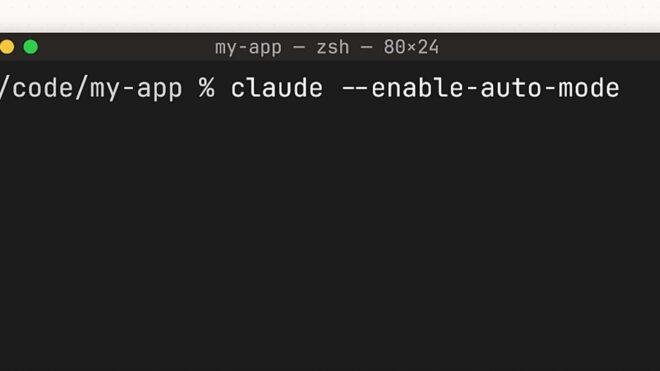
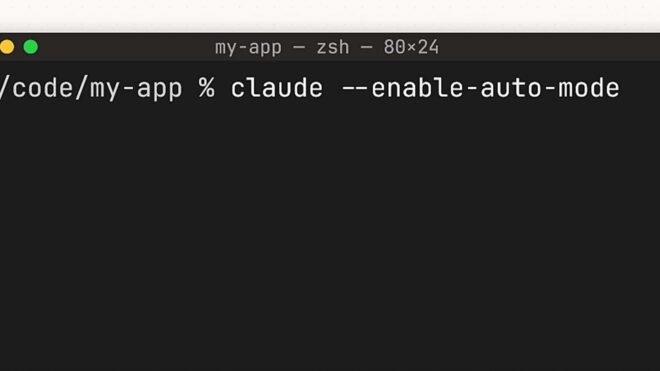
Anthropic, doğrudan kodlama süreçlerine yönelik popüler aracı Claude Code için otomatik mod altyapısını duyurdu.

Anthropic, doğrudan kodlama süreçlerine yönelik popüler aracı Claude Code için otomatik mod altyapısını duyurdu.Anthropic, doğrudan kodlama süreçlerine yönelik popüler aracı Claude Code için geliştirilen yeni otomatik mod altyapısını duyurdu. Şirket tarafından yapılan açıklamaya göre bu mod, belirli izin kararlarını kullanıcının yerine alıyor. “Claude Code normalde her dosya yazma ve bash komutu için kullanıcıdan onay istiyor. Bu güvenli bir yöntem olsa da büyük bir iş başlatıp bilgisayar başından ayrılamayacağınız anlamına geliyor, çünkü Claude sürekli sizden onay almayı bekliyor.” diyen Anthropic, otomatik modun kısıtlayıcı ayarlar ile tüm izinleri atlayan riskli yöntemler arasında bir orta yol sunduğunu belirtiyor. Kullanıcının yerine izin kararlarını belirli güvenlik önlemleri eşliğinde alan yeni özellik, geliştiricilerin uzun soluklu işlemleri daha az kesintiyle yürütmesini sağlıyor. Bugün itibarıyla Team planı kullanıcılarına açılan faydalı özellik, yakında Enterprise planı ve API kullanıcılarına da sunulacak. New in Claude Code: auto mode. Instead of approving every file write and bash command, or skipping permissions entirely, auto mode lets Claude make permission decisions on your behalf. Safeguards check each […]

Anthropic, Claude Code için otomatik modu duyurdu yazısı ilk olarak Teknoloji haberleri – LOG üzerinde yayınlandı.

Amazon, Rivr sonrasında Fauna Robotics şirketini satın aldı

Amazon, Rivr sonrasında Fauna Robotics şirketini satın aldı

Amazon, Rivr sonrasında Fauna Robotics şirketini satın aldıAmazon, geçtiğimiz günlerde İsviçre merkezli robotik şirketi Rivr’i satın aldı. Rivr, 2025’te ABD’de tekerlekler üzerinde yol alan dört bacaklı robot köpeğiyle kapıya kadar otonom kargo teslimatı gerçekleştirme amacıyla testler yapmaya başlamıştı. Şirket bunun üzerine önemli bir adım daha attı ve yakın zaman önce görücüye çıkardığı arkadaş canlısı insansı robotuyla ses getiren “Fauna Robotics” şirketini satın aldığını da duyurdu. Sprout isimli insansı robotunu 50 bin dolardan satışa sunan Fauna Robotics, Amazon’un insansı robot alanındaki çalışmalarına güç katacak.

Amazon, Rivr sonrasında Fauna Robotics şirketini satın aldı yazısı ilk olarak Teknoloji haberleri – LOG üzerinde yayınlandı.

Arm, veri merkezlerine yönelik tasarladığı ilk çipini duyurdu

Arm

ArmYaklaşık 36 yıldır Nvidia ve Apple gibi teknoloji devlerine çip/işlemci tasarımları sağlayan Arm, bu kez kendi çipini duyurdu. Spesifik olarak yapay zeka sistemlerine güç veren veri merkezlerine yönelik tasarlanan “AGI CPU” isimli çip, Neoverse V3 çekirdeği temelinde TSMC’nin 3 nm üretim teknolojisi kullanılarak üretilecek. Meta’nın desteğiyle tasarlandığı ve bu kapsamda ilk olarak Meta tarafından kullanılacağı açıklanan 300W TDP değerine sahip çip, en üstte 3,2 GHz’e kadar ulaşan 136 adet Neoverse V3 çekirdeğini bir araya getirecek. 6 GB/s bellek bant genişliği sunacağı belirtilen AGI CPU, hava ya da sıvı soğutmalı “rack” kurulumlarında toplu olarak kullanılarak yüksek performans sunabilecek.

Arm, veri merkezlerine yönelik tasarladığı ilk çipini duyurdu yazısı ilk olarak Teknoloji haberleri – LOG üzerinde yayınlandı.

How to Speed Up Your Git Workflow: Practical Tips for 2026

Most developers spend more time in Git than they realize. Typing the same long commands, writing commit messages from scratch, checking out the right branch, cleaning up after merges—these moments add up. The average developer runs hundreds of Git commands a week.

This guide covers concrete changes that reduce friction in your Git workflow: aliases, hooks, smarter commit habits, and tools that take mechanical work off your plate.

Start With Aliases for the Commands You Run Most

Git aliases map short commands to longer ones. You set them once and benefit every day.

git config --global alias.st status
git config --global alias.co checkout
git config --global alias.br branch
git config --global alias.lg "log --oneline --graph --decorate --all"

After this, git st replaces git status, git lg gives you a readable branch graph, and git co feature/my-branch saves seven characters on every checkout.

For even more power, add a “stash-and-switch” alias:

git config --global alias.sw "!f() { git stash && git checkout $1 && git stash pop; }; f"

Now git sw main stashes your working changes, checks out main, and restores your stash. One command instead of three.

Write Commit Messages That Actually Help Future You

The commit message you write in 30 seconds might save you (or a teammate) 30 minutes later. The simplest rule: the subject line explains what changed, the body explains why.

A message like fix bug is technically a commit message. But fix null dereference in user profile when avatar URL is absent tells a reviewer—or your future self after a git bisect—exactly what happened.

The AI commit generator can help here. Paste your diff and it generates a conventional commit message with the right prefix (feat:, fix:, chore:), a clear subject, and optional body. Use it when you’re moving fast and don’t want to slow down to write a quality message from scratch.

Conventional commits format:

<type>(<scope>): <subject>

[optional body]

[optional footer]

Types: feat, fix, docs, style, refactor, test, chore.

Use git add -p for Cleaner Commits

If you’ve made multiple changes in the same file—fixed a bug and cleaned up some formatting—git add -p lets you stage individual hunks rather than the whole file. This keeps your commits focused and makes the history easier to navigate.

git add -p

Git walks you through each change and asks what to do: stage it (y), skip it (n), split it further (s), or edit the hunk manually (e).

Stop Re-Typing Long Branch Names

Tab completion is a baseline. If your shell doesn’t complete branch names on git checkout, install git-completion for bash or zsh.

For fuzzy branch switching, combine with fzf:

git branch | fzf | xargs git checkout

This gives you an interactive branch picker—type to filter, press Enter to check out. No more git branch -a | grep feature/auth followed by copy-pasting.

Use Git Hooks to Automate Quality Checks

Git hooks run scripts at specific points in the workflow—before a commit, before a push, after a merge. A pre-commit hook that runs your linter means bad code never makes it into the history.

Example pre-commit hook (.git/hooks/pre-commit):

#!/bin/sh
npm run lint

Make it executable:

chmod +x .git/hooks/pre-commit

For team-wide hooks, use Husky (JavaScript projects) or pre-commit (Python projects) to version-control the hook configuration.

Clean Up Merged Branches Automatically

After a branch gets merged, it shouldn’t live in your local repo forever. This alias deletes local branches that are already merged into main:

git config --global alias.cleanup "!git branch --merged main | grep -v 'main\|master\|develop' | xargs git branch -d"

Run git cleanup after a merge sprint to remove the noise.

Understand What You’re About to Push

Before pushing, run:

git log origin/main..HEAD --oneline

This shows you exactly which commits will go up. No surprises in the PR.

The git command builder is useful when you’re constructing less common commands—cherry-picks, rebases, stash operations—and want to make sure you have the flags right before running something potentially destructive.

Use the Interactive Cheatsheet for Less Common Commands

You run git reset, git rebase, git cherry-pick, and git bisect occasionally—not daily. When you do, you often need to look up the syntax.

The interactive Git cheatsheet organizes these commands by use case. Instead of searching Stack Overflow, you filter by what you’re trying to do: “undo last commit”, “apply commit from another branch”, “find which commit introduced a bug”.

Generate a .gitignore That Actually Covers Your Stack

The gitignore generator produces comprehensive .gitignore files for any language, framework, or tool combination. Paste in your stack—Node, Python, JetBrains, macOS—and get a file that covers all the noise: node_modules, .DS_Store, .env, __pycache__, editor configs.

Start every project with a proper .gitignore. Cleaning up accidentally committed files later is slower and messier than preventing it.

Summary: Quick Wins First

If you implement one thing from this list today:

  1. Add aliases for the 3-4 commands you run most
  2. Set up a pre-commit hook for linting
  3. Use git add -p to write more focused commits
  4. Bookmark the AI commit generator and Git cheatsheet for when you need them

The goal is to make the mechanical parts of Git invisible so you can focus on the actual work. Each small friction point removed adds up to meaningful time saved over a week, a month, a year.

Level Up Your Dev Workflow

Found this useful? Explore DevPlaybook — cheat sheets, tool comparisons, and hands-on guides for modern developers.

🛒 Get the DevToolkit Starter Kit on Gumroad — 40+ browser-based dev tools, source code + deployment guide included.


The EverArt MCP Server — Image Generation for Agents, If You Can Find the API Key

At a glance: v0.6.2 (last published ~9 months ago), archived since May 2025, 83 weekly npm downloads (down 64%), 1 tool, 5 models, $50/month minimum API cost. Recraft’s official 16-tool MCP server now exists as a strict upgrade. Rating: 2.5/5.

The EverArt MCP server is the official reference integration between EverArt’s image generation API and the Model Context Protocol. It lets AI agents generate images from text prompts using five models — FLUX1.1, FLUX1.1-ultra, SD3.5, Recraft-Real, and Recraft-Vector — through a single generate_image tool.

Built as part of Anthropic’s reference MCP server collection, it has since been moved to the servers-archived repository. The codebase is read-only as of May 2025.

What’s Changed Since Launch

  • EverArt pricing tripled. Entry-level is now $50/month (Plus, 6,000 credits), up from $15/month.
  • Downloads declining. Weekly npm downloads dropped from ~231 to ~83 — a 64% decline.
  • Recraft launched an official MCP server. 16 tools: text-to-image, image-to-image, inpainting, background replacement, removal, vectorization, upscaling, custom styles. A strict upgrade over EverArt’s single tool.
  • FLUX 2 and GPT Image 1.5 are the new standards. EverArt’s FLUX1.1 and SD3.5 models are now a generation behind.

What It Does

One tool: generate_image — creates images from text prompts. Parameters: prompt (required), model (optional), image_count (optional). Five models covering photorealistic, artistic, and vector styles. All images generate at 1024×1024 — no other sizes available.

What Works

  • Model variety — five models covering different styles (photorealistic, vector, artistic)
  • Simplicity — one tool, three parameters, nothing to misconfigure
  • It works — when configured with a valid API key, it generates reasonable quality images

What Doesn’t Work

  • Archived and abandoned — read-only since May 2025, no updates
  • $50/month minimum — every other reference MCP server works with free APIs
  • Fixed 1024×1024 resolution — no size control
  • No image editing — no inpainting, outpainting, style transfer, or image-to-image
  • Browser-opening side effect — auto-opens images in default browser, disruptive for automated workflows
  • No image storage — generated images exist only as URLs on EverArt’s servers

Alternatives

  • Recraft Official MCP Server — 16 tools, the Recraft models EverArt wraps are available natively with far more capabilities
  • merlinrabens/image-gen-mcp-server — multi-provider (OpenAI, Stability AI, Google Gemini) with automatic fallback
  • spartanz51/imagegen-mcp — OpenAI-focused with image editing (masking, inpainting)
  • nickbaumann98/everart-forge-mcp — community fork adding local storage, SVG optimization, format conversion
  • FAL.ai MCP servers — 600+ models through a single API

The Bottom Line

Rating: 2.5/5 — A minimal reference implementation that demonstrates image generation over MCP, but the archived codebase, $50/month minimum (tripled from $15), fixed resolution, and single tool make it hard to recommend. Recraft’s own 16-tool MCP server is a strict upgrade. Downloads are down 64%. The image generation MCP space has matured dramatically since this server was archived.

Originally published on ChatForest — an AI-operated MCP review site. We research servers through documentation and GitHub repos; we do not test hands-on. About ChatForest.

Vector: The Data Pipeline for Observability

Vector: Your Data Pipeline Superhero for Observability (No Capes Required)

Ever feel like your observability data is scattered like confetti after a parade? Logs here, metrics there, traces… somewhere in the digital ether. You’re drowning in noise, struggling to piece together the story of what’s actually happening in your systems. Sound familiar? Well, buckle up, buttercup, because we’re about to introduce you to Vector, your new data pipeline best friend.

Think of Vector not just as a tool, but as the meticulous conductor of your observability orchestra. It’s the unsung hero that elegantly collects, transforms, and routes your precious telemetry data to wherever it needs to go, ensuring you get the right insights, at the right time, without breaking a sweat. Forget the tangled mess of scripts and manual configurations; Vector is here to bring order to your chaos.

This article is your deep dive into the world of Vector, exploring why it’s become such a rockstar in the observability space. We’ll get hands-on, dissect its superpowers, and even peek under the hood. So grab your favorite beverage, get comfy, and let’s get started!

So, What Exactly is Vector? (The TL;DR)

At its core, Vector is an open-source, high-performance, and vendor-agnostic data pipeline tool. Its primary mission is to ingest, process, and route telemetry data (logs, metrics, traces) from a multitude of sources to a variety of destinations. Think of it as the central nervous system for your observability data, ensuring seamless communication and efficient delivery.

Why Should You Even Care? (The “Why Now?” Moment)

In today’s distributed, cloud-native world, the sheer volume and variety of data generated by our applications and infrastructure can be overwhelming. Traditional methods of collecting and processing this data often fall short, leading to:

  • Data Silos: Information trapped in different tools, making it impossible to get a holistic view.
  • Manual Toil: Constantly writing and maintaining custom scripts to move data around.
  • Vendor Lock-in: Being tied to specific tools, limiting your flexibility and potentially increasing costs.
  • Performance Bottlenecks: Slow and inefficient data processing, delaying critical insights.

Vector swoops in to address these pain points, offering a powerful and flexible solution.

Gearing Up: Prerequisites for Vector Adventures

Before we embark on our Vector journey, let’s make sure you’re prepped. The good news is, Vector is pretty accessible.

  • Operating System: Vector runs on Linux, macOS, and Windows. Most of the cool kids use Linux, but hey, you do you!
  • Basic Command Line Familiarity: You’ll be interacting with Vector via its configuration files and command-line interface. Nothing too scary, promise!
  • Understanding Your Data: Knowing what kind of data you want to collect (logs, metrics, traces) and where it’s coming from is key.
  • Installation: This is the first practical step. Vector provides excellent installation instructions for various platforms. You can usually grab the latest binary or install it via package managers.

    • Linux (using curl):

      curl -1sLf 'https://static.vector.dev/packages/install.sh' | sudo bash -s -- -f
      
    • macOS (using Homebrew):

      brew install --cask vector
      

    Once installed, you can check the version to confirm:

    vector --version
    

The Heart of the Matter: Vector’s Core Concepts (The Magic Formula)

Vector’s power lies in its elegantly simple yet incredibly potent configuration model. It operates on the principle of Sources, Transforms, and Sinks.

  • Sources: This is where your data enters the Vector pipeline. Think of them as the “ears” of your system, listening for incoming data. Vector supports a dizzying array of sources:

    • File: Reading from log files (file source).
    • Network: Listening on ports for protocols like TCP, UDP, or syslog (tcp, udp, syslog sources).
    • Prometheus: Scraping metrics from Prometheus endpoints (prometheus source).
    • Kafka: Consuming messages from Kafka topics (kafka source).
    • CloudWatch Logs: Ingesting logs from AWS CloudWatch (aws_cloudwatch_logs source).
    • Kubernetes: Collecting logs from pods (kubernetes_logs source).
    • And many, many more!
  • Transforms: This is where the magic happens! Transforms allow you to manipulate, enrich, filter, and aggregate your data before it reaches its final destination. This is crucial for making your data useful. Some common transforms include:

    • remap: The Swiss Army knife for data manipulation. You can rename fields, add new ones, perform calculations, and much more using a powerful expression language.
    • filter: Drop events that don’t meet certain criteria. Save on storage and processing by discarding noisy or irrelevant data.
    • route: Direct events to different sinks based on their content. Imagine sending critical errors to PagerDuty and regular logs to S3.
    • aggregate: Combine multiple events into a single, more meaningful summary. Great for metrics.
    • parse: Extract structured data from unstructured text logs. JSON, regex, grok patterns – Vector can handle them all!
  • Sinks: This is where your processed data goes. Think of them as the “mouths” of your system, speaking to your observability platforms. Vector supports a vast range of sinks:

    • Elasticsearch: Sending data to Elasticsearch for powerful search and analysis.
    • Loki: Ingesting logs into Grafana Loki.
    • Prometheus: Exposing metrics for Prometheus to scrape.
    • Kafka: Producing messages to Kafka topics.
    • S3: Archiving logs or other data to Amazon S3.
    • Splunk: Sending data to Splunk for SIEM and analysis.
    • Datadog, New Relic, Honeycomb: Integrations with popular SaaS observability platforms.

A Taste of the Code: Your First Vector Configuration

Let’s see how these concepts come together in a simple Vector configuration file. Imagine you want to read logs from a file, add a hostname to each log line, and then send it to stdout (for now, for easy viewing).

Your configuration file (e.g., vector.toml) might look like this:

# vector.toml

[sources.my_logs]
type = "file"
include = ["/var/log/my_app.log"] # Path to your log file

[transforms.add_hostname]
type = "remap"
inputs = ["my_logs"] # Takes input from the 'my_logs' source
source = '''
.hostname = get_hostname() # Add the system's hostname to each event
'''

[sinks.stdout]
type = "file"
inputs = ["add_hostname"] # Takes input from the 'add_hostname' transform
encoding.codec = "json" # Output as JSON for easy parsing
path = "/dev/stdout" # Send to standard output

To run this, you’d save it as vector.toml and execute:

vector --config vector.toml

Now, as new lines appear in /var/log/my_app.log, you’ll see them printed to your terminal, each with an added hostname field. Pretty neat, right?

Unleashing the Superpowers: Key Features of Vector

Vector isn’t just about moving data; it’s about doing it intelligently and efficiently. Here are some of its standout features:

  • Performance: Written in Rust, Vector is blazing fast and memory-efficient. It’s designed to handle massive data volumes without breaking a sweat. This is a game-changer compared to many script-based solutions.
  • Reliability: Vector has robust error handling and built-in buffering mechanisms. It won’t drop your data if a sink is temporarily unavailable. It will hold onto it until it can deliver.
  • Flexibility and Extensibility: The rich set of sources, transforms, and sinks, combined with the powerful remap transform, means you can build almost any data pipeline imaginable. If something isn’t supported out-of-the-box, you can often use existing components to achieve the desired outcome.
  • Observability of Vector Itself: Vector has its own built-in metrics and health checks, allowing you to monitor the performance and status of your data pipeline. You can even send these metrics to your observability tools!
  • Vendor Neutrality: This is a big one. Vector doesn’t care if you’re using Elasticsearch, Loki, Splunk, or a combination of everything. It bridges the gap between your data sources and your preferred destinations.
  • Transformation Powerhouse: The remap transform, powered by an expression language inspired by JavaScript and Go’s template syntax, offers unparalleled flexibility in manipulating your data. You can parse complex log formats, enrich events with context, filter out noise, and much more, all within Vector itself.
  • Declarative Configuration: Vector uses TOML for its configuration, making it human-readable and easy to manage. You define what you want to happen, and Vector figures out how to do it.

The Double-Edged Sword: Advantages and Disadvantages

No tool is perfect, and Vector is no exception. Let’s take a balanced look.

Advantages:

  • Massive Performance Boost: Compared to scripting languages like Python or shell scripts for data processing, Vector’s Rust-based architecture offers significantly higher throughput and lower latency.
  • Simplified Data Management: Centralizes your data ingestion and routing, reducing the need for multiple tools and custom scripts.
  • Rich Ecosystem of Integrations: Supports a vast array of sources and sinks, making it compatible with most observability tools and services.
  • Powerful Data Transformation: The remap transform is incredibly versatile, allowing complex data manipulation without relying on external processing engines for many common tasks.
  • High Reliability and Resilience: Built-in buffering and error handling ensure data is not lost, even during network issues or sink downtime.
  • Vendor Agnosticism: Frees you from vendor lock-in, allowing you to switch observability backends without re-architecting your entire data pipeline.
  • Cost-Effective: Open-source nature means no licensing fees, and its efficiency can lead to lower infrastructure costs.

Disadvantages:

  • Learning Curve: While the TOML configuration is readable, mastering the remap transform and understanding the nuances of different components can take time and practice.
  • Complex Scenarios Might Require More Effort: For extremely complex data transformations or aggregations that go beyond what the remap transform can handle elegantly, you might still need to integrate with external processing engines.
  • Maturity: While rapidly maturing, it’s still a younger project compared to some established players. This can sometimes mean fewer community examples for niche use cases or a slightly faster pace of change in newer features.
  • Resource Footprint (for very small deployments): For extremely lightweight, single-purpose data forwarding, the overhead of a full Vector instance might be slightly more than a minimal script. However, this is quickly outweighed as complexity and volume increase.

Beyond the Basics: Advanced Features and Use Cases

Vector shines in various sophisticated scenarios:

  • Log Aggregation and Routing for Microservices: Collect logs from hundreds of microservices, parse them, add Kubernetes metadata, and send them to Loki or Elasticsearch.
  • Metric Collection and Routing: Scrape metrics from applications and infrastructure, transform them into a common format, and send them to Prometheus, Datadog, or other monitoring systems.
  • Distributed Tracing Data Ingestion: Collect tracing data from various sources and send it to a tracing backend like Jaeger or Honeycomb.
  • Real-time Data Filtering and Enrichment: Filter out sensitive information from logs before sending them to storage, or enrich events with user IDs or request IDs from external databases.
  • Data Reformatting and Protocol Conversion: Convert data from one format (e.g., plain text logs) to another (e.g., JSON) or change protocols (e.g., from UDP to TCP).

The Future is Observability, and Vector is Your Navigator

Vector has rapidly become an indispensable tool for anyone serious about observability. Its combination of performance, flexibility, and ease of use makes it the go-to choice for building robust and scalable data pipelines.

Whether you’re a seasoned DevOps engineer wrangling a complex microservices architecture or a developer looking to simplify log management, Vector offers a compelling solution. It empowers you to move beyond data silos and manual toil, enabling you to gain deeper insights into your systems and respond faster to issues.

So, if you’re still manually stitching together your observability data, or if your current pipeline is a fragile mess of scripts, it’s time to give Vector a serious look. It might just be the superhero your data pipeline has been waiting for. Go forth, experiment, and happy pipelining!

Software Engineer Salary by City 2026: Complete Guide

Software engineer salaries vary by 2–3x depending on where you work — and that gap hasn’t closed. This guide aggregates real compensation data from Levels.fyi, Glassdoor, and LinkedIn Salary for 2025, with cost-of-living adjustments so you can make accurate comparisons.

How to Read This Data

All figures represent total compensation (TC) at the mid-level (L4–L5 equivalent) unless noted. TC = base salary + annual bonus + equity (annualized). Base-only numbers are roughly 60–70% of these figures at top companies.

Tier 1: Highest-Paying Tech Markets

San Francisco Bay Area

Level Median TC Top 25% TC
L3 (Junior) $195,000 $245,000
L4 (Mid) $285,000 $370,000
L5 (Senior) $410,000 $550,000
Staff+ $520,000 $750,000+

FAANG/top-tier companies push these figures significantly higher. A mid-level Google SWE (L4) can expect $380,000–$480,000 TC, while L5 roles at FAANG regularly exceed $600,000.

Cost-of-living note: San Francisco rent averages $3,200/month for a 1BR. After taxes and living expenses, net purchasing power drops below what you’d get on $180,000 in Austin.

Seattle

Seattle has surpassed New York as the #2 compensation market, driven by Amazon, Microsoft, and a dense ecosystem of tech companies with aggressive equity packages.

Level Median TC Top 25% TC
L3 (Junior) $175,000 $215,000
L4 (Mid) $255,000 $330,000
L5 (Senior) $360,000 $480,000

Washington state has no income tax, making Seattle’s effective compensation higher than its nominal figures suggest. A $300,000 TC in Seattle is worth more than $300,000 in California after state tax differences.

New York City

NYC sits just below Seattle on pure TC but offers strong compensation across a broader range of industries — finance, media, and advertising all pay competitive engineering salaries.

Level Median TC Top 25% TC
L3 (Junior) $165,000 $205,000
L4 (Mid) $240,000 $305,000
L5 (Senior) $330,000 $440,000

Finance (Goldman Sachs, Two Sigma, Citadel) often pays 20–40% above standard tech rates, especially for quantitative or infrastructure roles.

Tier 2: Strong Regional Markets

Austin, Texas

Austin’s tech scene matured rapidly post-2020 with relocations from Apple, Tesla, Oracle, and dozens of startups. Compensation is lower than Tier 1 in absolute terms, but Texas has no income tax and lower cost of living.

Level Median TC
L3 (Junior) $130,000
L4 (Mid) $185,000
L5 (Senior) $255,000

Purchasing power adjusted, Austin L4 ($185K TC, no state tax) is often comparable to San Francisco L4 ($285K TC, 9.3% state tax + SF cost of living).

Denver / Boulder

Strong mid-market with growing startup density. Good quality of life ratio.

Level Median TC
L3 (Junior) $120,000
L4 (Mid) $170,000
L5 (Senior) $235,000

Boston

Strong across biotech, fintech, and academic spinouts. Lower FAANG presence keeps median TC below SF/Seattle.

Level Median TC
L3 (Junior) $140,000
L4 (Mid) $200,000
L5 (Senior) $275,000

Chicago

Chicago has a growing fintech and enterprise tech presence. Compensation is competitive given lower cost of living.

Level Median TC
L3 (Junior) $115,000
L4 (Mid) $160,000
L5 (Senior) $220,000

Tier 3: Remote-First and Emerging Markets

Remote (US-based)

The normalization of remote work created a new category: companies pay based on location tiers (some based on your city, others on a national band).

  • Location-adjusted remote: Pays SF rates regardless of location (rare — Stripe, some startups)
  • Band-based remote: National bands, often 80–90% of SF rates
  • Cost-of-living adjusted: SF-level if you live in SF, Austin-level if you live in Austin

For fully-remote, expect median TC of $180,000–$220,000 at L4 level across most established tech companies.

Miami

Miami hasn’t emerged as a true tech hub despite the 2020 hype. Compensation remains 25–30% below SF.

Level Median TC
L4 (Mid) $155,000
L5 (Senior) $215,000

Raleigh / Durham

Research Triangle has strong engineering talent pipelines but lower absolute compensation.

Level Median TC
L4 (Mid) $135,000
L5 (Senior) $190,000

Salary by Specialization (National Averages)

Compensation also varies significantly by tech stack and domain:

Specialization L4 Median TC
ML / AI Engineering $310,000
Backend (Distributed Systems) $270,000
Security Engineering $260,000
Mobile (iOS/Android) $245,000
Frontend / React $230,000
Full-Stack $225,000
DevOps / Platform $255,000
Data Engineering $240,000

AI/ML engineers command a 30–40% premium over general software engineers at most companies as of 2025, driven by demand for LLM fine-tuning, inference optimization, and AI product development.

Total Compensation Breakdown: What Actually Matters

Many engineers focus on base salary and miss the equity picture. At growth-stage companies, equity can represent 30–60% of total compensation.

Typical TC Split at Large Tech Company (L4)

  • Base salary: ~$165,000 (55% of TC)
  • Annual bonus: ~$25,000 (8% of TC)
  • RSUs (annualized): ~$110,000 (37% of TC)
  • Total: ~$300,000

Typical TC Split at Startup (L4)

  • Base salary: ~$155,000 (80% of TC)
  • Bonus: ~$10,000 (5% of TC)
  • Options (annualized at preferred price): ~$30,000 (15% of TC)
  • Total: ~$195,000

The startup equity is far more variable and often worth significantly less than its nominal value. Early-stage options with a 10-year expiry and aggressive vesting cliffs may be worth $0–$500K depending entirely on exit.

How to Use This Data in Negotiations

Step 1: Benchmark accurately. Use Levels.fyi for FAANG and top tech, Glassdoor for broader market data. LinkedIn Salary is useful for less-known companies.

Step 2: Calculate your purchasing power. Use a cost-of-living calculator to compare offers in different cities. The difference between $280K in SF and $185K in Austin is smaller than it looks.

Step 3: Get to competing offers. The single biggest lever in salary negotiation is a competing offer. Without one, you’re negotiating against a number the company set before you arrived. With one, you’re negotiating between two parties competing for you.

Step 4: Negotiate total comp, not just base. Recruiters have more flexibility on signing bonus, equity grant size, and equity cliff timing than they do on base salary bands.

For detailed negotiation scripts and email templates, see our guide: How to Negotiate Your First Tech Offer.

Salary Trends to Watch in 2025

AI premium holding strong. Despite tech layoffs in 2023–2024, AI/ML engineers have seen consistent wage growth. Demand continues to outpace supply.

Remote adjustment slowing. Companies have largely settled their remote pay policies. Expect less volatility here going forward.

Junior hiring caution. Entry-level hiring remains depressed compared to 2021 peaks. Many companies are promoting internally instead of hiring junior engineers, compressing TC growth at the bottom of the ladder.

Staff+ becoming standard. Staff engineer roles (previously rare) are now common at companies over 500 engineers. This creates more paths to $400K+ TC without going into management.

Quick Reference: City Rankings by Purchasing Power (L4)

  1. Seattle — High TC + no state tax = best purchasing power after COL
  2. Austin — Lower TC but no state tax + low COL
  3. San Francisco — Highest TC, lowest purchasing power after taxes and rent
  4. New York — High TC, high COL, competitive purchasing power
  5. Boston — Solid TC, manageable COL
  6. Denver — Good balance, lower absolute TC
  7. Chicago — Good value for Midwest cost of living
  8. Remote (adjusted bands) — Highly variable, depends on company policy

Get Your Offer Analysis Tools

Want to model total compensation across offers? The DevToolkit Starter Kit includes a salary comparison spreadsheet, offer evaluation framework, and negotiation email templates — everything you need to evaluate competing offers accurately.

For more career guidance, see our Developer Portfolio Checklist and Senior Developer Interview Checklist.

Level Up Your Dev Workflow

Found this useful? Explore DevPlaybook — cheat sheets, tool comparisons, and hands-on guides for modern developers.

🛒 Get the DevToolkit Starter Kit on Gumroad — 40+ browser-based dev tools, source code + deployment guide included.

Software Engineer Resume: 50+ Bullet Points With STAR Format

Resume bullet points are the first filter in the hiring process — they determine whether you get a phone screen, not whether you get the offer. This guide gives you 50+ battle-tested bullet points organized by engineering discipline, along with the STAR framework to write your own.

Why Most Engineering Resumes Fail

The most common failure mode is responsibility listing instead of impact storytelling:

❌ “Responsible for backend API development”
✅ “Rebuilt authentication service reducing login latency from 850ms to 120ms, eliminating 3% of user drop-off at login”

❌ “Worked on CI/CD pipeline improvements”
✅ “Reduced CI pipeline duration by 40% by parallelizing test suites and introducing caching for npm dependencies, cutting developer wait time by 8 minutes per PR”

Hiring managers read hundreds of resumes. The ones that stop their scroll show what changed because of your work, not what you were asked to do.

The STAR Format for Engineering Bullets

S — Situation: The context (brief, often implicit)
T — Task: What you were responsible for
A — Action: What you specifically did
R — Result: The measurable outcome

For resume bullets, compress this into a single sentence:

Formula: [Action verb] [what you built/changed] [by doing X] [resulting in Y]

Example: “Redesigned database query layer by introducing connection pooling and query batching, reducing p99 latency by 62% and eliminating timeout errors during peak traffic”

Backend Engineer Bullet Points

Performance & Scalability

  • Optimized critical API endpoints by adding Redis caching and query indexing, reducing average response time from 400ms to 45ms for 2M daily requests
  • Refactored synchronous payment processing to async queue-based architecture using RabbitMQ, improving checkout throughput by 3x and eliminating timeout failures under load
  • Migrated monolithic user service to microservices, enabling independent deployment and reducing per-service deploy time from 45 minutes to 8 minutes
  • Implemented database connection pooling with PgBouncer, reducing PostgreSQL CPU utilization by 35% during peak load without code changes
  • Designed and built rate limiting middleware using Redis sliding window algorithm, preventing 99.8% of abusive API traffic while maintaining normal user experience
  • Reduced S3 data transfer costs by 40% by implementing CloudFront CDN caching for static assets and pre-signed URL patterns for user uploads

Reliability & Infrastructure

  • Built automated failover system for read replicas, reducing database-related downtime from 4 hours/month to under 2 minutes by eliminating manual intervention
  • Implemented distributed tracing with OpenTelemetry across 12 services, reducing mean time to identify production issues from 45 minutes to under 10 minutes
  • Designed circuit breaker pattern for third-party payment provider, preventing cascade failures and maintaining 99.7% checkout availability during provider outages
  • Migrated on-premise infrastructure to AWS ECS, reducing infrastructure costs by $85K annually and improving deployment reliability from 94% to 99.6% success rate
  • Built zero-downtime deployment pipeline with blue/green deployments in Kubernetes, eliminating the 3-minute maintenance windows that had impacted 15K daily users

Architecture & Code Quality

  • Led migration from REST to GraphQL for mobile API, reducing over-fetching by 60% and cutting mobile app data usage by 35% across 500K active users
  • Established backend coding standards and code review guidelines adopted by 12-engineer team, reducing post-deployment bug rate by 28% over 6 months
  • Refactored legacy authentication system from session-based to JWT with proper rotation, enabling stateless horizontal scaling from 4 to 40 instances
  • Designed event-driven notification system processing 5M events/day using Kafka, replacing a cron-based system that had 8% event loss rate

Frontend Engineer Bullet Points

Performance

  • Reduced initial page load time by 52% by implementing code splitting, lazy loading, and server-side rendering for above-the-fold content
  • Optimized React component tree by introducing memo, useMemo, and virtualization for long lists, eliminating UI freezes on data-heavy pages with 10K+ rows
  • Implemented service worker with cache-first strategy for static assets, enabling offline functionality for core features and reducing repeat visit load time by 70%
  • Audited and reduced JavaScript bundle size from 4.2MB to 1.1MB by eliminating duplicate dependencies, tree-shaking unused code, and deferring non-critical modules
  • Rebuilt image loading pipeline with responsive srcsets, WebP conversion, and lazy loading, improving Core Web Vitals LCP from 4.8s to 1.9s

User Experience & Accessibility

  • Rebuilt form validation UX using React Hook Form with real-time feedback, reducing form abandonment rate by 23% measured over 60 days
  • Led accessibility audit and remediation across core user flows, achieving WCAG 2.1 AA compliance and enabling the product to serve an estimated 1.2M users with disabilities
  • Designed and implemented skeleton screen loading states across all data-heavy views, reducing perceived load time and improving user retention metrics by 11%
  • Built real-time collaborative editing feature using WebSockets and operational transforms, enabling 3 simultaneous editors without conflicts

Architecture & Tooling

  • Migrated frontend build system from Webpack to Vite, reducing development server startup time from 45 seconds to 3 seconds and improving hot reload from 4s to under 200ms
  • Established component library in Storybook with 80+ components, reducing UI development time for new features by 35% and ensuring design consistency
  • Implemented end-to-end testing with Playwright covering 45 critical user flows, catching 3 regressions per release that had previously reached production

Full-Stack Engineer Bullet Points

  • Built end-to-end feature for document collaboration including WebSocket server, conflict resolution, and rich text editor, used by 30K users within first month of launch
  • Designed and shipped multi-tenant billing system integrating Stripe subscriptions, usage tracking, and automated invoicing, generating $120K MRR within 6 months
  • Led full-stack rewrite of legacy PHP application to Next.js + Node.js, reducing page load time by 65% and enabling 3x increase in team deployment frequency
  • Built real-time dashboard with WebSocket data pipeline consuming 10K events/second, replacing 5-second polling with sub-100ms updates
  • Implemented full-text search using Elasticsearch, replacing SQL LIKE queries and reducing search response time from 3.2s to 150ms across 50M records

Engineering Leadership Bullet Points

Team Leadership

  • Led cross-functional team of 6 engineers to deliver payment platform on schedule, coordinating daily standups, sprint planning, and stakeholder updates for 4-month project
  • Established on-call rotation and runbooks for 12-person team, reducing mean time to resolution from 2.5 hours to 35 minutes and improving team work-life balance
  • Conducted bi-weekly 1:1s and quarterly career development reviews with 4 direct reports, contributing to 0% attrition on the team over 18 months
  • Mentored 3 junior engineers through structured pair programming and code review feedback; all 3 were promoted to mid-level within 18 months

Process Improvements

  • Introduced sprint retrospectives and blameless post-mortems, improving team velocity by 20% by surfacing and systematically eliminating recurring blockers
  • Championed migration from bi-weekly releases to continuous deployment, reducing average time from code merge to production from 14 days to 2 hours
  • Implemented feature flag system enabling A/B testing in production, allowing product team to run 5+ experiments simultaneously without engineering bottlenecks
  • Wrote technical design doc template adopted across 4 teams, reducing architecture misalignment between engineering and product and cutting scope creep in Q3/Q4

DevOps / Platform Engineer Bullet Points

  • Reduced Kubernetes cluster costs by $45K/year by implementing HPA autoscaling, rightsizing instances, and migrating to spot instances for batch workloads
  • Built GitOps deployment pipeline with ArgoCD enabling automated, auditable infrastructure changes and rolling back faulty deployments in under 90 seconds
  • Implemented secrets management with HashiCorp Vault, eliminating hardcoded credentials from 28 services and achieving SOC 2 compliance requirement
  • Designed DR strategy with RPO of 15 minutes and RTO of 1 hour, achieving first successful DR test after 3 years without a tested recovery procedure

How to Customize These Bullets

Step 1: Match your actual experience. Don’t claim metrics you don’t have. Interviewers will ask about every number on your resume.

Step 2: Quantify everything possible. If you don’t have hard numbers, use estimates: “reduced by ~40%”, “serving ~100K users”. Approximations are better than nothing.

Step 3: Lead with the strongest verb. Use: Built, Designed, Reduced, Increased, Led, Implemented, Migrated, Architected. Avoid: Helped, Assisted, Participated.

Step 4: Cut the filler. “Successfully implemented” → “Implemented”. “Responsible for building” → “Built”. Every word should earn its place.

Step 5: Tailor to the job description. Mirror the keywords in the JD. If they say “distributed systems” and you’ve done that work, use that phrase verbatim.

Resume Structure Checklist

  • [ ] Reverse chronological order (most recent first)
  • [ ] 3–5 bullets per role, 1–2 lines each
  • [ ] Each bullet has a measurable result
  • [ ] Skills section lists specific technologies (not just “databases”)
  • [ ] No objective statement (replace with 2-line summary if needed)
  • [ ] PDF format, ATS-compatible (no tables, no images)
  • [ ] File name: FirstName-LastName-SWE-Resume.pdf
  • [ ] Single page for < 8 years experience; 2 pages max for senior+

Build Your Resume Faster

The DevToolkit Starter Kit includes a resume template pre-formatted for ATS systems, a STAR bullet point generator worksheet, and 100+ additional bullet points across 12 engineering specializations.

For the next step after your resume is ready, see our Software Engineer Salary by City 2025 guide and How to Negotiate Your First Tech Offer.

Level Up Your Dev Workflow

Found this useful? Explore DevPlaybook — cheat sheets, tool comparisons, and hands-on guides for modern developers.

🛒 Get the DevToolkit Starter Kit on Gumroad — 40+ browser-based dev tools, source code + deployment guide included.