How to Search Secretary of State Business Filings Programmatically (Multi-State)

If you work in KYC, compliance, sales, or due diligence, you’ve probably spent time on state Secretary of State websites manually searching for business entities. The experience is universally terrible — each state has a different system, most are built on 2000s-era ASP.NET, and none of them talk to each other.

There’s no national business entity database. Each of the 50 states maintains its own registry independently. If you need to verify that “Acme LLC” is registered and active, you have to know which state it’s registered in and search that state’s specific portal.

Here’s what I’ve learned building tools to automate this across multiple states.

The state-by-state landscape

California

  • Portal: bizfileonline.sos.ca.gov
  • Searchable by: entity name, entity number
  • Data available: entity name, number, type, status, formation date, jurisdiction, agent info
  • API: CA has an unofficial API that returns JSON. It’s the cleanest of any state.

Texas

  • Portal: SOSDirect (sos.state.tx.us)
  • Searchable by: entity name, entity number, registered agent, officer/director name
  • Data available: entity name, type, status, formation date, registered agent, officers
  • API: No public API. The portal is a classic ASP.NET form with ViewState.

New York

  • Portal: appext20.dos.ny.gov/corp_public
  • Searchable by: entity name, DOS ID
  • Data available: entity name, type, status, jurisdiction, filing date, county, process address
  • API: No public API. Returns HTML tables.

Florida

  • Portal: search.sunbiz.org
  • Searchable by: entity name, officer/agent name, document number
  • Data available: entity name, type, status, filing date, officers, registered agent, annual reports
  • API: No API, but FL publishes bulk data via SFTP (weekly). This is the exception.

The common problems

1. No standard schema. California calls it “Entity Number”, Texas calls it “Filing Number”, New York calls it “DOS ID”, Florida calls it “Document Number”. Same concept, different field name, different format.

2. Anti-bot protection is increasing. As of 2026, Florida and several other states have added Cloudflare or Akamai protection. Texas and New York still work with direct HTTP requests. California’s unofficial API is the easiest to work with.

3. Search is fuzzy in unhelpful ways. Some states return exact matches only. Others return wildcard matches that bury what you’re looking for in hundreds of results. Name formatting (LLC vs L.L.C. vs Limited Liability Company) causes missed matches.

4. Rate limits are invisible. No state documents their rate limits. Hit them too fast and you get soft-blocked (empty results or 503 errors) without any error message explaining why.

Building it yourself vs. using existing tools

If you need to search one state occasionally, the web portal is fine. If you need to:

  • Search across multiple states in a single workflow
  • Do bulk entity verification (KYC/compliance)
  • Monitor entity status changes over time
  • Feed results into a CRM or database automatically

…then you need programmatic access.

I built individual actors for each state that handle the portal differences, anti-bot measures, and output normalization:

Each one takes a search query and returns normalized JSON:

{
  "entityName": "ACME HOLDINGS LLC",
  "entityNumber": "202312345678",
  "entityType": "Limited Liability Company",
  "status": "Active",
  "formationDate": "2023-05-15",
  "jurisdiction": "California",
  "registeredAgent": "CT Corporation System",
  "principalAddress": "123 Market St, San Francisco, CA 94105"
}

Why fragmentation is the real problem (and the opportunity)

The reason no one has built a clean multi-state business entity search is that it’s 50 separate engineering problems. Each state has different:

  • Web technology (ASP.NET, PHP, Java servlets, React)
  • Search parameters and result formats
  • Anti-bot measures
  • Data fields and naming conventions
  • Update frequency and data freshness

Services like OpenCorporates, Cobalt Intelligence, and LexisNexis aggregate this data but charge enterprise pricing ($500-5000/month). If you need occasional lookups or want to build your own pipeline, the per-state tools above cost pennies per search.

What’s coming

I’m expanding to cover all 50 states. The top 5 by entity count (CA, TX, NY, FL, IL) are done. Next: IL, PA, OH, GA, NJ. The goal is programmatic access to every state’s business entity registry with normalized output.

If you’re building KYC/compliance tooling and need specific states, drop a comment — I’ll prioritize based on demand.

I build automation tools for public records data. State SOS portals are my specialty — and my recurring nightmare.

Complete Guide to Building SaaS with Next.js and Supabase

Complete Guide to Building SaaS with Next.js and Supabase

Building a Software-as-a-Service (SaaS) application requires mastering multiple technologies and architectural patterns. This comprehensive guide walks you through building production-ready SaaS applications using Next.js 15 and Supabase—a powerful combination that enables indie developers to ship fast without sacrificing quality.

Why Next.js + Supabase for SaaS?

Next.js 15 provides:

  • Server-side rendering and static generation
  • API routes for backend logic
  • Optimized performance out of the box
  • Edge runtime support
  • Built-in TypeScript support

Supabase offers:

  • PostgreSQL database with real-time capabilities
  • Built-in authentication
  • Row-level security (RLS)
  • Storage for files and media
  • Auto-generated APIs

Together, they form a complete stack that lets you focus on building features instead of infrastructure.

1. Project Setup and Configuration

Initial Setup

## Create Next.js app
npx create-next-app@latest my-saas-app --typescript --tailwind --app

## Install Supabase
npm install @supabase/supabase-js @supabase/ssr

Environment Configuration

## .env.local
NEXT_PUBLIC_SUPABASE_URL=your-project-url
NEXT_PUBLIC_SUPABASE_ANON_KEY=your-anon-key
SUPABASE_SERVICE_ROLE_KEY=your-service-role-key

Supabase Client Setup

// lib/supabase/client.ts
import { createBrowserClient } from '@supabase/ssr'

export function createClient() {
  return createBrowserClient(
    process.env.NEXT_PUBLIC_SUPABASE_URL!,
    process.env.NEXT_PUBLIC_SUPABASE_ANON_KEY!
  )
}

2. Database Design for SaaS

Multi-Tenant Architecture

Design your database schema to support multiple customers (tenants):

-- Organizations table
CREATE TABLE organizations (
  id UUID PRIMARY KEY DEFAULT uuid_generate_v4(),
  name TEXT NOT NULL,
  slug TEXT UNIQUE NOT NULL,
  created_at TIMESTAMPTZ DEFAULT NOW()
);

-- Users table
CREATE TABLE users (
  id UUID PRIMARY KEY REFERENCES auth.users,
  email TEXT NOT NULL,
  full_name TEXT,
  avatar_url TEXT,
  created_at TIMESTAMPTZ DEFAULT NOW()
);

-- Organization members
CREATE TABLE organization_members (
  id UUID PRIMARY KEY DEFAULT uuid_generate_v4(),
  organization_id UUID REFERENCES organizations(id) ON DELETE CASCADE,
  user_id UUID REFERENCES users(id) ON DELETE CASCADE,
  role TEXT NOT NULL CHECK (role IN ('owner', 'admin', 'member')),
  created_at TIMESTAMPTZ DEFAULT NOW(),
  UNIQUE(organization_id, user_id)
);

Row-Level Security (RLS)

Protect your data with RLS policies:

-- Enable RLS
ALTER TABLE organizations ENABLE ROW LEVEL SECURITY;
ALTER TABLE organization_members ENABLE ROW LEVEL SECURITY;

-- Users can only see organizations they're members of
CREATE POLICY "Users can view their organizations"
  ON organizations FOR SELECT
  USING (
    id IN (
      SELECT organization_id 
      FROM organization_members 
      WHERE user_id = auth.uid()
    )
  );

Related: Supabase Database Schema Design for SaaS Applications, Implement Soft Deletes in Supabase PostgreSQL

3. Authentication and Authorization

Email/Password Authentication

// app/auth/login/page.tsx
'use client'

import { createClient } from '@/lib/supabase/client'
import { useState } from 'react'

export default function LoginPage() {
  const [email, setEmail] = useState('')
  const [password, setPassword] = useState('')
  const supabase = createClient()

  async function handleLogin(e: React.FormEvent) {
    e.preventDefault()

    const { data, error } = await supabase.auth.signInWithPassword({
      email,
      password,
    })

    if (error) {
      console.error('Login error:', error.message)
      return
    }

    // Redirect to dashboard
    window.location.href = '/dashboard'
  }

  return (
    <form onSubmit={handleLogin}>
      <input
        type="email"
        value={email}
        onChange={(e) => setEmail(e.target.value)}
        placeholder="Email"
        required
      />
      <input
        type="password"
        value={password}
        onChange={(e) => setPassword(e.target.value)}
        placeholder="Password"
        required
      />
      <button type="submit">Sign In</button>
    </form>
  )
}

Social Authentication

// Sign in with Google
const { data, error } = await supabase.auth.signInWithOAuth({
  provider: 'google',
  options: {
    redirectTo: `${window.location.origin}/auth/callback`,
  },
})

Protected Routes

// middleware.ts
import { createServerClient } from '@supabase/ssr'
import { NextResponse } from 'next/server'
import type { NextRequest } from 'next/server'

export async function middleware(request: NextRequest) {
  const response = NextResponse.next()

  const supabase = createServerClient(
    process.env.NEXT_PUBLIC_SUPABASE_URL!,
    process.env.NEXT_PUBLIC_SUPABASE_ANON_KEY!,
    {
      cookies: {
        get(name: string) {
          return request.cookies.get(name)?.value
        },
        set(name: string, value: string, options: any) {
          response.cookies.set({ name, value, ...options })
        },
        remove(name: string, options: any) {
          response.cookies.set({ name, value: '', ...options })
        },
      },
    }
  )

  const { data: { session } } = await supabase.auth.getSession()

  if (!session && request.nextUrl.pathname.startsWith('/dashboard')) {
    return NextResponse.redirect(new URL('/auth/login', request.url))
  }

  return response
}

export const config = {
  matcher: ['/dashboard/:path*'],
}

Related: Implement Social Auth with Supabase Next.js Complete Guide, Build Protected Routes in Next.js 15 with Supabase

4. API Development

REST API with Route Handlers

// app/api/organizations/route.ts
import { createClient } from '@/lib/supabase/server'
import { NextResponse } from 'next/server'

export async function GET() {
  const supabase = createClient()

  const { data: { user } } = await supabase.auth.getUser()

  if (!user) {
    return NextResponse.json({ error: 'Unauthorized' }, { status: 401 })
  }

  const { data, error } = await supabase
    .from('organizations')
    .select(`
      *,
      organization_members!inner(role)
    `)
    .eq('organization_members.user_id', user.id)

  if (error) {
    return NextResponse.json({ error: error.message }, { status: 500 })
  }

  return NextResponse.json({ data })
}

export async function POST(request: Request) {
  const supabase = createClient()
  const { name, slug } = await request.json()

  const { data: { user } } = await supabase.auth.getUser()

  if (!user) {
    return NextResponse.json({ error: 'Unauthorized' }, { status: 401 })
  }

  // Create organization
  const { data: org, error: orgError } = await supabase
    .from('organizations')
    .insert({ name, slug })
    .select()
    .single()

  if (orgError) {
    return NextResponse.json({ error: orgError.message }, { status: 500 })
  }

  // Add user as owner
  const { error: memberError } = await supabase
    .from('organization_members')
    .insert({
      organization_id: org.id,
      user_id: user.id,
      role: 'owner',
    })

  if (memberError) {
    return NextResponse.json({ error: memberError.message }, { status: 500 })
  }

  return NextResponse.json({ data: org }, { status: 201 })
}

Server Actions

// app/actions/organizations.ts
'use server'

import { createClient } from '@/lib/supabase/server'
import { revalidatePath } from 'next/cache'

export async function createOrganization(formData: FormData) {
  const supabase = createClient()

  const name = formData.get('name') as string
  const slug = formData.get('slug') as string

  const { data: { user } } = await supabase.auth.getUser()

  if (!user) {
    return { error: 'Unauthorized' }
  }

  const { data, error } = await supabase
    .from('organizations')
    .insert({ name, slug })
    .select()
    .single()

  if (error) {
    return { error: error.message }
  }

  revalidatePath('/dashboard/organizations')
  return { data }
}

Related: Build REST API with Next.js 15 Route Handlers, Implement API Rate Limiting in Next.js Applications

5. Real-time Features

Real-time Subscriptions

'use client'

import { createClient } from '@/lib/supabase/client'
import { useEffect, useState } from 'react'

export function RealtimeMessages({ channelId }: { channelId: string }) {
  const [messages, setMessages] = useState<any[]>([])
  const supabase = createClient()

  useEffect(() => {
    // Fetch initial messages
    supabase
      .from('messages')
      .select('*')
      .eq('channel_id', channelId)
      .order('created_at', { ascending: true })
      .then(({ data }) => setMessages(data || []))

    // Subscribe to new messages
    const channel = supabase
      .channel(`messages:${channelId}`)
      .on(
        'postgres_changes',
        {
          event: 'INSERT',
          schema: 'public',
          table: 'messages',
          filter: `channel_id=eq.${channelId}`,
        },
        (payload) => {
          setMessages((current) => [...current, payload.new])
        }
      )
      .subscribe()

    return () => {
      supabase.removeChannel(channel)
    }
  }, [channelId])

  return (
    <div>
      {messages.map((message) => (
        <div key={message.id}>{message.content}</div>
      ))}
    </div>
  )
}

Related: Implement Supabase Realtime Subscriptions in Next.js 15, Build Real-Time Collaboration Features with Supabase

6. File Storage

Upload Files to Supabase Storage

'use client'

import { createClient } from '@/lib/supabase/client'
import { useState } from 'react'

export function FileUpload() {
  const [uploading, setUploading] = useState(false)
  const supabase = createClient()

  async function uploadFile(event: React.ChangeEvent<HTMLInputElement>) {
    try {
      setUploading(true)

      if (!event.target.files || event.target.files.length === 0) {
        throw new Error('You must select a file to upload.')
      }

      const file = event.target.files[0]
      const fileExt = file.name.split('.').pop()
      const fileName = `${Math.random()}.${fileExt}`
      const filePath = `${fileName}`

      const { error: uploadError } = await supabase.storage
        .from('uploads')
        .upload(filePath, file)

      if (uploadError) {
        throw uploadError
      }

      // Get public URL
      const { data } = supabase.storage
        .from('uploads')
        .getPublicUrl(filePath)

      console.log('File uploaded:', data.publicUrl)
    } catch (error) {
      alert('Error uploading file!')
      console.log(error)
    } finally {
      setUploading(false)
    }
  }

  return (
    <div>
      <input
        type="file"
        onChange={uploadFile}
        disabled={uploading}
      />
    </div>
  )
}

Related: Build File Upload with Progress Bar Supabase Next.js, Supabase Storage CDN Configuration for Next.js

7. Deployment and Scaling

Deploy to Vercel

## Install Vercel CLI
npm i -g vercel

## Deploy
vercel --prod

Environment Variables

Set these in Vercel dashboard:

  • NEXT_PUBLIC_SUPABASE_URL
  • NEXT_PUBLIC_SUPABASE_ANON_KEY
  • SUPABASE_SERVICE_ROLE_KEY

Database Migrations

## Install Supabase CLI
npm install supabase --save-dev

## Create migration
npx supabase migration new add_organizations

## Apply migrations
npx supabase db push

Related: Deploy Next.js Supabase App to Vercel Production, Handle Database Migrations in Production Supabase

8. Monitoring and Optimization

Error Tracking with Sentry

// sentry.client.config.ts
import * as Sentry from "@sentry/nextjs"

Sentry.init({
  dsn: process.env.NEXT_PUBLIC_SENTRY_DSN,
  tracesSampleRate: 1.0,
})

Performance Monitoring

// lib/analytics.ts
export function trackEvent(name: string, properties?: Record<string, any>) {
  if (typeof window !== 'undefined') {
    // Track with your analytics provider
    console.log('Event:', name, properties)
  }
}

Related: Monitor Next.js Application Performance in Production, Set Up Error Tracking with Sentry in Next.js

9. Common Pitfalls and Solutions

Session Management Issues

Problem: Auth session not persisting after refresh

Solution: Use server-side session management with cookies

import { createServerClient } from '@supabase/ssr'
import { cookies } from 'next/headers'

export function createClient() {
  const cookieStore = cookies()

  return createServerClient(
    process.env.NEXT_PUBLIC_SUPABASE_URL!,
    process.env.NEXT_PUBLIC_SUPABASE_ANON_KEY!,
    {
      cookies: {
        get(name: string) {
          return cookieStore.get(name)?.value
        },
      },
    }
  )
}

RLS Policy Errors

Problem: Users can’t access their own data

Solution: Check RLS policies and ensure auth.uid() is used correctly

-- Debug RLS policies
SELECT * FROM pg_policies WHERE tablename = 'organizations';

-- Test as specific user
SET request.jwt.claim.sub = 'user-uuid-here';
SELECT * FROM organizations;

Performance Issues

Problem: Slow database queries

Solution: Add indexes and optimize queries

-- Add index on foreign keys
CREATE INDEX idx_organization_members_user_id 
  ON organization_members(user_id);

CREATE INDEX idx_organization_members_org_id 
  ON organization_members(organization_id);

10. Next Steps

Now that you have a solid foundation, explore these advanced topics:

  • Implement Optimistic UI Updates in Next.js with Supabase
  • Add Full-Text Search to Next.js App with Supabase
  • Build Advanced Filtering System with Supabase
  • Implement Vector Search with Supabase pgvector
  • Add AI-Powered Features to Your SaaS

Frequently Asked Questions (FAQ)

What is the best tech stack for building a SaaS application?

Next.js 15 with Supabase is an excellent choice for SaaS applications. Next.js provides server-side rendering, API routes, and optimized performance, while Supabase offers PostgreSQL database, authentication, real-time capabilities, and storage—all without managing infrastructure.

How do I implement multi-tenancy in Supabase?

Create an organizations table and organization_members junction table. Use Row Level Security (RLS) policies to ensure users only access data from organizations they belong to. Filter queries using organization_id IN (SELECT organization_id FROM organization_members WHERE user_id = auth.uid()).

Should I use Server Components or Client Components for my SaaS?

Use Server Components by default for better performance and smaller bundle sizes. Only use Client Components when you need interactivity (forms, buttons), React hooks (useState, useEffect), or browser APIs. This can reduce your JavaScript bundle by 50%+.

How do I handle user authentication in a SaaS application?

Use Supabase Auth with email/password or social OAuth providers. Implement middleware to protect routes, create server and client Supabase clients for different contexts, and use RLS policies to secure data access at the database level.

What’s the best way to structure my database for SaaS?

Design for multi-tenancy from the start with organizations, users, and organization_members tables. Enable RLS on all tables, create proper indexes on foreign keys, and use database functions for complex operations that need transactions.

How do I implement role-based access control (RBAC)?

Create a roles table with permissions stored as JSONB, a user_roles junction table, and database functions to check permissions. Use these functions in RLS policies: CREATE POLICY ... USING (has_permission('resource.action')).

Should I use API routes or Server Actions?

Use Server Actions for form submissions and mutations—they’re simpler and more performant. Use API routes when you need RESTful endpoints for external integrations, webhooks, or when you need fine-grained control over HTTP responses.

How do I handle file uploads in my SaaS?

Use Supabase Storage with the Next.js file upload API. Create storage buckets with RLS policies, implement upload progress tracking, and use Supabase’s image transformation API for optimized delivery. Store file metadata in your database.

What’s the best deployment platform for Next.js + Supabase?

Vercel is the recommended platform—it’s built by the Next.js team, offers zero-config deployment, automatic HTTPS, preview deployments, and edge network distribution. The free tier is generous for indie developers and startups.

How do I implement real-time features?

Use Supabase Realtime to subscribe to database changes, presence tracking for online users, and broadcast channels for ephemeral data like typing indicators. Always clean up subscriptions when components unmount to prevent memory leaks.

Should I use TypeScript for my SaaS application?

Yes, TypeScript catches errors at compile time, provides better IDE support, and makes refactoring safer. Generate types from your Supabase database with npx supabase gen types typescript to keep your types in sync with your schema.

How do I handle database migrations in production?

Use Supabase CLI to create and manage migrations. Test migrations in staging first, use transactions for data migrations, and always create rollback migrations. Never modify the database schema directly in production.

Related Articles

Conclusion

Building a SaaS application with Next.js and Supabase gives you a powerful, scalable foundation. Focus on shipping features quickly, iterate based on user feedback, and scale as you grow.

The combination of Next.js’s performance and Supabase’s backend capabilities means you can build production-ready applications without managing infrastructure—perfect for indie developers and small teams.

Start building today, and remember: ship fast, iterate faster.

Originally published at https://iloveblogs.blog

How to Search the NPI Registry for Healthcare Providers (Without the Terrible NPPES Website)

If you’ve ever needed to look up a doctor’s NPI number, verify a provider’s credentials, or build a list of specialists in a given area, you’ve probably used the NPPES website. And you’ve probably noticed it’s awful.

The search is slow, the results are paginated one painful page at a time, there’s no bulk export, and the interface looks like it hasn’t been updated since 2008. Which it might not have been.

The good news: there’s a free public API behind it that’s actually pretty decent. The bad news: the docs are scattered and the response format is… a lot.

What’s in the NPI Registry?

Every healthcare provider in the US that bills insurance has a National Provider Identifier — a 10-digit number assigned by CMS. The NPPES registry has over 7 million active records.

For individual providers (doctors, nurses, therapists, dentists), you get:

  • Full name and credentials (MD, DO, NP, LCSW, etc.)
  • Primary specialty and all taxonomy codes
  • Practice address and phone number
  • Mailing address
  • License numbers by state
  • Enumeration date (when they got their NPI)

For organizations (hospitals, clinics, group practices), you get the organization name, authorized official, address, specialties, and the same taxonomy data.

Who actually needs this data?

More people than you’d think. I’ve talked to folks in healthcare sales, credentialing, insurance verification, and compliance who all need NPI lookups at scale. A few common use cases:

Healthcare sales teams building prospect lists of cardiologists in Texas or dentists in the Bay Area. The NPI registry is basically a free healthcare provider directory with verified contact info.

Credentialing departments verifying that a provider is active, has the right specialty, and practices where they say they do. Manual lookups on the NPPES site take forever when you’re processing hundreds of applications.

Insurance companies and billing teams validating NPI numbers on claims. A wrong NPI means a rejected claim, and nobody wants to chase that down manually.

Researchers studying provider distribution, specialty density by geography, or healthcare access patterns. The data is rich enough for serious analysis if you can get it in bulk.

The NPPES API

CMS runs a free API at https://npiregistry.cms.hhs.gov/api/. No API key needed, no authentication, no signup. Just hit the endpoint.

Here’s a basic search for internal medicine doctors named Smith in California:

GET https://npiregistry.cms.hhs.gov/api/?version=2.1&first_name=Smith&enumeration_type=NPI-1&state=CA&taxonomy_description=Internal%20Medicine&limit=50

The response is JSON with a results array. Each result has nested objects for basic info, addresses, taxonomies, and other names.

The catch: the API maxes out at 200 results per request, and there’s no cursor or offset pagination. If your query matches more than 200 providers, you need to narrow your search (add city, postal code, etc.) or break it into multiple requests.

Also, the response structure is deeply nested. Addresses come in an array with different address_purpose values (“LOCATION” vs “MAILING”). Taxonomies are another array where you need to find the one with primary: true. It’s not hard, but it’s tedious to flatten into something usable.

The easy way

I built a tool that wraps the NPPES API, handles the pagination workaround, flattens the nested response into clean records, and exports to CSV/JSON/Excel:

NPPES NPI Lookup – Healthcare Provider Search

You search by name, NPI number, specialty, city, state, or ZIP code. It returns flat records with the fields you actually care about — name, credential, specialty, practice address, phone, NPI, status.

What it does that the raw API doesn’t

  • Handles the 200-result limit by breaking large queries into smaller geographic chunks
  • Flattens the nested response so you get one row per provider with clean columns
  • Returns up to 10,000 results per run
  • Exports directly to CSV, JSON, or Excel — no post-processing needed

Example: find all cardiologists in Houston

Set search type to “Individual Provider,” leave name blank, set specialty to “Cardiology,” city to “Houston,” state to “TX.” Run it. You get a clean spreadsheet of every cardiologist in Houston with their NPI, practice address, phone number, and credentials.

Pricing

$0.005 per result + $0.10 per run. 1,000 provider records costs about $5.10. No subscription, no monthly minimum.

Tips if you’re building your own

If you want to hit the API directly, a few things that tripped me up:

The taxonomy_description field is fuzzy-matched. Searching for “cardio” returns Cardiology, Cardiovascular Disease, Cardiovascular Surgery, etc. This is actually useful for discovery but annoying when you want exact matches.

Use enumeration_type to filter. NPI-1 is individual providers, NPI-2 is organizations. If you don’t specify, you get both mixed together.

The limit parameter caps at 200. And there’s no skip or offset. If you need more than 200 results, you have to subdivide your search. State + city combinations work well for this.

Rate limiting is generous but undocumented. I’ve hit it at around 2-3 requests per second. Adding a small delay between requests keeps things stable. The API doesn’t return rate limit headers, so you won’t know you’re hitting the limit until requests start failing.

Watch for deactivated NPIs. Some records have status: "D" (deactivated). If you’re building a prospect list or doing credentialing verification, filter these out.

Bulk download alternative

CMS also publishes a monthly full export of the NPI registry as a CSV file. It’s about 8GB uncompressed. If you need the entire dataset and don’t mind working with a massive file, that’s at https://download.cms.gov/nppes/NPI_Files.html.

For most use cases though, searching by criteria is more practical than downloading 7 million records and filtering locally.

If you’re doing healthcare provider lookups at scale, try the NPI Lookup tool on Apify. Questions or feature requests — hit me up on the Apify Discord or open an issue on the actor page.

How to Search SEC EDGAR Filings by Ticker, Company Name, or CIK (Without Paying for an API)

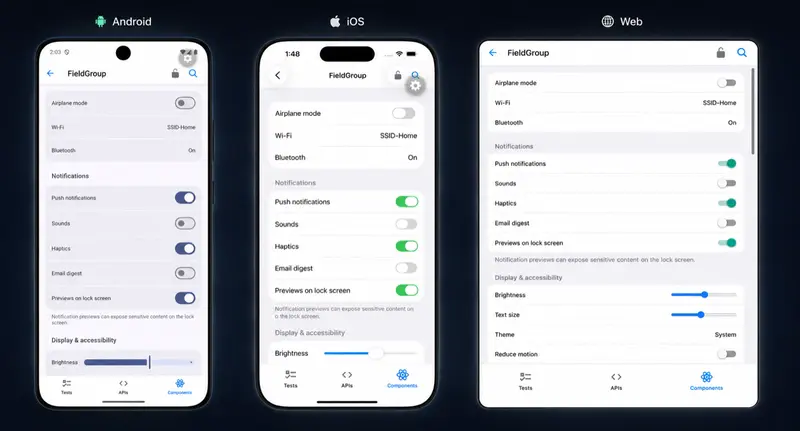
Universal field group settings UI

If you’ve ever tried to pull SEC filing data programmatically, you know the pain. The EDGAR full-text search is clunky, the submissions API returns deeply nested JSON that’s annoying to parse, and the rate limiting (10 req/s with a mandatory User-Agent) means you can’t just hammer it from a script.

The commercial options aren’t cheap either. sec-api.io starts at $49/mo. Quandl (now Nasdaq Data Link) is $29/mo for basic access. Financial Modeling Prep charges per call. If you just need filing metadata and don’t want to build a whole pipeline, that’s a lot of overhead.

I built a free actor on Apify that wraps the EDGAR API and gives you clean, flat JSON for any company lookup. No API key needed. You pay per result on Apify ($0.005/company) and it handles the pagination, rate limiting, and data flattening.

What it actually returns

For each company, you get: CIK, ticker, SIC code (industry classification), EIN, state of incorporation, filer category, phone number, business and mailing address, former names, and every filing matching your filters.

Each filing record has the form type, filing date, report date, accession number, direct document URL, filing index URL, XBRL availability flag, and file size. So you can go straight from search result to the actual document.

Quick examples

Pull 10-K annual reports for FAANG stocks:

{
    "tickers": ["AAPL", "AMZN", "GOOGL", "META", "NFLX"],
    "formTypes": ["10-K"],
    "maxFilings": 5
}

Track insider trading at NVIDIA since 2025:

{
    "tickers": ["NVDA"],
    "formTypes": ["4"],
    "dateFrom": "2025-01-01",
    "maxFilings": 100
}

Search by company name (partial match works):

{
    "companyNames": ["Palantir"],
    "formTypes": ["10-K", "10-Q", "8-K"],
    "maxFilings": 20
}

Results come back in 2-3 seconds per company. Export as JSON, CSV, or Excel.

Why not just use the raw EDGAR API?

You can. It’s free and public. But here’s what you’d need to build:

  1. Company resolution — EDGAR identifies companies by CIK, not ticker. You’d need to maintain a ticker-to-CIK mapping or hit the company search endpoint first.

  2. Pagination — The submissions endpoint returns filings in batches across multiple URLs. Recent filings are inline, older ones are in separate CIK0001234567-submissions-001.json files you have to fetch and merge.

  3. Rate limiting — 10 requests per second, and the SEC blocks you (temporarily) if you don’t include a valid User-Agent with your email. Most tutorials forget to mention this.

  4. Data flattening — The raw JSON nests filings inside recentFilings and files arrays with parallel arrays for each field (one array for dates, one for accession numbers, etc). Not the worst API design I’ve seen, but close.

None of this is hard, but it’s 2-4 hours of work for something that should take 10 seconds.

Who actually uses this

From what I can tell, the main use cases are:

  • Investment analysts who need filing history for fundamental research without paying for a Bloomberg terminal
  • Compliance teams monitoring 8-K events and insider trading disclosures
  • Due diligence workflows where you need complete filing history for acquisition targets
  • Academic researchers building datasets of financial disclosures
  • Lead gen — every public company’s phone number and address is in EDGAR, filterable by industry (SIC code)

The lead gen angle surprised me, but it makes sense. EDGAR has structured contact data for 10,400+ companies, organized by industry, with filing frequency as a proxy for company activity.

Try it

The actor is here: SEC EDGAR Company Filings Search

It’s part of a collection of 30 public data tools I built covering government APIs, business registrations, and regulatory data. All free to try, all on Apify, all written in Go.

If you work with any of these data sources — SEC filings, IRS 990 nonprofits, FDA drug safety, state business registrations, federal contracts — there’s probably an actor in the collection that saves you a few hours of API wrangling.

When Synthetic Data Lies: A Hidden Correlation Problem I Didn’t Expect

While working on a small analytics setup using ClickHouse and Superset, I generated some synthetic data to test queries and dashboards.

Initially, everything looked fine. The distributions seemed reasonable, and the dashboards behaved as expected.

But as I increased the dataset size, a few patterns started to look off.

Revenue seemed to concentrate in a single country.
In some cases, certain countries had no purchases at all.

At first, it looked like a simple distribution issue. But the patterns were too consistent to ignore.

Checking the Usual Suspects

The first assumption was that something was wrong with the queries or aggregations.

So I checked:

  • query logic
  • filters
  • materialized views
  • dashboard configurations

Everything seemed correct.

Which pointed to a different possibility:

The issue wasn’t in how the data was queried – it was in how the data was generated.

Looking at the Data More Closely

Instead of relying on dashboards, I went back to the raw data.

A simple aggregation made things clearer:

  • one country dominating purchases
  • another missing entirely


Overall event distribution looks reasonable – the issue isn’t obvious here

At this point, it was clear that the data itself wasn’t behaving as expected.

The First Issue: Randomness That Wasn’t Quite Random

The initial data generation logic used rand() like this:

multiIf(
    rand() % 100 < 40, 'India',
    rand() % 100 < 65, 'US',
    rand() % 100 < 80, 'UK',
    rand() % 100 < 90, 'Germany',
    'UAE'
)

At a glance, this looks reasonable.

But each rand() call is evaluated independently.

So instead of generating a single random value and assigning a category, the logic evaluates a new random value at each step.

This leads to unintended distributions and subtle bias in the data.

Fixing That… and Introducing Another Problem

To make the data more stable, I switched to a deterministic approach using number:

(number * 17) % 100 AS event_rand
(number * 29) % 100 AS country_rand

This made the distributions predictable and easier to reason about.


After fixing randomness – a different issue appears (some countries have zero purchases)

But it introduced a different issue.

Both event_type and country were now derived from the same base value: number.

The Real Issue: Hidden Correlation

Even with different multipliers, these values were not independent.

They were mathematically related.

This meant:

  • certain rows could only produce certain combinations
  • some combinations would never occur

In this case, the rows that produced "purchase" never aligned with the rows that produced "UAE".

Which resulted in:

  • UAE having zero purchases
  • other countries showing skewed distributions

What Was Actually Wrong

The issue wasn’t randomness.

It was lack of independence.

The variables in the synthetic dataset were not independent of each other.

And that’s enough to produce misleading analytics.

Fixing the Data Generation

To resolve this, I changed how the values were generated:

  • used different transformations
  • added offsets
  • ensured each variable had its own distribution

For example:

(number * 17) % 100 AS event_rand
(number * 31 + 13) % 100 AS country_rand
(number * 47 + 23) % 100 AS device_rand

This breaks the alignment between variables and restores independence.


After this change, the distributions behaved as expected.

Why This Matters

At smaller scales, the issue wasn’t obvious.

The data looked fine, and the dashboards seemed reasonable.

But as the dataset grew:

  • patterns became more consistent
  • biases became more visible
  • incorrect assumptions started to look like real insights

Key Takeaway

Synthetic data can look correct while still producing misleading results.

The problem wasn’t query performance.

It was data correctness.

Scaling the data didn’t create the issue.

It revealed it.

Final Thoughts

This was a good reminder that:

  • data generation deserves as much attention as querying
  • small assumptions can lead to large inconsistencies
  • and “reasonable-looking” data isn’t always reliable

When working with analytics systems, it’s easy to trust what the data shows.

But sometimes, it’s worth questioning how that data was created in the first place.

Related

This came up while building an analytics setup using ClickHouse and Superset, where I was comparing raw tables and materialized views.

If you’re interested in that setup, you can read about it here:
👉 link to Blog 1

Your First Komilion API Call in 60 Seconds

Your First Komilion API Call in 60 Seconds

By Hossein Shahrokni | March 2026

If you just signed up for Komilion and are staring at a blank dashboard: here’s exactly what to do. This takes 60 seconds.

What you need

  • Your Komilion API key (starts with ck_ — visible in your dashboard)
  • Python 3.7+ or Node.js 16+, OR curl

That’s it. No new SDK. Komilion is OpenAI-compatible — if you’ve used the OpenAI API before, the interface is identical.

Option 1: Python (60 seconds)

Install the OpenAI SDK if you haven’t already:

pip install openai

Then run this:

from openai import OpenAI

client = OpenAI(
    base_url="https://www.komilion.com/api/v1",
    api_key="ck_your_key"  # paste your actual key here
)

response = client.chat.completions.create(
    model="neo-mode/balanced",
    messages=[{"role": "user", "content": "What is the fastest way to find a duplicate in a Python list?"}]
)

print(response.choices[0].message.content)

# See what model handled it and what it cost:
print("Model:", response.model_extra["komilion"]["brainModel"])
print("Tier:", response.model_extra["komilion"]["tier"])
print("Cost:", response.model_extra["komilion"]["cost"])

When you see output — you’re in. The brainModel field shows which model handled your request. The tier will say "balanced". The cost is what that call cost in USD.

Option 2: curl (30 seconds)

curl https://www.komilion.com/api/v1/chat/completions 
  -H "Authorization: Bearer ck_your_key" 
  -H "Content-Type: application/json" 
  -d '{
    "model": "neo-mode/balanced",
    "messages": [{"role": "user", "content": "What is the fastest way to find a duplicate in a Python list?"}]
  }'

You’ll get a standard OpenAI-format JSON response plus a komilion object in the response body with routing metadata.

Option 3: Existing OpenAI code (20 seconds)

If you already have code using the OpenAI SDK, change two lines:

# Before
client = OpenAI(api_key="sk-...")

# After
client = OpenAI(
    base_url="https://www.komilion.com/api/v1",
    api_key="ck_your_key"
)

Change the model string to neo-mode/balanced. Every other parameter — messages, temperature, stream, max_tokens — stays the same.

What the three model strings do

Once you have the first call working, here’s how to use all three tiers:

# Commit messages, summaries, format conversion — ~$0.006/call
response = client.chat.completions.create(
    model="neo-mode/frugal",
    messages=[{"role": "user", "content": "Write a git commit message for this diff: ..."}]
)

# Bug fixes, code review, new functions — ~$0.08/call (default)
response = client.chat.completions.create(
    model="neo-mode/balanced",
    messages=[{"role": "user", "content": "Review this function for edge cases: ..."}]
)

# System design, architecture, security review — council mode, ~90s response
response = client.chat.completions.create(
    model="neo-mode/premium",
    messages=[{"role": "user", "content": "Design the database schema for a multi-tenant SaaS: ..."}]
)

The routing metadata in every response tells you what tier was used and what it cost.

If something goes wrong

401 Unauthorized — API key is wrong or missing. Make sure you’re using your ck_ key, not an OpenAI key.

400 Bad Request on the model string — The model string must be exactly neo-mode/frugal, neo-mode/balanced, or neo-mode/premium. Do not use anthropic/claude-opus-4-6 or any other model string — those will return 400.

402 Insufficient Balance — Your wallet balance is $0. Top up at komilion.com/dashboard.

Empty komilion metadata — Upgrade to openai>=1.0.0. The model_extra field requires the newer SDK.

Slow response on Premium — Expected. The council runs multiple specialists, which can take up to 90 seconds. Use Balanced for interactive requests.

What’s next

Once your first call works:

  • Use neo-mode/balanced as the default everywhere in your codebase
  • Override to neo-mode/frugal for formatting, summarization, and commit messages
  • Override to neo-mode/premium only when the output is going to production without review

The Phase 4 benchmark (30 calls, 10 developer tasks, all outputs published) is at komilion.com/compare-v2 — worth reading before you commit to a tier strategy.

Questions: [email protected]

🚀 Sick of Paying a Fortune for SMS & WhatsApp Notifications?

Hook:
We’ve all been there: You build an amazing application (E-commerce, CRM, or SaaS). But when it’s time to integrate SMS or WhatsApp confirmations, the invoice hits you. 💸 Between Twilio’s API fees and Meta’s per-message costs, your budget is blown before your first customer even signs up.

The Problem:
“Official” solutions are great for multinationals. But for independent developers, startups, or local businesses, they are often a massive barrier:

High cost per message.

Endless business verification processes.

Reliance on international payment gateways.

The Solution: The “Self-Hosted” Approach 🛠️
Today, robust Open Source alternatives exist that allow you to keep total control and reduce your notification costs to zero.

  1. WhatsApp via Evolution API:
    Instead of paying per message, you use a full REST API that connects directly to your standard WhatsApp account (via the WhatsApp Web protocol). It’s stable, fast, and free.

Tool: Evolution API (the most powerful engine right now).

  1. SMS via Your Own Mobile Plan:
    Why pay an SMS gateway when you have unlimited SMS on your SIM card? By using an Android gateway application, your smartphone becomes your own SMS server.

Tool: SMS Gate (open source).

Why Choose Self-Hosted?
✅ Savings: €0/0$ in service fees.
✅ Freedom: You own your infrastructure.
✅ Flexibility: Easy integration into any project (Node.js, PHP/Laravel, Python).

Conclusion:
The era where sending notifications was a luxury is over. With the right Open Source tools, you can build professional communication systems without spending a cent on API fees.

What solution are you using for your notifications? Team Twilio or Team Open Source? 👇

HotSwap: Routing LLM Subtasks by Cache Economics

Abstract

Model routing and prompt caching are well-established, separate techniques for reducing LLM API costs. Routing directs simple tasks to cheaper models (40-85% savings). Anthropic’s prompt caching cuts input token costs by up to 90% on repeated prefixes. Every existing tool treats these as independent optimizations.

This post proposes HotSwap, a pattern that keeps a persistent cached Claude session as the stateful backbone while offloading read-only exploration turns to a cheaper provider. The motivation is cache economics: cached turns on Anthropic are cheap, so you want to keep complex work there while routing lightweight exploration elsewhere. The mechanism is simpler than you’d expect — task-type classification (exploration vs. action), not real-time cost calculation. And a self-tuning model selector adapts which cheap model handles exploration based on observed success rates in your specific workload.

To be clear about what’s novel and what isn’t: multi-model routing exists (LiteLLM, OpenRouter). Prompt caching is well-documented. The contributions here are: (1) using cache economics as the motivating insight for a hybrid architecture that keeps the primary session warm, (2) a guardrail mechanism that lets cheap models explore freely but prevents them from taking irreversible actions, (3) a self-tuning model selector that promotes or demotes the exploration model based on observed outcomes — no pre-trained classifier, no static rules, and (4) a cross-provider message format translation layer that makes the primary model see a seamless conversation history regardless of which provider handled which turn.

Status: HotSwap is implemented and under active benchmarking. Early data is directional, not definitive. This post describes the architecture and methodology; formal benchmark results will follow.

A note on terminology

“Cache-aware routing” is an existing term in infrastructure, but it refers to something completely different. Projects like llm-d (IBM/Google/Red Hat) use KV cache-aware routing to direct requests to GPU pods that already hold relevant context in memory — that’s routing requests to the right server. HotSwap operates at the application layer for API consumers, routing turns to the right provider based on task type, with cache economics as the motivating reason. Different layer, different audience, different problem.

The problem: two optimizations that don’t talk to each other

Today, if you want to reduce your LLM API spend, you have two main levers:

  1. Prompt caching. Anthropic lets you cache prompt prefixes and read them back at 10% of the input token cost. For long system prompts or multi-turn conversations, this is transformative — but you’re still paying full output token price on every call, even for turns that are just reading files and exploring code.

  2. Model routing. Tools like LiteLLM, OpenRouter, and Bifrost let you send simple requests to cheaper models. This works well, but each call is independent — there’s no concept of a persistent session, and no awareness of what’s already cached.

The gap: exploration turns (reading files, searching code, summarizing) don’t need a frontier model, but existing routers don’t know which turns are exploration and which are action. And caching tools don’t influence routing at all.

The economic insight that motivates HotSwap: even with Anthropic’s 90% cache discount, a cached Sonnet exploration turn costs ~$0.0045. An uncached gpt-4.1-nano turn costs ~$0.001. The hybrid isn’t just preserving the cache — it’s cheaper even when the cache is working perfectly.

A recent paper (Khraishi et al., 2026, arXiv:2603.03111) studied what happens when you switch models mid-conversation, finding that handoffs can swing outcomes by -8 to +13 percentage points depending on direction. However, that paper studied per-conversation-turn switching (swapping the model that continues a dialogue), not per-agentic-turn switching (routing discrete tool-calling turns within a single execution). HotSwap addresses the drift risk with a guardrail mechanism (see below).

The HotSwap architecture

HotSwap separates your LLM usage into two channels based on task type, with cache economics as the motivating reason for the split.

The cached backbone (Claude)

A single Claude session acts as the persistent source of truth. The system prompt, tool definitions, and growing conversation history are cached using Anthropic’s cache_control parameter. Every subsequent call to this session reads from the cache at 10% of the base input price. This session handles all turns that involve action: writing code, editing files, rebuilding, planning, and synthesis.

The cheap sidecar (OpenAI)

Exploration turns are offloaded to a cheaper model. The sidecar receives the full message history, translated to OpenAI’s native format — not a summarized version. The sidecar needs full context to make good exploration decisions (“which file should I read next?” depends on what’s already been read). Sending a self-contained prompt would require summarizing the conversation, adding complexity and token cost. The savings come from cheaper per-token pricing, not smaller inputs.

OpenAI has automatic prompt caching, but it doesn’t penalize switching between models — each exploration call is independent, so there’s no warm cache to lose on the sidecar side.

The routing logic

The routing decision is task-type-based, not real-time cost calculation:

  • First turn always goes to the primary model — this creates the cache.
  • After each turn, check: were all tools in the previous turn read-only? If yes, the next turn routes to the cheap model. If no, it stays on the primary.
  • If the cheap model requests action tools (edit_code, write_file, rebuild), the response is discarded and the turn is re-routed to the primary model. The cache is still warm.
  • If the cheap model call fails entirely (auth error, timeout, bad model name), the system falls back to the primary model gracefully. No hang, no crash.

The cache economics are the motivation — cached turns are cheap, so you want the expensive model handling the work that matters. The mechanism is straightforward task classification. Real-time cache-economics-driven routing (factoring in TTL, marginal cost comparisons) is a direction for future work.

How it actually works

def handle_turn(messages, tools, primary_model):
    # First turn always goes to primary (creates cache)
    if turn == 1:
        return primary_model.call(messages, tools)

    # Check: was the PREVIOUS turn exploration-only?
    last_tools = get_tools_called(messages[-1])
    all_exploration = all(t in EXPLORATION_TOOLS for t in last_tools)

    if not all_exploration or not openai_client:
        return primary_model.call(messages, tools)  # cache hit

    # Route to cheap model for exploration
    cheap_model = get_best_exploration_model(stats)  # self-tuning
    try:
        response = cheap_model.call(
            translate_to_openai(messages),  # full history, translated
            translate_tools(tools)
        )
    except Exception:
        # OpenAI failed -- fall back to primary, cache still warm
        return primary_model.call(messages, tools)

    # GUARDRAIL: if cheap model requests action tools, discard and re-route
    if any(tool in ACTION_TOOLS for tool in response.tool_calls):
        log("Guardrail: re-routing to primary")
        return primary_model.call(messages, tools)  # cache still warm

    # Translate response back to primary format and inject into history
    return translate_to_anthropic(response)
    # Primary's cache stays warm -- next primary call gets cache hit

The guardrail: explore freely, never act

This is how HotSwap addresses the context drift problem from arXiv:2603.03111.

The cheap model can call any read-only tool: read files, search code, summarize, list directories. But when the cheap model’s response includes a call to an action tool (edit_code, write_file, rebuild), the entire response is discarded and the turn is re-routed to the primary model. The primary’s cache is still warm — Anthropic’s cache TTL is 5 minutes, and exploration turns take seconds.

This means the cheap model can explore freely but cannot take irreversible actions. The worst case is a wasted sidecar call (~$0.001 on nano) — not a bad edit.

The guardrail itself is zero-cost on success: a string comparison against a set of tool names. No LLM call, no API round-trip. The only cost is when it triggers.

Guardrail triggers are not counted in exploration stats, which prevents pollution of the success rate data used for self-tuning.

Self-tuning exploration model selection

Existing model routers like RouteLLM train classifiers on fixed preference datasets, and FrugalGPT learns LLM cascades from labeled examples — both require upfront training data and don’t adapt at runtime. HotSwap’s routing adapts based on observed outcomes within your specific workload, with zero training data.

How it works:

  • Starts with the cheapest model — gpt-4.1-nano ($0.10/1M input tokens at time of writing; verify current pricing).
  • Tracks success rate: did this exploration turn lead to a successful edit on the next primary turn?
  • If success rate drops below 60% after 5+ exploration turns, promotes to the next cheapest model (e.g., gpt-4o-mini, then gpt-4.1-mini, then gpt-4o).
  • Stats persist across sessions in a local JSON file.
  • Zero LLM cost for the routing decision itself — pure bookkeeping.

Known limitation: the success metric is conservative. Only the last exploration turn before a successful edit gets credit. If three exploration turns preceded the edit, only the third is marked successful. This deflates the success rate, meaning the system is more cautious about staying on cheap models than the data may warrant. We chose conservative over optimistic — it’s safer to promote to a better model too early than to stay on a bad one too long.

This means HotSwap gets smarter over time for your specific workload. A codebase where nano handles exploration fine stays on nano. A codebase where nano’s exploration leads to bad edits gets automatically promoted to a better model. No manual tuning required.

Message format translation

A less glamorous but essential piece: the translation layer that makes cross-provider routing seamless.

Anthropic uses tool_use/tool_result blocks. OpenAI uses function_call/function response format. HotSwap translates the full Anthropic message history into OpenAI’s format before sending to the sidecar, and translates the OpenAI response back into Anthropic ContentBlocks before injecting it into the conversation history.

The primary model sees a seamless history — it doesn’t know some turns were handled by a different provider. This is what makes the cache reinjection work without invalidating the cached prefix.

What already exists vs. what HotSwap adds

The building blocks are mature. The combination is new.

Capability Existing tools HotSwap
Multi-model routing LiteLLM, OpenRouter, Bifrost Uses existing
Prompt caching Anthropic API Uses existing
Orchestrator / worker split Various Uses existing
Task-type routing motivated by cache economics None Novel
Guardrail: explore freely, never act None Novel
Self-tuning model selector based on observed outcomes None Novel
Cross-provider message format translation with cache reinjection None Novel
Graceful fallback on sidecar failure None Novel

Known risks and mitigations

  • Context drift. arXiv:2603.03111 found that switching models mid-conversation can swing outcomes by -8 to +13 percentage points. HotSwap mitigates this with the guardrail: the cheap model can explore but cannot act. If it tries to act, the turn is discarded and re-routed. Additionally, the arXiv paper studied conversational handoffs (one model continuing another’s dialogue); HotSwap’s exploration turns produce factual tool results (file contents, search matches), which carry less drift risk than open-ended reasoning.

  • Cache invalidation. Reinjected sidecar results append to the end of the message history but do not modify the cached prefix (system prompt, tools, early history). The prefix stays immutable. Risk: if the message history grows large enough to push past cache boundaries, hits may degrade.

  • Latency overhead. The sidecar call adds a network round-trip, plus translation time. For latency-sensitive applications, this may not be worth it. Mitigation: measure P50/P95 latency per path and adjust routing thresholds.

  • Translation fidelity. The format translation between Anthropic and OpenAI is not lossless — edge cases in tool call formatting, multi-block responses, or provider-specific features could cause subtle issues. Mitigation: test translation on your specific tool set before deploying.

  • Sidecar availability. If the OpenAI API is down or the model name is invalid, the sidecar call fails. Mitigation: HotSwap catches all sidecar errors and falls back to the primary model. This was added after discovering a real hang caused by a sidecar failure during development.

Early data (benchmarking in progress)

From actual sessions — directional, not definitive:

Configuration Cost Turns Outcome Notes
Sonnet with caching $0.38 9 Completed One measured session
Sonnet with caching $0.70 17 Completed One measured session (more complex task)
Opus with caching $0.88 9 Completed One measured session
Cache discount (Sonnet) 22% — — One measured session vs. uncached baseline

Hybrid routing data (OpenAI exploration turns) is being collected. Formal benchmarks across the scenarios below are actively in progress.

Benchmark methodology

To validate HotSwap, metrics are being collected across three configurations: (A) pure Claude without caching, (B) pure Claude with caching, and (C) the HotSwap hybrid approach.

Primary metrics

Metric What to measure Why it matters
Cost per task Total API spend across all providers for one complete task The headline number
Cost per turn by type Break down by exploration vs. action turns Shows where offloading saves money
Cache hit rate Percentage of primary model calls that hit the cache Validates the architecture’s core assumption
End-to-end duration Wall-clock time per task Reveals whether sidecar round-trips add unacceptable delay
Task completion rate Did the task succeed across configurations? Proves offloading exploration doesn’t degrade results

Secondary metrics

Metric What to measure Why it matters
Guardrail trigger rate How often the cheap model tries to act and gets re-routed High rate means exploration model is too aggressive
Self-tuning promotions How often the system promotes to a more expensive exploration model Indicates when the cheapest model isn’t good enough
Sidecar fallback rate How often sidecar calls fail, requiring a primary model retry Measures reliability of the cross-provider bridge
Exploration success rate Did the exploration turn lead to a successful action on the next turn? The metric that drives self-tuning

Test scenarios (in progress)

  1. Simple UI change. Change one CSS property. Minimal exploration, one edit. Tests baseline cost across models.

  2. Find and fix. Locate a specific UI element and modify it. Moderate exploration (search + read), one edit. Tests exploration routing.

  3. Add a feature. Add a new UI element with behavior. Heavy exploration (multiple files), multiple edits. Tests the full exploration-to-action cycle.

  4. Investigation only. Answer a question about the codebase. All exploration, no edits. Tests whether HotSwap saves on pure-exploration tasks.

  5. Multi-file refactor. Extract duplicated code into a shared utility. Heavy exploration + heavy action. Tests the architecture under sustained load.

What comes next

HotSwap is a hypothesis under active testing, not a proven solution. The architecture is working, but the key question — does the added complexity pay for itself, and under what conditions? — is still open.

Directions being explored:

  • Real-time cache-economics-driven routing — using TTL remaining and marginal cost comparisons to make routing decisions dynamically, instead of pure task-type classification. This is the aspirational version of the pattern.
  • More granular tool classification — the current exploration/action split is binary. Some tools are borderline (e.g., running tests is read-only but computationally meaningful). Smarter classification could improve routing accuracy.
  • Broader provider support — the translation layer currently handles Anthropic <> OpenAI. Adding Google Vertex or local models as sidecar options would test provider-agnosticism.

Larry Kang – March 2026

The Habit MACD: How to Detect Momentum Shifts Before You Burn Out or Quit

If you’ve ever felt a habit “losing energy” before you could articulate why — MACD explains it.

In technical analysis, the MACD (Moving Average Convergence Divergence) is the go-to indicator for catching momentum shifts before they become trend reversals.

I’ve been tracking my habits like stocks for several months now. After experimenting with Sharpe Ratios, RSI, Bollinger Bands, and moving averages applied to daily behavior — MACD is the indicator I check most.

Here’s why.

What MACD Tells You That Streaks Never Could

A streak tells you one thing: did you show up or not.

MACD tells you something far more useful: is your momentum building or fading?

The classic MACD uses two exponential moving averages — typically 12-day and 26-day — and plots their difference as a “MACD line.” A second “signal line” (9-day EMA of the MACD line) creates the crossover signal.

When MACD crosses above the signal line: bullish momentum is building.
When MACD crosses below: bearish divergence — momentum is fading, even if the habit is still happening.

For habits, I adapted this:

function habitMACD(scores, short = 7, long = 21, signal = 5) {
  const ema = (data, period) => {
    const k = 2 / (period + 1);
    return data.reduce((acc, val, i) => {
      if (i === 0) return [val];
      return [...acc, val * k + acc[acc.length - 1] * (1 - k)];
    }, []);
  };

  const shortEMA = ema(scores, short);
  const longEMA = ema(scores, long);
  const macdLine = shortEMA.map((v, i) => v - longEMA[i]);
  const signalLine = ema(macdLine.slice(long - 1), signal);

  return {
    macdLine: macdLine.slice(long - 1),
    signalLine,
    histogram: macdLine.slice(long - 1).map((v, i) => v - (signalLine[i] || 0))
  };
}

The Four MACD States for Habits

1. Bullish Crossover (MACD crosses above signal)
Your short-term momentum is outpacing your long-term average. This is the entry signal — the habit is accelerating. You’re building the behavior faster than historical pace.

2. Bearish Crossover (MACD crosses below signal)
This is the warning sign. Your habit hasn’t broken yet. The streak might still be intact. But momentum is fading. In my data, a bearish crossover predicts a miss within the next 9 days with ~67% accuracy.

3. Histogram Expansion (bars growing)
Momentum is strengthening. If bullish: accelerating growth. If bearish: accelerating decline. The rate of change of change.

4. Histogram Compression (bars shrinking)
A reversal is approaching. If in a bearish trend, compression often precedes recovery. The bottom is forming.

The Pattern That Surprised Me Most

When I ran MACD analysis on 90+ days of habit data across several behaviors, I found something I didn’t expect:

The bearish crossover almost always happened on a “good” week.

Not after a miss. Not after a stressful period. After a string of 95%+ scores.

This is the MACD version of what I call the Overbought Trap (which overlaps with the RSI signal I’ve written about). Intensity without variance builds emotional fragility. The MACD detects the unsustainable acceleration — the “too fast” momentum — that streaks completely miss.

Practical Application

I now use MACD for a single decision: do I need to coast or push?

  • Bullish crossover + expanding histogram → push this week, momentum is real
  • Bearish crossover + expanding histogram → coast, reduce friction, ride it out
  • Histogram compression → prepare for a momentum flip either direction
  • Below zero but compressing → recovery forming, don’t abandon now

The key insight: coasting on bearish MACD is not failure. It’s risk management.

A trader who holds through every bearish signal gets wiped. A trader who cuts position size during low-momentum periods protects capital for the next rally.

Same logic applies to habits. The goal isn’t 100% effort every day. The goal is sustained participation over years.

What This Changed For Me

I used to push hardest exactly when I should have coasted — during bearish divergence, when momentum was already fading. The willpower expenditure accelerated the decline rather than preventing it.

Now when I see a bearish MACD crossover, I deliberately reduce the “dose” of the habit. Not skip it. Just: do less. 15 minutes instead of 45. Show up at 50% instead of 100%.

The habit price dips slightly. But the MACD recovers. And the next bullish crossover comes from a more stable base.

The result: fewer dramatic crashes. Slower accumulation. Better long-term charts.

I built HabitStock to make this kind of analysis accessible without a spreadsheet. Free, no account required: habitstock.limed.tech

Have you ever felt a habit losing energy before the actual miss? That’s MACD in action.

Tags: productivity, javascript, webdev, indiehackers

AWS S3 Introduces Account-Regional Namespaces, Ending 18 Years of Global Bucket Name Collisions

AWS introduced account-regional namespaces for S3, fixing global bucket name collisions that broke IaC automation for 18 years. New format: {prefix}-{account-id}-{region}-an. CloudFormation gets the BucketNamePrefix property, and IAM gets the s3:x-amz-bucket-namespace condition key. Prevents confused-deputy attacks by making names unpredictable when there is no account ID.

By Steef-Jan Wiggers