Submitting My First Device Tree Binding Patch for GSoC 2026 — And It Got Accepted!

For the second patch, I looked through many drivers, and first, I had chosen Multi-Inno MI0283QT display panel
However, I found out that this device relied on a lot of complex properties that will probably depend on other files..

So, I decided to temporarily put it aside, and work on a simple file to get the hang of what should be done, and then come back to the bigger file, and work on it.

After looking through all the DT binding files, I decided to settle with this simple DT Bindings file

OLPC XO-1 RTC

OLPC XO-1 RTC
~~~~~~~~~~~~~

Required properties:
 - compatible : "olpc,xo1-rtc"

Understanding the Hardware:

RTC – Real Time Clock
A RTC is an electronic device that measures and tracks time, often in hours, minutes, and seconds. Unlike regular clocks, an RTC is specifically designed to operate within computing systems, even when the device is turned off or disconnected from power. Its primary function is to provide accurate time and date, which is crucial for various applications such as event logging, timestamping, and time-sensitive operations in computing and embedded systems. 1

OLPC = One Laptop Per Child
The OLPC XO (colloquially known as $100 Laptop,Children’s Machineis a low cost laptop computer intended to be distributed to children in developing countries around the world,to provide them with access to knowledge, and opportunities to “explore, experiment and express themselves” (constructionist learning).2

So, OLPC XO-1 RTC is basically an RTC that was developed specially for OLPC XO laptops.

Making a patch

I had already analyzed a patch while understanding Device Trees.
I also referred to the example-schema.yaml found in Documentation/devicetree/bindings

And I started working on my DT Schema patch, it was quite simple and didn’t require much time

# SPDX-License-Identifier: GPL-2.0-only OR BSD-2-Clause
%YAML 1.2
---
$id: [http://devicetree.org/schemas/rtc/olpc-xo1-rtc.yaml](http://devicetree.org/schemas/rtc/olpc-xo1-rtc.yaml)#
$schema: [http://devicetree.org/meta-schemas/core.yaml](http://devicetree.org/meta-schemas/core.yaml)#

title: OLPC XO-1 RTC

maintainers:
  - Alexandre Belloni <[email protected]>

properties:
  compatible:
    enum:
      - olpc,xo1-rtc

required:
  - compatible

additionalProperties: false

examples:
  - |
    rtc {
       compatible = "olpc,xo1-rtc";
    };

link: https://lore.kernel.org/linux-devicetree/[email protected]/

I checked if this works and it does!

anu@laptop:~/kernel-dev/source/linux$ make clean && make -j8 dt_binding_check DT_SCHEMA_FILES=Documentation/devicetree/bindings/rtc/olpc-xo1-rtc.yaml CLEAN Documentation/devicetree/bindings HOSTCC scripts/basic/fixdep HOSTCC scripts/dtc/dtc.o HOSTCC scripts/dtc/flattree.o HOSTCC scripts/dtc/fstree.o HOSTCC scripts/dtc/data.o HOSTCC scripts/dtc/livetree.o HOSTCC scripts/dtc/treesource.o HOSTCC scripts/dtc/srcpos.o HOSTCC scripts/dtc/checks.o HOSTCC scripts/dtc/util.o SCHEMA Documentation/devicetree/bindings/processed-schema.json LEX scripts/dtc/dtc-lexer.lex.c YACC scripts/dtc/dtc-parser.tab.[ch] HOSTCC scripts/dtc/dtc-lexer.lex.o HOSTCC scripts/dtc/dtc-parser.tab.o HOSTLD scripts/dtc/dtc CHKDT ./Documentation/devicetree/bindings LINT ./Documentation/devicetree/bindings DTEX Documentation/devicetree/bindings/rtc/olpc-xo1-rtc.example.dts DTC [C] Documentation/devicetree/bindings/rtc/olpc-xo1-rtc.example.dtb

Reply

I got a reply from the maintainer, Alexandre Belloni!
He told me that this should be moved in trivial-rtc

What is trivial-rtc?
trivial-rtc.yaml is a file where minimal or generic RTC devices’ schema are written. These devices are very simple and have generic properties, so instead of creating a separate DT Schema file, they are added to a common file called trivial-rtc.yaml

Thus, I added my device to the file,

index a2891ceb6344..000000000000
--- a/Documentation/devicetree/bindings/rtc/olpc-xo1-rtc.txt
+++ /dev/null
@@ -1,5 +0,0 @@
-OLPC XO-1 RTC
-~~~~~~~~~~~~~
-
-Required properties:
- - compatible : "olpc,xo1-rtc"
[diff](https://lore.kernel.org/linux-devicetree/[email protected]/#iZ31Documentation:devicetree:bindings:rtc:trivial-rtc.yaml) --git a/Documentation/devicetree/bindings/rtc/trivial-rtc.yaml b/Documentation/devicetree/bindings/rtc/trivial-rtc.yaml
index b47822370d6f..722176c831aa 100644
--- a/Documentation/devicetree/bindings/rtc/trivial-rtc.yaml
+++ b/Documentation/devicetree/bindings/rtc/trivial-rtc.yaml
@@ -65,6 +65,8 @@ properties:
       - microcrystal,rv3029
       # Real Time Clock
       - microcrystal,rv8523
+      # OLPC XO-1 RTC
+      - olpc,xo1-rtc
       # I2C bus SERIAL INTERFACE REAL-TIME CLOCK IC
       - ricoh,r2025sd
       # I2C bus SERIAL INTERFACE REAL-TIME CLOCK IC
--

I checked if it works and it does!

anu@laptop:~/kernel-dev/source/linux$ make -j4 dt_binding_check DT_SCHEMA_FILES=Documentation/devicetree/bindings/rtc/trivial-rtc.yaml
  SCHEMA  Documentation/devicetree/bindings/processed-schema.json
  CHKDT   ./Documentation/devicetree/bindings
  LINT    ./Documentation/devicetree/bindings

I went ahead submitted my patch
https://lore.kernel.org/linux-devicetree/[email protected]/

[25-03-26 23:19:39] HOLY SHIT!!!!!!!!
MY PATCH GOT ACCEPTED!!!!!!!!!!!!!!!
OMGGGGGG!!!!
I AM LITERALLY SCREAMING IN THE MIDDLE OF THE NIGHT!!
I HAVE NEVER FELT SO HAPPY!!!

I AM SO EXCITED THAT I AM JUMPING!

AAAAAAAAAAAAAAAAAAAAAAAAAAAAAAAAAAAAAAAAAAAAAAAAAAAAAAAAAAAAAAAAAAAAAAAAAAAAAAAAAAAAAAAAAAAAAAAAAAAAAAAAAAAAAAAAAAAAAAAAAAAAAAAAAAAAAAAAAAAAAAAAAAAAAAAAAAAAAAAAAAAAAAAA

YAY!

I also got a piece of advice by the maintainer who accepted my patch, Conor Dooley:
I had been sending patches of the next version in response to the original patches, inside the same thread,

and that isn’t how it’s done
I should create a different thread in order to send new patches.

Thank you so much Conor! I’ll definitely remember that for my future patches.

Right now, as I write, I am still so excited, my fingers are trembling, lol
AAAAAAAAAAAAAAAAAAAAAAAAAAAAAAAAAAAAAAAA
;lkdsjgsoegnhgkesjrgnhbseikgujhiu sfkjslfkjaf

End note:
This was my first patch, and making it was a truly enjoyable process, I can’t wait to start working on another patch again!
Although I am a currently beginner, I am learning through my mistakes, that I document on these post series. Someday, I won’t be a beginner and a seasoned contributer. I really look forward to it.
I will definitely continue contributing to the kernel and open source!

References

  1. https://www.lenovo.com/in/en/glossary/real-time-clock/
  2. https://en.wikipedia.org/wiki/OLPC_XO

PlayStation 5 ailesine ve PlayStation Portal’a zam geleceği iddia ediliyor

PlayStation 5 LOG Tasarım

PlayStation 5 LOG TasarımSony’nin yakın bir zaman içerisinde PlayStation 5 konsol ailesine ve PS Portal’a zam yapacağı iddia ediliyor. PS5 ve PS5 Pro’ya 100 avro, PS Portal’a ise 30 avro zam planlandığı öne sürülürken, zam sonrasında “disk sürücülü” PS5’in Avrupa fiyatının 549,99 avrodan 649,99 avroya, PS5 Pro’nun 799,99 avrodan 899,99 avroya, PS Portal’ın ise 219,99 avrodan 249,99 avroya çıkacağı aktarılıyor.
PlayStation 5 ailesine ve PlayStation Portal’a zam geleceği iddia ediliyor yazısı ilk olarak Teknoloji haberleri – LOG üzerinde yayınlandı.

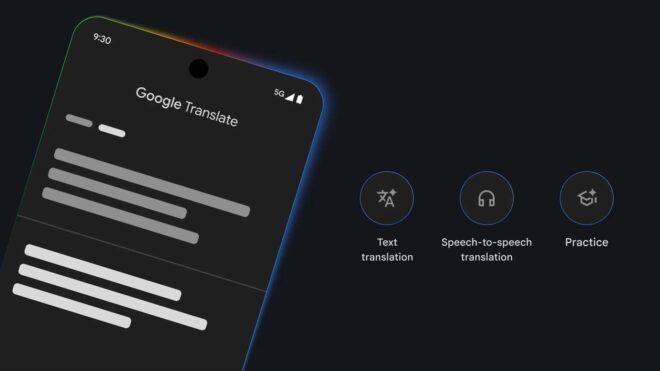
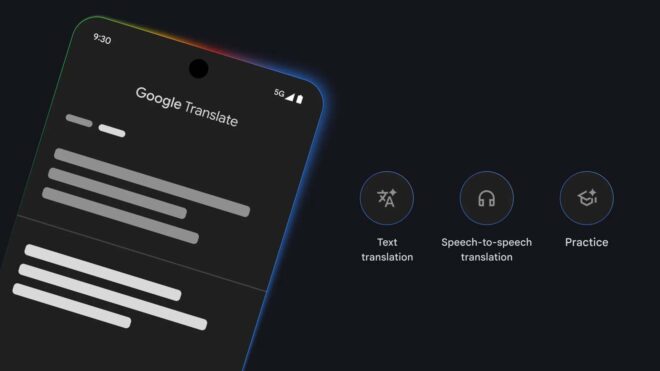
Google Translate servisinin “Canlı Çeviri” özelliği daha fazla kişiye açıldı

Google Translate

Google TranslateGoogle tarafından bugün yapılan açıklamaya göre Google Translate servisinin “Canlı Çeviri” özelliğininin kapsamı genişletildi. Şimdiye kadar Android tarafında sunulan özellik, artık iOS uygulamasında da kullanılabiliyor. Güncelleme kapsamında ABD, Hindistan, Meksika, Almanya, İspanya, Fransa, Nijerya, İtalya, Birleşik Krallık, Japonya, Bangladeş ve Tayland’a açılan özellik; aralarında Türkçe’nin de olduğu 70’den fazla dile destek veriyor ve kişilerin söylenenlerin çevirisini gerçek zamanlı olarak bağlı kablosuz kulaklıklarından duymasına imkan tanıyor. Dil bariyerini ortadan kaldırma konusunda çok faydalı olan özellik, özel bir yapay zeka modelinden güç alıyor ve her konuşmacının ses tonunu, vurgusunu ve konuşma ritmini olduğu gibi koruyor. Google, bunun sayesinde sohbeti takip etmenin ve kimin ne söylediğini ayırt etmenin daha kolay hale geldiğini belirtiyor.

Google Translate servisinin “Canlı Çeviri” özelliği daha fazla kişiye açıldı yazısı ilk olarak Teknoloji haberleri – LOG üzerinde yayınlandı.

Grafana Dashboards for Non-Prod Environment Observability: Cost + Performance in One View

Grafana Dashboards for Non-Prod Environment Observability: Cost + Performance in One View

Non-production environments are the most expensive things nobody talks about. Flexera’s 2023 State of the Cloud report puts non-prod at 30–40% of total cloud spend for mature engineering organizations. Yet most teams have zero observability into those environments: no cost tracking, no idle detection, no accountability.

The fix isn’t another tool. You already have Prometheus and Grafana. The missing piece is wiring cost data into the same dashboard your engineers check every morning.

This article shows how to build a single Grafana dashboard that surfaces both environment health (CPU, memory, pod status) and real-time dollar cost, per namespace, per environment, per hour. When an engineer opens the staging dashboard and sees “this cluster cost $89 today and is 4% utilized,” they act.

The Split-Screen Problem

Right now, understanding non-prod environments requires opening at least three things: the cloud billing console for cost, Grafana for performance, and kubectl or Lens for pod status. These tools don’t talk to each other. Cost data in AWS Cost Explorer is delayed by 24–48 hours. Grafana shows real-time utilization but has no dollar context. Non-prod namespaces rarely appear in either.

The result is that nobody knows what non-prod costs in real time. Idle clusters run overnight, on weekends, and during holidays. Not because engineers don’t care, but because the signal that would prompt action doesn’t exist.

The architecture we’re building collapses these three into one Grafana dashboard backed by Prometheus.

What You Need in Prometheus First

The cost dashboard runs on two data sources that you likely already have: kube-state-metrics and cAdvisor (bundled with kubelet). kube-state-metrics exposes over 100 Kubernetes object metrics: pod phase, container resource requests and limits, node allocatable capacity. cAdvisor provides real-time CPU and memory consumption.

Neither exposes dollar cost directly. That requires a recording rule that computes hourly cost per namespace from first principles.

The key metrics you need from kube-state-metrics:

Metric What It Measures Used For
kube_node_status_allocatable CPU/memory available on each node Cost denominator
kube_pod_container_resource_requests CPU/memory requested per container Cost allocation
kube_pod_info Pod-to-namespace mapping Aggregation by team
kube_node_labels Node labels (instance type, zone) Price lookup
container_cpu_usage_seconds_total Actual CPU consumption Utilization %

Recording rules are non-negotiable. Raw PromQL cost calculations across all pods and nodes are slow, taking 2–4 seconds at dashboard refresh. A recording rule pre-computes hourly cost every 5 minutes, reducing query time to under 50 milliseconds.

Building the Cost Allocation Formula

The cost allocation model we use is derived from OpenCost’s specification, adapted for on-demand pricing. The core idea: a container’s cost equals the fraction of node resources it requests, multiplied by the node’s hourly price.

For CPU:

container_hourly_cost_cpu = (cpu_request / node_allocatable_cpu) × node_hourly_price

For memory, the same formula applies with memory units. The total container cost takes whichever resource is the binding constraint: the max of CPU and memory allocation fractions. This prevents double-counting on multi-tenant nodes.

For an 8-node staging cluster running t3.large instances on AWS (us-east-1), the math looks like this:

Namespace CPU Requested Memory Requested Hourly Cost Daily Cost
staging-api 3.2 cores 8 Gi $2.14 $51.36
staging-db 2.0 cores 16 Gi $1.87 $44.88
staging-workers 1.5 cores 4 Gi $0.95 $22.80
staging-infra 0.8 cores 2 Gi $0.48 $11.52
Total 7.5 cores 30 Gi $5.44 $130.56

The Prometheus recording rule that produces cost_per_namespace_hourly aggregates these calculations across all containers in a namespace and stores the result as a time series. This time series is what powers every cost panel in the dashboard.

One practical note on pricing: hardcode your node’s on-demand hourly price as a Prometheus label or a Grafana variable. If you use reserved instances or savings plans, use the effective hourly rate instead of on-demand. Otherwise you’ll overstate cost and confuse engineers.

Designing the Dashboard Layout

The dashboard has three rows. The top row is stat panels: the numbers engineers see in 3 seconds. The middle row is time series: trends over the past 24 hours. The bottom row is a table: the full namespace breakdown with sortable columns.

Panel specifications:

Panel Type Data Source Purpose
Today’s Total Cost Stat sum(cost_per_namespace_hourly) * 24 Instant cost awareness
Average CPU Utilization Stat avg(container_cpu_usage / cpu_request) Idle health signal
Cost by Namespace (24h) Time series cost_per_namespace_hourly Spot when cost spiked
CPU Utilization by Namespace Time series container_cpu_usage / cpu_request Correlate with cost
Namespace Cost Breakdown Table joined query Full accountability view

Set the dashboard’s time range default to Last 24 hours with a 15-minute auto-refresh. The cost panels update every 5 minutes (matching the recording rule interval), so finer refresh gives no new data but wastes browser cycles.

Use Grafana’s threshold feature on the stat panels. Color the idle percentage panel green below 30%, yellow from 30–70%, red above 70%. That means the environment is mostly idle, a visceral signal that doesn’t need explanation.

For the namespace table, add a column that shows hours since last active using time() - last_active_timestamp. If a namespace has had zero HTTP traffic and under 5% CPU for more than 2 hours, flag it as idle. Engineers can sort by this column and immediately see what’s safe to shut down.

The Idle Detection Row

Add a fourth row: idle environment detection. This is the dashboard’s most actionable panel.

Idle detection requires two signals, not one. Low CPU utilization alone is ambiguous: a batch job looks idle between runs. Pair it with inbound request rate. An environment is idle when both CPU utilization is under 10% and request rate is under 0.1 requests per second for a sustained window of 2 hours.

Display this as a state timeline panel: one row per namespace, green for active, red for idle. This gives immediate visual context across all environments simultaneously. An SRE opening the dashboard sees in 5 seconds which namespaces have been red all morning.

Wire a Grafana alert to this panel. When a namespace stays idle for 2 hours, send a Slack message: staging-api has been idle for 2h 15m. Current cost: $4.28. Shut it down? Include a one-click link to a runbook or automation trigger. That message converts observability into action.

From Dashboard to Action

The dashboard does one thing: make the cost of inaction visible. What teams do with that visibility falls into two patterns.

Manual response: An engineer sees the idle flag, runs a teardown script, restarts the environment before the next test run. This works for small teams with high ownership. It fails at scale. Someone is always on leave, someone always forgets.

Automated scheduling: Tools like ZopNight use the same signals (idle threshold + schedule) to automatically suspend non-prod environments overnight and restart them before business hours. The Grafana dashboard becomes the proof layer: engineers see the cost-before and cost-after, which makes the automation’s value concrete rather than theoretical.

Approach Avg. Daily Savings Engineer Effort Reliability
No action (baseline) $0 0h N/A
Manual teardown $62 45 min/day Low, depends on memory
Automated scheduling $89 15 min/week High, runs without intervention

The numbers come from the same cluster we modeled earlier: an 8-node t3.large staging cluster running 24/7. Automated scheduling eliminates 16 hours of idle runtime per day (8pm–8am) and captures weekend spend entirely. The dashboard makes that $89/day saving visible and attributable, which is what gets the automation prioritized and kept running.

Build the dashboard first. The Prometheus data is already there. The recording rules take 20 minutes to write. The Grafana panels take an afternoon. Once engineers see live cost next to live utilization, the conversation about what to automate changes. You stop arguing about whether non-prod costs matter and start deciding what to do about it.

🔁 Terraform Variables, Outputs & State — Make Your Code Reusable (Part 4)

In the previous post, you deployed your first EC2 instance using Terraform.

That was a huge step.

But if you look at your code now, you’ll notice something:

👉 Everything is hardcoded
👉 It’s not reusable
👉 It’s not scalable

Let’s fix that.

🎯 What You’ll Learn

In this guide, you’ll understand:

  • How to use variables
  • How to output useful data
  • How Terraform tracks infrastructure (state)

These are core concepts used in real-world DevOps projects.

🔁 Why Variables Matter

Right now, your code probably looks like this:

instance_type = "t2.micro"

This is fine for learning — but not for real projects.

👉 What if you want:

  • different instance types for dev vs production?
  • reusable code?

🔹 Step 1 — Create Variables

Create a new file:

touch variables.tf

Add:

variable "instance_type" {
  default = "t2.micro"
}

🔹 Step 2 — Use Variables in Your Code

Update your main.tf:

resource "aws_instance" "web_server" {
  ami           = "ami-xxxxxxxxxxxx"
  instance_type = var.instance_type

  tags = {
    Name = "terraform-server"
  }
}

👉 Now your code is flexible.

🔹 Step 3 — Override with terraform.tfvars

Create:

touch terraform.tfvars

Add:

instance_type = "t3.micro"

👉 Now you can change behavior without editing code

📤 Outputs — See What Terraform Created

Sometimes you want to know:

👉 What is the public IP of my EC2?

Create:

touch outputs.tf

Add:

output "instance_public_ip" {
  value = aws_instance.web_server.public_ip
}

After running:

terraform apply

You’ll see:

instance_public_ip = 18.xxx.xxx.xxx

🧠 Terraform State — The Brain of Terraform

Terraform stores everything in:

terraform.tfstate

This file tracks:

  • what resources exist
  • their IDs
  • their current state

🔍 Inspect Your State

Run:

terraform state list

Example output:

aws_instance.web_server

🔎 Deep Dive

terraform state show aws_instance.web_server

👉 You’ll see full details of your EC2.

⚠️ Important Insight

Terraform doesn’t query AWS every time.

👉 It relies on state file

That’s why state is critical in real systems.

💡 DevOps Insight

Right now, your setup is:

Local state → terraform.tfstate

This works for learning.

But in real teams:

❌ Not safe
❌ Not shareable

👉 In the next post, we’ll fix this using:

  • S3 backend
  • DynamoDB locking

🎯 What You Just Learned

  • How to use variables
  • How to make Terraform reusable
  • How outputs work
  • How Terraform state works

💡 Final Thought

You are no longer just writing Terraform.

You are now:

👉 designing reusable infrastructure

That’s the difference between beginner and real DevOps.

👨‍💻 About the Author

Hi, I’m Ahkar — sharing DevOps, AWS, and Infrastructure knowledge to help others grow 🚀

I publish bilingual content (Myanmar 🇲🇲 + English 🇺🇸) focused on real-world cloud learning.

🌐 Blog: https://mindgnite.com

If you found this helpful, consider following for more Terraform & DevOps content 🔥

📚 Terraform Learning Series

  • Part 1: Why Terraform
  • Part 2: Setup Guide
  • Part 3: First EC2 Deployment
  • Part 4: Variables, Outputs & State (this post)
  • Part 5: Modules & Remote Backend (coming next)

👉 Follow to continue the journey 🚀

Using AI to Explain Terraform Plans to Humans

Turning raw infrastructure diffs into decisions engineers can actually understand.

INTRODUCTION

Terraform plans are incredibly precise. They show every resource change, attribute modification, and dependency update that will occur during an apply.
But precision is not the same as clarity.
For many engineers reviewing infrastructure changes, Terraform plans feel more like a wall of text than a meaningful explanation of what is about to happen. The information is there, but extracting the real implications often requires experience and careful reading.

This is exactly where AI can become useful. Not by executing infrastructure changes, but by translating Terraform plans into something humans can reason about.

THE PROBLEM WITH RAW TERRAFORM PLANS

Terraform’s plan output is designed for correctness, not readability.
It faithfully lists changes such as resource replacements, attribute updates, and dependency adjustments. While this is ideal for machines and precise workflows, it can make reviews difficult for humans, especially in larger environments.
A simple plan might include:

  • hundreds of attribute updates
  • nested resource changes
  • implicit dependencies across modules

What reviewers actually want to know is much simpler:

  • What changed?
  • Why does it matter?
  • Is the risk acceptable?

Terraform itself does not answer those questions.

WHERE HUMAN REVIEW BREAKS DOWN

Experienced engineers eventually develop an instinct for reading Terraform plans. They scan for dangerous signals:
resource replacement

  • subnet or network changes
  • IAM policy expansions
  • scaling changes in compute clusters

But this intuition takes time to build, and even experienced reviewers can miss subtle interactions when reviewing large changes late in the day or under delivery pressure.
The real problem isn’t lack of information. It’s cognitive load.

Terraform tells us everything. Humans only need to understand the important parts.

WHY AI IS GOOD AT THIS PROBLEM

AI models are particularly good at summarizing structured text and identifying patterns.
A Terraform plan contains many signals that AI can interpret effectively:

  • which resources will be created, updated, or destroyed
  • whether replacements will occur
  • potential cost changes
  • security-sensitive modifications
  • large blast-radius changes

Instead of forcing humans to parse hundreds of lines of output, AI can produce a concise summary describing the operational impact.
This transforms the Terraform plan from a raw diff into an explanation.

AI AS A REVIEW ASSISTANT IN CI/CD

A practical place to integrate this capability is within CI/CD pipelines.
After generating a Terraform plan, a pipeline step can feed the plan output into an AI model. The model then produces a human-readable summary that is attached to the pull request.
Instead of reviewing raw plan text alone, engineers see a structured explanation such as:

Risk Summary: This change replaces the EKS node group, which will trigger a rolling replacement of worker nodes.
Security Impact: No IAM policies were expanded.
Cost Impact: Estimated monthly increase: approximately $120 due to increased instance size.
Operational Notes: Node replacement may temporarily reduce cluster capacity during rollout.

This type of explanation does not replace the Terraform plan. It simply helps humans understand it faster.

USING GITHUB ACTIONS FOR AI-ASSISTED PLAN REVIEWS

GitHub Actions provides a natural place to implement this pattern.
A typical pipeline already includes steps like formatting, validation, and plan generation. Adding an AI analysis step is straightforward and can operate entirely in read-only mode.
The workflow might look like:

  • Run terraform plan
  • Export plan output as JSON
  • Send plan summary to an AI model
  • Post a structured explanation as a pull request comment

The key point is that the AI does not change infrastructure or execute Terraform commands. It only interprets the plan and produces a human-readable summary.
This keeps the decision-making process firmly in human hands.

WHY THIS IMPROVES INFRASTRUCTURE SAFETY

When infrastructure reviews fail, it is rarely because Terraform produced incorrect output.
Failures occur because reviewers misinterpret the impact or miss important signals hidden within large plans.
AI-assisted explanations reduce that risk by highlighting the kinds of changes humans care about most:

  • replacements
  • deletions
  • network changes
  • permission expansions
  • scaling adjustments

The AI becomes a second set of eyes, helping reviewers focus their attention where it matters.

THE IMPORTANT BOUNDARY

Even though AI can interpret plans effectively, it should never be allowed to execute them.
Running terraform apply still requires human ownership and operational judgment. AI can explain consequences, but it cannot decide whether those consequences are acceptable.
That boundary is what keeps AI useful rather than dangerous.

CLOSING THOUGHT

Terraform already tells us what will change.
AI helps answer the more useful question: What does this change actually mean?

By turning raw infrastructure diffs into clear explanations, AI allows DevOps teams to review changes faster, understand risk better, and make more confident decisions.
And that is exactly where AI belongs in infrastructure workflows - helping humans think more clearly, not replacing their judgment.

How does your team review Terraform plans today - raw output, custom tooling, or something smarter?

Originally published on Medium:

Day 53 of #100DaysOfCode — Routing (App Router)

Routing is one of the most fundamental concepts in any web application. It determines how users move between different pages and how those pages are structured. In Next.js, routing has evolved significantly with the introduction of the App Router, which uses a file-based system to make navigation more intuitive, scalable, and powerful, all without needing external libraries.

Today, for day 53, the goal was to understand routing in Next.js

App Router Mental Model

In Next.js App Router:

Folders = Routes
Files = UI + Behavior

👉 Your project structure defines your entire routing system.

No need for separate route configuration like in traditional React apps.

Core File Conventions (Built-in Superpowers)

Next.js gives you powerful features just by naming files correctly.

page.js

  • Defines a route
  • Required to make a route accessible

Example:

app/about/page.js → /about

layout.js

  • Shared UI (Navbar, Footer, Sidebar)
  • Wraps all child routes automatically

👉 Layouts can be nested, which is extremely powerful for dashboards and apps.

loading.js

  • Shows loading UI while data is being fetched
  • Works with React Suspense under the hood

error.js

  • Handles runtime errors in that route segment
  • Must be a Client Component ("use client" required)

not-found.js

  • Custom 404 UI for that route segment
  • Triggered using notFound() from Next.js

👉 Key Insight:
All of this comes without installing any extra libraries.

Nested Routing (Zero Config)

Routing is automatically created from folders.

Example:

app/
  dashboard/
    page.js        → /dashboard
    settings/
      page.js      → /dashboard/settings

👉 No need for route definitions like in React Router.

Dynamic Routes

Dynamic routing is super clean in App Router using square brackets.

Create a dynamic route:

app/blog/[slug]/page.js

Access params:

export default function Page({ params }) {
  return <h1>{params.slug}</h1>;
}

👉 This replaces React Router params.

⚠️ Important Update (Accuracy Fix)

  • In Server Components → use params (as shown above)
  • In Client Components → use:
import { useParams } from "next/navigation";

Route Groups

Route groups help organize your code without affecting URLs.

Example:

app/
  (auth)/
    login/page.js
    register/page.js

👉 URLs will still be:

/login
/register

Navigation Hooks

These hooks come from:

import { useRouter, usePathname } from "next/navigation";

useRouter()

  • Used for programmatic navigation
router.push("/dashboard");

usePathname()

  • Returns the current route path

⚠️ Important

👉 These hooks only work in Client Components ("use client" required)

Layout Nesting

App Router allows multiple layout levels:

  • Root Layout → app/layout.js
  • Section Layout → app/dashboard/layout.js
  • Nested Layouts → deeper levels

Example:

  • /dashboard → has its own layout
  • /dashboard/settings → inherits dashboard layout automatically

👉 This is perfect for:

  • Dashboards
  • Admin panels
  • Complex apps

Key Takeaways (Quick Recap)

  • File system = routing system
  • page.js creates routes
  • layout.js enables shared UI
  • Nested routing works automatically
  • Dynamic routes use [param]
  • Route groups organize without changing URLs
  • Navigation hooks require Client Components

Final Thoughts

The Next.js App Router simplifies routing by turning your folder structure into a powerful system. Once you understand the core conventions, building scalable and well-structured applications becomes much easier.

“Folders = Routes, Files = Behavior”

Thanks for reading. Feel free to share your thoughts!

Device Tree Bindings — What They Are and Why They Matter

yaml patch analysis

written: 15th March, 2026

Motivation:

I was applying for GSoC 2026 – DT Bindings Project. In order to understand this project more, I decided to start off my learning about them first. I had also learnt about ACPI tables in this post while investigating my laptop’s low power bug, and had encountered device trees. This made me curious about the GSoC project and so, I decided to learn about Device trees.

Along the way, I started finding them really interesting and worked on a patch to convert a DT binding to a DT Schema too! (i will talk about that in the next post)

What is a device tree?

A device tree is a data structure that describes hardware.

Hardware can be discoverable or non discoverable.

  • Discoverable — some buses like PCI(e) and USB are discoverable — can enumerate and identify connected devices at runtime
  • Non discoverable — Buses like I2C, SPI, 1-Wire arent — system must know how the devices are configured and what devices are connected
    –> this is where device trees are useful

Non discoverable devices hardware descriptions needed:-

  • CPU Cores
  • device specific details — like memory addresses and interrupt requests.
  • board level componets like clock sources, reset signals etc
    These details OS/bootloader cannot guess

How to discover non discoverable components:

1) Modify OS/Bootloader directly to include the required information to discover devices— but after ARM32 architecture — too tedious to do..
2) ACPI tables — mainly used on x86 architectures (pc, laptop), and some ARM64 platforms
3) Device trees — used for embedded CPU arch, like ARM, RISC-V, MIPS, etc

Device Tree

it’s a tree data structure that descibes hardware
described in –> Device Tree Source (.dts) files
compiled to –> Device Tree Blob (.dtb) format
by –> Device tree Compiler (dtc)

DTB can be directly linked to the bootloader, or passed to the OS by the bootloader

Device Tree Bindings

These are the sets of rules that check if the devicetree provided by the hardware are valid or not?
Eg. Arduino has temperature sensor. Temp sensors has hardware descriptions and device tree. these are validated against device tree bindings, and then identified.

Device Trees bindings are written in YAML format. These are machine readable,

The patch I will analyze is written by Krzysztof Kozlowski. It was provided as a reference in the GSoC Device Tree Bindings Project

Patch Link GSoC Project Details Link

YAML

yaml patch analysis

Extra stuff added later:
This device is supported by only I2C bus. (it’s explained in the next image)
But, some devices are supported by SPI protocol only. SPI protocol has 4 wires. There is no addressing system, and each chip gets a dedicated chip wire.

reg helps answer the question how a CPU identifies and reaches this specific chip of the bus

reg on I2C is the slave address.
Each chip has a dedicated slave address hardwired into it by the manufacturer.
Eg. here, reg=<0x11>

reg on spi identity of chip is the chip select line number. CPU has physical wires, there is no addressing, and reg is the number of wires connected.
Eg. here, reg=<0> –> connected to chip select line 0

maxItems can be > 1 in case of memory mapped peripherals — that live directly inside the CPU’s memory address space, and occupy separate regions of memory.
Eg. A display controller that has config registers at address1
and framebuffer memory at address2

TXT file — old

Traditionally, they used to be written in txt format. These were just documentations written by the developer. These aren’t machine readable, can’t be verified quickly, and the documentation can be incomplete

original txt file analysis

Things I figured out along the way

DTS (device tree sources) — describes the hardware
DT bindings — how DTS should be constructed

Previously — DT bindings were written in text in past
DT schema — new format — yaml
–new format which follows validation of bindings itself against meta schema
–validation of DTS against bindings

rules for writing bindings — all new bindings must come in DT Schema

rules ->

  • adding new properties to DT bindings is not acceptable.
  • no adding linux specific subsystem names
  • don’t describe software policies — what OS should do
  • no need for properties for discoverable hardware

  • dual licence should be mentioned at start (GPL-2.0-only OR BSD-2-Clause)

  • bindings file name should be like -> vendor,device.yaml or vendor,soc-ip.yaml

  • binding patches and driver patches should be different

  • compatible –> should be specific — no bus suffixes (if bus is there)

  • simple-mfd
    —> simple multi functional device — children does not depend on any features of parent
    no reset lines — no clocks –
    for very simple devices

  • syscon – simple — generic register range — many pieces — no 1 specific device
    aka system controller — has different bits for different pieces
    dont use it to replace imp drivers

  • properties represent hardware characteristics

Resources:

  1. https://lore.kernel.org/lkml/[email protected]/T/
  2. https://hackerbikepacker.com/dt-bindings
  3. https://medium.com/@hasancansert/mastering-device-trees-a-guide-to-hardware-integration-in-linux-3e1516a75e04
  4. https://www.linaro.org/blog/tips-and-tricks-for-validating-devicetree-sources-with-the-devicetree-schema/
  5. https://gist.github.com/sheharyaar/250cb215a79634129537164846e7f4c7

Why Hybrid Agentic AI Is the Future of QA

AI is quickly becoming part of every conversation around software testing. From generating test cases to automating repetitive workflows, Large Language Models have opened up new possibilities for QA teams.
But when you move from experimentation to real production environments, a different picture starts to emerge.
The same model that looks impressive in a demo can become unpredictable in practice. And in testing, unpredictability is not just inconvenient. It is a fundamental risk.

When “Smart” Becomes Unreliable

Large Language Models are designed to be flexible. They generate outputs based on probability, not strict rules. That flexibility is what makes them powerful, but it is also what makes them unreliable for testing.
In a regression scenario, consistency matters more than creativity. If the same input produces slightly different outputs each time, your test results can no longer be trusted.
Over time, teams begin to notice strange behaviors. A test that passed yesterday suddenly fails today without any real change in the system. A generated script looks correct but breaks during execution. In some cases, the model even introduces logic that does not exist in the application at all.
These are not edge cases. They are natural consequences of how LLMs work.

Rethinking the Role of AI in QA

This is where many teams take a step back and ask an important question.
Is AI really the right approach for testing?
The answer is yes, but not in the way most people expect.
The issue is not about whether to use AI. It is about choosing the right kind of AI for the right task.

Why Smaller Models Are Making a Comeback

While LLMs dominate headlines, smaller and more focused models are quietly proving their value in testing environments.
These models are designed to operate within a defined context. They are faster, more predictable, and far more efficient when handling structured workflows. For tasks like executing predefined test steps or validating expected outputs, they often outperform larger models.
However, they are not a complete solution on their own. Their strength lies in execution, not reasoning. They can follow logic very well, but they struggle when asked to interpret intent or handle complex, multi-step scenarios.

The Shift Toward Hybrid Thinking

Instead of choosing between large and small models, forward-looking teams are starting to combine them.
This is where hybrid AI architecture comes into play.
In this setup, different models take on different roles. Smaller models handle execution where stability is critical. Larger models are used for understanding intent and dealing with ambiguity. Sitting on top of both is a coordination layer that ensures everything works together as a system.
This approach changes how we think about AI in testing. It is no longer a single tool, but a structured ecosystem.

From Tools to Intelligent Systems

The real transformation happens when orchestration is introduced.
Rather than relying on one model to do everything, multiple specialized agents begin to collaborate. One agent interprets the test intent. Another generates actions. A third validates outputs. Others handle execution, monitoring, and failure analysis.
Suddenly, testing is no longer just automated. It becomes adaptive.
When something changes in the interface, the system can adjust. When a failure occurs, it can analyze the root cause and suggest a fix. When new code is introduced, it can prioritize the most relevant tests.
This is what people refer to as Agentic AI, but in practice, it feels less like using a tool and more like working with a highly coordinated team.

Making AI Work in Real Pipelines

In modern CI/CD environments, speed and reliability have to go hand in hand.
A hybrid, agent-driven system can continuously analyze code changes and decide which tests actually need to run. It can generate or update execution logic without requiring constant manual input. Most importantly, it can provide feedback quickly enough to keep up with rapid release cycles.
This is where the gap between experimental AI and production-ready AI becomes very clear.

Reliability Is Not an Accident

One of the biggest misconceptions about AI in testing is that better prompts will solve everything.
In reality, reliability comes from structure.
It comes from training models with domain-specific data, validating outputs with human expertise, and grounding decisions in real project context. Techniques like Retrieval-Augmented Generation ensure that the system does not rely purely on what it has learned, but also on what is actually relevant in the moment.
Without this foundation, even the most advanced model will struggle to deliver consistent results.

Why This Matters for Enterprise Teams

For many organizations, the biggest concern is not capability, but control.
They need to know where their data is going, how models are behaving, and whether the system can scale without introducing new risks.
Hybrid approaches address these concerns by allowing deployment in private environments and reducing reliance on heavy infrastructure. They make it possible to bring AI into testing workflows without compromising security or predictability.

Final Thoughts

The conversation around AI in testing is often dominated by the latest models and their capabilities. But in practice, success rarely comes from using the most powerful model available.
It comes from designing the right system.
As testing continues to evolve, the focus is shifting away from individual tools and toward integrated, intelligent workflows. Hybrid, agent-driven approaches are not just a technical improvement. They represent a different way of thinking about automation altogether.
And for teams aiming to build reliable, scalable QA processes, that shift may be the most important change of all.