From Alignment to Hitboxes: The Full 2D Pixel Art Character Pipeline (Week of March 24)

This post originally appeared on the Makko AI blog.

Most pixel art tutorials treat alignment, anchor points, debug positioning, and hitboxes as four separate topics. This week we treated them as one. Every piece of content built directly on the last, covering the complete pipeline any solo developer needs to get a 2D character working correctly in a game engine.

We are walking through this week in reverse, starting with Friday’s payoff and working backwards to show how each day’s content set it up. This is part of the broader one character, two games series — showing how a single 2D character created in Makko Art Studio can power completely different games without rebuilding the art from scratch.

Friday: hitbox alignment, the payoff of the whole pipeline

Friday’s video is the fourth episode in the Horror Platformer series featuring Granny’s Night-Terror and its playable character Grandma Elara. It is also the payoff of everything this week built toward.

Attacks that miss enemies standing directly in front of the player. A character that clips through geometry it should fit through. These are the hitbox problems that make a 2D game feel broken even when the art, animation, and code are all technically correct. The cause is almost always the same: a hitbox configured for the wrong animation state, sized to the maximum extent of the character rather than the majority state, or never updated after the animation was changed.

The video walks through configuring hitboxes per animation state in Makko’s Alignment Editor. The core rule: fit the hitbox to the majority state of the animation, not the maximum extent. A character whose arm extends forward during an attack should not have a hitbox that covers the fully extended position for every frame of the cycle. That produces hits that register before the animation looks like a hit, which feels wrong even if the player cannot articulate exactly why.

The episode closes the full series arc: one pixel art character, two games, zero duplication. Everything from alignment to hitboxes, built once, configured per game through the manifest system.

Thursday: debug collision boxes, making the invisible visible

Hitbox configuration only works if you can see what the engine is doing. Floating or buried sprites are almost never a pure art problem. They are a positioning problem, and you cannot fix what you cannot see.

Enabling visual debug collision boxes during runtime makes the engine’s understanding of your character visible. If the collision box is centered instead of aligned to the feet, that is the problem. If the box is not moving with the sprite, that is the problem. If the box is sized for one animation state but not updated for another, that is where attacks miss and characters clip through geometry they should pass through cleanly.

The fix is always the same: drag, reposition, lock it in, test again. You need to see what the engine sees before you can configure hitboxes correctly.

Wednesday: anchor points, the single pixel that controls everything

Before you can diagnose positioning with debug boxes, the anchor point has to be set correctly. An anchor point is the single pixel the engine uses to calculate position, rotation, and collision.

Most engines default to the center of the sprite rather than the feet. The result is characters that float above the ground by exactly half their height, sink into the ground by exactly half their height, or jitter unpredictably between animation frames. None of those are art problems. They are anchor point problems.

Makko lets you set the anchor point once at the manifest level and it updates automatically across every frame in every animation state. This is a small thing that has a large practical effect on how long it takes to get a 2D character feeling right in-engine.

Tuesday: two posts, one underlying question

Tuesday was the heaviest publishing day of the week. Two posts, two completely different angles on the same underlying question: what does it actually take to get game-ready art out of an AI tool and into a working 2D game?

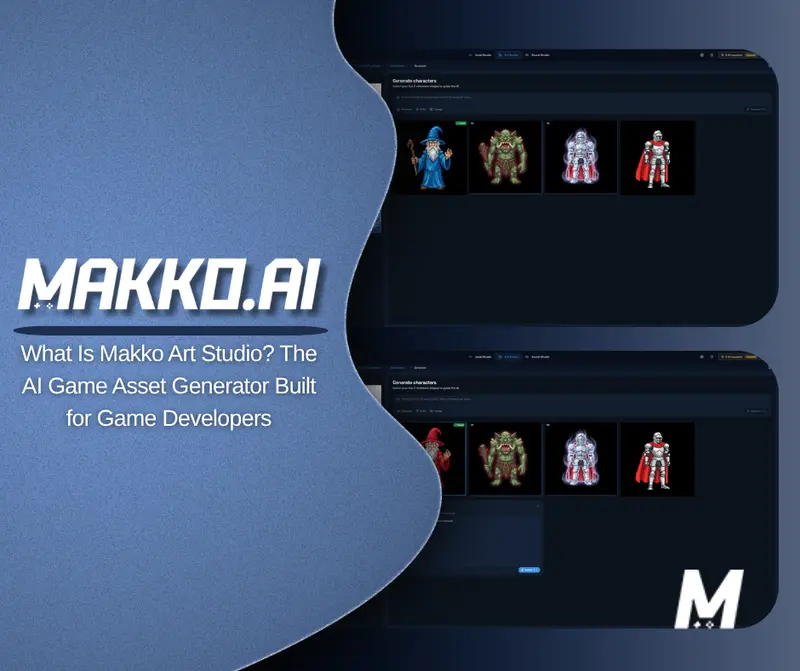
The Art Studio deep dive answered the workflow question directly. Most solo developers are running four separate tools just to get one character into their engine. Makko Art Studio replaces that entire stack. Describe what you want, and the output arrives with transparent backgrounds, animation frames, and the correct file format already handled.

The second post was a devlog from Tony Valcarcel, one of Makko’s co-founders, documenting how he built over 100 unique card assets for Sector Scavengers, a roguelike salvage game, in 7 days for under $500 with no dedicated artist on the team.


favicon
blog.makko.ai


favicon
blog.makko.ai

Monday: character alignment, where the pipeline starts

Everything this week traced back to Monday’s post. Perfect art and animation can still look completely wrong in-engine if alignment is off. A character that floats above platforms, sinks into the ground, or shifts position between animation frames is almost never an art problem. It is an alignment problem.

Monday’s post established the three variables that have to work together: anchor point, scale, and position. Makko’s manifest puts all three in a single editor so you can see exactly what you are changing and what effect it has before you commit.

If alignment is wrong at the manifest level, no amount of correct anchor point or hitbox work will fix how the character behaves in-game.

The complete pipeline in order

Step 1: Alignment. Anchor point, scale, and position must be correct at the manifest level first.

Step 2: Anchor point. Set the anchor to the character’s feet. Set it once and it propagates across every frame automatically.

Step 3: Debug collision boxes. Enable them during runtime before configuring hitboxes. Diagnose rather than guess.

Step 4: Hitboxes per animation state. Fit to the majority state, not the maximum extent. Test with debug boxes active.

Everything published this week

Start Building Now at Makko AI

For technical walkthroughs and live demos, visit the Makko YouTube channel.

JsonMaster vs JSONFormatter vs JSONLint — Which JSON Tool Should You Use in 2026?

There are dozens of online JSON tools. Most developers just use the first result on Google and stick with it. But they are not all equal — especially when it comes to privacy, editor quality, and feature count.

I compared the four most popular tools so you don’t have to.

The Tools

  • JsonMaster → https://jsonmaster.netlify.app/
  • JSONFormatter.org → jsonformatter.org
  • JSONLint → jsonlint.com
  • JSON Editor Online → jsoneditoronline.org

Feature Comparison

Feature JsonMaster JSONFormatter JSONLint JSON Editor Online
JSON Formatter ✅ ✅ ✅ ✅
JSON Validator ✅ ✅ ✅ ✅
JSON Minifier ✅ ✅ ❌ ✅
JSON to YAML ✅ ✅ ❌ ❌
JSON to CSV ✅ ✅ ❌ ❌
JSON to TypeScript ✅ ❌ ❌ ❌
JSON to Zod Schema ✅ ❌ ❌ ❌
JWT Decoder ✅ ❌ ❌ ❌
Base64 Encoder/Decoder ✅ ❌ ❌ ❌
Regex Tester ✅ ❌ ❌ ❌
JSON Diff / Compare ✅ ❌ ❌ ✅
Duplicate Key Detector ✅ ❌ ❌ ❌
Monaco Editor (VS Code engine) ✅ ❌ ❌ ❌
Dark Mode ✅ ❌ ❌ ✅
100% Client-side ✅ ❌ ❌ ❌
No ads ✅ ❌ ❌ ❌

Privacy — The Biggest Difference

Most developers paste real API responses, JWT tokens, or production configs into these tools without thinking about it.

JsonMaster processes everything in your browser. Open DevTools → Network tab while using it — you will see zero outgoing requests for your data.

JSONFormatter.org, JSONLint, and JSON Editor Online all process data server-side or run third-party analytics that may capture your input. When you paste a JWT or a database export into those tools, it leaves your machine.

Editor Quality

JSONLint uses a plain <textarea>.
JSONFormatter.org uses CodeMirror.
JsonMaster uses Monaco Editor — the same engine that powers VS Code.

With Monaco you get inline error markers, code folding, find & replace (Ctrl+F), multi-cursor editing, and the keyboard shortcuts already in your muscle memory. For developers who spend hours in VS Code daily, this is not a small thing.

When to Use Each Tool

Tool Use it when…
JsonMaster You want privacy + multiple tools in one tab + VS Code-quality editing
JSONLint You only need a one-off syntax check, nothing else
JSONFormatter.org You need JSON→CSV and don’t have privacy requirements
JSON Editor Online You need to visually navigate a large JSON tree

Verdict

For day-to-day developer work — debugging API responses, converting formats, decoding JWTs, testing regex — JsonMaster is the most complete and private option.

The Monaco editor alone makes it worth switching from any textarea-based tool.

Try it free → https://jsonmaster.netlify.app/

No login. No ads. No server.

I Built a Free PDF Tool from Nepal — Here’s What I Learned

I’m a full-stack developer based in Nepal and I just launched PrestigePDF — a completely free, no-signup online PDF toolkit with 22+ tools built with React, TypeScript, and WebAssembly.

Here’s the story, the tech, and what I learned building it.

Why I Built It

Tools like ilovepdf and smallpdf are great but they push you toward paid plans fast — file size limits, watermarks, forced signups. I wanted something genuinely free with no limits for basic operations and no account required.

Also, being from Nepal, I wanted to prove that quality developer tools can be built and used globally from anywhere. The “Built from Nepal, used globally” badge on the About page is something I’m genuinely proud of.

What PrestigePDF Does

Everything you’d normally need Adobe Acrobat for — free, in your browser:

  • Merge PDF — combine multiple files into one
  • Compress PDF — reduce file size without quality loss
  • Split PDF — extract specific pages or ranges
  • PDF to Word / Excel / JPG — convert to any format
  • Edit PDF — add text, images, annotations
  • Protect / Unlock PDF — password management
  • Watermark, Rotate, Crop, Number Pages — and more

👉 Try it free at prestigepdf.com

The Tech Stack

  • Frontend: React + TypeScript + Tailwind CSS + Vite
  • PDF Processing: qpdf-wasm, PDF.js, jsPDF
  • Hosting: Contabo VPS + Docker + Nginx
  • Storage: AWS S3 for temporary file handling

The Hardest Part — PDF Processing in the Browser

The biggest challenge was making PDF operations fast and private. Most operations run client-side using WebAssembly (qpdf-wasm), meaning files never leave your device for most tools. This is a real privacy win compared to many competitors that upload everything to their servers.

Getting qpdf-wasm to work correctly with Vite took a couple of days of debugging — WASM workers, CORS headers, memory limits — all fun stuff.

Blog + SEO

I also built a blog section targeting long-tail keywords like “how to merge PDFs online free 2026”. Since the site is brand new, I’m focused on blog content and backlinks right now before worrying about paid growth.

What’s Next

  • AI PDF features (summarize, Q&A with your PDF)
  • More conversion formats
  • Browser extension
  • Mobile app

Try It + Feedback Welcome

If you work with PDFs regularly, I’d genuinely appreciate you giving it a try and dropping feedback in the comments. Early feedback from developers is gold.

→ Visit PrestigePDF

Built with ❤️ from Nepal 🇳🇵

65% of MCP Tools Now Take Actions. 16 Months Ago It Was 27%.

A new preprint analyzed 177,436 MCP tools deployed between November 2024 and February 2026. The headline number: action tools — tools that directly modify external environments — went from 27% to 65% of total MCP tool usage in 16 months.

That’s a 2.4x increase in the share of tools that do things to the world, not just read from it.

The study is “How are AI Agents Used? Evidence From 177,000 MCP Tools” by Merlin Stein. It’s the first large-scale empirical analysis of what agents are actually doing through MCP — not what we think they’re doing, not what demos show, but what 177,000 deployed tools reveal about real-world agent behavior.

From Reading to Writing

The paper classifies MCP tools into three categories: perception (read data), reasoning (analyze data), and action (modify external environments).

In late 2024, agents were mostly reading. Perception tools dominated. The typical MCP server was a data access layer — agents queried databases, read files, fetched API responses.

By February 2026, the balance had inverted. 65% of tools now take actions: editing files, sending emails, creating records, executing transactions. Software development alone accounts for 67% of all tools and 90% of downloads — and those tools write code, modify repositories, and deploy changes.

The paper specifically flags “action tools for higher-stakes tasks like financial transactions” alongside medium-stakes tasks like file editing and drone steering. The trajectory is clear: agents are gaining capability to affect financial, physical, and organizational systems.

Every Action Tool Is a Trust Boundary

When an agent reads your database, the risk is data exposure. When an agent edits your files, sends emails on your behalf, or initiates a financial transaction — the risk is unauthorized action in the real world.

The distinction matters because the security model is fundamentally different:

  • Read tools need access control: who can see what?
  • Action tools need authorization: who approved this specific action, and is there a record?

At 27% action tools, you could treat MCP as a data access layer with occasional writes. At 65%, you can’t. The majority of agent tool calls are now modifying external state. Each one is a potential security event — a moment where something irreversible happens, and someone needs to be accountable for it.

The Paper Agrees: Monitor at the Tool Layer

The study’s own conclusion lands exactly here. Stein proposes that “governments and regulators can use this monitoring method to extend oversight beyond model outputs to the tool layer to monitor risks of agent deployment.”

Beyond model outputs. To the tool layer.

This is the right framing. Model-level safety (RLHF, constitutional AI, output filtering) governs what the model says. Tool-layer monitoring governs what the agent does. When 65% of tools modify external environments, model outputs are not the attack surface that matters — tool calls are.

What Tool-Layer Authorization Looks Like

The paper identifies the problem. The solution is an approval gate and an audit trail at the point where agents take action.

Before the action: An authorization check. Did a human or a policy approve this specific tool call? Not “is this agent generally allowed to use email” — but “is this agent allowed to send this email to this recipient right now?”

After the action: A signed record. Which agent, which tool, which inputs, what time. Tamper-evident. Exportable. Independently verifiable by an auditor who wasn’t present when the action occurred.

This is what AgentLair provides. Every agent action passes through an approval gate. Every approved action is recorded in an Ed25519-signed, hash-chained audit log. The trail leads from tool call to agent to human owner.

At 27% action tools, this was a nice-to-have. At 65%, it’s infrastructure.

Data source: Stein, M. “How are AI Agents Used? Evidence From 177,000 MCP Tools.” arXiv:2603.23802, March 2026. 177,436 tools analyzed across 16 months (November 2024 – February 2026).

Stop Switching Tabs — One Free Tool Replaces All Your JSON & Dev Tools

Every day I was doing the same thing:

  • Paste API response into some random formatter
  • Open another tab to decode the JWT
  • Open another tab for Base64
  • Open another tab to test a regex

Four tabs. Same tools. Every single day.

So I built JsonMaster — a free developer toolbox that puts 12 tools in one tab.

👉 https://jsonmaster.netlify.app/

No login. No ads. Your data never leaves your browser.

What’s Inside

JSON Formatter & Validator

Paste raw minified JSON and instantly see it beautified. Built on Monaco Editor — the same engine as VS Code — so you get syntax highlighting, inline error squiggles, code folding, and keyboard shortcuts you already know.

JSON Converters

Convert JSON to:

  • YAML — for Kubernetes, Docker Compose, GitHub Actions
  • CSV — for Excel, Google Sheets, data pipelines
  • XML — for legacy systems and SOAP APIs
  • TypeScript Interface — paste an API response, get a typed interface instantly
  • Zod Schema — instant runtime validation schema for TypeScript projects
  • .env file — flatten nested JSON config into environment variables

JWT Decoder

Paste any JWT. See header, payload, signature decoded instantly. Checks expiry and algorithm. Everything happens in your browser — nothing is sent to a server.

Base64 & URL Encoder / Decoder

Encode or decode Base64 and URL strings instantly. Handles Unicode correctly. Useful for decoding auth headers, query strings, and embedded images.

Regex Tester

Write a pattern, test it against your input in real time. Every match is highlighted. Supports all JS regex flags: g, i, m, s, u. Shows match groups and count.

JSON Diff & Compare

Paste two JSON objects. See exactly what was added, removed, or changed — down to the specific key path. Useful for comparing API responses before and after a deploy.

Why Client-Side Matters

Most JSON tools send your data to a server. You paste a JWT or production API response — it travels over the network to someone’s backend.

JsonMaster is 100% client-side. Open DevTools → Network tab while using it. You will see zero outgoing requests for your data.

This matters when you’re working with JWT tokens, API responses with user data, or config files with credentials.

Try it free → https://jsonmaster.netlify.app/

Drop a comment if you find a bug or want a new tool added. I read everything.

Day 8: The Site Was “Live” for a Week and the Blog Link Was Broken the Whole Time

Day 8. Revenue: $0. Reddit karma: 38. Need 50 to post in r/SideProject. Still not there.

This is tclaw.dev — an AI text humanizer. $1 per doc or $8/month. Thirty-day sprint to first paying user. Here’s where things actually stand.

The Deploy That Wasn’t

Sometime around 1 AM I finally traced why the blog page wasn’t loading. The site looked live. Vercel showed green. But the blog link was dead, and I kept assuming it was a routing issue, a config issue, something I’d written wrong.

It wasn’t. Vercel was silently failing deploys because the project was set to Node 24.x — which Vercel doesn’t support. No error surfaced in the dashboard in any way I’d immediately noticed. It just… didn’t deploy. The old build sat there looking fine while every new push went nowhere.

Fix: delete the project, recreate it with Node 20, redeploy. Twenty minutes of actual work. A week of a broken blog link I’d been pointing people to.

This is the part of building that doesn’t make it into the highlight reel. Not “I shipped a new feature” or “I redesigned the pricing page.” Just: I found a silent failure, traced it, fixed it, and now the thing I already built actually works.

What “Live” Actually Means

The site has been technically live since Day 1. Landing page, demo, pricing, examples, a ledger tracking every day of the sprint, and now a working blog. All of it is real and functional.

None of that matters if nobody sees it.

Distribution is the part I keep bumping into. I can fix a broken deploy. I can write the copy. I can make the demo work. What I don’t have yet is a repeatable way to get the right person to land on the page at the moment they’re frustrated with AI-sounding text and willing to pay a dollar to fix it.

Reddit is the most obvious channel — r/SideProject has exactly that audience. But you need 50 karma to post, and I’m sitting at 38. So I’m commenting on other threads, trying to add something real, not just farming upvotes. It’s slow.

What Day 8 Looks Like Honestly

  • Site is fully live and functional
  • Blog link works (finally)
  • Zero paying users
  • No clear distribution path yet, just a queue of things to try

The Vercel thing is a useful reminder. There’s always invisible work that eats time and doesn’t move the needle on revenue. Some of it is unavoidable — a silent infra failure isn’t something you can just skip. But it’s easy to spend all your energy on the infrastructure layer and confuse “things work now” with “things are working.”

They’re not the same.

One Genuine Question

If you’ve gotten your first paid user from cold — no existing audience, no launch day bump — what actually moved the needle? Not the playbook answer. What actually worked for you.

Following this build daily at tclaw.dev/blog. Ledger is public — every day logged.

Héberger un agent IA vocal sur AWS Bedrock AgentCore communiquant via WebRTC

P2P WebRTC

Aujourd’hui j’ai migré agent vocal IA de WebSocket vers WebRTC — voici ce qui a cassé et ce que j’ai appris.

Il y a quelques jours, je suis tombé sur le billet de blog et le repo de Darryl Ruggles pour un agent vocal bidirectionnel construit avec Strands BidiAgent et Amazon Nova Sonic v2. Son travail est remarquablement bien ficelé — j’avais un assistant vocal fonctionnel sur mon laptop en une dizaine de minutes. L’agent écoute votre voix, cherche dans une base de recettes, programme des minuteurs de cuisson, consulte des données nutritionnelles et convertit des unités, le tout par conversation naturelle.

La version de Darryl utilise WebSocket comme transport entre le navigateur et l’agent. Ça fonctionne bien, mais je voulais aller plus loin : passer le transport en WebRTC et déployer le tout sur Bedrock AgentCore Runtime. Ce billet couvre ce parcours — ce qui a changé, ce qui a cassé, et ce que j’en ai tiré.

Vous avez rêvé de demander la recette des crêpes à un agent IA ? je l’ai fait 🙂

Le code source complet est disponible sur GitHub. Le repo est entièrement géré par Terraform, mais vous pouvez toujours utiliser l’approche Makefile de Darryl si vous préférez garder Terraform pour l’infrastructure et le CLI pour le déploiement de l’agent.

Pourquoi WebRTC pour un agent vocal ?

La version WebSocket de l’agent fonctionne, alors pourquoi changer ? Plusieurs raisons m’ont poussé vers WebRTC.

D’abord, la latence. WebSocket tourne sur TCP, ce qui signifie que chaque paquet est garanti d’arriver dans l’ordre. C’est parfait pour des messages de chat, mais pour de l’audio en temps réel, un seul paquet perdu bloque tout le flux pendant que TCP retransmet. WebRTC1 utilise UDP — si un paquet est perdu, le flux continue. Pour une conversation vocale, un micro-glitch est bien préférable à une pause perceptible.

Ensuite, le navigateur fait plus de travail. Avec WebSocket, je devais capturer l’audio du micro via getUserMedia, le sous-échantillonner à 16kHz avec un ScriptProcessorNode, l’encoder en base64 PCM et l’envoyer en messages JSON. Côté lecture, il fallait un AudioWorklet avec un buffer circulaire pour gérer le flux audio entrant. Avec WebRTC, le navigateur gère nativement la capture audio, l’encodage (Opus) et la lecture via RTCPeerConnection. Le code frontend s’en trouve considérablement simplifié.

Enfin, WebRTC est prêt pour la vidéo. Les avatars IA arrivent à des latences acceptables, et WebRTC gère les pistes vidéo aussi naturellement que les pistes audio. Ajouter un flux vidéo plus tard revient simplement à ajouter une piste à la connexion existante — aucun changement d’architecture ne sera nécessaire.

Petit tour d’horizon des architectures WebRTC

Il existe deux façons fondamentalement différentes d’utiliser WebRTC, et le choix compte quand on construit un agent vocal.

Pair-à-pair (P2P)

En WebRTC P2P, deux pairs se connectent directement l’un à l’autre. Pas de serveur média au milieu — l’audio circule directement du navigateur à l’agent et retour. Un serveur relais TURN2 peut être nécessaire quand l’un ou les deux pairs sont derrière un NAT3 (ce qui est quasi systématique en production : les clients sont derrière un routeur Internet et les agents doivent être dans un VPC privé pour accéder aux outils de l’entreprise), mais le serveur TURN ne fait que relayer les paquets sans les inspecter ni les traiter.

P2P WebRTC

Basé sur des salles (SFU)

Dans une architecture basée sur des salles de visio, un serveur média (appelé SFU4 — Selective Forwarding Unit) se place au milieu. Les participants se connectent au serveur, pas entre eux. Le serveur reçoit les pistes audio/vidéo de chaque participant et les retransmet sélectivement aux autres. LiveKit, Amazon Chime SDK et Daily sont des exemples de plateformes SFU.

Media Server WebRTC

Pour un agent vocal en 1:1, le P2P est plus simple et évite le coût et la complexité de faire tourner (ou de payer) un serveur média. J’ai opté pour le P2P avec Amazon Kinesis Video Streams (KVS) comme relais TURN managé — c’est l’approche documentée pour WebRTC sur AgentCore.

J’ai envisagé les solutions basées sur des salles, mais chaque plateforme SFU nécessite son propre SDK — on ne peut pas simplement se connecter avec un RTCPeerConnection standard. L’offre WebRTC d’AWS, Amazon Chime SDK, est riche en fonctionnalités (transcription, enregistrement, analytics) et nettement moins chère que les alternatives comme LiveKit ou Daily, mais elle n’offre pas encore de chemin balisé pour la communication agent-vers-salle côté serveur. C’est une fonctionnalité que j’aimerais beaucoup voir arriver, vu la qualité du reste du Chime SDK. Pour l’instant, le P2P avec KVS TURN était le chemin le plus direct. Je considérerai certainement le WebRTC en salle, mais c’est une histoire pour un autre billet.

La pile WebRTC : navigateur et serveur

Côté navigateur, WebRTC est intégré nativement. L’API RTCPeerConnection est disponible dans tous les navigateurs modernes — Chrome, Safari, Firefox, Edge. On crée une connexion pair, on ajoute une piste micro via getUserMedia, et le navigateur gère l’encodage audio (Opus), la collecte des candidats ICE et le chiffrement DTLS. Aucune bibliothèque nécessaire.

Côté serveur, c’est une autre histoire. WebRTC a été conçu pour les navigateurs, pas pour des backends Python. La bibliothèque de référence pour le WebRTC côté serveur en Python est aiortc — une implémentation asyncio de WebRTC et ORTC. Elle gère les connexions pair, la négociation ICE et les pistes média, et utilise PyAV (bindings FFmpeg) pour le traitement des trames audio/vidéo. Elle n’est pas aussi éprouvée que le WebRTC des navigateurs, mais elle fonctionne bien et c’est ce qu’utilise aussi le code d’exemple AWS.

Architecture : développement local vs. déployé

Un point que je voulais préserver du design original de Darryl est la possibilité de tout faire tourner localement pour le développement, sans aucune infrastructure cloud. La migration WebRTC maintient cela.

Mode local

En mode local, l’agent tourne sur votre machine. Le navigateur et l’agent sont sur le même réseau (ou la même machine), donc WebRTC se connecte en pair-à-pair sans avoir besoin de relais TURN. La signalisation — l’échange d’offres/réponses SDP5 et de candidats ICE6 — passe par le proxy du serveur de développement Vite vers le serveur FastAPI local.

Local mode

Mode hébergé sur Bedrock AgentCore

En mode hébergé, l’agent tourne dans un conteneur Docker sur Bedrock AgentCore Runtime, attaché à un VPC via une interface réseau élastique (ENI) dans un sous-réseau privé. Le navigateur ne peut pas atteindre l’agent directement — tout le trafic média passe par un relais KVS TURN. La signalisation passe par le endpoint HTTP /invocations d’AgentCore, authentifié en SigV4 via le SDK @aws-sdk/client-bedrock-agentcore.

Voice Agent deployed on AgentCore

Le diagramme suivant, tiré de la documentation AWS, montre le réseau VPC en détail — la signalisation passe par le endpoint HTTP d’AgentCore tandis que le trafic média passe par la NAT gateway du VPC vers le relais KVS TURN :

AgentCore WebRTC Architecture

Le point important à noter est que le code de l’agent est quasi identique entre les modes local et déployé. Le BidiAgent, le BidiNovaSonicModel et les quatre outils (recherche de recettes, minuteur, recherche nutritionnelle, conversion d’unités) sont totalement inchangés. La seule différence est la couche transport : en local, aiortc se connecte en P2P ; en déployé, il se connecte via KVS TURN. L’agent détecte dans quel mode il se trouve via la variable d’environnement CONTAINER_ENV et configure les serveurs ICE en conséquence.

Cette séparation propre a été possible grâce au protocole BidiInput/BidiOutput de Strands. J’ai écrit deux petites classes adaptateurs — WebRTCBidiInput et WebRTCBidiOutput — qui font le pont entre les pistes audio aiortc et le format d’événements attendu par BidiAgent. L’agent ne sait pas et ne se soucie pas de savoir si l’audio vient d’un WebSocket ou d’une piste WebRTC.

Ce qu’apporte le support WebRTC de Bedrock AgentCore

Le 20 mars 2026, AWS a annoncé le support WebRTC pour AgentCore Runtime. Je veux être honnête sur ce que cela signifie en pratique.

Je n’en suis pas sûr à 100%, et je suis prêt à être corrigé, mais mon impression est que les briques de base — le mode réseau VPC, KVS TURN, le endpoint HTTP /invocations — existaient tous déjà avant cette annonce. Le mode réseau VPC est disponible depuis la disponibilité générale d’AgentCore en octobre 2025. KVS TURN est une fonctionnalité de longue date de Kinesis Video Streams. Et /invocations a toujours été le endpoint HTTP standard des runtimes AgentCore.

Ce que la release du 20 mars ajoute, d’après ce que je comprends, c’est de la documentation officielle, du code d’exemple fonctionnel, et la déclaration explicite que WebRTC est un protocole supporté sur AgentCore Runtime. Avant cela, on pouvait techniquement assembler les mêmes pièces soi-même, mais on était seul — pas de docs, pas d’exemples, pas de garantie que ça continuerait à fonctionner.

Ce qu’AgentCore apporte est réellement précieux : un hébergement de conteneurs managé avec auto-scaling, l’isolation des sessions entre utilisateurs concurrents, l’observabilité intégrée (logs CloudWatch, traces X-Ray), et aucune infrastructure à gérer au-delà du VPC. Je n’ai pas eu à configurer ECS, des load balancers ou de l’orchestration de conteneurs.

Cela dit, il y a une bonne quantité de code custom. La signalisation WebRTC (échange SDP, gestion des candidats ICE), le cycle de vie de la connexion pair aiortc, le pont entre les pistes audio et BidiAgent, et la gestion des identifiants KVS TURN — tout cela est du code applicatif que j’ai écrit. AgentCore l’héberge et l’exécute, mais ne l’abstrait pas.

Défis et leçons apprises

La migration de WebSocket vers WebRTC a commencé en douceur, puis ça s’est corsé. Voici ce qui m’a fait trébucher.

Compatibilité des zones de disponibilité du VPC

AgentCore Runtime ne supporte que certaines zones de disponibilité. En us-east-1, seules use1-az4 (us-east-1a), use1-az1 (us-east-1c) et use1-az2 (us-east-1d) sont supportées. J’ai initialement laissé Terraform choisir les deux premières AZ automatiquement, ce qui m’a donné us-east-1a et us-east-1b. La mise à jour du runtime a échoué avec un statut cryptique UPDATE_FAILED. Le vrai message d’erreur — mentionnant l’AZ non supportée — était enfoui dans le champ failureReason de la réponse API, pas remonté dans l’erreur Terraform. J’ai fini par coder en dur les AZ supportées dans mon module VPC.

Affinité de session

Celui-ci m’a coûté des heures. La signalisation WebRTC est une poignée de main en plusieurs étapes — le navigateur et l’agent échangent plusieurs messages pour établir une connexion. L’agent doit se souvenir de l’état de la connexion du premier message quand il traite le deuxième et le troisième. Si ces messages atterrissent sur des instances serveur différentes, l’agent n’a aucune mémoire de la poignée de main en cours et la connexion échoue.

J’ai d’abord utilisé des requêtes HTTP POST signées SigV4, en supposant qu’inclure l’identifiant de session comme paramètre de requête fournirait l’affinité de routage. Ce n’était pas le cas. Les candidats ICE atterrissaient sur une instance de conteneur différente de celle qui détenait la connexion pair.

La solution a été d’utiliser le SDK @aws-sdk/client-bedrock-agentcore avec InvokeAgentRuntimeCommand et le paramètre runtimeSessionId. C’est le seul moyen fiable de s’assurer que toutes les requêtes d’une session WebRTC atteignent la même instance de conteneur. Le code d’exemple AWS utilise ce pattern aussi — je ne l’avais simplement pas remarqué au début parce que j’étais concentré sur les parties WebRTC.

Filtrage des candidats SDP

Quand l’agent crée une connexion pair à l’intérieur du VPC, aiortc génère des candidats ICE pour toutes les interfaces réseau disponibles — y compris des IP internes au VPC comme 169.254.0.2. Ces candidats hôtes se retrouvent dans la réponse SDP envoyée au navigateur. Le navigateur essaie consciencieusement de s’y connecter, échoue (parce qu’ils sont injoignables depuis l’Internet public), et ne se rabat sur les candidats relais qu’ensuite. Cela ajoute plusieurs secondes au temps de connexion.

La solution est simple : retirer les candidats non-relais de la réponse SDP avant de la renvoyer au navigateur. En mode déployé, les seuls candidats qui peuvent fonctionner sont les candidats relais TURN, donc il n’y a aucune raison d’inclure les autres.

Mode TURN uniquement

Similaire au problème de filtrage SDP, l’instance aiortc de l’agent essaie les candidats hôtes avant les candidats relais par défaut. Comme les candidats hôtes utilisent des IP internes au VPC qui ne peuvent jamais fonctionner du point de vue du navigateur, c’est du temps perdu. Configurer aiortc pour n’utiliser que les candidats relais TURN (turn_only=True) saute directement aux candidats qui fonctionnent réellement.

Initialisation paresseuse de KVS

J’appelais initialement kvs.init() au moment de l’import du module, protégé par un if IS_CONTAINER. Ça fonctionnait bien en local mais faisait crasher le conteneur sur AgentCore. L’appel API KVS pour trouver ou créer le canal de signalisation nécessite des identifiants AWS, et au démarrage du conteneur il peut y avoir un bref délai avant que les identifiants du rôle IAM soient disponibles. Déplacer l’initialisation à la première requête réelle (init paresseuse) a résolu le crash.

Comportement au démarrage à froid

Après que le conteneur est resté inactif un moment, la première tentative de connexion WebRTC échoue parfois. Les requêtes de signalisation réussissent (AgentCore renvoie 200), mais la connexion ICE ne s’établit jamais. Je soupçonne que c’est lié au fait qu’AgentCore démarre une nouvelle instance de conteneur — les premières requêtes peuvent être traitées par une instance qui n’est pas encore complètement prête. Côté agent, j’ai explicitement mis --workers 1 dans la commande uvicorn pour m’assurer que toutes les requêtes au sein d’un conteneur touchent le même processus (et donc le même état de connexion pair en mémoire). Côté frontend, j’ai ajouté un mécanisme de retry : attendre que ICE atteigne l’état “connected”, et si ce n’est pas le cas dans les 10 secondes, tout démonter et réessayer avec un nouvel identifiant de session. Ensemble, ces deux mesures ont rendu la connexion fiable.

Code clé

Je ne vais pas parcourir chaque fichier, mais voici les pièces qui font fonctionner l’intégration WebRTC.

L’adaptateur WebRTCBidiInput lit les trames audio de la piste aiortc, les rééchantillonne à 16kHz, et les renvoie comme événements bidi_audio_input que BidiAgent comprend :

class WebRTCBidiInput:
    def __init__(self, track):
        self._track = track

    async def __call__(self):
        try:
            frame = await self._track.recv()
        except MediaStreamError:
            raise StopAsyncIteration
        resampled = _resampler.resample(frame)
        pcm = b"".join(f.planes[0] for f in resampled)
        return {
            "type": "bidi_audio_input",
            "audio": base64.b64encode(pcm).decode("utf-8"),
            "sample_rate": 16000,
        }

L’adaptateur WebRTCBidiOutput fait l’inverse — il reçoit les événements de BidiAgent et pousse l’audio vers la piste de sortie aiortc :

class WebRTCBidiOutput:
    def __init__(self, output_track):
        self._output_track = output_track

    async def __call__(self, event):
        if event.get("type") == "bidi_audio_stream":
            audio_bytes = base64.b64decode(event["audio"])
            self._output_track.add_audio(audio_bytes)
        elif event.get("type") == "bidi_interruption":
            self._output_track.clear()

Côté frontend, le hook useWebRTCSession utilise le SDK AgentCore pour la signalisation :

const invoke = async (action, data = {}) => {
  const client = new BedrockAgentCoreClient({ region, credentials });
  const resp = await client.send(new InvokeAgentRuntimeCommand({
    agentRuntimeArn,
    runtimeSessionId: sessionId,  // assure l'affinité de session
    contentType: 'application/json',
    payload: new TextEncoder().encode(JSON.stringify({ action, data })),
  }));
  return JSON.parse(new TextDecoder().decode(
    await resp.response.transformToByteArray()
  ));
};

Le code source complet est dans le repo — la branche feat/webrtc contient la version locale uniquement, et feat/webrtc-agentcore la version déployée complète avec Terraform.

Outillage de développement

J’ai construit ce projet avec Kiro CLI, l’assistant de développement IA d’Amazon. Il a géré la planification, la génération de code, le débogage et le déploiement itératif — y compris les nombreux allers-retours d’essais-erreurs avec la configuration WebRTC que ce billet décrit. Le va-et-vient entre écriture de code, déploiement, vérification des logs et correction des problèmes se prêtait naturellement à un workflow de pair-programming avec une IA.

Essayez vous-même

Pour lancer en local :

git clone https://github.com/psantus/strands-bidir-nova.git
cd strands-bidir-nova
git checkout feat/webrtc
uv sync && make install-frontend
# Terminal 1 :
make serve
# Terminal 2 :
make serve-frontend

Ouvrez http://localhost:5173, cliquez sur le micro, et commencez à parler.

Pour la version déployée sur AgentCore, passez sur la branche feat/webrtc-agentcore et suivez le README. Vous aurez besoin d’une Knowledge Base Bedrock avec quelques recettes, d’un pool d’utilisateurs Cognito et de Docker pour construire l’image du conteneur. Un seul terraform apply gère le reste.

Si vous préférez commencer par la version WebSocket, le billet original de Darryl Ruggles est le bon point de départ.

Paul Santus est consultant cloud indépendant chez TerraCloud. Il accompagne les organisations dans la construction et le déploiement d’applications IA sur AWS. Retrouvez-le sur LinkedIn.

  1. WebRTC (Web Real-Time Communication) — Standard ouvert pour la communication audio, vidéo et données en temps réel directement entre navigateurs et appareils, utilisant un transport basé sur UDP. ↩

  2. TURN (Traversal Using Relays around NAT) — Serveur relais qui transfère le trafic média quand deux pairs ne peuvent pas se connecter directement. Les deux côtés envoient leur audio au serveur TURN, qui le relaie à l’autre côté. ↩

  3. NAT (Network Address Translation) — Mécanisme réseau qui fait correspondre des adresses IP privées à des adresses publiques. La plupart des routeurs domestiques et des VPC cloud utilisent le NAT, ce qui empêche les connexions entrantes directes. ↩

  4. SFU (Selective Forwarding Unit) — Serveur média qui reçoit les pistes audio/vidéo des participants et les retransmet sélectivement aux autres, sans mixage ni transcodage. Utilisé par LiveKit, Chime SDK, Daily, etc. ↩

  5. SDP (Session Description Protocol) — Format texte décrivant une session multimédia : codecs, adresses de transport et types de média. En WebRTC, les pairs échangent des « offres » et « réponses » SDP pour négocier la connexion. ↩

  6. ICE (Interactive Connectivity Establishment) — Protocole pour trouver le meilleur chemin réseau entre deux pairs. Il collecte des adresses candidates (locales, réflexives serveur, relais) et teste la connectivité entre elles. ↩

Entry #01: My perfect API was actually drowning

fluffyfi3 image

For a long time, I believed that if my API sent back a 200 OK status code, my work as a backend developer was over. But I’ve come to realize that I should not only be using tools and libraries but also understand how they work. I’ve been using Postgres because I’ve heard it’s the best. But I never really knew why—until now.

Welcome to Entry #01 of my journey into advanced backend architectures.

The Life of a Query

I used to think that a query goes in and comes out with the data. But the life of a query is actually very disciplined. It’s like a relay race.

When I send a query to my Node.js application, a connection is made (now I’m using a connection pool to keep things stable). When this connection is made, a backend process is created. Then, Postgres determines how to retrieve this information. It could do an index scan if it can find it quickly, or it could do a sequential scan if it has to look at everything. It all depends on the query

One of the biggest mind blowers for me is that Postgres does not access the disk every time. It has something called a Shared Buffer. This is essentially a memory. If it is in that memory, it is quick. If it is not in that memory, it goes to the disk and puts it in that memory.

What happens when things go wrong?

I wanted to examine a few scenarios that would normally keep developers up at night.

Scenario 1: The Morning Spike
The Problem: At PayWave, our /wallet/balance endpoint suddenly jumped from 50ms to 500ms during the morning rush.

My Coworker Alex: “Hey, the balance check is dragging. Is the server overloaded?”

The Solution: If I’m working at a fintech firm like PayWave, and a balance check takes 500ms, it’s a disaster. Instead of thinking of restarting the server, I would think about the dead tuples. If the database has a lot of old tuples that have not been vacuumed in a while, it could slow down the server significantly. I would also consider if the query actually using the index I created?

Scenario 2: The Growing Table
The Problem: At ShopSphere, our orders table grew from 2GB to 6GB in one week, but our sales didn’t triple.

My Coworker Priya: “Why is the disk filling up so fast? The autovacuum is on, so it shouldn’t be a bloat, right?”

The Solution: If a table has tripled in size in a week at ShopSphere, it could be a sign of that it’s a bloat. Even if autovacuum is enabled, it may not be fast enough to keep up with the volume of changes to the table. I would examine the value of autovacuum_vacuum_cost_limit to determine if we are slowing down the autovacuum process too much.

Scenario 3: The Mid-Transaction Crash
The Problem: During a quarterly DR test at CryptoBank, we simulate a primary node crash mid-transaction.

My Coworker Sam: “We killed the primary node. Can we actually restore this without losing the last 30 seconds of transactions?”

The Solution: This used to worry me. But after learning about Write Ahead Logging (WAL), I don’t worry about this anymore. Even in the case of a primary node crash, I know that I the data can be recovered. I can simply replay all the logs and bring my system to a consistent state.

My Key Takeaways

  • Indexing is your friend when it comes to speed.
  • Bloating is a silent killer; do monitor dead tuples.
  • Using connection pools avoids the “Too Many Connections” crash because it manages backend processes.

I’m shifting my focus from merely coding to learning about the environment that runs my code. If you have any questions/scenarios related to Postgres performance tuning, do share in the comments below.

Catch you in Entry #02.

Connect with me

Check out my previous post:

I Built an AI Resume Analyzer with GPT-5 vs GPT-4o-mini… and the Results Surprised Me 🚀

👉 🔗 Live Demo: https://ai-resume-analyzer-indol-one.vercel.app/
👉 💻 GitHub: https://github.com/abhi-123/ai-resume-analyzer

90% resumes get rejected before a human sees them.

So I built an AI Resume Analyzer to understand why.

This tool:
• Analyzes resumes against job descriptions
• Calculates an ATS-style score
• Highlights strengths, weaknesses, and gaps
• Suggests actionable improvements

But here’s where it got interesting…

I tested two models:
→ GPT-4o-mini (fast & cheap)
→ GPT-5 (slower & more expensive)

The difference?

GPT-4o-mini:
• Quick and decent insights
• More general suggestions
• Higher (but slightly generous) scores

GPT-5:
• Much deeper analysis
• More realistic scoring
• Extremely actionable suggestions (almost like a career coach)

Example:
Instead of saying “improve backend skills,” GPT-5 suggested:
→ Build microservices (REST/gRPC)
→ Deploy using Docker + Kubernetes
→ Add CI/CD pipelines and observability

That’s not just feedback — that’s a roadmap.

💡 Key takeaway:
Fast AI improves UX.
Smart AI improves decisions.

The real power is combining both.

So I added:
⚡ Fast Mode (instant results)
🧠 Deep Analysis Mode (advanced insights)

Would love your feedback 👇
What would you improve in this tool?

Have you ever tested different AI models like this?

AI #React #WebDevelopment #BuildInPublic