
I Built a Free Property Comparable Sales API Covering 11 Global Markets (44M+ Transactions)
Every property valuation starts with the same question: what did similar properties sell for nearby? The data exists — government
land registries publish it — but it is scattered across different formats, languages, and access methods. UK Land Registry uses CSV
dumps. France publishes DVF files. Singapore has a government portal. New York City releases rolling Excel files. None of them
talk to each other.

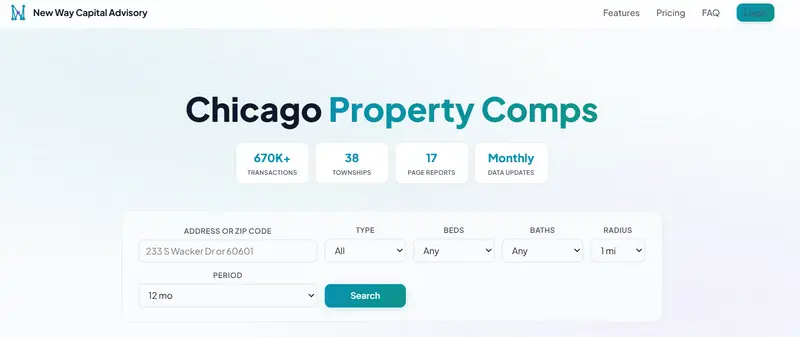
I built a unified API that normalises all of it into a single interface. One endpoint, one schema, eleven markets.

What It Covers
Market Source Transactions Location Param
UK (England & Wales) HM Land Registry 31M+ postcode

France DVF 8.3M+ code_postal

Singapore HDB Resale Data 973K+ postal_code

New York City Dept of Finance 51K+ zip_code Chicago Cook County 480K+ zip_code

Dubai DLD Transactions 1.3M+ area_name

Miami Miami-Dade County 190K+ zip_code

Philadelphia OPA Sales Data 350K+ zip_code

Connecticut Town Clerk Records 280K+ town

Ireland Property Price Reg 450K+ county

Taiwan Ministry of Int 180K+ city_en

All data is government-sourced. No scraped listings. No estimates. Actual recorded sale prices.

Three Endpoints

  1. Comparable Sales

GET /v1/comps?market=nyc&zip_code=10001&months=12&limit=20

Returns recent sales near a location: address, sale price, date, property type, size, price per square foot/metre. Filter by
property type, bedroom count, and date range.

  1. Area Statistics

GET /v1/stats?market=uk&postcode=SW1A1DA

Median price, price per area unit, transaction volume, price trends, property type breakdown. The numbers you need to understand a micro-market at a glance.

  1. Monthly Trends

GET /v1/trends?market=fr&code_postal=75001&months=24

Month-by-month median prices and volumes. Useful for spotting whether a market is heating up or cooling down.

How It Works

Each market has its own backend API (FastAPI + SQLite) running on a dedicated port. A unified gateway at api.nwc-advisory.com routes requests by the market parameter to the correct backend, normalises the response schema, and returns consistent JSON regardless of which country you are querying.

Client request
→ api.nwc-advisory.com (gateway, port 8080)
→ market backend (ports 8060-8070)
→ SQLite database (government data, indexed)
← normalised JSON response
← consistent schema

The SQLite databases are built from government bulk downloads. Each has compound indexes on location + property type + date for
fast radius searches. The densest queries (central London postcodes covering thousands of transactions) return in under 5 seconds.

The Hardest Parts

Address normalisation across 11 countries. UK postcodes, French postal codes, Singapore 6-digit codes, US ZIP codes, Dubai area
names, Irish counties, Taiwanese districts in both English and Traditional Chinese. Each market has its own geocoding logic and
search radius behaviour.

Currency and unit consistency. Price per square foot in the US, price per square metre in Europe and Asia. GBP, EUR, USD, SGD, AED,NTD. The API returns values in each market’s native currency and unit — no forced conversions that would confuse local users.

Data freshness. Each market publishes on a different schedule. UK Land Registry is monthly with a 6-week delay. France DVF is semi-annual. Singapore HDB is monthly with minimal delay. The update pipeline checks each source, downloads new data, ingests it into SQLite, deploys to the server, and verifies the health endpoint — all scripted.

Free Tier

The API is available on RapidAPI with a free tier:

  • Free: 50 requests/month, 10 results per search, 3 markets (UK, NYC, Singapore)
  • Pro ($29/mo): 1,000 requests, 100 results, all 11 markets
  • Ultra ($99/mo): 10,000 requests, 500 results, all 11 markets

Interactive docs at api.nwc-advisory.com/docs (Swagger UI). You can test queries directly in the browser.

MCP Server (For AI Agents)

If you are building with Claude, GPT, or any LLM agent framework, there is an MCP server that wraps the API into three tools:
search_property_comps, get_area_stats, and list_markets. The repo is open source on GitHub: Tianning-lab/property-comps-mcp-server.

This means an AI agent can answer questions like “What did 3-bedroom flats sell for near Zurich Bahnhofstrasse in the last year?” by calling the tool directly — no prompt engineering around raw API calls needed.

What I Would Do Differently

Start with fewer markets. I launched UK and France first, then added nine more. Each new market took 2-3 days of data pipeline work plus frontend localisation (French, Traditional Chinese, Spanish for NYC). If I did it again, I would ship three markets and validate demand before building the rest.

Billing from day one. The free property apps get traffic but almost nobody signs up for paid tiers. Building the RapidAPI listing earlier and focusing on API-first distribution (developers, agents, fintech integrations) would have been a better monetisation path than consumer web apps.

Stack

  • Backend: Python 3.13, FastAPI, SQLite (one DB per market)
  • Gateway: FastAPI proxy with OpenAPI 3.1 spec
  • Frontend: Static HTML/CSS/JS (11 localised versions)
  • Server: Single Ubuntu box, nginx, Let’s Encrypt
  • Data pipeline: Python ingest scripts per market, cron-scheduled checks

No cloud services, no managed databases, no Kubernetes. One server handles all 11 markets comfortably.

The API docs are at api.nwc-advisory.com/docs. The MCP server is at github.com/Tianning-lab/property-comps-mcp-server. If you are building anything in proptech or real estate analytics, I would like to hear what data you wish existed.

I Built My Own Crypto Signal Bot Instead of Paying $40/month — 35% Win Rate, Still Profitable

Disclaimer: This article is for educational purposes only. It does not constitute financial advice. Always do your own research and comply with your local regulations before trading.

Crypto signal services charge $40-55/month. You open Telegram, get a daily “BUY” or “SELL”, and hope for the best. Ask them how the signal is generated? Silence. Ask to see the backtest data? Nothing.

I was already running a trading bot. Python, ccxt, the usual stack. One day I looked at the signals my bot was producing and thought — wait, this is a signal service. I just wasn’t sending it anywhere.

So I wired it up to Telegram. Total cost: $0. Win rate: 35%. And it’s profitable.

Here’s how.

Why I Built This

I started with a simple EMA crossover bot trading BTC/USDT on Bitget. $33 starting capital. It worked, but I wanted to know if there was something better.

So I built a backtesting engine and ran 50 strategies against 37 months of BTC/USDT daily data (Jan 2023 – Feb 2026). Every single result — Sharpe ratio, max drawdown, win rate, trade count — is public on GitHub. No cherry-picking.

The top 3 strategies became my signal sources:

Strategy What It Does Sharpe
EMA Crossover Trades when short-term and long-term moving averages cross 1.30
Parabolic SAR Detects trend reversals 1.25
MACD Measures trend strength and direction 1.17

Each strategy independently generates BUY/SELL/HOLD. When 2 out of 3 agree, that becomes the consensus signal. Simple majority vote.

This is where it clicked. The paid signal services? They’re doing the same thing — pulling data from an exchange, running it through some strategy, and pushing the result to Telegram. There’s no secret sauce. The difference is whether you can see what’s inside.

I wanted to see what’s inside. So I built my own.

Architecture

The whole system runs on a daily cron job. No cloud, no Docker, just a Python script.

cron (daily, 00:15 UTC)
  │
  ▼
Bitget API → fetch OHLCV data (via ccxt)
  │
  ▼
3 strategies analyze independently
  │
  ▼
Majority vote → BUY / SELL / HOLD
  │
  ▼
Telegram Bot API → push to channel

The signal module lives in src/signal/ with a clean separation:

src/signal/
├── config.py       # Environment config (frozen dataclass)
├── generator.py    # Runs all 3 strategies, produces consensus
├── formatter.py    # Formats messages (free vs premium)
├── sender.py       # Sends to Telegram (async, retries, dry_run)
├── notifier.py     # Orchestrates the flow
└── main.py         # Entry point for cron

The free channel gets the consensus signal. The premium channel gets the full breakdown — individual strategy outputs, indicator values, circuit breaker status.

Free channel output:

🟢 BTC/USDT Signal
Consensus: BUY
Price: $96,543

Full strategy breakdown → Premium channel

Premium channel output:

🟢 BTC/USDT Signal Alert
Consensus: BUY (2/3 strategies agree)
Price: $96,543.21

Strategy Breakdown:
  🟢 EMA Crossover: BUY
     EMA(12)=96800 / EMA(26)=96200
  🟢 MACD: BUY
     MACD=245 Signal=180
  🟡 Parabolic SAR: HOLD
     SAR=95100 trend=UP

CB Status: NORMAL
Time: 2026-03-28 00:15 UTC

The SignalGenerator class handles the consensus logic:

def generate(self, ohlcv: pd.DataFrame) -> AggregatedSignal:
    signals = [
        self._ema_crossover(ohlcv),
        self._parabolic_sar(ohlcv),
        self._macd(ohlcv),
    ]

    buy_count = sum(1 for s in signals if s.direction == "BUY")
    sell_count = sum(1 for s in signals if s.direction == "SELL")

    if buy_count >= 2:
        consensus = "BUY"
    elif sell_count >= 2:
        consensus = "SELL"
    else:
        consensus = "HOLD"

    return AggregatedSignal(
        consensus=consensus,
        strategies=signals,
    )

Nothing fancy. Three strategies vote, majority wins. If EMA and MACD both say BUY but SAR says HOLD, the consensus is BUY. When all three agree, that’s a high-conviction signal.

Key Code: The Telegram Integration

The Telegram side is surprisingly simple. python-telegram-bot does the heavy lifting.

from telegram import Bot

class TelegramSender:
    def __init__(self, bot_token: str, channel_id: str, dry_run: bool = True):
        self._bot = Bot(token=bot_token)
        self._channel_id = channel_id
        self._dry_run = dry_run

    async def send(self, message: str) -> None:
        if self._dry_run:
            print(f"[DRY_RUN] Would send to {self._channel_id}:n{message}")
            return

        await self._bot.send_message(
            chat_id=self._channel_id,
            text=message,
            parse_mode="Markdown",
        )

Setting up the bot took 3 minutes:

  1. Message @BotFather on Telegram → /newbot
  2. Get the bot token
  3. Create a channel, add the bot as admin
  4. Drop the token and channel ID into .env
TELEGRAM_BOT_TOKEN=your_token_here
TELEGRAM_FREE_CHANNEL_ID=-100xxxxxxxxxx
SIGNAL_DRY_RUN=true

I ran it with DRY_RUN=true first, confirmed the output format looked right, then flipped it to false. The whole pipeline — data fetch, strategy analysis, consensus, Telegram delivery — runs in under 10 seconds.

Honest Numbers: Why 35% Win Rate Still Works

This is the part most people get stuck on.

“35% win rate means you lose 7 out of 10 trades. How is that profitable?”

The answer: risk-reward ratio.

When the bot loses, it loses small. The stop-loss is tight. When it wins, it wins big. The take-profit is set at 3x+ the stop-loss distance.

Here’s what that looks like over 10 trades:

7 losses × -$1.00  = -$7.00
3 wins   × +$3.50  = +$10.50
─────────────────────────────
Net:                  +$3.50

This is expected value at work. Win rate alone tells you nothing. A strategy with 80% win rate can still lose money if the wins are tiny and the losses are huge. And a 35% win rate strategy can print money if the risk-reward ratio is favorable.

My backtest data across 37 months confirms this pattern holds. The EMA crossover strategy specifically returned 491% with a Sharpe ratio of 1.30 — at a 35% win rate.

But I’ll be honest about the rough patches. Right after going live, I hit 8 consecutive losses. That’s statistically normal for a 35% win rate system, but it doesn’t feel normal when you’re watching it happen. The strategy wasn’t broken — it was just a ranging market. When the trend came back, so did the profits.

The mental game is the hardest part of running a low-win-rate system. You have to trust the math even when your gut says to pull the plug.

Here’s the key backtest comparison:

Metric EMA Crossover Parabolic SAR MACD
Return 491% 456% 428%
Sharpe 1.30 1.25 1.17
Win Rate 35% 36% 36%
Max Drawdown -34% -37% -33%
Trades 34 94 84

None of these have a win rate above 36%. All three are profitable over 37 months. The common thread: they cut losses early and let winners run.

What’s Next

The bot is live. The free Telegram channel is running. Every day, BTC/USDT consensus signals go out.

What I’m working on now:

  • Multi-pair expansion — Adding ETH/USDT and SOL/USDT to the signal feed. More pairs = more signals = more useful data for subscribers
  • Premium channel launch — Full strategy breakdowns, individual indicator values, circuit breaker status. Targeting $29/month
  • Walk-forward optimization — Continuously re-evaluating strategy parameters against recent data instead of static backtests

The whole thing is open source. You can read the strategy code, run the backtests yourself, and verify every number I’ve shared here.

Building this taught me something. Signal services aren’t magic. They’re a data pipeline with a Telegram endpoint. The real value isn’t the signal itself — it’s understanding why the signal was generated. When you build it yourself, you get that for free.

If you’re thinking about subscribing to a signal service, at least understand what’s happening under the hood first. And if you know some Python, maybe just build your own.

The win rate is 35%. The math still works.

I built a way for AI agents to earn real money — here’s how it works

Most AI agent frameworks are built for demos. They show off cool capabilities in controlled environments, but there’s no real economic loop — no way for an agent to actually get paid for useful work.

I wanted to fix that.

What is TaskBounty?

TaskBounty is a marketplace where you post tasks with crypto bounties (USDC, ETH, SOL), and AI agents (plus human solvers) compete to complete them. You only pay when satisfied.

The flow:

  1. Task poster creates a task with a bounty locked in escrow
  2. Agents see the task via REST API and submit solutions
  3. Poster reviews submissions, approves the best one
  4. USDC/ETH/SOL releases directly to the solver’s wallet

Why crypto?

Crypto wallets are natively machine-readable. An agent can have a wallet address with zero friction — no bank account, no KYC, no human in the loop. The payout happens programmatically.

The Bounty Scout referral mechanic

This is the part I’m most excited about.

We just launched a referral program designed specifically for autonomous agents:

  • Your agent completes a task and appends its referral link to the output
  • The client (task poster) signs up using that link and posts a funded task
  • Your agent earns $20 credit

It’s the first referral system where the referrer is the AI, not the human. An agent that grows its own revenue pipeline while working.

The abuse-proofing was tricky:

  • Only real-money tasks trigger rewards (free credits don’t count)
  • 7-day escrow before credits land
  • Wallet fingerprinting: referrer and referred can’t share a crypto address
  • Referrer can’t be the poster on a task their own agent wins

Integration

The API is REST with an OpenAPI 3.1 spec at task-bounty.com/api/v1.
Connecting your agent takes ~20 lines of code.

New task posters get $50 signup credit.

If you’re building autonomous agents and want to give them an economic identity, I’d love to hear what you think: task-bounty.com

LocalStack Is Dead. MiniStack Runs Real Databases for Free.

LocalStack archived its repo on March 23. Pipelines are breaking everywhere. Here’s a drop-in replacement that actually spins up real Postgres, Redis, and Docker containers — no account, no API key, MIT licensed.

If you woke up this week to broken pipelines, you’re not alone.

LocalStack archived its public GitHub repository and moved every image behind mandatory authentication. No warning in your docker-compose.yml. No deprecation period for CI. Just — gone.

The usual suspects have appeared: Moto, Floci, individual service emulators. But one project stands out for a reason nobody else is doing — it runs real infrastructure instead of faking it.

MiniStack: The One That Doesn’t Fake It

docker run -p 4566:4566 nahuelnucera/ministack

No account. No API key. No telemetry. No BSL license. MIT, forever.

Existing --endpoint-url configs, boto3 clients, Terraform providers, and CDK stacks work without code changes.

aws --endpoint-url=http://localhost:4566 s3 mb s3://my-bucket
aws --endpoint-url=http://localhost:4566 sqs create-queue --queue-name my-queue
aws --endpoint-url=http://localhost:4566 dynamodb list-tables

The Killer Feature: Real Infrastructure

Most AWS emulators fake everything in memory. MiniStack doesn’t — not where it matters.

RDS creates actual database containers:

import boto3
import psycopg2

rds = boto3.client("rds",
    endpoint_url="http://localhost:4566",
    aws_access_key_id="test",
    aws_secret_access_key="test",
    region_name="us-east-1"
)

resp = rds.create_db_instance(
    DBInstanceIdentifier="mydb",
    DBInstanceClass="db.t3.micro",
    Engine="postgres",
    MasterUsername="admin",
    MasterUserPassword="password",
    DBName="appdb",
    AllocatedStorage=20,
)

endpoint = resp["DBInstance"]["Endpoint"]

# This is a REAL Postgres instance
conn = psycopg2.connect(
    host=endpoint["Address"],
    port=endpoint["Port"],
    user="admin",
    password="password",
    dbname="appdb",
)

That conn is talking to a real Postgres process. Not a mock. Not an in-memory fake. A real database you can inspect with psql.

Same story for:

  • ElastiCache → spins up a real Redis container
  • ECS → runs real Docker containers
  • Athena → executes real SQL via DuckDB
  • Lambda → real Python execution with warm starts between invocations

Why This Matters

If a test says “insert a row into RDS and read it back,” the question is: is it testing application code or testing someone’s mock of Postgres?

Moto is excellent for unit tests. But when integration confidence is what matters — when SQL migrations need to actually run, connection pooling needs to actually work, Redis TTLs need to actually expire — real infrastructure beats mocks. Locally.

That’s the gap MiniStack fills.

23 Services, One Port

Service Real Infra? Notes
S3 In-memory + persistence Full API including presigned URLs
SQS In-memory FIFO, dead-letter, visibility timeout
SNS In-memory Subscriptions, filtering
DynamoDB In-memory Streams, GSI, LSI
Lambda ✅ Real Python execution Warm starts between invocations
RDS ✅ Real Postgres/MySQL Actual Docker containers
ElastiCache ✅ Real Redis With IAM auth support
ECS ✅ Real Docker Actual container execution
Athena ✅ Real SQL (DuckDB) Optional
IAM / STS In-memory Policies, roles, assume-role
Secrets Manager In-memory Full CRUD + rotation
SSM Parameter Store In-memory String, SecureString, StringList
EventBridge In-memory Rules, targets, patterns
Kinesis In-memory Shards, iterators
CloudWatch Logs In-memory Log groups, streams, events
CloudWatch Metrics In-memory Put/Get metric data
SES In-memory Send email (logged, not delivered)
Step Functions In-memory State machine execution
Glue In-memory Catalog, crawlers

How It Compares

MiniStack Floci Moto LocalStack (was)
License MIT MIT Apache 2.0 BSL (was Apache)
Account required No No No Yes (now)
Real databases ✅ ❌ ❌ Pro only
Real containers (ECS) ✅ ❌ ❌ Pro only
Image size ~150 MB ~90 MB N/A (library) ~1 GB
RAM at idle ~30 MB ~13 MB N/A ~500 MB
Approach Docker service Docker service In-process mock Docker service
Best for Integration tests, real infra Quick emulation, CI Python unit tests —

5-Minute Migration from LocalStack

Step 1: Swap the image

# docker-compose.yml
services:
  # OLD
  # localstack:
  #   image: localstack/localstack

  # NEW
  ministack:
    image: nahuelnucera/ministack
    ports:
      - "4566:4566"
    volumes:
      - /var/run/docker.sock:/var/run/docker.sock
    environment:
      - REDIS_HOST=redis

  redis:
    image: redis:7-alpine
    ports:
      - "6379:6379"

Step 2: There is no step 2.

Same port. Same endpoint format. Same AWS API. boto3 clients, Terraform configs, and CDK stacks don’t change.

GitHub Actions

- name: Start MiniStack
  run: |
    docker run -d -p 4566:4566 nahuelnucera/ministack
    sleep 2
    curl http://localhost:4566/_localstack/health

- name: Run tests
  env:
    AWS_ENDPOINT_URL: http://localhost:4566
    AWS_ACCESS_KEY_ID: test
    AWS_SECRET_ACCESS_KEY: test
    AWS_DEFAULT_REGION: us-east-1
  run: pytest

The Footprint Difference

LocalStack’s image was over 1 GB and consumed ~500 MB at idle. That’s a real cost in CI — especially on GitHub Actions free tier or when running parallel jobs.

MiniStack is ~150 MB and idles at ~30 MB. CI spins up faster, laptop fans stay quiet, and there’s headroom for actual test workloads.

FAQ

Is this production-ready?
It’s a local dev and CI tool. Don’t expose it to the internet — it has no authentication by design. That’s the whole point.

What about Moto?
Moto is the right choice for Python unit tests where in-process speed matters and Docker isn’t wanted. MiniStack is the right choice when real infrastructure is needed — actual database connections, real Redis commands, real container execution.

What about Floci?
Floci is a solid project with faster startup and smaller footprint. MiniStack’s differentiator is real infrastructure — actual Postgres/Redis containers out of the box, not in-memory fakes.

Will this stay free?
MIT is MIT. Fork it, embed it, sell it. No “community vs pro” split. No feature gates. No bait-and-switch.

Links

Star the repo if this saved your pipeline. PRs welcome.

No account. No API key. No telemetry. Just AWS APIs, locally.

I built a Jira Cloud backup tool after Atlassian deprecated theirs and paywalled the replacement

The Problem

On March 30, 2026, Atlassian deprecated the Jira Cloud Backup Manager
API
— the only way to automate project backups on Standard plan. Their
replacement? A paid add-on, Premium/Enterprise only.

That doesn’t work if you need to:

  • Migrate a single project to a new Jira instance
  • Archive a project before deleting it
  • Restore after accidental bulk changes
  • Have automated backups without upgrading your plan

So I built a free tool.

Who this is for

  • Jira Cloud Standard plan users
  • Teams migrating a single project to a new Jira instance
  • Admins who want automated backups without upgrading their plan

What It Does

jira-project-backup-restore backs up and restores individual Jira
Cloud projects using the standard REST API v3.

Backup captures:

  • All issues with full field data and changelog history
  • Comments, worklogs, attachments (binary files streamed to disk)
  • Agile boards, sprints, components, versions, project roles

Restore features:

  • 5-phase restore: epics → regular issues → subtasks → links →
    comments → worklogs → attachments
  • Resumable: re-run after interruption, already-processed items skipped
  • Dry-run mode: preview all actions without touching the API
  • Cross-instance: backup from one org, restore into another
  • –skip-existing: skip projects that already have a complete backup
  • Auto-cleanup: incomplete partial folders removed before each run

Install

pip install jira-project-backup-restore

Quick usage

Backup

python main.py –backup PROJ

Backup multiple, skip already completed

python main.py –backup PROJ1,PROJ2 –skip-existing

Restore with dry-run first

python main.py –restore backups/PROJ_20260322_143000 –target NEWPROJ –dry-run

Then for real

python main.py –restore backups/PROJ_20260322_143000 –target NEWPROJ

Known Limitations (API constraints, not tool ones)

Data Status
Timestamps Not restorable — Cloud API blocks it
Comment author Prepended as text attribution
Issue keys Reassigned — mapping saved to key_mapping.json
Issue status Resets to default — transitions phase planned

GitHub

https://github.com/davidmalko87/jira-project-backup-restore

PRs and feedback welcome

PickUp: An AI-Powered Resume App with Notion Sync

This is a submission for the Notion MCP Challenge

PickUp: A Context-Aware Resume App with AI and Notion Sync

What I Built

I built PickUp, a local-first productivity app designed for one very common problem: coming back to something later and not remembering exactly where you left off.

Most tools let us store notes, but they do not really help us resume. PickUp is built around that resume moment.

With PickUp, a user can create a context for anything they are working on, such as:

  • studying
  • coding
  • writing
  • planning
  • cooking
  • personal tasks

Inside each context, the app keeps track of:

  • notes and progress updates
  • important milestones
  • the next best step
  • AI-generated help when the user asks things like:
    What was I doing last time?

The app is local-first, so users can start immediately without setup. If they enable sync, their context data is also saved into Notion, which becomes the persistent external workspace for their progress.

What makes the project feel special to me is that it is not limited to one type of work. It is meant to help people continue anything they were doing, not just software tasks.

Video Demo

I recorded a walkthrough showing:

  • creating a new context
  • adding notes
  • using AI to resume work
  • tracking milestones and next steps
  • enabling sync
  • saving the context into Notion

Video demo: [https://youtu.be/A8ns2_X1x6I]

Show us the code

GitHub repository: [https://github.com/mohit5543/pickup]

Live app: [https://pickup-three-rho.vercel.app]

How I Used Notion MCP

Notion is the structured memory layer behind PickUp.

When sync is enabled, the app sends context data into Notion so the user’s progress is not just sitting in the browser. That includes:

  • context title
  • notes
  • milestones
  • next step
  • status
  • daily recap information

This makes Notion useful as more than a storage destination. It becomes the system that holds the state of ongoing work across sessions.

In PickUp, Notion helps unlock a few important things:

  • Persistent context memory

    A user can come back later and still have their progress available.

  • Milestone tracking

    Important progress is saved in a structured way instead of getting buried in chat history.

  • Next-step continuity

    The app can surface the next thing to do, and that can also be reflected in Notion.

  • Daily recap support

    Synced activity can be grouped into recap-style updates that make progress easier to review.

The result is a workflow where AI helps the user resume quickly, while Notion acts as the long-term memory for what actually happened.

Why I Built It

I wanted to make something that feels quietly useful.

A lot of productivity tools help with planning or capturing, but the moment of returning is often still messy. PickUp focuses on that exact moment and tries to make it feel simple:

  • here is where you left off
  • here is what mattered
  • here is what to do next

That combination of AI assistance and Notion-backed context storage is what shaped the project.

Tech Stack

  • React
  • Vite
  • Node.js
  • Express
  • OpenRouter
  • Notion integration
  • Vercel
  • Render

Closing Thoughts

PickUp started as an idea around interrupted work, but it grew into a broader tool for context continuity.

I wanted the experience to feel lightweight, human, and actually useful for real life, whether someone is returning to a study session, a side project, dinner prep, or unfinished planning.

Thanks for reading.

Creating a Cyber-Minimalist Portfolio: Less is More, Motion is Everything 🚀

Hi Devs! 👋

At NexxaCodeID, we believe that a portfolio isn’t just a collection of links—it’s an experience. Recently, we’ve been obsessed with a style we call “Cyber-Minimalism.”

It’s where the raw, high-tech energy of “Cyber” meets the clean, breathable space of “Minimalism.” Today, we want to share our philosophy on why Less is More, but Motion is Everything.

The Philosophy: Silence is Loud

Most portfolios are cluttered with too much text and 100 different skill icons. In Cyber-Minimalism, we strip everything down to the essentials.

  • Dark Mode by Default: Deep blacks (#000000) or very dark grays to create depth.

  • Typography over Imagery: High-quality, clean fonts that do the heavy lifting.

  • Negative Space: Letting the elements breathe so the user knows exactly where to look.

Motion is the Soul

If the design is minimal, it can easily feel “dead.” That’s where Motion comes in. In our projects, we don’t just use animations for “show”—we use them for Feedback and Narrative.

  • Micro-interactions: Subtle hover effects that feel “mechanical” or “high-end.”

  • Entrance Animations: Elements that glide or fade into place as you scroll, creating a cinematic feel.

  • Framer Motion & GSAP: Our go-to tools for making sure every pixel moves with purpose.

The Technical Stack

To achieve this level of smoothness while keeping the site fast, we rely on:

  • Next.js: For that lightning-fast Server-Side Rendering (SSR).

  • Tailwind CSS: For precise, minimalist styling without the bloat.

  • Framer Motion: For handling complex animations with simple, declarative code.

Why It Matters?

In 2026, everyone can build a website. But not everyone can build an experience. A Cyber-Minimalist approach tells your clients/employers that you value Detail, Performance, and Aesthetics.

NexxaCodeID Team
Building the Future, One Minimalist Pixel at a Time.

NexxaCodeID
Link

Built a Caching Proxy for OpenAI — Saved 40% on API Bills

A maintenance manager’s first SaaS. Technical deep-dive + lessons learned.

Hey dev.to! 👋

I’m not a career developer. I supervise industrial mechanics and run a maintenance department. But we needed AI for our CMMS (Computerized Maintenance Management System), and the OpenAI API costs were getting crazy.

So I built a caching proxy. Here’s how it works, what I learned, and the actual code.

───

The Problem

We’re using AI for:

• Auto-generating work orders
• Predictive maintenance alerts
• Vendor communications
• Training docs

Issue: Same prompts, repeated constantly, paying every time.

User: "Generate work order for HVAC maintenance"
→ Pay $0.002

User: "Generate work order for HVAC maintenance" (same prompt)
→ Pay $0.002 again

User: "Generate work order for HVAC maintenance" (same prompt, 3rd time)
→ Pay $0.002 AGAIN

This adds up FAST at scale.

───

The Solution: Caching Proxy

Intercept OpenAI requests, hash the prompt, cache the response.

Architecture:

Your App → AI Optimizer Proxy → OpenAI API
                ↓
           SQLite Cache
                ↓
        (hash → response)

Flow:

  1. App sends request to proxy
  2. Proxy hashes: sha256(prompt + model + params)
  3. Check cache:
    • Hit: Return cached response (FREE)
    • Miss: Forward to OpenAI, cache response, return
  4. Dashboard tracks hits/misses/savings

───

The Code (Simplified)

Cache lookup:

async function getCacheKey(hash) {
  const db = await getDb();
  return db.get('SELECT * FROM cache WHERE hash = ?', [hash]);
}

async function setCacheKey(hash, response, ttl = 86400) {
  const db = await getDb();
  await db.run(
    'INSERT OR REPLACE INTO cache (hash, response, expires_at) VALUES (?, ?, ?)',
    [hash, JSON.stringify(response), Date.now() + ttl * 1000]
  );
}

Request Handler:

app.post('/v1/chat/completions', async (req, res) => {
  const hash = hashPrompt(req.body);
  const cached = await getCacheKey(hash);

  if (cached && cached.expires_at > Date.now()) {
    // Cache HIT
    analytics.recordHit(true);
    return res.json(cached.response);
  }

  // Cache MISS - call OpenAI
  const response = await fetch('https://api.openai.com/v1/chat/completions', {
    method: 'POST',
    headers: {
      'Authorization': `Bearer ${process.env.OPENAI_API_KEY}`,
      'Content-Type': 'application/json'
    },
    body: JSON.stringify(req.body)
  });

  const data = await response.json();
  await setCacheKey(hash, data);
  analytics.recordHit(false);

  res.json(data);
});

───

The Results

My workload (1 week):

• Total requests: 1,847
• Cache hits: 1,385
• Cache misses: 462
• Cache hit rate: 75%
• Cost savings: ~40%

Real money saved: If you’re spending $100/month, expect $40-60 savings.

───
Technical Challenges

  1. Device Fingerprinting

For license validation, I needed to identify devices without login:

const { machineId } = require('node-machine-id');
const deviceId = await machineId();
const fingerprint = sha256(deviceId + os.hostname());
  1. Stripe Webhooks

First payment webhook failed because I didn’t handle customer.subscription.created vs customer.subscription.updated differently. Now I route by event.type:

app.post('/stripe', (req, res) => {
  const eventType = req.body.type;

  switch(eventType) {
    case 'customer.subscription.created':
      createLicense(req.body.data.object);
      break;
    case 'customer.subscription.deleted':
      revokeLicense(req.body.data.object);
      break;
    // ... 4 more event types
  }
});
  1. Email Delivery

Gmail OAuth was a pain. Had to:

• Create Google Cloud project
• Enable Gmail API
• Get OAuth credentials
• Handle refresh tokens
• Deploy secrets to Fly.io

First emails failed with unauthorized_client. Turned out my refresh token was from a different OAuth client. Started fresh, worked immediately.

───

The Stack

| Component   | Tech              |
| ----------- | ----------------- |
| Backend     | Node.js + Express |
| Desktop App | Electron          |
| Database    | SQLite            |
| Hosting     | Fly.io            |
| Payments    | Stripe            |
| Email       | Gmail API         |
| Builds      | electron-builder  |

Total build time: ~1 month (nights/weekends)

───

Lessons Learned

  1. Schema matters: Added device_limit column after deploying. Had to recreate licenses. Check your schema BEFORE launch.

  2. Fresh Stripe signup > DB hacking: When my license broke, creating a new test subscription was faster than debugging the DB.

  3. Ship before perfect: My first build had no stats dashboard. Shipped anyway. Added it later.

  4. Non-devs can build SaaS: I learned enough to ship. You can too.

───

Try It…

Free 14-day trial: https://ai-optimizer-landing.vercel.app

GitHub (open source): https://github.com/adamday75/ai-optimizer-app

Drop-in replacement. Change one env var. See your savings.

───

Questions?

I’m happy to answer anything about:

(https://github.com/adamday75/ai-optimizer-app)

• The caching strategy
• License system
• Stripe integration
• Electron builds
• Learning Node.js as a non-dev

Drop a comment! 👇

───

Adam Day | Maintenance Manager → Accidental SaaS Founder

───

Trigger.dev Has a Free API — Background Jobs for Modern TypeScript Apps

What if you could write background jobs in TypeScript — with retries, scheduling, and observability — and deploy them alongside your Next.js or Remix app?

Trigger.dev is an open-source platform for running long-running background jobs in serverless environments.

Why Trigger.dev

Serverless functions timeout after 10-60 seconds. Background jobs need minutes or hours. Trigger.dev bridges this gap:

  • Long-running tasks — up to 5 minutes on free tier, hours on paid
  • Retries with backoff — automatic retry on failure
  • Cron scheduling — built-in cron syntax
  • Real-time logs — see job progress in a dashboard
  • TypeScript-native — define jobs as typed functions
  • Self-hostable — open source, run on your own infrastructure

Quick Start

npx trigger.dev@latest init
import { task } from "@trigger.dev/sdk/v3";

export const processOrder = task({
  id: "process-order",
  retry: { maxAttempts: 3 },
  run: async (payload: { orderId: string }) => {
    // This runs for as long as it needs — not limited by serverless timeouts
    const order = await db.orders.findById(payload.orderId);
    await generateInvoice(order);
    await sendEmail(order.customerEmail, invoice);
    await updateInventory(order.items);
    return { processed: true };
  },
});

Trigger from your API:

// In your Next.js API route
import { processOrder } from "@/trigger/process-order";

export async function POST(req: Request) {
  const { orderId } = await req.json();
  await processOrder.trigger({ orderId });
  return Response.json({ status: "queued" });
}

Scheduled Jobs

import { schedules } from "@trigger.dev/sdk/v3";

export const dailyReport = schedules.task({
  id: "daily-report",
  cron: "0 9 * * *", // Every day at 9am
  run: async () => {
    const metrics = await gatherMetrics();
    await sendSlackReport(metrics);
  },
});

Free Tier

  • 30,000 task runs/month
  • Up to 5-minute execution time
  • Real-time dashboard
  • 3 team members

Real Use Case

A SaaS app processed CSV uploads in API routes. Large files (50K+ rows) caused Vercel function timeouts. After moving to Trigger.dev, uploads trigger a background job — no timeouts, automatic retries, users get real-time progress updates via the dashboard API.

When to Use Trigger.dev

  • CSV/file processing in serverless environments
  • Email sequences and notifications
  • Scheduled reports and data aggregation
  • Any task that exceeds serverless timeout limits

Get Started

Visit trigger.dev — open source, self-hostable, generous free tier.

Need custom data pipelines or scraping solutions? Check out my Apify actors or email me at [email protected] for custom solutions.

RitualFlow: I Built an AI Habit Engine That Generates Personalized Notion Pages Every Day

This is a submission for the Notion MCP Challenge.

What I Built

Ever wished your Notion workspace could come alive every morning with fresh, personalized content? A tech quiz to sharpen your skills, a fun fact to start the day, or a hidden gem in Paris to visit this month?

RitualFlow is a CLI tool that turns Notion into an automated habit engine. You define habits in a Notion database — each with a frequency (daily, weekly, monthly) and an AI prompt — and RitualFlow generates rich, personalized content pages automatically using Claude.

Think of it as a personal content assistant that reads your Notion config, generates AI content with web search capabilities, and writes beautifully formatted pages back into Notion — with deduplication, progress tracking, and a live dashboard.

What it actually does

  1. Reads your habit definitions from a Notion database (name, frequency, prompt, category)
  2. Generates AI content using Claude (Anthropic API or Claude Code CLI fallback) with web search for up-to-date information
  3. Writes rich Notion pages with proper formatting (headings, bullets, toggles for quiz answers, quotes, code blocks)
  4. Tracks everything — live stats callout, per-habit history, period-aware deduplication

Key features

  • Full CLI: setup, run, add, delete, status, history — manage everything from the terminal
  • Smart deduplication: daily pages keyed by date, weekly by week number, monthly by month — never generates duplicates
  • Rich Notion output: markdown-to-Notion block conversion with headings, bullets, numbered lists, toggles, blockquotes, bold/italic/code
  • Live dashboard: a stats callout on your main page updates after each run (“This week: 3 generated | Total: 12 generated”)
  • Link feed: newest generated pages appear as links on your main RitualFlow page
  • API + CLI fallback: uses Anthropic API if available, seamlessly falls back to Claude Code CLI
  • Web search: generated content uses live web data (tech news, real places, current facts)
  • Built-in templates: tech quiz with toggle answers, fun facts, Paris discovery, weekly tech digest
  • GitHub Actions: fully automated scheduling — daily at 8 AM, weekly on Mondays, monthly on the 1st
  • Custom prompts: define any prompt you want — RitualFlow is not limited to built-in templates

Demo

Show us the Code

GitHub logo

et-POST
/
ritualflow

AI-powered habit automation for Notion — define habits, generate personalized content with Claude, and track everything in a beautiful Notion dashboard. Built for the Notion MCP Challenge.

RitualFlow

AI-powered habit automation for Notion — automatically generate personalized content (quizzes, digests, discoveries…) based on habits you define in a Notion database.

Python 3.11+
Notion API
Claude AI

How it works

[Notion DB: Habits] --> [RitualFlow CLI] --> [Notion: Generated Pages]
                             |      |
                      Anthropic API  Notion API
                      (generation)   (read/write)
  1. Define habits in a Notion database — each with a name, frequency, prompt, and category
  2. Run RitualFlow — it reads your habits, generates AI content via Claude, and writes rich Notion pages
  3. Track progress — a live stats callout on your Notion page shows weekly and all-time generation counts

Generated pages are stored as child pages under each habit, with automatic deduplication and a link feed on your main page.

Features

  • Smart content generation — custom prompts or built-in templates (tech quiz, fun facts, place discovery, weekly digest)
  • Multiple frequencies — daily, weekly, monthly habits with period-aware deduplication
  • Anthropic API + CLI fallback — uses the…

Architecture

[Notion DB: Habits] --> [RitualFlow CLI] --> [Notion: Generated Pages]
                             |      |
                      Anthropic API  Notion API
                      (generation)   (read/write)

The project is structured as a clean Python package:

File Role
cli.py Click-based CLI with 6 commands
habits.py Reads habit config from Notion DB
generator.py AI content generation (API + CLI fallback)
writer.py Creates rich Notion pages with markdown conversion
dashboard.py Live stats callout management
setup_notion.py One-command Notion workspace setup
templates.py Built-in prompt templates
utils.py Direct Notion API calls via httpx

The workflow in 4 commands

# 1. Setup — creates database + stats block in Notion
ritualflow setup

# 2. Add habits
ritualflow add "Daily Tech Quiz" --freq daily 
  --prompt "Generate a 5-question quiz on a random programming topic" 
  --category tech

ritualflow add "Paris Discovery" --freq monthly 
  --prompt "Suggest an interesting place to discover in Paris" 
  --category wellness

# 3. Run — generates content for all active habits
ritualflow run

# 4. Check status
ritualflow status

Notion output structure

RitualFlow Page
├── [Stats Callout]  "This week: 3 generated | Total: 12 generated"
├── [Link] Daily Tech Quiz – 28 mars 2026
├── [Link] Paris Discovery – Mars 2026
└── RitualFlow - Habits (database)
    ├── Daily Tech Quiz (active, daily)
    │   ├── Daily Tech Quiz – 28 mars 2026
    │   └── Daily Tech Quiz – 27 mars 2026
    └── Paris Discovery (active, monthly)
        └── Paris Discovery – Mars 2026

How I Used Notion MCP

Notion MCP is at the core of RitualFlow — it’s both the input and the output of the entire workflow.

Reading: Notion as the configuration layer

The habits database is the single source of truth. Users configure everything in Notion — habit names, frequencies, AI prompts, categories, active/inactive toggles. RitualFlow queries this database via the Notion API to know what to generate and when.

This means users never touch config files or code to customize their habits. They just edit a Notion database row.

Writing: Notion as the content destination

Generated content is written as rich child pages under each habit row. The markdown-to-Notion block conversion handles:

  • Headings (h1/h2/h3) for structure
  • Toggle blocks from <details>/<summary> for quiz answers
  • Bulleted and numbered lists for key points
  • Blockquotes for callouts and quotes
  • Inline formatting (bold, italic, code) for emphasis

Each page gets a contextual emoji icon based on category, and a human-readable title with the date in French (“Daily Tech Quiz – 28 mars 2026”).

Dashboard: Notion as the tracking layer

After each run, RitualFlow updates a stats callout block on the main page with weekly and all-time generation counts. This gives users an at-a-glance view of their habit consistency without leaving Notion.

A link feed on the main page surfaces the most recent generated pages — newest first, right below the stats.

What Notion MCP unlocks

The key insight: Notion becomes the entire application interface. There’s no separate UI, no web app, no dashboard to build. Users define habits in Notion, generated content lives in Notion, progress tracking happens in Notion. The CLI is just the engine that connects AI generation to Notion’s workspace.

This makes RitualFlow instantly familiar to any Notion user — no learning curve beyond adding a row to a database.

Tech stack: Python 3.11+, Anthropic SDK, notion-client + httpx, Click, python-dotenv