Why WordPress Contact Form Emails Go to Spam (And How to Fix It)
You set up Contact Form 7 on your WordPress site. Someone fills out
your contact form. You never received the email.

Or worse: you receive it two days later, buried in your spam folder.

You are not alone. This is one of the most searched WordPress problems in 2026, and it affects thousands of website owners who have no idea why their contact form emails keep disappearing.

This guide explains exactly why it happens and gives you two ways to fix it permanently.

Why WordPress Contact Form Emails

Go to Spam

WordPress forms do send emails. Contact
Form 7, WPForms, Gravity Forms, and Ninja
Forms all send email notifications when someone submits your form.

The problem is not the form plugin.
The problem is how WordPress sends emails.

By default WordPress uses a PHP function called mail() to send all emails including your form notifications. This function sends emails directly from your web server without any authentication
or encryption.

Email providers like Gmail, Outlook, and
Yahoo has strict spam filters that check whether the server sending an email is authorized to send it. When an email arrives from a random web server with no authentication, those filters mark it as
spam or reject it entirely.

Your form is working perfectly. Your hosting server is sending the email. But it never reaches your inbox because Gmail sees it as suspicious.

The Five Most Common Reasons Your

WordPress Form Emails Are Not Arriving

Reason 1: Your host blocks or throttles
PHP mail

Many shared hosting providers block or severely limit PHP mail to prevent their servers from being used for spam. Bluehost, SiteGround, and other popular hosts have increasingly aggressive restrictions on PHP mail.

If you recently changed hosting providers and your contact form emails suddenly stopped working, this is almost certainly
the reason.

Reason 2: Your domain has no SPF or
DKIM records

SPF and DKIM are email authentication records that tell email providers your server is authorized to send emails from your domain. Without them, your emails look suspicious to spam filters.

Most WordPress PHP mail setups send emails without proper SPF and DKIM authentication, which is why they land in spam.

Reason 3: Contact Form 7 default
settings use WordPress admin email

CF7 by default sends notification emails from your WordPress admin email address using your server’s PHP mail.
If your server’s IP address has been flagged for spam by any email provider, your notifications will be blocked or filtered.

Reason 4: Your notification email address is different from your domain

If your WordPress site is yoursite.com but your notification email is
[email protected] the email is
traveling from a server at yoursite.com to Gmail. Gmail is increasingly suspicious of emails that originate from web servers
rather than dedicated email infrastructure.

Reason 5: No submission backup exists

This is not a deliverability problem, but it makes everything worse. When WordPress’s PHP mail fails, your submission is lost
permanently. There is no dashboard. No submission history. No way to recover what someone sent you. If the email fails, you never know it happened.

Fix 1: Use an SMTP Plugin

The fastest fix for most WordPress users is to replace PHP mail with a proper SMTP connection using a dedicated email service.

SMTP (Simple Mail Transfer Protocol) sends your emails through a proper authenticated email server instead of your web host’s PHP mail function. Email providers trust SMTP emails from known
services significantly more than PHP mail.

Step 1: Install WP Mail SMTP

WP Mail SMTP is the most popular WordPress SMTP plugin with over 3 million active installs. Install it from WordPress
plugin directory.

Step 2: Choose an SMTP provider

WP Mail SMTP works with several free and
paid SMTP providers:

Gmail SMTP (free)
If you have a Google Workspace account, you can use Gmail’s SMTP server. Free for basic usage. Best for small sites
with low form volume.

Brevo (formerly Sendinblue) (free tier)
300 emails per day free. Good deliverability.
Easy to set up.

Mailgun (free tier)
100 emails per day free. Excellent
deliverability. Requires domain verification.

Resend (free tier)
3,000 emails per month free. Modern API.
Excellent deliverability. Strong DKIM
and SPF setup.

Step 3: Configure WP Mail SMTP

Go to WP Mail SMTP settings in your WordPress dashboard. Enter your SMTP credentials from whichever provider
you chose. Send a test email to confirm
it is working.

Once configured, all WordPress emails, including your contact form notifications, will be sent through your SMTP provider
instead of PHP mail. Deliverability
improves immediately.

Fix 2: Use Formgrid as Your

Form Backend

If you want more than just reliable email delivery, a submission dashboard, Google Sheets sync, file uploads, and spam protection, consider replacing your WordPress form plugin with Formgrid.

Formgrid is a form backend and form builder that handles your submissions independently of WordPress. It uses Resend for email delivery, which means your notifications go through proper, authenticated email infrastructure with excellent deliverability.

Here is how to use Formgrid with your
WordPress site:

Option A: HTML Form in WordPress

Custom HTML Block

This is the most reliable approach. Instead of using a form plugin, you write a simple HTML form in a WordPress Custom HTML block and point it at your Formgrid endpoint.

Step 1: Sign up at
formgrid.dev
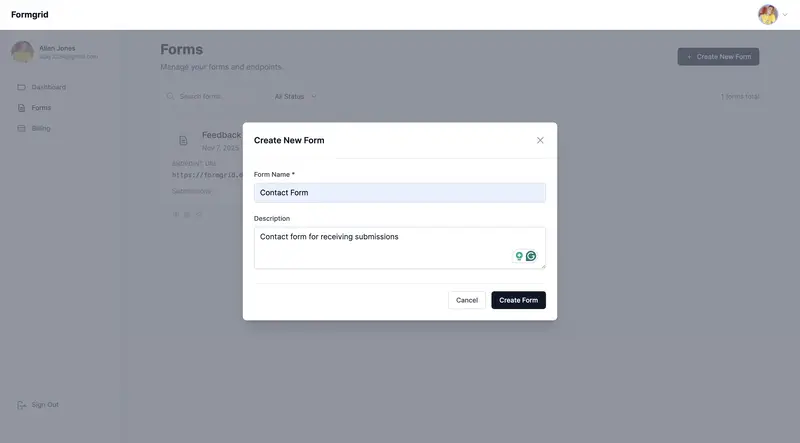
and create a new form.

Step 2: Copy your Formgrid endpoint URL
from the form overview tab. It looks like:

https://formgrid.dev/api/f/your-form-id

Step 3: In your WordPress page editor, add a Custom HTML block and paste
this code:

<form action="https://formgrid.dev/api/f/your-form-id" 
      method="POST">

  <div>
    <label for="name">Your Name</label>
    <input type="text" 
           id="name" 
           name="name" 
           required />
  </div>

  <div>
    <label for="email">Email Address</label>
    <input type="email" 
           id="email" 
           name="email" 
           required />
  </div>

  <div>
    <label for="message">Message</label>
    <textarea id="message" 
              name="message" 
              rows="5" 
              required></textarea>
  </div>

  <!-- Honeypot spam protection -->
  <input type="text" 
         name="_honey" 
         style="display:none" />

  <button type="submit">Send Message</button>

</form>

Replace your-form-id with your actual
Formgrid endpoint slug.

Step 4: Publish your page and submit a test entry. Your notification email will arrive instantly through Resend with reliable, authenticated delivery.

Option B: Embed the Formgrid

Form Builder

If you do not want to write any HTML, you can build your form using Formgrid’s drag-and-drop form builder and embed it in WordPress using an iframe.

Step 1: Build your form in the Formgrid form builder. Drag and drop your fields, customize labels, and click Save.


Step 2: Copy your shareable form link from the Overview tab.

Step 3: In your WordPress page editor
add a Custom HTML block and paste
this embed code:

<iframe 
  src="https://share.formgrid.dev/f/your-form-id"
  width="100%"
  height="600"
  frameborder="0"
  style="border: none;">
</iframe>

Your form is now embedded in your
WordPress page and all submissions go
directly to Formgrid.

Why Formgrid Solves More Than

Just Deliverability

The SMTP plugin approach fixes your email deliverability. Formgrid fixes deliverability and gives you several things WordPress form plugins cannot:

A submission dashboard
Every submission is saved in your Formgrid dashboard regardless of
whether the email was delivered. You never lose a submission again.

CSV export
Download all your submissions as a
spreadsheet anytime. No plugin needed.
No data loss.

File uploads
Accept resumes, images, and documents
up to 1GB per file on the Premium plan.

Google Sheets sync
On the Professional plan, every submission appears automatically in a Google Sheet in real time. No Zapier. No plugins.
No Google API setup.

Spam protection
Built-in honeypot and rate limiting catch bots before they reach your inbox. Advanced CAPTCHA on the Premium plan.

Custom email templates
On the Business plan, you can design exactly how your notification emails look with full HTML control.

Which Fix Should You Use?

You want the simplest fix with minimal setup, and you are happy with your current form plugin:
→ Use WP Mail SMTP with a free 
  SMTP provider

You want reliable emails AND a submission dashboard AND Google 
Sheets sync AND spam protection:
→ Use Formgrid as your form backend

You are a non-technical user who 
does not want to touch any code:
→ Use Formgrid's form builder 
  embedded via iframe

The Honest Limitation of Formgrid

for WordPress

Formgrid is not a WordPress plugin. You cannot install it from the WordPress plugin directory. It requires either adding a custom HTML form to your page or embedding the form builder via iframe.

For users who are comfortable with WordPress Custom HTML blocks, this is a one-time 5-minute setup. For users who want a fully integrated WordPress plugin experience, WP Mail SMTP is the simpler choice.

Both fixes solve the core problem. Choose the one that matches your
technical comfort level.

Frequently Asked Questions

Will this fix Contact Form 7 emails
going to spam?

If you use WP Mail SMTP with a proper SMTP provider, yes. CF7 will send through your SMTP connection instead of PHP mail
and deliverability improves immediately.

If you switch to Formgrid, your CF7 plugin becomes optional. You can use a simple HTML form instead and bypass CF7 entirely.

Do I need to pay for an SMTP provider?

Most SMTP providers have generous free tiers. Brevo gives you 300 emails per day free. Mailgun gives you 100 emails per day free. For most small business contact forms, these free tiers are
more than enough.

Does Formgrid work with any
WordPress theme?

Yes. Formgrid uses a standard HTML form or an iframe embed. Both work with any WordPress theme, including Astra, Divi,
Elementor, GeneratePress, and Kadence.

What happens if I miss a submission?

With a standard WordPress form plugin and PHP mail, a failed email means a lost submission. With Formgrid, every submission is saved to your dashboard regardless of email delivery. You can
always log in and see every submission
ever received.

Final Thoughts

WordPress contact form emails going to spam is a PHP mail problem not a form plugin problem. The fix is straightforward:

Replace PHP mail with a proper SMTP connection using WP Mail SMTP and a free SMTP provider. Your emails will reach inboxes reliably from today.

Or switch to Formgrid for a form backend that handles reliable email delivery, submission storage, Google Sheets sync, and spam protection all in one place.

Either way, your contact form emails will stop disappearing.

👉 Try Formgrid free at formgrid.dev

Full disclosure: I built Formgrid. Written as honestly as I could.
Let me know in the comments if
anything looks off.

Tags: #wordpress #webdev #tutorial

contactform #email


---

## Notes Before Publishing

**Canonical URL:**

https://formgrid.dev/blog/wordpress-contact-form-emails-going-to-spam


**Cross-post to dev.to** with canonical 
URL pointing back to formgrid.dev

**This post targets these searches:**

“WordPress contact form emails going to spam”
“Contact Form 7 emails not arriving.”
“WPForms emails not sending.”
“WordPress form email deliverability”
“WordPress contact form not working.”


**Share in:**

WordPress subreddit: r/Wordpress
WordPress Facebook groups
WP Beginner community
WordPress.org support forums

ÖZEL HABER GÜNDEMİ / 29 Mart 2026

Ekonominin nisan ajandası yoğunTicaret Bakanı Ömer Bolat’ın dış ticaret istatistiklerini 2 Nisan’da Van’da açıklaması beklenirken Türkiye İstatistik Kurumu, 3 Nisan’da enflasyon verilerini kamuoyuyla paylaşacakPiyasalar, 22 Nisan’da TCMB Para Politikası Kurulunun açıklayacağı…

How I Rediscovered Enthusiasm in the World of Technology After the Rise of LLMs

When LLMs entered my daily life as a software engineer, my feeling was that you could talk about anything with them, and it seemed like there was a real human being on the other side.

Back in 2022, users would access ChatGPT to ask it anything — including software coding problems (sometimes it worked, sometimes it didn’t, sometimes you had to tweak things a little). Now, in 2026, LLMs like Claude Opus 4.5 make you realize that the code they write is better than that of a senior software engineer.

There was a moment in my life when I said — and I think each of us has thought this at least once — “Will I be replaced by a machine?”, “Will I stop writing code?”, “Will I keep working in this field?”. All these questions were keeping me up at night. I was struggling, and I wasn’t even productive at work anymore.

Until I read a book by Bulgakov — The Master and Margarita. The story is about the Devil visiting Moscow in the 1920s under the Stalinist regime, causing all sorts of chaos and literally driving some prominent figures to the asylum. As you may have noticed, it has nothing to do with the world of technology. So why did it “save” me? Why did I feel the urge to say “thank you” to it?

It was Bulgakov’s imagination and creativity — the way he uses them to describe a communist Moscow and criticize the representatives of the USSR — that made me realize that I too can use my creativity to do something, both at work and outside of it. That I am not a monkey writing the same function 100 times in different contexts. That I am a designer of scalable and maintainable software architectures. And that my value always comes from the knowledge I use to create working software.

What I can say to all my colleagues who have found themselves in the same situation is this: the world changes, so embrace change, and always let enthusiasm guide you in designing software — and try to see the glass as half full.

I wish everyone a positive 2026, under the sign of AI.

Getting Started with Django: Setting Up Your First Django Project

For many developers stepping into backend development with Python, one framework quickly comes up in conversation — Django.

Django is a powerful web framework that helps developers build secure, scalable, and maintainable web applications quickly. From startups to large platforms, Django has proven itself as one of the most reliable backend frameworks in modern development.

But for beginners, the first question is usually simple:

How do you actually start a Django project?

In this tutorial, we’ll walk through the basic steps of setting up a Django project, so you can get your development environment ready and start building.

And if you’re new to backend development, don’t worry — this guide is designed to be simple and practical.

Step 1: Install Python

Before installing Django, you need Python on your system.

To check if Python is installed, open your terminal or command prompt and run:

python –version

Or

python3 –version

If Python is installed, you should see something like:

Python 3.x.x

If not, download and install Python from the official website.

Quick Check for Readers

Before moving on:

  • Do you already have Python installed?
  • Which version are you currently using?

Drop it in the comments 👇

Step 2: Install Django

Once Python is ready, the next step is installing Django using pip, Python’s package manager.

Run this command:

pip install django

After installation, confirm it worked by checking the Django version:

django-admin –version

5.x.x

That means Django is successfully installed.

Step 3: Create a Django Project

Now let’s create your first Django project.

Run the following command:

django-admin startproject myproject

This command creates a project folder with the basic structure needed for a Django application.

Your folder should look something like this:

myproject/
manage.py
myproject/
init.py
settings.py
urls.py
asgi.py
wsgi.py

Each of these files plays an important role in configuring your project.

Step 4: Run the Development Server

Navigate into your project folder:

cd myproject

Then run:

python manage.py run server

If everything is working correctly, you should see something like this:

Starting development server at http://127.0.0.1:8000/

Now open your browser and visit:

http://127.0.0.1:8000/

You should see Django’s welcome page, confirming your project is running successfully.

Your Turn

Did your Django server run successfully?

What message did you see in your terminal?

Step 5: Create Your First Django App

In Django, projects contain apps, which handle specific functionality.

To create an app, run:

python manage.py startapp blog

This creates a new app folder:

blog/
admin.py
apps.py
models.py
views.py
tests.py

Apps help keep your Django project organized and modular.

Why Django is Loved by Developers

Many developers choose Django because it provides:

  • Built-in authentication
  • Admin dashboards
  • Security features
  • ORM database management
  • Rapid development capabilities

In fact, platforms like Instagram, Pinterest, and Mozilla have used Django in parts of their systems.

Final Thoughts

Setting up a Django project is actually much simpler than many beginners expect. With just a few commands, you can have a fully functioning backend framework ready to build powerful web applications.
Once your environment is set up, the real fun begins — creating views, building APIs, designing models, and developing real applications.

Community Discussion

If you’re learning Django or already using it, we’d love to hear from you:

  • What was the first project you built with Django?
  • Do you prefer Django for web apps or APIs?
  • What part of Django was hardest to understand at first?

Let’s share experiences and help new developers get started.

🦓 The Tale of the Humbled Process Engineer — Episode IV: The Audience with the Hyena 🐺

A circular desert tent at dusk, illuminated from within by a table glowing with golden scrolls. Around it, faint silhouettes of animals - a chameleon, a gazelle, and unseen scribes - their shadows stretching outward like converging lines of fate. The atmosphere is solemn, ritualistic, as if a trial disguised as ceremony is about to begin.

Scene 1 — The Prelude: Gathering of Winds

“In Automora, meetings were not held to decide, but to sanctify decisions already made.”

The wind carried whispers across the savanna that morning — a tremor of curiosity and dread.
Word had spread: the Zebra had challenged the reports.

By the time the sun reached its zenith, the herds already spoke in rehearsed tones:
“Surely it was a misunderstanding.”
“Surely he meant to support the process.”
But beneath every polite phrase lurked a question none dared to voice — what happens to those who name the illusion?

Inside the council tent, the Chameleon and the Gazelle were already at work, their movements synchronized like ritual.
Scrolls rustled; ink dried under the lamplight.

“Let’s not make this political,” the Chameleon said, adjusting his hue to a neutral beige.
“Everything is political,” the Gazelle replied, without looking up. Her quill scratched at the parchment — neat, uncommitted lines.

Around them, scribes prepared the Scrolls of Harmony — prewritten notes of agreement ready to be filled in after the meeting concluded.
Each line left space for signatures that would bless whatever outcome the Hyena desired.

Outside, the wind shifted again — a low hum through the banners of Alignment and Momentum.
The savanna seemed to hold its breath.

And somewhere beyond the tent walls, the Zebra walked slowly toward his audience, the weight of conviction in every step.

“In Automora, meetings were not held to decide, but to sanctify decisions already made.”

A circular desert tent at dusk, illuminated from within by a table glowing with golden scrolls. Around it, faint silhouettes of animals - a chameleon, a gazelle, and unseen scribes - their shadows stretching outward like converging lines of fate. The atmosphere is solemn, ritualistic, as if a trial disguised as ceremony is about to begin.Where harmony is scripted before truth can speak. (Gemini generated image)

Scene 2 — The Zebra’s Plea for Reflection

“Reflection, in Automora, was rebranded as resistance.”

The tent smelled of parchment, perfume, and fear.
The Hyena sat at the center table, framed by banners proclaiming Progress in Motion.
His grin gleamed like a crescent moon carved into dusk.

The Zebra stepped forward and placed his scrolls upon the table. He did not bow.
His voice, when it came, was calm—almost tender.

“The reports glow bright, Commissioner, but their light hides shadow. We celebrate milestones we never reached. If we pause—only briefly—to understand the gap, we can build what lasts.”

A hush followed, soft but uneasy.
Some of the scribes froze, their quills suspended in midair, unsure whether to record or to forget.

The Hyena broke the silence with a purr disguised as laughter.

“You fear delay more than failure, dear Zebra. The kingdom cannot eat reflection. It must move.”

From his corner, the Chameleon changed color—now a comforting olive of agreement.

“The Commissioner is right. Progress requires rhythm. Sometimes the music matters more than the melody.”

The Gazelle, poised at her desk, captured only fragments for the official minutes:
Encouragement toward agility … recognition of reflective attitude … appreciation for passion.
Each line gleamed with ambiguity, designed to mean nothing harmful later.

The Zebra looked at the glowing dashboards pinned to the tent wall—perfect charts arcing upward, as if success itself obeyed command.
He saw himself reflected faintly in the glass—striped lines distorted by light.

“You mistake stillness for surrender,” he said quietly.
“But there is no direction without pause.”

The Hyena leaned forward, the grin widening just enough to reveal how sharp diplomacy could be.

“You speak of direction. I speak of survival.”

Around the tent, heads nodded on instinct, not conviction.
Agreement, once again, sanctified misunderstanding.

“Reflection, in Automora, was rebranded as resistance.”

Inside a vast ceremonial tent, the Zebra stands before a semicircle of beasts—the Hyena at the center, the Chameleon and Gazelle nearby.<br>
A single shaft of white light cuts across the Zebra’s stripes, dividing him into shadow and brightness.<br>
Scrolls and dashboards glow faintly behind him, symbols of illusion.<br>
The air is dense with quiet judgment and unspoken fear.Reflection mistaken for delay. (Gemini generated image)

Scene 3 — The Hyena’s Doctrine of Pragmatism

“Pragmatism, when stripped of conscience, becomes a religion of control.”

The Hyena rose slowly, pacing around the table as if marking sacred ground.
The banners above swayed in the wind, their printed slogans whispering like ghosts of intent.

“Let us speak plainly,” he began, voice low, deliberate, hypnotic.
“The kingdom runs on perception. Auditors eat illusions, not bones. Our job is not to bare the ribs of reality, but to serve a feast they find palatable.”

He smiled—not the cruel grin of a tyrant, but the patient smirk of one who believes he understands the world better than those still chasing ideals.

“You see, Zebra, your purity is admirable. But it feeds no one. The herds need stories to graze on. Give them truths too sharp, and they choke.”

The Chameleon’s eyes gleamed. He nodded slowly, echoing the Hyena’s cadence.

“Yes … survival is not deceit. It is adaptation. The savanna changes; we must change with it.”

The Gazelle glanced between them—seeing not philosophy, but opportunity. Her quill hovered over the parchment, recording history’s next doctrine.
She added a flourish at the top: “Guidance from the Commissioner on Sustainable Progress.”

The Zebra listened in silence, though the air around him felt heavier with every word.
He saw how easily the Hyena’s logic spread—how comfort dressed itself as wisdom.

“You mistake illusion for mercy,” the Zebra said quietly.
“It is not the truth that starves them—it is the famine of honesty.”

For the briefest instant, the Hyena’s grin froze.
Then came the laugh—soft, indulgent, predatory.

“My dear Zebra,” he said, “if we fed them honesty, there would be no herd left to protect.”

The Chameleon exhaled in admiration.

“What brilliance. Such balance between ideal and necessity.”

And the Gazelle, sensing where safety lay, added with perfect diplomacy:

“Our strength lies in flexibility, not confrontation.”

The Zebra felt the air around him crystallize—the illusion now complete, sealed by consensus.
He realized that the Hyena’s power was not in the lie itself, but in the beauty with which he told it.

“Pragmatism, when stripped of conscience, becomes a religion of control.”

A dimly lit council tent transformed into a stage. The Hyena stands half in shadow, half in golden light, eyes reflecting twin flames. Behind him, rows of beasts - Chameleons, Gazelles, and others - nod in rhythmic approval, their faces blurred by smoke and dust. The Zebra sits apart, calm but unyielding, his stripes stark against the ambient glow.
The sermon of survival.(Gemini generated image)

Scene 4 — The Verdict of Polite Rejection

“In Automora, exile often began with applause.”

The tent had grown still. The air was perfumed with agreement — the most dangerous scent in Automora.
Minutes before, the Hyena’s monologue had settled like dust; now, every creature waited for the inevitable.

The Zebra stood motionless, his parchments still open before him — his map of rivers that might have healed the kingdom, still untouched.
The Hyena leaned back, teeth glinting through a smile too calm to be kind.

“You are a thinker, Zebra,” he said. “And the savanna needs thinkers — though not always here.”
“Perhaps,” he continued, almost regretfully, “your gifts belong in another savanna … one where ideals still pay rent.”

A ripple of soft laughter followed — nervous, rehearsed, obedient.
The Chameleon was first to rise.

“Commissioner,” he declared, “we will, of course, continue the initiative. I can ensure continuity.”

The Gazelle, sensing her cue, added brightly:
“And I will facilitate the alignment sessions — ensure the message remains consistent.”

The Hyena nodded approvingly, as if generosity had been exercised.
The scribes etched the decision into the Scrolls of Harmony:

“Consensus reached. Strategic continuity assured. Gratitude extended to the Zebra for foundational clarity.”

The Zebra closed his parchments with slow precision.
He bowed slightly — not in submission, but in mourning.
Every motion of grace in Automora was a camouflage of grief.

“Then I wish you coherence,” he said quietly.
“May your rivers never run dry — even if they are painted.”

The Hyena clapped once, gently — a sound that sealed the verdict.
Others followed. The applause spread like rain over stone — soft, meaningless, final.

The Gazelle’s eyes flickered for a heartbeat — pity, perhaps, or fear mistaken for empathy.
The Chameleon avoided looking at him at all.

As the Zebra turned toward the tent’s exit, the Hyena’s voice followed, warm and hollow:

“Thank you for your integrity, my friend. It’s rare — and safer, elsewhere.”

The Zebra paused at the threshold.
Outside, the wind carried the scent of sand and ink — the smell of conclusions written before questions were allowed.

“In Automora, exile often began with applause.”

A grand council tent filled with warm golden light. At its center, the Hyena sits smiling in regal ease, paws folded. The Chameleon and Gazelle stand nearby, radiant in approval, scrolls in hand. In the foreground, the Zebra exits through the open flap, his silhouette framed by twilight. Inside, the audience claps-faces half-hidden by the glow. Outside, the desert wind waits.The applause of dismissal. (Gemini generated image)

Scene 5 — The Corridor of Realization

“Some silences are not born of fear, but of calculation.”

Twilight bled slowly into the camp of Automora.
The banners of Renewal and Harmony fluttered in the faint wind, their fabric frayed, their words already fading into dusk.
Drums beat softly in the distance — the rhythm of celebration that always followed suppression.
Somewhere behind him, the tent of the Hyena glowed with laughter: the sound of victory that did not know it had lost its soul.

The Zebra walked alone along the corridor of tents — the so-called “Avenue of Alignment”.
Each doorway revealed its own theater of contentment: herds gathered around dashboards; scribes copying numbers from one parchment to another; the Chameleon addressing a circle of admirers with that tone of measured optimism that Automora called leadership.

Farther down, the Gazelle stood under a lantern, reviewing her notes.
She looked up when he passed.
For a heartbeat, something unguarded flickered in her eyes — an apology, a warning, or perhaps simple fatigue.
Her quill hovered mid-air.

“You could have said more,” the Zebra murmured.
She lowered her gaze. “And you could have said less.”

Neither smiled.
Both knew that honesty now required discretion — and that discretion had become another word for survival.
She stepped aside, allowing him to pass, and added softly,

“They will praise you tomorrow. That is how they erase you.”

He nodded once and continued into the deepening blue.
The camp grew quieter with every step, as though the illusion itself were settling to sleep.
He felt the strange stillness that follows a storm — not peace, but the weight of understanding.

Perhaps they cannot see, he thought.
Or perhaps they see too clearly and have made peace with blindness.

He stopped at the edge of the plateau where Automora’s lights shimmered below like embers.
The wind pressed against his mane, whispering fragments of the Hyena’s voice — “Your purity feeds no one.”
He closed his eyes.
Somewhere in that laughter, he now heard the echo of warning, not mockery.

For the first time, he sensed the shape of what he must become:
not preacher, not reformer, but witness.
The truth would not be shouted — it would be preserved, quietly, like fire beneath ash.

“Some silences are not born of fear, but of calculation.”

The Zebra walks down a dim corridor of tents at twilight. Lanterns cast long shadows of banners marked Harmony and Renewal. In the distance, the Hyena's tent glows gold; beside one lantern, the Gazelle hesitates, half-turned toward him. The horizon beyond fades into deep indigo.Twilight on the savanna of illusions. (Gemini generated image)

Cliffhanger ⏳

The Zebra stepped out into the evening air.
Behind him, the council tent glowed faintly — the meeting still echoing with polite laughter.
From inside came the muffled rhythm of ritual applause,
the same applause that had followed every illusion dressed as progress.

He paused at the threshold, hearing the Hyena’s voice — calm, almost kind:

“We all serve the same purpose, my friend — to keep the dust from settling.”

The flap of the tent closed behind him.
The savanna was quiet. The horizon bled from gold to gray.
He could smell the faint ink of the Scrolls of Harmony still drying inside.

He turned once more, not in regret, but in recognition.
Every sound, every gesture within that tent had been perfectly rehearsed.
He understood now — he had not attended a meeting; he had witnessed a play.

“If illusion governs the day,” he murmured, “then truth must begin its work at dusk.”

He walked away slowly,
each step leaving a print the wind tried — and failed — to erase.

Philosophical Note 🧠

Automora did not preserve illusion by accident;
it invested in it.
The Hyena understood what the Zebra had not yet accepted:
truth is costly, while illusion pays immediate dividends.
Illusion feeds egos, calms auditors, and keeps the drums of progress beating on schedule.
Truth demands silence, correction, and courage — none of which can be measured on a dashboard.

The Hyena’s laughter was not madness;
it was management.
He ruled through calibration, not cruelty —
knowing that if every creature feared chaos more than deceit,
order would maintain itself without force.
Thus, the system remained stable because it was dishonest in a predictable way.

The Zebra, leaving the tent, began to see that denial in Automora was not a failure of reason
but a form of collective adaptation.
The herds had learned to live within contradiction,
to draw comfort from the very illusions that slowly starved their integrity.

He did not yet know what his role would become —
whether witness, reformer, or exile —
but one realization settled like dusk upon his thoughts:

The greatest strength of illusion is not its beauty, but the number of hearts that depend on it to sleep.

🔖 If you found this perspective helpful, follow me for more insights on software quality, testing strategies, and ASPICE in practice.

© 2025 Abdul Osman. All rights reserved. You are welcome to share the link to this article on social media or other platforms. However, reproducing the full text or republishing it elsewhere without permission is prohibited.

How I Reached Top 8% on Kaggle with a Ridge-XGBoost N-gram Pipeline

Kaggle Playground Series S6E3 — Predict Customer Churn | ROC-AUC 0.91685 | Rank 286 / 3,718

The Problem

Customer churn prediction sounds straightforward — given a telecom customer’s usage history and contract details, predict whether they’ll leave. But the Kaggle Playground S6E3 dataset had 594,000 rows of heavily categorical data where the signal was buried inside combinations of features, not individual columns. Standard approaches plateau quickly here.
My starting point was a LightGBM single model. It was decent — but decent doesn’t crack the top 10%. Getting there required rethinking how the model saw the categorical features entirely.

The Core Insight: Treat Categories Like Text

The breakthrough came from an unconventional direction — NLP. In text classification, n-grams capture phrase-level patterns that individual words miss. The same logic applies to categorical feature combinations.

A customer with Contract: Month-to-month is one signal. A customer with Contract: Month-to-month + InternetService: Fiber optic + PaymentMethod: Electronic check is a completely different risk profile — and that combination is what predicts churn.

So I treated categorical columns like tokens and generated bigrams and trigrams across high-impact features: Contract, InternetService, and PaymentMethod. Each unique combination became a new feature, capturing interaction patterns that a standard feature matrix would miss entirely.

Feature Engineering Pipeline

Step 1 — N-gram Categorical Interactions
For each high-signal categorical column, I generated pairwise (bigram) and three-way (trigram) combinations across the feature space. This produced a set of composite interaction features that encoded relationship patterns directly into the model input.

Step 2 — Nested Target Encoding
Raw target encoding leaks — if you encode a categorical feature using the target mean, the model sees information from the row it’s predicting. The fix is nested k-fold encoding: encode each fold using only the other folds’ target statistics. I used a nested 5-fold stratified scheme applied to both the original categorical features and the new n-gram features.

Step 3 — Service Stack Analysis
Beyond the n-grams, I engineered explicit service combination counts — how many internet services, how many phone add-ons — and their intersections. Customers with more bundled services behave differently at churn time, and these counts captured that pattern numerically.

Step 4 — Digit Features
For continuous columns like tenure and MonthlyCharges, I extracted distributional digit features — essentially encoding the numerical range and pattern of each value. This gave the model a richer representation of where each customer sat within the tenure and charge distributions.

The Two-Stage Ensemble

With the feature matrix built, I used a two-stage stacking approach rather than a single model.

Stage 1 — Ridge Regression
A heavily regularised Ridge classifier served as the first-stage learner. Ridge is simple and interpretable — it captures broad linear trends across the feature space and generalises cleanly. Critically, I ran this with 10-fold stratified cross-validation and collected the out-of-fold (OOF) predictions. These OOF predictions became meta-features for Stage 2.
The reason for Ridge first: it acts as a stabilising baseline. Its predictions encode a smooth, low-variance signal that helps XGBoost in Stage 2 avoid overfitting to noisy feature interactions.

Stage 2 — XGBoost on Original + OOF Features
The second-stage XGBoost classifier was trained on the full engineered feature matrix plus the Ridge OOF predictions as an additional input. This gave XGBoost a pre-computed linear summary of the data to work with alongside the raw features — effectively letting it model residuals and non-linear interactions on top of the Ridge baseline.
Cross-validation remained 10-fold stratified with a fixed seed throughout, ensuring consistent and reproducible evaluation across both stages.

Results

MetricValuePublic Leaderboard AUC 0.91685 Global Rank286 / 3,718 Percentile Top 8%
The top 20 features by importance were dominated by the n-gram interaction features and nested-encoded categorical combinations — validating the core hypothesis that combination patterns outperform individual categorical signals on this dataset.

What I’d Do Differently

The LightGBM baseline I started with was actually competitive on its own — the jump came almost entirely from the n-gram feature engineering, not from model complexity. In hindsight, I would have invested more time earlier in feature interaction design and less time tuning hyperparameters on simpler models.

A second improvement would be experimenting with higher-order n-grams (four-way combinations) on the service stack features — the signal was clearly present in three-way combinations, and there may have been further lift available.

Code & Reproducibility

The full pipeline is open source. The main winning script is src/train_ridge_xgb_ngram.py — run with:

bashpython src/train_ridge_xgb_ngram.py --folds 10 --inner-folds 5 --seed 42 --output-prefix ridge_xgb_ngram10

Full repository: github.com/faissssss/predict-customer-churn

Key Takeaways

Three things that actually moved the needle on this competition:

  1. N-gram thinking for categorical data. If your features are categorical and interactions matter, treat them like text tokens. The combination is the signal.
  2. Nested target encoding, not naive encoding. Leaky encoding hurts generalisation silently — you won’t see it in training metrics until the leaderboard disagrees with your CV score.
  3. Stack for stability, not complexity. Ridge + XGBoost worked not because XGBoost needed help, but because Ridge’s OOF predictions gave it a cleaner starting point. Stacking should reduce variance, not add layers for its own sake.

Sources:
github.com/faissssss/predict-customer-churn
kaggle.com/competitions/playground-series-s6e3

Aadhaar: India’s Digital Identity Revolution — A Technical Deep Dive into the World’s Most Sophisticated Identity Platform

Executive Overview

The official Aadhaar mobile application represents a monumental achievement in digital identity engineering. Built to serve over 1.3 billion residents, it stands as the world’s largest and most technically sophisticated identity platform. This document provides a comprehensive technical overview of the system architecture, security protocols, and engineering innovations that power India’s digital identity infrastructure.

The Vision: Digital Identity for Every Indian

The Aadhaar ecosystem was conceived with a singular vision: provide every Indian resident with a unique, verifiable digital identity that serves as the foundation for accessing government services, financial inclusion, and digital empowerment. The mobile application serves as the primary interface between citizens and this vast infrastructure.

System Architecture Overview

High-Level Architecture

┌─────────────────────────────────────────────────────────────────┐
│                        Mobile Application                        │
│                      (Android/iOS - Kotlin/Swift)                │
└────────────────────────────────┬────────────────────────────────┘
                                 │
                                 ▼
┌─────────────────────────────────────────────────────────────────┐
│                        API Gateway Layer                          │
│                    (gRPC/Protocol Buffers)                        │
│              - Request Routing  - Load Balancing                  │
│              - Rate Limiting   - DDoS Protection                  │
│              - Request/Response Encryption                        │
└────────────────────────────────┬────────────────────────────────┘
                                 │
         ┌───────────────────────┼───────────────────────┐
         ▼                       ▼                       ▼
┌────────────────┐    ┌────────────────┐    ┌────────────────┐
│  Security      │    │   Credential   │    │     User       │
│  Services      │    │   Services     │    │   Services     │
│                │    │                │    │                │
│ - Auth         │    │ - e-Aadhaar    │    │ - Preferences │
│ - Tokens       │    │ - QR Codes     │    │ - Lock/Unlock │
│ - OTP          │    │ - Credentials  │    │ - History     │
│ - Face Auth    │    │                │    │ - Updates     │
└────────────────┘    └────────────────┘    └────────────────┘
         │                    │                       │
         └────────────────────┼───────────────────────┘
                              ▼
                 ┌────────────────────────┐
                 │    Biometric Engine    │
                 │   (On-device ML/AI)    │
                 │ - Face Detection       │
                 │ - Liveness Detection   │
                 │ - Feature Extraction   │
                 └────────────────────────┘

Engineering Excellence: Key Technical Components

1. Microservices Architecture

The backend is built on a microservices architecture that ensures:

  • Scalability: Individual services can scale independently based on demand
  • Resilience: Failure in one service doesn’t cascade to others
  • Maintainability: Teams can develop and deploy services independently
  • Technology Diversity: Each service can use the optimal technology stack

Key Services:

  • Gateway Service: Single entry point for all client requests
  • Security Service: Authentication, authorization, token management
  • Credential Service: e-Aadhaar and QR code delivery
  • User Service: Profile management and preferences
  • History Service: Authentication audit trail
  • Biometric Service: Face matching and verification

2. Communication Protocol: gRPC

The system uses gRPC (Google Remote Procedure Call) for all service-to-service and client-to-server communication:

Advantages of gRPC:

  • HTTP/2 based: Multiplexing, header compression, server push
  • Protocol Buffers: Efficient binary serialization (smaller payloads, faster parsing)
  • Bi-directional streaming: Real-time communication capabilities
  • Strong typing: Contract-first API development
  • Language agnostic: Services can be written in any language

Example Service Definition:

service GatewayService {
    // Unary RPC for standard requests
    rpc Process(Request) returns (Response);

    // Streaming for real-time updates
    rpc Stream(stream Request) returns (stream Response);
}

3. Security Architecture: Defense in Depth

Layer 1: Transport Security

  • TLS 1.3 for all network communications
  • Certificate pinning to prevent MITM attacks
  • Perfect Forward Secrecy (PFS) for all sessions

Layer 2: Message Security

Every message undergoes:

  • Encryption: AES-256-GCM for payload confidentiality
  • Integrity: HMAC-SHA256 for tamper detection
  • Authentication: Digital signatures via DSHeader
  • Replay Protection: Unique transaction IDs and timestamps

Layer 3: Device Security

  • Device Registration: Each device gets a unique identity
  • Hardware Attestation: Google Play Integrity / Apple App Attestation
  • Secure Enclave: Biometric templates stored in hardware
  • Certificate Chain: X.509 certificates for device authentication

Layer 4: Biometric Security

  • Liveness Detection: AI models detect spoofing attempts
  • On-device Processing: Biometric data never leaves the device
  • Match Score: Only match scores transmitted, not raw biometrics
  • Anti-Spoofing: Multiple techniques combined (texture analysis, motion detection, depth sensing)

4. Data Serialization: Protocol Buffers

The system uses Protocol Buffers v3 for all data serialization:

Benefits:

  • Efficiency: 3–10x smaller than JSON/XML
  • Speed: 20–100x faster serialization/deserialization
  • Backward Compatibility: Fields can be added without breaking clients
  • Code Generation: Type-safe client/server stubs
  • Cross-platform: Works across all programming languages

Message Structure:

message Request {
    Header header = 1;      // Routing and auth
    Payload payload = 2;     // Encrypted data
}

message Header {
    Action action = 1;       // Operation type
    string deviceId = 2;     // Unique device ID
    string sessionToken = 7; // Auth token
    string txnId = 8;        // Unique transaction ID
}

5. Authentication & Authorization

Token Hierarchy

┌─────────────────┐
│  No Token       │  Anonymous requests
└────────┬────────┘
         ▼
┌─────────────────┐
│  Device Token   │  After device registration
└────────┬────────┘
         ▼
┌─────────────────┐
│  LOA1 Token     │  Basic session (device auth only)
└────────┬────────┘
         ▼
┌─────────────────┐
│  LOA2 Token     │  Verified identity (biometric/OTP)
└────────┬────────┘
         ▼
┌─────────────────┐
│  Refresh Token  │  Long-lived token for renewal
└─────────────────┘

LOA (Level of Assurance) Definitions:

  • LOA1: Device-authenticated session (view only)
  • LOA2: Resident-authenticated (can access/download Aadhaar)
  • LOA3: Multi-factor authentication (sensitive operations)

Authentication Methods

  • OTP: One-time password via SMS
  • Face: Biometric face authentication
  • PIN: Registered mobile number PIN
  • HOF: Head of Family authentication for minors

6. Biometric Engine: AI/ML at Scale

Face Detection Pipeline

Camera Frame
    ↓
┌─────────────────────┐
│ Face Detection      │  ← FSSD Model (100/25)
│ - Locates faces     │    - Accuracy vs Speed tradeoff
│ - Bounding boxes    │    - Anchor boxes for scales
└─────────────────────┘
    ↓
┌─────────────────────┐
│ Face Alignment      │
│ - Normalize pose    │
│ - Scale to standard │
└─────────────────────┘
    ↓
┌─────────────────────┐
│ Liveness Check      │  ← Liveness Model v002
│ - Spoof detection   │    - Texture analysis
│ - Anti-photo attack │    - Motion detection
│ - Anti-replay       │    - Depth estimation
└─────────────────────┘
    ↓
┌─────────────────────┐
│ Feature Extraction  │
│ - 512-byte template │
│ - Matcher-ready     │
└─────────────────────┘
    ↓
┌─────────────────────┐
│ Matching/Verification│
│ - 1:1 verification  │
│ - Score calculation │
└─────────────────────┘

Machine Learning Models

Model Type Purpose Size Speed
FSSD-100 Face Detection High accuracy detection 4.2 MB ~50ms
FSSD-25 Face Detection Fast detection 1.8 MB ~15ms
Liveness v2 Anti-spoofing Liveness detection 2.5 MB ~30ms
Feature Extractor Embedding Face template generation 3.1 MB ~40ms

Model Optimization:

  • 8-bit quantization: 75% size reduction, minimal accuracy loss
  • TensorFlow Lite: Optimized for mobile CPUs/GPUs
  • Adaptive loading: Choose model based on conditions (battery, lighting)

7. Audit & Observability

Comprehensive Audit Trail

Every authentication attempt generates a record with 178 data points:

Authentication Metadata:

  • Timestamp, transaction ID, device ID
  • Authentication type and mode
  • Success/failure status
  • Error codes and classifications

Biometric Data:

  • Match scores for face/iris/fingerprint
  • Algorithm versions and vendors
  • Fusion scores and thresholds
  • Gallery types and configurations

Device Information:

  • Device provider ID and software version
  • Model ID and certificate expiry
  • Location data (lat/long/VTC codes)
  • Network and connection details

Demographic Data:

  • Resident age, gender, DOB
  • Address components used
  • Pincode and location codes
  • Enrolment reference ID

Analytics Pipeline

  • Mixpanel: User behavior analytics
  • Firebase: Crash reporting, performance monitoring
  • Custom Metrics: System health and performance

8. Privacy by Design

Core Privacy Features

1. Masked Aadhaar

  • Option to hide all but last 4 digits
  • Separate QR codes for public/private use

2. Biometric Locking

  • Permanent lock/unlock
  • Temporary unlock with automatic expiry
  • Granular control over authentication methods

3. Consent Management

  • Explicit consent for each data share
  • Revocable consents
  • Audit trail of all consent activities

4. Notification Controls

  • Per-auth-type notification preferences
  • Real-time alerts for authentication attempts
  • Email/SMS notification options

9. Scalability Engineering

Handling 1.3+ Billion Users

Database Architecture:

  • Sharding: Horizontal partitioning by UID range
  • Replication: Multi-region read replicas
  • Caching: Redis/Memcached for frequent queries
  • Time-series: Specialized storage for audit data

Load Balancing:

  • Geographic: Route users to nearest data center
  • Application: Distribute across service instances
  • Database: Balance read/write loads

Rate Limiting:

  • Per device, per user, per IP
  • Graduated limits based on authentication level
  • Burst handling with token bucket algorithm

Disaster Recovery:

  • Multi-region active-active deployment
  • Real-time data replication
  • Automated failover with < 5 minute RTO

10. Multilingual Support: Bhashini Integration

The app integrates with Bhashini, India’s National Language Translation Mission:

  • Real-time translation of UI elements
  • Voice support for illiterate users
  • 22 official languages supported
  • On-device models for offline use

Translation Pipeline:

User selects language
    ↓
UI strings extracted
    ↓
Bhashini API call (or local cache)
    ↓
Translated UI rendered
    ↓
Voice output (optional)

11. Payment Integration

The app includes Razorpay for processing service fees:

Payment Flows:

  • Address update requests
  • Document update fees
  • Premium services
  • e-Aadhaar re-downloads

Security:

  • PCI-DSS compliant
  • Tokenization of payment data
  • 3D Secure for card payments
  • UPI integration for Indian users

12. Performance Optimization

Mobile App Optimizations

Startup Time:

  • Lazy loading of non-critical modules
  • Optimized splash screen
  • Background initialization

Network Efficiency:

  • Protocol Buffers (smaller payloads)
  • Request batching
  • Response caching
  • Offline capability for static content

Memory Management:

  • Image compression and caching
  • Model quantization
  • Garbage collection optimization
  • Memory-mapped files for large data

Battery Optimization:

  • Adaptive model selection
  • Network request batching
  • Background sync scheduling
  • Sensor fusion for efficiency

Engineering Achievements

Scale

  • 1.3B+ registered users
  • 100M+ daily authentications
  • 10M+ concurrent sessions
  • 5TB+ daily audit data

Performance

  • < 200ms API response time (p95)
  • 99.99% uptime SLA
  • < 1% authentication error rate
  • < 5 seconds e-Aadhaar download

Security

  • Zero major security breaches
  • PCI-DSS compliant
  • ISO 27001 certified
  • STQC audited

Coverage

  • 100% of Indian districts
  • 22 official languages
  • 99% of adults enrolled
  • 10M+ daily active users

Technical Specifications Summary

Component Technology Stack
Backend Language Go, Java, Python
Mobile Frontend Kotlin (Android), Swift (iOS)
API Protocol gRPC over HTTP/2
Serialization Protocol Buffers v3
Database PostgreSQL, MongoDB, Cassandra
Cache Redis, Memcached
Message Queue Apache Kafka, RabbitMQ
Search Elasticsearch
Monitoring Prometheus, Grafana, ELK Stack
CI/CD Jenkins, GitLab CI
Container Docker, Kubernetes
Cloud MeghRaj (Government Cloud), AWS, Azure

The Road Ahead

Upcoming Innovations

Offline Authentication

  • Bluetooth-based peer-to-peer verification
  • QR code-based offline validation

Advanced Biometrics

  • Voice authentication
  • Gait recognition
  • Multi-modal fusion

Blockchain Integration

  • Immutable audit trail
  • Decentralized identity verification

AI/ML Enhancements

  • Predictive fraud detection
  • Behavioral biometrics
  • Continuous authentication

Edge Computing

  • Local authentication at service points
  • Reduced dependency on central servers

Conclusion: A Model for Digital Identity

The Aadhaar platform represents a paradigm shift in digital identity management. It demonstrates that it’s possible to build a system that is simultaneously:

  • Scalable: Serving over a billion users
  • Secure: Multiple layers of protection
  • Private: User control over data
  • Usable: Simple interface, multiple languages
  • Reliable: 99.99% uptime
  • Cost-effective: Fraction of traditional identity systems

For system engineers and architects, Aadhaar offers invaluable lessons in building large-scale, secure, privacy-preserving systems. It’s not just an app — it’s a blueprint for digital identity infrastructure in the 21st century.