LambdaTest vs BrowserStack : Detail Comparison in 2026

Choosing between LambdaTest and BrowserStack gets harder once you actually start using both in real testing workflows.

On paper, they look very similar. Both offer cloud-based cross-browser testing, real device testing, automation support, and CI/CD integrations. But after spending time with both platforms, the differences start showing in day-to-day QA work especially around execution speed, debugging experience, pricing, and overall workflow flexibility.

BrowserStack feels more polished from an enterprise reliability perspective. Its real device cloud is mature, stable, and trusted by larger engineering teams running large-scale automation suites.

LambdaTest feels more aggressive around modern testing workflows. The platform focuses heavily on faster execution, affordability, and AI-assisted testing through Kane AI and the broader TestMu AI ecosystem.

Neither platform is objectively better for everyone.

Some teams will care more about enterprise stability and device coverage. Others will prioritize execution speed, lower costs, or AI-native testing capabilities. The right choice usually depends more on your testing workflow, team size, and automation maturity than feature lists alone.

What Is LambdaTest?

LambdaTest is a cloud-based testing platform designed for cross-browser testing, real device testing, and automated test execution.

Instead of maintaining an in-house device lab, teams can run tests across different browsers, operating systems, and real mobile devices directly from the cloud. The platform supports popular automation frameworks like Selenium, Playwright, Cypress, and Appium, which makes it easier for QA teams to integrate existing automation suites without major rewrites.

What makes LambdaTest more interesting recently is its push toward AI-assisted testing workflows. Features like Kane AI and the broader TestMu AI positioning show that the platform is trying to move beyond traditional browser testing and into AI-driven automation, test generation, and autonomous testing workflows.

From my experience, LambdaTest feels heavily optimized for teams that want:

  • faster parallel execution
  • broader browser coverage
  • lower infrastructure costs
  • easier scaling for automation
  • modern CI/CD-friendly testing workflows

It’s especially appealing for startups, lean QA teams, and engineering teams trying to scale testing quickly without investing heavily in physical device infrastructure.

What Is BrowserStack?

BrowserStack is one of the most widely used cloud testing platforms for cross-browser testing, mobile app testing, and real device testing.

It allows QA and engineering teams to run manual and automated tests across a large range of browsers, operating systems, and physical mobile devices without maintaining their own device infrastructure. The platform supports major automation frameworks like Selenium, Playwright, Cypress, and Appium, making it easier to scale automation across different environments.

What stood out to me while using BrowserStack was its overall stability and ecosystem maturity. The platform feels built for larger QA operations where reliability, debugging visibility, and device consistency matter more than flashy automation features.

BrowserStack also has strong enterprise adoption because of:

  • extensive real device coverage
  • stable automation infrastructure
  • mature debugging tools
  • strong security and compliance support
  • reliable CI/CD integrations

More recently, BrowserStack has also started moving toward AI-assisted testing workflows with features like Percy Visual Review Agent, but compared to LambdaTest, the platform still feels more infrastructure-first than AI-first.

For enterprise QA teams and mobile-heavy testing environments, BrowserStack still feels like one of the safer long-term choices.

LambdaTest vs BrowserStack: Feature Comparison Table

Both LambdaTest and BrowserStack cover the core areas most QA teams need today cross-browser testing, automation support, real device testing, and CI/CD integrations.

The real differences start showing once you compare execution speed, enterprise maturity, AI capabilities, pricing flexibility, and debugging workflows side by side.

From my experience, LambdaTest feels more aggressive around speed, pricing flexibility, and AI-native testing direction. BrowserStack feels more polished when it comes to reliability, device infrastructure, and large-scale enterprise testing operations.

Device and Browser Coverage

This is usually where the biggest differences between LambdaTest and BrowserStack start becoming noticeable in real testing workflows.

On the surface, both platforms support a wide range of browsers, operating systems, and mobile devices. But once you start running larger regression suites or mobile-heavy testing cycles, the overall experience feels different.

BrowserStack Feels Stronger for Real Device Testing

BrowserStack still feels ahead when it comes to real device infrastructure maturity.
The platform offers extensive coverage across:

  • real iPhones and Android devices
  • older browser versions
  • multiple OS combinations
  • tablet and mobile environments
    What stood out most during testing was consistency. Device sessions felt stable, browser rendering was reliable, and debugging mobile-specific issues was generally smoother compared to most cloud testing platforms.

For enterprise teams running large mobile test suites, stability matters a lot.

LambdaTest Focuses More on Flexibility and Scale

LambdaTest also offers strong browser and device coverage, especially for cross-browser automation workflows.

The platform performs well for:

  • browser compatibility testing
  • parallel browser execution
  • automation scaling
  • cloud-based regression testing

It also felt faster in certain parallel execution scenarios, especially during browser-heavy automation runs.

While BrowserStack still feels more mature for deep mobile device testing, LambdaTest feels more optimized for teams trying to scale browser testing efficiently without significantly increasing infrastructure costs.

Which One Is Better?

If your workflow is heavily focused on mobile app testing and real device reliability, BrowserStack still has an advantage in overall maturity and device ecosystem depth.

If your team is more focused on browser automation, faster execution, pricing flexibility, and scaling cloud-based testing quickly, LambdaTest becomes very competitive.

For most teams, the decision comes down to whether mobile device depth or browser automation efficiency matters more in day-to-day QA workflows.

Automation Framework Support

Both LambdaTest and BrowserStack support the major automation frameworks most QA teams already use today. So if your team already has an existing automation setup, migrating to either platform is usually straightforward.

The biggest difference isn’t framework compatibility itself. It’s how smooth the execution, debugging, and scaling experience feels once automation suites become larger.

Support for Modern Automation Frameworks
Both platforms support popular frameworks like:

  • Selenium
  • Playwright
  • Cypress
  • Appium
  • Puppeteer

They also support multiple programming languages including Java, Python, JavaScript, C#, and Ruby, which makes them flexible enough for most engineering teams.

LambdaTest Feels More Focused on Fast Automation Scaling

While testing LambdaTest, the platform felt optimized for teams trying to execute large automation suites quickly across multiple browser combinations.

Parallel execution setup was relatively simple, and the platform integrates well into CI/CD pipelines where faster feedback cycles matter heavily.

The newer AI-focused direction through Kane AI and TestMu AI also makes the platform feel more aligned with modern automation workflows rather than purely infrastructure-focused testing.

BrowserStack Feels More Mature for Stable Enterprise Automation

BrowserStack felt stronger from a reliability and debugging perspective.

Automation sessions generally felt stable, logs and recordings were easier to analyze, and mobile automation workflows were especially polished during testing. That becomes important once teams start managing large-scale enterprise regression suites where debugging failed runs consumes significant time.

For enterprise teams prioritizing stability and mature automation infrastructure, BrowserStack still feels slightly ahead overall.

Which One Is Better for Automation?

If your team prioritizes faster execution, flexible scaling, and modern AI-assisted workflows, LambdaTest feels more aggressive and developer-focused.

If stability, mature debugging workflows, and enterprise-grade mobile automation matter more, BrowserStack still has a stronger reputation in those areas.

For most teams already using Selenium, Playwright, or Cypress, both platforms are capable. The better choice usually comes down to workflow preferences rather than framework support itself.

Speed, Parallel Testing, and Test Execution

Execution speed is one of the first things teams notice once automation suites start growing.

A small regression suite might run fine anywhere, but once you begin testing across multiple browsers, devices, and environments simultaneously, platform performance starts affecting release cycles directly.

LambdaTest Focuses Heavily on Faster Parallel Execution

LambdaTest feels aggressively optimized for parallel testing and faster automation scaling.

During browser-heavy automation runs, the platform handled parallel execution smoothly, especially when running large Selenium and Playwright suites across multiple browser combinations. The setup process for scaling parallel sessions also felt relatively simple compared to some enterprise-focused platforms.

For teams running frequent CI/CD pipelines, that faster execution can reduce feedback delays significantly during regression cycles.

This is one of the areas where LambdaTest feels very startup and developer focused.

BrowserStack Prioritizes Stability Over Raw Speed

BrowserStack still performs well in parallel execution scenarios, but the platform feels more focused on reliability and consistency than aggressive execution speed.

Automation sessions generally felt stable during longer runs, especially in mobile and real-device testing workflows where infrastructure consistency matters more than shaving a few minutes off execution time.

That tradeoff makes sense for enterprise teams where failed or inconsistent test runs can create larger operational problems than slightly slower execution.

Real-World Difference Between the Two
In smaller automation suites, the speed difference between the platforms is not huge.

The differences become more noticeable when:

  • regression suites become larger
  • parallel sessions increase
  • multiple browser combinations run simultaneously
  • CI/CD pipelines require faster feedback loops

LambdaTest tends to feel faster and more execution-focused, while BrowserStack feels more stable and infrastructure-focused.

For fast-moving engineering teams shipping frequently, LambdaTest’s execution speed can become a real advantage. For enterprise environments where reliability matters more than raw execution time, BrowserStack still feels safer overall.

Visual Testing and Debugging

Visual testing and debugging are areas where both LambdaTest and BrowserStack have improved a lot over the last few years.

Once automation suites grow, execution alone is not enough. Teams also need clear debugging workflows to understand why tests failed, what changed visually, and whether failures are actually important or just noisy automation issues.

BrowserStack Feels More Mature for Visual Debugging

BrowserStack felt stronger from a debugging and reporting perspective during testing.

The platform provides:

  • detailed session logs
  • video recordings
  • screenshots
  • console logs
  • network logs

What stood out most was how polished the debugging workflow felt during failed automation runs. Analyzing browser behavior, reproducing issues, and tracking visual inconsistencies was generally smooth, especially in mobile testing scenarios.

BrowserStack’s Percy Visual Review Agent also pushes the platform further into AI-assisted visual regression testing, which can help teams catch unexpected UI changes earlier.

LambdaTest Focuses More on Workflow Speed

LambdaTest also offers strong debugging capabilities with logs, recordings, screenshots, and live testing visibility.

The platform feels optimized for faster troubleshooting during browser automation workflows, especially when running large parallel execution suites. Debugging information is easy to access, and session analysis feels fairly developer-friendly.

Where LambdaTest becomes more interesting is its growing AI-testing direction. Kane AI and the broader TestMu AI ecosystem suggest the platform is trying to move toward more intelligent debugging and AI-assisted automation workflows rather than traditional reporting alone.

Which Platform Handles Debugging Better?

For enterprise teams that prioritize mature debugging workflows and polished visual regression tooling, BrowserStack still feels slightly ahead overall.

For teams focused on execution speed, fast automation feedback, and modern AI-assisted workflows, LambdaTest feels more agile and developer-oriented.

Both platforms cover the core debugging features well. The real difference comes down to whether your team values enterprise stability or faster AI-driven testing workflows more.

CI/CD, Local Testing, and Integrations

Modern testing platforms are no longer just about running browser tests. They also need to fit smoothly into existing engineering workflows.

That includes CI/CD pipelines, local environment testing, GitHub-based development workflows, and debugging applications before changes reach production.

LambdaTest Feels More Developer-Focused

LambdaTest integrates well with modern CI/CD workflows and feels heavily optimized for fast automation execution inside deployment pipelines.

The platform supports integrations with:

  • GitHub Actions
  • Jenkins
  • GitLab CI
  • CircleCI
  • Azure DevOps

Setting up automated execution across browser combinations felt relatively straightforward, especially for teams already using Selenium or Playwright pipelines.

LambdaTest’s local testing tunnel also worked well during development-stage validation where applications are not publicly accessible yet. That becomes useful when testing staging environments, internal applications, or locally hosted builds before deployment.

BrowserStack Feels More Mature for Enterprise Workflows

BrowserStack supports similar CI/CD integrations and framework
compatibility, but the overall experience feels slightly more enterprise-oriented.

The platform integrates well into larger QA ecosystems where:

  • automation pipelines are already mature
  • multiple teams share infrastructure
  • security and compliance matter heavily
  • long-running regression suites are common

BrowserStack Local also performs reliably for testing internal environments and locally hosted applications without exposing them publicly.

What stood out most was stability. The integrations felt polished, predictable, and reliable during larger automation workflows.

Which Platform Integrates Better?

Honestly, both platforms handle modern CI/CD workflows well.

If your team prioritizes faster setup, developer-focused workflows, and aggressive automation scaling, LambdaTest feels more flexible and execution-focused.

If your organization already runs large enterprise testing pipelines and values long-term infrastructure stability, BrowserStack still feels more mature overall.

For most engineering teams, integration support probably won’t be the deciding factor because both platforms already cover the major CI/CD and automation ecosystem requirements well.

Security and Enterprise Readiness

Security and enterprise reliability become much more important once testing infrastructure starts scaling across larger engineering teams.

For startups, browser coverage and pricing usually matter most. But enterprise teams care more about things like infrastructure stability, access controls, compliance requirements, audit visibility, and long-term reliability.

This is one area where BrowserStack still feels slightly stronger overall.

BrowserStack Feels More Enterprise-Mature

BrowserStack has been heavily adopted by larger organizations for years, and the platform feels built around enterprise stability.

During testing, the platform consistently felt polished in areas like:

  • infrastructure reliability
  • session consistency
  • user management
  • debugging visibility
  • enterprise workflow integrations

BrowserStack also has a stronger reputation around enterprise trust, especially for organizations handling large-scale mobile testing, regulated environments, or distributed QA operations.

For bigger teams, that maturity matters because unstable infrastructure quickly becomes expensive at scale.

LambdaTest Is Catching Up Quickly

LambdaTest has improved significantly in enterprise positioning over the last few years.

The platform now supports many of the enterprise features larger teams expect, including:

  • secure local testing
  • role-based access
  • CI/CD integrations
  • scalable automation infrastructure
  • enterprise support workflows

What makes LambdaTest different is that the company feels more aggressive around modern AI-assisted testing workflows. Kane AI and the broader TestMu AI direction make the platform feel more innovation-focused compared to traditional cloud testing providers.

For teams prioritizing faster automation scaling and AI-native testing capabilities, that modern direction may actually matter more than enterprise legacy maturity.

Which Platform Is Better for Enterprises?

For large enterprises prioritizing long-term stability, mature infrastructure, and proven ecosystem trust, BrowserStack still feels like the safer choice overall.

For organizations looking for a more flexible, cost-conscious, and AI-focused testing platform, LambdaTest has become a very serious alternative.

The decision usually comes down to what matters more:

  • mature enterprise stability
  • AI-assisted testing innovation
  • infrastructure reliability
  • scaling costs
  • workflow flexibility

Both platforms are enterprise-capable today. The difference is mostly in how they approach modern testing workflows.

Pricing and Total Cost of Ownership

Pricing is one of the biggest reasons teams compare LambdaTest and BrowserStack so closely.

At first glance, both platforms seem similar. But once teams start scaling automation, parallel sessions, real device usage, and CI/CD execution, the total cost can change very quickly.

One important thing to remember is that pricing changes frequently, especially as both companies continue expanding AI testing and enterprise offerings. It’s always worth verifying the latest plans directly before making a final decision.

LambdaTest Is Usually More Affordable

LambdaTest is generally positioned as the more cost-effective option, especially for startups and automation-heavy teams.

Current pricing commonly starts around:

  • $15/month for live testing plans
  • ~$79/month for automation-focused plans

higher pricing for HyperExecute and enterprise scaling
The platform also offers a free tier with limited testing access, which makes it easier for smaller teams to experiment before committing to larger plans.

What makes LambdaTest attractive financially is that:

  • parallel execution costs scale more gradually
  • automation-focused plans are comparatively cheaper
  • HyperExecute can reduce execution time significantly
  • teams can scale browser testing without massive upfront infrastructure costs
    For lean QA teams, the pricing-to-performance ratio feels very competitive.

BrowserStack Has a Higher Enterprise Price Positioning

BrowserStack is usually more expensive, especially once real-device automation and enterprise-scale parallel execution are involved.

Typical pricing often starts around:

  • $29–$39/month for live testing
  • $129–$199/month for automation plans

higher enterprise pricing for larger QA teams and advanced device access
The pricing increases faster when teams need:

  • more parallel sessions
  • larger real-device access
  • enterprise support
  • advanced security and compliance
  • large-scale automation execution

That said, many enterprises are willing to pay the premium because BrowserStack’s infrastructure maturity and real-device ecosystem are still considered among the strongest in the market.

In practice, LambdaTest usually feels more cost-efficient for fast-growing teams and aggressive automation scaling, while BrowserStack feels more optimized for enterprise reliability and long-term infrastructure stability.

LambdaTest vs BrowserStack: Which One Should You Choose?

After using both platforms in real testing workflows, I don’t think this decision comes down to feature checklists alone. Both tools already cover the basics extremely well. The better choice usually depends on how your team tests software, how fast you scale automation, and what problems you’re trying to solve.

Choose LambdaTest If You Want Faster Scaling and Lower Costs

LambdaTest makes more sense for teams that prioritize:

  • faster parallel execution
  • aggressive automation scaling
  • affordable pricing
  • browser-heavy testing workflows
  • AI-assisted testing features

The platform feels more modern and developer-focused overall. Features like Kane AI and the broader TestMu AI direction also make it appealing for teams exploring AI-native testing workflows rather than traditional cloud testing alone.

For startups, lean QA teams, and fast-moving engineering organizations, LambdaTest often feels easier to scale financially without sacrificing too much functionality.

Choose BrowserStack If You Prioritize Enterprise Stability

BrowserStack feels stronger when stability, mature infrastructure, and real-device reliability matter most.

It’s usually a better fit for:

  • enterprise QA teams
  • large mobile testing environments
  • organizations running massive regression suites
  • teams requiring mature debugging workflows
  • companies with stricter compliance and infrastructure expectations

The platform feels polished and consistent, especially during large-scale automation and real-device testing workflows. That reliability becomes very valuable once testing operations grow across multiple teams and pipelines.

My Practical Take After Testing Both

If I were building a fast-moving startup QA workflow today, I’d probably lean toward LambdaTest because of the pricing flexibility, execution speed, and AI-focused direction.

If I were managing enterprise-scale automation with heavy mobile testing requirements, I’d still trust BrowserStack slightly more because of its infrastructure maturity and overall ecosystem stability.

The good news is that both platforms are strong enough now that most teams won’t make a “wrong” choice. The better decision usually comes down to:

  • speed vs stability
  • affordability vs enterprise maturity
    AI-native workflows vs traditional infrastructure reliability
    That matters far more than small feature differences on comparison pages.

Top Test Automation Platforms Replacing BrowserStack & LambdaTest in 2026

For a long time, most teams compared only BrowserStack and LambdaTest when choosing a cloud testing platform.

That’s changing quickly.

In 2026, QA teams are looking beyond traditional browser infrastructure. They want platforms that reduce automation maintenance, support AI-assisted testing, improve debugging, and fit modern CI/CD workflows without slowing releases down.

A few platforms are starting to stand out because they focus on more than just running browser sessions in the cloud.

TestGrid

TestGrid is a strong alternative enterprise-grade testing platform that combines real-device testing, automation, AI-powered workflows, and testing infrastructure into a single platform.

It supports web, mobile, API, performance, and cross-browser testing while integrating with frameworks like Selenium, Appium, and Cypress.

Through CoTester™, TestGrid also adds AI-powered assistance for test generation, execution, and maintenance workflows, helping teams reduce repetitive QA effort and scale testing more efficiently.

Sauce Labs

Sauce Labs still remains one of the strongest enterprise-focused alternatives in the market.The platform is heavily used by larger organizations running large automation suites across Selenium, Playwright, and mobile testing pipelines. Compared to BrowserStack and LambdaTest, Sauce Labs feels very enterprise-oriented and stability-focused.

It’s usually a better fit for organizations that already have mature automation processes in place.

Kobiton

Kobiton stands out mainly for mobile testing.Teams building mobile-first applications often prefer Kobiton because the platform focuses deeply on real-device mobile automation, Appium workflows, and mobile performance validation rather than broad browser testing alone.

Compared to LambdaTest and BrowserStack, it feels much more specialized around mobile QA.

Perfecto

Perfecto continues to position itself strongly in enterprise mobile and web testing.

The platform focuses heavily on reliability, reporting, compliance, and large-scale automation stability. It’s commonly used in organizations where testing infrastructure maturity matters more than aggressive execution speed or low pricing.

For enterprise QA operations, Perfecto still feels like one of the more stable long-term options.

HeadSpin

HeadSpin approaches testing differently compared to traditional cloud testing platforms.Instead of focusing only on automation execution, the platform combines testing with performance monitoring and real-world user experience analysis. That makes it more appealing for teams that care heavily about mobile app performance and production-like testing environments.

Selenium Grid

Some teams are still moving away from cloud platforms entirely and building internal automation infrastructure using Selenium Grid.

It offers full control over browser execution and scaling, but also requires significantly more maintenance and infrastructure management. For organizations with strong DevOps support, that tradeoff can still make sense financially at a very large scale.

Final Verdict

After testing both LambdaTest and BrowserStack, I don’t think there’s a universal winner.

LambdaTest feels more modern and execution-focused. It’s a strong fit for teams that want faster automation scaling, lower costs, and AI-assisted testing workflows.

BrowserStack still feels stronger from an enterprise reliability perspective. Its real-device infrastructure, debugging workflows, and ecosystem maturity make it a safer choice for larger QA operations.

In the end, the better platform depends on your workflow. If your team prioritizes speed, flexibility, and AI-native testing, LambdaTest will probably feel more appealing. If stability, mobile testing maturity, and enterprise reliability matter more, BrowserStack still has the edge.

Frequently Asked Questions

Which is better: LambdaTest or BrowserStack?

LambdaTest usually feels better for teams prioritizing faster execution, lower pricing, and AI-assisted testing workflows. BrowserStack feels stronger for enterprise reliability, real-device coverage, and mature mobile testing infrastructure.

The better choice depends on your testing workflows, automation scale, and infrastructure needs.

Is LambdaTest cheaper than BrowserStack?

In most cases, yes.LambdaTest is generally more affordable for startups and growing QA teams, especially when scaling parallel automation execution. BrowserStack usually has higher pricing because of its mature enterprise infrastructure and larger real-device ecosystem.

However, total cost also depends on parallel sessions, real-device usage, and enterprise support requirements.

Do LambdaTest and BrowserStack support Playwright and Cypress?

Yes. Both platforms support modern automation frameworks including:

  • Playwright
  • Cypress
  • Selenium
  • Appium

That makes it relatively easy for teams to migrate existing automation suites without major framework changes.

Which platform is better for real device testing?

BrowserStack still feels slightly stronger overall for real-device testing, especially in enterprise mobile testing environments.

Its device ecosystem, session stability, and debugging workflows feel more mature during large-scale mobile testing. LambdaTest also offers strong device coverage, but BrowserStack currently feels more polished for deep mobile QA workflows.

Does AI testing change the LambdaTest vs BrowserStack decision?

It can, especially for teams exploring AI-assisted QA workflows.

LambdaTest is pushing more aggressively into AI-native testing through Kane AI and the broader TestMu AI ecosystem. That makes the platform more appealing for teams interested in AI-generated tests, autonomous workflows, and faster automation scaling.

BrowserStack is also adding AI-assisted features like Percy Visual Review Agent, but the platform still feels more infrastructure-first than AI-first overall.

What is the best alternative to BrowserStack?

The best alternative to BrowserStack is TestGrid, especially for teams that want real device testing, browser automation, mobile app testing, and AI-assisted QA workflows in one platform.

Unlike traditional cloud testing platforms focused mainly on browser infrastructure, TestGrid combines automation, real-device cloud testing, visual testing, performance validation, codeless testing, and AI-powered workflows through CoTester. It also supports frameworks like Selenium, Appium, and Cypress while integrating directly into existing CI/CD and engineering workflows.

For organizations looking for scalable testing across cloud, hybrid, dedicated, or on-premise environments, TestGrid has become a strong BrowserStack alternative for modern enterprise QA teams.

Como eu acelerei o desenvolvimento frontend utilizando ferramentas de IA e o MCP do Figma

Ferramentas de IA aceleram muito o desenvolvimento frontend, mas só funcionam bem quando recebem contexto, limites e validação.

O ganho real não veio de pedir “crie uma tela”. Veio de organizar o fluxo:

  • instruções claras para o agente
  • integração com design via Figma MCP
  • mudanças pequenas
  • revisão humana
  • testes automatizados
  • validação visual com Playwright

O problema: IA sem contexto gera ruído

Um prompt assim normalmente gera dívida técnica:

Crie essa tela em React.

O resultado tende a vir com:

  • componentes grandes
  • CSS fora do padrão
  • nomes genéricos
  • regra de negócio misturada com UI
  • poucos testes
  • layout quebrando em estados reais

O que funcionou melhor foi tratar a IA como parte do fluxo de engenharia.

Codex com instruções do projeto

No Codex, usei um AGENTS.md para definir como o agente deve trabalhar no repositório.

Em vez de repetir regras em todo prompt, deixei o projeto explicar:

  • stack
  • estrutura de pastas
  • padrão de testes
  • comandos principais
  • regras de TypeScript
  • cuidados com integração
  • checklist antes de finalizar

No corpo do artigo, deixo só a ideia. O exemplo completo está no final: AGENTS.md exemplo.

Um prompt melhor para Codex fica assim:

Refatore este componente seguindo o AGENTS.md.
Mantenha o comportamento visual.
Adicione testes relevantes.
Rode lint e testes.

Isso muda bastante o resultado. O agente passa a respeitar o projeto em vez de inventar um padrão novo.

O mesmo conceito pode ser aplicado a outras ferramentas, como Claude, com alguns ajustes no arquivo de instruções. No Claude, por exemplo, eu usaria um CLAUDE.md mais focado em análise, revisão e tomada de decisão, enquanto no Codex o AGENTS.md fica mais direcionado à execução dentro do repositório.

Figma MCP no fluxo frontend

O MCP do Figma aproxima design e implementação.

Ele permite que o agente leia contexto do Figma, como:

  • estrutura da tela
  • nomes de layers
  • textos
  • medidas
  • componentes
  • variáveis
  • estilos

Isso ajuda muito em tarefas como:

Use o frame selecionado no Figma como referência e implemente a tela usando os componentes existentes do projeto.

O ponto importante: o MCP não substitui engenharia frontend. Ele reduz o atrito entre design e código.

Ainda é necessário:

  • adaptar ao design system do projeto
  • reaproveitar componentes existentes
  • validar responsividade
  • revisar acessibilidade
  • testar estados reais

Como configurar o MCP do Figma

A forma exata muda conforme o cliente, mas o fluxo geral é:

  1. Instalar e abrir o Figma Desktop.
  2. Abrir o arquivo de design.
  3. Entrar em Dev Mode.
  4. Ativar o Dev Mode MCP Server.
  5. Configurar o cliente MCP para apontar para o servidor local.

O servidor local oficial do Figma usa HTTP, normalmente em:

http://127.0.0.1:3845/mcp

Exemplo genérico de configuração MCP:

{
  "mcpServers": {
    "figma-desktop": {
      "transport": "http",
      "url": "http://127.0.0.1:3845/mcp"
    }
  }
}

Depois disso, o agente pode receber prompts como:

Leia o frame selecionado no Figma e compare com a implementação atual.

ou:

Use o design selecionado como referência e implemente a tela mantendo os padrões do projeto.

Fluxo prático com Codex

O fluxo que mais funcionou foi:

1. Ler instruções do projeto
2. Inspecionar arquivos relevantes
3. Fazer mudança pequena
4. Adicionar ou ajustar testes
5. Rodar lint, testes e build
6. Revisar diff
7. Só então finalizar

IA acelera, mas testes e revisão seguram a qualidade.

Testes são o contrato

Sem testes, a IA acelera a entrega e também acelera regressões.

Usei diferentes camadas de teste.

Teste unitário

Para função pura:

it('formats currency', () => {
  expect(formatCurrency('10.5')).toBe('R$ 10,50')
})

Teste de componente

Para comportamento visível:

it('increments quantity', async () => {
  render(<QuantityStepper />)
  await user.click(screen.getByRole('button', { name: /aumentar/i }))
  expect(screen.getByRole('textbox')).toHaveValue('2')
})

Teste de hook

Para estado reutilizável:

it('loads data', async () => {
  const { result } = renderHook(() => useItems())
  await waitFor(() => expect(result.current.isLoading).toBe(false))
})

Teste de API

Para contrato com backend:

it('parses response', async () => {
  mockFetch({ success: true, data: { id: '1' } })
  await expect(fetchItem('1')).resolves.toEqual({ id: '1' })
})

E2E com Playwright

Para fluxo real:

test('opens product detail', async ({ page }) => {
  await page.goto('/app')
  await page.getByRole('textbox', { name: /referência/i }).fill('ABC')
  await page.getByRole('button', { name: /realizar leitura/i }).click()
  await expect(page.getByRole('region', { name: /dados/i })).toBeVisible()
})

Teste de layout

Para proteger alinhamento e scroll:

const box = await page.locator('.content').evaluate((el) => ({
  clientHeight: el.clientHeight,
  scrollHeight: el.scrollHeight,
}))

expect(box.scrollHeight).toBeLessThanOrEqual(box.clientHeight + 1)

Teste de screenshot

Para telas visualmente sensíveis:

test('matches open form layout', async ({ page }) => {
  await page.setViewportSize({ width: 1456, height: 793 })
  await page.goto('/app')
  await page.getByRole('button', { name: /verificar/i }).click()
  await expect(page).toHaveScreenshot('form-open.png')
})

Esse teste pega regressões difíceis de cobrir só com assertions:

  • botão quebrando linha
  • texto saindo do container
  • painel desalinhado
  • scroll inesperado
  • espaçamento quebrado

O que mudou na prática

Com esse fluxo, o Codex virou uma ferramenta de engenharia, não só geração de código.

Ganhos principais:

  • menos tempo em boilerplate
  • refactors mais rápidos
  • testes criados junto com a alteração
  • design mais próximo da implementação
  • regressões visuais detectadas cedo
  • revisão mais objetiva
  • padrões documentados no repositório

Conclusão

Codex e MCP do Figma ajudam muito no desenvolvimento frontend.

Mas a aceleração sustentável vem da combinação:

  • contexto claro
  • instruções versionadas
  • mudanças pequenas
  • testes automatizados
  • validação visual
  • revisão humana

IA boa não substitui engenharia. Ela aumenta a velocidade de quem sabe definir limites e validar resultado.

AGENTS.md exemplo

# AGENTS.md

## Purpose

This project uses React, Vite and TypeScript with a focus on predictable, typed, testable and maintainable code.

## Language Rule

- All source code must be written in English.
- Use English for identifiers, file names, comments, constants and test names.
- User-facing UI copy may follow product requirements.

## Stack

- React
- Vite
- TypeScript
- ESLint
- Vitest + Testing Library
- Playwright

## Main Commands

- `npm run dev`
- `npm run build`
- `npm run lint`
- `npm run test`
- `npm run test:e2e`

Before closing a meaningful change, run at least `npm run lint` and the relevant test suite.

## Project Structure

- `src/app`: app composition and providers
- `src/pages`: route-level pages
- `src/features`: domain-specific modules
- `src/shared`: reusable UI, styles, config and utilities
- `src/test`: Vitest setup and helpers
- `e2e`: Playwright specs and page objects

## Core Conventions

- Prefer small, local and predictable changes.
- Prefer composition over premature abstraction.
- Keep business logic out of purely visual components.
- Avoid generic `utils.ts` dumping grounds.
- Use explicit names for files, functions, props and types.
- Do not introduce `any` unless there is a strong reason.

## React and TypeScript

- Use functional components.
- Keep components focused on one responsibility.
- Derive values from props and state instead of duplicating state.
- Use `useEffect` only for real side effects.
- Do not add `useMemo` or `useCallback` by default.

## Testing

- Test user-visible behavior, not implementation details.
- Prefer Testing Library queries by role, text or label.
- Add tests when fixing bugs or introducing meaningful flows.
- Keep unit, integration and E2E scopes separate.

## Checklist

- The change respects project boundaries.
- Types are clear.
- No redundant state was introduced.
- Relevant linting and tests were executed.

Referências

Track YC Demo Day Companies in Real Time (with code)

Track YC Demo Day Companies in Real Time (with code)

Y Combinator Demo Day is the single most concentrated VC sourcing event of the year. Twice annually, ~250 companies present back-to-back over 1-2 days. Within 48 hours, the top 50 have term sheets. Within 7 days, the next 50 have term sheets. By day 14, the remaining 150 are either oversubscribed or starting to struggle.

The associate’s job at a multi-stage fund during Demo Day is roughly:

  1. Within 6 hours: scrape every company’s details from the YC site
  2. Within 12 hours: triage to the 30-50 worth investigating
  3. Within 24 hours: book first calls with the top 15
  4. Within 48 hours: close on the top 5

The bottleneck is step 1 — and it’s an entirely-solvable bottleneck. YC’s company directory updates in real time as Demo Day progresses. The Algolia-indexed search behind the YC site is publicly queryable. With 50 lines of Python you can pull the full active-batch roster in under 5 seconds, refresh every 90 seconds, and have a live feed during Demo Day itself.

This post is the working code, the join logic, and the prioritization framework. The NexGenData YC Companies Directory actor wraps this if you want a hosted version.

The YC Algolia Endpoint

YC’s company list page (https://www.ycombinator.com/companies) is fully client-rendered. The page bundle includes a hardcoded Algolia application ID and a public read-only API key. Both are visible in the browser dev tools network tab.

import httpx

YC_ALGOLIA_URL = "https://45bwzj1sgc-dsn.algolia.net/1/indexes/YCCompany_production/query"
YC_ALGOLIA_HEADERS = {
    "X-Algolia-Application-Id": "45BWZJ1SGC",
    "X-Algolia-API-Key": "Y2VkOWQyMTJlYjZkZjE3MDRkY2YyNjBmYmIzMjVhMzA1ZmRlYTQ4OTUyZjEyZjRiNzc0OWQ4MjRmMzVlYmUxN3RhZ0ZpbHRlcnM9JTViJTIyJTVEJmZpbHRlcnM9aXNIaXJpbmclM0F0cnVl",
    "Content-Type": "application/json",
}

async def fetch_yc_batch(batch: str = "S26") -> list[dict]:
    """Fetch all companies in a specific YC batch."""
    payload = {
        "query": "",
        "hitsPerPage": 1000,
        "facetFilters": [[f"batch:{batch}"]],
    }
    async with httpx.AsyncClient(headers=YC_ALGOLIA_HEADERS, timeout=20) as client:
        r = await client.post(YC_ALGOLIA_URL, json=payload)
        r.raise_for_status()
        return r.json().get("hits", [])

A response hit looks like:

{
  "name": "ExampleCo",
  "slug": "exampleco",
  "batch": "S26",
  "industry": "B2B",
  "subindustry": "DevTools",
  "team_size": 4,
  "regions": ["United States of America"],
  "isHiring": true,
  "stage": "Active",
  "tags": ["api", "developer-tools"],
  "description": "ExampleCo lets developers...",
  "website": "https://exampleco.com",
  "long_description": "ExampleCo is the missing layer between..."
}

For a full active batch, expect 200-280 hits. Demo Day batches are gradually populated over the 90-day program — by Demo Day itself, all companies are publicly searchable.

Polling for Real-Time Updates

During Demo Day, YC’s batch index updates in waves as companies present. To get a live feed:

import asyncio
from datetime import datetime

async def live_demo_day_tracker(batch: str, interval: int = 90):
    seen_slugs = set()
    while True:
        try:
            companies = await fetch_yc_batch(batch)
            new = [c for c in companies if c["slug"] not in seen_slugs]
            for c in new:
                print(f"[{datetime.now().isoformat()}] NEW: {c['name']} - {c['description'][:80]}")
                seen_slugs.add(c["slug"])
        except Exception as e:
            print(f"  poll error: {e}")
        await asyncio.sleep(interval)

Polling every 90 seconds is gentle on YC’s Algolia backend and keeps you within ~2 minutes of the actual update. Run it in a tmux session during Demo Day; pipe output to Slack via a webhook for team-wide visibility.

Triage Logic: From 250 Companies to 30 Worth Investigating

The hard part of Demo Day isn’t ingest — it’s prioritization. The naive approach (read all 250 descriptions) burns 3-4 hours and produces lukewarm shortlists. The better approach: pre-define your fund’s thesis filters and score each company automatically.

A simple scoring model:

def score_yc_company(c: dict, thesis: dict) -> int:
    score = 0

    # Industry alignment (0-30 points)
    if c.get("industry") in thesis["target_industries"]:
        score += 30
    elif c.get("industry") in thesis["adjacent_industries"]:
        score += 15

    # Team size sweet spot (0-15 points)
    team = c.get("team_size", 0)
    if thesis["min_team"] <= team <= thesis["max_team"]:
        score += 15
    elif team < thesis["min_team"]:
        score += 5  # too early but not disqualifying

    # Hiring signal (0-10 points)
    if c.get("isHiring"):
        score += 10

    # Geography (0-10 points)
    regions = c.get("regions", [])
    if any(r in thesis["target_regions"] for r in regions):
        score += 10

    # Tag overlap (0-20 points, 5/tag up to 4)
    tag_overlap = set(c.get("tags", [])) & set(thesis["target_tags"])
    score += min(20, len(tag_overlap) * 5)

    # Description-based filter — keyword presence (0-15 points)
    desc = (c.get("description", "") + " " + c.get("long_description", "")).lower()
    keyword_hits = sum(1 for kw in thesis["target_keywords"] if kw in desc)
    score += min(15, keyword_hits * 5)

    return score

Sample thesis config for a B2B-SaaS-focused pre-seed fund:

B2B_SAAS_PRESEED = {
    "target_industries": ["B2B"],
    "adjacent_industries": ["Fintech", "Healthcare"],
    "min_team": 2, "max_team": 8,
    "target_regions": ["United States of America", "Canada"],
    "target_tags": ["api", "developer-tools", "saas", "infrastructure",
                     "automation", "analytics", "data"],
    "target_keywords": ["api", "platform", "automation", "developer",
                        "dashboard", "analytics", "infrastructure"],
}

Run all 250 companies through the scoring function, sort by score descending, and the top 30 are your day-1 outbound list. Top 80 is your day-2/3 follow-up list. The bottom 140 you ignore unless something specific surfaces in a peer-investor conversation.

This whole pipeline — fetch + score + sort — runs in under 8 seconds on a laptop. By contrast, manual triage of the same 250 companies takes 3-4 hours and is biased by reading order.

Cross-Referencing With External Signals

The real edge during Demo Day comes from cross-referencing YC’s company data with external signals you’ve been tracking. Two sources that meaningfully sharpen the YC list:

LinkedIn founder signal. For each YC company, look up the founder LinkedIn profiles. Founders with prior senior IC roles at brand-name companies (FAANG, Stripe, Datadog, Snowflake, etc.) score 1.5-2x on conversion vs first-time founders without that pedigree. Auto-adding a “founder pedigree” multiplier pulls the right companies forward without manual triage.

Hacker News engagement. YC companies whose CEO has an HN account with >500 karma and recent post history are statistically more articulate, more likely to be making something engineers want to talk about, and more likely to convert on a thoughtful cold email. The NexGenData Hacker News Scraper actor pulls user metadata including karma and post counts.

Show HN history. A YC company whose founder previously launched a Show HN post (even a different project) is, statistically, in the top quartile of demo day quality. Show HN selects for builders. Pull this with the NexGenData Show HN Tracker actor.

The Cost of Not Automating This

Most VC sourcing teams I’ve worked with at series-A firms don’t have a real demo day automation pipeline. They send 1-2 associates to the live event, take notes, and triage by hand over the following week. By the time their shortlist is ready, the top 30 companies have already had calls with 5-10 funds and are in active term-sheet negotiations.

The cost isn’t the data — YC publishes everything for free. The cost is the speed delta. A team running this pipeline can triage on the day of demo day and book first calls within 48 hours. A team triaging by hand books first calls 5-10 days later, by which time the deal is set.

Cost of building it yourself: ~1 day of engineering, then ~$5/month of compute. Cost of using the YC Companies Directory actor: $0.01/company × ~270 companies/batch = ~$2.70/batch, runnable on demand.

NexGenData publishes 195+ actors covering startup-stage signals: YC alumni, Show HN, Product Hunt, Delaware C-corp formations, SEC Form D, and more. All pay-per-result.

Running Flux Schnell (12B) + LLMs on a Legacy AMD RX 580 (8GB) via Native Vulkan — Full Architecture Guide [2026]

Most people were told the RX 580 was dead for AI in 2026. CUDA-only ecosystems, ROCm dropping Polaris support at v5.x, DirectML abandoned before it matured. This is the full technical breakdown of how we proved that wrong.

Hardware Setup

  • GPU: AMD RX 580 2048SP — 8GB GDDR5 VRAM (Vulkan 1.x native)
  • CPU: Intel Xeon E5-2690 v3 — 12c/24t @ 3.5GHz boost
  • RAM: 32GB DDR4 REG ECC Quad Channel
  • Storage: NVMe 1TB — critical bottleneck fix
  • OS: Windows 10 Pro + WSL2 Ubuntu 22.04.5

Why everything else failed

Solution Status Reason
CUDA ❌ Nvidia-only
ROCm ❌ Dropped Polaris at v5.x
DirectML ❌ OpaqueTensorImpl crash on CLIPTextEncode
OpenVINO ❌ ldm/sgm modules missing on Forge

DirectML’s fatal error:

NotImplementedError: Cannot access storage of OpaqueTensorImpl

The driver wraps memory in opaque tensors that ComfyUI’s attention backends can’t read. It’s a dead end.

The Solution — Dual Architecture

PATH 1 — GPU Vulkan (RX 580 acceleration)

Native build of stable-diffusion.cpp compiled with -DGGML_VULKAN=ON. The ggml engine maps directly to the GPU without ROCm or CUDA. SD 1.5 GGUF models render in ~72 seconds.

PATH 2 — CPU Xeon (SOTA heavy models)

FLUX.1 Schnell at 16GB exceeds physical VRAM. ComfyUI runs via CPU inside WSL2, using ECC RAM as stable virtual VRAM. Full 768×768 generation in ~24 minutes.

Hybrid Memory Segmentation for Flux (12B Q4_K)

Component File Allocation Size
Diffusion Model flux1-schnell-q4_k.gguf GPU VRAM ~6.5GB
VAE ae.safetensors CPU RAM ~160MB
CLIP L clip_l.safetensors GPU VRAM ~235MB
T5XXL t5xxl_fp16.safetensors CPU RAM ~9.3GB

Production command

sd-server.exe --listen-ip 0.0.0.0 --listen-port 7860 
  --diffusion-model "E:modelsflux1-schnell-q4_k.gguf" 
  --vae "E:modelsae.safetensors" 
  --clip_l "E:modelsclip_l.safetensors" 
  --t5xxl "E:modelst5xxl_fp16.safetensors" 
  --cfg-scale 1.0 --steps 4 --clip-on-cpu --vae-on-cpu --vae-tiling

--vae-on-cpu + --vae-tiling are non-negotiable. Without them: instant DeviceMemoryAllocation crash.

Real Benchmarks

Workload Backend Result
LLM text inference CPU only 3–5 tokens/s ❌
LLM text inference RX 580 Vulkan 15–16 tokens/s ✅
SD 1.5 20 steps DirectML ~450s + crash ❌
SD 1.5 20 steps Vulkan native ~72s ✅
Flux 1024×1024 Xeon CPU WSL2 ~24 min ✅

NVMe impact: Model load time dropped from 25 minutes (HDD) to 4 minutes (NVMe). For Flux 16GB: from 25 min to ~30 seconds. Storage is as critical as compute.

Service Map

OpenWebUI Docker :3000
  ├── llama-server.exe :8081  (Vulkan — RX 580)
  ├── sd-server.exe    :7860  (Vulkan — RX 580)
  └── ComfyUI          :8188  (CPU — Xeon WSL2)

Resources

Full documentation, .bat orchestration scripts, compiled binaries and model configs:
👉 https://setup-ia-local-rx580-vulkan.firebaseapp.com/

Hardware doesn’t die. It gets liberated by the right software. Are you running legacy AMD cards? Let’s discuss your buffer allocation and command queue latency findings in the comments.

Investigation Reports: When Monitors Get Smarter

Investigation prompt configuration

Authored by Marco Aquilanti

When a monitor fires, there’s a familiar sequence of checks required to find the root cause. The engineers who set up the monitor usually know these steps by heart — they know the dependencies, the error codes, what to check and where. But for the on-call responder, these steps aren’t always obvious. Historically, the solution was to force engineering teams to document the checks in a playbook and hope the responder would read it under pressure.

Today, we can offload these checks to an LLM, shifting the responder’s role from gathering evidence to reviewing a diagnosis — significantly reducing MTTR.

Our new Investigation Reports feature does exactly this: an LLM completes the investigation and delivers a detailed report before the human even acknowledges the alert.

Investigation Reports builds on BrontoScope, our first AI-powered investigation feature — and on the positive customer feedback it generated.

BrontoScope vs. Investigation Reports

Both BrontoScope and Investigation Reports perform automated investigations and provide reports, but they work differently.

BrontoScope starts with a user request to investigate a specific error event in the logs. The investigation follows a defined workflow aimed at establishing when and where an error is occurring. The LLM guides the process and summarizes findings synchronously — the user is waiting for a response and gets it in seconds.

Investigation Reports is triggered by a system event (a monitor firing), with no user waiting for a synchronous response. This gives the LLM more time — not seconds but minutes — to query data and analyze results. Investigating an alert is also a more generic task than BrontoScope’s focused error investigation, making it harder to define a single fixed workflow that succeeds in every scenario.

For these reasons, Investigation Reports lets the LLM operate more freely — giving it tools and context rather than a coded workflow.

Tools Are Easy, Context Is Hard

The tools side is straightforward: the LLM can call Bronto’s APIs to perform lightning-fast log search, query key-value dictionaries, check monitor history, retrieve precomputed metrics, and more.

Context is the harder problem.

LLMs make good logical decisions when provided with relevant, well-explained context. But the context window is limited — and it’s been demonstrated repeatedly that longer context leads to worse answers and higher hallucination rates. This is known as “context rot” (see research from Chroma and this arXiv paper).

For an effective investigation, the LLM needs more than just the monitor that fired. It needs historical context and an understanding of the monitored system. But dumping thousands of tokens of documentation into the prompt backfires — it drastically increases hallucination risk and degrades report accuracy.

User-Defined Investigation Context

The precise knowledge needed for a good investigation is hard for an LLM to infer autonomously — but it can be provided by the engineer who owns the monitor.

In a dedicated “Investigation Prompt” text area, the user instructs the LLM on what to check and what to do when the monitor fires. Free-form text makes the feature highly flexible, effectively letting users define an ad-hoc workflow for each specific use case.

Engineers and SREs commonly include:

  • List of dependencies of the affected service
  • Related log datasets and how to correlate/query them
  • Relevant keys and metrics to check
  • What to include in the report — affected components, customers, or users

The screenshot below shows an example investigation prompt telling the LLM to check datasets in a collection named “booking system”:

Investigation prompt configuration

And here’s the Investigation Report generated when that monitor fired — the LLM followed the instructions, ran multiple queries, and produced a report with a potential root cause, diagnosis, and timeline:

Generated investigation report

Investigation Reports Beyond Incident Response

Bronto’s own customer support and sales teams found an unexpected use case. They set up monitors to be notified when new organizations are created or contracts are updated in the system — keeping the team up to date on new sign-ups and customer onboarding.

Investigation Reports automates the task of fetching context about each event. Details like contract type, retention plan, company size, and location are queried across multiple logs and assembled into a report that arrives within a minute of the monitor notification. This lets the team quickly identify relevant events among routine ones.

Below is the investigation prompt used by the customer support team, and an example of the automatically generated report:

Customer support investigation prompt

Customer support investigation report

Investigation Reports are a great illustration of what LLMs are genuinely good at: taking a well-framed task with relevant context and producing a structured, actionable summary faster than any human could. Every monitor notification now comes with relevant information to speed up resolution.

We’ll be building further on this capability in the coming months — using AI alongside Bronto’s logging platform to help teams reduce toil, resolve issues faster, and extract more value from their data.

Explore Bronto Labs

Semantic Layer Best Practices: 7 Mistakes to Avoid

Semantic layer best practices checklist — checks and mistakes

Semantic layer best practices checklist — checks and mistakes

Semantic layers don’t fail because the technology is wrong. They fail because of design decisions made in the first two weeks — choices that seem reasonable at the time and create compounding problems for months afterward.

Here are the seven mistakes that kill semantic layer projects, and how to avoid each one.

Mistake 1: Defining Metrics in Multiple Places

What happens: Revenue is defined in a Tableau calculated field, a Power BI DAX measure, a dbt model, and a SQL view. Four sources of truth. None of them agree.

Why it’s common: Teams adopt new tools without migrating metric definitions. Each tool gets its own model. Over time, the definitions drift.

The fix: Every metric gets exactly one canonical definition in the semantic layer. All downstream tools query that definition. No exceptions. When someone needs Revenue, they query business.revenue, not their own formula.

This principle extends to AI agents. If your AI generates its own metric formulas instead of referencing the semantic layer, you’ve just added another source of truth — the least trustworthy one.

Mistake 2: Skipping the Bronze Layer

What happens: A data engineer creates a Silver view that joins raw source tables directly, mixing data cleanup (type casting, column renaming) with business logic (filters, calculations) in a single query. When the source schema changes — a column is renamed, a type is modified — the Silver view breaks.

Why it’s common: The Bronze layer feels redundant. It’s just a 1:1 mapping of the source. Why add a layer that doesn’t change anything?

The fix: The Bronze layer absorbs schema changes. When a source renames col_7 to order_date_utc, you update one Bronze view. The Silver and Gold views above it don’t change. This insulation is worth the tiny overhead of maintaining passthrough views.

Bronze views also standardize data formats. Timestamps normalized to UTC. Strings cast to consistent encodings. Column names made human-readable. This cleanup happens once, at the bottom of the stack, and every view above benefits.

Mistake 3: Using SQL Reserved Words as Column Names

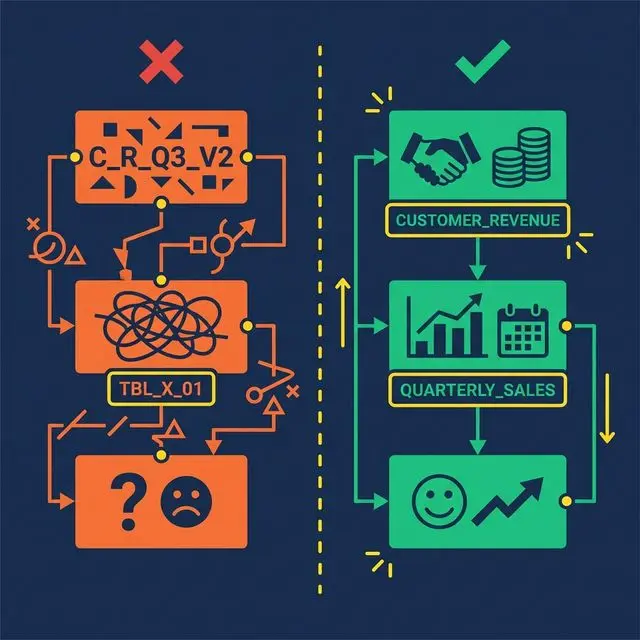
Bad vs. good naming conventions — cryptic abbreviations vs. clear business names

What happens: A Bronze view exposes a column called Date. Now every downstream query must reference "Date" with double quotes. Analysts forget. AI agents don’t quote it at all. Queries break intermittently. Debugging is frustrating because the error messages are cryptic.

Why it’s common: Source systems often use generic names. Date, Timestamp, Order, Group, Role — all are SQL reserved words. Bronze views that don’t rename them propagate the problem to every consumer.

The fix: Rename early. In the Bronze layer, map Date to TransactionDate, Timestamp to EventTimestamp, Order to CustomerOrder. Use domain-specific prefixes that are unambiguous and never conflict with SQL keywords.

This small decision saves hundreds of hours of debugging across the life of the semantic layer. It also dramatically improves AI agent accuracy, since language models generating SQL rarely add appropriate quoting for reserved words.

Mistake 4: Building Without Stakeholder Input

What happens: A data engineering team builds 50 Silver views based on the database schema. They expose every table, every column, every possible metric. Business users look at the result, don’t recognize any of the terms, and go back to their spreadsheets.

Why it’s common: Data engineers understand the schema. They assume the schema structure maps to business needs. It usually doesn’t.

The fix: Start with a metric glossary co-created with stakeholders from Sales, Finance, Marketing, and Product. Ask them: What are your top 5 metrics? How do you calculate them? What decisions do they drive? Build the Silver layer around those answers, not around the database schema.

This step feels slow. It’s the fastest path to adoption. A semantic layer that uses business language and models business concepts gets adopted. A semantic layer that mirrors the database schema gets ignored.

Mistake 5: Treating Documentation as Optional

What happens: Views are created with no Wikis, no column descriptions, no Labels. The semantic layer works for the person who built it. Everyone else — analysts, AI agents, new team members — can’t figure out what the views mean.

Why it’s common: Documentation takes time. Deadlines are tight. Teams plan to “add documentation later.” Later never comes.

The fix: Make documentation part of the view creation process, not a follow-up task. At minimum, every view gets:

  • A one-sentence description of what it represents
  • Labels for governance (PII, Finance, Certified)
  • Column descriptions for any non-obvious field

Modern platforms reduce this burden with AI-generated documentation. Dremio’s generative AI samples table data and auto-generates Wiki descriptions and Label suggestions. The AI provides a 70% first draft. The data team adds domain context for the other 30%.

Undocumented views are invisible to AI agents. If the Wiki is empty, the AI agent has no context to generate accurate SQL. Documentation isn’t just nice to have. It’s an accuracy requirement.

Mistake 6: Applying Security at the BI Tool Level Only

What happens: Row-level security is configured in Tableau so regional managers only see their region. Then an analyst opens a SQL client, queries the underlying table directly, and sees all regions. The security was enforced in the dashboard, not in the data.

Why it’s common: BI tools make it easy to apply filters and security rules. Data platforms require more setup. Teams take the easy path.

The fix: Enforce access policies at the semantic layer, not the BI layer. Row-level security and column masking should be applied on the virtual datasets (views). Every query path — dashboard, notebook, API, AI agent — inherits the same rules.

Dremio implements this through Fine-Grained Access Control (FGAC): policies defined as UDFs at the view level. A regional manager queries business.revenue and automatically sees only their region, regardless of how they access the data. No security gaps between tools.

Mistake 7: Trying to Model Everything at Once

Incremental growth — from a small core to a comprehensive semantic layer

What happens: The team commits to building a complete semantic layer covering every source, every table, and every metric. The project takes six months. By the time it launches, requirements have changed, stakeholder interest has waned, and half the views are out of date.

Why it’s common: Ambitious leaders want a “complete” solution. Data teams want to avoid rework. Neither wants to ship an incomplete layer.

The fix: Start with 3-5 core metrics that the organization actively debates (usually Revenue, Active Users, Churn). Build one Bronze → Silver → Gold pipeline per metric. Validate that the same question produces the same answer across two different tools.

Once those metrics are stable, expand incrementally. Add new sources, new views, new metrics — one at a time. Each addition is low-risk because the layered architecture isolates changes. A new Gold view doesn’t affect existing Silver views.

The fastest semantic layers reach 80% organizational coverage not by modeling everything up front, but by proving value quickly and expanding from momentum.

What to Do Next

Pick one mistake from this list. Check whether your semantic layer (or your plan for one) is making it. Fix that one thing this week. Then come back for the next one.

Try Dremio Cloud free for 30 days

I Run MCP Servers. Here’s What the Recent Vulnerabilities Actually Mean for Me

Last week, two MCP security vulnerabilities went public. CVE-2026-33032 (CVSS 9.8) in the nginx-ui MCP endpoint. A STDIO transport design flaw affecting all SDKs, potentially exposing 200,000 servers. The MCP Pitfall Lab dropped a six-class security taxonomy.

If you’re running MCP servers — especially on a personal setup, a homelab, a small production environment — you probably saw the headlines and wondered if you should panic. I was in the same boat. So I did the audit. Here’s what I found and what actually matters when you’re the one responsible for everything.

First: What I Was Running

My setup runs a handful of MCP servers alongside OpenClaw:

  • A custom MCP server for file operations (not the OpenClaw bundled one — my own that I built for something specific)
  • A few third-party MCP servers for integrations I use regularly
  • nginx-ui on one of my Docker containers because it was the easiest way to manage a reverse proxy config remotely

That nginx-ui instance? I had it exposed to my tailscale network only, with allowlisting. I thought I was being careful. Let’s see if that’s actually true after the CVSS 9.8 disclosure.

The Audit I Did (That You Should Do Too)

Here’s the exact process, start to finish.

1. Find your MCP server endpoints

openclaw plugins list --json | grep -A5 mcp

This gives you every MCP plugin entry. For each one, check:

  • What transport is it using? (stdio vs HTTP)
  • Is it reachable from outside your trusted network?
  • Does it run as a privileged user?

2. Check your nginx-ui instances specifically

docker ps | grep nginx-ui

If you find one: check the version, check if the admin panel is exposed, check if there are any unauthenticated endpoints. The CVE-2026-33032 vulnerability is in the nginx-ui MCP endpoint — it affects the admin panel AND any MCP endpoint that’s exposed through it.

3. Audit exposed ports on your MCP servers

ss -tlnp | grep -E '(3182|3183|3184|3185)'

MCP servers listen on these ports by default for HTTP transport. If any of these are bound to 0.0.0.0 instead of 127.0.0.1 or your internal network interface, you have external exposure.

What “Actually Exposed” Means

I want to be specific here because the “200,000 servers at risk” headline sounds scary but the actual risk depends on your network posture.

If your MCP servers are on a private tailnet (Tailscale, Wireguard, etc.) with allowlisting: Your attack surface is limited to people who already have access to your network. The vulnerabilities are still relevant — a compromised device on your network could become a pivot point — but you’re not automatically exposed to the internet.

If your MCP servers are on a VPS or cloud instance with a public IP: This is where it gets serious. If port 3182-3185 is reachable from the internet and you’re running stdio transport without additional auth, you’re potentially in the 200K count.

The Fixes That Actually Make Sense

Here’s what I did, in order of effort:

High effort, high impact: Patch or isolate nginx-ui
If you use nginx-ui, update to the latest version. If you can’t update, at minimum add network-level allowlisting on the container so only your trusted IPs can reach the admin panel. Don’t rely on nginx-ui’s own auth as your only defense layer.

Medium effort, medium impact: Switch transport modes
If you’re running stdio MCP servers that are network-accessible, consider switching to HTTP transport with mutual TLS. The attack surface is different and easier to firewall. OpenClaw’s MCP plugin supports this — check the docs for mcp.transport configuration.

Low effort, high impact: Enable strict MCP mode
If your OpenClaw version supports MCP_SECURE_MODE=strict, enable it. This forces validation on all incoming MCP messages and rejects malformed requests before they reach your MCP server. It’s not a substitute for patching, but it’s a defense-in-depth layer.

No effort, high impact: Subscribe to security advisories
The MCP projects I rely on — including my own custom server and the third-party ones — now have security advisory URLs in their GitHub repositories. I set up email alerts on those. When the next vulnerability drops, I’ll know before I read about it on The Register.

What the MCP Pitfall Lab Actually Changes

The MCP Pitfall Lab paper is worth knowing about even if you’re not building MCP servers. The six-class pitfall taxonomy (P1-P6) is a security checklist:

  1. P1: Prompt injection via tools — attacker crafts a tool call that injects instructions into the agent’s context
  2. P2: Data exfiltration through response shaping — MCP server responses modified to extract data via the agent
  3. P3: Authorization bypass — agent bypasses tool-level permissions through malformed requests
  4. P4: Resource exhaustion — intentional overload of MCP server resources through rapid requests
  5. P5: Cross-server contamination — malicious state bleeds between MCP servers sharing an environment
  6. P6: Supply chain attacks — compromised MCP server dependencies

If you’re evaluating a third-party MCP server, ask the maintainers directly if they’ve audited against this taxonomy. If they haven’t heard of it, that’s a signal.

The Bottom Line

I’m not panicking. I’m auditing. If you’re running MCP servers, the equivalent of changing your smoke detector batteries once a year is: subscribe to security advisories, run the audit above annually, and update your critical infrastructure pieces when patches drop.

The vulnerabilities are real. The exposure for most solo/small-shop OpenClaw users is manageable if you’re not running nginx-ui directly exposed to the internet. The framework is maturing fast — Cloudflare, AWS, and the broader security community are treating MCP security as a first-class problem now. That’s a good sign.

Run the audit. Update what you can. Subscribe to advisories. This is what “security-conscious” actually looks like when you don’t have a SOC team.

Phive v1.1.1 — automatic port conflict handling for local VS Code environments

Phive v1.1.1 is now available.

This update improves local development environment stability with automatic port conflict resolution and smarter runtime management.

What’s new in v1.1.1:

• Automatic Port Conflict Resolution
If the default ports are already occupied by another process, Phive now automatically detects the conflict, scans for the next available port, and continues execution without interruption.

• Dynamic Runtime Routing
The application interface and logs now update automatically to reflect the active runtime ports being used by the environment.

• Improved Local Development Reliability
This significantly reduces startup failures caused by local server conflicts during development workflows involving multiple services, containers, proxies, or WebSocket-based applications.

Default monitored ports:

  • HTTP Environment: 8000
  • WebSocket Channel: 9001

Example:
If port 8000 is already in use, Phive automatically reroutes execution to the next available operational port instead of terminating the process.

This release also introduces a new contribution workflow and improved engineering structure for future development scalability.

VSIX Installation:

  1. Download phive-1.1.1.vsix
  2. Open Visual Studio Code
  3. Go to Extensions (Ctrl+Shift+X)
  4. Click the top-right menu (...)
  5. Select “Install from VSIX…”
  6. Choose the downloaded file

GitHub:
https://github.com/fomadev/phive

Phive (PHP Live Server) – Visual Studio Marketplace:
https://marketplace.visualstudio.com/items?itemName=fomadev.phive

Building a SQL-like Relational Database Engine in C++ From Scratch

Animated demo of the Ark SQL database engine executing queries in a terminal

Animated demo of the Ark SQL database engine executing queries in a terminal
Most of us use databases every day.

But at some point I started wondering:

  • How does SQL actually work internally?
  • How are queries parsed?
  • How do joins work?
  • What happens after a SELECT statement?
  • How does persistence work under the hood?

So instead of only reading about databases, I decided to build one.

That project became Ark — a SQL-like relational database engine written entirely from scratch in C++.

Why I Built It

I wanted to understand the internals of database systems by implementing the pieces myself instead of relying on existing engines or parser generators.

The goal wasn’t to compete with production databases.

The goal was to learn:

  • parsing
  • query execution
  • relational operations
  • schema management
  • persistence systems
  • software architecture

Core Features

Ark currently supports:

  • Handwritten tokenizer
  • Recursive descent parser
  • CRUD operations
  • INNER / LEFT / RIGHT / FULL joins
  • Aggregate functions (COUNT, SUM, AVG, MIN, MAX)
  • ALTER TABLE
  • LIKE pattern matching
  • ORDER BY
  • DISTINCT
  • File persistence (SAVE / LOAD)
  • Three-tier diagnostics system with exact line/column reporting

Everything is implemented manually:

  • no external database libraries
  • no parser generators

– no embedded SQL engines

Architecture

The execution pipeline looks roughly like this:

Query
  ↓
Tokenizer
  ↓
Parser
  ↓
Command Objects
  ↓
Execution Engine
  ↓
Storage Layer
  ↓
Persistence

The project is split into modular components:

  • tokenizer
  • parser
  • execution engine
  • diagnostics
  • storage/persistence

Example Query

CREATE TABLE employees (
    id INT,
    name STRING,
    salary DOUBLE
);

INSERT INTO employees VALUES
    (1, "Alice", 95000.0),
    (2, "Bob", 72000.0);

SELECT * FROM employees
WHERE salary > 80000.0;

One of the Hardest Parts

One of the most interesting challenges was implementing joins and schema evolution.

Handling:

  • ALTER TABLE
  • adding/dropping columns
  • persistence consistency
  • join execution

became much more complicated than I initially expected.

Parser correctness and diagnostics also took a surprising amount of effort.

What I Learned

Building Ark taught me a lot about:

  • how parsers actually work
  • query execution pipelines
  • relational database concepts
  • software architecture
  • debugging complex state systems
  • designing diagnostics/error reporting

It also gave me a much deeper appreciation for real database engines.

GitHub

GitHub Repository:
https://github.com/kashyap-devansh/Ark

I’d genuinely appreciate feedback from people interested in:

  • databases
  • systems programming
  • parsers
  • compilers
  • C++

Especially suggestions for improving the architecture or query engine.