
In this blog, we will implement Google Authentication in an Express.js app using:
- TypeScript
- Express.js
- Mongoose
- Passport.js
- JWT Authentication
Project Structure
└── src/
    ├── config/
    ├── controllers/
    ├── middlewares/
    ├── models/
    ├── routes/
    ├── utils/
    ├── app.ts
    └── index.ts
├── .env
├── package.json
└── tsconfig.json
Install Required Packages
npm install passport passport-google-oauth20
npm install jsonwebtoken cookie-parser bcrypt mongoose

npm install -D @types/passport-google-oauth20
Create Google OAuth Credentials
Go to Google Cloud Console
{/*
https://console.cloud.google.com/
*/}
Steps
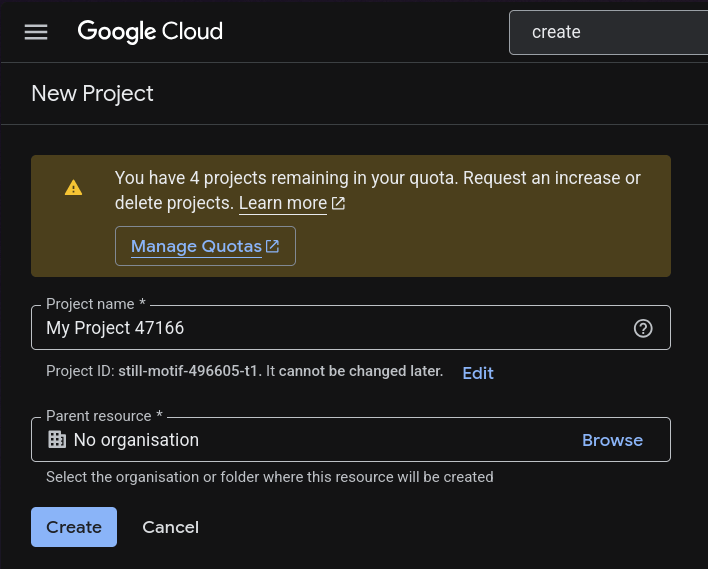
1. Create a new project
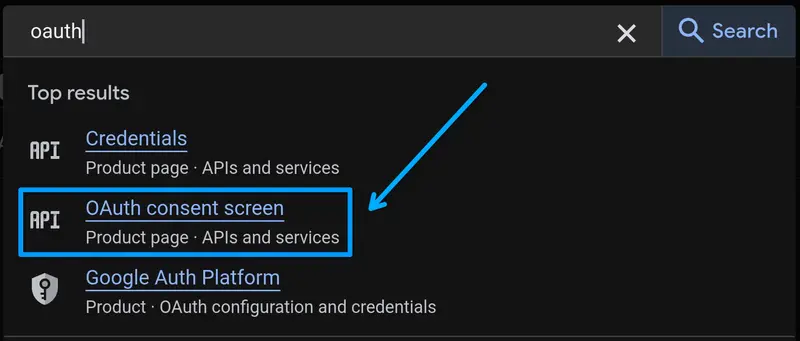
2. Configure OAuth Consent Screen
3. Create OAuth 2.0 Client ID
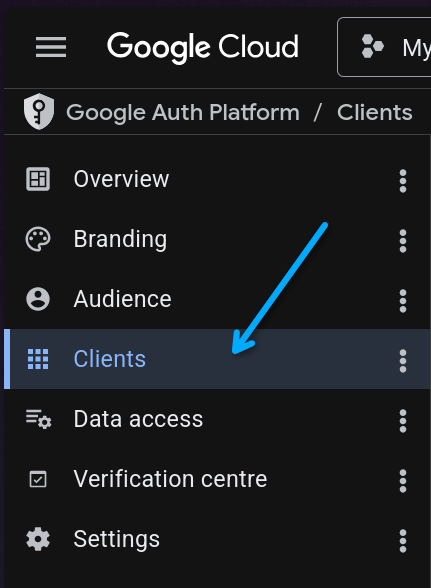
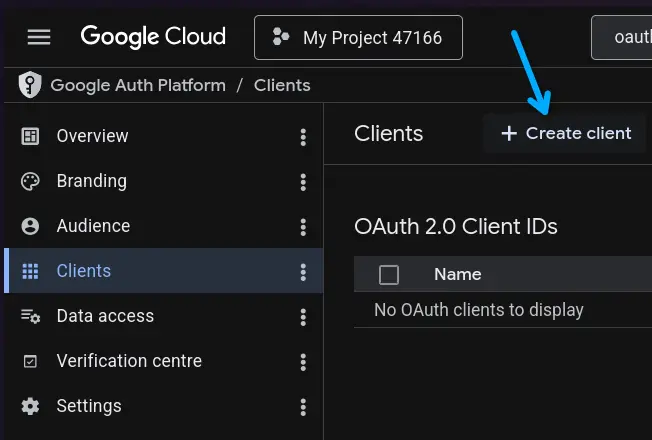
4. Configure OAuth Client
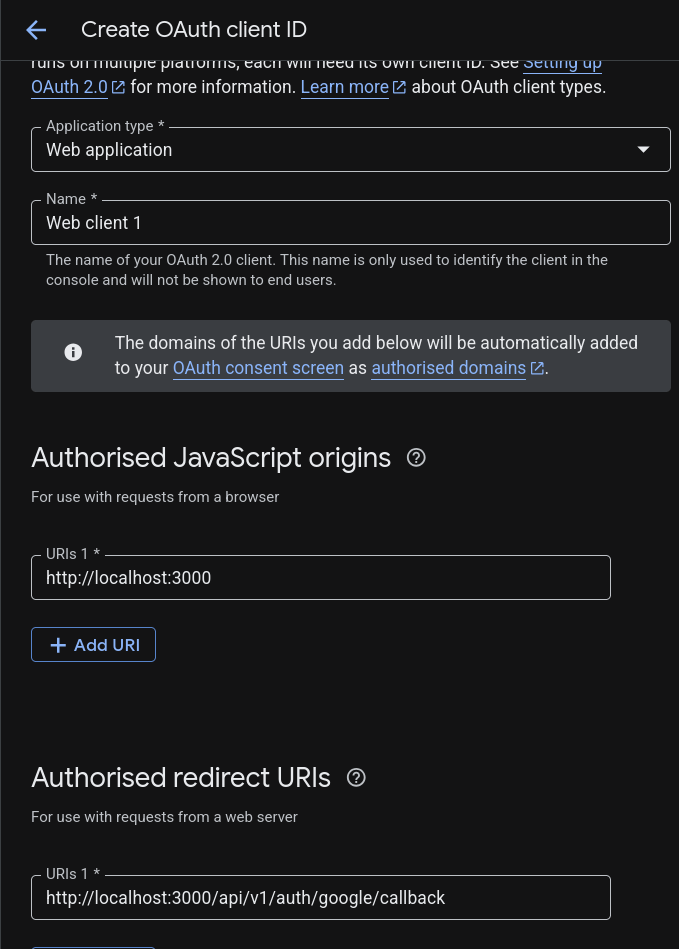
5. Copy Client ID and Client Secret
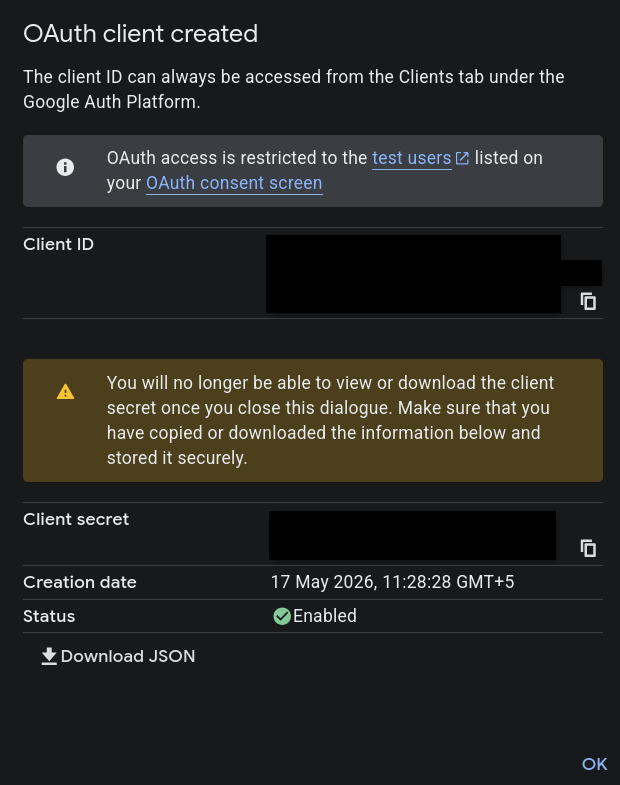
Environment Variables
Create a .env file:
GOOGLE_CLIENT_ID=
GOOGLE_CLIENT_SECRET=
GOOGLE_CALLBACK_URL=http://localhost:3000/api/v1/auth/google/callback
Important User Model Changes
Your user model MUST contain these fields:
refreshToken: {
  type: String,
},

googleId: {
  type: String,
},
If you already support password login, make password optional:
password: {
  type: String,
  required: false,
},
Also add checks wherever password login is used:
if (!user.password) {
  throw new Error("Password login not available for this account");
}
Configure PassportJS
Create: src/config/passport.ts
import passport from "passport";
import { Strategy as GoogleStrategy } from "passport-google-oauth20";
import { User } from "../models/User.model.js";
import { generateUsername } from "../utils/usernameGen.js";

passport.use(
  new GoogleStrategy(
    {
      clientID: process.env.GOOGLE_CLIENT_ID!!,
      clientSecret: process.env.GOOGLE_CLIENT_SECRET!!,
      callbackURL: process.env.GOOGLE_CALLBACK_URL,
    },
    async (_accessToken, _refreshToken, profile, done) => {
      try {
        const email = profile.emails?.[0]?.value;

        if (!email) {
          return done(new Error("No email found"));
        }

        let user = await User.findOne({
          $or: [{ googleId: profile.id }, { email }],
        });

        if (user && !user.googleId) {
          user.googleId = profile.id;
          await user.save();
        }

        const username = await generateUsername(profile.displayName);

        if (!user) {
          user = await User.create({
            username,
            fullName: profile.displayName,
            email,
            googleId: profile.id,
            avatarUrl: profile.photos?.[0]?.value || "",
          });
        }

        user = await User.findById(user._id).select(
          "-password -refreshToken -googleId"
        );

        if (!user) {
          return done(new Error("User not found after creation"));
        }

        return done(null, user);
      } catch (error) {
        return done(error as Error);
      }
    }
  )
);

export default passport;
Username Generator
Create: src/utils/usernameGen.ts
Your logic should:
- Convert full name into username
- Add numbers if username already exists
- Ensure uniqueness
Example:
john
john12
john123
Google Auth Controller
src/controllers/auth.controller.ts
export const googleAuth = async (req: Request, res: Response) => {
  const user = req.user!;

  const { accessToken, refreshToken } =
    await generateTokens(user._id);

  return res
    .status(200)
    .cookie("accessToken", accessToken, cookieOptions)
    .cookie("refreshToken", refreshToken, cookieOptions)
    .json({
      success: true,
      user,
    });
};
Google Auth Routes
src/routes/auth.route.ts
router.route("/google").get(
  passport.authenticate("google", {
    scope: ["profile", "email"],
    session: false,
  })
);

router.route("/google/callback").get(
  passport.authenticate("google", {
    failureRedirect: "/login",
    session: false,
    failureMessage: "Failed to login with Google",
  }),
  googleAuth
);
Initialize Passport
Inside app.ts
import passport from "./config/passport.js";

app.use(passport.initialize());
Authentication Flow
- User visits:
/api/v1/auth/google - Google login page opens
- User authenticates
- Google redirects back to callback URL
- User gets JWT tokens
- Cookies are set
Testing
Open: http://localhost:3000/api/v1/auth/google
If configured correctly:
- Google login opens
- User account gets created
- JWT cookies are generated
Common Issues
Invalid Redirect URI
Ensure callback URL matches exactly in:
- Google Console
.env- Passport Strategy
Missing Email
Make sure scope contains:
scope: ["profile", "email"]
Production Tips
Use secure cookies in production:
secure: true,
httpOnly: true,
sameSite: "strict",
Final Thoughts
You now have Google Authentication working with:
- Express.js
- TypeScript
- Mongoose
- Passport.js
- JWT
You can further extend this with:
- GitHub OAuth
- Discord OAuth
- Role-based auth
- Email verification
Happy coding 🚀