
Print receipts directly to any ESC/POS thermal printer from your web-based POS system — no SDK, no cloud, no hassle.
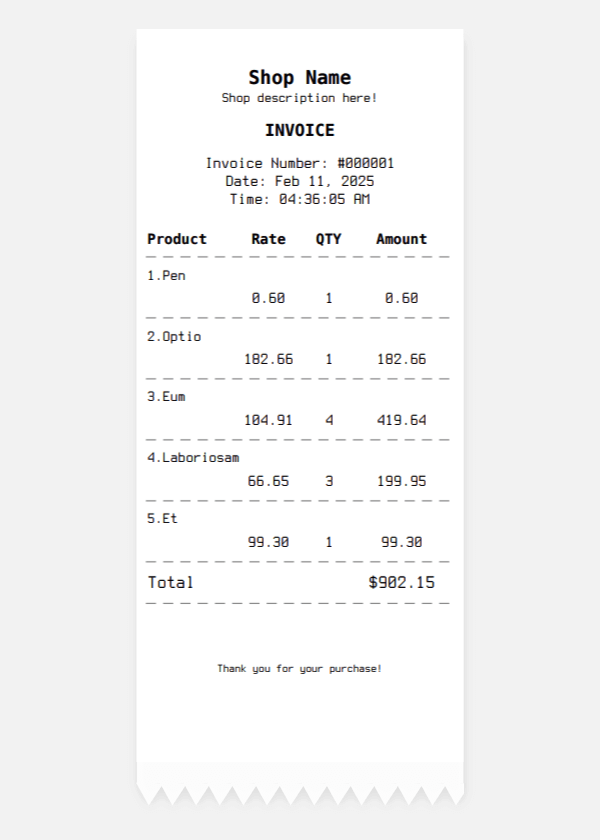
The Problem
Browsers can’t talk to thermal printers. Bluetooth SDKs are buggy. Cloud printing is slow.
The Solution
POSBridge – a free Android app that acts as a bridge between your PHP web app and USB/Bluetooth/Network thermal printers.

⚡ How Direct Thermal Printing Works
PHP → Encode → Custom URL → Android → POSBridge → Printer
This method uses Android deep linking to pass print data.
🧾 PHP ESC/POS Receipt Example
Use this optimized PHP code:
<?php

$data = "[C]<font size='big'><b>POSBRIDGE STORE</b></font>n".
"[C]Calicut, Keralan".
"[C]Tel: +1 9605884551n".
"[L]n".
"[C]--------------------------------n".
"[C]<b>INVOICE</b>n".
"[C]--------------------------------n".
"[L]Order No : 045n".
"[L]Date     : 19-03-2026n".
"[L]n".

"[L]<b>Item</b>            [R]<b>Price</b>n".
"[C]--------------------------------n".

"[L]Beautiful Shirt     [R]$9.99n".
"[L]  Size: Sn".
"[L]n".

"[L]Awesome Hat         [R]$24.99n".
"[L]  Size: 57/58n".
"[L]n".
"[C]--------------------------------n".
"[R]Subtotal           $34.98n".
"[R]Tax (5%)           $1.75n".
"[C]--------------------------------n".
"[R]<b>TOTAL</b>       <b>$36.73</b>n".
"[C]================================n".
"[L]n".
"[L]<b>Customer</b>n".
"[L]Arshid KVn".
"[L]Calicut, Keralan".
"[L]Ph: +1-9605884551n".
"[L]n".
"[C]<qrcode size='25'>https://phpbolt.com</qrcode>n".
"[L]n".
"[C]Thank you for your purchase!n".
"[C]Visit againn";

// Compress print data
$compressed = gzencode($data, 9);

// Encode for URL (important for Android intent)
$encoded = rtrim(strtr(base64_encode($compressed), '+/', '-_'), '=');

// Trigger print via deep link
echo "<a href='pos-bridge://print?print-data=".$encoded."'>Print Receipt</a>";
Quick Start
-
Install – POSBridge on Google Play
-
Connect – Pair your thermal printer (USB/Bluetooth)
-
Copy – Use the PHP code above
-
Print – Click the link from any Android browser