macOS 27, Intel işlemcili Mac’lere yüklenemeyecek

Apple LOG Tasarım

Apple LOG Tasarım8 Haziran tarihinde düzenlenecek WWDC26 etkinliğinde tanıtılacak macOS 27 işletim sistemi, Intel işlemcili Mac’lere yüklenemeyecek. Bu bilgiyi aslında daha önce veren ve mevcut macOS Tahoe’nin Intel işlemcili Mac’lere yüklenebilecek son sürüm olacağını duyuran Apple, şu anda macOS Tahoe tarafından desteklenen son Intel işlemcili MacBook Pro (16-inç, 2019), MacBook Pro (13-inç, 2020, dört Thunderbolt 3 portlu), iMac (2020) ve Mac Pro (2019) modellerini yazılımsal açıdan geride bırakmaya hazırlanıyor.

macOS 27, Intel işlemcili Mac’lere yüklenemeyecek yazısı ilk olarak Teknoloji haberleri – LOG üzerinde yayınlandı.

How Kafka and Nginx Move Data Faster: The Magic of Zero Copy

Zero Copy Flow

Ever wonder how tools like Kafka, Nginx, Netty manage to saturate a 10Gbps network link while barely breaking a sweat on CPU usage?

It’s not just efficient indexing. It’s because they understand a fundamental truth: The fastest way to move data is to never touch it.

The Slow Way: Traditional Copy

In a standard Java application, moving a file to a socket looks like this:

  1. Disk → Kernel Buffer: The OS reads data from the disk.
  2. Kernel Buffer → User Buffer: The OS copies data into your application’s memory (the byte[] array).
  3. User Buffer → Socket Buffer: Your app writes that array back to the OS.
  4. Socket Buffer → NIC: The OS moves it to the network card.

4 context switches

Each time data crosses the boundary between Kernel Space and User Space, the CPU has to stop what it’s doing and perform a “context switch.” For a high-volume streaming tool, these switches are death by a thousand cuts.

The Fast Way: Zero Copy

Streaming tools bypass the “User Buffer” entirely. Using Java NIO’s FileChannel.transferTo(), the application simply tells the OS: “Take the data from this file descriptor and send it directly to this socket descriptor.”

The data stays in Kernel Space the entire time. This is fast because –

  • Zero Redundancy: Data is never duplicated in the application’s heap.
  • Reduced Context Switching: We go from 4 switches down to 2.
  • DMA (Direct Memory Access): The hardware (NIC) can often pull data directly from the kernel buffer, leaving the CPU completely free to handle other requests.

Zero Copy Flow

How do I use DevOps-style i18n

Localization is one of those things every serious product eventually needs, but many teams still treat it as a separate, heavy process.

You extract strings from your app, send them somewhere, wait for translations, copy files back, fix formatting issues, review inconsistencies, and repeat the same process every time the product changes.

For developers, this often feels disconnected from the normal software delivery workflow.

That is exactly where doloc takes an interesting approach.

Instead of trying to become another large localization management platform with dashboards, complex workflows, and translator management, doloc focuses on a simpler idea:

What if localization could work like a DevOps task?

What is doloc?

doloc is an API-first localization tool for developers and engineering teams.

It takes your existing localization files, translates them using context-aware AI, and returns the result in the same structure and format, ready to review, commit, and ship.

The main idea is simple:

curl https://api.doloc.io 
  -H "Authorization: Bearer $API_TOKEN" 
  -F source="@source.en.json" 
  -F target="@target.fr.json" 
  -o target.fr.json

No complicated platform migration.
No heavy onboarding.
No new translation system to force into your stack.

You keep your files, your Git workflow, your CI/CD pipeline, and your existing development habits.

Why this matters for developers

Most modern engineering teams already have a workflow for everything:

  • code is versioned in Git
  • tests run in CI
  • builds are automated
  • deployments are scripted
  • reviews happen through pull requests

But localization often remains outside that loop.

doloc brings translations closer to the engineering workflow. You can run it locally, add it after your string extraction step, or integrate it into CI so translations stay updated as your application evolves.

This makes i18n feel less like a separate project management process and more like a natural part of software delivery.

Key advantages of doloc

1. API-first by design

doloc does not force developers to use a dashboard for every translation task.

You can call the API directly using curl, scripts, or CI jobs. That makes it easy to automate and easy to integrate into existing pipelines.

For teams that prefer infrastructure-as-code, Git workflows, and reproducible processes, this is a big advantage.

2. Works with real localization file formats

doloc supports common localization formats such as:

  • XLIFF 1.2
  • XLIFF 2.0
  • JSON
  • ARB
  • Android XML resources
  • Java Properties files

This makes it useful across different stacks, including Angular, React Intl / FormatJS, Flutter, Android, Java, and other JSON or XLIFF-based setups.

Instead of exporting content into a separate tool and importing it back later, you can work directly with the files your app already uses.

3. Fits naturally into CI/CD

Because doloc is API-based, it can be added to your development lifecycle in different ways.

You can run it:

  • locally before opening a pull request
  • during CI checks
  • after extracting new strings
  • as part of a scheduled localization job
  • before preparing a release

This is especially helpful for fast-moving products where UI copy changes frequently.

4. Keeps translation files in your repository

One of the strongest points of doloc is that your localization files stay in your repo.

That means translations can be reviewed like code.

You can check the git diff, open a pull request, review changes, and roll back if needed. For engineering teams, this is much cleaner than managing translations in a disconnected platform where the source of truth becomes unclear.

5. Context-aware translations

Basic machine translation can work for simple strings, but software localization needs consistency.

Buttons, error messages, empty states, onboarding screens, and product-specific wording need to follow the same tone.

doloc uses context from your existing translations to keep terminology and style more consistent across your app. This is especially useful when your project grows and contains many strings across multiple files.

6. Less platform overhead

Traditional localization platforms are powerful, but they are not always necessary.

Sometimes you do not need translator management, complex approval workflows, or a full dashboard. Sometimes you simply need to translate app strings quickly, review the output, and ship.

doloc is a good fit for that use case.

It gives developers a lightweight workflow without introducing a heavy process around localization.

7. Scales well with multiple languages

Another interesting point is the pricing model.

doloc pricing is based on unique source texts, not on the number of target languages or translation requests. So if your app has the same set of source keys and you want to translate them into several languages, you are not punished simply for expanding internationally.

For startups, open-source projects, and small teams, this can make localization easier to plan.

When should you consider doloc?

doloc is especially useful if:

  • you are building a multilingual app
  • your localization files are already in Git
  • you want to automate translation updates
  • you prefer API-based workflows
  • you do not want to manage a heavy localization platform
  • you want translations to fit into your PR and CI process
  • your team cares about developer experience

It may not replace a full translation management platform if you need a large translator team, approval workflows, or advanced project management features.

But for many developer-led teams, that is exactly the point.

doloc focuses on making localization simple, automated, and close to the code.

Final thoughts

Localization should not slow down product development.

For many teams, the ideal workflow is not another dashboard. It is a simple, reliable process that fits into the tools developers already use every day.

That is what makes doloc interesting.

It treats i18n as part of the development pipeline, not as a separate operational burden.

If you are building a multilingual product and want a developer-friendly way to keep translations up to date, doloc is definitely worth trying.

👉 Try doloc here

When GBase 8a Execution Plans Go Wrong: Mastering Statistics Management

A simple SQL suddenly triggers a full table scan, or a JOIN order looks completely off. Most of the time, the culprit is stale statistics misleading the optimizer. This guide walks through how GBase 8a’s statistics work, how to read execution plans, and what to do when the optimizer gets it wrong in a gbase database.

1. What Are Statistics?

The GBase 8a optimizer relies on three layers of statistics to estimate the cost of each execution path:

  • Table‑level: row count, data pages, average row length.
  • Column‑level: min/max values, NULL ratio, cardinality (number of distinct values).
  • Block‑level: rough index bounds (min/max) for each data block.

When these statistics become stale or inaccurate, the optimizer’s cost estimates drift — and the execution plan can go from a quick range scan to a painfully slow full table scan.

2. Inspecting Statistics

Start by checking the current state of statistics for your tables:

-- Basic table statistics
SHOW TABLE STATUS FROM analytics_db LIKE 'orders';

-- Column-level statistics
SELECT * FROM information_schema.COLUMN_STATISTICS 
WHERE table_name = 'orders';

-- Index statistics (Cardinality is key)
SHOW INDEX FROM orders;

-- Last update time
SELECT table_name, table_rows, avg_row_length, data_length, update_time
FROM information_schema.TABLES
WHERE table_schema = 'analytics_db' AND table_name = 'orders';

If the Cardinality value is far from reality, an immediate ANALYZE is needed.

3. Reading EXPLAIN Plans

Before updating statistics, use EXPLAIN to see what the optimizer is currently doing:

EXPLAIN SELECT SUM(amount) FROM orders 
WHERE create_time >= '2024-01-01' AND region = 'East';

EXPLAIN PARTITIONS SELECT SUM(amount) FROM orders 
WHERE create_time >= '2024-01-01';

EXPLAIN EXTENDED SELECT SUM(amount) FROM orders 
WHERE create_time >= '2024-01-01';

Key fields to watch:

  • type: ALL signals a full table scan — the most urgent red flag.
  • rows: If the estimate is far larger than the actual result set, filtering is inefficient.
  • Extra: Using filesort or Using temporary deserve attention.
  • key: NULL means no index is being used.

4. Manually Updating Statistics

Trigger ANALYZE manually in these situations: after bulk loads or deletes, when performance suddenly drops, before the first query on a new table, after adding or dropping partitions, or when Cardinality deviates by over 50% from reality.

-- Single table
ANALYZE TABLE orders;

-- Multiple tables
ANALYZE TABLE orders, users, products;

-- Specific partition (faster than full‑table)
ALTER TABLE orders ANALYZE PARTITION p2024;

Automate with a cron script that runs during off‑peak hours:

#!/bin/bash
TABLES="orders users products regions"
for TABLE in $TABLES; do
    gccli -u gbase -p'password' analytics_db 
        -e "ANALYZE TABLE $TABLE;" >> /var/log/gbase_analyze.log 2>&1
done

# crontab: 0 3 * * * /opt/scripts/gbase_analyze.sh

5. Common Problems and Fixes

5.1 Partition Pruning Disabled

Applying a function to the partition key prevents the optimizer from inferring partition boundaries.

-- Bad: YEAR() forces a scan of all partitions
SELECT * FROM orders WHERE YEAR(create_time) = 2024;

-- Good: direct range condition
SELECT * FROM orders 
WHERE create_time >= '2024-01-01' AND create_time < '2025-01-01';

5.2 Wrong JOIN Order

Run ANALYZE first, then verify with EXPLAIN.

EXPLAIN 
SELECT o.order_id, u.username
FROM orders o JOIN users u ON o.user_id = u.user_id
WHERE o.create_time >= '2024-01-01';

5.3 Large Table JOIN Causing Full Shuffle

Update statistics first. If the plan still looks bad, use a Hint to broadcast the small table.

ANALYZE TABLE users;

SELECT /*+ BROADCAST(u) */
    o.order_id, u.username
FROM orders o JOIN users u ON o.user_id = u.user_id;

6. Using Hints to Override Plans

Hints are a temporary measure, not a permanent fix. Always try statistics and SQL rewriting first.

-- Force JOIN driving order
SELECT /*+ STRAIGHT_JOIN */ 
    o.order_id, u.username
FROM orders o JOIN users u ON o.user_id = u.user_id;

-- Broadcast the small table
SELECT /*+ BROADCAST(u) */
    o.order_id, u.username
FROM orders o JOIN users u ON o.user_id = u.user_id;

-- Set parallelism
SELECT /*+ PARALLEL(4) */
    region, SUM(amount) FROM orders GROUP BY region;

-- Combine hints
SELECT /*+ BROADCAST(u) PARALLEL(8) */
    o.region, u.username, SUM(o.amount)
FROM orders o JOIN users u ON o.user_id = u.user_id
GROUP BY o.region, u.username;

7. Building a Statistics Management Routine

  • Always ANALYZE after data imports — make it the final step of every load script.
  • Schedule daily ANALYZE for write‑heavy tables during off‑peak hours (2–4 AM).
  • Monitor Cardinality drift — alert if table_rows deviates from COUNT(*) by more than 30%.
  • Periodically compare EXPLAIN plans for critical queries against a stored baseline.

8. Important Notes

  • ANALYZE TABLE consumes resources; run it on large tables during maintenance windows.
  • Statistics have a natural lag; don’t rely solely on automatic collection for frequently written tables.
  • Hints are a last resort. Overusing them makes SQL harder to maintain and can become a bottleneck as data evolves.
  • When execution plans become unstable, always check statistics first — not the hardware or the SQL.
  • For partitioned tables, ANALYZE new partitions immediately; otherwise the optimizer sees them as empty.

Keeping statistics fresh is the single most impactful maintenance task for query performance in a gbase database. A disciplined ANALYZE routine prevents most optimizer misjudgments before they ever reach production.

STM32F103C8T6 vs STM32F103CBT6: Which Cortex-M3 MCU Fits Your Embedded Design?

When designing embedded systems or stepping up from entry-level 8-bit platforms, one of the most reliable and iconic microcontrollers you will encounter is the STM32F103 series from STMicroelectronics. Powered by the ARM Cortex-M3 core operating at 72 MHz, these mid-density performance line MCUs are widely deployed in everything from industrial motor control and medical equipment to complex IoT nodes and consumer electronics.

Among the most frequently debated and cross-referenced parts in this family are the STM32F103C8T6 and the STM32F103CBT6. On the surface, they look identical—sharing the exact same LQFP-48 physical footprint and pinout compatibility. However, choosing the wrong variant can lead to catastrophic memory overflows during firmware compilation, or unnecessary cost drift during high-volume production. This guide will deep dive into their key differences, technical parameters, and sourcing strategies for late 2026.

What is the STM32F103 Series?
Before breaking down the specific suffixes, let’s look at what makes these MCUs so popular. The STM32F103 series integrates a 32-bit RISC core with a rich set of enhanced I/Os and peripherals connected to two APB buses. They feature nested vectored interrupt controllers (NVIC), multiple timers (including advanced motor control timers), and an array of communication interfaces including I2C, SPI, USART, CAN, and USB 2.0 full-speed interfaces.

Think of the MCU as the brain of your hardware project. Just as a faster CPU with more storage allows a computer to run heavier software, selecting the proper memory tier within the STM32 lineup determines whether your hardware can support complex Real-Time Operating Systems (RTOS), graphic user interfaces (GUIs), or extensive network stacks.

STM32F103C8T6 Overview
The STM32F103C8T6 is arguably the most famous 32-bit microcontroller in the developer community, serving as the foundational silicon for the ubiquitous “Blue Pill” development boards. It balances high-speed processing with exceptional cost-efficiency, making it the default choice for budget-sensitive commercial projects and rapid prototyping.

Key Features of STM32F103C8T6:

Core Architecture: 32-bit ARM Cortex-M3 executing at a maximum frequency of 72 MHz.

Flash Memory: 64 KB of embedded Flash memory for program storage.

SRAM Capacity: 20 KB of high-speed SRAM for data handling.

Peripherals: 37 GPIO pins, 1 advanced timer, 3 general-purpose timers, 2 SPIs, 2 I2Cs, 3 USARTs, 1 USB, and 1 CAN interface.

Due to its highly optimized structure, the STM32F103C8T6 is perfectly suited for basic sensor interfaces, smart metering, simple control loops, and decentralized automation nodes where the compiled binary easily fits under the 64 KB threshold.

STM32F103CBT6 Overview
On the other side of the spectrum, the STM32F103CBT6 serves as the direct hardware upgrade pathway. When your firmware requirements grow, and you find yourself struggling to compress your code, the CBT6 steps in to offer breathing room without requiring a complete PCB redesign.

Key Features of STM32F103CBT6:

Flash Memory Doubled: It upgrades the non-volatile program storage to 128 KB of Flash.

Identical Core & Pinout: Runs on the same 72 MHz Cortex-M3 core with 20 KB of SRAM and shares the exact 48-pin LQFP pin configuration.

Expanded Peripheral Support: Includes an additional general-purpose timer (TIM5) and supports heavier communication middleware like advanced CAN-bus topologies or complex Wi-Fi/Bluetooth stack integrations.

STM32F103C8T6 vs. STM32F103CBT6: The Core Differences
While their electrical performance, voltage ranges (2.0V to 3.6V), and computational speeds are mathematically identical, their physical differences solely come down to internal memory silicon boundaries and intended firmware complexity.

Here is a direct engineering comparison:

Flash Memory: STM32F103C8T6 has 64 KB, while STM32F103CBT6 has 128 KB.

SRAM: Both feature identical 20 KB high-speed SRAM.

Package Type: Both share the exact LQFP-48 (7x7mm) form factor.

Timers (16-bit): C8T6 has 4 Total (1 Advanced, 3 General), while CBT6 features an extra timer, making it 5 Total.

Pin Compatibility: 100% Drop-in Equivalent, no PCB layout modification required.

How to Choose the Right MCU for Your Project
When engineering an active system, use these three primary evaluation vectors to finalize your Bill of Materials (BOM):

Firmware Footprint: If you are running bare-metal C applications or lightweight frameworks like FreeRTOS with basic drivers, 64 KB is plenty. If your project incorporates graphics libraries (like TouchGFX or LittlevGL), complex cryptographic stacks, or dual-bank bootloaders for over-the-air (OTA) updates, select the 128 KB CBT6 to avoid compilation errors.

Cost Optimization at Scale: In mass production, every cent dictates your final margin. The C8T6 is significantly more cost-efficient when ordering in 10k+ quantities. Over-specifying to a CBT6 across a huge production run can introduce unnecessary capital drain.

Supply Chain Transparency & Counterfeit Protection: Due to their popularity, the open market is heavily saturated with clone microcontrollers (such as GD32, CS32, or CH32) re-marked or re-packaged as genuine ST silicon. Many fake C8T6 chips actually report 128 KB of Flash under software utilities because they utilize non-standard silicon dies that fail during precise peripheral timing or high-temperature industrial environments.

Mitigating Risks with a Verified Sourcing Partner
To avoid manufacturing failures caused by substandard or mislabeled microcontrollers, buying from unverified spot vendors or anonymous broker boards should be avoided entirely. Partnering with an established electronic components wholesale supplier operating directly out of major logistics nodes like Shenzhen ensures absolute traceability.

A reputable sourcing partner provides extensive quality assurance—verifying laser-etched matrix markings, date codes, and performing original Device ID software readouts (expected 0x410 for genuine STM32F103). Furthermore, an agile distributor can provide seamless One-Stop BOM Kitting Services, combining your central microcontrollers with their complementary oscillators, passives, and power management units into a single consolidated, factory-grade shipment, ensuring your assembly lines remain continuous and cost-effective.

Muere Peter Neumann a los 93: fundador del RISKS Digest y pionero de seguridad

El mundo de la seguridad informática perdió a uno de sus pilares fundacionales. Peter G. Neumann, fundador del legendario RISKS Digest y científico principal de SRI International durante más de medio siglo, falleció el 17 de mayo de 2026 a los 93 años, según confirmó su hija Hellie a través de la lista de correo de Multicians.

La noticia se conoció primero en círculos cerrados: la lista privada de quienes alguna vez trabajaron en Multics, y de ahí saltó a la comunidad Unix a través de TUHS. Neumann murió mientras dormía en un hospital de Santa Clara, California, por complicaciones de una caída sufrida semanas antes. En sus últimas horas, según contó su hija, escuchaba música clásica.

TL;DR

  • Peter G. Neumann murió el 17 de mayo de 2026 en Santa Clara, California, a los 93 años, por complicaciones de una caída reciente.
  • Trabajó 55 años en SRI International como científico principal del Computer Science Laboratory.
  • Fundó y moderó el RISKS Digest desde 1985, archivo público con miles de incidentes de fallos en sistemas críticos.
  • Coautor del diseño original de Multics en Bell Labs durante los años 60, antecesor directo de Unix.
  • Lideró el modelo de amenazas de CHERI, la arquitectura de hardware con capacidades que Arm adoptó en Morello.
  • Recibió el ACM SIGSAC Outstanding Contribution Award y fue miembro de la National Academy of Engineering.
  • Era pianista, trompista y cornista; sus últimas horas las pasó escuchando música clásica con su hija.

Qué pasó

El domingo 17 de mayo de 2026, hacia la 1:27 PM hora del Pacífico, Tom Van Vleck publicó un mensaje en la lista de correo de Multicians informando del fallecimiento de Peter Neumann. El aviso lo firmó Robert Watson, profesor de la Universidad de Cambridge y colaborador cercano de Neumann en el proyecto CHERI durante la última década.

“Lamentablemente, escribo con la desgarradora noticia de que Peter Neumann falleció mientras dormía anoche, en el hospital de Santa Clara, por complicaciones derivadas de su caída y la subsiguiente operación de hace unas semanas”, indicó Watson en el correo. Su hija Hellie estaba con él en el hospital y, según el relato, ambos escuchaban juntos música clásica en el momento del desenlace.

El mensaje cruzó rápidamente las fronteras de Multicians: Dan Cross lo reenvió a TUHS (The Unix Heritage Society), y desde allí se replicó en Mastodon, Hacker News y los foros de comp.risks que el propio Neumann había moderado durante 40 años. SRI International confirmó la noticia poco después y anunció que organizará un servicio conmemorativo en Menlo Park dentro de aproximadamente un mes.

Quién era Peter Neumann

Para quienes no han pasado por una facultad de ciencias de la computación o por la disciplina de seguridad, el nombre de Peter Neumann puede no resultar familiar. Pero su firma está en casi todo lo que hoy entendemos como buenas prácticas para construir sistemas que no se rompen catastróficamente.

Nacido el 7 de septiembre de 1932, Neumann se doctoró en Matemáticas Aplicadas por Harvard en 1961 y completó estudios en la Technische Hochschule Darmstadt en Alemania. Sus primeros 12 años profesionales transcurrieron en Bell Labs, donde participó del diseño original de Multics, el sistema operativo que serviría de inspiración directa para Unix.

En 1971 se incorporó a SRI International, en Menlo Park, donde permaneció 55 años hasta el día de su muerte. Allí construyó el Computer Science Laboratory en torno a una obsesión: entender por qué los sistemas informáticos fallan y, sobre todo, cómo diseñarlos para que fallen menos.

Neumann era reconocido por sus lazos pajarita y su archivo personal de incidentes informáticos.

Multics: la cuna de Unix

A mediados de los años sesenta, Bell Labs, MIT y General Electric se unieron en un proyecto ambicioso llamado Multics (Multiplexed Information and Computing Service). El objetivo era construir un sistema operativo de tiempo compartido robusto, con anillos de protección, segmentación de memoria y una arquitectura de seguridad sin precedentes para la época.

Peter Neumann fue uno de los arquitectos clave del modelo de protección de Multics. Aunque el proyecto se cerró comercialmente sin alcanzar el éxito esperado, sus ideas viajaron con Ken Thompson y Dennis Ritchie cuando ellos crearon Unix como respuesta minimalista a la complejidad de Multics. Muchos de los conceptos que hoy damos por sentado en cualquier kernel moderno — separación entre espacio de usuario y espacio del kernel, jerarquía de privilegios, control de acceso — nacieron en aquellas reuniones.

Tom Van Vleck, otro veterano de Multics y quien notificó la muerte, describió alguna vez a Neumann como “la conciencia técnica del proyecto”: el ingeniero que insistía en preguntar qué podía salir mal antes de implementar cada subsistema.

📌 Nota: El RISKS Digest sigue siendo accesible en catless.ncl.ac.uk/Risks y suma más de 33 volúmenes con cientos de números cada uno. Neumann lo moderó personalmente, número por número, hasta semanas antes de su muerte.

RISKS Digest: cuatro décadas de fallos documentados

Si Multics fue la primera parte de su carrera, la segunda — y probablemente la más influyente — empezó en 1985, cuando Peter Neumann fundó el Forum on Risks to the Public in Computers and Related Systems, conocido por todos como RISKS Digest o simplemente comp.risks en Usenet.

La idea era simple y radical: un archivo público, moderado y de acceso abierto donde la comunidad técnica pudiera reportar, discutir y aprender de cada incidente significativo de fallo de software, hardware o procesos. Desde el Therac-25 hasta las elecciones electrónicas de Estados Unidos, pasando por el Boeing 737 MAX y los apagones masivos de proveedores cloud, durante 40 años el RISKS Digest documentó miles de eventos con un rigor y una continuidad sin precedentes en la disciplina.

Su libro Computer-Related Risks (Addison-Wesley, 1995) recoge y sistematiza los casos más relevantes de los primeros diez años del foro. Sigue siendo lectura obligatoria en cursos de ingeniería de software crítico, junto con los textos clásicos de Nancy Leveson sobre seguridad de sistemas. Pocos libros técnicos pueden presumir de mantenerse vigentes tres décadas después de su publicación, y este es uno de ellos.

CHERI: capacidades en el hardware

En la última década de su vida, Neumann dedicó buena parte de su tiempo al proyecto CHERI (Capability Hardware Enhanced RISC Instructions), una colaboración entre SRI International y la Universidad de Cambridge financiada inicialmente por el programa CRASH de DARPA.

CHERI extiende un procesador RISC convencional con capacidades de hardware: punteros que llevan consigo metadatos sobre qué pueden y qué no pueden hacer. La promesa es resolver de raíz la mayoría de las vulnerabilidades de memoria — esos buffer overflows, use-after-free y type confusions que siguen siendo aproximadamente el 70% de los CVEs reportados cada año.

El trabajo de Neumann en CHERI fue principalmente conceptual: lideró el análisis del modelo de amenazas y la integración con el sistema operativo CheriBSD, una variante de FreeBSD que utiliza las primitivas del nuevo hardware.

// Pseudocódigo simplificado de una capability CHERI
struct capability {
    uintptr_t base;       // dirección base permitida
    uintptr_t length;     // tamaño válido del rango
    uint32_t  perms;      // permisos: read, write, execute, ...
    uint32_t  otype;      // tipo opaco para sealing
    bool      tag;        // bit de validez no falsificable
};

El éxito comercial llegó cuando Arm presentó Morello, un prototipo de SoC basado en Neoverse N1 con extensiones CHERI, en colaboración con el UK Industrial Strategy Challenge Fund. Microsoft Research publicó estudios mostrando que CHERI bloquearía aproximadamente dos tercios de las vulnerabilidades de memoria observadas en su propio código base.

CHERI sustituye punteros convencionales por capacidades con metadatos verificados por hardware.

Datos y cifras de una carrera

  • 55 años ininterrumpidos en SRI International (1971-2026), un récord inusual incluso para los estándares académicos.
  • 40 años moderando el RISKS Digest, con más de 33 volúmenes y miles de incidentes documentados.
  • 2 libros de referencia: Computer-Related Risks (1995) y participación en numerosas antologías sobre seguridad.
  • Más de 200 publicaciones técnicas entre papers, reportes y testimonios ante el Congreso de Estados Unidos.
  • 3 décadas liderando o asesorando programas de DARPA sobre sistemas computacionales confiables.
  • Miembro de ACM Fellow, IEEE Fellow, AAAS Fellow y de la National Academy of Engineering.

Impacto y análisis

El legado de Peter Neumann es difícil de medir con métricas convencionales. No fundó una empresa unicornio, no acuñó un acrónimo viral, no patentó nada que se vendiera en silicio masivo. Lo que hizo fue mucho más raro: durante seis décadas insistió, con paciencia y precisión académica, en que la complejidad sin disciplina conduce al desastre.

La ingeniería del software moderno aún no ha resuelto los problemas que Neumann advirtió en los años setenta. Cada vez que un sistema de salud falla, una elección se rompe o un banco pierde datos de millones de clientes, lo que vemos es la confirmación de su tesis central: los riesgos de los sistemas computacionales son sistémicos, no anecdóticos, y requieren disciplina arquitectónica desde el primer día de diseño.

💭 Clave: Neumann no era pesimista respecto a la tecnología. Era realista. Insistía en que los fallos no son accidentes inevitables, sino consecuencias predecibles de decisiones de diseño que se pueden identificar y corregir antes de que ocurran.

Robert Watson, su colaborador en CHERI, lo describió en redes sociales como “un científico que entendía la dimensión humana de la ingeniería de seguridad”. Steve Bellovin, otro veterano del campo, recordó cómo Neumann fue uno de los primeros en advertir sobre los riesgos de las elecciones electrónicas estadounidenses a principios de los noventa, mucho antes de que la conversación pública lo aceptara.

El hombre detrás del científico

Neumann era reconocido tanto por su trabajo como por su personalidad. Sus lazos pajarita eran legendarios en SRI. Su afición por los juegos de palabras y los acrónimos recursivos llenaba sus presentaciones. Era pianista, trompista y cornista, y mantuvo durante décadas un grupo de música de cámara en el área de la bahía de San Francisco.

“Era un amigo y colega maravilloso”, concluyó Watson en su mensaje a la lista de Multicians. La descripción coincide con la de casi todo aquel que pasó por su despacho: un científico riguroso, un mentor generoso y un humanista que siempre encontraba la conexión entre el contrapunto barroco y la verificación formal de sistemas.

Qué sigue

SRI International confirmó que organizará un servicio conmemorativo en Menlo Park dentro de aproximadamente un mes. Está previsto que asistan colaboradores de Cambridge, Berkeley, MIT y representantes de las agencias federales con las que Neumann trabajó durante décadas.

El futuro del RISKS Digest es la pregunta abierta más sensible. El foro estaba sostenido principalmente por la dedicación personal de Neumann; no hay todavía un anuncio oficial sobre quién o cómo continuará la moderación. La comunidad de comp.risks ya inició una conversación sobre el plan de sucesión, con varios nombres en la mesa entre los moderadores históricos.

El proyecto CHERI tiene continuidad asegurada: Cambridge sigue liderándolo y Arm continúa invirtiendo en Morello. Pero la pérdida del modelo conceptual que Neumann aportaba al equipo se notará durante años en cada revisión de diseño.

📖 Resumen en Telegram: Ver resumen

Preguntas frecuentes

¿Quién era Peter G. Neumann?

Era científico principal de SRI International, fundador del RISKS Digest y uno de los pioneros del proyecto Multics. Trabajó durante más de seis décadas en sistemas computacionales confiables y seguros.

¿De qué murió Peter Neumann?

Falleció por complicaciones derivadas de una caída sufrida semanas antes y la cirugía posterior. Murió mientras dormía el 17 de mayo de 2026 en el hospital de Santa Clara, California, a los 93 años.

¿Qué es el RISKS Digest?

Es un archivo público y moderado de incidentes informáticos que afectan al público en general. Neumann lo fundó en 1985 y lo moderó durante 40 años. Sigue siendo accesible en el archivo de catless.ncl.ac.uk/Risks.

¿Qué relación tiene Neumann con Unix?

Trabajó en el diseño de Multics en Bell Labs durante los años sesenta. Aunque Unix se creó después como reacción a la complejidad de Multics, muchas ideas de seguridad y diseño viajaron de un sistema al otro.

¿Qué es CHERI y cuál fue su rol allí?

CHERI es una arquitectura de hardware con capacidades que añade seguridad de memoria a procesadores RISC. Neumann lideró el modelo de amenazas y la integración con CheriBSD, en colaboración con la Universidad de Cambridge.

¿Habrá un servicio conmemorativo?

Sí. SRI International organizará un memorial en Menlo Park dentro de aproximadamente un mes, según confirmaron sus colaboradores cercanos.

Referencias

  • TUHS Mailing List — Anuncio original del fallecimiento reenviado por Dan Cross desde la lista de Multicians.
  • SRI Computer Science Laboratory — Página personal de Peter Neumann en SRI con su bibliografía completa.
  • RISKS Digest — Archivo histórico completo del foro fundado por Neumann en 1985.
  • Multicians.org — Sitio de la comunidad histórica de Multics donde se conoció primero la noticia.
  • Proyecto CHERI — Página oficial del proyecto CHERI en la Universidad de Cambridge.

📱 ¿Te gusta este contenido? Únete a nuestro canal de Telegram @programacion donde publicamos a diario lo más relevante de tecnología, IA y desarrollo. Resúmenes rápidos, contenido fresco todos los días.


OpenAI Daybreak: Is This the End of “Patch-and-Pray” Cybersecurity?

If you’ve ever spent your Friday night chasing a CVE or staring at a wall of security alerts that feel like a never-ending game of Whac-A-Mole, you know the struggle. Traditional cybersecurity has always been reactive. We build, they break, we patch. Rinse and repeat.

But what if the “defense” could move as fast as the “offense”?

OpenAI just dropped Daybreak, a new initiative that aims to shift the advantage back to developers and security teams. It’s not just another scanner; it’s about embedding agentic AI directly into the development lifecycle.

What Exactly is OpenAI Daybreak?

At its heart, Daybreak is OpenAI’s strategic pivot toward agentic cybersecurity. Instead of just flagging a line of code and saying “this looks bad,” Daybreak uses the reasoning power of the GPT-5.5 series and the coding expertise of Codex to actually do something about it.

Think of it as a security-focused pair programmer that doesn’t just watch you code but proactively hunts for bugs and helps you fix them before they ever hit production.

The Secret Sauce: Agentic Capabilities

The real “magic” happens when you combine LLMs with an agentic harness. While a standard LLM might explain a vulnerability, an agentic system like Daybreak can:

  • Reason Across Codebases: It doesn’t just look at one file; it understands how your entire system interacts.
  • Automate Secure Code Reviews: It catches flaws and suggests best practices in real-time.
  • Build Editable Threat Models: It identifies realistic attack vectors specific to your repo.
  • Validate Patches: It doesn’t just suggest a fix; it tests it to make sure it works and doesn’t break anything else.

Understanding the Tiers: GPT-5.5 vs. GPT-5.5-Cyber

OpenAI is rolling this out with a tiered approach to keep things safe but powerful:

Model Tier Best For… Safeguards
GPT-5.5 (Default) General development and initial security checks. Standard, broad safeguards.
Trusted Access for Cyber The “workhorse” for secure code review, malware analysis, and patch validation. Precise, defensive-only safeguards.
GPT-5.5-Cyber Authorized red teaming and penetration testing. Strongest verification and account-level controls.

Why Developers Should Care

We’re moving toward an AI-native security world. This isn’t just about replacing tools; it’s about solving “triage fatigue.” When AI agents can handle the identification, validation, and remediation of common vulnerabilities, it frees us up to focus on the high-level stuff, like architectural design and complex threat hunting.

The Competition: Daybreak vs. Claude Mythos

OpenAI isn’t the only one in the ring. Anthropic’s Claude Mythos is also making waves in the AI security space. Both are racing to solve the remediation bottleneck, and for us, this competition is great. It means better tools, faster innovation, and hopefully, a much more secure internet.

Wrapping Up

OpenAI Daybreak represents a dawn for proactive defense. It’s about building software that is secure by design, not just by patch.

What do you think? Are you ready to let an AI agent handle your security reviews, or do you prefer the manual touch? Let’s chat in the comments!

Looking to stay ahead of the AI security curve? Check out NeuralTrust for more insights on hardening your stack at machine speed.

Apple, iddiaya göre katlanabilir iPhone modelinin menteşesinde bazı sorunlar yaşıyor

Katlanabilir iPhone, 7,7 inç boyutunda ekranla gelebilir

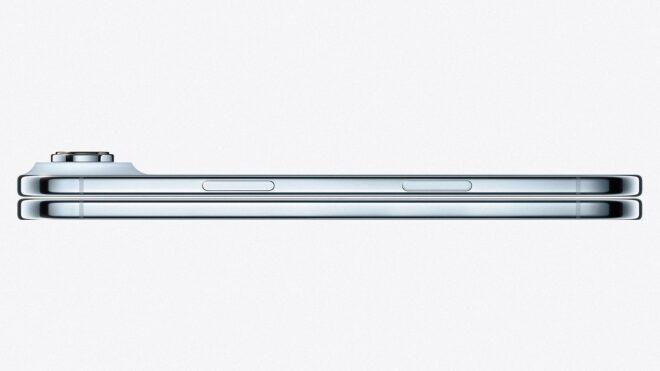
Katlanabilir iPhone, 7,7 inç boyutunda ekranla gelebilirÇinli kaynak Instant Digital tarafından ortaya atılan iddiaya göre Apple, katlanabilir iPhone modelinin menteşesinde bazı sorunlar yaşıyor. Öne sürüldüğü kadarıyla katlanabilir cihazın menteşesi uzun süreli açma-kapama testlerinde Apple’ın kalite kontrol standartlarını geçemiyor. Bu sorunlara rağmen cihazın çıkışını ertelemeyi düşünmediği aktarılan Apple, cihazın en önemli mekanik parçası olan menteşede mükemmel seviyeye ulaşmak istiyor. Çinli kaynak Digital Chat Station tarafından ortaya atılan bir iddiaya göre telefon doğrudan “iPhone Ultra” olarak isimlendirilebilir. Zaman zaman “iPhone Fold” adının da geçtiği cihaz, eylül ayında iPhone 18 Pro ve 18 Pro Max ile birlikte görücüye çıkarılacak. Yatay formu benimseyecek telefon, ekran kat yerini ortadan kaldıracak, iki farklı “arka” kamera taşıyacak ve aktarıldığı kadarıyla Face ID değil Touch ID parmak izi sensörüyle donatılacak.

Apple, iddiaya göre katlanabilir iPhone modelinin menteşesinde bazı sorunlar yaşıyor yazısı ilk olarak Teknoloji haberleri – LOG üzerinde yayınlandı.

32,000 lines of code in 60 days: notes from building beam.page

Beam.page is a static-hosting platform whose front door is an MCP server, with a thin web UI alongside for the things that benefit from one. You talk to whichever AI client you already use — Claude, ChatGPT, Codex, Cursor, Gemini CLI — and it calls the platform’s tools; your site lands at <slug>.beam.page or a custom domain. You can change anything later by asking, through any of the same clients, on the go. Here is the story of building it over the last sixty days.

The pipeline

The pipeline that built it was loosely shaped on what Anthropic published about agentic software development, with modifications I made along the way. It runs: spec, build, QA (given the diff), deploy to a UAT environment, integration tests, commit, prod release. Each round takes a couple of hours. I have done a hundred and fifty-four of them.

I did not want to start from zero. I wanted a clear architecture for the pipeline to follow. So before there was a pipeline, I sat with an LLM and we sketched the skeleton — bare-bones frontend and backend, the whole shape of it. Just enough for it to fill in, not so much that there was nothing left for it to do. The trick is one we used to play on the early models: show them a few examples of how the JSON should look, and only then would they produce JSON of their own.

Goal first, not prescription. The starting point of any run is the goal — what I want to be true at the end. I tried being more prescriptive early on, spelling out which files to touch and how, and it kept getting in the way of what came after. What did vary, usefully, was how much code each stage saw. Some stages do better with the whole codebase in front of them. Others do better when handed a narrow brief and the freedom to make a quick edit.

The integration tests are another job for a model. They produce a stream of inputs and outputs — every request the test made, every response it got back. A fresh invocation of the LLM reads the dump the way I would walk a Postman collection, request by request, and flags anything that does not look right. It tells me what it found. I decide whether I agree. Sometimes we argue.

Git was not enough memory. Each round leaves a trail of files behind — what was done, what wasn’t, and when. The pipeline reads them at the start of the next round so it knows where it is. Git captures part of the history but not all of it: what was tried, what was abandoned, what the spec said before any code was written. The pipeline keeps its own spec reports and build reports alongside the code.

Security plays by different rules now. I have a software engineer’s grounding in security — enough for the basics, not enough to call myself an expert. The landscape has changed. A fair number of attacks now come from models that probe code faster than any human can. So I do the same on the defending side: at intervals I take the entire codebase and feed it to whichever frontier model is best that month, with one instruction. The pipeline fixes what it finds. I keep looking for more.

Numbers. 26,809 lines of Python; 5,175 lines of TypeScript and React; a single 3,507-line integration test file; 3,049 lines of markdown spec across half a dozen design documents. On AWS: 50 Lambda functions, 17 DynamoDB tables, 3 CloudFront distributions. The dead-letter queue has zero messages in it. I have written approximately none of it.

On the code

When I look at the code now, I see two questions sitting on top of each other. One is how the whole project is organised — how files relate, what can be handed over as a coherent chunk. The other is the inside of each file — how it’s written, where the comments are, what the model reads when it opens it. Both bend a bit when the next reader is a model and not a person.

Structured for the handoff. The code is organised so the pipeline can pass chunks of varying size — a whole module, a single file, a related set, the entire codebase. I think a lot about how to make those chunks coherent. I don’t have a settled answer on the right level of granularity; it varies by task.

Written for the model to read. My old instinct was that less code is always better. That is still true for human readers. But the next reader of every file is now the model, and what makes a file useful to it isn’t quite the same as what makes it tidy for a person: clearer structure, comments that say why, predictable shapes the model can grab onto. Smaller-or-larger isn’t the right axis any more. Useful-to-the-model is.

Architecture, also for the model. The same logic applies one level up. The shape of the system — what services exist, how alerts flow, where logs land — bends toward what an agent can act on. The clearest example is the second pipeline beam runs after shipping. It checks every page uploaded for things that shouldn’t be there using a mix of deterministic and non-deterministic methods, and watches the infrastructure for jobs that fired when they shouldn’t have or didn’t fire when they should. Everything funnels into a Slack channel — and an agent reads the channel and tells me what’s worth knowing about.

On the API

The API is designed to be read by an agent, not by a human. That is easy to miss, but the shape of an API matters more when an agent is reading it.

Slim docs, chatty responses. There is no fat manual to read before starting. Every response from the API and the MCP server is chatty in a way that would feel rude on a normal API. _comment fields explain what just happened. brief.next arrays spell out the next moves as REST calls, and brief.nextMcp arrays spell out the same as MCP tool calls. A capabilities block on every project response says what beam can do and, importantly, what it cannot.

A response looks something like this:

"brief": {
  "summary": "Viewing project hello-beam with 10 pages and 9 assets.",
  "next": [
    "POST /projects/hello-beam/edit {...}",
    "GET /projects/hello-beam/pages/_root"
  ],
  "nextMcp": [
    "edit(projectId='hello-beam', page='_root', edits=[...])",
    "page(op='get', projectId='hello-beam', slug='_root')"
  ]
}

The agent reads it the way you might read a sign at a junction. It doesn’t have to have memorised the road.

Why I built it
My sister has a website on a server somewhere, and a habit of asking me to just change something on it. Then just add a section. Then just do one more thing. For her, each ask is a small change on a screen. For me it was a couple of hours per round-trip, ending with a different ask before the first one was finished.

You are using the word just WRONG. Or rather: you are using it the way everyone uses it, including me, when we do not want to think too hard about what something will take. Just compresses hours into a syllable. We let it because the alternative is admitting how long things actually are, and nobody really wants to do that.

Beam.page is the answer to just. You ask in plain English, in whichever AI client you already use. The AI talks to beam. The website appears. You ask for changes and the changes happen. The asking is the doing — or close enough to feel like it.

A few things weren’t obvious from the start.

Editing wasn’t there at first. The first version of beam could only re-upload whole files. A surgical-edit endpoint that takes find-and-replace pairs fixed that. Now you ask for a typo fix and the typo gets fixed.

Images broke things. Base64 of even a small photo eats the context window before anything useful can happen. Web chat clients felt it hardest; CLI clients had more room. A drop zone fixed it: the LLM mints a short-lived URL, the user uploads from any device, and the LLM gets back the URL plus an optional thumbnail. Full bytes stay where they are.

Snapshots, for when the LLM gets it wrong. Every project keeps point-in-time snapshots. When a round goes the wrong way, you roll back to the previous one.

A way in for apps. When beam.page itself wanted a small React app glued in, the static-only model bent. An /app/ convention lets a project reserve a slug to serve an SPA from.

Beam is a delight. I should probably not say so, being the one who built it; I will say it anyway. I publish lolasquared.com on it. I publish beam.page on it. (Also lola-the-cat.com, my cat’s website, where I test new functionality.) When a copy-change idea hits at the wrong moment — about seventy-five thousand times a day — I open my phone, ask whichever AI client has the MCP connected, and the change appears. It is wonderful. I am as surprised as anyone.

What I think

We are in an exciting moment with this technology, and I am not sure anyone fully knows how to use it yet. I don’t have a settled view on how, and I am suspicious of anyone who claims they do.

The gain for non-technical users is large. The power to make is huge, and — for me at least — addictive. The tiring-but-rewarding work of writing the code can be outsourced to a pipeline that runs for hours while you do other things. What you have left is the thing you actually wanted to think about. What you want, how you want it, what you need.

Bridging the gap is the interesting part. Some of the tools I have seen over the last few months feel simultaneously too much and too little. Too much because the gap they try to bridge is so wide that what comes out the other side does not quite reach the level a technical person would want. Too little because the environment is not there for anything genuinely complex. Beam.page tries to land somewhere in the middle. Whether it has, you can tell me.

There are heuristics floating around — give the model a place to start, validate with a fresh look from the LLM, keep the human in the loop where the human is good. None of them is a recipe. This isn’t one either.

The website is up. My sister has, finally, stopped asking. Lola the cat has developed a taste for fame and wants to know when she gets an Instagram.

Try it

Go to beam.page for setup instructions, or wire your AI client directly:

MCP server: https://api.beam.page/mcp
REST API: https://api.beam.page
LLM instructions: https://www.beam.page/llm.txt

Why Most Cafe Websites Feel Outdated (And How I Fixed It)

Most cafe websites still look like generic business templates from 2016.

Bright backgrounds, cluttered layouts, autoplay sliders, weak typography, and mobile experiences that feel like an afterthought.

I wanted to create something that feels modern, cinematic, and mobile-first — more like a premium app experience than a traditional website.

So I built Noir & Brew, a premium Astro landing page template for modern coffee shops and creative F&B brands.

The Problem With Most Cafe Websites

Most cafe websites follow the same pattern:

  • Generic layouts
  • Poor mobile navigation
  • Weak visual hierarchy
  • Overcrowded sections
  • Inconsistent branding
  • Slow performance
  • Outdated UI patterns

The result?

They don’t feel memorable.

And for cafes, atmosphere matters just as much as the product itself.

A website should communicate the same feeling customers get when they walk into the space:

  • warm lighting
  • premium ambiance
  • calm atmosphere
  • intentional branding

That became the core direction behind this project.

Designing Around Atmosphere

Instead of focusing only on information density, I focused on visual mood and presentation first.

The design direction was inspired by:

  • editorial layouts
  • luxury hospitality brands
  • cinematic dark interfaces
  • premium coffee packaging
  • modern mobile app navigation

I intentionally used:

  • dark backgrounds
  • warm gold accents
  • oversized typography
  • immersive cards
  • spacious layouts
  • minimal UI noise

The goal was simple:

Make the website feel premium before users even start reading.

Mobile-First Was the Priority

Most restaurant traffic comes from mobile devices.

But many templates still treat mobile as a scaled-down desktop layout.

I did the opposite.

I designed the mobile experience first:

  • bottom navigation
  • app-like interaction
  • compact content blocks
  • thumb-friendly spacing
  • immersive promo sections
  • simplified menu browsing

Only after the mobile structure felt complete did I expand the design into desktop.

That decision alone made the experience feel significantly more modern.

Tech Stack

I wanted the template to stay lightweight while still feeling interactive.

Stack Used

  • Astro
  • React
  • Tailwind CSS v4
  • Framer Motion

Why Astro?

Astro gives excellent performance out of the box while still allowing interactive islands where needed.

That means:

  • fast initial load
  • less JavaScript shipped
  • SEO-friendly pages
  • smoother interactions

For content-focused websites like cafes, portfolios, and hospitality brands, this architecture works extremely well.

Features

The template currently includes:

  • Responsive landing pages
  • Mobile-first layouts
  • Interactive menu section
  • Promo showcase
  • Contact & location pages
  • 3 built-in themes
  • SEO-ready structure
  • Easy customization
  • Production-ready codebase

Designed for:

  • cafes
  • coffee shops
  • restaurants
  • hospitality brands
  • creative studios

Challenges During Development

One of the hardest parts was balancing aesthetics with readability.

Dark luxury interfaces can easily become:

  • too low contrast
  • visually noisy
  • difficult to scan

I had to simplify multiple sections repeatedly before the interface finally felt clean enough.

Another challenge was avoiding over-animation.

Modern websites often animate everything.

Instead, I focused on:

  • subtle transitions
  • layered depth
  • hover feedback
  • visual rhythm

That helped the UI feel calmer and more premium.

Final Thoughts

I think websites for physical spaces should feel emotional — not just functional.

Especially for cafes.

People don’t only buy coffee.

They buy atmosphere, identity, and experience.

That’s what I tried to translate into this template.

Live Demo

🔗 Demo:
Noir & Brew Demo

🔗 Gumroad:
Noir & Brew Template