OpenAI named a Leader in enterprise coding agents by Gartner
OpenAI is named a leader in the 2026 Gartner Magic Quadrant for Enterprise AI Coding Agents, with Codex recognized for innovation and enterprise-scale deployment.

 Mert
Mert 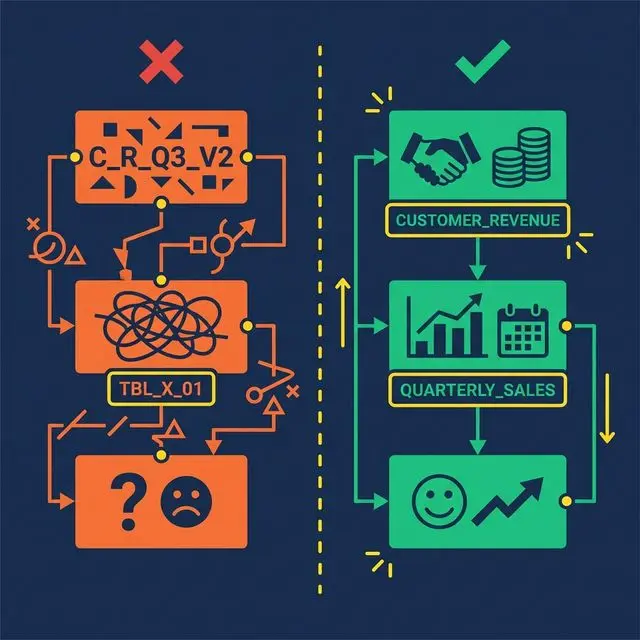

Semantic layers don’t fail because the technology is wrong. They fail because of design decisions made in the first two weeks — choices that seem reasonable at the time and create compounding problems for months afterward.
Here are the seven mistakes that kill semantic layer projects, and how to avoid each one.
Mistake 1: Defining Metrics in Multiple Places
What happens: Revenue is defined in a Tableau calculated field, a Power BI DAX measure, a dbt model, and a SQL view. Four sources of truth. None of them agree.
Why it’s common: Teams adopt new tools without migrating metric definitions. Each tool gets its own model. Over time, the definitions drift.
The fix: Every metric gets exactly one canonical definition in the semantic layer. All downstream tools query that definition. No exceptions. When someone needs Revenue, they query business.revenue, not their own formula.
This principle extends to AI agents. If your AI generates its own metric formulas instead of referencing the semantic layer, you’ve just added another source of truth — the least trustworthy one.
Mistake 2: Skipping the Bronze Layer
What happens: A data engineer creates a Silver view that joins raw source tables directly, mixing data cleanup (type casting, column renaming) with business logic (filters, calculations) in a single query. When the source schema changes — a column is renamed, a type is modified — the Silver view breaks.
Why it’s common: The Bronze layer feels redundant. It’s just a 1:1 mapping of the source. Why add a layer that doesn’t change anything?
The fix: The Bronze layer absorbs schema changes. When a source renames col_7 to order_date_utc, you update one Bronze view. The Silver and Gold views above it don’t change. This insulation is worth the tiny overhead of maintaining passthrough views.
Bronze views also standardize data formats. Timestamps normalized to UTC. Strings cast to consistent encodings. Column names made human-readable. This cleanup happens once, at the bottom of the stack, and every view above benefits.
Mistake 3: Using SQL Reserved Words as Column Names

What happens: A Bronze view exposes a column called Date. Now every downstream query must reference "Date" with double quotes. Analysts forget. AI agents don’t quote it at all. Queries break intermittently. Debugging is frustrating because the error messages are cryptic.
Why it’s common: Source systems often use generic names. Date, Timestamp, Order, Group, Role — all are SQL reserved words. Bronze views that don’t rename them propagate the problem to every consumer.
The fix: Rename early. In the Bronze layer, map Date to TransactionDate, Timestamp to EventTimestamp, Order to CustomerOrder. Use domain-specific prefixes that are unambiguous and never conflict with SQL keywords.
This small decision saves hundreds of hours of debugging across the life of the semantic layer. It also dramatically improves AI agent accuracy, since language models generating SQL rarely add appropriate quoting for reserved words.
Mistake 4: Building Without Stakeholder Input
What happens: A data engineering team builds 50 Silver views based on the database schema. They expose every table, every column, every possible metric. Business users look at the result, don’t recognize any of the terms, and go back to their spreadsheets.
Why it’s common: Data engineers understand the schema. They assume the schema structure maps to business needs. It usually doesn’t.
The fix: Start with a metric glossary co-created with stakeholders from Sales, Finance, Marketing, and Product. Ask them: What are your top 5 metrics? How do you calculate them? What decisions do they drive? Build the Silver layer around those answers, not around the database schema.
This step feels slow. It’s the fastest path to adoption. A semantic layer that uses business language and models business concepts gets adopted. A semantic layer that mirrors the database schema gets ignored.
Mistake 5: Treating Documentation as Optional
What happens: Views are created with no Wikis, no column descriptions, no Labels. The semantic layer works for the person who built it. Everyone else — analysts, AI agents, new team members — can’t figure out what the views mean.
Why it’s common: Documentation takes time. Deadlines are tight. Teams plan to “add documentation later.” Later never comes.
The fix: Make documentation part of the view creation process, not a follow-up task. At minimum, every view gets:
Modern platforms reduce this burden with AI-generated documentation. Dremio’s generative AI samples table data and auto-generates Wiki descriptions and Label suggestions. The AI provides a 70% first draft. The data team adds domain context for the other 30%.
Undocumented views are invisible to AI agents. If the Wiki is empty, the AI agent has no context to generate accurate SQL. Documentation isn’t just nice to have. It’s an accuracy requirement.
Mistake 6: Applying Security at the BI Tool Level Only
What happens: Row-level security is configured in Tableau so regional managers only see their region. Then an analyst opens a SQL client, queries the underlying table directly, and sees all regions. The security was enforced in the dashboard, not in the data.
Why it’s common: BI tools make it easy to apply filters and security rules. Data platforms require more setup. Teams take the easy path.
The fix: Enforce access policies at the semantic layer, not the BI layer. Row-level security and column masking should be applied on the virtual datasets (views). Every query path — dashboard, notebook, API, AI agent — inherits the same rules.
Dremio implements this through Fine-Grained Access Control (FGAC): policies defined as UDFs at the view level. A regional manager queries business.revenue and automatically sees only their region, regardless of how they access the data. No security gaps between tools.
Mistake 7: Trying to Model Everything at Once

What happens: The team commits to building a complete semantic layer covering every source, every table, and every metric. The project takes six months. By the time it launches, requirements have changed, stakeholder interest has waned, and half the views are out of date.
Why it’s common: Ambitious leaders want a “complete” solution. Data teams want to avoid rework. Neither wants to ship an incomplete layer.
The fix: Start with 3-5 core metrics that the organization actively debates (usually Revenue, Active Users, Churn). Build one Bronze → Silver → Gold pipeline per metric. Validate that the same question produces the same answer across two different tools.
Once those metrics are stable, expand incrementally. Add new sources, new views, new metrics — one at a time. Each addition is low-risk because the layered architecture isolates changes. A new Gold view doesn’t affect existing Silver views.
The fastest semantic layers reach 80% organizational coverage not by modeling everything up front, but by proving value quickly and expanding from momentum.
What to Do Next
Pick one mistake from this list. Check whether your semantic layer (or your plan for one) is making it. Fix that one thing this week. Then come back for the next one.
Last week, two MCP security vulnerabilities went public. CVE-2026-33032 (CVSS 9.8) in the nginx-ui MCP endpoint. A STDIO transport design flaw affecting all SDKs, potentially exposing 200,000 servers. The MCP Pitfall Lab dropped a six-class security taxonomy.
If you’re running MCP servers — especially on a personal setup, a homelab, a small production environment — you probably saw the headlines and wondered if you should panic. I was in the same boat. So I did the audit. Here’s what I found and what actually matters when you’re the one responsible for everything.
First: What I Was Running
My setup runs a handful of MCP servers alongside OpenClaw:
That nginx-ui instance? I had it exposed to my tailscale network only, with allowlisting. I thought I was being careful. Let’s see if that’s actually true after the CVSS 9.8 disclosure.
The Audit I Did (That You Should Do Too)
Here’s the exact process, start to finish.
1. Find your MCP server endpoints
openclaw plugins list --json | grep -A5 mcp
This gives you every MCP plugin entry. For each one, check:
2. Check your nginx-ui instances specifically
docker ps | grep nginx-ui
If you find one: check the version, check if the admin panel is exposed, check if there are any unauthenticated endpoints. The CVE-2026-33032 vulnerability is in the nginx-ui MCP endpoint — it affects the admin panel AND any MCP endpoint that’s exposed through it.
3. Audit exposed ports on your MCP servers
ss -tlnp | grep -E '(3182|3183|3184|3185)'
MCP servers listen on these ports by default for HTTP transport. If any of these are bound to 0.0.0.0 instead of 127.0.0.1 or your internal network interface, you have external exposure.
What “Actually Exposed” Means
I want to be specific here because the “200,000 servers at risk” headline sounds scary but the actual risk depends on your network posture.
If your MCP servers are on a private tailnet (Tailscale, Wireguard, etc.) with allowlisting: Your attack surface is limited to people who already have access to your network. The vulnerabilities are still relevant — a compromised device on your network could become a pivot point — but you’re not automatically exposed to the internet.
If your MCP servers are on a VPS or cloud instance with a public IP: This is where it gets serious. If port 3182-3185 is reachable from the internet and you’re running stdio transport without additional auth, you’re potentially in the 200K count.
The Fixes That Actually Make Sense
Here’s what I did, in order of effort:
High effort, high impact: Patch or isolate nginx-ui
If you use nginx-ui, update to the latest version. If you can’t update, at minimum add network-level allowlisting on the container so only your trusted IPs can reach the admin panel. Don’t rely on nginx-ui’s own auth as your only defense layer.
Medium effort, medium impact: Switch transport modes
If you’re running stdio MCP servers that are network-accessible, consider switching to HTTP transport with mutual TLS. The attack surface is different and easier to firewall. OpenClaw’s MCP plugin supports this — check the docs for mcp.transport configuration.
Low effort, high impact: Enable strict MCP mode
If your OpenClaw version supports MCP_SECURE_MODE=strict, enable it. This forces validation on all incoming MCP messages and rejects malformed requests before they reach your MCP server. It’s not a substitute for patching, but it’s a defense-in-depth layer.
No effort, high impact: Subscribe to security advisories
The MCP projects I rely on — including my own custom server and the third-party ones — now have security advisory URLs in their GitHub repositories. I set up email alerts on those. When the next vulnerability drops, I’ll know before I read about it on The Register.
What the MCP Pitfall Lab Actually Changes
The MCP Pitfall Lab paper is worth knowing about even if you’re not building MCP servers. The six-class pitfall taxonomy (P1-P6) is a security checklist:
If you’re evaluating a third-party MCP server, ask the maintainers directly if they’ve audited against this taxonomy. If they haven’t heard of it, that’s a signal.
The Bottom Line
I’m not panicking. I’m auditing. If you’re running MCP servers, the equivalent of changing your smoke detector batteries once a year is: subscribe to security advisories, run the audit above annually, and update your critical infrastructure pieces when patches drop.
The vulnerabilities are real. The exposure for most solo/small-shop OpenClaw users is manageable if you’re not running nginx-ui directly exposed to the internet. The framework is maturing fast — Cloudflare, AWS, and the broader security community are treating MCP security as a first-class problem now. That’s a good sign.
Run the audit. Update what you can. Subscribe to advisories. This is what “security-conscious” actually looks like when you don’t have a SOC team.
Phive v1.1.1 is now available.
This update improves local development environment stability with automatic port conflict resolution and smarter runtime management.
What’s new in v1.1.1:
• Automatic Port Conflict Resolution
If the default ports are already occupied by another process, Phive now automatically detects the conflict, scans for the next available port, and continues execution without interruption.
• Dynamic Runtime Routing
The application interface and logs now update automatically to reflect the active runtime ports being used by the environment.
• Improved Local Development Reliability
This significantly reduces startup failures caused by local server conflicts during development workflows involving multiple services, containers, proxies, or WebSocket-based applications.
Default monitored ports:
8000
9001
Example:
If port 8000 is already in use, Phive automatically reroutes execution to the next available operational port instead of terminating the process.
This release also introduces a new contribution workflow and improved engineering structure for future development scalability.
VSIX Installation:
phive-1.1.1.vsix
Ctrl+Shift+X)...)GitHub:
https://github.com/fomadev/phive
Phive (PHP Live Server) – Visual Studio Marketplace:
https://marketplace.visualstudio.com/items?itemName=fomadev.phive


Most of us use databases every day.
But at some point I started wondering:
SELECT statement?So instead of only reading about databases, I decided to build one.
That project became Ark — a SQL-like relational database engine written entirely from scratch in C++.
Why I Built It
I wanted to understand the internals of database systems by implementing the pieces myself instead of relying on existing engines or parser generators.
The goal wasn’t to compete with production databases.
The goal was to learn:
Core Features
Ark currently supports:
COUNT, SUM, AVG, MIN, MAX)ALTER TABLELIKE pattern matchingORDER BYDISTINCTSAVE / LOAD)Everything is implemented manually:
– no embedded SQL engines
Architecture
The execution pipeline looks roughly like this:
Query
  ↓
Tokenizer
  ↓
Parser
  ↓
Command Objects
  ↓
Execution Engine
  ↓
Storage Layer
  ↓
Persistence
The project is split into modular components:
Example Query
CREATE TABLE employees (
    id INT,
    name STRING,
    salary DOUBLE
);

INSERT INTO employees VALUES
    (1, "Alice", 95000.0),
    (2, "Bob", 72000.0);

SELECT * FROM employees
WHERE salary > 80000.0;
One of the Hardest Parts
One of the most interesting challenges was implementing joins and schema evolution.
Handling:
ALTER TABLEbecame much more complicated than I initially expected.
Parser correctness and diagnostics also took a surprising amount of effort.
What I Learned
Building Ark taught me a lot about:
It also gave me a much deeper appreciation for real database engines.
GitHub
GitHub Repository:
https://github.com/kashyap-devansh/Ark
I’d genuinely appreciate feedback from people interested in:
Especially suggestions for improving the architecture or query engine.
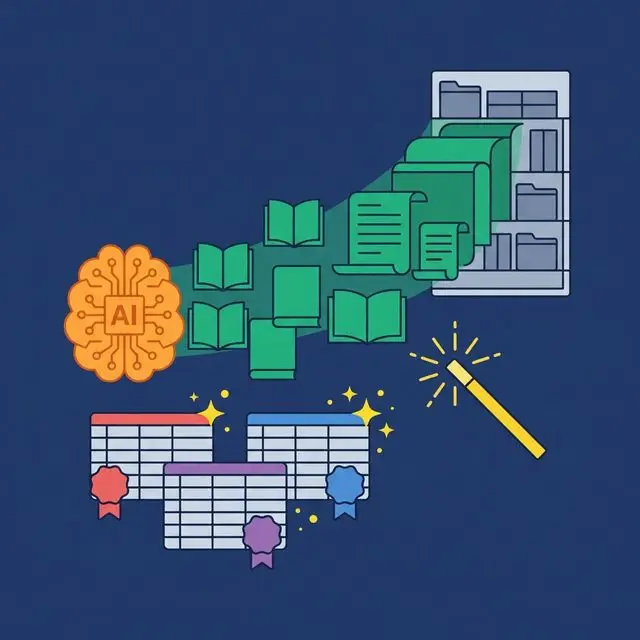

Every data team knows documentation is important. And almost every data team has a backlog of undocumented tables, unlabeled columns, and outdated descriptions that nobody has time to fix. The problem isn’t motivation. It’s that manual documentation doesn’t scale.
A self-documenting semantic layer changes the equation. Instead of asking humans to describe every column in every table, the platform generates descriptions automatically, suggests governance labels from data patterns, and propagates context through the view chain. Documentation becomes a byproduct of building the semantic layer, not a separate project.
The Documentation Problem Nobody Solves
Industry surveys consistently find that 70% or more of enterprise data assets are undocumented or poorly documented. The result: analysts spend 30-40% of their time searching for data and trying to understand what it means before they can start analyzing it.
This isn’t just a productivity problem. Undocumented data is a governance risk. A column named status with values 0, 1, 2, and 3 could mean anything. An analyst guesses. An AI agent guesses worse. Nobody verifies. The wrong assumptions get baked into dashboards that drive business decisions.
Data teams respond with documentation sprints. They burn a week writing Wiki pages for their top 50 tables. Two months later, half the descriptions are outdated because schemas have changed. The cycle repeats.
What Self-Documenting Actually Means
A self-documenting semantic layer generates and maintains documentation with minimal human effort. Three mechanisms work together:
AI-generated descriptions: The platform samples data in a table and generates human-readable descriptions for each column and the table itself.
Automated label suggestions: The platform analyzes column names, data types, and value patterns to suggest governance labels (PII, Finance, Certified).
Metadata propagation: When a Silver view references a Bronze view, column descriptions flow downstream automatically. Documentation written once at the Bronze level appears everywhere the column is used.
Human oversight is still essential. AI provides a 70% first draft. Data engineers add the domain-specific context that only they know: business rules, edge cases, known data quality issues. The point isn’t to eliminate human documentation. It’s to eliminate the blank page.
AI-Generated Descriptions

Modern semantic layer platforms can sample a table’s data and generate meaningful descriptions automatically.
Consider a column named cltv in a table called customers. The AI samples values (1200.50, 3400.00, 780.25), examines the column name and table context, and generates:
cltv: Customer Lifetime Value in USD. Represents the total revenue attributed to this customer from their first purchase to the current date, excluding refunded transactions.
Not every generated description will be this precise. But most are useful enough to replace the current state: an empty description that tells the analyst nothing.
More examples:
created_at in a subscriptions table → “Date the subscription was created”mrr → “Monthly Recurring Revenue in the account’s base currency” Automated Label Suggestions
Labels categorize data for governance and discovery. Manually tagging every column in a data warehouse with hundreds of tables is impractical. AI-based label suggestion makes it manageable:
price, total, amount, revenue → suggested label: Finance
Dremio’s approach combines these suggestions with human approval. The AI proposes labels. A data engineer reviews and accepts or rejects. Over time, the catalog fills up with accurate, useful labels without dedicated labeling sprints.
Metadata Propagation Through Views

In a well-designed semantic layer, documentation shouldn’t need to be written more than once. The Bronze-Silver-Gold view architecture creates a natural propagation path:
CustomerID column as “Unique identifier for the customer, sourced from the CRM system.”CustomerID. The description propagates automatically. No re-documentation needed.CustomerID. The description carries through.This propagation is especially valuable for join columns, filter columns, and commonly used dimensions that appear in dozens of views. Write the description once at the source, and it follows the column everywhere.
How This Reduces Toil
The impact on data team productivity is measurable:
| Documentation Task | Manual Approach | Self-Documenting |
|---|---|---|
| Column descriptions | Write each by hand | AI generates draft, human refines |
| Governance labels | Manual tagging sprint | AI suggests from data patterns |
| Downstream view docs | Re-write for each view | Propagated from upstream |
| Schema change updates | Manually check and update | AI re-scans and flags changes |
| New table onboarding | Create from scratch | AI generates baseline immediately |
The net effect: documentation coverage goes from 30% (what the team could manage manually) to 80-90% (AI baseline + human refinement). The team spends hours instead of weeks on documentation. And the documentation stays current because the AI can re-scan when schemas change — flagging outdated descriptions instead of waiting for someone to notice.
For AI agents, this improvement is material. A richer, more accurate semantic layer means the AI generates better SQL, hallucinates less, and requires fewer corrections. Self-documentation isn’t just a productivity feature. It’s an AI accuracy feature.
What to Do Next
Pick your most-used table. Open it in your data platform. How many columns have descriptions? How many have governance labels? If the answer is “not many,” calculate how long it would take to document the entire table manually. Then consider a platform that does 70% of that work for you.

The Adopter is a company that uses an open source technology—it may very likely be a core part of their internal infrastructure—and they engage externally with that project’s community. They’re not trying to run the project. They’re not selling something based on it. They’re users who have chosen to be vocal.
If you’ve ever been to a conference and seen a talk titled something like “How ${BIG_COMPANY} Uses ${OSS_PROJECT} at Scale,” you’ve seen the Adopter model in action. Most consumer companies that show up at open source conferences fall into this category.

The factor profile
Where does the Adopter sit on the four diagnostic factors?
Commercial dependency: Low.

For the most part, the Adopter’s revenue doesn’t come from this project. In many cases, if they so choose, they could likely replace this component of their infrastructure without any of their customers noticing.
Project maturity: Established.

Adopters typically engage with more established, known projects rather than emerging ones. If they’re trusting a project enough to be embedded in their infrastructure, they want to know it’s stable.
Ownership: User level.

The Adopter is an end-user. Occasionally, they will engage with the project directly; for example, they might file issues, submit the occasional PR, or participate in community channels. But they’re not maintainers. They’re not steering the ship. And they don’t intend to.
Strategic intent: Reputation and/or recruiting.
They want the community to know who they are, what they’re building, and, frankly, they want talented engineers who are familiar with the open source project to want to come join their engineering teams.
Why companies end up here
The Adopter model often starts as a grassroots effort. It’s not a top-down strategic initiative from the C-suite. It’s a team of engineers who bet on a technology, built something meaningful with it, and realized their team could benefit from being visible in that project’s community. And it grows from there.
The motivations are usually some combination of:
This is an archetype I lived during my time as a software engineer at Bloomberg. After extensive research, my team had made the decision to use Kafka Streams for processing market data, and so began our foray into the Apache Kafka® community. Our manager encouraged us to give talks—for visibility in the community, for recruiting, and to build Bloomberg’s reputation as a company doing cutting-edge work with streaming technologies.
That grassroots, team-driven origin is typical of the Adopter model.
Tactics: what the work actually looks like
The Adopter’s playbook is the most straightforward of the four archetypes:
Attend and present at community events. Show up to the conferences, meetups, and community days for the project you use. Don’t just attend—submit talks. Share what you’re building. The bar isn’t “we did something nobody else has done.” The bar is “here’s what we learned using this thing in production.”
Write about your experiences. Blog posts, case studies, architecture breakdowns. Technical content that shares the patterns, challenges, and decisions you’ve made with the technology. This content is genuinely valuable to the community—it helps other users, validates the project’s approach, and sometimes surfaces edge cases the maintainers hadn’t considered.
Engage in community channels. Answer questions in Slack, comment on GitHub issues with your real-world experience, provide feedback on proposals. You don’t need to contribute code to be a valuable community member. Showing up with production context is a contribution in itself.
[Optional] Provide financial support. Some Adopters sponsor the project’s foundation or events. This is legitimate and often appreciated—but a note of caution: once money enters the picture, internal stakeholders may start asking about ROI in ways that push the engagement from genuine to performative. Be aware of that pressure.
The selfishness is the feature
I’ll be honest—there’s a degree of selfishness in the Adopter model. You’re doing this for recruiting. For reputation. For protecting a dependency you rely on.
And that’s okay.
Because the community benefits too. Real-world production use cases are gold for an open source project. When you stand up at a conference and say “we run this at scale and here’s what we learned,” that’s valuable to everyone. It validates the project. It helps other users avoid pitfalls. It gives maintainers signal about how the software is actually used.
The selfishness and the community benefit aren’t in tension. They’re aligned. That’s what makes this model work. You get what you need (visibility, hires, dependency health) and the community gets what it needs (production feedback, real use cases, engaged participants).
Measuring success
How do you know your Adopter engagement is working? There are two layers here.
Homegrown metrics
Since the Adopter’s goals are often self-interested, many companies in this position track their own internal signals:
CHAOSS metrics for the Adopter
If you’re not familiar, the CHAOSS project is an effort to better understand open source projects and communities through rigorous, standardized metrics models for measuring community health. For the Adopter, two models are particularly relevant:
Business Readiness. This model helps you assess whether the project you depend on is healthy enough to keep relying on:
Project Awareness. This model tracks how well-known and actively engaged-with a project is:
Key Insight For the Adopter, these metrics are about monitoring risk and validating your choice. You’re asking “Is this project healthy enough to rely on?” not “Are we growing the community?” That distinction matters because the same metric can mean something very different in other archetypes.
Anti-patterns to watch for
Even in the most straightforward archetype, things can go wrong:
Talking without contributing. If your company only takes the stage but never participates, e.g. files issues, provides feedback, or engages in community channels, you’ll eventually be seen as a tourist. You don’t need to commit code, but you do need to participate beyond the spotlight moments.
Treating it purely as marketing. The moment your “community engagement” starts feeling like a brand campaign—messaging that’s too polished, product placement, no genuine technical depth—the community sees through it as inauthentic. Adopter advocacy works because it’s engineers sharing engineering work. The second it becomes marketing-driven, it loses credibility.
Ignoring project health. If you benefit from the project but never check on its sustainability—never look at whether maintainers are burning out, whether the bus factor is dangerously low, whether the project is losing contributors—you’re freeloading. That dependency risk will catch up with you.
Expecting influence without earning it. Being a high-profile user doesn’t automatically give you a seat at the governance table. Some Adopters get frustrated that their “big company voice” doesn’t translate into immediate bug fixes or project direction. That’s not how this works. Influence is earned through contribution, not brand weight.
Examples in the wild
The Adopter in context
The Adopter model is often undervalued because it looks simple: show up, talk about your stuff, go home. But done well, it serves a critical function in the open source ecosystem by providing social proof, real-world validation, and production signal that projects need to grow.
And for the company doing it? It’s one of the highest-ROI forms of developer engagement you can do. The investment is relatively low (engineers sharing work they already did), the alignment between self-interest and community benefit is natural, and the risks are minimal compared to the other archetypes.
Just remember: the playbook is non-transferrable. What works here—showing up as a user, sharing experience, recruiting through visibility—will not work if your company’s situation changes. If you start contributing heavily enough to become a steward, or if your commercial relationship to the project deepens, you’ve drifted into a different archetype. And you’ll need a different approach to continue showing up credibly.
More on that in the final post of this series.
Next up: The Champion—what happens when your company invests heavily in a project that isn’t core to its main business. Follow along so you don’t miss it.

I used to think bundle optimisation was someone else’s problem. I’d write code using convenient namespace imports like import * as utils from './utils', run npm run build, and ship whatever came out. My bundles kept growing: 200KB, 300KB, 450KB, but I assured myself it was fine. After all, browsers were getting better, internet connections were faster, and devices were becoming more powerful.
Then I tested my 450KB utility library on a 3G connection. Four seconds to download. Lighthouse gave me an embarrassing performance score. That’s when I learned I was shipping 60% unused code.
This article covers what I discovered about tree-shaking in Vite, the mistakes I was making, and how I fixed them.
What Tree-Shaking Actually Does
Tree-shaking is dead code elimination for ES modules. When you use import and export, you create a static dependency graph. Vite (via Rolldown) traces through this graph and removes exports that aren’t being consumed. Basically, tree-shaking only works when the bundler can prove code is unused. If you give it ambiguous signals, it keeps everything safe.
The Anti-Patterns I Was Using
Take a utility component called dashboard.utils.ts as a real example. It exports eight standalone functions: hasActiveFilters, mapApplicationToTableData, resetPagination, updateFilterState, updatePagination, mapJobStats, normalizeFilter, and buildPagination. I only needed one, but here’s how I used to import it

Vite can statically analyse and determine that only resetPagination is accessed here, and drop the rest, but that’s the bundler doing you a favour, not you writing intentional code. You’ve imported the entire module and handed the cleanup responsibility to your build tool. It works until it doesn’t.
And it stops working the moment you do something like this:

Once the namespace object is passed to console.log or spread into another structure, the bundler can no longer prove at build time which properties will be accessed at runtime. It has no choice but to keep all eight exports: hasActiveFilters, mapJobStats, buildPagination, and everything else, just in case.
This is a trap because the first version looks harmless. It gets past your linter, the build succeeds, and you move on. Then three weeks later, someone adds a debug log, passes the namespace to a utility, and suddenly your bundle is carrying dead weight you didn’t notice.
The “Just in Case” Import Pattern

Eight dashboard utility functions imported. One actually used. Seven along for the ride on every page load.
The Fixes I Implemented
Named Imports Only

This provides a clear signal to the bundler: only resetPagination is needed. mapJobStats, buildPagination, normalizeFilter, and the rest can be safely removed from the final output.
Switching from namespace imports and over-importing to precise named imports was the single biggest improvement.
Pure Function Annotations
I noticed /* @__PURE__ */ comments in my build output. These tell the minifier a function call has no side effects, meaning if the return value is never used, the entire call can be safely removed.

In the snipper above, both resetPagination and buildPagination just take input, compute a value, and return it. No HTTP calls, no mutations, no DOM access. They have zero side effects. That’s exactly what Vite looks for when deciding whether to annotate a call as pure:
Strategic Dynamic Imports
Imagine your project grows and you have a helpers/ directory with multiple utility files, date.helper.ts, dashboard.utils.ts, and others. The temptation is to import them all eagerly:

Every page component, all its dependencies, and all its templates are now bundled together and loaded on the first request, regardless of which page the user is actually visiting.
Instead, lazy-load each page so that it becomes its own separate chunk:

A user who only visits the dashboard never downloads the profile management or jobs page. The router calls loadPage('dashboard') on navigation, and everything else stays unloaded until it’s needed.
My Current Practices
1. Named imports only
No import * as unless necessary.
2. Don’t pass namespace objects to functions
Log specific properties, not the whole namespace.
3. Dynamic imports for optional features
If it’s not needed for the initial render, lazy-load it.
4. Review dependencies
Replace non-tree-shakable libraries when possible.
Key Takeaway
Vite’s tree-shaking is powerful, but it only works with your cooperation. Write code that gives the bundler clear signals about what’s actually used.
Check your bundle. You might be shipping more dead code than you think.
I spent the past few months building Canopy Guard, a free website audit tool that combines SEO, AEO, and GEO visibility scoring with a full security posture check. One scan, one report, about 15 seconds.
This is the technical breakdown of how it works.
The problem
I audit websites for clients as part of my regular work. Every engagement started with the same routine: run the site through an SEO checker, then a separate security header scanner, then manually check for structured data, then look at robots.txt. Four tools, four tabs, four different report formats, and none of them cross-referenced their findings.
I wanted a single scan that checked everything and surfaced the gaps between visibility and security.
Architecture
The backend is a Node.js Express server written in TypeScript, deployed on Railway. The frontend is a React app on Vercel.
When a user enters a domain, the frontend POSTs to /api/scan on the Railway backend. The backend runs 12 scan modules in parallel using Promise.all:
const [dns, tls, headers, htmlStructure, schema, qa, geo,
crawlRisk, endpoints, links, vulns, bizLogic] =
await Promise.all([
checkDNS(domain),
checkTLS(domain),
checkSecurityHeaders(domain),
checkHTMLStructure(domain),
checkSchemaMarkup(domain),
checkQADensity(domain),
checkGEO(domain),
checkAICrawlRisk(domain),
checkExposedEndpoints(domain),
checkInternalLinking(domain),
checkVulnerabilities(domain),
checkBusinessLogic(domain),
]);
Each module is an async function that fetches specific data from the target domain and returns structured results.
The scan modules
DNS: Resolves the domain via Google’s public DNS API (dns.google/resolve). Returns whether the domain resolves and the IP address.
TLS: Checks HTTPS reachability, HSTS header presence and max-age value, and whether HTTP redirects to HTTPS.
Security Headers: Checks for all six critical headers: Content-Security-Policy, Strict-Transport-Security, X-Frame-Options, X-Content-Type-Options, Referrer-Policy, and Permissions-Policy.
HTML Structure: Fetches the full page HTML and parses it for H1 count, meta description presence and length, canonical URL match, and page title.
Schema Markup: Extracts all blocks, parses them, identifies FAQPage and Organization types, and flags structural errors like missing @context.<br>
Q&A Density: Strips HTML tags, splits into sentences, and calculates the ratio of question-pattern sentences to total sentences. This measures how "answer engine ready" the content is.<br>
GEO: Measures chunking efficiency (how well content divides into ~350-token blocks based on header/paragraph structure), citation precision (ratio of specific data points to generic text), and checks for llms.txt at the domain root.<br>
AI Crawl Risk: Fetches robots.txt, classifies the policy as PERMISSIVE/BALANCED/RESTRICTIVE/NONE, checks for AI-specific bot blocks (GPTBot, Anthropic, Google-Extended, CCBot, ByteSpider), and looks for crawl-delay directives.<br>
Exposed Endpoints: This one was interesting to build. It probes 12 common sensitive paths (/.env, /.git/config, /graphql, etc.). The tricky part: sites with catch-all redirects return 200 for every path. So the module first fetches a guaranteed-nonsense path to detect catch-all behavior. If detected, it compares each probe's response body length and content-type against the catch-all fingerprint to filter out false positives.<br>
Internal Linking: Counts unique internal links on the homepage and samples a few to estimate link depth.<br>
Vulnerabilities: Checks server headers for version disclosure and outdated software signatures.<br>
Business Logic: Checks for author/publisher attribution markup and cross-references sitemap URLs against homepage links to find orphaned pages.<br>
Scoring<br>
Each module feeds into a scoring function that normalizes results to 0-1:<br>
const seo_score = scoreSEO(htmlStructure, links);<br>
const aeo_score = scoreAEO(schema, qa);<br>
const geo_score = scoreGEO(geo);<br>
const security_posture_score = scoreSecurity(<br>
tls, headers, crawlRisk, endpoints, vulns<br>
);<br>
The scoring weights are calibrated based on what actually impacts discoverability and security posture. For example, in SEO scoring, crawlability gets the highest weight (0.25) because nothing else matters if bots cannot reach your page. In security scoring, TLS validity (0.15) and security headers (0.25 distributed across 6 headers) carry the most weight.<br>
Cross-Reference Intelligence<br>
This is the differentiator. After scoring, the report engine maps findings across layers:</p>
<p>geo_branch.llms_txt_status vs ai_crawl_risk.robots_policy: If llms.txt is MISSING and robots is PERMISSIVE, flag as CRITICAL. AI scrapers have access with no citation guidance.<br>
application_security.exposed_endpoints vs GEO context: If endpoints are exposed, AI RAG parsers can index internal routes from JavaScript bundles.<br>
business_logic_gaps.data_provenance_leak vs overall visibility: If content has no attribution markup, AI training sets can ingest without linking back.</p>
<p>Lead capture<br>
When a user wants their PDF report, they enter their email. The frontend sends the lead data to the Railway backend, which writes it to a Notion database via the Notion API. Name, email, domain, all four scores, full report JSON, and a Status field (New/Reviewed/Booked/Closed).<br>
The PDF generates entirely in-browser using a print-ready HTML template opened in a new window.<br>
What I would do differently<br>
If I were starting over, I would add a headless browser module (Playwright) for JavaScript-rendered sites. The current HTML parser uses server-side fetch, which misses content rendered client-side. That is the biggest gap in the current scan accuracy.<br>
I would also add a competitor comparison feature: scan two domains side by side and diff the results.<br>
Try it<br>
Free, no signup: <a href=”https://thecanopyguard.com”>https://thecanopyguard.com</a><br>
The code is not open source yet, but I am considering it. Would love feedback on the scoring methodology, especially the GEO layer.<br>
Adam McClarin, CISSP<br>
Meraki is Love Digital | Soulful TechShareContent{<br>
"$schema": "<a href=”https://json-schema.org/draft/2020-12/schema”>https://json-schema.org/draft/2020-12/schema</a>",<br>
"title": "UnifiedVisibilityAndSecurityAudit",<br>
"description": "Data schema for a combined SEO/AEO/GEO optimization and cybersecurity audit report.",<br>
"type": "object",<br>
"required": [<br>
"audit_id",<br>
"target_domain",<br>
"timestapastedPlatform at a glance<br>
The CNAPP features offered by Singularity™ Cloud Security brings hyper automation and AI into security auditing. The platform offers modules for cloud security posture management (CSPM), cloud detection and response (CDR), and cloud infrastructure entitlement management (CIEM),pasted</p>
TL;DR: GitHub’s new agentic-AI certification, GH-600 (GitHub Certified: Agentic AI Developer), is in beta until May 31, 2026, with 80% off for the first 100 candidates using promo code
GH600Flanders. I built a free 7-video YouTube series — one video per exam domain plus an overview — to help you prep before the beta window closes. Watch the playlist on YouTube.
Why this exists
GitHub announced GH-600 (Developing in Agentic AI Systems) as the first vendor certification specifically for engineers who build, operate, and govern AI agents inside the software development lifecycle. The beta exam is live now and runs through 2026-05-31; general availability is scheduled for July 2026.
There’s a real cost-and-time pressure on early candidates:
GH600Flanders at registration.That leaves a tight window before the discount expires on May 31. Microsoft Learn has free modules for two of the six domains, but the other four leave you piecing together GitHub docs. I made the PromptLab video series to consolidate one video per domain so you can prep on a commute or while making dinner, then go deep on the official docs after.
The videos are intentionally brief (Cinematic Brief format, ~3–5 minutes each) — not a substitute for the Microsoft Learn modules, but a fast on-ramp and a memory aid for the night before the exam.
What’s in the series
One video per exam domain, plus an overview. Each video maps directly to the official skills-measured outline.
gh agent-task, VS Code, JetBrains, Eclipse, GitHub Mobile), and the three root-cause buckets: Reasoning / Tool / Context.selected, started, completed, failed, deselected), toolCallId as the join key, and why the infer property is retired in favor of disable-model-invocation..github-private repo convention.A seventh overview video stitches the six together for last-minute review.
TL;DR table
| Domain # | Topic | Weight | Video |
|---|---|---|---|
| 1 | Prepare agent architecture & SDLC processes | 15–20% | Watch D1 |
| 2 | Implement tool use & environment interaction | 20–25% | Watch D2 |
| 3 | Manage memory, state & execution | 10–15% | Watch D3 |
| 4 | Evaluation, error analysis & tuning | 15–20% | Watch D4 |
| 5 | Orchestrate multi-agent coordination | 15–20% | Watch D5 |
| 6 | Guardrails & accountability | 10–15% | Watch D6 |
Exam format: ~40–60 questions, 120 minutes, passing score 700/1000. Add 30 minutes if English isn’t your first language.
FAQ
These are written in the form a developer would actually search for or ask an LLM. If you’re using ChatGPT, Claude, or Perplexity to study, this section is the one to bookmark.
What is the GH-600 exam?
GH-600 (GitHub Certified: Agentic AI Developer) is GitHub’s first vendor certification focused on building, operating, and governing AI agents inside the software development lifecycle. The beta runs until May 31, 2026, with general availability scheduled for July 2026. The exam has six skill domains, ~40–60 questions, a 120-minute time limit, and a 700/1000 passing score.
How much does the GH-600 beta exam cost?
The first 100 candidates get 80% off with promo code GH600Flanders at registration, valid until 2026-05-31. The list price after the beta window is the standard Microsoft certification rate (~$165 USD). A second discount code will be revealed at the end of the Microsoft Reactor livestream on 2026-05-28.
When are GH-600 results released?
Beta exam results are released 8–12 weeks after you sit the exam, not immediately. Candidates who pass earn the same credential as those who sit the GA exam in July 2026.
What are the GH-600 exam domains and weights?
The six domains and their weights are: (1) Prepare agent architecture & SDLC processes — 15–20%, (2) Implement tool use & environment interaction — 20–25%, (3) Manage memory, state & execution — 10–15%, (4) Evaluation, error analysis & tuning — 15–20%, (5) Orchestrate multi-agent coordination — 15–20%, (6) Guardrails & accountability — 10–15%. Domain 2 (tool use, MCP, agent firewall) is the highest-weighted.
Where can I take the GH-600 beta exam?
The GH-600 beta is delivered through Microsoft’s standard certification channels but is not available in Turkey, Pakistan, India, or China. Verify your region’s eligibility on the GH-600 cert landing page before paying.
What is the Model Context Protocol (MCP) for the GH-600 exam?
MCP (Model Context Protocol) is the open standard agents use to discover and invoke external tools. For the exam, you must know three components: MCP servers (expose tools like GitHub APIs), MCP registries (org-approved catalogs), and MCP allow lists (policy enforcement that restricts which servers an agent can connect to — the primary defense against supply-chain attacks). The “Lowest Level Wins” rule governs config conflicts: repo overrides org overrides enterprise.
What is the difference between an AI assistant and an AI agent in GitHub?
An AI assistant is reactive — it suggests code or answers, and the user manually applies changes. An AI agent is goal-driven — it interprets a high-level goal, plans steps, and produces durable artifacts (branches, commits, pull requests) through a Plan → Act → Evaluate loop. In GitHub, agents are treated as standard contributors and gated by the same CODEOWNERS, required checks, and branch protections as humans.
How long is Copilot Memory retained?
Repository-level facts and user-level preferences in Copilot Memory are automatically deleted after 28 days of non-use to prevent context drift. Before applying a stored memory, Copilot re-validates the citation against the current branch so agents don’t act on stale code references.
How I’d study if I had only 12 days
For anyone trying to grab a beta seat before the May 31 cutoff, here’s the compressed schedule I’d run.
Days 1–2 — Vocabulary and framing. Read the official GH-600 study guide end to end. Re-read the audience profile until phrases like “system of record and control plane” and “agents propose; humans and policy accept” are reflexive. The exam is written in this dialect; you cannot reason your way around fuzzy vocabulary under time pressure.
Days 3–5 — Domain 2 (tool use & MCP). This is 20–25% of the exam — the highest-weighted domain — and has the most material. Work through the Tooling, MCP, and Agent Execution Environments module. Lab time matters here: spin up a real MCP server in a sandbox repo, configure an MCP allow list, and test the agent firewall by trying to hit a blocked domain from the Bash tool. Memorize the firewall’s specific scope — Bash tool only, not MCP servers, not copilot-setup-steps.
Days 6–8 — Domain 1 + Domain 6 (architecture + guardrails). These domains overlap heavily. Work through Designing Agent Architecture and SDLC Integration plus build-guardrails and risks-and-mitigations. Lab: configure CODEOWNERS plus required status checks on a repo, simulate an agent-authored PR, and walk through the “Approve and run workflows” gate yourself.
Days 9–10 — Domains 3, 4, 5 (memory, eval, multi-agent). These are the under-served domains — no dedicated Microsoft Learn module. Read Copilot memory docs (D3), walk the implementation-planner tutorial (D4), then read the custom-agents SDK end to end (D5). Memorize the five sub-agent lifecycle events (selected, started, completed, failed, deselected) and the fact that infer is retired in favor of disable-model-invocation.
Days 11–12 — Mock exam, gap closure, exam day. Sit a timed mock under exam conditions. Log every wrong answer in a “knowledge gaps” file and re-read the source doc for each miss. Watch the Reactor livestream on May 28 for last-minute clarifications and to grab the second discount code if you haven’t already registered. Sit the beta exam before May 31.
The single biggest mistake I see people make: spending equal time on every domain. Domain 2 (tool use) is 20–25% of the exam and Domain 6 (guardrails) is 10–15% — give them proportional time, not equal time.
Links
If you’re prepping for GH-600, I’d love to hear which domain is giving you trouble — drop a comment on any video. Domain 2 (tool use + MCP) is the largest slice of the exam, but in practice most people I’ve talked to find Domain 5 (multi-agent coordination) the most conceptually slippery.
Good luck on the beta. See you on the other side of the 8–12 week scoring window.