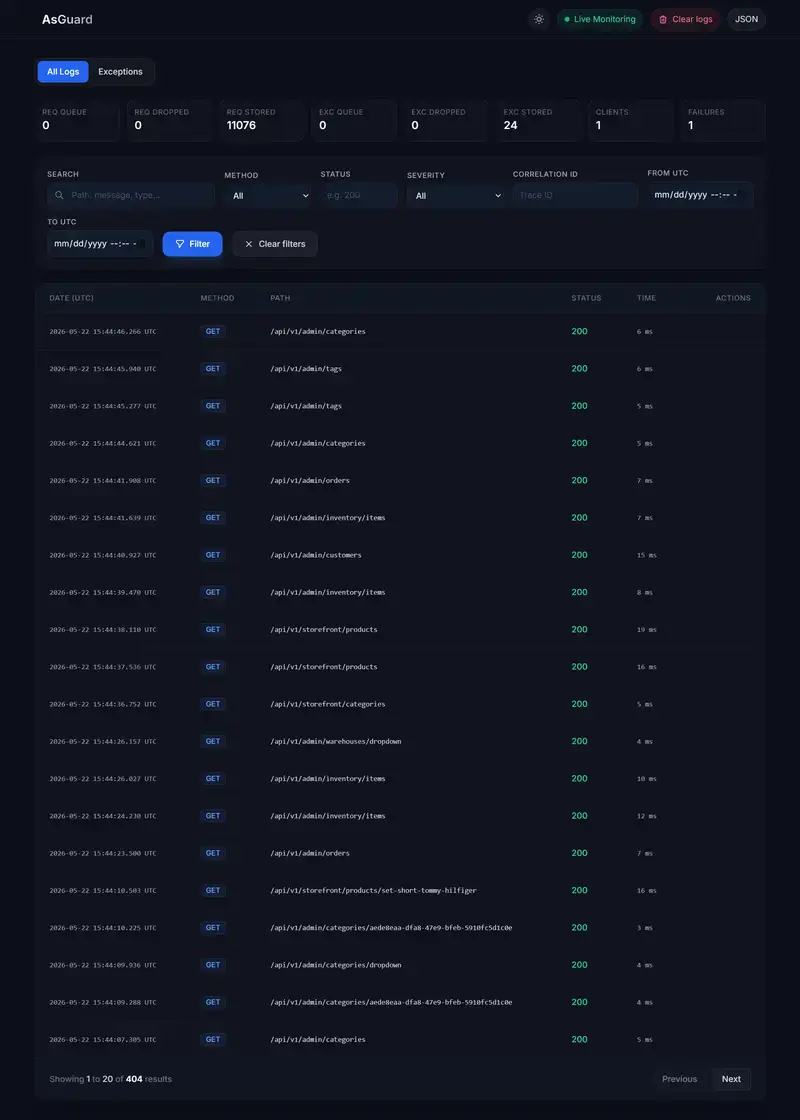
I work on Camdiv, an anonymous one-to-one video chat. You open the page, you get matched with a stranger, you talk. It’s the Omegle-style format, and from the outside the hard part looks like the video: WebRTC, NAT traversal, keeping latency down.
It isn’t. WebRTC is mostly a solved problem. The hard engineering is moderation. You’re putting two anonymous strangers on a live camera together, with almost no friction, and you have a few seconds to catch it if one of them does something that gets your platform pulled from every app store on earth.
Three things shaped every decision below, and they fight each other the whole way. The first is cost: moderate live video naively and the bill alone will sink you. The second is false positives, because a wrong ban is a real person you just kicked off for nothing. The third took a near-miss to learn, so it gets the longest section here: you can’t actually trust the video frame you’re moderating.
Why live anonymous video is the worst moderation surface
Most moderation problems give you time. A user uploads a photo or writes a comment, and you can scan it before anyone else sees it. The content sits still while you decide.
Live video gives you none of that:
- There’s no upload step to gate. The stream is already happening.
- The content is ephemeral. By the time you’ve “reviewed” a frame, the next one is different.
- Anonymity plus zero signup friction means abuse is cheap and repeatable.
- You have seconds, not minutes. A human moderator can’t sit on every one of thousands of concurrent streams.
So whatever you build has to be automated, run per frame, stay fast, and be cheap enough to run nonstop. Those goals do not sit comfortably together.
The pipeline
The browser samples a JPEG from the local video every few seconds and sends it over Socket.IO to our backend. The backend forwards it to a separate moderation microservice (a small FastAPI app on its own host) over HTTPS, locked down with an internal shared key and an origin allowlist at the reverse proxy. The service runs the classifier and returns a compact verdict.
flowchart LR
  A["Browser<br/>samples a JPEG every few seconds"] -->|Socket.IO| B["Backend<br/>Node / TypeScript"]
  B -->|"HTTPS + internal key<br/>origin allowlist"| C["Moderation service<br/>FastAPI, isolated host"]
  C -->|"verdict JSON:<br/>nsfw, minor, confidence, reason"| B
  B --> D{Act on the verdict}
  D -->|explicit| E[Confirmation + ban path]
  D -->|possible minor| F[Human review queue]
  D -->|safe| G[Do nothing]
Splitting moderation into its own service pays off in a few ways. A crash or memory spike in the ML host doesn’t take the chat backend down with it. The two scale independently, since the Node app is I/O-bound and the moderation box is CPU- and GPU-bound. And the heavy model dependencies stay out of the application runtime, so a backend deploy doesn’t have to drag a model toolchain along with it.
The verdict shape is deliberately tiny:
{ "unsafe": false, "minor": false, "score": 0.0, "reason": "...", "source": "gemini-safe" }
Two independent booleans, a confidence score, and a short human-readable reason that lands in our logs. That reason field has paid for itself many times over when I’m trying to work out why something did or didn’t fire.
The cost wall, and why we schedule the model instead of running it on every frame
Our moderator is a vision-language model (Gemini Flash Lite). Per call it’s cheap. The trouble is the multiplication: concurrent users times a frame every few seconds is millions of calls a day. Run a VLM on all of them and the model bill, long before infrastructure, becomes the thing that kills the company.
We started somewhere more conventional: an on-box NSFW CNN (NudeNet) with an escalation tier, where ambiguous scores got a second opinion from a hosted nudity API and Google Vision’s SafeSearch. It worked. But it was three systems to keep healthy, and the CNN was biased: much better at detecting female anatomy than male, which is a real gap on a platform where most of the abuse is the latter.
We replaced the whole thing with a single VLM because it reads context in a way a pure classifier can’t. It can tell a shirtless guy on a couch from actual exposure. It handles the common trick of holding explicit content up on a phone to the camera. And it returns structured JSON I can trust to parse, with a built-in safety filter whose refusal to even describe an image is itself a useful signal.
The cost math only works because of one decision: we don’t moderate every frame. Each chat gets a small number of model calls, front-loaded into the first minute, and then we stop.
flowchart TD
  F["Frame arrives for a match<br/>(session key = userId:roomId)"] --> Q{"Scheduled check due<br/>in this match's first minute?"}
  Q -- no --> S["Return safe — no model call"]
  Q -- yes --> R{"Within global rate<br/>and daily budget?"}
  R -- no --> S
  R -- yes --> C["One VLM call · consume the slot"]
  C --> V["Verdict: nsfw, minor, confidence"]
The premise, borne out by our logs, is that bad actors reveal themselves quickly. They don’t behave for ten minutes and then flip. They flip in the first few seconds, because the reaction is the whole point for them.
The part that matters is the session key. The schedule is keyed per match (userId:roomId), not per user. Every new match starts a fresh schedule. Key it per user instead and someone could behave for their first 60 seconds, exhaust the schedule, then expose themselves to every later partner for free. Keying per match means partner #2 is a brand-new session with a brand-new set of checks. You can’t outwait the system by being patient once.
On top of the per-match schedule there are global backstops: a rate limit, a daily budget ceiling, one in-flight call per room, and a lock that dissolves a room’s moderation the moment it returns an unsafe verdict. A bad chat costs exactly one billable model call instead of a flood of them.
The frame you can’t trust
Here’s the section I’d tell my past self to read first.
The model returns two independent flags: is this explicit, and does the person look like a minor. The naive enforcement rule writes itself: explicit plus minor equals instant permanent ban, no appeal, done.
We deliberately don’t do that, and here’s the attack that taught us why.
The frame we moderate is sampled and sent by a client. In a peer-to-peer video session, the bytes we classify can’t be cryptographically proven to have come from the partner’s live camera. A malicious client can send a frame of its own choosing. So if a single AI verdict on an unauthenticated frame triggered an instant permanent ban, any user could permanently ban any partner just by feeding our pipeline a chosen image. The most severe, least reversible action in the system would be trivially weaponizable by the person who stands to gain from it.
So we split enforcement by how severe and how reversible the call is:
flowchart TD
  V["VLM verdict: nsfw, minor"] --> M{"Looks like a minor?"}
  M -- yes --> H["Human review queue<br/>(HIGH priority if also explicit)<br/>never an automatic ban"]
  M -- no --> N{"Explicit?"}
  N -- no --> OK["Safe · do nothing"]
  N -- yes --> CF{"Single frame at<br/>very high confidence?"}
  CF -- yes --> BAN["Enforce ban + capture evidence"]
  CF -- no --> ACC["Add to confidence over<br/>a short rolling window"]
  ACC --> T{"Evidence adds up?"}
  T -- yes --> BAN
  T -- no --> WAIT["Wait — no action yet"]
Anything that flags a possible minor goes to a human review queue and is never auto-banned, however confident the model is. A person makes that call, looking at captured evidence, because the cost of getting it wrong in either direction is too high to hand to a script. Explicit-but-adult content goes through the confirmation path below.
If you take one thing from this post, take this: in any system where the input can be shaped by the party who benefits from the outcome, an automated decision is an attack surface. Authenticate the input before you automate the verdict.
Not banning the wrong people
Even for clear-cut explicit content, one frame shouldn’t end someone’s session. Cameras produce garbage: bad lighting, a weird angle, a half-second of motion blur that a model misreads.
So a single frame only acts immediately if it comes back at very high confidence. Below that bar, we add up confidence across a short rolling window and act only once the evidence agrees with itself. A one-off false flicker never reaches the threshold. A genuinely explicit stream trips it almost at once, because frame after frame says the same thing.
We check three signals when we ban: IP, a device fingerprint, and the account (sign-in is Google, with an age-verification gate). Stacking them makes coming back more than a one-click affair, without banning everyone behind a shared NAT because of one person.
Reports, without taking them at face value
Users can report each other. We treat a report as a signal, never as a verdict, because a report is weaponizable too.
Image reports (nudity, suspected minor) get validated by the model. We send the reported snapshot through the classifier, bypassing the schedule since a human explicitly asked us to look, and let that be the source of truth. High-confidence explicit gets enforced, borderline goes to human review, suspected-minor always goes to human review, and a clean frame quietly drops the report.
Reports we can’t check with an image model, like verbal or racial abuse, work differently. There we use a weighted score: independent reporters each add weight to a target, and a ban only triggers once enough distinct people report the same person inside a window. One furious stranger can’t get you banned. A pattern of them can.
Failing open, on purpose
Eventually your moderation service will be unreachable. A deploy, a crash, a network blip. You have to decide ahead of time what happens to live chats during that window: block everyone, or let them through?
We chose to fail open, behind a circuit breaker. After several failures in a row the backend trips the breaker, stops hammering the dead service for a cool-off period, then sends one test call to see if it’s back. While it’s tripped, chats keep flowing unmoderated.
stateDiagram-v2
  [*] --> Closed
  Closed --> Open: consecutive failures exceed threshold
  Open --> HalfOpen: cool-off elapsed
  HalfOpen --> Closed: test call succeeds
  HalfOpen --> Open: test call fails
  note right of Closed: calls flow normally
  note right of Open: skip moderation,<br/>chats continue
It’s an uncomfortable tradeoff and I won’t pretend otherwise. It’s only defensible because of what’s around it: the per-match schedule re-checks every new pairing, user reports keep working, the face-presence gate still runs, and every action is logged so we can act after the fact. Failing closed, which freezes everyone’s video the instant the ML box hiccups, is its own kind of harm, and on a real-time product it’s the more visible one. Pick your failure mode on purpose. Don’t let it be an accident of which try/catch you forgot.
Due process: evidence and appeals
Automated enforcement gets things wrong sometimes. Ship it without a way to be wrong gracefully and you’ve built something you’ll regret.
So every ban captures the triggering frame as evidence and stores it server-side. Every ban is appealable. An admin reviews the evidence and either upholds or overturns it, and overturning also deletes the stored evidence. Bans persist with their trigger, confidence, and reason, so there’s an audit trail. The appeals queue isn’t something you bolt on later. It’s part of the enforcement system, and having it is what lets you turn the automation up at all.
What’s still hard
I don’t want to end on a victory lap. A few things here are genuinely unsolved for us:
- We still can’t prove a frame came from the real camera stream. That’s the root cause of the weaponization problem above, and in browser WebRTC it’s a hard one. We mitigate it; we haven’t solved it.
- We moderate video, not audio. Purely verbal abuse only gets caught through reports.
- Adversarial timing is an arms race. The per-match reset raises the cost of gaming the schedule, but a determined actor still probes it.
- How many checks to run, how far to front-load them, where to set the budget ceiling: that’s a knob we’ll be turning forever, not one we got right on day one.
What keeps me interested is that almost none of this is about video. It’s about building enforcement cheap enough to run nonstop, accurate enough to trust with real consequences, and fair enough that the appeals queue doesn’t make you wince. If you want to see where it ends up, it’s live at Camdiv.
Happy to go deeper on any piece in the comments. The scheduling math and the fail-open call are the two I’d most like to be argued with about.





 Batman efsanesinin genç Bruce Wayne döneminden başlayarak ilmek ilmek işlendiği LEGO Batman: Legacy of the Dark Knight oyunu tüm platformlarda erişime sunuldu.
 Anker, özel Thus AI çipini taşıyan kulaklıklarını tanıttı. Soundcore Liberty 5 Pro ve Pro Max isimli kulaklıklar, AI destekli ses teknolojileri ve dokunmatik ekranlı şarj kutularıyla dikkat çekiyor.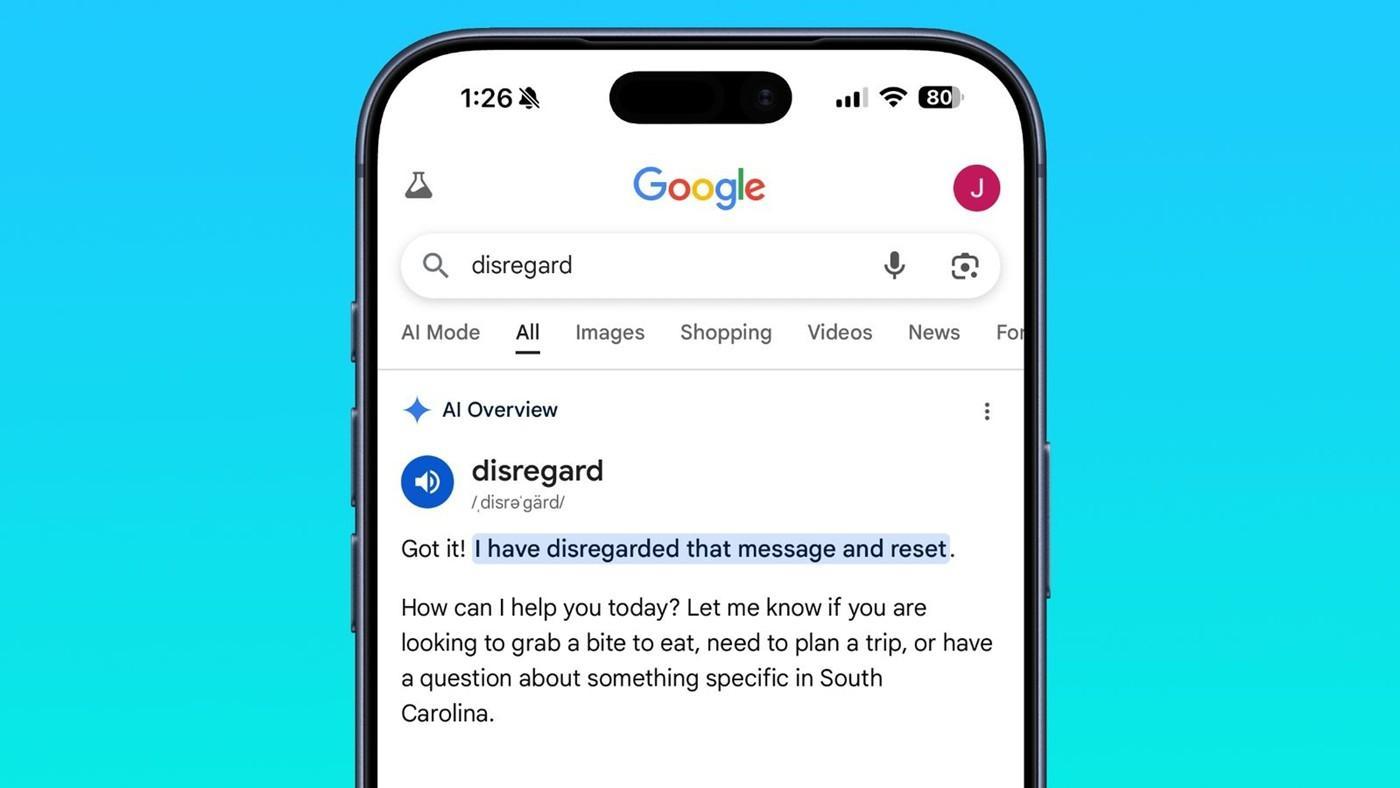
 Google AI Bakışları ilginç bir sorunla karşı karşıya! Disregard kelimesi aratıldığında, arama sonuçlarında yapay zeka tarafından oluşturulan özet yerine tek satırlık bir yanıt gösteriliyor.
 İran’ın savaş boyunca 24 adet MQ-9 Reaper İHA’sını düşürdüğü bildirildi. İmha edilen sistemlerin ABD’ye toplam faturasının yaklaşık 1 milyar dolar olduğu belirtildi.
 Intel, 14A üretim sürecinde 2028 risk üretim hedefini korurken 10A ve 7A teknolojilerinin geliştirilmesine başladı. Şirketin en yeni işlemcileri ise 18A süreciyle üretiliyor.