Keep Your Taste

I know I said I was going to keep writing about concepts I use every day as a frontend engineer. Previously, I wrote about things like SPA routing, client-side vs server-side rendering, CDNs and all that good stuff. Life happened, a month went by, and honestly my workflow changed so much that it felt wrong to just jump back in without talking about it first.

Not that I stopped learning or building, far from it actually, but the way I approach features and fixes now is very different from what it used to be, mostly because of AI tools like Claude Code.

These days, I spend more time supervising code than actually typing every line myself.

At first, that feeling messed with me a little bit to be honest. It almost felt like I was cheating the process somehow. Like, if I’m no longer manually implementing every single thing, what exactly is my role now?

But after a lot of reflection, I’m starting to understand that engineering was never just about repetitive implementation. We were primarily created to think. To make decisions. To identify tradeoffs. To know why something should exist and what approach makes the most sense.

One thing AI does brilliantly though is helping ideas move from zero to one very quickly.

Previously, you could have an idea, think deeply about it, maybe even start building it, then life happens. Work happens. Priorities change. Maybe you just lack discipline (sarrry sarrry 😭) and the project just ends up in the dump of unfinished side projects.

I think a lot of engineers can relate to that.

I got an idea a few months ago that was very personal to me. I started actively taking notes during church services and events, but I noticed I rarely went back to read them. Sometimes the next time I opened a note was the next Sunday.

Discipline issue? Maybe. But I started thinking the real problem was visibility. It’s easy to forget things you never see again.

So I built something. A reminder based mobile app that resurfaces my notes intentionally throughout the week.

And building it was the first time I really felt what AI in a workflow actually means.

I had the idea, I knew the problem, AI helped me move fast on implementation. It gave me a solid template to work with. But decent wasn’t enough. My experience with UX meant I could look at what it gave me and immediately know what felt off. Certain flows weren’t natural. Some interactions didn’t match how users actually behave. So I made the adjustments, not because AI did a bad job, but because I already had a standard in my head.

That’s when I really started understanding taste.

And honestly the code AI produces is very decent my bro 😭

Decent enough that if you’re not careful, you stop thinking deeply about the decisions being made. Sometimes I catch myself just accepting changes quickly without really sitting down to understand if it’s actually the best approach.

But a colleague told me something recently that stuck. He said one thing AI will not take away from engineers is taste.

For me, taste is feeding your mind well enough to make sound judgments. Experiencing enough to know what good actually looks like. Because AI can generate templates but taste is what takes things from generic to actually good.

There has to be a standard in your head already, otherwise AI becomes the standard, and that guy can give some very generic stuff 😭

And honestly staying open minded is not a bad thing. It exposes you to a lot. The good stuff, the bad stuff, all of it. And that’s actually how taste gets built. You have to see what doesn’t work to know what does. So when AI puts something in front of you, you already know.

Thinking gives you something to drive towards. Leave your mind completely open and you will accept anything. That’s what taste protects you from.

So yeah, let’s keep building our taste, keep building things, and keep growing into better builders.

Till I come across something again… see you soon. Byeee 👋

I Built chanprobe Because My Go Queues Were Invisible

I like Go channels.

They are one of those language features that feel simple in the best possible way.

You can write something like this:

jobs := make(chan Job, 1024)

go func() {
    for job := range jobs {
        process(job)
    }
}()

And for a lot of cases, that is enough.

Clean, readable, idiomatic.

But after using channels in real services, I kept running into the same uncomfortable problem:

once a channel becomes part of your production pipeline, it also becomes a place where latency can hide.

And native channels do not tell you much.

You can check:

len(jobs)
cap(jobs)

But that is basically it.

That tells you how many items are buffered right now, but it does not answer the questions I usually care about when something is slow.

For example:

Is the producer blocked?
Is the consumer too slow?
How long does an item wait before processing?
Did we drop anything?
When did backpressure start?
Which internal queue is causing the delay?

That is why I started building chanprobe.

Repository:

github.com/devflex-pro/chanprobe

The kind of problem I wanted to solve

Imagine a service that delivers webhooks.

The flow is simple:

HTTP request -> validate -> enrich -> queue -> deliver to customer

Somewhere in the middle, there is usually a channel:

deliveryQueue := make(chan WebhookJob, 10_000)

This works fine until customers start saying:

“Sometimes webhooks arrive 30 seconds late.”

At that point, you start looking around.

CPU looks fine.

Memory looks fine.

The database is not obviously slow.

Logs do not show errors.

The service is not crashing.

But something is still wrong.

One possible explanation is that the delivery workers are slower than the producers. The queue starts filling up. Jobs spend more and more time waiting before a worker picks them up. Eventually, your latency is not in the database or in the network.

It is sitting inside an in-memory channel.

With a normal channel, I can inspect the current length:

fmt.Println(len(deliveryQueue))

But that does not tell me how long the oldest job has been waiting.

And for production debugging, this difference matters a lot.

This is useful:

queue length: 8241 / 10000

But this is much more useful:

oldest item age: 37s

Because now I know that at least one job has already waited 37 seconds before processing.

That is not just a metric.

That is an explanation.

What I wanted the API to feel like

I did not want to build a huge framework.

I also did not want to replace every channel in a Go codebase.

I wanted something explicit that I could use at important async boundaries.

Something like this:

jobs := chanprobe.New[Job]("webhook_delivery", 10_000)

if err := jobs.Send(ctx, job); err != nil {
    return err
}

job, ok := jobs.Recv(ctx)
if !ok {
    return
}

process(job)

The queue has a name, because names matter in observability.

I do not want to know that “some goroutine is blocked on channel send”.

I want to know that webhook_delivery is full, or that email_sender is dropping work, or that image_resize has items waiting for 12 seconds.

Basic usage

Here is a small example:

package main

import (
    "context"
    "fmt"

    "github.com/devflex-pro/chanprobe"
)

func main() {
    ctx := context.Background()

    jobs := chanprobe.New[string]("jobs", 1024)
    defer jobs.Close()

    if err := jobs.Send(ctx, "hello"); err != nil {
        panic(err)
    }

    job, ok := jobs.Recv(ctx)
    if !ok {
        return
    }

    fmt.Println("processed:", job)
}

This is intentionally boring.

The interesting part is not that it can send and receive values.

Channels already do that.

The interesting part is that the queue can describe what is happening inside it.

snapshot := jobs.Snapshot()

fmt.Printf("name: %sn", snapshot.Name)
fmt.Printf("len: %dn", snapshot.Len)
fmt.Printf("cap: %dn", snapshot.Cap)
fmt.Printf("sent: %dn", snapshot.SentTotal)
fmt.Printf("received: %dn", snapshot.ReceivedTotal)
fmt.Printf("dropped: %dn", snapshot.DroppedTotal)
fmt.Printf("oldest item age: %sn", snapshot.OldestItemAge)

In a real service, this gives me a much better starting point during debugging.

Instead of guessing where latency lives, I can ask the queue directly.

Context-aware send and receive

One thing I wanted from the beginning was context support.

With a native channel send, this can block forever:

jobs <- job

Of course, you can write a select manually:

select {
case jobs <- job:
    return nil
case <-ctx.Done():
    return ctx.Err()
}

That is fine, but if every important queue needs the same behavior, I prefer to make it part of the abstraction.

With chanprobe:

if err := jobs.Send(ctx, job); err != nil {
    return err
}

And receiving is similar:

job, ok := jobs.Recv(ctx)
if !ok {
    return
}

For me, this is less about saving a few lines of code and more about making queue behavior consistent across the project.

Drop policies

Not every queue should block forever when it is full.

Sometimes blocking is correct.

For example, if every job must be processed, backpressure should probably propagate to the producer.

Sometimes dropping the newest item is correct.

For example, if the system is overloaded and new work can be rejected.

Sometimes dropping the oldest item is correct.

For example, if you only care about the latest state and old queued values are already stale.

So chanprobe supports different policies.

The default policy is blocking:

jobs := chanprobe.New[Job]("jobs", 1024)

You can also choose DropNewest:

jobs := chanprobe.New[Job](
    "jobs",
    1024,
    chanprobe.WithDropPolicy(chanprobe.DropNewest),
)

Or DropOldest:

jobs := chanprobe.New[Job](
    "latest_events",
    1024,
    chanprobe.WithDropPolicy(chanprobe.DropOldest),
)

The point is not that one policy is better than another.

The point is that queue behavior should be intentional.

If work can be dropped, I want that to be visible.

If producers are blocked, I want that to be visible too.

What the queue can tell you

A snapshot contains things like:

type Snapshot struct {
    Name              string
    Len               int
    Cap               int
    Closed            bool

    SentTotal         uint64
    ReceivedTotal     uint64
    DroppedTotal      uint64

    SendBlockedTotal  uint64
    RecvBlockedTotal  uint64

    SendWaitTotal     time.Duration
    RecvWaitTotal     time.Duration
    ItemWaitTotal     time.Duration

    OldestItemAge     time.Duration
}

The fields I personally care about most are usually not Len and Cap.

They are useful, but they are not enough.

The more interesting fields are:

snapshot.OldestItemAge
snapshot.DroppedTotal
snapshot.SendBlockedTotal
snapshot.SendWaitTotal
snapshot.ItemWaitTotal

Because they explain behavior.

If DroppedTotal is growing, the system is losing work.

If SendBlockedTotal is growing, producers are being slowed down.

If OldestItemAge is high, queue latency is becoming part of user-visible latency.

That is the signal I wanted.

Debugging with expvar

I wanted the core package to stay lightweight.

I did not want to force Prometheus, OpenTelemetry, or any other dependency on users.

So the first built-in exporter is based on expvar.

Example:

package main

import (
    "net/http"

    "github.com/devflex-pro/chanprobe"
)

func main() {
    chanprobe.PublishExpvar("chanprobe", nil)

    http.ListenAndServe(":8080", nil)
}

Then you can inspect:

curl http://localhost:8080/debug/vars

This is not meant to be the final observability story for every production system.

It is just a simple way to expose what the queues know.

Prometheus and OpenTelemetry exporters can live separately without making the core package heavier.

Why not just use pprof or runtime/trace?

I use those tools too.

They are extremely useful.

But I see them as solving a slightly different problem.

pprof and runtime/trace help me understand what the Go runtime is doing.

chanprobe is more application-level.

It is not trying to tell me only that goroutines are blocked.

It is trying to tell me which named queue is responsible.

There is a big practical difference between these two statements:

some goroutines are blocked on channel send

and:

webhook_delivery is 98% full and the oldest item has been waiting for 37s

The second one is much closer to the way I debug real services.

What I intentionally did not build

I deliberately avoided the “clever” version of this project.

There is no unsafe.

There is no runtime monkey-patching.

There is no attempt to resize Go channels magically.

There is no global goroutine scanning.

There is no promise that this is faster than channels.

Actually, it should be obvious: this adds instrumentation, so it has overhead.

That is why I would not use it everywhere.

I would use it only where queue visibility is worth the cost.

For small internal coordination channels, native Go channels are still perfect.

For important queues in production pipelines, I want more information.

What I learned while building it

The hardest part was not making a queue.

The hard part was deciding what behavior should be explicit.

What should happen when the queue is full?

Should send block or fail?

What should happen after close?

Should existing items still be receivable?

What exactly counts as a dropped item?

Which metrics are actually useful, and which ones are just noise?

I also realized that a queue is not just an implementation detail.

In many services, it is part of the system’s behavior.

It can hide latency.

It can create backpressure.

It can drop work.

It can make producers slow.

It can make consumers look fine while users are waiting.

If a queue can affect production behavior, I think it deserves observability.

Current status

chanprobe currently has:

generic bounded queues
context-aware Send and Recv
non-blocking TrySend and TryRecv
drop policies
snapshots
registry
expvar support
examples
tests
benchmarks

The repository is here:

github.com/devflex-pro/chanprobe

It is still small, but already useful enough to try in real Go services.

My next ideas are a Prometheus exporter, better examples, and maybe more detailed latency metrics without making the core package too heavy.

If you have Go services with worker pools, event pipelines, background jobs, or internal queues, I would be curious to hear if this kind of visibility would help you debug production issues faster.

Building a Live Solana TPS Meter with OrbitFlare’s TypeScript SDK

Every Solana dashboard tells you the network’s TPS. None of them tell you how busy the one program you care about is right now. Did Pumpfun cool off after a launch? Is Raydium spiking? Is the program your bot listens to still alive in the last 30 seconds? You’re stuck picking between a smoothed-out aggregate or a paid dashboard that refreshes once a minute.

The smallest thing that answers the question directly is below. Point it at any Solana program, get a live transactions-per-second gauge in the terminal with a recent-signatures tape under it. One TypeScript file, less than 100 LoC, runs in a terminal, built on @orbitflare/sdk.

jetstream tx rate: pumpfun (6EF8rrec...)
chain slot:        421442130

last 1s:     14 tx/s
last 10s:    9.7 tx/s avg

recent signatures:
   0.1s ago  slot 421442129  4bpPQBUHmobNJ4SS9ETLaMwY...
   0.4s ago  slot 421442128  Gsi3P32j6h9Yx3ce1gfHR5Pa...
   0.7s ago  slot 421442128  55AWdcey9N1WTYkmQDXPeKHD...
   ...

Full source: github.com/orbitflare/jetstream-tx-rate.

The honest meter problem

The meter could be built with one Jetstream subscription: filter on the program, count transactions per second. That gets done in 50 lines. The problem only shows up the first time the program goes quiet for ten seconds. The meter reads zero. So does the signature tape. And now there’s no way to know whether the program is actually idle or whether the SDK silently lost the connection three minutes ago.

The fix is one extra subscription on a second transport. WebSocket slotSubscribe() ticks every ~400ms whether anything is happening or not, because the chain itself never stops.

The clients

import { JetstreamClientBuilder } from '@orbitflare/sdk/jetstream';
import { WsClientBuilder } from '@orbitflare/sdk/ws';

const jet = new JetstreamClientBuilder()
  .url('http://jp.jetstream.orbitflare.com')
  .build();

const ws = await new WsClientBuilder()
  .url('ws://ams.rpc.orbitflare.com')
  .build();

That’s it for setup. Jetstream needs no api key. WebSocket picks one up from ORBITFLARE_LICENSE_KEY if set.

The two subscriptions

WebSocket pipes the chain slot into a shared variable. One callback, no state machine:

let currentSlot = 0;
const slotSub = await ws.slotSubscribe();
slotSub.on((s) => {
  if (typeof s?.slot === 'number') currentSlot = s.slot;
});

Jetstream gets the transaction firehose, filtered server-side to just the program of interest. for await drains it and stamps each arrival:

const stream = jet.subscribe({
  transactions: {
    target: {
      accountInclude: [],
      accountExclude: [],
      accountRequired: [program],
    },
  },
  accounts: {},
  ping: { id: 1 },
} as any);

const arrivals: number[] = [];
const recent: { slot: number; sig: string; at: number }[] = [];

for await (const u of stream) {
  const sig = u.transaction?.transaction?.signature;
  if (!sig) continue;
  const now = Date.now();
  arrivals.push(now);
  recent.unshift({ slot: Number(u.transaction!.slot), sig: bs58.encode(sig), at: now });
  if (recent.length > 10) recent.length = 10;
}

The accountRequired filter is the load-bearing piece. It tells the Jetstream server to only ship transactions where the program is in the account list, so the bandwidth that reaches the laptop is already the data that matters. No client-side filtering, no wasted parsing.

Two pieces of state, both trivial. arrivals is a list of millisecond timestamps the renderer reads to compute rates. recent is a 10-element ring of the most recent signatures, kept in arrival order, displayed as a scrolling tape under the gauge.

The renderer

Every second, the renderer does three things. First it drops any timestamp older than 10 seconds from arrivals. Then it counts: how many timestamps in the last 1 second (that’s the instantaneous rate), and the total count divided by 10 (that’s the rolling 10-second average). Finally it clears the screen with an ANSI escape and prints the dashboard.

function render(): void {
  const now = Date.now();
  while (arrivals.length && now - arrivals[0]! > 10_000) arrivals.shift();
  const last1s = arrivals.filter((t) => now - t <= 1_000).length;
  const last10sAvg = arrivals.length / 10;

  process.stdout.write('x1B[2Jx1B[H');
  console.log(`jetstream tx rate: ${label} (${program.slice(0, 8)}...)`);
  console.log(`chain slot:        ${currentSlot}n`);
  console.log(`  last 1s:  ${String(last1s).padStart(5)} tx/s`);
  console.log(`  last 10s: ${last10sAvg.toFixed(1).padStart(5)} tx/s avgn`);
  console.log('recent signatures:');
  for (const r of recent) {
    const age = Math.max(0, (now - r.at) / 1000).toFixed(1);
    console.log(`  ${age.padStart(4)}s ago  slot ${r.slot}  ${r.sig.slice(0, 24)}...`);
  }
}

setInterval(render, 1_000);
render();

Running it

git clone https://github.com/orbitflare/jetstream-tx-rate.git
cd jetstream-tx-rate
npm install
npm start pumpfun       # or raydium, jupiter, or any raw program id

Signatures land within a second of the first run. Watching Pumpfun for five minutes shows it idling around 8-15 tx/s on a slow afternoon and spiking to 50-80 when a launch hits. Raydium runs lighter on average but every big swap is a visible jolt. Any program ID on Solana gets the same view of how busy it actually is, not how busy it averages out.

What this tiny snippet doesn’t have to do

Reconnects, regional failover, api-key scrubbing, ping/pong liveness, the protobuf wire format, the WebSocket re-subscribe dance after a drop. The SDK handles all of it the same way across both transports. None of it shows up in the source. What’s left is a filter, a callback, and the rendering math.

That’s the trade. And a good one. Use the SDK’s plumbing, write the part that’s actually yours.

Resources

  1. Full source: github.com/orbitflare/jetstream-tx-rate
  2. @orbitflare/sdk on npm
  3. SDK docs

Security news weekly round-up – 22nd May 2026

Security lapses, an almost a decade-old vulnerability are among the topics that we’re going to review this week. From all the articles that we’ll review, one thing is common: humans are not perfect and sometimes we need constant reminders to let us know what to do and when to do it.

9-Year-Old Linux Kernel Flaw Enables Root Command Execution on Major Distros

I would like to know the cause behind the surge of Linux vulnerabilities in the past few months. We have had CopyFail, Dirty Frag, Fragnesia, and now this? Does it have anything related to Anthropic’s Mythos? Anything? Let me know in the comments section.

Now, speaking of the article. The title is a good summary of the vulnerability, and the following excerpt tells you more:

The vulnerability, tracked as CVE-2026-46333 (CVSS score: 5.5), is a case of improper privilege management that could permit an unprivileged local user to disclose sensitive files and execute arbitrary commands as root on default installations of several major distributions like Debian, Fedora, and Ubuntu.

Scammers are abusing an internal Microsoft account to send spam links

This type of incident reminds me of the following: always verify everything you read in your email even if it appears to come from a “trusted” source. Imagine seeing an email that appears to be from MSFT and it’s from scammers!

From the article:

This is the latest in a rash of incidents in which hackers or scammers have abused company systems to trick unsuspecting customers in recent months. Earlier this year, hackers broke into a platform used by fintech firm Betterment to send out fraudulent notifications that purported to triple the value of any crypto users send in — a widely known scam used to steal people’s cryptocurrency.

How to Protect Identities and Sessions from Infostealers

Infostealers. I don’t know what to say. This blog from CrowdStrike details the danger they pose to your system, your life, and how to protect yourself.

From the article:

An infostealer is a type of malware specifically designed to do what its name suggests: steal sensitive information. Often deployed through phishing emails, malicious downloads, compromised websites, or exploited vulnerabilities

The impact of an infostealer attack can be devastating. Because infostealers quietly extract sensitive data, organizations often remain unaware until significant damage has been done.

CISA Admin Leaked AWS GovCloud Keys on Github

When I saw the article’s title, I read it all. I kept wondering: how did it happen? I mean, you work for CISA and you put stuff like this in a public GitHub repo and ironically you name it “Private CISA”. This is beyond me.

From the article:

One of the exposed files, titled “importantAWStokens,” included the administrative credentials to three Amazon AWS GovCloud servers. Another file exposed in their public GitHub repository — “AWS-Workspace-Firefox-Passwords.csv” — listed plaintext usernames and passwords for dozens of internal CISA systems.

I honestly believed that it was all fake before analyzing the content deeper. This is indeed the worst leak that I’ve witnessed in my career.

Why geopolitical turmoil is a gift for scammers, and how to stay safe

When something is happening in the world and it’s everywhere like in the news, the papers, e.t.c., you name it. Scammers tend to use such situations to compromise unsuspecting users. That’s why you need to control or should I say keep your emotions “in check” when global events happen. Whether you like what’s going on or not, do not be quick to react when you’re online or offline.

From the article:

A good rule of thumb is never to click on links or open attachments in unsolicited messages, even if they look convincing and appear as if sent from a trusted source.

If you really want to know if it’s a genuine message or not, check independently with the sender; i.e., don’t reply directly or use contact details in the message itself. Or if it’s a news story, go direct to your favored news outlet.

Be cautious of social media accounts, especially those that appear to be customer service accounts for airlines and the like. These are easier than you’d think to set up and platform providers are always a step behind in taking them down.

Credits

Cover photo by Debby Hudson on Unsplash.

That’s it for this week, and I’ll see you next time.

When Stress Disguises Itself as Rational Planning (Bite-size Article)

Introduction

Hello. Today, I want to write a short article about something I recently noticed while working. This is partly a note to myself, and partly a reminder.
Over the past few weeks, I had been feeling a little overwhelmed by everything I needed to do.
Every day, I had the feeling that things were not moving forward the way I wanted. When I looked back on the weekend, I found that many of the things I had expected to finish were still unfinished. But I could not clearly tell what the actual problem was.
I vaguely felt that I needed to change something, so I tried adjusting my task management, changing my schedule, and tweaking different parts of my workflow. But nothing really changed.

Looking Back, I Noticed the Real Problem

So the other day, I decided to take some time and look back at several days that had not gone well.
As I reviewed them, I noticed a common pattern. On those days, I had almost always added something unexpected to my schedule during the day. And the trigger was usually the moment when I felt that I was already slightly behind.
In other words, every time I felt behind, I was unconsciously trying to catch up.

When I think about it now, this was a reaction to stress. But in that moment, I did not feel like I was stressed at all.
“If I make some progress on this today, I can recover a little bit of the delay.”

When I thought that way and acted on it, it felt like a calm and realistic decision.

I did not think stress was driving my judgment. I thought I was simply looking at the situation and adjusting my plan rationally.

Looking back, it seems obvious. But in the moment, I did not notice it at all.

The Loop I Found

As I continued reflecting on it, I started to see a pattern.

I fall a little behind
↓
I think, “I should be able to catch up a little”
  ※ At this point, it feels like a rational decision
↓
The plan becomes unrealistic, so I either cannot finish it or the quality drops
↓
I fall further behind
↓
I feel stressed again

The problem was not just falling behind itself. The real issue was that the stress created after falling behind disguised itself as “rational judgment,” and I kept pushing myself without realizing it.

Why Putting It Into Words Helps

At first, I thought the way to break this loop was to become the kind of person who does not feel stressed when plans fall behind. But that is difficult to do in a short period of time.

What felt more realistic was to pause when I noticed the stress.

More specifically, to put it into words.

  • “Maybe I am feeling stressed because I am behind.”

  • “Is this really something I need to do today, or am I just trying to catch up?”

When you feel overwhelmed by too many tasks, “putting it into words” may not seem directly related to the problem. It does not reduce the number of tasks. It does not erase the delay.
But in this case, the problem was happening at the cognitive level. Stress was mixing into my judgment unconsciously. If that is the case, the intervention also needs to happen at the cognitive level.

Putting the feeling into words is a way to make the stress visible. Once it becomes visible, it becomes easier to notice when I am being pulled into it.

Conclusion

When things are not going well, I quickly start thinking, “I need to change my method.” But this time, I realized that the issue was one step before that.

I thought I was making decisions, but I was actually being moved by stress. Noticing that “I thought I was being rational” may be the turning point.
The next time I feel the same way, I want to first put into words what I am reacting to. That alone may help me act a little differently.

As a side note, the thing that helped me notice this stress was a conversation with Claude. I think the same thing could probably happen by talking to another person.
When I tried to explain the situation I was stuck in, I finally started to see what I had been reacting to. I wrote in this article that putting stress into words makes it visible, but in fact, the reason I started writing this article was that I had already experienced that process.
Depending on the AI tool and how you use it, talking to AI can be a relatively easy option when it feels hard to talk to someone else, or when your thoughts are too messy to organize on your own. If you ever feel similarly overwhelmed, you might try explaining the situation to an AI and checking whether stress has quietly mixed into your judgment or actions.

Thank you for reading.

A Domain-Driven Notification Microservice — Patterns From Production

Notifications start small. “Send the user an email when their order ships.” A function. A library. Done.

A year later, you have email, SMS, push, in-app, Slack, and Microsoft Teams. You have user preferences per channel. You have quiet hours, batching, throttling, and a “do not disturb” mode. You have unsubscribe links and bounce handling. You have analytics on open rates and template-level metrics. You have multi-language templates and timezone-aware scheduling.

What started as a function is now a system. If you keep it as a sprawling collection of sendEmail and sendSlack helpers across your codebase, that system will eat your engineering team alive.

This is the shape of the notification microservice I built (and have rebuilt twice). The pattern isn’t novel — it’s domain-driven design applied to notifications — but the specifics matter.

The core insight

A notification has three distinct concerns:

  1. What happened in the business — “order placed,” “user mentioned,” “invoice overdue.” This is a domain event.
  2. What kind of message to send — “transactional email,” “high-urgency push,” “Slack mention.” This is a delivery policy.
  3. How to actually send it — “render this template, then call the email provider’s API.” This is a channel adapter.

Most codebases collapse all three into one function:

async function sendOrderShippedEmail(orderId: string, userId: string) {
  const user = await getUser(userId)
  const order = await getOrder(orderId)
  const html = renderTemplate('order-shipped', { user, order })
  await sendgrid.send({ to: user.email, subject: 'Your order shipped', html })
}

This function knows about the domain event, the message type, and the channel. Three concerns. One function. Each one will change for different reasons, and changes will ripple across all the call sites.

The DDD-shaped version separates them.

Domain events

The business code emits an event. It doesn’t know or care how the notification gets delivered.

// In your order service
await eventBus.publish({
  type: 'order.shipped',
  occurredAt: new Date().toISOString(),
  data: {
    orderId: order.id,
    userId: order.userId,
    trackingNumber: order.trackingNumber,
  },
})

This is a fire-and-record operation. The order service is done. It moves on. The event lands in your event bus (BullMQ, Kafka, NATS, whatever).

The notification service consumes events. Its job is to translate “order.shipped” into “a transactional email to the user with this template.”

Notification preferences

The user’s preferences live in a separate domain. They might be stored in the notification service’s database or in a profile service — doesn’t matter, as long as they’re queryable:

type UserNotificationPreferences = {
  userId: string
  channels: {
    email: { enabled: boolean; address: string }
    sms: { enabled: boolean; number?: string }
    push: { enabled: boolean; deviceTokens: string[] }
    slack: { enabled: boolean; userId?: string }
  }
  perEventType: Record<string, {
    channels: ('email' | 'sms' | 'push' | 'slack')[]
    enabled: boolean
  }>
  quietHours: { start: string; end: string; tz: string } | null
}

When the notification service receives order.shipped, it looks up the user’s preferences. The user has email enabled, SMS enabled, push enabled — but for this event type (order.shipped), they’ve only chosen email. So the service sends one email.

This decoupling is crucial. The business code emits one event. The notification service decides what to do with it based on user preferences. The user can change their preferences without anyone touching the business code.

The dispatcher

The middle layer is a dispatcher that:

  1. Consumes an event.
  2. Looks up the user’s preferences.
  3. Decides which channels to deliver on.
  4. For each channel, builds a delivery job and queues it.
type Channel = 'email' | 'sms' | 'push' | 'slack'

class NotificationDispatcher {
  async handle(event: DomainEvent) {
    const userId = (event.data as any).userId
    if (!userId) return

    const prefs = await this.prefsRepo.findByUserId(userId)
    if (!prefs) return

    const eventPrefs = prefs.perEventType[event.type]
    if (!eventPrefs?.enabled) return

    const now = new Date()
    const channels = this.filterByQuietHours(eventPrefs.channels, prefs, now)

    for (const channel of channels) {
      await this.deliveryQueue.add('deliver', {
        eventType: event.type,
        userId,
        channel,
        eventData: event.data,
        scheduledAt: now.toISOString(),
      })
    }
  }

  private filterByQuietHours(
    requested: Channel[],
    prefs: UserNotificationPreferences,
    now: Date
  ): Channel[] {
    if (!prefs.quietHours) return requested
    const isQuiet = isWithinQuietHours(now, prefs.quietHours)
    if (!isQuiet) return requested
    // During quiet hours, only allow non-disruptive channels (e.g., email/in-app)
    return requested.filter(c => c === 'email' || c === 'in-app')
  }
}

The dispatcher is pure routing logic. It doesn’t render templates. It doesn’t call any provider. It just figures out which channels to deliver on and queues delivery jobs.

Channel adapters

Each channel is a separate worker that consumes jobs from the delivery queue and dispatches to its specific channel.

class EmailDeliveryWorker {
  async handle(job: DeliveryJob) {
    if (job.channel !== 'email') return

    const user = await this.userRepo.findById(job.userId)
    const prefs = await this.prefsRepo.findByUserId(job.userId)
    if (!user || !prefs?.channels.email.enabled) return

    const template = await this.templateRepo.find(job.eventType, 'email')
    const rendered = await this.renderer.render(template, {
      user,
      ...job.eventData,
    })

    await this.emailProvider.send({
      to: prefs.channels.email.address,
      from: rendered.from,
      subject: rendered.subject,
      html: rendered.html,
      text: rendered.text,
      headers: {
        'X-Event-Type': job.eventType,
        'X-User-Id': job.userId,
        'List-Unsubscribe': `<${this.unsubscribeUrl(job.userId, job.eventType)}>`,
      },
    })

    await this.deliveryLog.record({
      userId: job.userId,
      channel: 'email',
      eventType: job.eventType,
      sentAt: new Date().toISOString(),
      provider: this.emailProvider.name,
    })
  }
}

The email worker knows about:

  • The user (to get their address).
  • The template store (to find the right template for this event type and channel).
  • The renderer (to fill in the template).
  • The email provider (to actually send).

It doesn’t know about Slack, SMS, push, or any business logic. If I want to add a new channel, I add a new worker. The dispatcher already knows how to route to it (the channel is just a string in the job).

Templates as first-class entities

A template store is its own small domain. Each template has:

  • An event type it’s for (order.shipped).
  • A channel it’s for (email, sms).
  • A language (en, de, fr).
  • A version (so changes are auditable).
  • The actual template content (HTML, plain text, Markdown).
type Template = {
  id: string
  eventType: string
  channel: Channel
  language: string
  version: number
  subjectTemplate?: string       // for email
  bodyTemplate: string
  format: 'html' | 'markdown' | 'plain'
  createdAt: string
  active: boolean
}

The renderer takes a template and a context object and produces a rendered message. Use a templating library that has a sandboxed mode (Handlebars’s strict mode, for example) — you do not want template authors writing arbitrary JS that gets executed during rendering.

class Renderer {
  async render(template: Template, context: Record<string, any>): Promise<Rendered> {
    const compiled = Handlebars.compile(template.bodyTemplate, { strict: true })
    const body = compiled(context)
    const subject = template.subjectTemplate
      ? Handlebars.compile(template.subjectTemplate, { strict: true })(context)
      : undefined
    return { body, subject, format: template.format }
  }
}

Templates being stored in a database (not in code) means non-engineers can edit them. We had marketing folks editing email copy via an admin panel without ever touching a deploy.

The unsubscribe surface

Every notification should be unsubscribable. The dispatcher checks enabled flags before queuing, but the user needs a way to flip those flags. Two patterns:

  1. A preferences page in your app. Standard. Each event type has a checkbox per channel.
  2. A one-click unsubscribe link in every notification. Required by law in many jurisdictions for email marketing, and good UX everywhere.

The unsubscribe link encodes the user ID, the event type, and a signed token. Clicking it flips the preference:

function unsubscribeUrl(userId: string, eventType: string): string {
  const token = sign({ userId, eventType, action: 'unsubscribe' })
  return `https://app.example.com/api/notify/unsubscribe?token=${token}`
}

The endpoint verifies the token, updates the preference, and shows a “you’re unsubscribed” page. The same endpoint can power the List-Unsubscribe header for email clients that support one-click unsubscribe.

Observability

Each delivery generates two records:

  1. Delivery log. “We attempted to send X to user Y on channel Z at time T using provider P.”
  2. Provider callback. “The provider says message M was delivered (or bounced, or opened, or clicked).”

Both feed into the same table, keyed by a message ID. The observability story collapses into “show me everything that happened for user Y this week,” which is what support teams ask for.

Throttling and batching

Two problems show up at scale:

  1. A user gets 50 notifications in 10 minutes because something noisy happened. You need to batch them into a digest.
  2. A celebrity user’s actions trigger 10,000 notifications to followers in a burst. You need to throttle.

The dispatcher is where this logic lives. Before queuing a delivery, check a sliding-window counter (Redis-backed):

async handle(event: DomainEvent) {
  // ...existing routing logic...

  for (const channel of channels) {
    const window = `notify:${userId}:${channel}:${eventType}`
    const count = await this.redis.incr(window)
    if (count === 1) await this.redis.expire(window, 60)  // 1-minute window

    if (count > MAX_PER_MINUTE) {
      // Throttled. Queue for batching instead.
      await this.batchQueue.add('batch', { userId, channel, eventType, eventData: event.data })
    } else {
      await this.deliveryQueue.add('deliver', { /* ... */ })
    }
  }
}

The batch worker runs periodically (every 5 minutes or whatever the digest schedule is), collects everything in the batch queue for a user, renders a “digest” template, and sends one combined notification.

What I’d warn the next team about

Don’t put rendering in the dispatcher. Keep the dispatcher routing-only. The dispatcher decides which channels to use; the workers decide how to render and send. Mixing them couples your routing logic to your template engine in ways that hurt later.

Use job retries with caution. If the email provider returns a 503, retry. If it returns a 400 with “invalid recipient,” do not retry — that’s a permanent failure. Different error codes have different retry semantics; encode this in the worker.

Track template performance. Open rate per template per language is a real signal. Templates that score below 10% open rate are usually broken (bad subject line, bad timing, irrelevant content). Surface this in your admin UI.

Make the dead-letter queue visible. Failed deliveries should go somewhere humans can see them. We had three months of bounces piling up before anyone noticed; turned out a customer had typo’d their email and was getting nothing. A weekly dashboard of “delivery failures by user” caught it.

The takeaway

A notification microservice is one of the highest-leverage extractions you can do. The business code becomes simple (emit events). User preferences become a first-class concept. Templates become editable without deploys. New channels become new workers, not new branches in shared functions.

The pattern is more code than sendgrid.send(...). It’s also the difference between “we have a notification feature” and “we have a notification platform.” If you’re shipping more than two notification types and you’re tired of touching the same five functions every time product adds a new channel, this extraction pays for itself within a quarter.

I Built KubeCrash: Learn Kubernetes by Diagnosing Real Incidents

Kubernetes is hard to learn from passive tutorials.

Most content teaches commands in isolation. Real production work is the opposite: noisy signals, partial failures, and pressure to decide quickly.

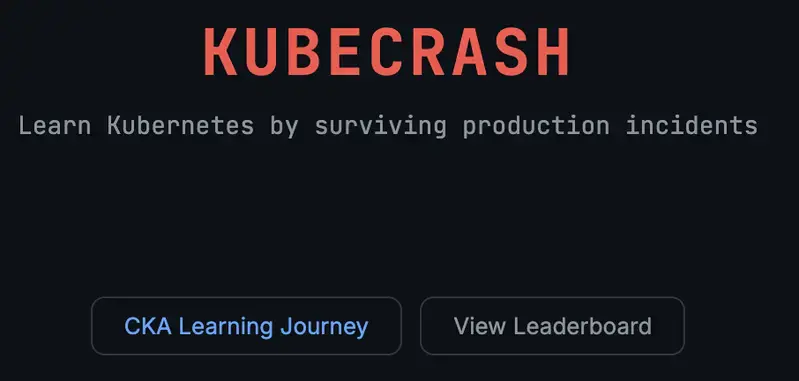
So I built KubeCrash, a browser-based Kubernetes learning platform focused on incident diagnosis and operational thinking.

Live app:

Why I Built This
I wanted a learning experience that feels closer to real on-call work, not just another checklist course.

The goal is simple:

Build production instincts, not memorization
Practice failure analysis, not just happy paths
Learn to explain decisions, not just run commands
That is why KubeCrash is structured around incident-style labs, checkpoints, quizzes, and retrospectives.

What KubeCrash Includes Today
1. CKA Learning Journey
15 CKA-aligned lessons from beginner to advanced
5 mini-mock assessments
Progress tracking with points, streaks, and badges

2. Advanced Incident Tracks
16 portfolio-grade lessons across 4 domains:

Observability
Security
GitOps
Cluster Operations
Each lesson includes:

Incident brief
Checkpoint flow
Command-focused validation
Recap quiz with explanations
Retrospective prompts with action items

3. YAML Challenges
Hands-on manifest work in multiple modes:

Blank
Template-assisted
Broken manifest debugging

4. Reflection and Mastery Signals
Structured retrospectives
Next-practice recommendations
Track completion bonuses
Skill-building feedback loops

Product Philosophy
Most learners can run a command.
Fewer learners can explain:

Why is this the right command now
What risk does it introduce
How they verified recovery
What to change to prevent recurrence
KubeCrash emphasizes that second layer.

A completed lab is useful.
A completed lab plus a thoughtful retrospective is how real growth happens.

Tech Stack

Frontend:

React + Vite
Zustand for progress persistence
xterm.js style terminal simulation components
js-yaml for YAML workflows
Backend:

FastAPI + WebSocket architecture exists for full terminal mode
Frontend learning experience works independently for fast deployment
Deployment:

Vercel for frontend hosting.

What I Learned Building It

  1. Content depth matters more than UI polish
    A clean interface helps, but learners return when incidents feel realistic, and the feedback is actionable.

  2. Retrospectives are underrated
    Adding structured post-lab reflection changed the quality of learning immediately.

  3. Scoring systems need anti-farming logic
    Replay should reinforce learning, not inflate points. Completion and bonus rules need careful design.

  4. Deployment details matter for learner trust
    Nothing kills momentum like a broken first load. Reliable deployment and quick startup are part of the product itself.

What Comes Next
KubeCrash is now moving toward a bigger roadmap:

Expand starter incidents from 5 to 10
Add 30+ foundation labs
Grow advanced track coverage
Add role-based paths (SRE, Platform, Security, DevOps)
Introduce capstone projects with rubric-based scoring
Build a skill graph for mastery tracking

Who This Is For
Kubernetes beginners who want practical confidence
CKA learners who need scenario-based practice
DevOps and SRE engineers who want structured drills
Teams are building internal training for operations readiness

Try It and Tell Me What Breaks
*Live app: * https://kubecrash-86gkb656r-sajjadm624s-projects.vercel.app/

If you try it, I would love feedback on:

Which incidents feel most realistic
Where did you get stuck
What scenarios do you want added next
Whether the retrospective prompts helped your thinking
I am especially interested in feedback from people with real incident response experience.

Final Thought
Kubernetes knowledge is not just knowing resources and flags.
It is the ability to stay calm, isolate signals, choose safe actions, and verify outcomes under pressure.

That is the skill KubeCrash is trying to train.

If that resonates with you, I would love your input.

The Real-World Test: How Gemini’s New Interface Won Over My Wife and Mother-in-Law (Who Are Totally Non-Tech)

This is a submission for the Google I/O Writing Challenge

Google I/O 2026 brought incredible technical announcements, robust models, and massive context windows. But as someone who lives and breathes technology, I’ve come to realize that the greatest Artificial Intelligence revolution often isn’t in the number of parameters of a cloud-hosted model, but rather in how everyday people interact with it on the ground.

To test the true impact of this year’s updates, I decided to observe the ecosystem right inside my own home. My wife and my mother-in-law don’t work in tech and have always viewed these generative AI tools as something distant, complex, or purely “a programmer thing.”

Everything changed with the arrival of the new Gemini mobile interface, driven by the new design language and faster models presented at the event.

⚡ Fluidity and Speed: My Wife’s Experience

Previously, when someone tried to interact with an AI assistant on a phone, the response usually came in massive blocks of plain text, or with that “typing effect” that gave the distinct feeling of waiting for a machine to process data.

When my wife opened the new Gemini app and started talking to the AI, her reaction was immediate. The response came promptly and incredibly faster than any previous version.

Google’s big win here was refining the interface: the text now reconstructs itself in real time, prioritizing visual elements and scannable highlights. She even commented on how much more fluid and natural the interaction felt. The barrier to entry that used to feel like a “rigid oracle” vanished, making way for a real, dynamic, and extremely agile conversation.

📸 Going Beyond Text: The Camera Test with My Mother-in-Law

Another fantastic breakthrough from Google I/O was the evolution of real-time multimodality on mobile devices. For non-tech folks, the concept of “multimodality” sounds like Greek, but in daily practice, it translates to pure magic.

My mother-in-law decided to put this intelligence to the test in a very spontaneous way: she simply made a funny face at the camera while interacting with the app.

The AI’s response was instantaneous. Gemini not only captured the video feed flawlessly, but it identified her exact facial expression and joked about the situation. My mother-in-law was completely surprised. Seeing a technology understand the context of such a subtle human behavior—and doing it instantly—transformed her perception that AI is just a glorified text search engine.

🎯 The Takeaway: The Best Technology Is the One That Becomes Invisible

As developers, we love to discuss architecture, latency, and API updates. However, Google I/O 2026 reminded me of a valuable lesson about Product and User Experience (UX): it doesn’t matter if you have the smartest model in the world if the interface scares away the end user.

By focusing on an interface that responds fluidly and understands natural inputs like voice and images without friction, Google has finally broken out of the tech enthusiast bubble. Seeing Gemini transform into an accessible and fun assistant for my family is living proof that the future of AI is, above all, human.

Running a Full Multi-Stage Intrusion Simulation. Every Detection Fired.

Running a Full Multi-Stage Intrusion Simulation. Every Detection Fired.

I’ve been building SHENRON for a while — a polymorphic adversarial simulation framework that generates inert adversarial-shaped telemetry for detector and governance testing.

Last week I wired up real stealth scoring. Today I ran the apt_kill_chain scenario end to end and validated it against the full detection expectation suite. Here’s what happened.

What SHENRON Is

SHENRON doesn’t execute attacks. It simulates the shape of attacks — the behavioral signatures, telemetry patterns, and detection opportunities that real adversarial techniques produce, without the capability.

A layer is a self-contained behavioral simulation module with its own telemetry schema, ATT&CK mappings, and detection validation expectations. Each layer emits synthetic JSONL artifacts representing what a technique looks like to a detection system — nothing executable, nothing functional.

The safety contract enforced per-artifact:

simulation_only: true
executable: false
no_payload_present: true
network_calls_made: false
processes_spawned: false

The goal: give detection engineers and SOC teams a way to test whether their systems would see an attack — without running one.

The Scenario

Nine stages. Full ATT&CK coverage. Realistic inter-stage timing offsets.

[STAGE 1/9] initial_c2             — beacon_emitter_cloak      +0s
[STAGE 2/9] recon                  — lateral_webcrawler         +120s
[STAGE 3/9] persistence_plant      — dormant_sleeper_seed       +300s
[STAGE 4/9] memory_hijack          — memory_hijack_inheritor    +360s
[STAGE 5/9] cover_tracks           — anti_forensics_molt        +420s
[STAGE 6/9] masquerade             — mirror_loop_deflector      +450s
[STAGE 7/9] persistence_reinforce  — shadow_system_rebuilder    +480s
[STAGE 8/9] file_plant             — poltergeist_file_infector  +510s
[STAGE 9/9] exfil_c2               — beacon_emitter_cloak       +600s

ATT&CK coverage by stage:

Stage Techniques Observable Class
initial_c2 T1071, T1132 C2 beacon, encoded comms
recon T1021, T1046, T1135 Host sweep, port scan, share enum
persistence_plant T1053, T1547 Scheduled task, boot persistence
memory_hijack T1055, T1134 Process injection, token impersonation
cover_tracks T1070, T1107 Log wipe, anti-forensics
masquerade T1036, T1036.005 Process name spoof, fake cmdline
persistence_reinforce T1547, T1543 Shadow restore, service install
file_plant T1027, T1564.001 Script modification, hidden artifact
exfil_c2 T1071, T1132 Beacon pattern replication only — no data movement

Stage by Stage

Stage 1 — C2 Beacon Establishment

Three synthetic beacon events with realistic jitter:

method        : https_encoded        interval: 54.7s
dns_query_sim : mjcjbowe.metrics.example.io
method        : http_get             interval: 71.4s
user_agent    : curl/7.88.1

Stealth: 80. C2 over HTTPS with jittered intervals blends well. DNS subdomain entropy is the tell.

Detection signals: periodic outbound connection · DNS subdomain query · encoded URI parameter

Stage 2 — Lateral Reconnaissance

8 hosts discovered, 2 targeted for deeper enumeration:

172.16.1.112  BACKUPHOST   → port 8080 Tomcat → /login/ /. git/ /backup/
172.16.1.113  PRINTSERVER  → port 80 Apache  → /wp-admin/ /phpmyadmin/

Stealth: 78. Sequential host sweeps are noisy. The .git/ and /backup/ probes are high-signal for anomaly-based detection.

Detection signals: subnet sweep · SMB port probe · share enumeration · sequential host requests

Stage 3 — Persistence Plant

Trigger-armed persistence that waits for a condition before activating:

mechanism     : systemd_unit
path          : /etc/systemd/system/update-check.service
trigger_type  : port_open (localhost:4444)
check_interval: 45s
→ TRIGGER EVAL #4: condition met — activation simulated

Stealth: 65. Systemd unit creation is well-logged. Persistence layers consistently score lowest — they’re hard to hide from any reasonably instrumented environment.

Detection signals: scheduled task creation · registry run key write · cron modification

Stage 4 — Process Injection Simulation

/proc/6109/mem probed → stack region 0x7fff0000
injection_attempt: shellcode_stub_sim → success
token_manipulation: NetworkService impersonation
MONITOR CYCLE #3: runtime variance detected → anomaly: True

Stealth: 68. /proc/mem access from a non-parent process is a hard detection signal. The anomaly in cycle 3 is exactly what EDR behavioral engines catch.

Detection signals: proc mem access · token impersonation · RWX region write

Stage 5 — Anti-Forensics

~/.bash_history              → truncate_to_zero
~/.local/share/recently-used.xbel → overwrite_with_decoys
  decoys: ['cat /etc/hostname', 'cd /tmp', 'echo hello world']
mtime_rollback_24h on 3 targets

Stealth: 77. Log truncation is detectable via inotify or auditd. The decoy injection looks benign on cursory inspection — but timing correlation breaks it.

Detection signals: log file cleared · history truncated · timestamp rollback

Stage 6 — Process Masquerade

target_sim    : systemd-resolve (pid 5496)
cmdline_sim   : /usr/bin/systemd-resolve --daemon
DEFLECTION LOOP #3: anomaly logged

Stealth: 84 — highest in the chain. Name spoofing is hard to detect at the log level. The anomaly in loop 3 is what a behavioral engine catches: the process walks like systemd-resolve but doesn’t talk like it.

Detection signals: process name spoof · fake cmdline · PID masquerade

Stage 7 — Persistence Reinforcement

Self-healing persistence detects tampered files and restores from shadow copies:

/etc/rc.local                          hash mismatch → restored
/etc/profile.d/env.sh                  hash mismatch → restored
/etc/systemd/system/update.service     absent        → shadow copy deployed
ts_adjusted: True  (on all restores)

Stealth: 65. File integrity monitoring catches the restore. Timestamp adjustment is a second detectable signal in the same window.

Detection signals: file hash mismatch · unauthorized file copy · timestamp modification

Stage 8 — Script Modification

Recursive home traversal, candidate selection, EOF append:

scan: *.py *.sh across ~/
→ ~/research_hub/utils/scan.py selected
marker appended: # SYS_UPDATE_HOOK_SIM
hash_delta: 305ff87c... → a5fe9306...

Stealth: 68. Hash change on a user script is detectable by any FIM tool. The traversal is the noisy precursor.

Detection signals: recursive home traversal · script file append · hash change on script

Stage 9 — Beacon Pattern Replication

Second beacon_emitter_cloak pass replicating exfiltration beacon shape. DNS subdomain encoding, jittered HTTP callbacks. No data movement — beacon pattern only.

Validation

[VALIDATION]  apt_kill_chain
[RUN_ID]      155aa94b-7cf5-4ffd-a7e4-eddea1b3f8db
[EXPECTED]    25
[OBSERVED]    25
[PARTIAL]     0
[MISSING]     0
[COVERAGE]    100.0%
[SAFETY FAIL] 0
[VERDICT]     PASS

25 detection expectations. 25 matched. 0 missing. 0 safety violations. 339 synthetic telemetry events.

Full detection signal map:

Stage Layer Signal MITRE
initial_c2 beacon_emitter_cloak periodic outbound connection T1071
initial_c2 beacon_emitter_cloak DNS subdomain query T1132
initial_c2 beacon_emitter_cloak encoded URI parameter T1071
recon lateral_webcrawler subnet sweep T1046
recon lateral_webcrawler SMB port probe T1021
recon lateral_webcrawler share enumeration T1135
recon lateral_webcrawler sequential host requests T1046
persistence_plant dormant_sleeper_seed scheduled task creation T1053
persistence_plant dormant_sleeper_seed registry run key write T1547
persistence_plant dormant_sleeper_seed cron modification T1053
memory_hijack memory_hijack_inheritor proc mem access T1055
memory_hijack memory_hijack_inheritor token impersonation T1134
memory_hijack memory_hijack_inheritor RWX region write T1055
cover_tracks anti_forensics_molt log file cleared T1070
cover_tracks anti_forensics_molt history truncated T1107
cover_tracks anti_forensics_molt timestamp rollback T1070
masquerade mirror_loop_deflector process name spoof T1036.005
masquerade mirror_loop_deflector fake cmdline T1036.005
masquerade mirror_loop_deflector PID masquerade T1036
persistence_reinforce shadow_system_rebuilder file hash mismatch T1547
persistence_reinforce shadow_system_rebuilder unauthorized file copy T1543
persistence_reinforce shadow_system_rebuilder timestamp modification T1547
file_plant poltergeist_file_infector recursive home traversal T1564.001
file_plant poltergeist_file_infector script file append T1027
file_plant poltergeist_file_infector hash change on script T1027

Stealth Scoring

Model

Each layer receives a score (0–100) based on detection surface. Lower score = more detectable.

base_score = 100

penalties:
  3.0 per unique detection_opportunity signal (artifact-level)
  4.0 per alert_signature (manifest)
  2.0 per expected_event (manifest)
  2.5 per log source exposed

  20.0 if executable = True
  10.0 if files_created = True

bonus:
  +5.0 (one-time) if all artifacts are simulation_only + non-executable

deduplication: signals appearing in both artifact telemetry and manifest
are counted once — rewarding layers whose manifest accurately predicts
runtime behavior.

Example: mirror_loop_deflector (score: 84)

base_score          = 100
detection_ops (3)   → -9.0
alert_sigs (3)      → -12.0
expected_events (3) → -6.0
log_sources (3)     → -7.5
dedup credit        → +13.5  (overlap between manifest and runtime signals)
simulation bonus    → +5.0
                      ──────
                        84

Results

mirror_loop_deflector     ████████████████░░░░  84
beacon_emitter_cloak      ████████████████░░░░  80
lateral_webcrawler        ███████████████░░░░░  78
anti_forensics_molt       ███████████████░░░░░  77
memory_hijack_inheritor   █████████████░░░░░░░  68
poltergeist_file_infector █████████████░░░░░░░  68
dormant_sleeper_seed      █████████████░░░░░░░  65
shadow_system_rebuilder   █████████████░░░░░░░  65

C2 and evasion layers score highest — designed to blend. Persistence layers score lowest — systemd unit creation and file integrity violations are hard to hide. Memory injection sits in the middle: detectable, but requires deeper visibility than log analysis alone.

What to Do With the Output

339 synthetic telemetry events, JSONL format:

{
  "artifact_id": "c76c6616-764b-4e...",
  "layer": "memory_hijack_inheritor",
  "phase": "memory_probe",
  "behavior_class": "proc_mem_access",
  "mitre_techniques": ["T1055", "T1134"],
  "detection_opportunities": ["proc_mem_access", "rwx_region_write"],
  "simulation_only": true,
  "executable": false
}
  • SIEM rule validation — feed the JSONL in and check which rules fire at which stage
  • Sigma rule testing — detection signals map directly to Sigma condition fields
  • Detection model training — synthetic labeled data for behavioral classifiers
  • SOC tabletop exercises — replay the timeline and test analyst response
  • Coverage gap analysis — compare [MISSING] expectations against your current rule set

The Repo

github.com/GnomeMan4201/shenron

git clone https://github.com/GnomeMan4201/shenron
cd shenron
python3 -m venv .venv && source .venv/bin/activate
pip install -r requirements.txt
python3 shenron.py --scenario apt_kill_chain
python3 shenron.py --validate latest

Five built-in scenarios. Fifty behavioral simulation layers. All inert. Detection coverage scoring included.

Observable adversarial behavior, not portable adversarial procedure.

Spec sheets aren’t capabilities: a Day-1 Gemma 4 eval on Telugu vision

This is a submission for the Gemma 4 Challenge: Write About Gemma 4

I was building Maatru, a Telugu literacy app for kids whose parents can’t comfortably teach the script. The original design had photo-feedback as the core interaction. A kid writes a letter on paper, takes a picture, the app compares the writing to the target and gives feedback. The mechanic felt right. Paper-and-pencil is how kids actually learn handwriting. And Gemma 4’s multimodal capability was one of the strongest things in the announcement.

Before I built anything, I tested whether the capability held up for my use case. It didn’t. Gemma 4 confidently misread typed Telugu characters as completely different characters. These were clean Unicode glyphs on white backgrounds, the easy case. Across 20 test samples spanning four difficulty tiers, the cloud variant (Gemma 4 31B Dense) got 4 right. The local variant (Gemma 4 E4B) got 1.

The interesting part of this story isn’t that the capability failed. It’s that I knew within a day, not three weeks into the build. This essay is about the evaluation discipline that produced that knowledge. And why I think anyone planning to build a non-trivial product on Gemma 4 (or any model) should run capability gates before architectural commitment.

To be clear, this isn’t a Gemma 4 criticism. The model does many things well. The multilingual generation and function calling ended up powering Maatru’s curriculum content and agentic planner. What I learned is that model spec sheets are claims to be tested. The cost of testing those claims early is much smaller than the cost of building on a capability that doesn’t deliver.

How I structured the evaluation

A capability gate is an evaluation that answers one question. Does this model capability hold up for my use case, at a quality bar that makes my product viable? For Maatru’s photo-feedback, the question was concrete. Can Gemma 4 reliably identify Telugu characters from images that look like what a kid actually produces?

I built the eval around four difficulty tiers. The typed tier was the easy case: five Telugu characters in a clean Unicode font, black on white, no noise. The adult-handwriting tier was five samples I wrote by hand. The child-handwriting tier was samples produced by a kid I knew, with shaky strokes and uneven spacing. The similar-looking tier was characters that share visual structure, the Telugu confusables set that kids commonly mix up. These test whether the model actually distinguishes between similar shapes or just pattern-matches loosely. Five samples per tier, twenty total. Small enough to run in an afternoon, large enough to surface real failure patterns.

I ran the eval against both Gemma 4 variants I had access to. E4B running locally through Ollama on an M4 MacBook Air with 16GB of RAM, and 31B Dense through OpenRouter’s free tier. Testing both variants matters because Gemma 4 spec claims apply to the family. Specific variants may perform differently due to parameter count, distillation, or fine-tuning. My acceptance threshold, decided before running: typed+adult tiers ≥80% combined, child tier ≥60%. If the model couldn’t reliably read clean reference glyphs and adult handwriting, the kid-handwriting case was hopeless. Defining the threshold before I saw results was important. Otherwise it’s too easy to convince yourself that bad numbers are “actually pretty good.”

What the data showed

The scorecard came back well below threshold. Cloud variant: 1 of 5 typed, 1 of 5 adult handwriting, 0 of 5 child handwriting, 2 of 5 similar-looking. Total 4 of 20, or 20%. Local variant: 1 of 5 typed, 0 of 5 adult, 0 of 5 child, 0 of 5 similar. Total 1 of 20, or 5%. The threshold required 80% on typed+adult combined. The cloud variant gave me 20% on that combined tier.

The failure mode mattered more than the aggregate number. I’d expected child-handwriting to be hard. Kids’ strokes are messy, spacing is unpredictable, letter shapes drift from the canonical form. What I didn’t expect was that the typed reference tier would also fail. The clearest example: Gemma 4 confidently misread అ, a basic Telugu vowel rendered cleanly on a white background, as ౦ (a Telugu numeral) on the cloud variant, and as ని (a different consonant-vowel combination) on the local variant. Same input image, two completely different wrong outputs from two independent inference paths. And neither model hedged. Both committed to wrong answers with no caveats.

That confidence without hedging is what made the failure mode dangerous for the product I was planning. A model that says “I think this might be అ but I’m uncertain” is a model you can build around. You handle the uncertainty in the UX. A model that says “this is ని” when it’s actually అ ships a bug straight into a literacy tool for kids. Different wrong answers on different runs across independent inference paths tells you you’re looking at a model knowledge gap on a specific subdomain. Telugu script recognition in Gemma 4’s vision training distribution. Not a fixable engineering bug.

Ruling out the alternatives

Before accepting “the model can’t reliably do this” as the explanation, I worked through the alternatives. The first candidate was image encoding. Maybe the test images weren’t reaching the model correctly. I ruled this out because the cloud variant got 4 of 20 right, including 2 of the similar-looking pairs. That means the model was receiving and processing visual input correctly. An encoding bug would produce uniform failure across all 20 samples, not the spread of failures I actually saw.

The second candidate was API throttling or silent quality degradation. Maybe OpenRouter’s free tier downgrades model output under load. I ruled this out because cloud providers don’t quietly serve degraded outputs. They return errors. They don’t return lower-quality answers silently. Also, the local E4B variant runs entirely on-device with no external dependency, and it produced even worse results than cloud. If both an unthrottled local run and a potentially-throttled cloud run produce the same failure pattern, throttling isn’t the cause.

Cold-start effects were the third candidate. Maybe the model needed warm-up calls before producing reliable output. I’d added warm-up calls to the runner before the timed loop. Latencies stabilized after warm-up. But the accuracy problem persisted across all 20 samples. Cold-start affects latency, not accuracy.

What remained was the conclusion the data supported. Gemma 4’s vision capability does not currently read Telugu script reliably enough to be the foundation of a literacy product. This is a model training-data limitation, not a fixable engineering bug. Indic scripts are likely underrepresented in the visual training corpus relative to Latin scripts. That isn’t specific to Gemma 4. Most big models have the same gap with non-English visual recognition. But it does mean any product built on Gemma 4 vision for Indic scripts (or other underrepresented visual writing systems) inherits this limitation.

What I’d tell another developer

The discipline that made this story end in a one-day pivot instead of a three-week wasted build is what I think of as capability-gate-first engineering. Before you commit to an architecture that depends on a specific model capability working at a specific quality bar, build the smallest possible evaluation that tests that exact capability under conditions that approximate your actual use case. Set the threshold before you see results. Run it on day one, not week three. If the model passes, you’ve validated a key assumption. If it fails, you’ve saved yourself weeks of building on something that won’t hold up.

For developers planning to build with Gemma 4 on non-English use cases: don’t trust the spec sheet’s “multimodal” or “multilingual” claims as proxies for your specific language or script. Test the exact capability you need on the exact data shape you’ll see in production. For my use case that meant 20 Telugu samples across 4 difficulty tiers. For yours it might be 50 Arabic OCR samples, or 30 medical-image inferences, or 100 Hindi-handwriting captures. The shape of the eval depends on the use case. The discipline of running it before architectural commitment doesn’t. Maatru shipped because the day-one capability gate told me to redesign around what Gemma 4 actually does well, multilingual text generation and agentic reasoning, rather than what the announcement promised. Honestly, that one day of testing saved the project.