Google Just Gave Away Their Best AI for Free. Here is the Catch.
On April 2nd, Google did something that didn’t make much sense on the surface. They took a model built on the exact same core research as Gemini 3—their flagship cloud AI—and just gave it away.
No usage fees, no complicated cloud billing, and crucially, a full Apache 2.0 commercial license. You can take this model, build a commercial application, charge money for it, and directly compete with Google using their own architecture.
For a company of Google’s scale, this isn’t normal behavior. But when you look at the changing economics of local hardware and developer ecosystems, the strategy behind Gemma 4 becomes completely clear.
What Actually Changes When AI Runs Locally?
When we interact with standard cloud models, our data leaves our device, travels to a remote data center, processes on expensive server clusters, and returns the result. You pay for every input token and every output token. When you scale an application to thousands of active users, that API bill grows aggressively.
Gemma 4 works on a completely different premise. You download the model weights directly to your machine. Once that file sits on your storage drive, execution happens entirely on your local CPU, GPU, or NPU. Zero internet required, zero API calls, and zero external infrastructure dependency.
While running open weights locally isn’t a brand-new concept, what is new is the sheer quality of the architecture we can now run on standard client hardware. The performance gap between massive cloud infrastructure and local execution has narrowed down to almost nothing.
Inside the Core Architecture: Efficiency at the Edge
Google launched Gemma 4 in multiple configurations, but the engineering choices inside the smaller variants show how fast local execution efficiency is moving.
1. The E2B / E4B Structural Signal Layer
Standard language models process tokens through a linear stack of layers where data passes vertically unchanged. Google modified this approach in the compact E2B variant.
Instead of treating every layer symmetrically, they injected small, dedicated structural signals contextually to each independent layer. This provides individual layers with a highly granular view of token relationships without requiring a deep, power-hungry network path.
[Traditional Layer Pattern]
Input Token ───► [ Layer 1 ] ───► [ Layer 2 ] ───► [ Layer 3 ] ───► Output
[Gemma 4 E2B Signal Pattern]
Input Token ───► [ Layer 1 ] ───► [ Layer 2 ] ───► [ Layer 3 ] ───► Output
▲ ▲ ▲
└─── [Dedicated Contextual Signals] ┘
The practical result? A multi-lingual, multimodal architecture that handles text, images, and audio natively under 1.5 GB of RAM—a footprint smaller than many standard smartphone applications.
2. The 26B Mixture-of-Experts (MoE) Dynamic
Traditional dense models fire every single mathematical parameter for every single word processed, which demands high-end hardware. The Gemma 4 26B model utilizes a Mixture-of-Experts matrix containing 128 specialized sub-networks.
When a token enters the engine, a lightweight router maps the input and activates only the 8 most relevant specialists. The remaining 120 experts stay completely idle.
Visual Paradigm Shift: Think of it as a corporate framework with 128 specialized departments on standby. Instead of dragging a single client proposal through every single office floor sequentially, an internal dispatcher immediately identifies the 8 specific teams needed to handle that specific document.
This means while all 26 billion parameters live in your system memory, you only pay the compute cost of roughly 3.8 billion parameters at any single execution frame. You get the deep contextual intelligence of a massive model with the raw runtime performance of a lightweight mobile architecture.
Matrix Comparison: Gemma 4 Variant Breakdown
| Variant Name |
Base Architecture Type |
Total Parameter Count |
Active Runtime Parameters |
Local Memory Footprint |
Community Chat Arena Score |
| Gemma 4 E2B |
Dense + Layer-Signals |
~2 Billion |
2 Billion |
~1.4 GB RAM |
Optimal for Mobile/IoT |
| Gemma 4 26B |
Mixture-of-Experts (MoE) |
26 Billion |
3.8 Billion |
~16 GB RAM |
1441 |
| Gemma 4 31B |
Dense Heavy-Compute |
31 Billion |
31 Billion |
~24 GB RAM |
1452 |
The Open License Revolution: Breaking Legal Bottlenecks
For teams building products in tightly regulated spaces like healthcare, digital banking, or local government data security, older open models carried immense administrative risk. Past licensing frameworks had arbitrary daily user thresholds, revenue caps, or gray areas that enterprise legal teams routinely rejected.
By shipping Gemma 4 under a pure Apache 2.0 license, the legal friction evaporates.
-
Zero Volume Boundaries: No user volume reporting requirements or backend monitoring.
-
Pure Commercial Freedom: No revenue thresholds, dynamic caps, or royalty splits.
-
Local Fine-Tuning Rights: Total autonomy to deep-train weight layers on closed data structures.
If your data cannot leave the building due to strict compliance rules, you can run execution loops locally on your own internal hardware, completely insulated from external data leaks.
The Macro Strategy: Why Give This Away For Free?
Google’s decision is driven by ecosystem metrics. They have watched the open-source community rally behind competing architectures, writing customized tools, libraries, and integration runtimes that default to alternative platforms.
When developers spend months optimizing their personal workflows around a specific model family, that structural loyalty compounds. If Google kept their top-tier intelligence entirely gated behind paid Gemini cloud endpoints, they risked losing the next generation of builders completely.
Gemma 4 flips the funnel. By making local development completely free, highly optimized, and legally frictionless, they capture developer mindshare right at the prototyping stage. You can build, experiment, and validate your product on local hardware with zero financial risk.
Then, when your application catches fire, achieves massive scale, and needs to handle millions of concurrent global requests, the path of least resistance isn’t a complex migration—it’s moving up the pipeline directly to Google Cloud and Vertex AI.
Open weights win the developer today; cloud compute monetizes the enterprise tomorrow.


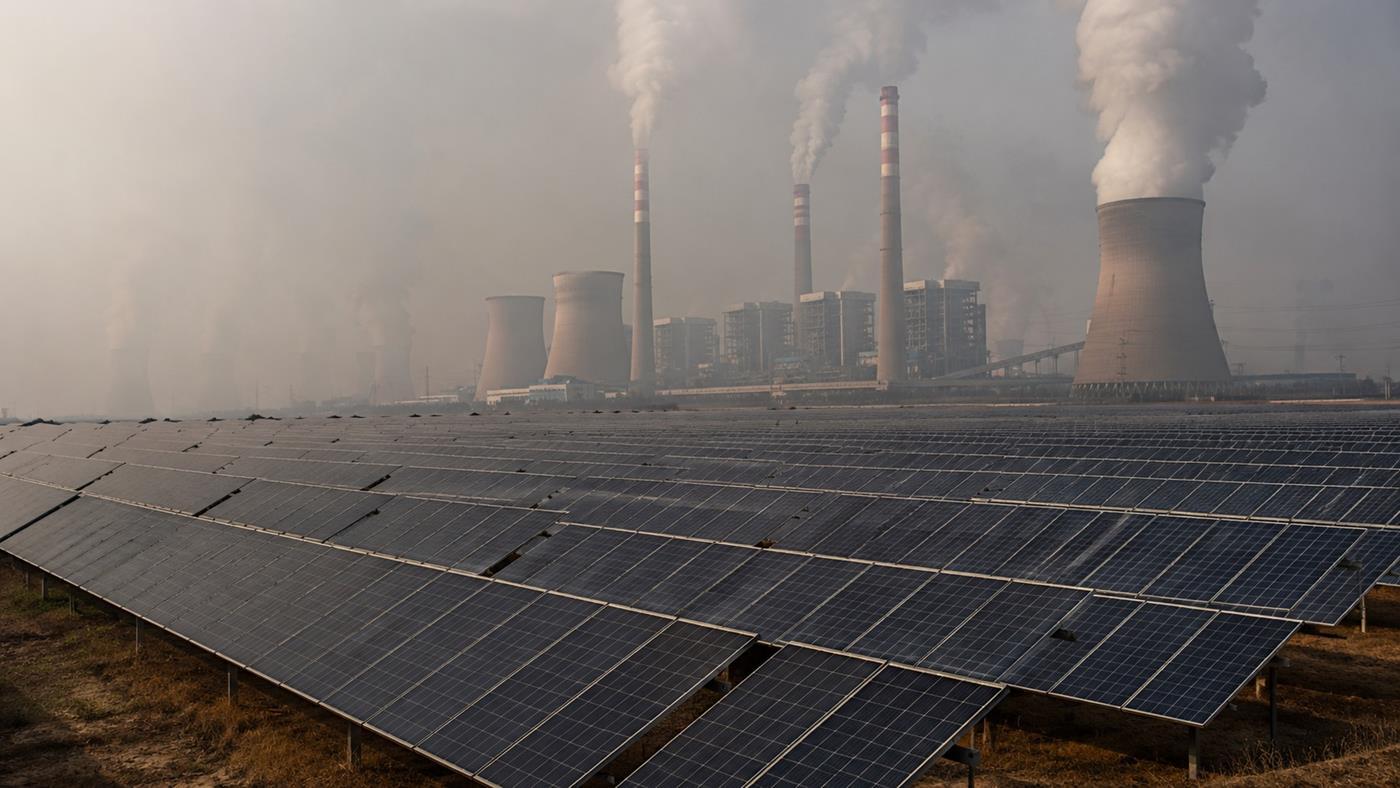
 Kömür kaynaklı hava kirliliği yalnızca çevreyi değil, güneş enerjisi üretimini de vuruyor. Yeni araştırmaya göre aerosoller her yıl yüzlerce terawatt-saatlik enerji kaybına yol açıyor.

 Xiaomi Smart Band 10 Pro akıllı bilekliği önceki nesillere göre daha derin bir Apple ekosistemi entegrasyonuyla kullanıcı kitlesini genişletmeyi planlıyor.


