Mert
EFES-2026'da Yerli Savunma Sanayisi Sergisi
Küresel yapay zeka harcamalarının 2026'da 2,59 trilyon dolara ulaşacağı tahmin ediliyor
Estonya Hava Sahasına Giren İHA, NATO Savaş Uçağı Tarafından Düşürüldü
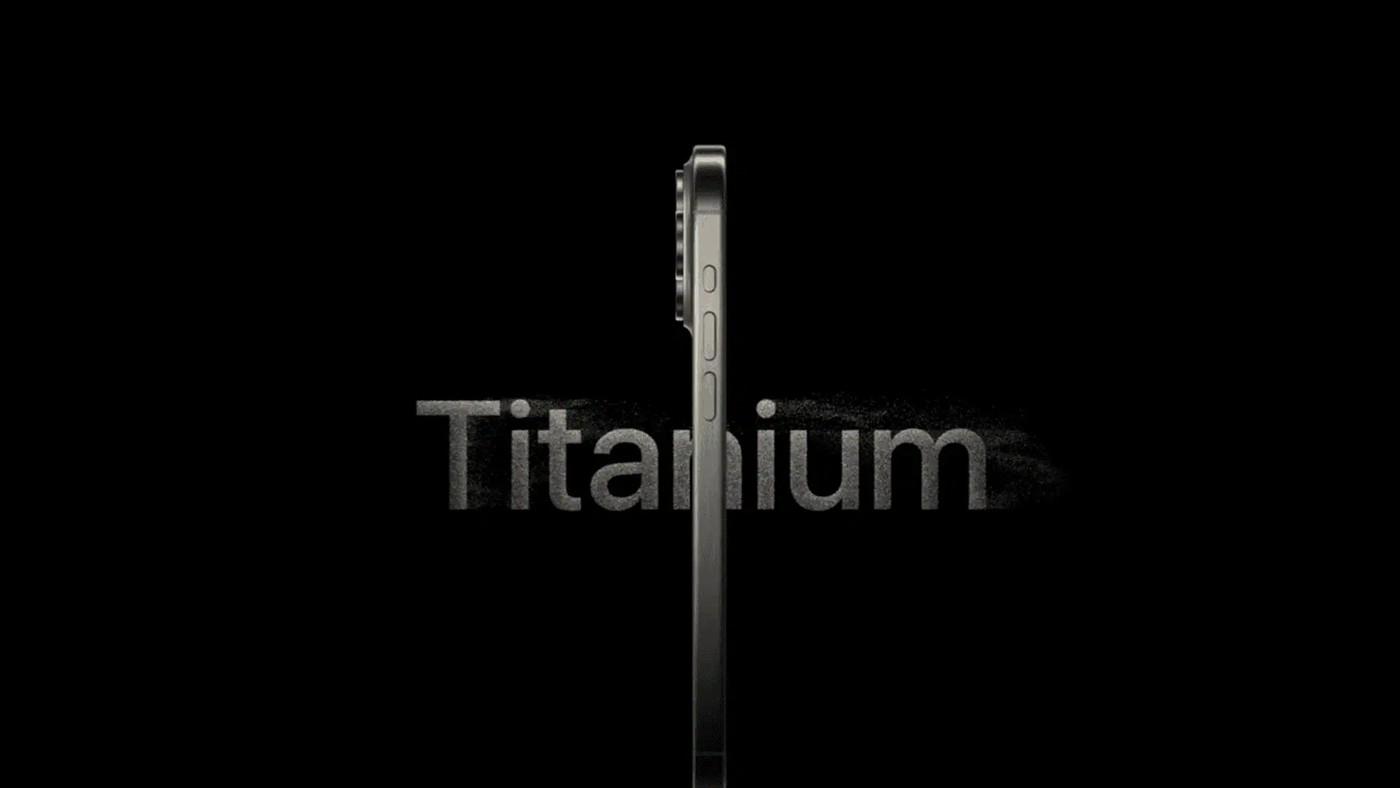
Apple, iPhone’larda titanyum tasarıma geri dönüyor
Eylül ayında tanıtılacak iPhone 18 Pro ve 18 Pro Max, alüminyum tasarımı koruyacak ancak Apple’ın gelecek iPhone Pro modellerinde titanyumun geliştirilmiş bir versiyonunu kullanabileceği söyleniyor.Building an AI-Powered YouTube Intelligence Assistant Using Voice AI and Multi-Agent Workflows
Introduction
YouTube has become one of the largest sources of knowledge on the internet. From AI research discussions and startup podcasts to technical tutorials and industry analysis, creators upload hours of valuable content every single day. However, consuming all of this information manually is nearly impossible, especially for users subscribed to dozens or even hundreds of channels.
To solve this problem, I built an AI-powered YouTube intelligence assistant that can search subscribed YouTube channels, extract transcripts from videos, summarize the content, and answer user questions conversationally through voice interaction.
The system combines:
Voice AI
Multi-agent orchestration
Transcript understanding
Large language models
into a single automated workflow.
The complete system is designed to function like a personalized AI research assistant for YouTube content.
The Core Idea
The goal of the project is simple.
Instead of manually watching long videos, users should be able to ask questions naturally using voice and instantly receive summaries or answers extracted directly from YouTube video transcripts.
For example, a user can ask:
“What did AI creators say about OpenAI this week?”
or
“Summarize the latest Lex Fridman podcast.”
The AI system automatically searches the user’s subscribed channels, identifies relevant videos, extracts transcripts, processes the information using large language models, and returns a conversational response through voice.
This transforms YouTube into an interactive conversational knowledge system.
Overall Workflow Architecture
The workflow is designed as a multi-stage AI pipeline where each component performs a specific responsibility.
The architecture looks like this:
Voice Input
↓
Webhook Trigger
↓
AI Agent 1 (Search + Orchestration)
↓
YouTube API Calls
↓
Transcript Extraction
↓
AI Agent 2 (Summarization + Q&A)
↓
Response Formatting
↓
Voice Output
The entire pipeline is connected to an ElevenLabs Voice AI system, allowing users to interact with YouTube content naturally using speech.
Voice AI Integration with ElevenLabs
The interaction begins with ElevenLabs Voice AI. This component acts as the conversational interface between the user and the workflow.
When the user speaks, ElevenLabs performs speech-to-text conversion and sends the query to the automation workflow through a webhook endpoint.
For example, if the user says:
“Summarize the latest AI video from my subscriptions.”
the voice agent converts the speech into text and sends a structured request to the workflow.
The webhook acts as the entry point for the entire system.
After processing is completed, the final AI-generated response is returned back to ElevenLabs, which converts the response into natural speech.
This creates a fully conversational experience where the user can “talk” to YouTube content instead of manually browsing videos.
Webhook Trigger System
The webhook node is responsible for receiving incoming requests from the voice assistant.
It acts as the starting point of the workflow and accepts user queries in real time. Once a request is received, the workflow begins processing the user’s intent.
A typical incoming request may look like this:
{
"query": "What did AI creators discuss about AGI recently?"
}
This query is then passed to the first AI agent for reasoning and orchestration.
AI Agent 1 — Search and Orchestration Layer
The first AI agent functions as the orchestration layer of the system. Its primary responsibility is to understand the user query and determine how the workflow should proceed.
This agent is connected to multiple tools and APIs, including:
Gemini AI model
YouTube API requests
Search utilities
Metadata retrieval tools
The agent performs several important tasks:
Understanding user intent
Identifying relevant topics
Searching subscribed channels
Selecting appropriate videos
Generating structured outputs for downstream processing
For example, if the user asks:
“What are my subscribed creators saying about AI agents?”
the agent identifies:
The topic (“AI agents”)
Relevant subscribed channels
Recent related videos
Appropriate video IDs
This modular approach separates retrieval and orchestration from deep reasoning, improving scalability and reducing hallucinations.
YouTube API Integration
Once the first agent understands the query, the workflow interacts with YouTube APIs to fetch relevant information.
The APIs are used to retrieve:
Subscribed channels
Recent uploads
Video metadata
Search results
Video identifiers
This makes the system highly personalized because the search is restricted to the user’s subscriptions rather than the entire YouTube platform.
The workflow dynamically identifies videos that are most relevant to the user’s query.
JSON Parsing and Structured Data Handling
After the first AI agent completes its reasoning process, the generated output is converted into structured JSON data.
A typical output may include:
{
"videoId": "abc123",
"title": "The Future of AI Agents",
"channel": "AI Explained"
}
The parsing layer extracts important fields such as:
Video IDs
Titles
Transcript references
Metadata
This structured format allows downstream components to process information efficiently and reliably.
Transcript Extraction System
One of the most important parts of the workflow is transcript extraction.
The workflow calls an external transcript API that retrieves subtitles or captions from YouTube videos. This step converts spoken video content into machine-readable text.
For example, the system may receive:
{
"transcript": "Today we are discussing the future of autonomous AI agents..."
}
This transcript becomes the primary knowledge source for the language model.
Instead of analyzing raw video, the AI processes structured textual content, making summarization and question answering significantly more efficient.
AI Agent 2 — Transcript Intelligence and Reasoning
The second AI agent is focused entirely on transcript understanding and knowledge extraction.
Unlike the first agent, which handles orchestration and retrieval, this agent specializes in:
Summarization
Contextual reasoning
Question answering
Insight extraction
Semantic understanding
The transcript is passed to an OpenAI chat model such as GPT-4o or GPT-4.1, which processes the content and generates high-quality responses.
Users can ask questions such as:
“Summarize this video in five points.”
“What did the speaker say about startup funding?”
“List the key AI trends mentioned in the discussion.”
The AI agent analyzes the transcript and generates concise, human-readable answers.
Why Multi-Agent Architecture Matters
A key design decision in this workflow is the use of multiple AI agents instead of a single monolithic model.
The first agent handles:
Orchestration
Retrieval
API interactions
Workflow decisions
The second agent handles:
Deep reasoning
Summarization
Transcript analysis
Semantic understanding
This separation improves the overall architecture by making the system:
More modular
Easier to debug
More scalable
Less prone to hallucinations
More efficient in handling complex workflows
The modular multi-agent design also makes it easier to upgrade individual components independently in the future.
Response Formatting and Voice Output
Once the summarization is completed, the response is passed through a formatting layer that converts it into a schema compatible with the voice assistant.
For example:
{
"response": "The video discusses recent advances in autonomous AI agents and their impact on software development."
}
This response is then returned to ElevenLabs, which converts the text back into natural speech.
The user ultimately experiences a seamless conversational interaction where spoken questions are answered using information extracted directly from YouTube videos.
Key Advantages of the System
One of the biggest strengths of this workflow is personalization. Since the system focuses only on subscribed channels, the generated summaries are highly relevant to the user’s interests.
The system also eliminates the need to manually watch long-form content. Instead of spending hours consuming videos, users can retrieve insights instantly through natural language interaction.
Another major advantage is scalability. The workflow can easily be expanded to support:
Podcasts
Educational lectures
Research papers
Interviews
Technical discussions
Industry news monitoring
The architecture effectively transforms YouTube into a searchable AI-powered knowledge base.
Conclusion
This project demonstrates how modern AI systems can combine voice interfaces, retrieval pipelines, transcript understanding, and large language models to create highly interactive knowledge assistants.
By integrating:
ElevenLabs Voice AI
YouTube APIs
Transcript extraction systems
Gemini orchestration agents
OpenAI reasoning models
the workflow transforms YouTube from a passive video platform into a conversational AI-powered research system.
The architecture highlights the growing potential of multi-agent AI systems capable of retrieving, understanding, and summarizing long-form multimedia content in real time.
As AI workflows continue to evolve, systems like this could become the foundation for next-generation research assistants, educational copilots, podcast intelligence platforms, and personalized knowledge retrieval systems.
Why You Should Learn Programming Through Books (Not Just Online Tutorials)
Books don’t just teach you to code — they teach you to think like a programmer.
The man who does not read has no advantage over the man who cannot read.
Learning programming using an online tutorial is like taking a picture.
You click, and that’s that. Learning to program with books, though — that’s like creating a painting. You layer and layer on it, and you keep working for weeks. You might still have the same image in the end, but there’s a depth to it that’s impossible to capture with a snapshot.
I know we live in a world where everyone wants fast results. Watching online tutorials might seem like the easiest way to learn programming. But the quality of outcome you get with books cannot be matched.
You can go much deeper with books than you can using any other method.
And here’s something people don’t talk about enough: when you start working, there won’t be any video tutorials to help you. You’ll have to read documentation and implement things by yourself.
Building a habit of reading and understanding technical material is a must if you want a solid career as a programmer.
That’s why I’m giving you 5 practical books to get started with.
Let’s do this.
1. Python Crash Course — Learn by Building Cool Projects
If you want to learn Python by building cool projects, check out this book called “Python Crash Course.” The first half of the book deals with the basics like variables, conditionals, loops, and functions. But the real magic happens in the second part of the book, where you actually build projects.
You’ll use the pygame package to build an Alien Invasion game. How does that sound as your first ever project? You’ll be able to shoot down the alien fleet and even have a scoreboard to list high scores.
In the second project, you’ll learn how to work with APIs. You’ll download data from the GitHub API and visualize it using Matplotlib. And in the final project, you’ll build a web app using Django, a very popular Python web framework. You’ll also learn how to style your app using bootstrap, a widely-used CSS framework. At the end, you’ll even deploy your website to the cloud, so the entire world can see it.
After completing this book, you’ll feel confident enough to start building your own Python projects.
2. Eloquent JavaScript — For Web Development Enthusiasts
Next, I have a great recommendation for web development enthusiasts. If you want a deep understanding of JavaScript, try out the book “Eloquent JavaScript.”
This book is available online completely for free. And the best part? You can try out all the exercises right on their website.
In the first part of the book, you learn the basics — things like variables, functions, and objects. In the second part, you dive into how JavaScript interacts with the browser and the Document Object Model, or DOM. Finally, in the last part, you’ll learn about Node.js, which allows you to run JavaScript on the server instead of just in the browser.
Every chapter gives you exercises to test your knowledge. You’ll also build some really cool projects. You’ll create a brand-new programming language called Egg. You’ll make a web app for editing pixel art. And in the final project, you’ll build a website that helps people organize meetings to share their skills.
3. The Pragmatic Programmer — Timeless Principles
Next, we have a timeless classic: “The Pragmatic Programmer.”
The principles in this book aren’t tied to specific technologies or programming languages. That makes them applicable even years after the book was first published in 1999.
This book covers topics like debugging, testing, automation, and communication, giving you a well-rounded perspective on what it takes to be an effective software developer. It focuses on fundamental principles and best practices you can apply in any programming context.
One of the best parts about this book is how it uses clever metaphors and analogies to explain complex technical concepts. For example, it introduces the idea of “Code Kata.” In Japanese, the word Kata means “form” and is used to describe deliberate practice and repetition in martial arts. By doing Code Kata exercises, programmers can reinforce their knowledge of algorithms, data structures, and design patterns.
Whether you’re a beginner or an experienced developer, this book has something for everyone. It’s a must-read for anyone serious about honing their craft.
4. Clean Code — Writing Maintainable Software
So, you’ve learned a couple of programming languages and you’ve become a pragmatic programmer. Now, you need to know how to write clean, maintainable code. For that, we have another classic: “Clean Code” by Uncle Bob.
The primary goal of this book is to improve the readability and maintainability of your code.
It teaches you to write code that’s easy for other developers to understand, modify, and extend.
You’ll learn when — and when not — to use comments. The book encourages you to write self-explanatory code instead of relying on tons of comments. It also covers how to properly name your variables, functions, and classes.
The book uses real-world examples to drive the points home. Uncle Bob writes most code snippets in Java, but the concepts easily apply to other languages. It also introduces software design principles like the Single Responsibility Principle (SRP) and Don’t Repeat Yourself (DRY).
The book can get a bit too opinionated at times. So you don’t have to follow everything to a tee.
But it’s still a fantastic starting point to improve the quality of your code.
5. Designing Data-Intensive Applications (DDIA) — Think Like a Systems Architect
If you want to go from a junior developer to a senior developer, you have to start thinking beyond just code. You need to know how to architect your systems in a way that they can reliably handle thousands of simultaneous requests.
For that, you should read “Designing Data-Intensive Applications” (often called DDIA).
This book introduces you to the challenges of building systems that are reliable, scalable, and maintainable. You’ll learn when to use relational databases vs. NoSQL databases. DDIA also helps you understand how databases efficiently store and retrieve data.
It teaches you how to distribute data across multiple machines when your dataset becomes too large for a single server. And while it covers a lot of theory, it also provides practical advice you can use in the real world. You’ll read examples from big tech companies like Google and Amazon.
The book ends with a look at emerging trends in data systems, like new databases and storage technologies.
If you want to learn how to make smart trade-offs while building large-scale applications, DDIA is a must-read.
Final Thoughts
If you want to build a deeper understanding of programming concepts, books are the best way to do it.
Did you learn something good today as a developer?
Then show some love.
© Muhammad Usman
WordPress Developer | Website Strategist | SEO Specialist
Don’t forget to subscribe to Developer’s Journey to show your support.
Turn StatusCake into a verified alerting flow with Hermes
This is a submission for the Hermes Agent Challenge
What I Built
Most monitoring setups have the same weak spot.
Detection is easy. Decision-making is not.
StatusCake is good at telling you that something might be wrong. What happens next is where things usually get messy. One alert goes straight to a chat room. Another wakes the wrong person. A third turns out to be missed and never verified because the site had a brief wobble and recovered before anyone looked.
Hermes is useful in that gap.
Instead of treating StatusCake as the whole incident workflow, you can put Hermes behind the webhook and use it as a small verification and routing layer. The pattern is simple:
- StatusCake detects the issue
- Hermes receives the webhook
- Hermes logs the raw request
- Hermes checks the target from its own network perspective
- Hermes decides whether the alert is actually worth escalating
- Hermes sends the notification and keeps a local event history
That gives you something better than “dump every alert into a channel” without dragging in a full incident-management platform.
The short version
StatusCake detects. Hermes verifies, routes, emails, and remembers.
That is the whole idea.
Why bother adding Hermes at all?
Because most teams do not want every uptime alert treated the same way.
A down alert at 2:14pm during business hours is not the same as a down alert at 2:14am. A monitor flapping for ten seconds is not always the same as a real outage. And when something goes wrong, you usually want a record of what arrived, what Hermes saw, and who got notified.
Hermes gives you a good place to add that logic.
In this setup it does four jobs:
- It receives the webhook in a deterministic way.
- It verifies whether the site is actually down from where Hermes is running.
- It applies simple time-of-day routing.
- It keeps a JSONL incident history and can send a daily summary by email.
That is enough to make a cheap monitoring stack feel much more operationally sane.
The architecture
This is intentionally small.
StatusCake
-> webhook POST
-> local receiver beside Hermes
-> raw request log
-> verification step
-> escalation decision
-> immediate email notification
-> JSONL event history
-> daily summary email
There is no requirement to package this as a formal Hermes skill on day one. If your goal is to get a useful workflow running quickly, an ad hoc setup with a few scripts and a config file is enough.
That is the version I would recommend first.
Why webhook-first is the right move
You could try to build something around email parsing, but that is the wrong direction here.
Webhook delivery is cleaner for three reasons:
- StatusCake already supports it natively
- you keep the alert payload structured instead of scraping email text
- debugging gets much easier because you can log the exact request body and headers
In practice, that last bit matters more than people expect. When an alert does not behave the way you thought it would, the first question is usually: did StatusCake send what I think it sent?
If you keep a raw inbound log, you can answer that immediately.
The receiver can stay tiny
You do not need a huge service for this. A small local HTTP receiver is enough.
# scripts/statuscake_webhook_receiver.py
python3 scripts/statuscake_webhook_receiver.py
--config var/escalation-config.json
--host 127.0.0.1
--port 8934
Expose that locally running receiver with whatever public entrypoint you trust for machine-to-machine POSTs. For demos, a Cloudflare quick tunnel is usually fine. The important part is that StatusCake can reach:
https://<public-host>/webhooks/statuscake-alerts
And before you test from StatusCake, check both health endpoints:
curl http://127.0.0.1:8934/health
curl https://<public-host>/health
One small gotcha: loading /webhooks/statuscake-alerts in a browser proves nothing. It is a POST route, not a page. Use /health for GET checks and an actual POST when you test the webhook path.
Log first, validate second
One of the best decisions in this design is to write the inbound request to disk before doing anything clever with it.
That gives you two useful artifacts:
-
var/last-webhook-payload.jsonfor quick inspection -
var/incoming-webhooks.jsonlas an append-only inbound ledger
That means you can answer the boring but important questions later:
- Did the webhook arrive?
- Was the payload malformed?
- Did the sender include the token?
- Did Hermes reject it, or was it never delivered?
Without that log, webhook debugging turns into folklore.
Verification is where this gets interesting
This is the part that makes Hermes more than a relay.
When a down alert comes in, Hermes does not need to panic immediately. It can probe the target itself and decide whether the outage looks real.
A very simple version is enough:
- hit the health endpoint if you have one
- hit the public URL
- count failures
- only escalate if the failure threshold is met
The config supports that directly:
{
"timezone": "Europe/London",
"probe_timeout_seconds": 8,
"min_failed_probes": 1,
"probe_urls": [],
"notifications": {
"immediate": [
{
"type": "email",
"transport": "sendmail",
"from": "statuscake-hermes@localhost",
"to": ["[email protected]"],
"events": ["DOWN_CONFIRMED", "UP_CONFIRMED"],
"subject_prefix": "[StatusCake]"
}
]
}
}
A detail worth calling out: leaving probe_urls empty is not a bug. In this setup, that tells Hermes to verify against the website_url coming from the StatusCake payload. That is a good default when you want the monitor to carry its own target.
If you do have a better health endpoint than the public homepage, use it.
Time-aware escalation without buying more software
A lot of teams want basic routing rules but do not want a full paging product yet.
That is fine. Hermes can do the simple version well.
{
"escalation_schedule": {
"windows": [
{
"name": "business-hours",
"start_hour": 8,
"end_hour": 18,
"target": "primary-on-call",
"channel": "discord:#ops-business-hours"
},
{
"name": "out-of-hours",
"start_hour": 18,
"end_hour": 24,
"target": "after-hours-escalation",
"channel": "discord:#ops-after-hours"
},
{
"name": "night-shift",
"start_hour": 0,
"end_hour": 8,
"target": "night-duty-engineer",
"channel": "discord:#ops-night"
}
]
}
}
That is enough to stop every alert from behaving like a fire alarm.
Immediate email is often enough
You do not need to overcomplicate delivery either.
For this build, immediate alert delivery is handled through sendmail, which keeps the integration dead simple on a machine that already knows how to send mail.
A confirmed DOWN_CONFIRMED or UP_CONFIRMED event triggers an email right away. In our case, that means messages go straight to [email protected].
The CLI can also send a daily summary on demand:
python3 scripts/statuscake_alert_engine.py send-daily-summary-email
--config var/escalation-config.json
--print-result
And if you want the recap every morning, schedule the wrapper script:
python3 scripts/statuscake_daily_summary_email.py
In this project, that job is scheduled for 09:00 Europe/London each day.
The event store is deliberately boring
Every verified event gets appended to var/alerts.jsonl.
That sounds plain because it is plain. That is also why it is useful.
A JSONL file gives you:
- a durable incident ledger
- easy grepping and ad hoc analysis
- simple daily summaries
- a way to compare raw StatusCake signals with Hermes-confirmed incidents
You do not need a dashboard before you have a history.
Start with the history.
A quick local test loop
Once the receiver is up, you can test the full path locally with a form-encoded POST that looks like StatusCake.
curl -X POST http://127.0.0.1:8934/webhooks/statuscake-alerts
-H 'Content-Type: application/x-www-form-urlencoded'
--data 'website_name=Example+Storefront&website_url=https%3A%2F%2Fexample.com&status=down&check_rate=300&test_id=123456&alert_type=uptime'
The response tells you a lot in one go:
- whether Hermes accepted the payload
- whether verification passed
- which escalation window matched
- whether the event was stored
- whether an email notification succeeded
That is the kind of tight feedback loop you want when you are building monitoring workflows.
What this setup is good for
This pattern is a good fit if you want:
- fewer false positive escalations
- lightweight time-based routing
- a raw audit trail of webhook delivery
- immediate email notifications without a big notification stack
- simple daily incident recaps
Final thought
The useful part of this setup is not that Hermes can receive a webhook. Lots of tools can receive a webhook.
The useful part is that Hermes adds judgment after detection.
StatusCake tells you that something might be broken. Hermes can check whether it really looks broken, decide who should hear about it, send the email, and keep the record for tomorrow morning’s summary.
That is a much better workflow than forwarding every alert and hoping the humans sort it out.
Cloudflare Deprecated My Production Model. The Recommended Upgrade Costs $4/M Tokens. Gemma 4 MoE Doesn’t.
This is a submission for the Gemma 4 Challenge: Build with Gemma 4
What I Built
On May 8, Cloudflare posted a deprecation notice.
@cf/moonshot/kimi-k2.5 — the model synthesising knowledge across 45,000 of my saved tweets — was going away on May 30.
I had a live production system, a daily cron, and 100,000+ indexed documents depending on that model. I had 22 days.
Cloudflare’s recommended replacement: @cf/google/gemma-4-26b-a4b-it.
So I migrated and benchmarked every step. Here’s what I found, what broke, and why Gemma 4 MoE was the right call even after a better Kimi arrived.
bookmark-cli is a personal knowledge engine I built after getting frustrated with X’s native search. It syncs my bookmarks and likes into local SQLite, then pushes everything into a Cloudflare Worker for semantic retrieval.
The numbers:
- 45,053 tweets (11,835 bookmarks + 33,218 likes)
- 7,155 photo tweets enriched by Llama 4 Scout vision descriptions
- 100,302 total documents in the vector index
- Daily cron syncing new content automatically
- $5/month total running cost
The architecture: bookmark-cli calls vectorize-mcp-worker, which runs hybrid BM25 + vector search, cross-encoder reranking, and a knowledge reflection layer that synthesises connections across documents.
One question worth answering upfront: if the data is from 2023, what good is it?
This isn’t a news feed — it’s a thinking tool. When you liked a tweet about RAG failure modes two years ago, you were signalling “this matters to me.” The reflection engine connects that to four other things you saved that week across different topics and surfaces the thread you didn’t consciously notice. The index only contains what you chose to save. No engagement algorithm, no ads, no recency bias — just your own curation, made searchable and cross-referenced. Google searches the internet. This searches your mind.
A reflection the engine generated from tweets I saved about AI and work — none of which said this:
“Non-technical users are increasingly using AI agents to ‘vibe-code’ large amounts of software without manual code review or verification. This reliance on generated outputs often involves a level of blind trust that bypasses the rigorous research and scrutiny essential to traditional programming. Although this method can appear highly productive, the lack of technical expertise makes debugging these systems exceptionally difficult and prone to subtle, painful failures.”
That’s three fragments from different weeks, connected by the model into one coherent insight. The technical details are below.
Demo
Live dashboard: vectorize-mcp-worker.fpl-test.workers.dev/dashboard
Code
- vectorize-mcp-worker: github.com/dannwaneri/vectorize-mcp-worker
- bookmark-cli: github.com/dannwaneri/bookmark-cli
- Benchmark endpoint:
POST /benchmarkwithAuthorization: Bearerheader
How I Used Gemma 4
Why Gemma 4 MoE specifically
Three Gemma 4 variants exist on Workers AI. I needed to pick one.
| Model | Active params | Best for |
|---|---|---|
| gemma-4-e4b-it | 4B total (dense) | Local / memory-constrained |
| gemma-4-27b-it | 27B dense | Max quality, more compute |
| gemma-4-26b-a4b-it | 26B total, 4B active (MoE) | Edge inference, reasoning depth |
The reflection layer does multi-document synthesis — it reads 5 related chunks and produces a structured 3-sentence insight. That’s not a summarisation task, it’s a reasoning task. The 4B dense model would have been too shallow. The 27B dense would have been too slow at the edge.
4B active parameters per forward pass. 26B total. At the edge, you need the first number. For multi-document synthesis, you need the second. The MoE architecture is the only way to have both.
The entire pipeline — embed, retrieve, rerank, reflect — runs inside one Cloudflare Worker. Gemma 4 MoE is a native Workers AI binding. No external API call. No data leaving the edge.
The migration
The codebase already had a REFLECTION_MODEL env var. The model registry needed one addition:
export const REFLECTION_MODELS = {
'gemma-4': {
id: '@cf/google/gemma-4-26b-a4b-it' as const,
label: 'Gemma 4 26B MoE (4B active)',
note: 'Recommended. 4B active params via MoE — edge-native, no external hop.',
},
'kimi-k2.5': {
id: '@cf/moonshotai/kimi-k2.5' as const,
label: 'Kimi K2.5',
note: 'Deprecated May 30 2026.',
},
Then:
wrangler secret put REFLECTION_MODEL
# enter: gemma-4
wrangler deploy
That was the migration. The reflection engine reads env.REFLECTION_MODEL dynamically. Nothing else changed.
Three gotchas worth knowing
1. max_tokens. Gemma 4 is a thinking model. It writes a full reasoning chain before producing output. With max_tokens: 180 set for the old model, Gemma 4 was spending all its tokens on internal reasoning and returning empty content. Bumping to max_tokens: 2048 fixed it.
2. Response extraction. For thinking models, use choices[0].message.content — not .reasoning and not .response. The reasoning field is the internal chain of thought, not the answer.
3. Prompt format. Verbose rule-lists trigger Gemma 4’s constraint-analysis behaviour — it restates your rules as bullet points instead of following them. Keep prompts simple and end with a direct action cue:
Read the new source and related sources below, then write 3 plain prose sentences
that synthesise them into a knowledge base entry. No bullets. No analysis. No preamble.
Just 3 sentences.
New: "..."
Related: ...
Write the 3-sentence synthesis now:
The benchmark
I built a /benchmark endpoint that runs both models in parallel against the same query, logs latency and response to D1, and returns side-by-side results.
POST /benchmark
{ "query": "What are the common failure modes of RAG systems?" }
Results from D1 (9 real queries):
| Query | Gemma 4 MoE | Kimi K2.5 |
|---|---|---|
| RAG failure modes | 12.9s | 12.4s |
| Embedding model selection | 9.9s | 90.7s ⚠️ |
| BM25 vs vector search | 19.6s | 7.3s |
| Reducing hallucination | 19.0s | 6.9s |
| Chunking strategies | 9.3s | 9.0s |
| Edge AI model selection | 11.8s | 8.3s |
| MoE efficiency at scale | 16.5s | 8.0s |
| Cloudflare Workers AI | 22.8s | FAILED |
| KB maintenance | 10.1s | 5.5s |
Kimi K2.5 was faster on 7 of 9 queries. But it produced a 90-second response on one query and failed outright on another — within a single benchmark run. A model that’s faster on average but unreliable under load isn’t a production model.
Gemma 4 MoE was consistent. Every query returned. Every response was coherent. Latency was predictable.
Beyond the latency numbers, the Kimi K2.5 reflections in the index all started with "Here are the 3 sentences:" — the model was leaking the instruction prefix into every stored reflection. Gemma 4 produces clean prose output with the right prompt.
What’s live now
GET /stats → models.reflection: "@cf/google/gemma-4-26b-a4b-it"
The live dashboard is at vectorize-mcp-worker.fpl-test.workers.dev/dashboard — open it and the active reflection model is listed in the stats panel. Gemma 4 MoE, running in production.
1,525 reflections generated since the migration. The cron added more this morning. Verify live: /public-stats — no API key needed.
A second reflection, this one on AI and management:
“AI is increasing individual contributor leverage and is frequently marketed as a labor replacement, driving companies to prioritize cost-cutting and individual productivity. This trend often places pressure on managers to perform individual contributor roles, potentially devaluing the necessity of human oversight and organizational management. Relying on these technologies also introduces risks involving accountability for failures, misunderstandings of AI’s true capabilities, and the loss of human-centric benefits like upskilling.”
This came from unrelated tweets saved across different weeks, connected by the engine into a single coherent insight, stored back into the index so it surfaces when I search anything adjacent to AI, management, or developer tooling. That’s the reflection layer working as intended.
Full pipeline:
bookmark-cli → vectorize-mcp-worker
embed (BGE Small) →
retrieve (Vectorize + BM25) →
rerank (BGE cross-encoder) →
reflect (Gemma 4 MoE) ← NEW
Everything stays inside one Cloudflare Worker. No external hop for the reasoning layer.
Gemma 4 MoE isn’t here because of a challenge. It’s here because Cloudflare deprecated the model it replaced and this was the right call. It will still be running after June 4.
The verdict
Gemma 4 MoE is not faster than Kimi K2.5 was on average. If raw speed were the only metric, and if Kimi K2.5 were staying around, I’d have a harder decision.
But it isn’t staying around.
Cloudflare has since released Kimi K2.6 — 1T parameters, 262k context window, reasoning, vision, tool calling. It’s impressive. It’s also $0.95/M input tokens and $4.00/M output tokens. The reflection layer synthesises on every ingest. At that pricing, running it across a 100k-document backlog would end the $5/month cost story in a single batch. Gemma 4 MoE, as a native Workers AI model, stays within the free tier. The upgrade path wasn’t really an upgrade for this use case.
And for a reflection layer specifically — where the task is multi-document synthesis, where you need reasoning depth more than raw throughput, and where you want the entire pipeline to stay edge-native — Gemma 4 MoE is the right model. The MoE architecture is why. 4B active parameters gives you the inference speed you need at the edge. 26B total parameters gives you the knowledge depth the task requires.
At $4/M output tokens, the upgrade wasn’t an upgrade. Gemma 4 MoE still is. The daily cron doesn’t know it’s in a challenge. It ran this morning.
What’s next for Gemma 4 MoE in this pipeline
The reflection layer is one use. The code already has a second.
Every 3 new ingests, the pipeline runs a consolidation pass — Gemma 4 MoE reads the 10 most recent reflections and merges them into a single doc_type='summary': dominant theme, two or three specific non-obvious facts, and the most persistent open question across all the reflections. The summary lands in Vectorize and surfaces in search exactly like a reflection does. Reflections capture individual connections. Summaries capture patterns across connections. Both are Gemma 4 MoE, both are edge-native, both add to the index without touching the $5/month cost ceiling.
That’s the current state. Three extensions are already scoped:
Query-time answer synthesis. Right now the pipeline retrieves chunks and returns them. The next layer uses Gemma 4 MoE to read the top 5 retrieved chunks and produce a direct answer — not a list of results, an actual response grounded in what you saved. The retrieval already works. The synthesis step is the same task the reflection layer already does, with a different prompt.
Routing upgrade. The V4 intelligent router currently runs on Llama 3.2 3B — fast classification into six query routes (SQL, BM25, vector, graph, etc.). Moving that to Gemma 4 MoE’s thinking mode means the router can reason about ambiguous queries instead of classifying them. A question like “what did I save about RAG that I disagreed with?” hits multiple routes simultaneously. A 3B classifier guesses. A 26B MoE reasons.
Gap detection. The reflection engine already identifies gaps — questions the combined knowledge doesn’t answer. A weekly pass that reads all gap annotations across the index and surfaces the three most persistent unanswered questions would make the tool actively useful for research, not just reactive to search queries. One scheduled cron, one Gemma 4 MoE call per week, zero additional cost in the free tier.
Personal preference reranker. The index contains 100k+ documents across AI, politics, sports, and everything else saved since 2016. Every bookmark and like is a signal: this person found this worth keeping. The longer-term path is fine-tuning a small cross-encoder on that signal — not domain expertise, but preference prediction. A model trained on “did this person save this or not” beats every general reranker at one narrow task: knowing what you care about. It slots into the existing pipeline as a final reranking layer after BGE, before the reflection pass. The training data is a decade of curation. The narrow task is yours alone.
The reflection layer was the migration. These four are the reason it stays.

Building a GraphRAG vs Traditional RAG Benchmarking System on Indian Public Health Literature
I’m building a benchmarking platform to rigorously compare three AI retrieval pipelines on a large corpus of Indian public health research papers from PubMed Central. Here’s the architecture, the engineering decisions, and why I think graph-based retrieval is the right approach for this problem — before the benchmark numbers are in.
The Problem in One Sentence
Ask a RAG system: “How does diabetes affect TB treatment outcomes, and what role does HbA1c play?”
Vector search returns chunks about diabetes. Chunks about TB. Maybe a chunk about HbA1c. But it has no idea those three things are connected — and that connection is the entire answer.
That’s the problem we set out to benchmark rigorously.
What We Built
A benchmarking platform that will run three AI pipelines in parallel on a target corpus of ~9,000+ Indian public health research papers from PubMed Central, covering Diabetes, Tuberculosis, Maternal Health, and Malaria. The ingestion pipeline is built; the corpus is being populated.
Three pipelines, same LLM, same queries:
| Pipeline | Retrieval Strategy |
|---|---|
| LLM-Only | No retrieval — raw GPT-4o-mini |
| Basic RAG | FAISS vector search + cross-encoder reranking |
| GraphRAG | TigerGraph multi-hop traversal |
Every query runs through all three simultaneously. We measure tokens, cost, latency, LLM-as-a-Judge quality scores, and BERTScore F1.
Why Vector Search Breaks on Multi-Hop Questions
Standard RAG treats every chunk as an island. There’s no edge between the HbA1c chunk and the rifampicin chunk. If your question requires connecting those two concepts, the retriever can’t help you — unless both happen to be semantically close to the query, which for indirect relationships, they often aren’t.
Three failure modes we observed repeatedly:
1. Indirect relationships are invisible
Query: “How does rifampicin affect glycemic control in diabetic TB patients?”
The answer requires connecting rifampicin’s CYP enzyme induction to hepatic glucose metabolism. Neither paper individually covers both. Vector search misses the connection entirely.
2. Entity role confusion
A query about MDR-TB treatment in pediatric patients scores adult MDR-TB chunks highly — same keywords, wrong population. The retriever has no concept of role.
3. Aggregation is impossible
“What are the most common comorbidities in Indian TB literature?” can’t be answered from any single chunk. You need corpus-wide aggregation. Vector search gives you the most similar individual chunks, which is not the same thing.
Building the Corpus: Pulling From PMC at Scale
We used PubMed’s E-utilities API with domain-specific MeSH queries:
from Bio import Entrez
Entrez.email = "[email protected]"
def fetch_pmids(domain_query: str, max_results: int = 3000) -> list[str]:
# usehistory caches results server-side for batch paging
handle = Entrez.esearch(
db="pmc",
term=domain_query,
usehistory="y",
retmax=0
)
search_results = Entrez.read(handle)
handle.close()
web_env = search_results["WebEnv"]
query_key = search_results["QueryKey"]
total = int(search_results["Count"])
pmids = []
batch_size = 200
for start in range(0, min(total, max_results), batch_size):
fetch_handle = Entrez.efetch(
db="pmc",
rettype="xml",
retmode="xml",
retstart=start,
retmax=batch_size,
webenv=web_env,
query_key=query_key
)
records = Entrez.read(fetch_handle)
fetch_handle.close()
pmids.extend([r["MedlineCitation"]["PMID"] for r in records["PubmedArticle"]])
return pmids
The domain query for Tuberculosis looked like:
(tuberculosis[MeSH] OR "TB"[tiab] OR "MDR-TB"[tiab])
AND ("India"[Affiliation] OR "Indian"[Affiliation])
AND (epidemiology[MeSH] OR "public health"[tiab] OR "clinical trial"[tiab])
Preprocessing headaches worth knowing about:
- ~8% of papers had no abstract — fallback to first 500 tokens of full text
- PMC affiliation strings are free-text and inconsistent (
AIIMS,All India Institute of Medical Sciences,New Delhi 110029all need to resolve to the same institution) - Some papers appear under multiple PMIDs due to PMC versioning — requires deduplication
- Retraction Watch cross-reference is non-optional for a medical corpus
Affiliation filtering used multi-pass regex covering explicit country mentions, known Indian institution abbreviations (AIIMS, JIPMER, ICMR, PGIMER, NIMHANS, CMC Vellore), and major city names. False positive rate: ~2-3%.
The Knowledge Graph Schema
The schema is the most consequential design decision. Too sparse and traversals return nothing. Too noisy and you get spurious paths.
10 vertex types:
Disease, Treatment, Biomarker, Population, GeographicRegion, Intervention, Outcome, Study, Institution, Comorbidity
10 typed edge types:
| Edge | Meaning |
|---|---|
TREATS |
Treatment → Disease |
ASSOCIATED_WITH |
Disease ↔ Disease or Disease ↔ Biomarker |
MEASURED_BY |
Disease → Biomarker |
RISK_FACTOR_FOR |
Biomarker/Population → Disease |
COMPLICATES |
Disease ↔ Disease (bidirectional) |
REPORTS_OUTCOME |
Study → Outcome |
STUDIED_IN |
Study → Population/GeographicRegion |
CO_OCCURS_WITH |
Disease ↔ Disease (same study context) |
CONDUCTED_BY |
Study → Institution |
PART_OF |
GeographicRegion → GeographicRegion (hierarchy) |
Why typed edges matter: Early prototypes used a generic related_to edge for everything. The graph was technically connected but semantically useless — traversal had no way to distinguish “treats” from “is a risk factor for.” Every edge also carries a confidence score from the extraction model. Edges below 0.65 are filtered during retrieval. This single quality gate made the biggest difference to answer quality.
Final graph stats: ~17,830 vertices, ~142,000 edges, avg vertex degree 8.0, graph diameter ~6 hops.
Multi-Hop Retrieval: A Concrete Walkthrough
Query: “What is the impact of diabetes on TB treatment outcomes in India?”
Step 1 — Entity extraction from query
import spacy
nlp = spacy.load("en_core_sci_lg")
def extract_query_entities(query: str) -> list[dict]:
doc = nlp(query)
entities = []
for ent in doc.ents:
entities.append({
"text": ent.text,
"label": ent.label_,
"start": ent.start_char,
"end": ent.end_char
})
return entities
# Returns:
# [
# {"text": "diabetes", "label": "DISEASE"},
# {"text": "TB", "label": "DISEASE"},
# {"text": "treatment outcomes", "label": "OUTCOME"},
# {"text": "India", "label": "GPE"}
# ]
Step 2 — GSQL 2-hop traversal in TigerGraph
CREATE QUERY multi_hop_retrieval(
SET<VERTEX> seed_vertices,
FLOAT confidence_threshold = 0.65,
INT max_hops = 2
) FOR GRAPH BiomedicalGraph {
OrAccum<BOOL> @visited;
SetAccum<EDGE> @@retrieved_edges;
SetAccum<VERTEX> @@retrieved_vertices;
seed_set = {seed_vertices};
@@retrieved_vertices += seed_set;
FOREACH hop IN RANGE[1, max_hops] DO
seed_set = SELECT t
FROM seed_set:s -(:e)- :t
WHERE e.confidence >= confidence_threshold
AND NOT t.@visited
ACCUM
t.@visited += TRUE,
@@retrieved_edges += e,
@@retrieved_vertices += t
POST-ACCUM
t.@visited = TRUE;
END;
PRINT @@retrieved_vertices, @@retrieved_edges;
}
Step 3 — What the traversal actually finds
Starting from the Type 2 Diabetes and Tuberculosis vertices, 2 hops out:
Hop 1 from Diabetes:
→ Tuberculosis [ASSOCIATED_WITH, confidence: 0.91]
→ HbA1c [MEASURED_BY, confidence: 0.97]
→ MDR-TB [RISK_FACTOR_FOR, confidence: 0.74]
Hop 1 from Tuberculosis:
→ Rifampicin [TREATS, confidence: 0.89]
→ DOTS therapy [TREATS, confidence: 0.93]
→ Treatment failure [REPORTS_OUTCOME, confidence: 0.85]
Hop 2 from Rifampicin:
→ HbA1c elevation [ASSOCIATED_WITH, confidence: 0.71]
→ Hepatotoxicity [ASSOCIATED_WITH, confidence: 0.83]
Hop 2 from HbA1c:
→ Treatment failure [RISK_FACTOR_FOR, confidence: 0.78]
Context passed to the LLM: ~380 tokens.
Basic RAG for the same query: 5–8 chunks × ~450 tokens = 2,250–3,600 tokens.
The graph didn’t just return less text — it returned a connected evidence chain that the LLM could actually reason over.
Entity Extraction Pipeline
We used a three-stage pipeline:
import quickumls
from scispacy.linking import EntityLinker
# Stage 1: NER with scispaCy
nlp = spacy.load("en_core_sci_lg")
nlp.add_pipe("scispacy_linker", config={"resolve_abbreviations": True, "linker_name": "umls"})
def extract_and_normalize_entities(text: str) -> list[dict]:
doc = nlp(text)
entities = []
for ent in doc.ents:
umls_concepts = ent._.kb_ents # [(cui, score), ...]
top_concept = umls_concepts[0] if umls_concepts else None
entities.append({
"surface_form": ent.text,
"label": ent.label_,
"umls_cui": top_concept[0] if top_concept else None,
"confidence": top_concept[1] if top_concept else 0.0,
"canonical_name": get_canonical_name(top_concept[0]) if top_concept else ent.text
})
return entities
# Stage 2: Relation extraction (fine-tuned BioBERT)
# Stage 3: Confidence scoring + edge filtering at load time
Drug name normalization was the messiest part. metformin, Metformin HCl, metformin hydrochloride, and Glucophage all need to resolve to the same vertex. UMLS handles most of this, but Indian-specific institutional and geographic terms needed custom patterns.
Evaluation Design
The benchmark will run 120 queries across 4 categories:
- 30 simple factual (“First-line treatment for MDR-TB in India?”)
- 30 single-hop relational (“Which biomarkers monitor diabetes treatment in Indian studies?”)
- 35 multi-hop reasoning (“How does diabetes affect TB outcomes and what role does HbA1c play?”)
- 25 aggregation/synthesis (“Most common comorbidities in Indian TB literature?”)
LLM-as-a-Judge — GPT-4o will evaluate GPT-4o-mini outputs on 4 rubric dimensions. To mitigate the preference-for-longer-answers bias: randomized presentation order, structured rubric (not open-ended scoring), and cross-validation against human expert ratings on a 30-question subset.
BERTScore will be computed against expert-written reference answers using microsoft/deberta-xlarge-mnli.
from bert_score import score as bert_score
def evaluate_with_bertscore(
predictions: list[str],
references: list[str]
) -> dict:
P, R, F1 = bert_score(
predictions,
references,
model_type="microsoft/deberta-xlarge-mnli",
lang="en",
verbose=False
)
return {
"precision": P.mean().item(),
"recall": R.mean().item(),
"f1": F1.mean().item()
}
When GraphRAG Wins — and When It Doesn’t
GraphRAG wins clearly on:
- Multi-hop questions where the answer requires connecting 3+ concepts
- Aggregation queries across the full corpus
- Any query where explainability matters (you get auditable evidence paths)
- Complex biomedical questions with indirect causal chains
GraphRAG loses or ties on:
- Simple factual lookups — Basic RAG is equally accurate and faster
- Latency-sensitive applications — graph traversal is slower than ANN lookup; expect higher end-to-end latency
- Low-resource domains — if your entity extraction is noisy, the graph degrades fast
- Setup cost — graph schema design, NER pipeline, TigerGraph infrastructure vs. a FAISS index
The upfront investment is real. For a focused domain with relationship-dense literature, it pays off. For a general-purpose Q&A system over miscellaneous documents, it probably doesn’t.
Architecture Summary
PMC API → Biopython Entrez → Affiliation Filter → scispaCy NER
→ UMLS Normalization → Relation Extraction (BioBERT)
→ TigerGraph GSQL Load Jobs → Knowledge Graph
Query → Entity Extraction → Seed Vertex Lookup
→ GSQL Multi-Hop Traversal → Subgraph Serialization
→ GPT-4o-mini → Answer
Evaluation: LLM-as-a-Judge (GPT-4o) + BERTScore + tiktoken cost accounting
Dashboard: Streamlit + PyVis graph visualization
What’s Next
A few things we’re actively working on:
- Hybrid retrieval — using vector search to seed initial entity candidates, then graph traversal to expand. Best of both worlds for queries that sit between the categories.
- Incremental graph updates — TigerGraph’s upsert semantics make this possible; the pipeline isn’t fully automated yet.
- Query routing — classifying incoming queries as “simple factual” vs “multi-hop” to dispatch to the right pipeline automatically. The latency tradeoff makes this worthwhile in production.
- Completing the corpus — ingestion pipeline is done; working through the full ~9,000 paper target across all four domains