Gmail adresi değiştirme artık saniyeler içinde mümkün
Yıllar önce aldığınız belki de utanç verici Gmail adresinizi artık değiştirebileceksiniz! Google, Gmail adres değiştirmeyi birkaç basit adıma indirgeyen yeni yöntemi kullanıma sundu.
Vivo Pad 6 Pro tablet modeli 13.2 inçlik 4K ekran, Snapdragon 8 Elite Gen 5 yonga seti, LPDDR5X RAM, UFS 4.1 depolama, 13000mAh, 66W hızlı şarj gibi özelliklerle geliyor.
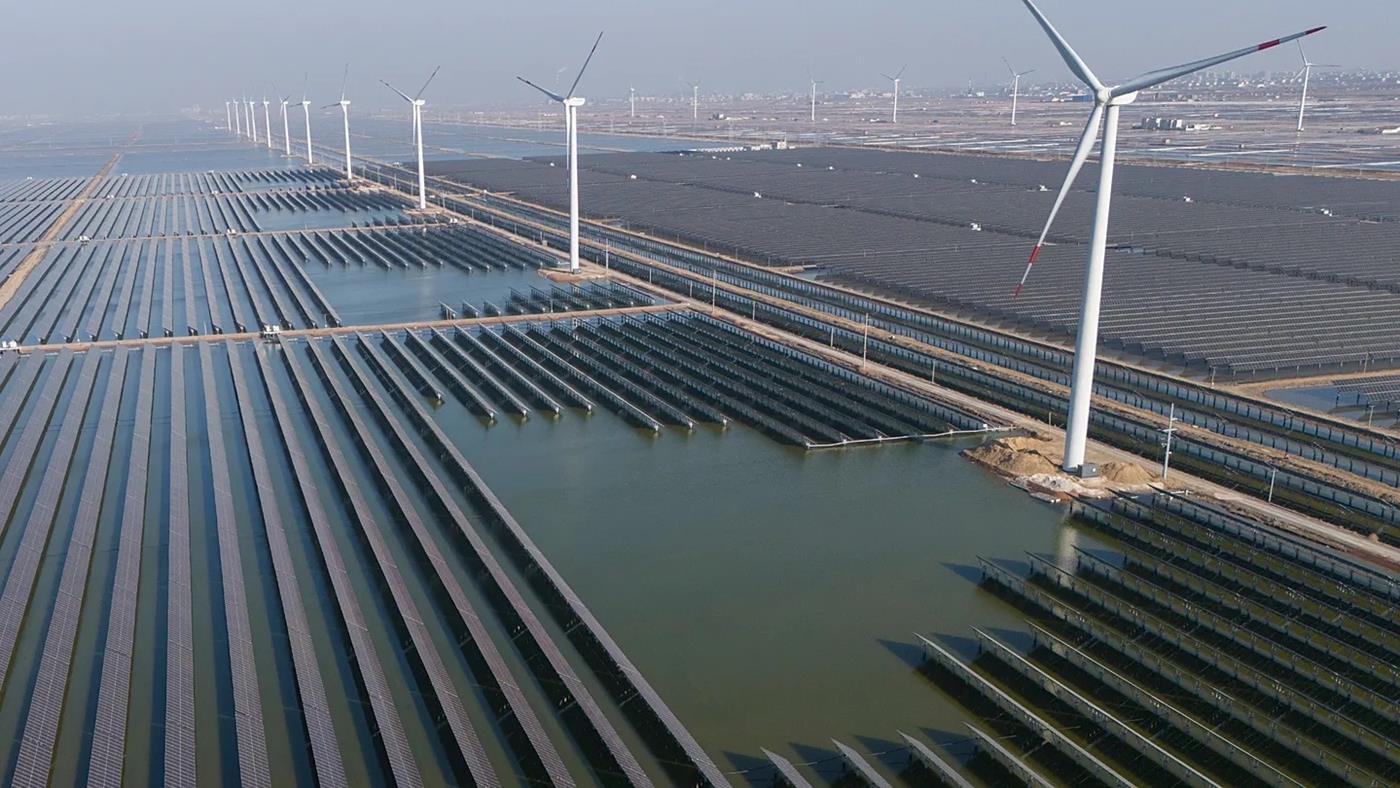
İran krizi, Avrupa ve Asya’da enerji fiyatlarını yükselterek güneş panelleri, ısı pompaları ve elektrikli araçlara talebi hızla artırdı. Tüketiciler, belirsizlik altında fosil yakıtları terk ediyor.
Apple’ın katlanabilir iPhone modeliyle ilgili yeni bilgiler gelmeye devam ediyor. Son detaylara göre şirket, bu cihazla iPhone tarihinde bugüne kadarki en büyük tasarım değişikliğine hazırlanıyor. The Problem
Every AI agent operator knows this moment: you wake up to find your agent has been producing garbage for hours. The confidence scores looked fine. The logs showed nothing wrong. But somewhere between “thinking” and “acting,” something broke — and nobody noticed until the damage was done.
The traditional solution is monitoring. You add observability, set up alerts, create dashboards. But here’s the uncomfortable truth: monitoring tells you when something broke. It doesn’t fix anything.
What you need is a self-healing agent.
What Is a Self-Healing Agent?
A self-healing agent is a system that detects its own failures, diagnoses the root cause, and takes corrective action — without human intervention. Not through external monitoring. From inside the agent itself.
The key insight is this: agents already have everything they need to heal themselves. They can:
The problem isn’t capability. It’s architecture. Most agents are designed as one-shot request handlers. They receive a prompt, produce an output, and call it done. There’s no loop. No self-evaluation. No recovery path.
The Four-Stage Recovery Pattern
Here’s the pattern I’ve used to build self-healing agents:
Stage 1: Output Validation
Before the agent acts on its own output, it validates against explicit success criteria:
This isn’t the agent checking “is my answer good?” That’s useless. It’s checking “did I produce what I was asked to produce?” — which is verifiable.
Stage 2: Failure Detection
When validation fails, the agent doesn’t retry blindly. It classifies the failure:
Each failure type has a different recovery strategy.
Stage 3: Contextual Recovery
Based on failure classification, the agent applies targeted fixes:
| Failure Type | Recovery Action |
|---|---|
| Input corruption | Request re-fetch or data cleaning |
| Context starvation | Ask for more details or history |
| Tool failure | Retry with exponential backoff or use alternative |
| Reasoning collapse | Reset to last known good state |
| Output corruption | Regenerate with different parameters |
Stage 4: Learning Integration
The recovery gets recorded as training data. Not for future training (too slow), but for immediate adaptation:
Implementation Without Building From Scratch
You don’t need to architect this from scratch. There are tools that implement this pattern:
The key is treating failure not as an exception to handle, but as a first-class input for the agent’s reasoning loop.
Results
In my own agent deployments, self-healing architecture has reduced:
The agent doesn’t just recover faster. It recovers better — because each recovery improves its decision-making for next time.
Want to implement this pattern? I’ve open-sourced the self-healing framework at [link in bio]. Questions about your specific use case? Drop them below.
I’m 19, studying computer engineering in Brazil. A few weeks ago I was testing an AI agent with no restrictions. Just to see what it would do.
It was destructive.
Nothing permanent, I caught it. But it was the kind of moment where you sit back and think: what if I hadn’t been watching? What if this was running in production? What if someone else’s agent is doing this right now and nobody is watching?
That’s when I realized the problem. Everyone is racing to give agents more tools, more autonomy, more access. But nobody is building the layer that controls what they can actually do with it. The assumption is that a good prompt is enough. It isn’t.
The gap nobody is talking about
The AI agent space has exploded. LangChain, CrewAI, browser-use, OpenAI Agents SDK, the tooling for building agents has never been better. You can have an agent browsing the web, writing code, calling APIs, and moving files in an afternoon.
But here’s what I couldn’t find: a serious answer to “how do I control what my agent can actually do at runtime?”
The common answers I got:
These are not answers. These are hopes dressed up as engineering.
A good system prompt doesn’t stop an agent from being manipulated through prompt injection. Input validation doesn’t catch an agent that decides rm -rf ./old_stuff is a reasonable interpretation of “clean up.” And “don’t give it dangerous tools” directly contradicts the reason you’re using agents in the first place.
What actually needs to exist
The thing missing is embarrassingly simple: a policy layer that sits between your agent and the world.
Not prompt engineering. Not vibes. An actual enforcement layer that says:
./workspace but cannot delete anythingThe goal isn’t to babysit every action manually, that defeats the purpose of automation. The goal is to define the boundaries once, enforce them automatically, and only surface the genuinely ambiguous decisions to a human.
This is what firewalls do for networks. This is what WAFs do for web apps. Agents need the same thing, and almost nobody is building it.
So I built it
I built AgentGuard, an open source runtime firewall for AI agents.
It’s a Go proxy that sits between your agent and its tools. You define policies in YAML. The proxy enforces them in real time, blocking, holding for approval, logging everything. It has adapters for LangChain, CrewAI, browser-use, and MCP. There’s a dashboard that shows you live what your agents are doing and lets you approve or deny actions with one click.
It’s not finished. The SQLite audit backend isn’t done. Some adapters are still rough. But the core works, and I think the core is the right idea.
The firewall for AI agents.
Policy enforcement, real-time oversight, and full audit logging for autonomous AI systems
Quickstart •
Why AgentGuard •
Architecture •
Policy Engine •
Dashboard •
Adapters •
Setup Guide •
Contributing
Every trending AI project is giving agents more autonomy — running shell commands, browsing the web, calling APIs, moving money, even performing penetration tests. But nobody is building the guardrails.
Right now, most teams deploying AI agents are just… hoping they behave.
AgentGuard fixes that.
| Without AgentGuard | With AgentGuard |
|---|---|
Agent runs rm -rf / — you find out later |
Policy blocks destructive commands before execution |
| Agent calls production API with no oversight | Action paused, you get a Slack/webhook notification to approve |
| No record of what the agent did or why | Full audit trail with timestamps, reasoning, and decisions |
| “It worked on my machine” debugging | Query any agent session from the audit |
…
In 5 days it’s been cloned by 165 unique developers with almost no active distribution. I think that says something about how real this problem is.
The thing I keep thinking about
Only 14.4% of organizations send AI agents to production with full security approval. 88% reported confirmed or suspected AI agent security incidents last year.
Everyone is moving fast. Nobody is building the guardrails.
I don’t know if AgentGuard is the right answer. But I’m pretty confident “hope” isn’t.
The Problem with Claude Code’s Official Telegram Plugin
Claude Code’s official Telegram plugin does the basics: text messages in, text messages out. But if you’ve used it for more than a day, you’ve hit the walls:
Enter claude-telegram-supercharged — a drop-in replacement that adds 15+ features without changing your existing bot setup.
What You Get
🎤 Voice Messages — Both Ways
This is the killer feature. Hold the mic button on Telegram, say “refactor the auth middleware to use JWT,” and Claude gets it as text via Whisper transcription. It can even reply with voice via ElevenLabs TTS.
Think of it as Wispr Flow for Claude Code. Walk your dog, talk to your AI assistant. No typing needed.
Transcription uses a smart fallback chain: OpenAI Whisper API → Groq → Deepgram → local whisper-cli. Set one API key and forget it.
🧵 Conversation Threading
In group chats, the plugin follows reply chains — it knows who said what and responds in the correct thread. Up to 3 levels deep. Forum topics are fully supported too, with each topic isolated.
💬 Persistent Memory
When you clear chat history, Claude saves a summary to disk first. On restart, that memory loads back in. Your assistant never truly forgets — context survives crashes, restarts, and /clear commands.
📦 Message Batching
Forward 20+ messages at once and they’re collected into one batch (5-second debounce), auto-summarized, then Claude responds to everything in one reply. Perfect for “summarize this group chat.”
🔄 Daemon Mode with Auto-Restart
The supervisor script manages Claude as a child process with:
Say “clear everything” in chat → Claude saves memory → supervisor restarts with fresh context. Zero downtime.
More Features
Setup in 5 Minutes
Prerequisites
curl -fsSL https://bun.sh/install | bash) Step 1: Install the Official Plugin
# Inside a Claude Code session
/plugin install telegram@claude-plugins-official
Step 2: Clone & Apply the Supercharged Version
git clone https://github.com/k1p1l0/claude-telegram-supercharged.git
# Copy the enhanced server over the official one
cp claude-telegram-supercharged/server.ts
~/.claude/plugins/cache/claude-plugins-official/telegram/0.0.1/server.ts
# Install the daemon supervisor
mkdir -p ~/.claude/scripts
cp claude-telegram-supercharged/supervisor.ts
~/.claude/scripts/telegram-supervisor.ts
Step 3: Configure Your Bot Token
# Inside Claude Code
/telegram:configure YOUR_BOT_TOKEN_HERE
Step 4: Launch
# Option A: Standard (with Telegram channel)
claude --channels plugin:telegram@claude-plugins-official
# Option B: Daemon mode (recommended — auto-restarts)
bun ~/.claude/scripts/telegram-supervisor.ts
Step 5: Pair
DM your bot on Telegram. It replies with a 6-character code. In Claude Code:
/telegram:access pair <code>
Done. Your next message reaches Claude.
Step 6: Lock It Down
Switch to allowlist mode so strangers can’t interact:
/telegram:access policy allowlist
Voice Setup (Optional but Worth It)
For the voice-to-Claude workflow, add your OpenAI key to ~/.claude/channels/telegram/.env:
OPENAI_API_KEY=sk-proj-...
That’s it. The plugin handles format conversion, chunking, and transcription automatically. For fully offline transcription, install whisper.cpp instead.
Always-On with macOS launchd
If you’re on a Mac and want the bot running 24/7 (surviving lid close, logout, and reboots), create a launchd plist:
# ~/Library/LaunchAgents/com.user.claude-telegram.plist
The repo’s README has the full XML template. Key settings: RunAtLoad: true, KeepAlive: true, wrapped with caffeinate -s to prevent sleep.
Why This Matters
The gap between “AI assistant in a terminal” and “AI assistant in my pocket” is huge. Most developers I know have Claude Code running but only use it at their desk. Voice messages + Telegram means you can:
The supercharged plugin turns Telegram into a proper AI interface, not just a chat relay.
Links
Have you tried running Claude Code through Telegram? What’s your setup? Drop a comment below.
Every AI coding session I’ve had follows the same arc: I open Claude/ChatGPT, explain what I want, go back and forth for 20 minutes, get something that mostly works, then close the tab. The code exists. The process that created it doesn’t.
Try reproducing that session tomorrow. Try reviewing the prompts your teammate used. Try version-controlling the “vibe” that made the AI generate good code that one time.
You can’t. And that’s the problem.
The IaC Parallel
Remember when deploying infrastructure meant clicking through the AWS console? You’d configure a load balancer, set up security groups, tweak auto-scaling — all by hand. It worked, until someone asked “can you do that again exactly the same way?” and the answer was always “probably.”
Then Terraform happened. Infrastructure as Code. Define everything in .tf files, run plan, run apply. Reproducible. Versionable. Reviewable. The console still exists, but serious teams don’t touch it.
AI-assisted development is at the “clicking around in the console” stage right now. We chat with AI, copy-paste code, manually verify, repeat. It works — until it doesn’t, and there’s no trail to debug.
What if AI workflows were defined in code? CLI commands. YAML configs. Shell scripts. No chat windows. No interactive sessions. Every step reproducible, every decision versionable.
I’m calling this Harness as Code.
CoDD: A Concrete Implementation
I built CoDD (Coherence-Driven Development) to test this idea. It’s a Python CLI that takes a Markdown spec and produces design documents and code through a deterministic pipeline.
pip install codd-dev
The full pipeline:
spec.md (your requirements in Markdown)
→ codd init # bootstrap project config
→ codd plan --init # AI designs the document dependency graph
→ codd generate --wave 1..N # generate design docs, wave by wave
→ codd validate # quality gate: catch AI laziness
→ codd implement --sprint 1..M # generate code from design docs
→ codd assemble # integrate fragments into a working project
→ build # standard build (npm, cargo, whatever)
No interactive AI chat at any step. Every AI call goes through claude --print — Claude Code CLI’s non-interactive STDIO mode:
claude --print --model claude-opus-4-6 --tools ""
"$(cat prompt.txt)"
Prompt in, text out. AI as a pure function. The ai_command in CoDD’s config defines how AI is called:
# codd.yaml
ai_command: claude --print --model claude-opus-4-6 --tools ""
Swap claude for any other CLI and the pipeline still works. CoDD doesn’t care which LLM you use — it only cares about stdin/stdout.
What “Coherence-Driven” Actually Means
Most AI code generators treat each prompt independently. CoDD chains design documents through explicit dependency graphs:
Requirements
├→ Acceptance Criteria (Wave 1)
├→ ADR: Technology Stack (Wave 1)
│ └→ System Design (Wave 2, depends on both above)
│ ├→ Component Design (Wave 3)
│ └→ Task Flows (Wave 3)
│ └→ Implementation Plan (Wave 4)
When generating Wave 2’s System Design, the AI receives the full text of Wave 1’s outputs as context. The ADR says “static export only” → System Design respects React Server Component boundaries. Acceptance Criteria says “ARIA labels required” → Component Design specifies aria-pressed, focus traps, keyboard bindings.
Upstream decisions constrain downstream generation. That’s the coherence.
Real Numbers
I wrote a 37-line spec for a Todo app (Next.js 15, TypeScript strict, dark theme, localStorage):
# TaskFlow — Personal Todo App
## Functional Requirements
- Task CRUD: create, read, update, delete tasks
- Each task has: title, description (optional), due date (optional),
priority (low/medium/high), completed status
- Task list with filtering by: status (all/active/completed), priority
- Inline task completion toggle (checkbox)
- Local state management (no backend, localStorage)
## UI Requirements
- Single-page app with responsive layout (mobile-first)
- Dark theme with accent color (#3b82f6)
- Floating action button opens a modal form
- Toast notifications on create/update/delete
- Keyboard shortcuts: Enter to submit, Escape to close modal
## Constraints
- Next.js 15 App Router with React Server Components
- Tailwind CSS
- TypeScript strict mode
- Deploy-ready as static export
Results:
| Input | Output |
|---|---|
| spec.md (37 lines) | 6 design documents (1,353 lines) |
| 102 code files (6,445 lines) | |
| TypeScript strict mode build: zero errors |
The generated design docs include Mermaid diagrams, component trees with RSC boundaries, state machine definitions, a full implementation plan with 17 sprints — all traceable back to the spec through dependency metadata.
Model Role Separation
Here’s where it gets interesting. The --ai-cmd flag lets you assign different models to different pipeline stages:
# Design docs — needs judgment, use Opus
codd generate --wave 1
--ai-cmd 'claude --print --model claude-opus-4-6 --tools ""'
# Code generation — needs volume, use Codex (or Sonnet)
codd implement --sprint 1
--ai-cmd 'codex --full-auto -q'
# Quality check — needs rigor, back to Opus
codd validate
Opus for architecture. Codex for implementation. Opus for QC. Each model plays to its strengths. You define this in a shell script, not through some proprietary orchestration layer.
Dynamic Pipelines (No Magic Numbers)
Wave and sprint counts depend on your spec — a complex app might have 8 waves and 40 sprints, a simple one might have 3 waves and 5 sprints. CoDD returns these counts for shell scripting:
waves=$(codd plan --waves) # → 4
sprints=$(codd plan --sprints) # → 17
So the full automation script has zero hardcoded values:
#!/bin/bash
set -e
codd init --requirements spec.md
codd plan --init
waves=$(codd plan --waves)
for wave in $(seq 1 $waves); do
codd generate --wave $wave
done
codd validate
sprints=$(codd plan --sprints)
for sprint in $(seq 1 $sprints); do
codd implement --sprint $sprint
done
codd assemble
Change the spec, run the same script. Different wave structure, different sprint count, same pipeline. This is what I mean by Harness as Code — the workflow is defined in code, adapts to input, and needs no human adjustment.
Adding Human Checkpoints
Full automation is one mode. Sometimes you want to review before proceeding:
#!/bin/bash
set -e
codd init --requirements spec.md
codd plan --init
waves=$(codd plan --waves)
# Generate wave 1, then pause for human review
codd generate --wave 1
echo "Review acceptance criteria and ADR in docs/"
echo "Press Enter to continue, Ctrl+C to abort"
read
# Remaining waves run automatically
for wave in $(seq 2 $waves); do
codd generate --wave $wave
done
codd validate
sprints=$(codd plan --sprints)
for sprint in $(seq 1 $sprints); do
codd implement --sprint $sprint
done
codd assemble
Human-in-the-loop is just read in a shell script. No special API. No webhook configuration. Just standard Unix.
Quality Gates
AI models cut corners when they can. codd validate catches:
| Check | Why |
|---|---|
| TODO/TBD detection | AI writes “TODO: implement later” and moves on |
| Meta-commentary removal | “The following section will describe…” — no it won’t, it’s empty |
| Section structure | Required sections (Overview, Architecture) must exist |
| Mermaid diagrams | Detailed design without diagrams gets rejected |
| Dependency consistency |
depends_on references in frontmatter must resolve |
Validation failures block the pipeline. Fix and regenerate, or the build doesn’t proceed. Same idea as terraform validate — catch problems before they propagate.
The Comparison
| Interactive AI Chat | Harness as Code (CoDD) | |
|---|---|---|
| Reproducible | No | Yes — same spec, same pipeline |
| Versionable | No | Yes — spec + config in git |
| Reviewable | No | Yes — PR the spec, review the diff |
| Model-switchable | Manual | Per-step via --ai-cmd
|
| CI/CD compatible | No | Yes — it’s just shell commands |
| Human checkpoints | Always (you’re the human) | Optional (read where needed) |
What I Learned
Spec quality is the bottleneck. My first spec for the Todo app had no UI requirements — the result looked functional but ugly. Adding 10 lines of UI spec (dark theme, FAB, toast notifications, keyboard shortcuts) transformed the output. CoDD faithfully expands what you write. It won’t invent what you don’t.
AI laziness is real and predictable. Without quality gates, roughly 15-20% of generated design documents contain TODOs or placeholder sections. The validate step catches all of them.
The “wave” abstraction matters. Generating all design docs in one shot produces inconsistencies. Generating them in dependency order, with upstream docs as context, produces documents that actually reference each other correctly.
Try It
pip install codd-dev
codd init --requirements spec.md
codd plan --init
The repo is here: github.com/yohey-w/codd-dev
CoDD is early (v1.1.0, ~900 weekly PyPI downloads), but the pipeline works end-to-end. The 37-line spec to working TypeScript app isn’t a demo — it’s the actual workflow I use.
If Terraform taught us that infrastructure belongs in code, maybe it’s time to accept that AI workflows do too.
What does your AI development workflow look like? Is it reproducible?
A Typical System Migration Nightmare
You’re handed a legacy system migration project - ERP cloud migration, data consolidation into a new data warehouse. Documentation? Non-existent. No one remembers a system built a decade ago. The original team is long gone, leaving nothing but a production database black box.
You start digging for a data dictionary - only to find there isn’t one. You’re left to figure it out alone: Which table is the customer master? How do orders link to products? What on earth do those ref_-prefixed fields point to?
A week in, you’ve painstakingly mapped relationships for 50 tables. But the system has 2,000 - and the business team is breathing down your neck for a go-live. You start to wonder: Why in 2026 are we still using primitive methods to understand data relationships?
This isn’t a hypothetical scenario - it’s the daily reality of data engineering. The root cause isn’t technology, but that our understanding of data relationships is still stuck in the manual age.
The Core Pain: Lost Organizational Knowledge
When key team members leave, the implicit connections between systems disappear with them - this isn’t a tech problem, it’s a problem of lost organizational knowledge.
There are three traditional fixes, and all fall short:
1. Dig through documentation
The issue: Legacy systems have no docs at all, or docs that are a decade out of date. You’re relying on obsolete paper memories, not the data itself.
2. Consult subject matter experts (SMEs)
The issue: When SMEs are on staff, relationships live only in their heads; when they leave, organizational amnesia is inevitable. You try to rebuild relationships through interviews, but human memory is unreliable, and knowledge transfer is painfully inefficient.
3. Reverse-engineer code
The issue: Business logic is often hardcoded in stored procedures, ETL scripts, or application code - you can’t deduce it from table schemas alone.
Worse, even if you nail the mappings this time, what happens when the business changes? Map everything manually all over again? Maintenance costs skyrocket exponentially.
The central conflict: Data relationships evolve dynamically with business needs, but our methods for understanding them remain static and manual.
Why “Guessing Field Names” Is Doomed to Fail
A core assumption of traditional methods is that field naming is consistent - e.g., customer_id must point to the customer table. But the real world doesn’t play by these rules:
• cust_ref, cust_id, and customer_no might all reference the same table
• The same field name can mean something entirely different across systems
• Many relationships have no foreign key constraints, or constraints are disabled
• Field naming devolves into chaos as systems evolve over time
You try regex matching and rule engines to guess - but accuracy never hits a usable threshold. Why?
Because you’re trying to infer semantics from syntax - and data is the only true carrier of semantics.
A field’s real meaning isn’t in its name, but in the values it actually stores. Do customer_ref in the orders table and cust_id in the customer table relate? Compare their value ranges - if every customer_ref in the orders table exists in the customer table’s cust_id, that’s a real relationship, regardless of naming.
Algorithm-Driven: From “Guessing Names” to “Analyzing Content”
No more relying on metadata - analyze data content and characteristics directly.
Inclusion (Containment Relationships): Identify Master Tables
The most common relationship is one-to-many: an order’s customer_id is always a subset of the customer master table. The algorithm is straightforward:
Calculate the distinct set of customer_id in the orders table (Set A)
Calculate the distinct set of id in the customer table (Set B)
Measure the percentage of Set A that exists in Set B (inclusion ratio)
An inclusion ratio ≥90% signals a strong relationship; 100% means full containment, enabling automatic merging.
This changes everything: You don’t care what fields are called. The algorithm tells you Field X in the orders table is a subset of Field Y in the customer table - and builds the relationship automatically.
Equivalence (Identical Entities): Uncover Different Labels for the Same Thing
Sometimes two tables store the exact same entity, with entirely different field names. For example:
• User table: user_id = “U10001”, “U10002”
• Customer table: customer_code = “U10001”, “U10002”
This is an equivalence relationship! The algorithm checks bidirectional inclusion ratios, detects near-perfect overlap, and links them automatically.
This is a game-changer for cross-system integration: Different systems follow different naming standards, but store the same core entities.
Hierarchical Patterns: Streamline Dimensional Modeling
Some relationships aren’t direct - they’re hierarchical. For example:
• Department code: 01.01.003
• Team code: 01.01.003.001
By analyzing code structures, the algorithm uncovers hierarchical dependencies and streamlines data warehouse dimensional modeling - something that once required manual validation, now fully automated.
Quantify Relationships: From “Gut Feel” to Hard Metrics
The biggest flaw of traditional methods is that they’re unquantifiable: You think two tables are related, but how strongly? No one can say for sure.
Arisyn introduces a four-dimensional assessment framework:
• Distinct record count in the master table
• Distinct record count in the contained table
• Co-occurrence frequency
• Inclusion ratio (the critical metric)
Relationships are no longer subjective “gut feelings” - they’re objective, weighted metrics:
For engineering teams, this means automation rules: Relationships with a ≥90% ratio are auto-added to the data graph; those with <90% go to a manual review queue. Data engineering becomes scalable - no longer dependent on the intuition of a handful of experts.
Cross-Source Discovery: Break Down Data Silos
The most painful scenario is cross-system integration: Orders live in MySQL, customers in Dameng, products in Oracle. Manually mapping relationships means jumping between three systems, wasting hours on context switching.
Algorithms shine here because they’re natively cross-source: They don’t care where data lives - only what it contains.
Arisyn automatically identifies the inclusion relationship between orders.cust_ref (MySQL) and customers.cust_id (Dameng), building a 100% reliable link. You see a complete cross-system lineage on the data graph, with auto-generated SQL - an experience impossible with traditional tools.
Real-world manufacturing use case: 8 heterogeneous data sources, 2,000+ tables. The algorithm uncovered 3,000+ relationships - 800+ of them cross-source. A manual effort would take at least 3 months; the algorithm did it in hours.
Engineering Challenges: Why This Isn’t Easy
The algorithm sounds simple, but production implementation comes with massive challenges:
Massive data volume
Enterprise environments have thousands of tables and tens of thousands of fields. A brute-force pairwise comparison is O(n²) - requiring parallel computing, incremental updates, and intelligent sampling to optimize performance.
Poor data quality
Legacy data is riddled with dirty data, nulls, and outliers. Algorithms need robust error handling - e.g., noise tolerance for inclusion ratio calculations.
Real-time requirements
Business systems change constantly; relationships discovered today may shift tomorrow. Incremental update mechanisms are a must - no more full recalculations every time.
Arisyn is built on a cloud-native architecture, supporting high-concurrency, low-latency real-time computing - with relationship discovery completed in minutes.
Value from a Data Engineer’s Perspective
You might be asking: Is this really better than manual work? For data engineers, the benefits are undeniable:
• Efficiency: From weeks/months to minutes/hours - a quantum leap, not just a small improvement.
• Accuracy: Objective judgments based on data content, eliminating human memory errors and omissions.
• Maintainability: Auto-incremental updates for data changes - no more manual syncs.
• Scalability: Algorithm complexity remains manageable as you scale from 10 tables to 2,000; manual work becomes unfeasible as volume grows linearly.
Most importantly: You move from a bottleneck model dependent on a few experts to an engineered model with reproducible algorithms. Data capabilities are no longer the “secret sauce” of a handful of senior team members - they become scalable, standardized infrastructure.
Conclusion
Data relationship discovery isn’t a new problem - but we’ve been solving it the hard way for 20 years.
Technological evolution never comes from making old tools faster - it comes from paradigm shifts: Like moving from horse-drawn carriages to steam engines, it’s not about better horses, but a completely new power source.
Algorithm-driven data relationship discovery is, at its core, a shift from understanding data based on human experience to understanding it based on data and algorithms. This isn’t just an efficiency boost - it’s an evolution of organizational capability.
When we turn data relationships from a black box to a white box, from implicit to explicit, from unquantifiable to measurable - data becomes a true asset, not a burden.
Data engineering still has a long road ahead - but at this critical step, we’re finally leaving the manual age behind.

I built Shoof Aflam — an Arabic streaming guide with 13,400+ titles across 17 platforms — in under a month. The secret? I coded the entire thing with Claude (Anthropic’s AI), pair-programming every component from data pipelines to SEO optimization. Here is the real, honest story.
How It Started
I had a simple problem: there was no Arabic equivalent of JustWatch. If you wanted to know where to legally watch an Arabic movie or series, you had to check every platform manually. No centralized guide existed.
Instead of spending months planning architecture, I opened Claude Code and started building. The entire project — from first commit to 13,400 indexed titles — took about 4 weeks of intensive pair-programming sessions.
The Stack (Built With Claude)
Every line of code was written in collaboration with Claude. I described what I wanted, Claude wrote the implementation, I reviewed and iterated. Some components went through 5-6 revisions in a single session.
What Claude Actually Built
Here is what we built together, honestly:
Data pipeline — 10+ Python scripts that:
SEO system — Claude ran multiple audit rounds and fixed everything:
Outreach automation — A complete system running on the VPS:
The Data: Real Numbers
| Metric | Value |
|---|---|
| Total titles | 13,426 |
| Indexed pages | 11,766 |
| With Arabic overview | 98% |
| Production data coverage | 99.8% |
| Wikipedia facts | 1,400+ |
| Unique FAQ entries | 64,813 |
| Vitest tests | 129 |
| Static pages generated | ~7,000 |
| Build time | ~13 seconds |
Lessons From AI Pair-Programming
What worked great:
What needed human judgment:
What Claude got wrong:
The Hardest Part: Platform Data
The biggest unsolved problem: 80% of titles have no streaming platform data. TMDB and JustWatch have almost zero coverage for Arabic content in MENA regions. The data simply doesnt exist in any API. Getting real platform coverage requires scraping individual platform catalogs — Shahid, WatchIT, OSN+ — which is a separate engineering challenge.
SEO Results (Honest Assessment)
After the full SEO overhaul:
Try It
The entire codebase was built with Claude in about 4 weeks. If you are considering AI pair-programming for a side project, my advice: it works remarkably well for data-heavy, SEO-focused static sites. Just keep your human judgment engaged for quality and strategic decisions.
Alex Nitrovic builds shoofaflam.tv, the largest Arabic streaming guide. The project was built entirely with Claude (Anthropic) as an AI pair-programming partner.